How to Delete Watch History on Netflix
On Mobile and Desktop
Step 1: Open the Accounts page on Netflix. Select the profile for which you want to check the viewing history.
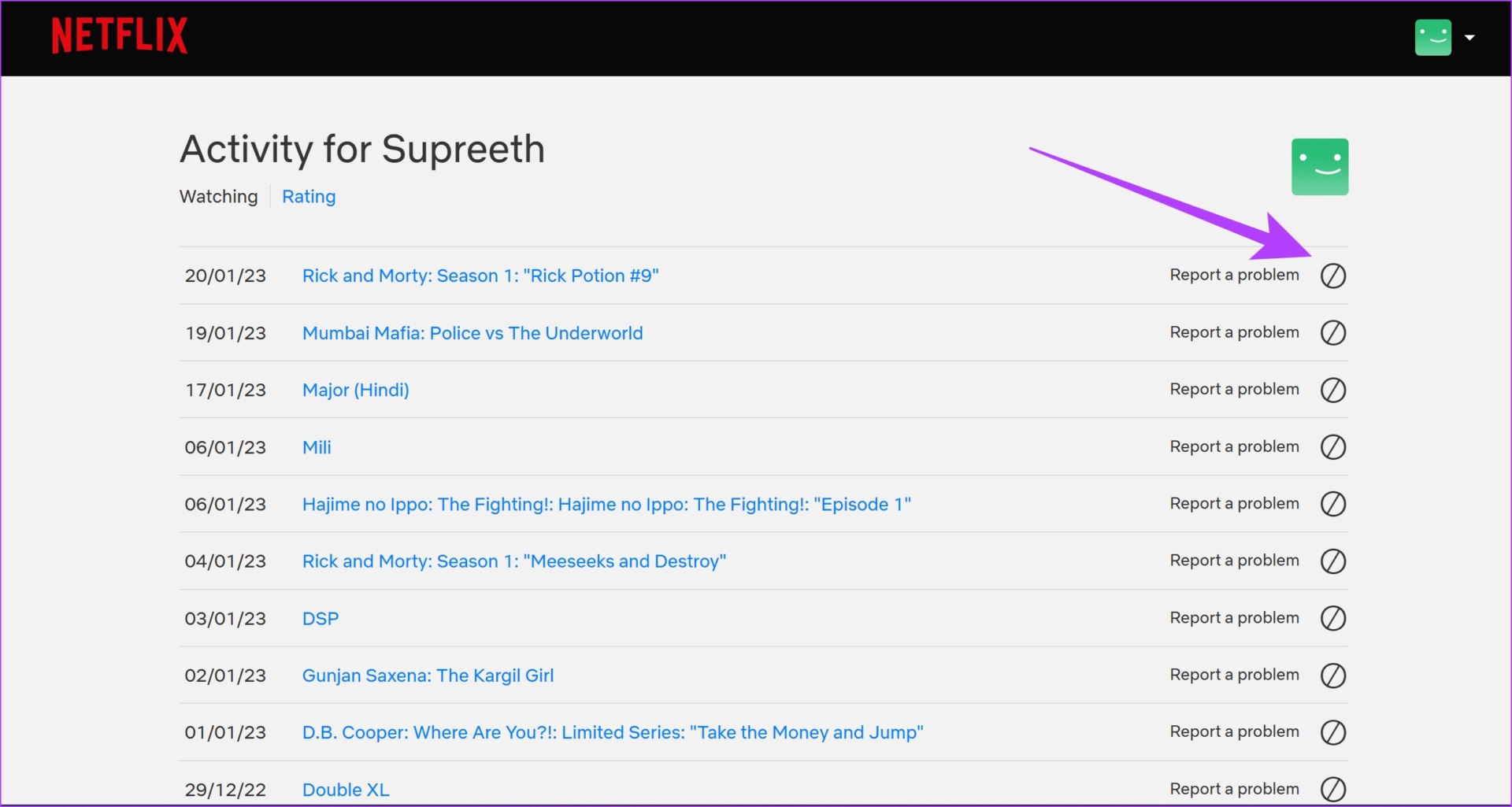
Step 2: Tap on Viewing Activity.

Step 3: Tap on the hide button next to the title you want to delete from your Netflix watch history.
You will now get a confirmation message that the item has been hidden.
You can also scroll down and use the Hide All button to delete your entire viewing history.
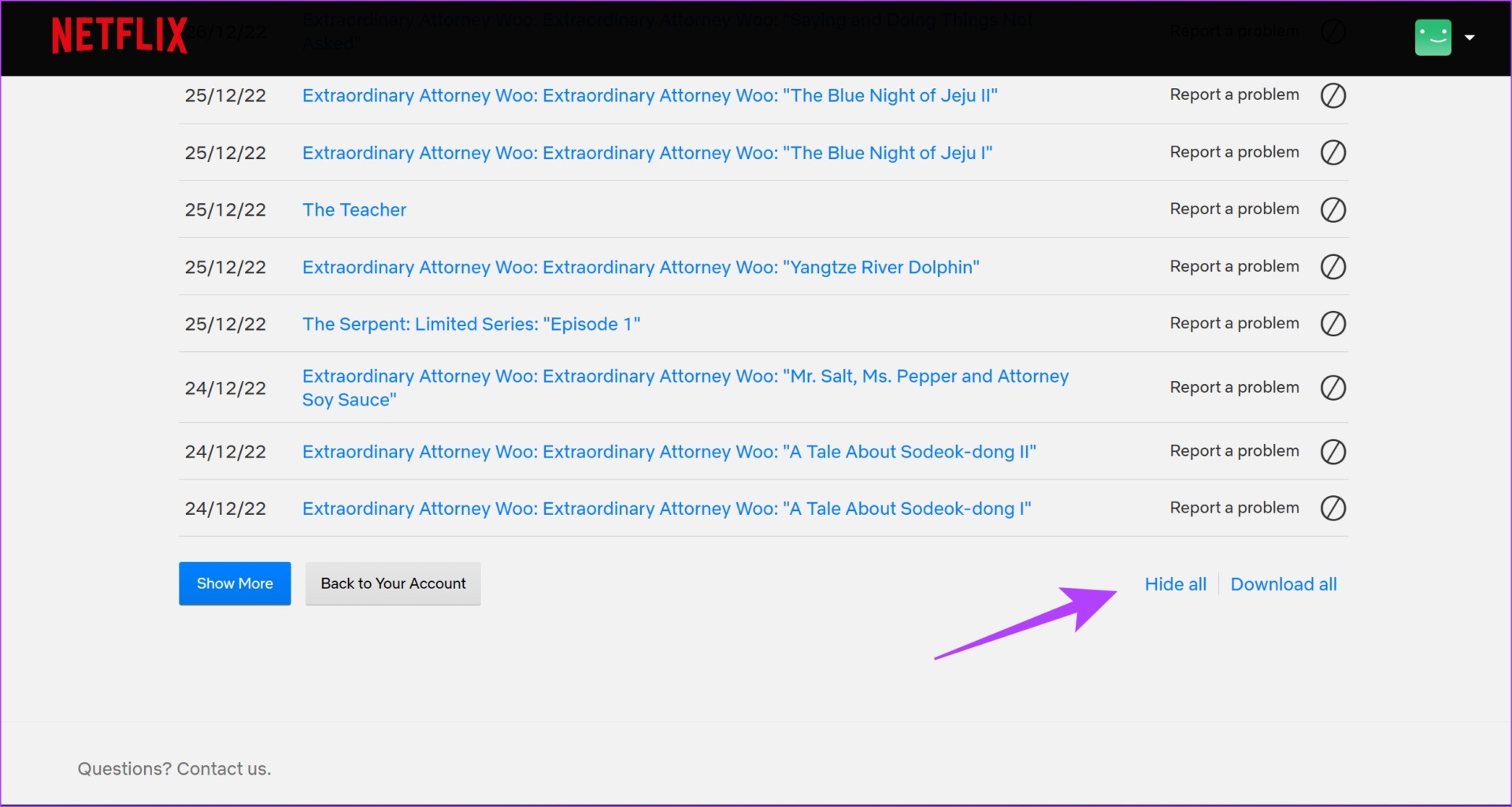
Tip: You can click on the Download All option to save a record of your viewing history as a CSV file.
On Smart TV
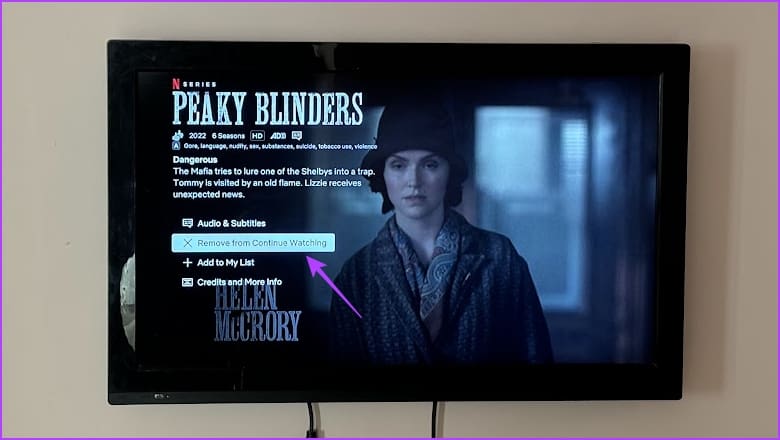
While you cannot reset the watch progress for a Netflix show or a movie on your smart TV, you can remove shows from continue watching. Simply open the title, go down the list of options, and select Remove from Continue Watching.
Also Read: How to fix Continue Watching not showing on Netflix
Frequently Asked Questions
No. Once you delete an item on the Netflix Viewing activity, it will not appear in the downloaded list.
This usually occurs if someone who is supposed to use a different profile uses your profile to watch titles on Netflix.
Yes, but you can only see the date of the watch and not the exact time.
No, there is no option to view Netflix without your history getting recorded.
Also Read: How to find and modify ‘My List’ on Netflix
Was this helpful?
Last updated on 15 May, 2024
Read Next
 How to View and Manage Version History in Google Docs
Google Docs automatically saves previous document versions as you work on it.
How to View and Manage Version History in Google Docs
Google Docs automatically saves previous document versions as you work on it.
 How to View and Delete ChatGPT History on iPhone, Android, and Web
Viewing and Deleting Chat History On Web Hover your mouse to a chat you want to delete.
How to View and Delete ChatGPT History on iPhone, Android, and Web
Viewing and Deleting Chat History On Web Hover your mouse to a chat you want to delete.
 How to View, Export, and Delete Bing Chat History
How to Find Bing Chat History On PC Step 1: Open Bing Chat by clicking the Chat button from the Bing Home screen.
How to View, Export, and Delete Bing Chat History
How to Find Bing Chat History On PC Step 1: Open Bing Chat by clicking the Chat button from the Bing Home screen.
 Netflix Standard vs. Premium: Which Netflix Plan Is Best for You
Netflix Subscription Plans At a Glance While Netflix provides three plans in total, the Standard and Premium plans take the cake.
Netflix Standard vs. Premium: Which Netflix Plan Is Best for You
Netflix Subscription Plans At a Glance While Netflix provides three plans in total, the Standard and Premium plans take the cake.
 How to View and Manage Your Location History in Google Maps
While Google Maps helps you to look for new places and find the best routes, it also saves these things in your Location History.
How to View and Manage Your Location History in Google Maps
While Google Maps helps you to look for new places and find the best routes, it also saves these things in your Location History.
 5 Best Ways To View Windows Update History In Windows 11
By constantly updating your Windows 11 operating system, you get access to new or improved features to deliver a better user experience.
5 Best Ways To View Windows Update History In Windows 11
By constantly updating your Windows 11 operating system, you get access to new or improved features to deliver a better user experience.
 How to View Command Prompt (CMD) History on Windows
Method 1: Use a Keyboard Shortcut There is a keyboard shortcut to view the history on CMD quickly.
How to View Command Prompt (CMD) History on Windows
Method 1: Use a Keyboard Shortcut There is a keyboard shortcut to view the history on CMD quickly.
 7 Best Lawyer Shows on Netflix You Must Watch
Courtroom dramas can be a gripping tale of facts, lies, and deceit all mixed up into one.
7 Best Lawyer Shows on Netflix You Must Watch
Courtroom dramas can be a gripping tale of facts, lies, and deceit all mixed up into one.
The article above may contain affiliate links which help support Guiding Tech. The content remains unbiased and authentic and will never affect our editorial integrity.