Telegram Free vs Premium
| Features | Free | Premium |
| File Sharing Limit | 2GB | 4GB |
| Groups and Channels | Up to 500 | Up to 1000 |
| Pin Chats | 5 | 10 |
| Reserve Public Links | 10 | 20 |
Subscribe to Telegram Premium for a Cheaper Price via Premium Bot
At a regular price, you need to pay $4.99 per month for a Telegram Premium subscription via the App Store or Google Play Store. However, using the Premium Bot in Telegram, you can opt for a cheaper subscription fee. Subscribing via the bot gives users a discounted price because the payments are not subject to fees from Apple or Google.
Step 1: Download the direct version of Telegram, which is available for Android, macOS, and Windows. You don’t need to install the app using the Play Store, Mac App Store, or Microsoft Store.
Step 2: Open the chat with Premium Bot by tapping the link mentioned above.
Step 3: Select Start and then follow the on-screen instructions to pay the discounted fee.

Tip: Learn how to lock the Telegram app on mobile and desktop.
Subscribe to Telegram Premium on iPhone (Regular Price)
To try out Telegram Premium on iPhone, you’ll need to ensure that you use the latest version of the Telegram app. For starters, check if you’re using at least Telegram app v8.8 or higher. Open the App Store and check for updates.
Follow these steps to subscribe to Telegram Premium on iPhone.
Step 1: Open Telegram > Settings > Telegram Premium.
The Telegram Premium amount will appear in the currency for your region
Step 2: Tap on Subscribe and then follow the on-screen instructions.


After that, you’ll receive a confirmation of subscribing to Telegram Premium. You will see a confirmation for the same on your screen.
Subscribe to Telegram Premium on Android (Regular Price)
Things usually remain the same for Telegram users on Android. Just like for iPhone users, Android users should also download the latest version of the Telegram app v8.8.
After you update the app from the Play Store, follow these steps.
Step 1: Open Telegram > Settings > Telegram Premium.
All the features of Telegram Premium will appear on your screen.
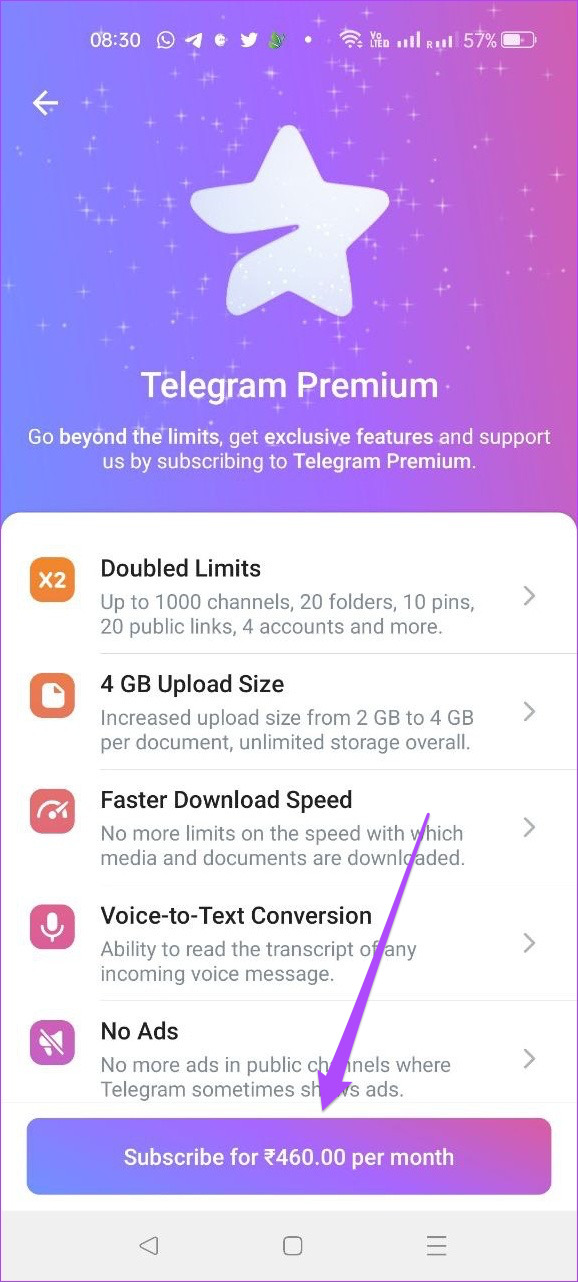
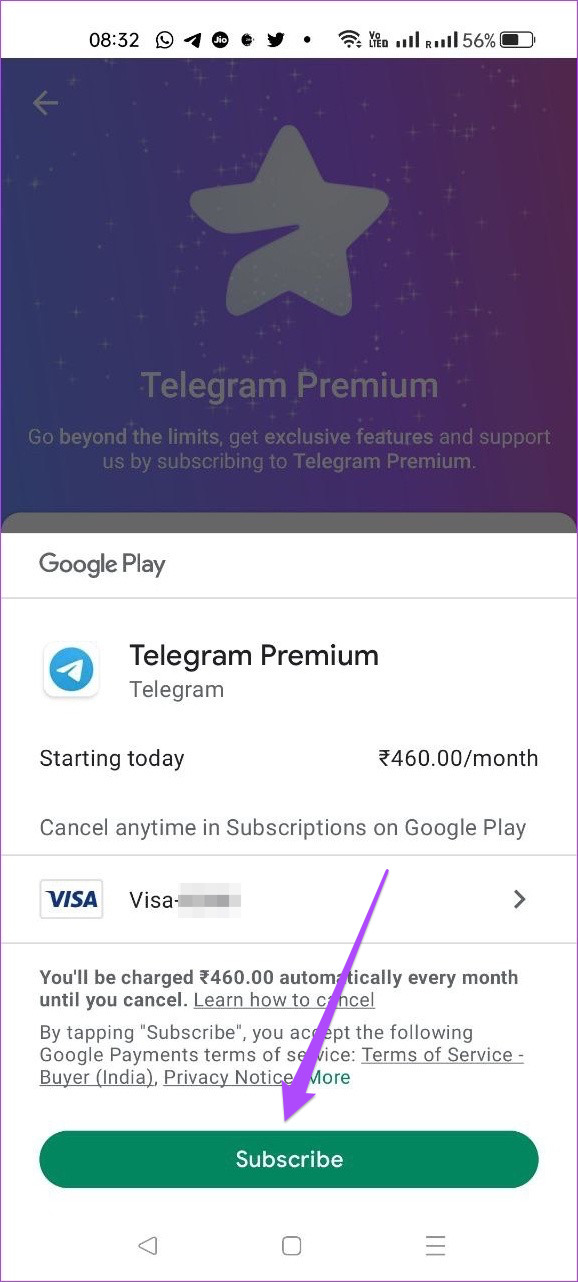
Step 2: Tap on Subscribe at the bottom, choose your payment method, and proceed to subscribe.
You will see this notification when you try using the Premium Bot via the app version that’s not installed directly from the Telegram website.
Yes, free users can enjoy this feature.
Yes, admins can add this button to review the members before letting them join the group.
Tip: Learn more about what you can do with Telegram’s new Microsoft Copilot AI bot.
Was this helpful?
Last updated on 26 July, 2024
Read Next
 Why Can’t I Subscribe to a Creator on Instagram
Why You Are Unable to Subscribe to a Creator on Instagram Creator Subscriptions are available for accounts with more than 10,000 followers on Instagram.
Why Can’t I Subscribe to a Creator on Instagram
Why You Are Unable to Subscribe to a Creator on Instagram Creator Subscriptions are available for accounts with more than 10,000 followers on Instagram.
 How to Cancel Telegram Premium Subscription on Any Device
Let's look at how to cancel Telegram Premium subscription on Android, iPhone, Mac, and Windows. Method 1: Cancel Telegram Subscription On Android Step 1: Open the Google Play Store on your
How to Cancel Telegram Premium Subscription on Any Device
Let's look at how to cancel Telegram Premium subscription on Android, iPhone, Mac, and Windows. Method 1: Cancel Telegram Subscription On Android Step 1: Open the Google Play Store on your
 3 Fixes for YouTube Premium Not Downloading Videos Offline
Basic Fixes Check Internet Connectivity: Ensure your device is connected to a Wi-Fi network or cellular data with good signal strength and an active plan.
3 Fixes for YouTube Premium Not Downloading Videos Offline
Basic Fixes Check Internet Connectivity: Ensure your device is connected to a Wi-Fi network or cellular data with good signal strength and an active plan.
 Netflix Standard vs. Premium: Which Netflix Plan Is Best for You
Netflix Subscription Plans At a Glance While Netflix provides three plans in total, the Standard and Premium plans take the cake.
Netflix Standard vs. Premium: Which Netflix Plan Is Best for You
Netflix Subscription Plans At a Glance While Netflix provides three plans in total, the Standard and Premium plans take the cake.
 How to Get Bumble Premium for Free
Method 1: Get Bumble Premium Free Trial As of writing this guide, you can get the Premium free trial to use Bumble Premium without paying.
How to Get Bumble Premium for Free
Method 1: Get Bumble Premium Free Trial As of writing this guide, you can get the Premium free trial to use Bumble Premium without paying.
 4 Fixes for Spotify Premium Not Working Offline on Smartphones
Basic Fixes: Check your subscription status: To listen offline on Spotify, you must be subscribed to any of their premium plans.
4 Fixes for Spotify Premium Not Working Offline on Smartphones
Basic Fixes: Check your subscription status: To listen offline on Spotify, you must be subscribed to any of their premium plans.
 7 Ways to Know if Someone Blocked You on Telegram
https://youtu.be/mbIz-4608iA Method 1: Check if Messages Are Being Delivered to the Telegram Account If you see a single checkmark for sent messages, it means that the message has not been
7 Ways to Know if Someone Blocked You on Telegram
https://youtu.be/mbIz-4608iA Method 1: Check if Messages Are Being Delivered to the Telegram Account If you see a single checkmark for sent messages, it means that the message has not been
 How to Manage Downloads in Telegram
Use Telegram Download Manager on iPhone It's easy to use the Telegram download manager on iPhone.
How to Manage Downloads in Telegram
Use Telegram Download Manager on iPhone It's easy to use the Telegram download manager on iPhone.
The article above may contain affiliate links which help support Guiding Tech. The content remains unbiased and authentic and will never affect our editorial integrity.