How Much Data Does Instagram Use
We cleared the data usage history on our iPhone and started using Instagram on mobile data. To begin with, the data usage was at 0 MB but at the end of five minutes, here’s how it looked :
- My five minutes of usage consisted of watching a good amount of reels (hence, an estimate of an upper limit) along with a few posts and a bunch of stories. At the end of it, Instagram consumed around 32 MB of data.
- When extrapolated, it means 64 MB for ten minutes and nearly 400 MB for an hour.
- However, the numbers could vary depending on your usage, but we’d say be prepared to lose around 500 MB of mobile data if you use Instagram for an hour on mobile data.
That seems like a lot, doesn’t it?
3 Easy Ways to Reduce Data Usage on Instagram
Method 1: Use Instagram Data Saver
Instagram has a built-in data saver option in the settings menu. Go to Settings > Media Quality and enable Use Less Mobile Data, disable Upload at Highest Quality, and turn on Disable HDR Playback.


Also Read: What happens when you clear the cache on Instagram?
Method 2: Enable Low Data Mode on Your Device
Both iPhone and Android devices have an inbuilt data saver mode to reduce mobile data usage among apps. Let us see how to enable the same. However, do note that these settings will apply to all applications and not just Instagram.
Enable Low Data Mode on iPhone
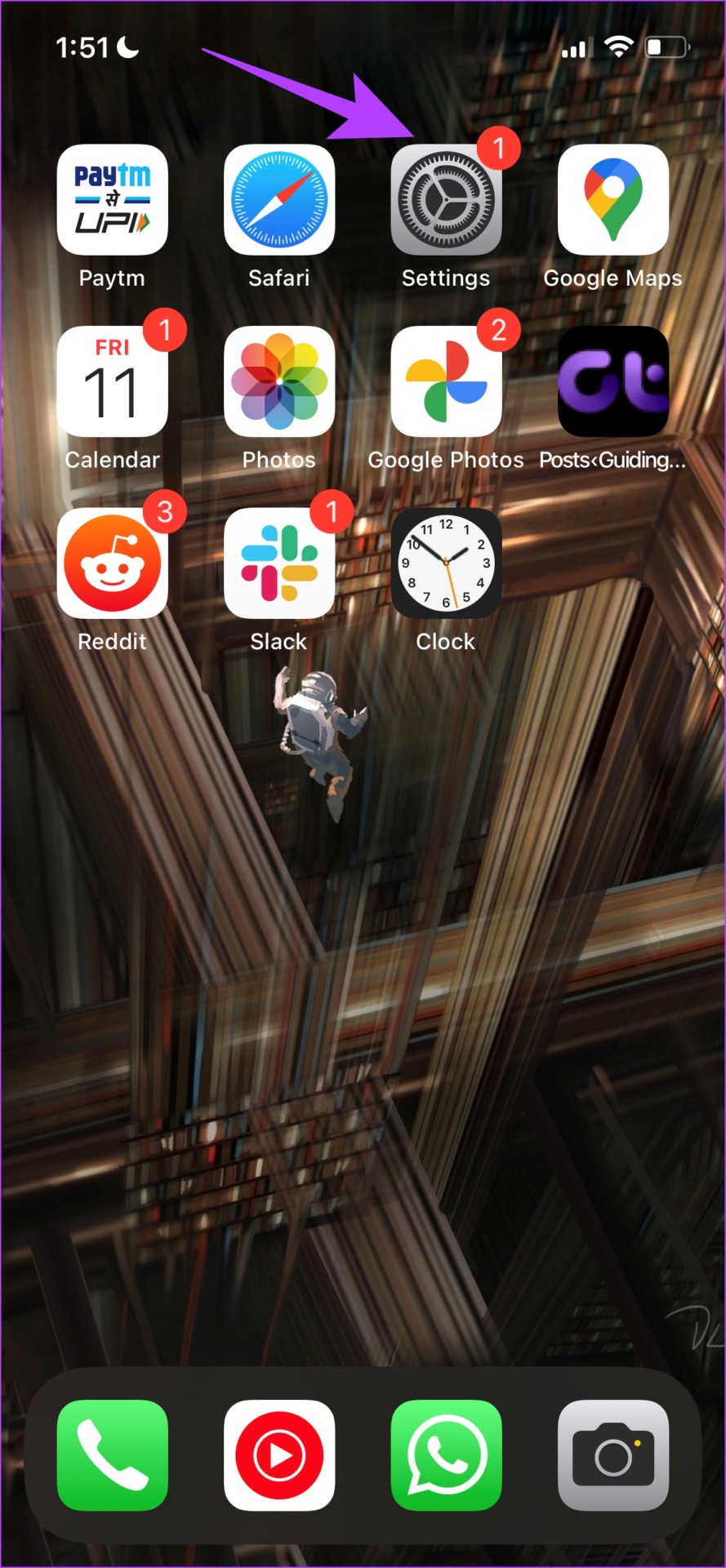
Open Settings > Mobile Data and turn on Low Data Mode.


Enable Data Saver on Android
Note: We have used a OnePlus device to demonstrate the instructions. However, they will remain similar for other Android devices as well.
Open Settings > Mobile network > Data usage and turn on Data Saving.


Also Read: 3 Ways to fix blurry stories on Instagram
Method 3: Use Instagram Lite on Android
Instagram has an app called Instagram Lite on the Google Play store. It is a toned-down version of the Instagram app and is supposed to help you use Instagram with minimal data usage. However, it is only available on Google Play Store and not on Apple’s app store.
Was this helpful?
Last updated on 21 June, 2024
Read Next
 4 Ways to Reduce Fire TV Stick Data Usage
Basic Ways Force close apps when not in use: Go to Settings > Applications > Manage Installed Apps > select the app you want to close > Force Stop.
4 Ways to Reduce Fire TV Stick Data Usage
Basic Ways Force close apps when not in use: Go to Settings > Applications > Manage Installed Apps > select the app you want to close > Force Stop.
 7 Ways to Reduce How Much Data Your Windows 10 PC Uses
https://youtu.be/RsUvBsjgi5k 1.
7 Ways to Reduce How Much Data Your Windows 10 PC Uses
https://youtu.be/RsUvBsjgi5k 1.
 How to Reduce WhatsApp Storage on iPhone
Method 1: Manage WhatsApp Storage on iPhone WhatsApp lets you manage the storage it occupies on your iPhone, with the help of a detailed breakdown.
How to Reduce WhatsApp Storage on iPhone
Method 1: Manage WhatsApp Storage on iPhone WhatsApp lets you manage the storage it occupies on your iPhone, with the help of a detailed breakdown.
 2 Ways to Reduce PDF File Size on Windows 11
Method 1: Using Adobe Acrobat Pro Adobe Acrobat is part of the Adobe Creative Suite.
2 Ways to Reduce PDF File Size on Windows 11
Method 1: Using Adobe Acrobat Pro Adobe Acrobat is part of the Adobe Creative Suite.
 6 Ways to Reduce Photo File Size on Android
Method 1: Reduce Photo Size Using the Gallery App (Samsung) You can use the default Gallery app on Galaxy phones to edit media files, create collages, and even resize them.
6 Ways to Reduce Photo File Size on Android
Method 1: Reduce Photo Size Using the Gallery App (Samsung) You can use the default Gallery app on Galaxy phones to edit media files, create collages, and even resize them.
 4 Ways to Reduce Video Size on iPhone
Method 1: Reduce Size Using iMovie You can reduce the size of a video on the iPhone's built-in video editor, iMovie.
4 Ways to Reduce Video Size on iPhone
Method 1: Reduce Size Using iMovie You can reduce the size of a video on the iPhone's built-in video editor, iMovie.
 6 Ways to Reduce Microsoft Teams Memory Usage in Windows 10 or 11
Fix 1: Disable GPU Hardware Acceleration in Teams GPU hardware acceleration is enabled by default in Microsoft Teams for smooth performance.
6 Ways to Reduce Microsoft Teams Memory Usage in Windows 10 or 11
Fix 1: Disable GPU Hardware Acceleration in Teams GPU hardware acceleration is enabled by default in Microsoft Teams for smooth performance.
 5 Ways to Reduce Photo Size on Windows
Method 1: Using Microsoft Photos App The default Photos app on Windows has several editing features.
5 Ways to Reduce Photo Size on Windows
Method 1: Using Microsoft Photos App The default Photos app on Windows has several editing features.
The article above may contain affiliate links which help support Guiding Tech. The content remains unbiased and authentic and will never affect our editorial integrity.