

Basic Fixes
- Restart the Amazon app: Close and open the Amazon app to get rid of temporary bugs and glitches.
- Check network connectivity: Ensure there are no problems with network connectivity on your smartphone.
- Update the Amazon app: Update the Amazon shopping app from the Play Store or the App Store for a bug-free experience.
Fix 1: Delete Other Items in the Cart, and Check Item Stock
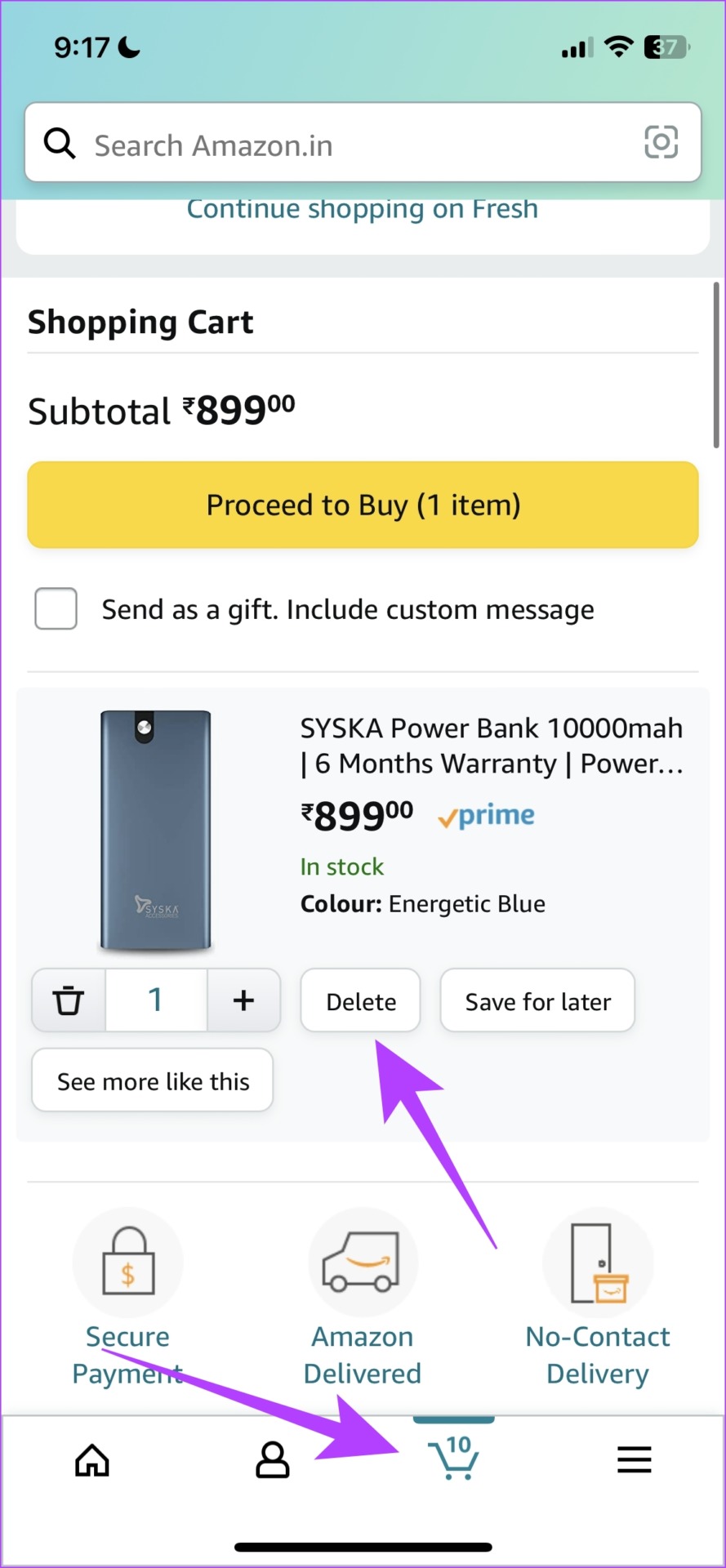
- You can add fifty different items to your Amazon cart. So, if you are exceeding that number, you won’t be able to add more items. Hence, you need to clear some items off your shopping cart.
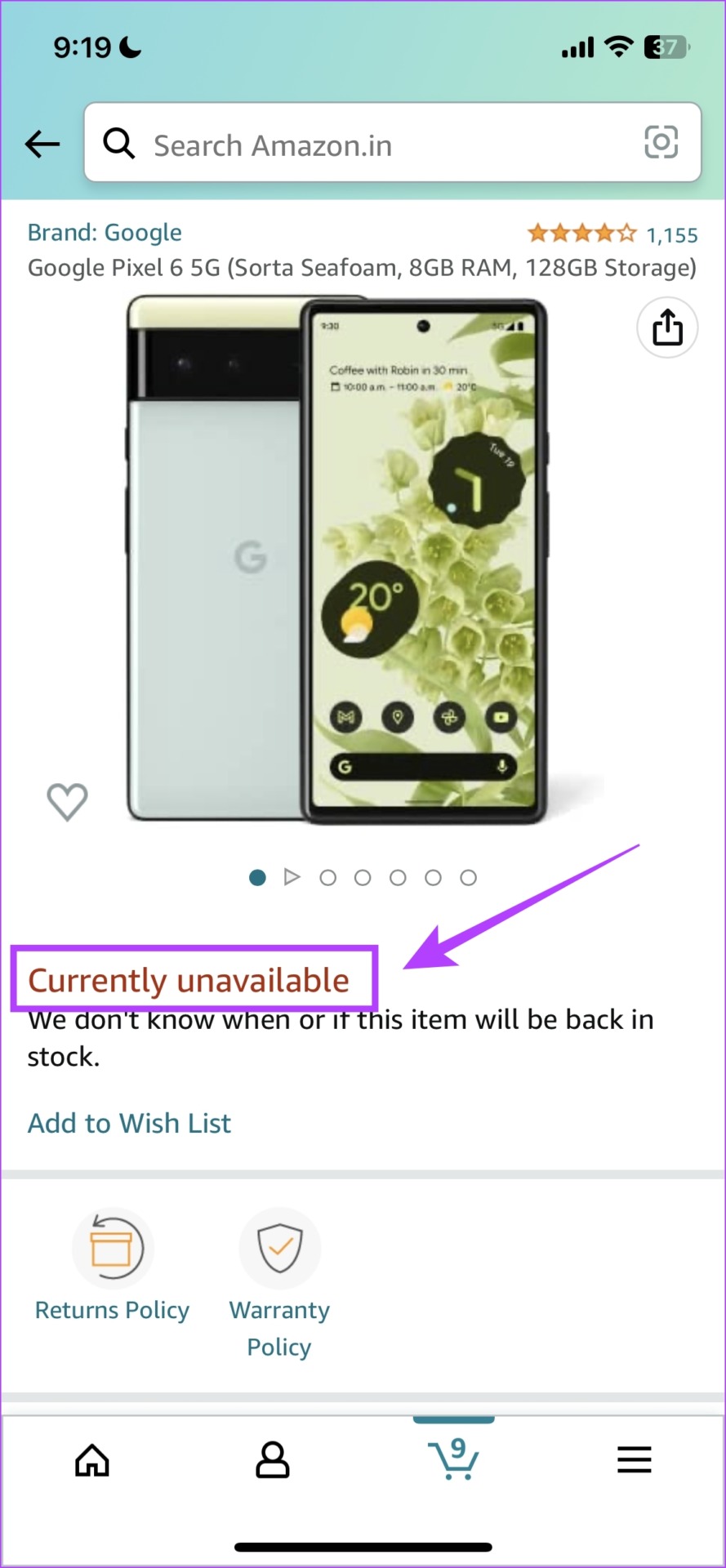
- If the item you are trying to add to your cart is out of stock – you will not be able to add it to your cart. You can try purchasing the unit from a different reseller if you don’t want to let go of the purchase.
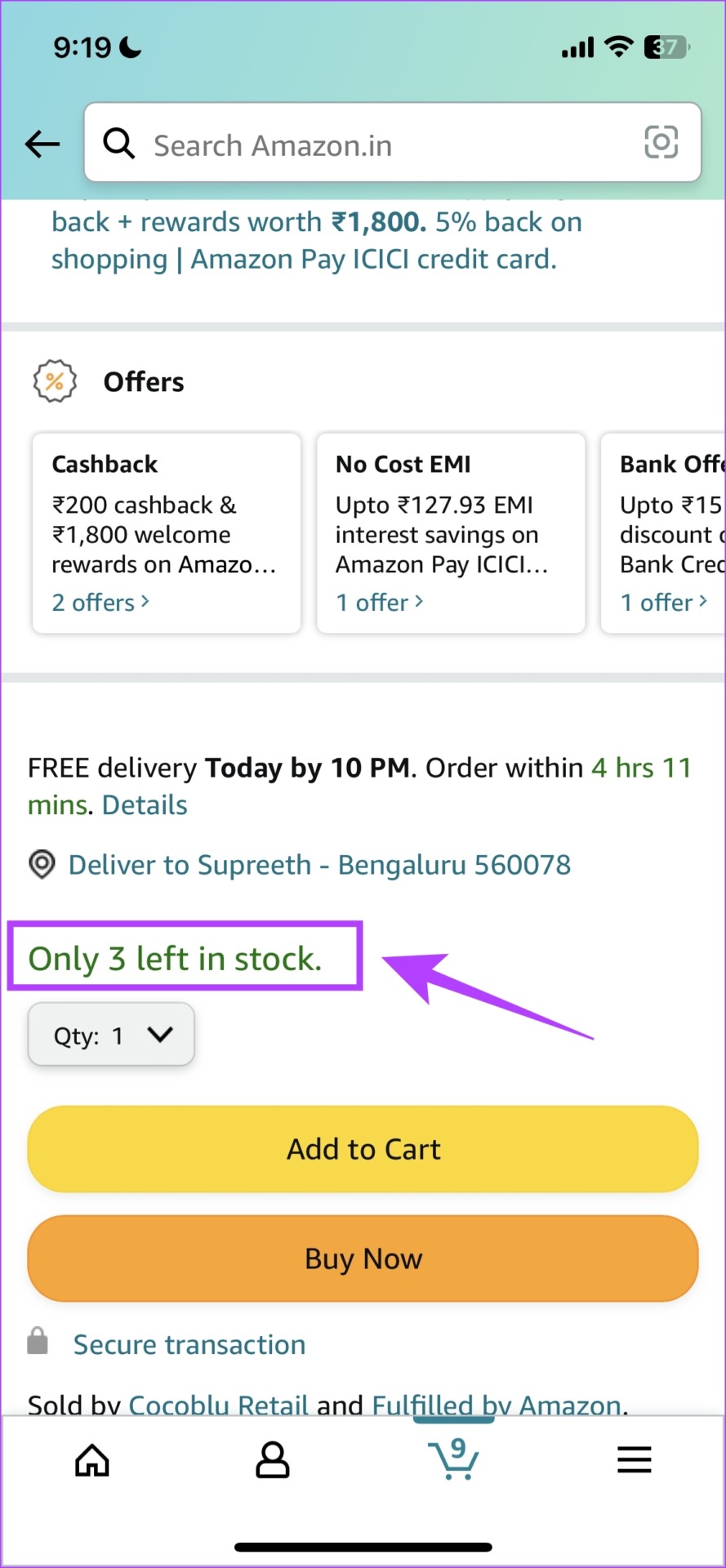
- If you are trying to add more units of the same product and it exceeds the number of available units, the Amazon app won’t let you add the item to the cart. So, keep a check on the number of units available.
Fix 2: Sign Out and Sign In to Amazon
If there are any issues regarding your current login session on the Amazon app, there is a good chance several bugs might come into play. So, it’s best to log out of Amazon and log back in.
Tap on the hamburger-shaped menu tab. Scroll down to find Settings, and tap on Sign Out.
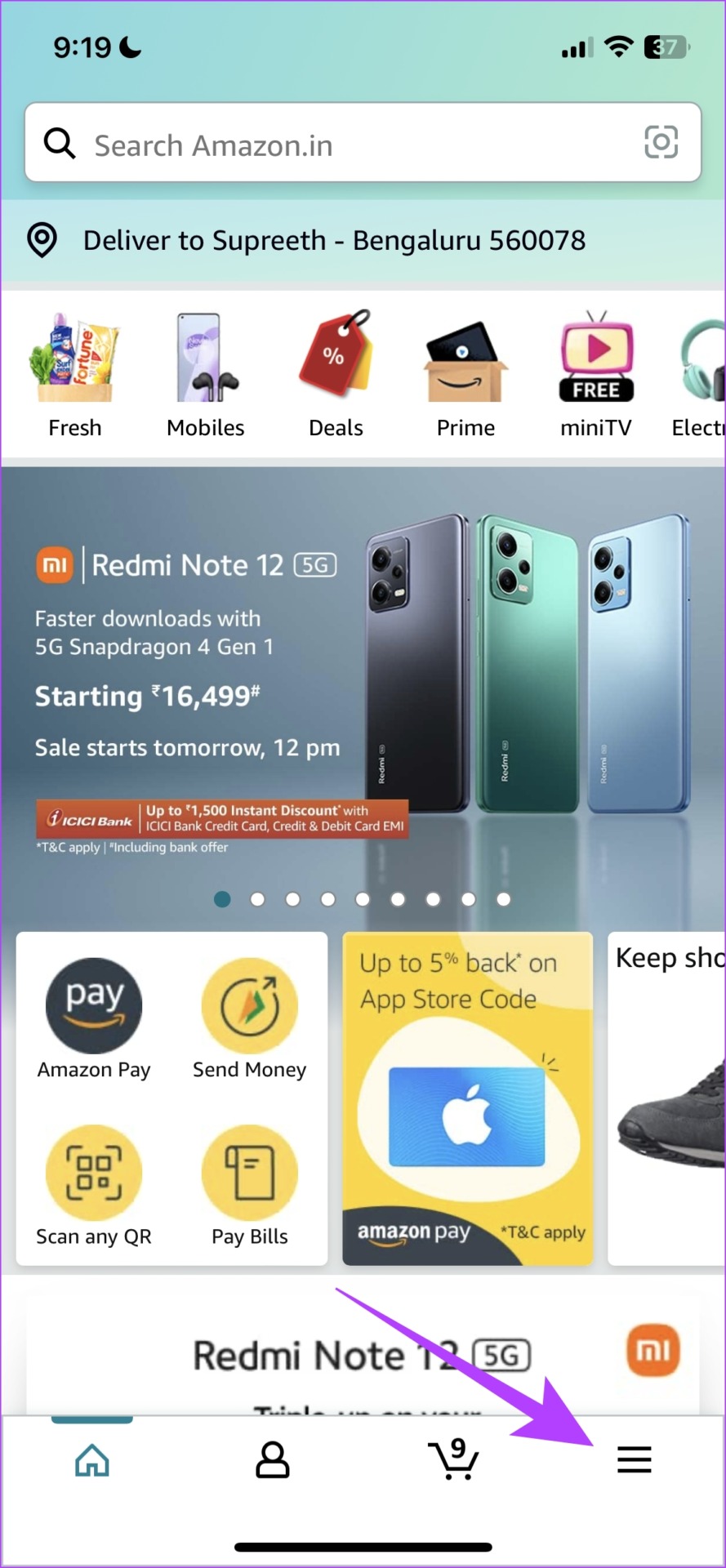


After signing out, tap on the hamburger-shaped menu tab. Scroll down to find the Sign in option. Sign in with your Amazon account.


Fix 3: Clear the App Cache
Cache and junk files present in the Amazon app can cause issues and is recommended you regularly clear it.
Note: Clearing the app cache is something that can be done only on Android and not on iPhone.
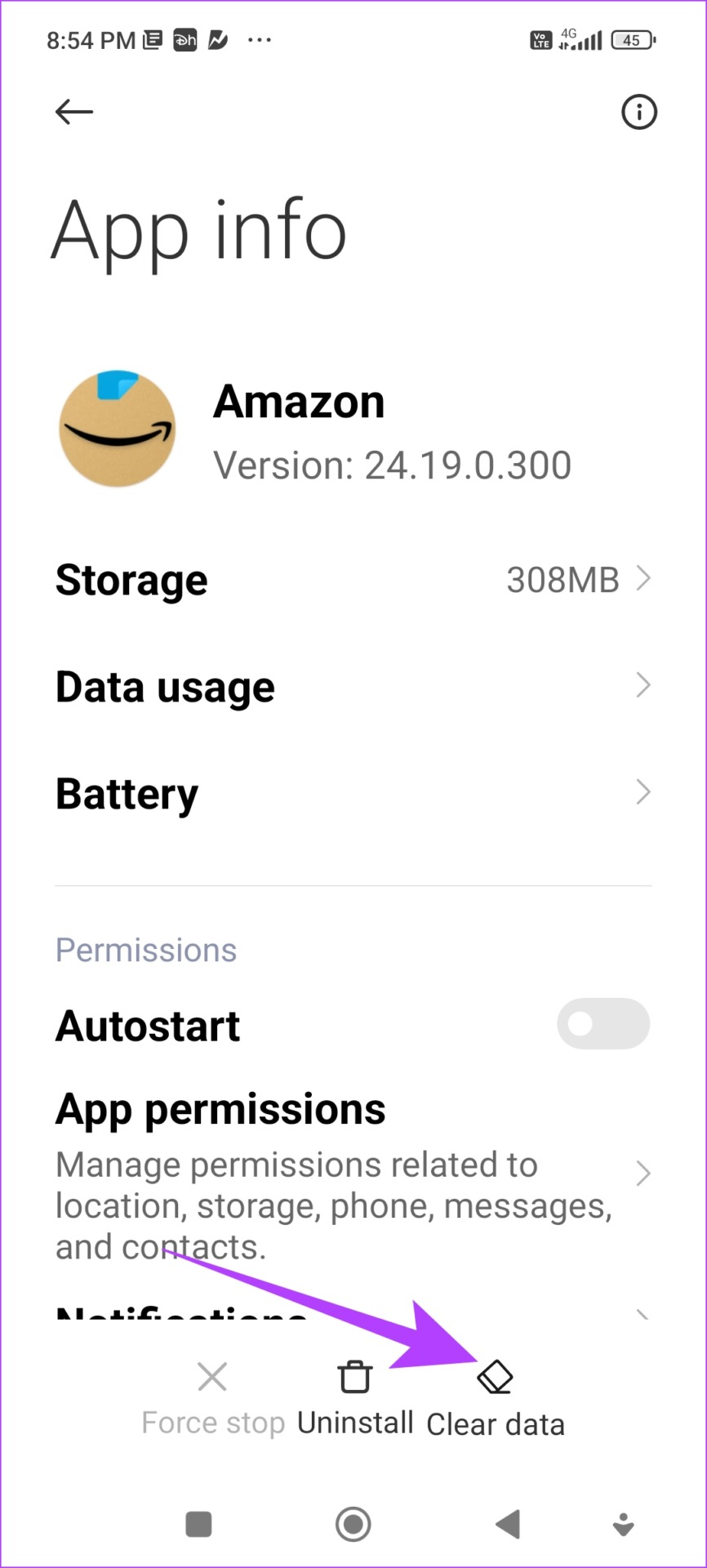
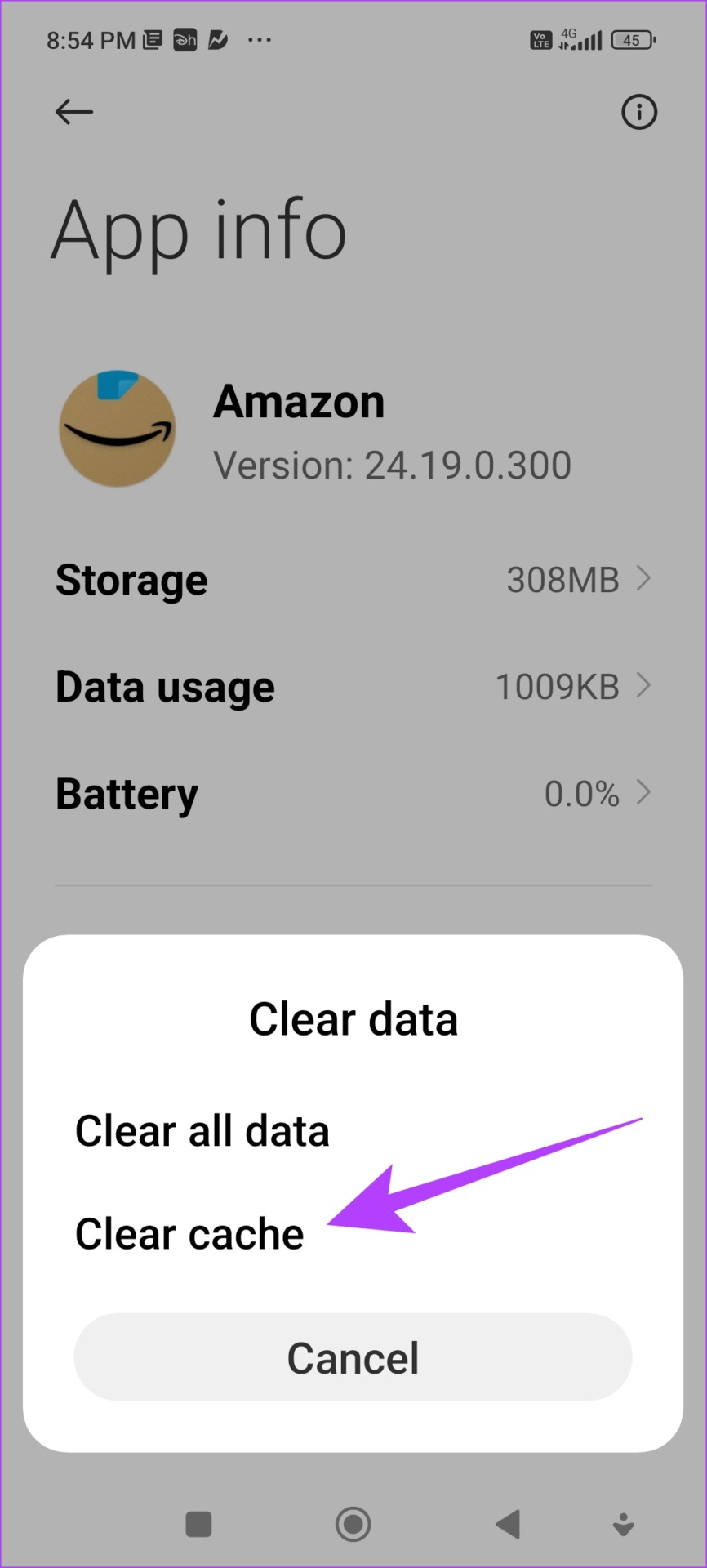
Tap and hold the app icon, tap on info, and select Clear data > Clear Cache.

Fix 4: Use the Amazon Web Version
Amazon’s web version can also be used on the web browser on your phone. If the app has an issue and you can’t get rid of it even after trying all the methods we suggested above, you can use the web version of Amazon to add items to your cart.
Also Read: How to find and download Amazon order history
Was this helpful?
Last updated on 30 June, 2024
3 Comments
Leave a Reply
Read Next
 4 Ways to Fix Airdrop Failed to Save Item Error on iPhone
Basic Fixes: Ensure AirDrop is enabled: If the relevant AirDrop settings haven’t been enabled, it can cause issues like the AirDrop keeps failing error.
4 Ways to Fix Airdrop Failed to Save Item Error on iPhone
Basic Fixes: Ensure AirDrop is enabled: If the relevant AirDrop settings haven’t been enabled, it can cause issues like the AirDrop keeps failing error.
 9 Ways to Fix Amazon “This Item Cannot Be Shipped” Error
Amazon has become a hub for almost every product in the past few years.
9 Ways to Fix Amazon “This Item Cannot Be Shipped” Error
Amazon has become a hub for almost every product in the past few years.
 How to Recover a Deleted Item or Folder in Outlook
 Desktop If you have not cleared it from your deleted items or trash folder, you can recover it.
How to Recover a Deleted Item or Folder in Outlook
How to Recover a Deleted Item or Folder in Outlook Desktop If you have not cleared it from your deleted items or trash folder, you can recover it.
 Top 7 Ways to Fix Google Chrome Failed to Load Extension
Extensions play an important role in the Chrome ecosystem.
Top 7 Ways to Fix Google Chrome Failed to Load Extension
Extensions play an important role in the Chrome ecosystem.
 6 Ways to Fix WhatsApp Media Download Failed Error on Phone
Basic Fixes: Use a strong network connection: Large media files require a stable and strong network connection for a smooth download process in WhatsApp.
6 Ways to Fix WhatsApp Media Download Failed Error on Phone
Basic Fixes: Use a strong network connection: Large media files require a stable and strong network connection for a smooth download process in WhatsApp.
 3 Ways to Fix “Virus Scan Failed” Error in Google Chrome
Try Basic Fixes Disable antivirus temporarily: When an antivirus finds any threats with the file you're trying to download, it might block it.
3 Ways to Fix “Virus Scan Failed” Error in Google Chrome
Try Basic Fixes Disable antivirus temporarily: When an antivirus finds any threats with the file you're trying to download, it might block it.
 3 Ways to Fix Snapchat “Failed to Send” Error on Your Phone
Basic Fixes: Check Snapchat server status: Go to Snapchat's Server Page on Downdetector and see if any new outages have been reported.
3 Ways to Fix Snapchat “Failed to Send” Error on Your Phone
Basic Fixes: Check Snapchat server status: Go to Snapchat's Server Page on Downdetector and see if any new outages have been reported.
 3 Ways to Fix Failed to Connect Spotify to Discord
Quick Fixes Check if Discord or Spotify Are Down: Usually, servers of online services can go under maintenance or face an outage.
3 Ways to Fix Failed to Connect Spotify to Discord
Quick Fixes Check if Discord or Spotify Are Down: Usually, servers of online services can go under maintenance or face an outage.
The article above may contain affiliate links which help support Guiding Tech. The content remains unbiased and authentic and will never affect our editorial integrity.

None of this worked… It’s an Amazon issue
Finally got it to work. Instead of adding to cart, I clicked “buy now”. Appeared instantly, but had to repeat for each item.
Ive tried too order items several times. Put in cart no other options. Youre losing money.