

Method 1: Update Opera Browser on iPhone
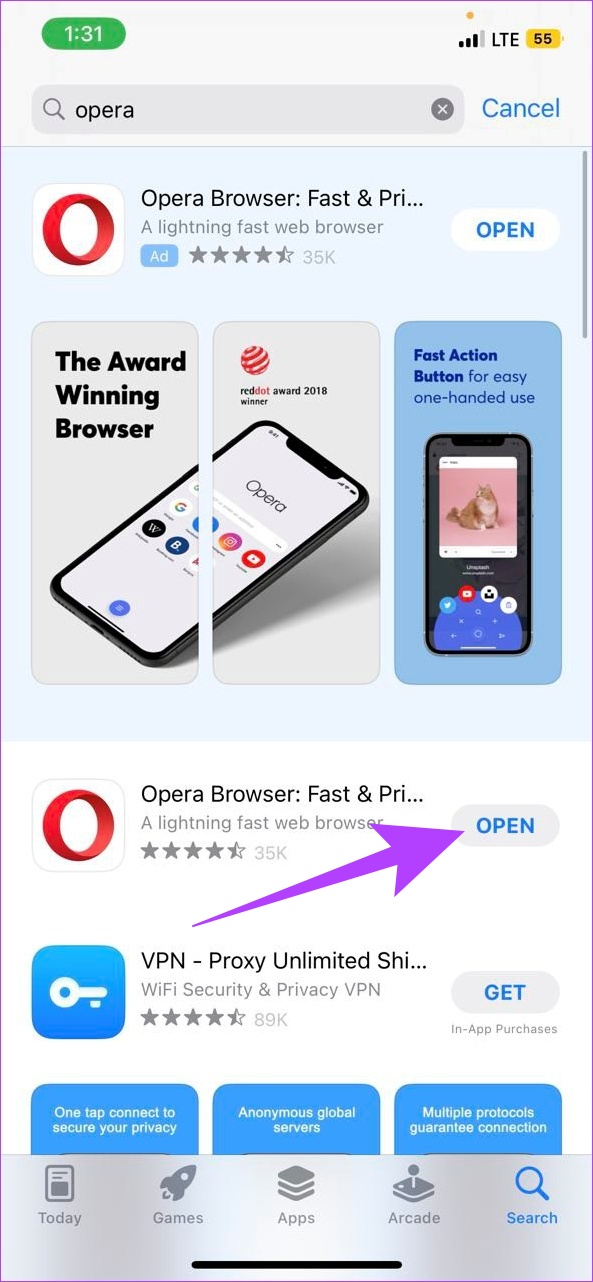
Updating the Opera browsers on your iPhone is straightforward. You can simply check the App Store and install any available updates. Here’s how to do it.
Step 1: Open the App Store. In the search bar, type Opera and press search.
Step 2: Once the app page opens, tap on Update if available.

Also Read: How to check if apps need an update on iPhone and Android
Method 2: Update the Opera Browser App on Android
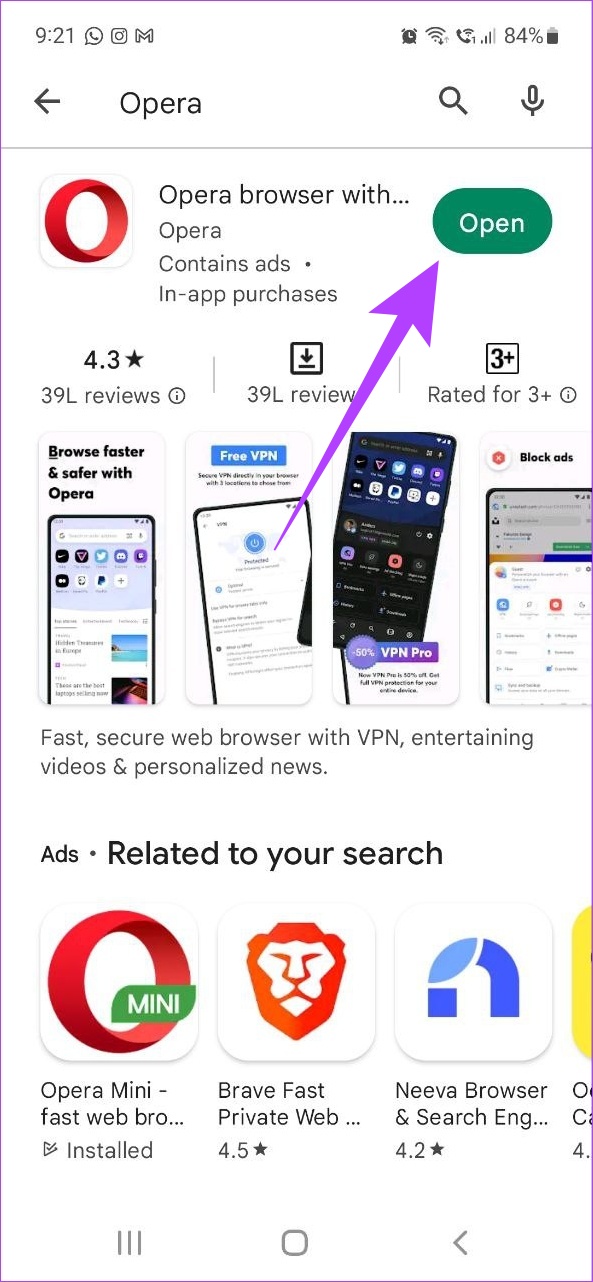
Similarly, you can also use the Google Play Store on your Android phone to check and install the latest updates for your Opera browsers. Follow the below steps to do it.
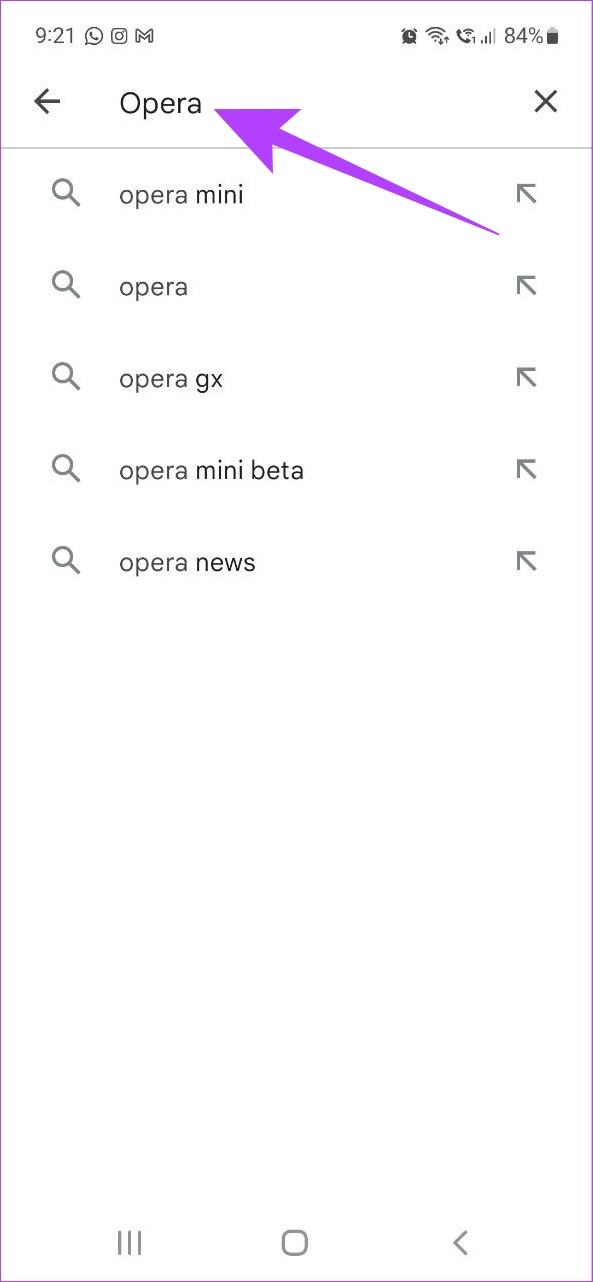
Step 1: Open the Google Play Store and tap on the search bar at the top of the page.
Step 2: Type Opera and press enter. Once the app page opens, tap on Update if available.
Also Read: How to allow or block pop-ups and redirects on Opera
Method 3: Update Opera Browser on Windows and Mac
You can also check browser version details and update your Opera browser on devices running Windows and macOS. Here’s how.
Step 1: Open the Opera browser and click on the menu button in the top left corner.
Note: On Mac, click on the Opera menu icon next to the Apple icon.

Step 2: Click on Update & Recovery.

Step 3: In the Update section, click on Check for update. You can also check the current browser version.

If an update is available, click on Update. Once the update finishes installing, restart the browser. Opera browser is now up to date.
FAQs
No, user data will not be affected when updating the Opera browser.
No, customized settings will not change after installing the latest version of the Opera browser.
When an update fails for any browser, restart the browser and try installing the update again. If the update doesn’t install, try the recover option and reset the browser to its default state. Then, start again. For more detailed solutions, refer to Opera help guides.
Was this helpful?
Last updated on 26 June, 2024
1 Comment
Leave a Reply
Read Next
 Opera GX vs. Chrome: Is Opera GX Better Than Chrome
Opera GX vs.
Opera GX vs. Chrome: Is Opera GX Better Than Chrome
Opera GX vs.
 Opera vs Opera GX: Should You Switch to the Gaming Browser
Opera is one of the better Chromium-based browsers out there.
Opera vs Opera GX: Should You Switch to the Gaming Browser
Opera is one of the better Chromium-based browsers out there.
 5 Browsers to Always Open Desktop Sites on Android and iOS
1.
5 Browsers to Always Open Desktop Sites on Android and iOS
1.
 6 Ways to Fix reCAPTCHA Not Working in Chrome, Firefox, and Other Browsers
Before you begin, ensure there are no problems with the network connection on your device.
6 Ways to Fix reCAPTCHA Not Working in Chrome, Firefox, and Other Browsers
Before you begin, ensure there are no problems with the network connection on your device.
 6 Fastest Browsers for Windows 11 You Should Try
How Did We Test Each Browser on Windows 11 To find the best and fastest browsers for Windows 11, we installed multiple browsers and tested each on popular benchmarking tools.
6 Fastest Browsers for Windows 11 You Should Try
How Did We Test Each Browser on Windows 11 To find the best and fastest browsers for Windows 11, we installed multiple browsers and tested each on popular benchmarking tools.
 6 Best Browsers With Built-in VPN for Android
Why Should You Need a Browser With VPN VPN (Virtual Private Network) serves multiple purposes apart from the fact that it unlocks content locked away in your geolocation.
6 Best Browsers With Built-in VPN for Android
Why Should You Need a Browser With VPN VPN (Virtual Private Network) serves multiple purposes apart from the fact that it unlocks content locked away in your geolocation.
 6 Ways to Fix YouTube Lagging on Chrome, Firefox, and Other Browsers
https://youtu.be/YyRuUvT3-ho Basic Fixes Use a reliable Wi-Fi network: It goes without saying that you need a fast and reliable network connection to play YouTube videos.
6 Ways to Fix YouTube Lagging on Chrome, Firefox, and Other Browsers
https://youtu.be/YyRuUvT3-ho Basic Fixes Use a reliable Wi-Fi network: It goes without saying that you need a fast and reliable network connection to play YouTube videos.
 5 Privacy-Focused Browsers for iPhone and iPad
1.
5 Privacy-Focused Browsers for iPhone and iPad
1.
The article above may contain affiliate links which help support Guiding Tech. The content remains unbiased and authentic and will never affect our editorial integrity.
Opera couldn’t update through the play store 7/14/24! Using Android 7.