One way to reset your Bumble account is to delete the account and then wait for 28 days (Bumble keeps your data for that long). After that set up a new account and profile. You can also delete your account and register with a new email ID and number.
Apart from the wait time, another risk involved here is being banned by Bumble; especially if you do this often. However, if you’re doing so for better matches there are other ways you can try out first.
How to Reset Bumble Account Without Deleting
You will have to manually reset each section of your account to (sort of) reset the Bumble algorithm. We have mentioned the steps below.
1. Reset Bumble Swipes and Matches
Usually, your Bumble swipes will reset after a week if the other person hasn’t swiped for you. Hence, you don’t need to do anything other than wait for a week so that the Bumble likes will reset itself.
If it’s a match, here’s how you can reset matches on your Bumble profile:
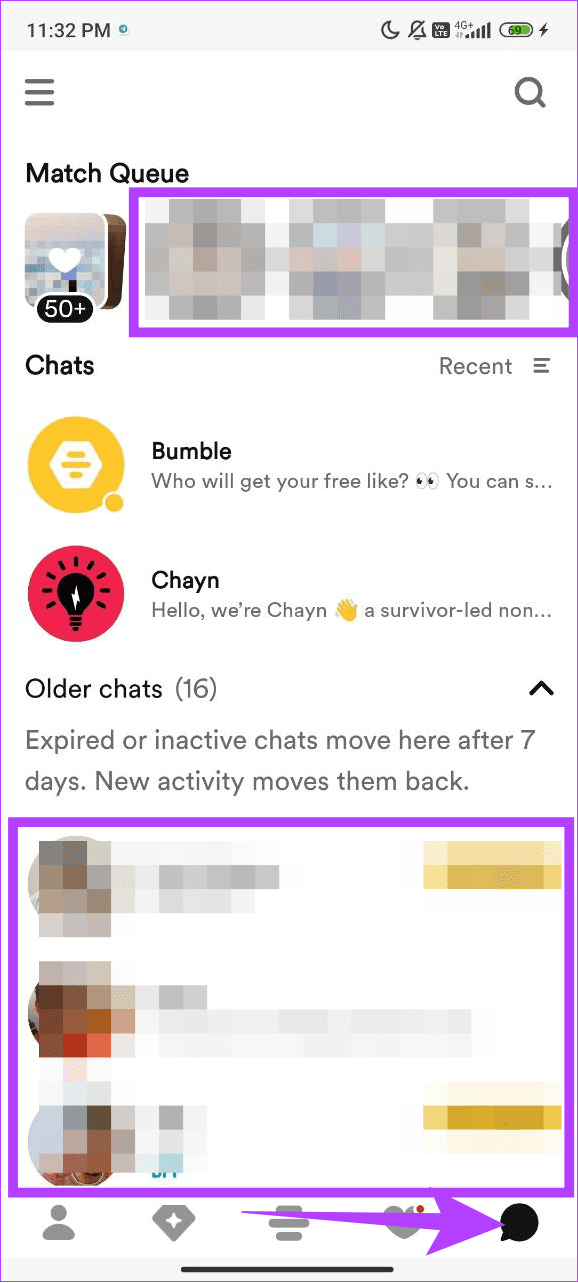
Step 1: Open the Bumble app and tap the Messages icon.
Step 2: From here, open the profile of the person you want to unmatch.
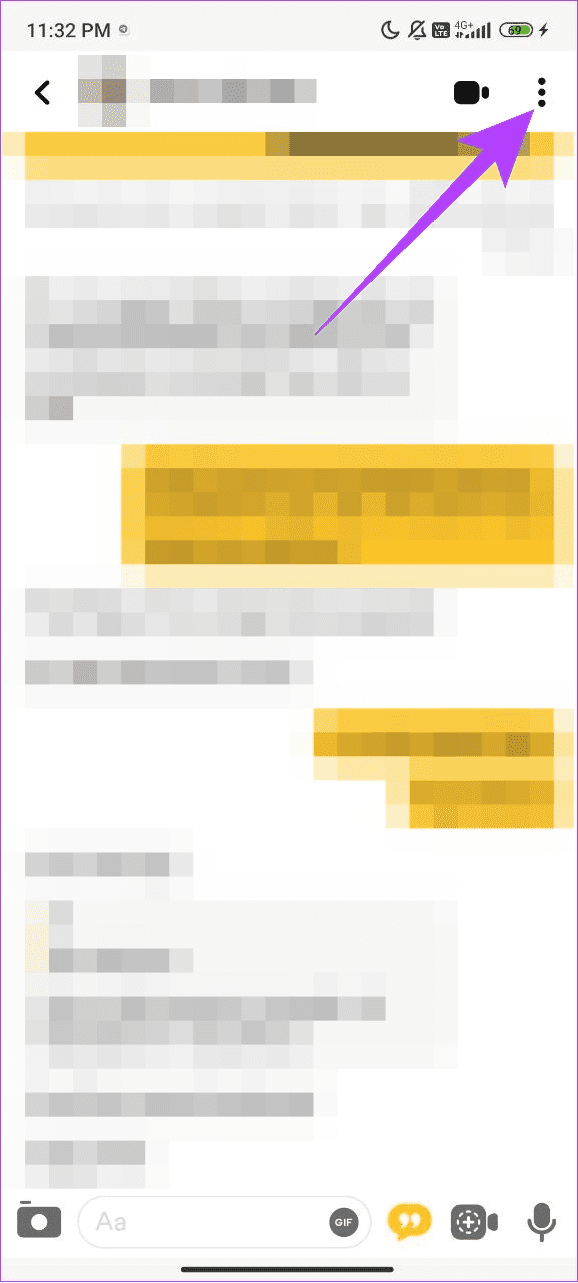
Step 3: Tap the three dots at the top right corner.
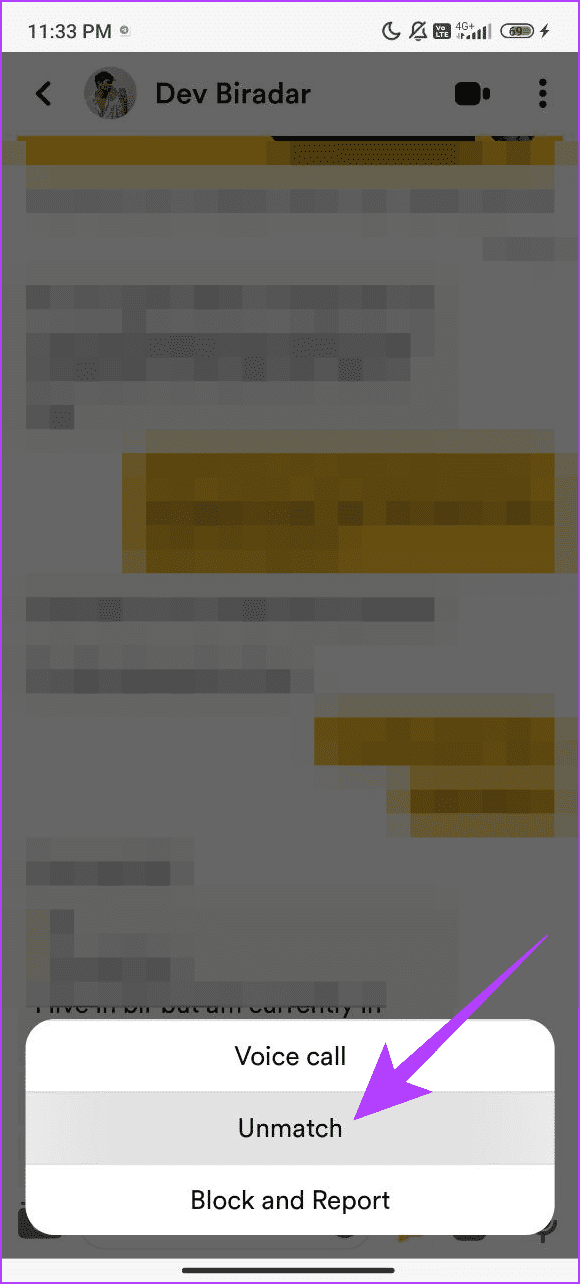
Step 4: Choose Unmatch and tap Unmatch to confirm.

While it’s not necessary to unmatch the profile you didn’t like, it just gives Bumble’s algorithm a hint of what kind of people you didn’t vibe with. So, the platform considers that (not entirely, but slightly) when showing you more profiles.
Tip: You can also adjust the distance on Bumble to increase your chances of coming across better profiles.
2. When Do Bumble Likes Reset
Bumble offers a daily swipe limit of 25 and each right swipe resets (if not matched) 24 hours after it was made. Say you swiped right a 10 profiles around noon and 15 in the evening.
Bumble will reset the 10 swipes around noon the next day and by the evening it will reset all 25 (10+15). However, if you right-swiped someone after the first batch (10) is reset, it will be counted as a fresh swipe for the day.
3. Reset Bio
Bumble’s algorithm not only takes your swipes into account but also the profiles that showed interest in you. Bio is the first thing a person sees when scrolling down to see more information about your profile.
Consider resetting your bio to get noticed by the ‘right’ people. If you want to reset your current bio and replace it with a new one, follow these steps:
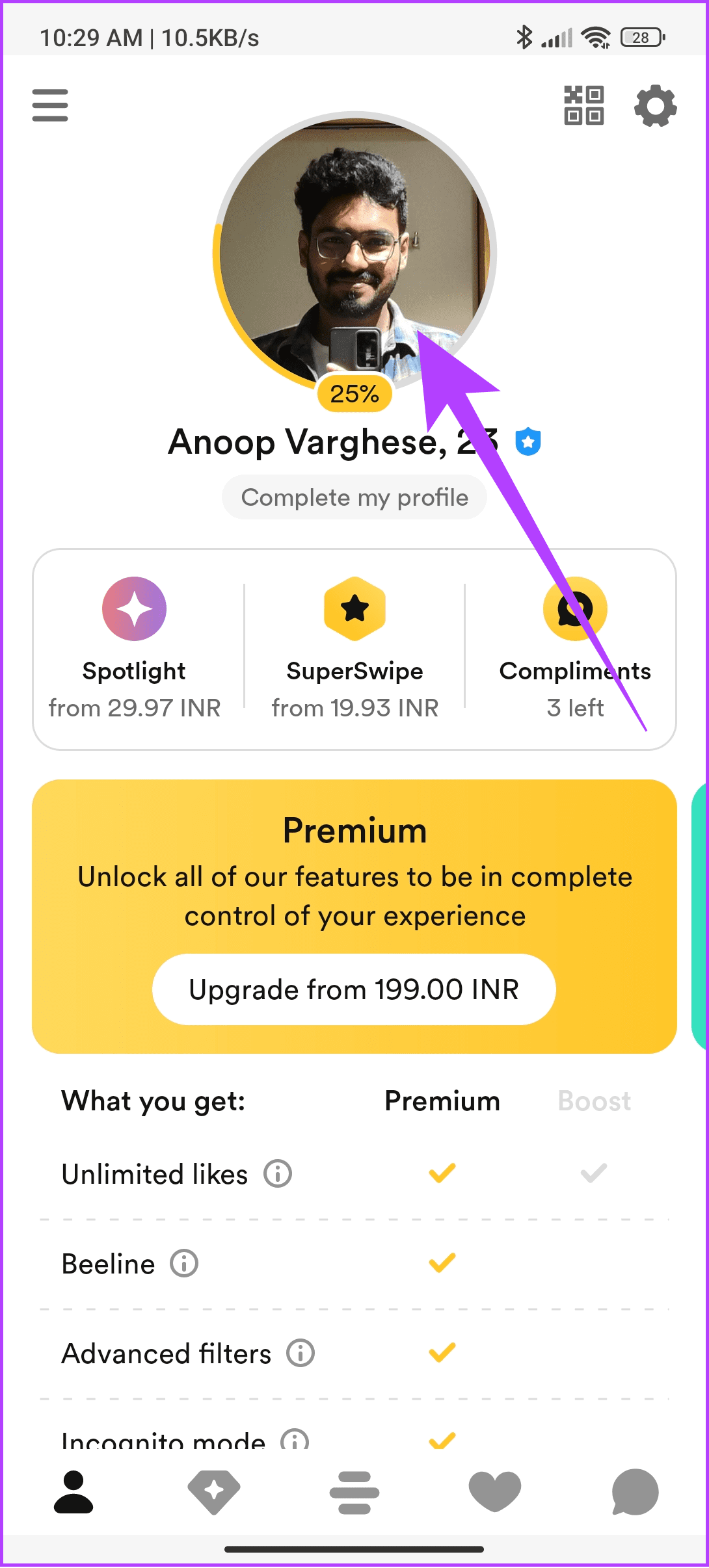
Step 1: Open Bumble > tap profile. Here, tap your profile picture.

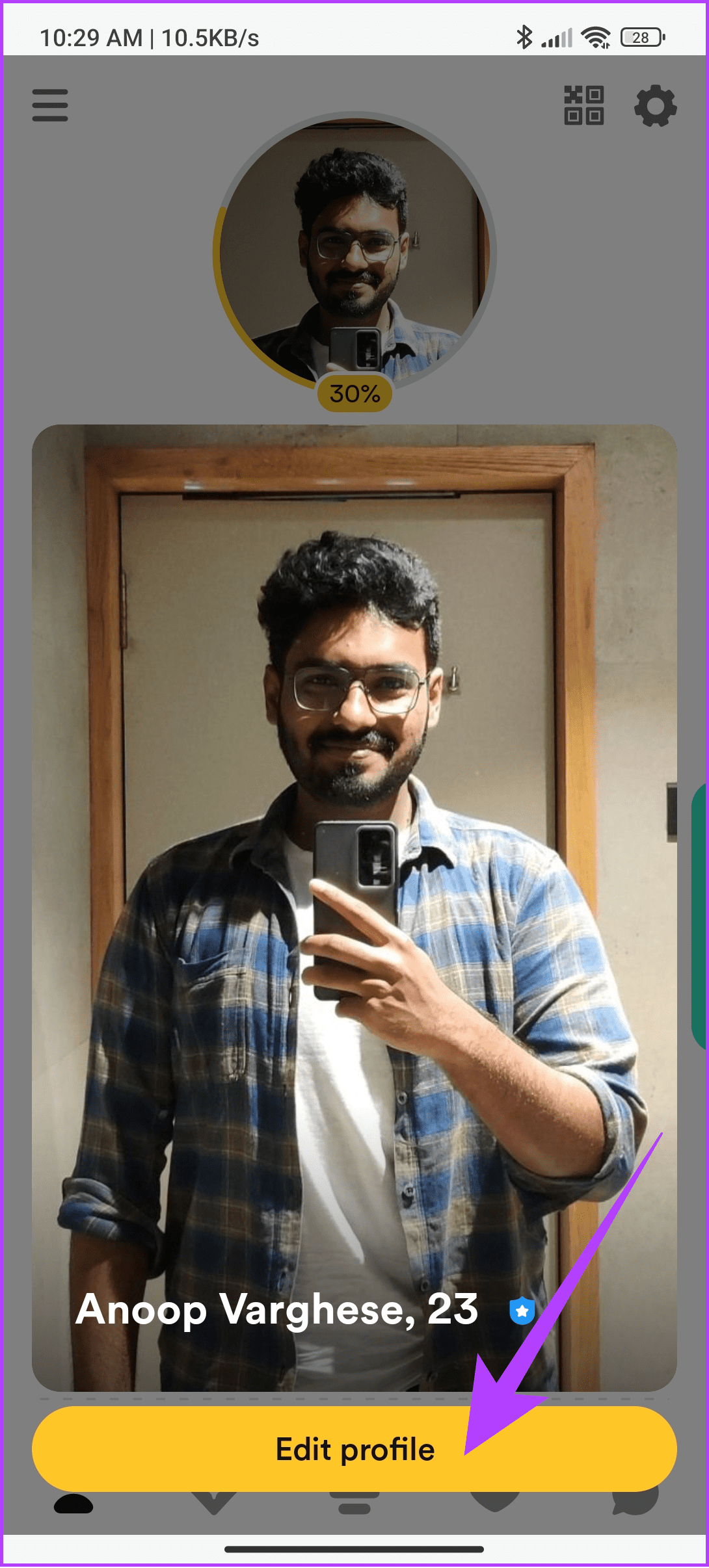
Step 2: Choose Edit profile and tap the Bio.
Step 3: Select all the content inside the bio and then remove it.
Step 4: Tap the check mark at the top right corner.
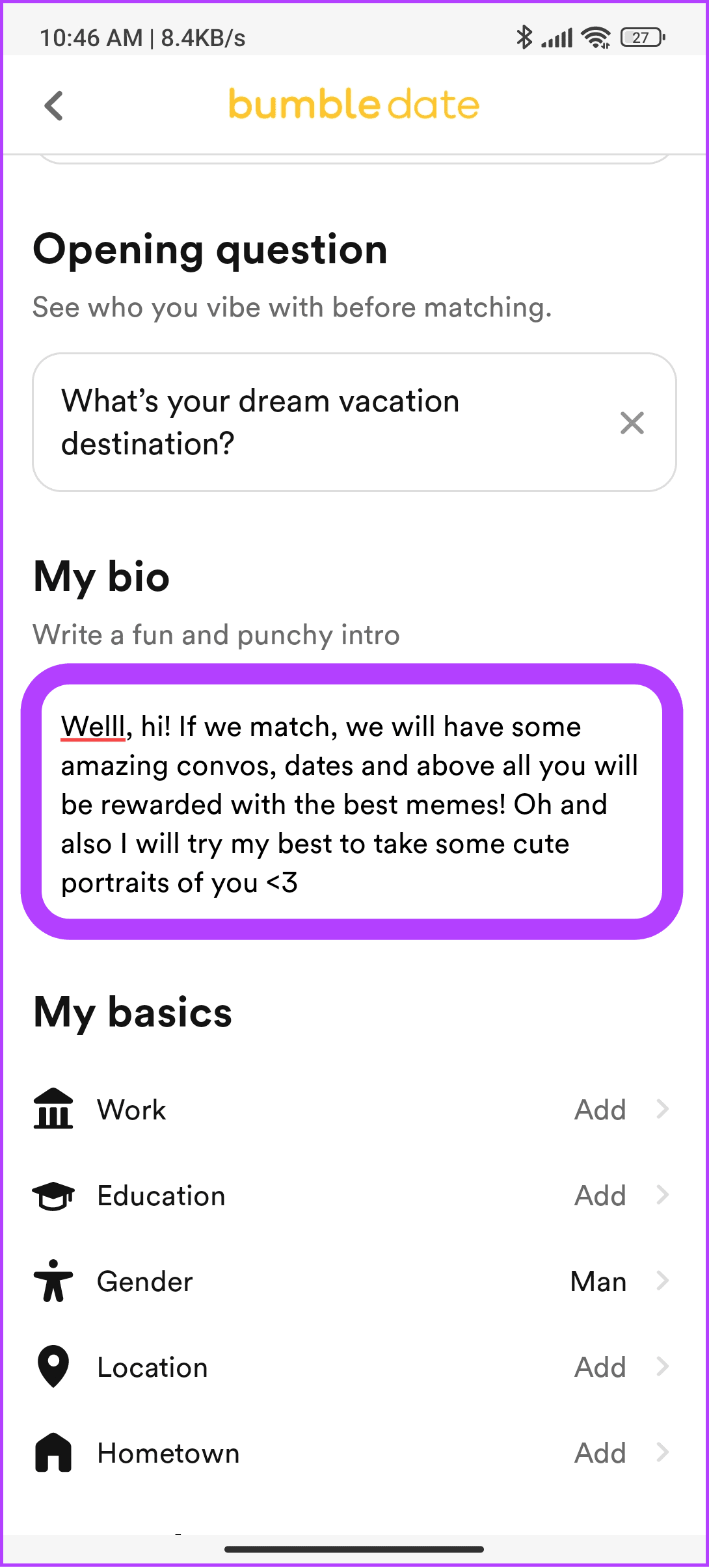
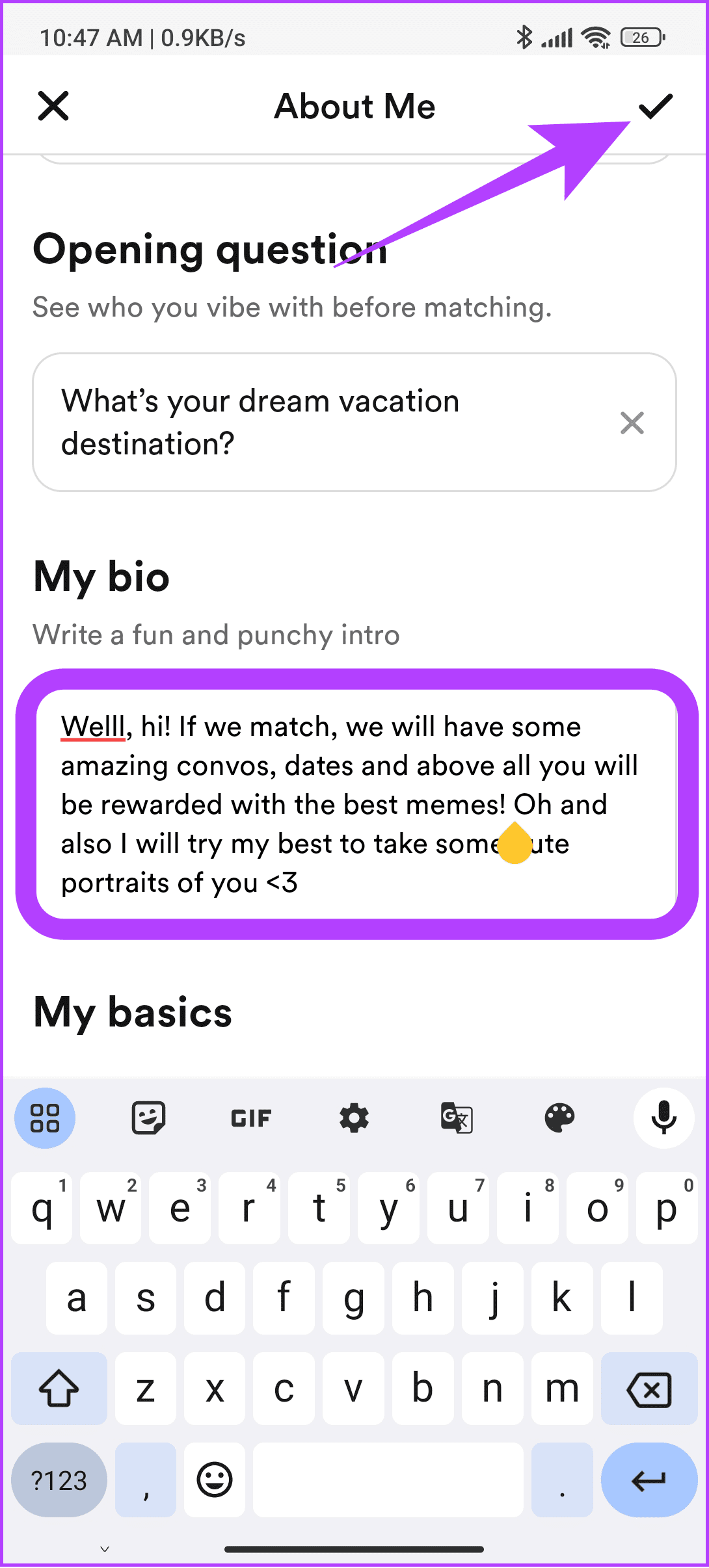
Once you have removed the bio, add a new one by tapping the free space inside the bio.
4. Reset Written Profile Prompts
The next thing that impresses or puts off a person is the written prompts on your profile. It can clue in the reader about your personality, likes, and dislikes. Depending upon what impression you want to make, reset your written prompt.
Step 1: Open Bumble. Tap your profile followed by the profile picture.
Step 2: Choose Edit profile and tap the prompt you want to reset.
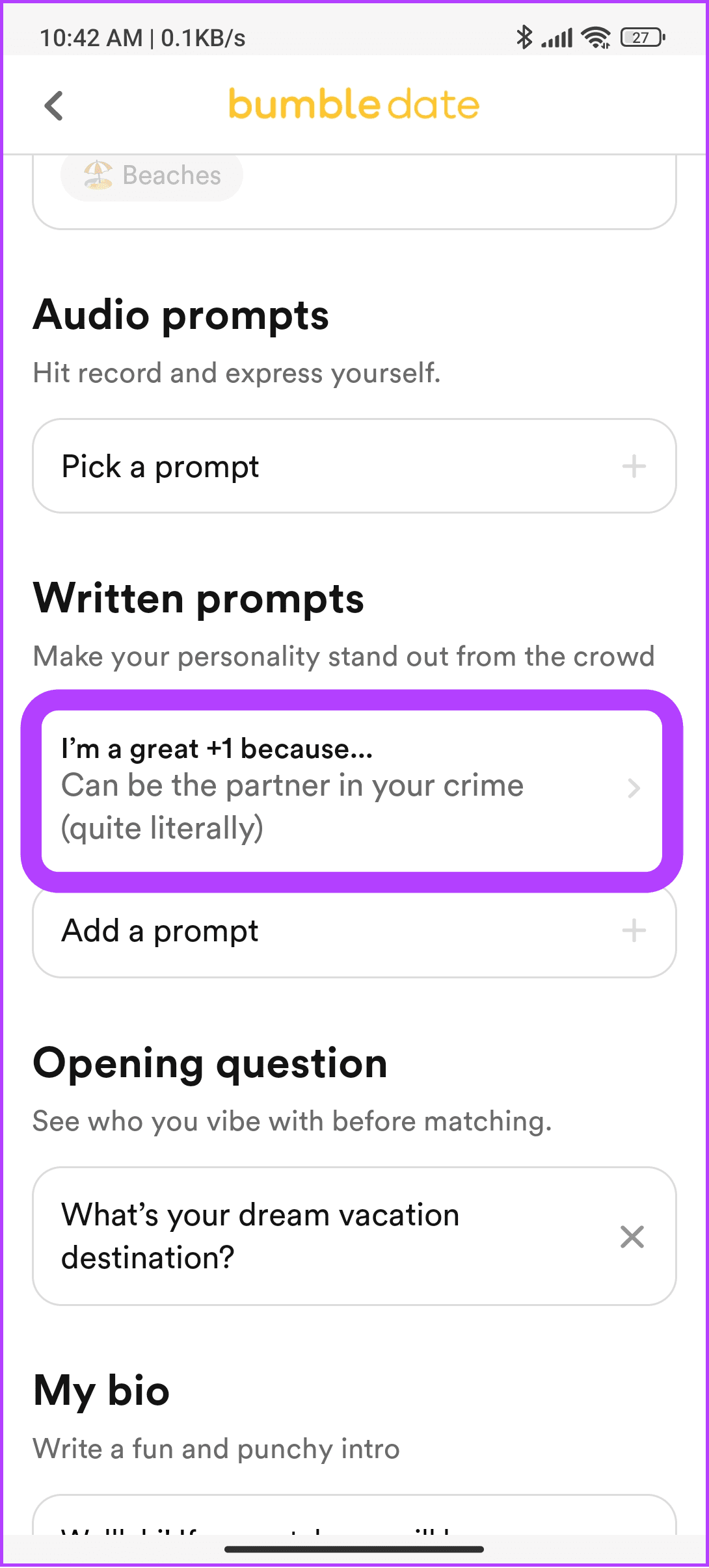
Step 3: From here, choose any of the following options:
- Update: Select this option to update the answer to the current prompt.
- Replace: Change the current prompt with a new one and its answers.
- Remove: Remove the current prompt.
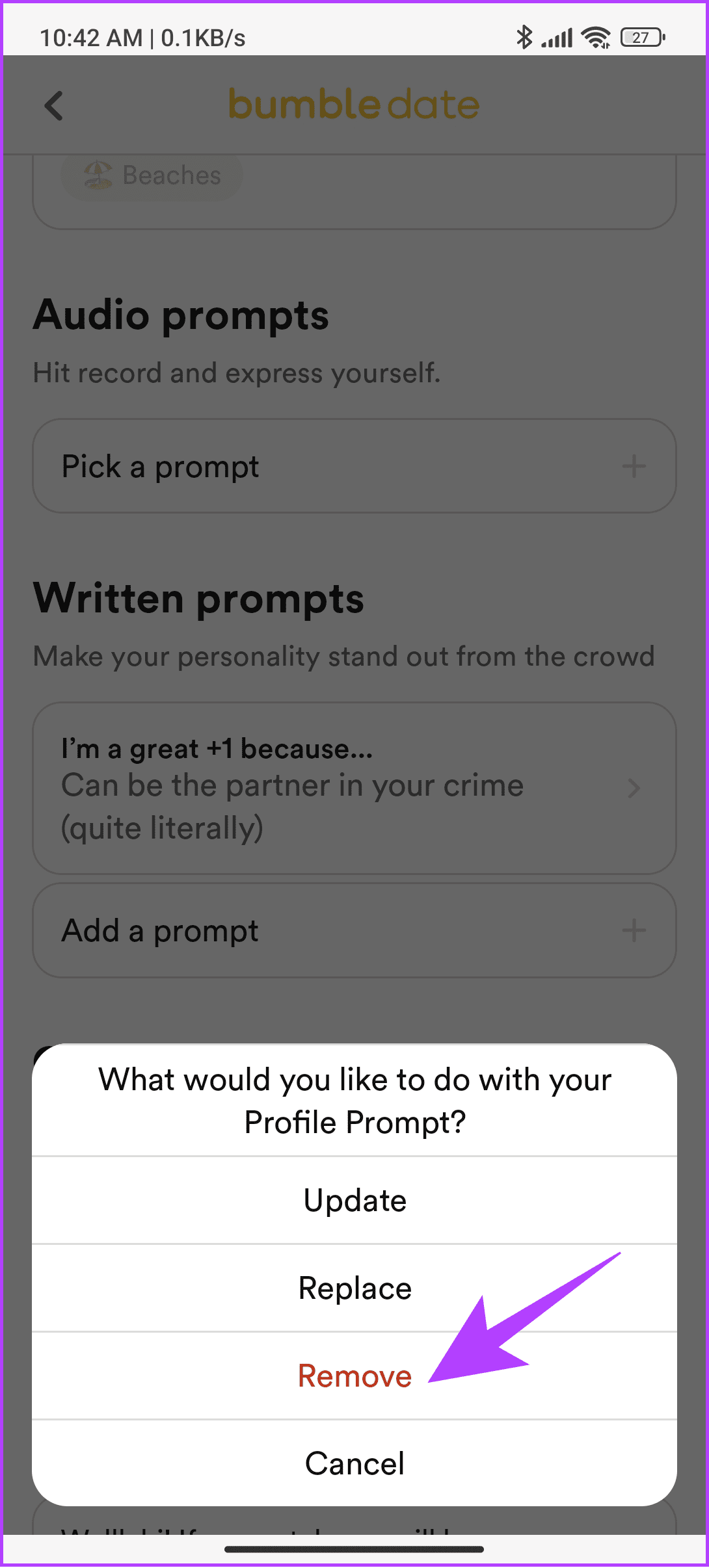
Choose Remove if you want to delete the current prompt. This will remove the current prompt answer. To remove the entire prompt question, tap the X mark next to it. If you don’t want to make any further changes, choose Cancel.
5. Reset Audio Prompts
Audio prompts also play a huge role in getting matches in Bumble. Hence, you can reset these prompts and replace them with something better.
Step 1: Open Bumble > tap your profile at the bottom right corner. Select your profile picture.
Step 2: Tap Edit profile > scroll down and tap the Audio prompt you have added.

Step 3: You can choose between the following options:
- Retake recording: Choose this option to re-record a new audio answer for the current prompt and replace the previous one.
- Change prompt: Choose a new prompt to record a new response, replacing the previous one.
- Delete: Select this option to delete the audio prompt.
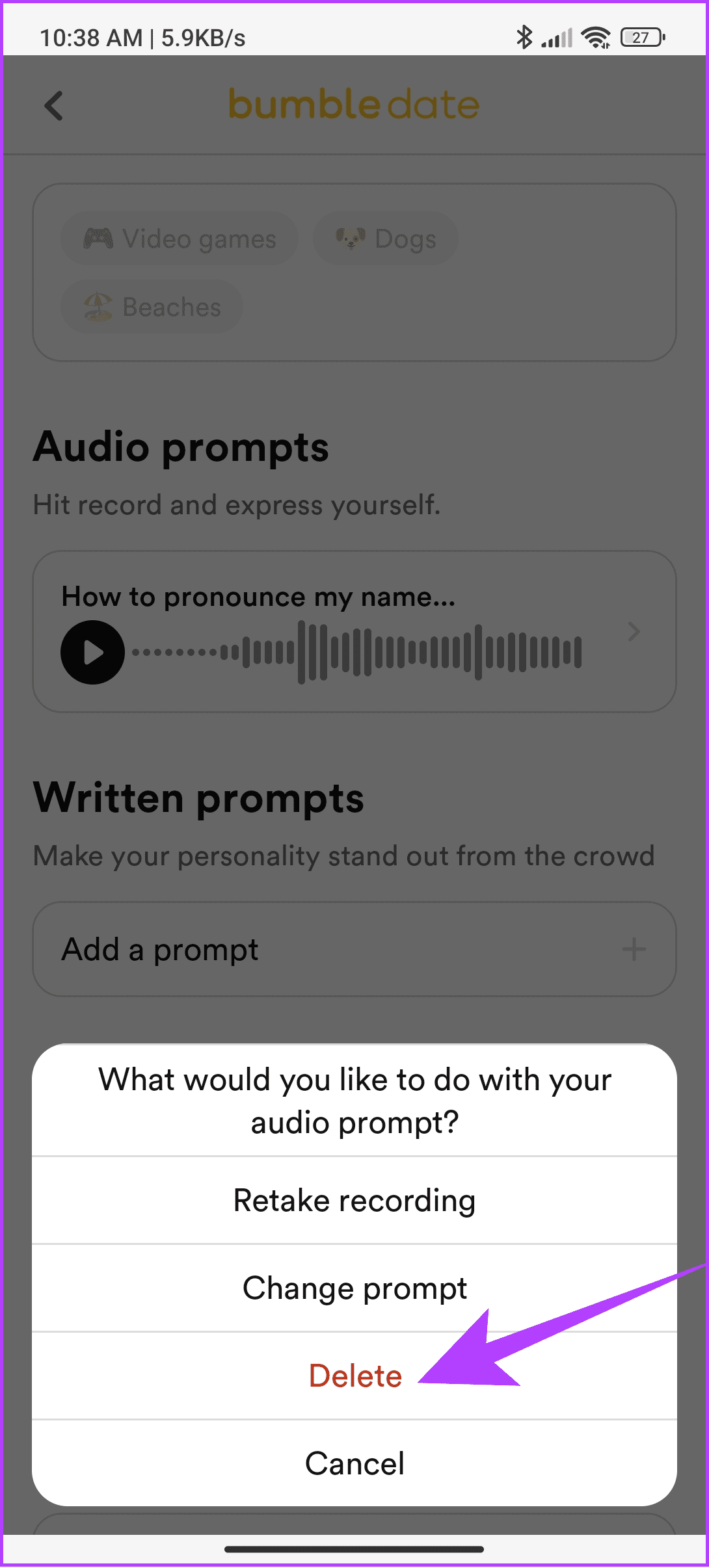
Here, we will select Delete to remove the audio prompt. Besides these options, you can cancel this if you don’t want to change the prompt.
6. Try the Bumble Snooze Mode
While this doesn’t actually reset anything, it gives you a well-deserved break from not-good profiles. Moreover, all your matches and profile-related data remain intact. And once you come back from the break, Bumble will present you with fresh profiles.
Step 1: Open Bumble > tap profile at the bottom left corner. Select the gear icon at the top right corner.
Step 2: Tap Snooze.
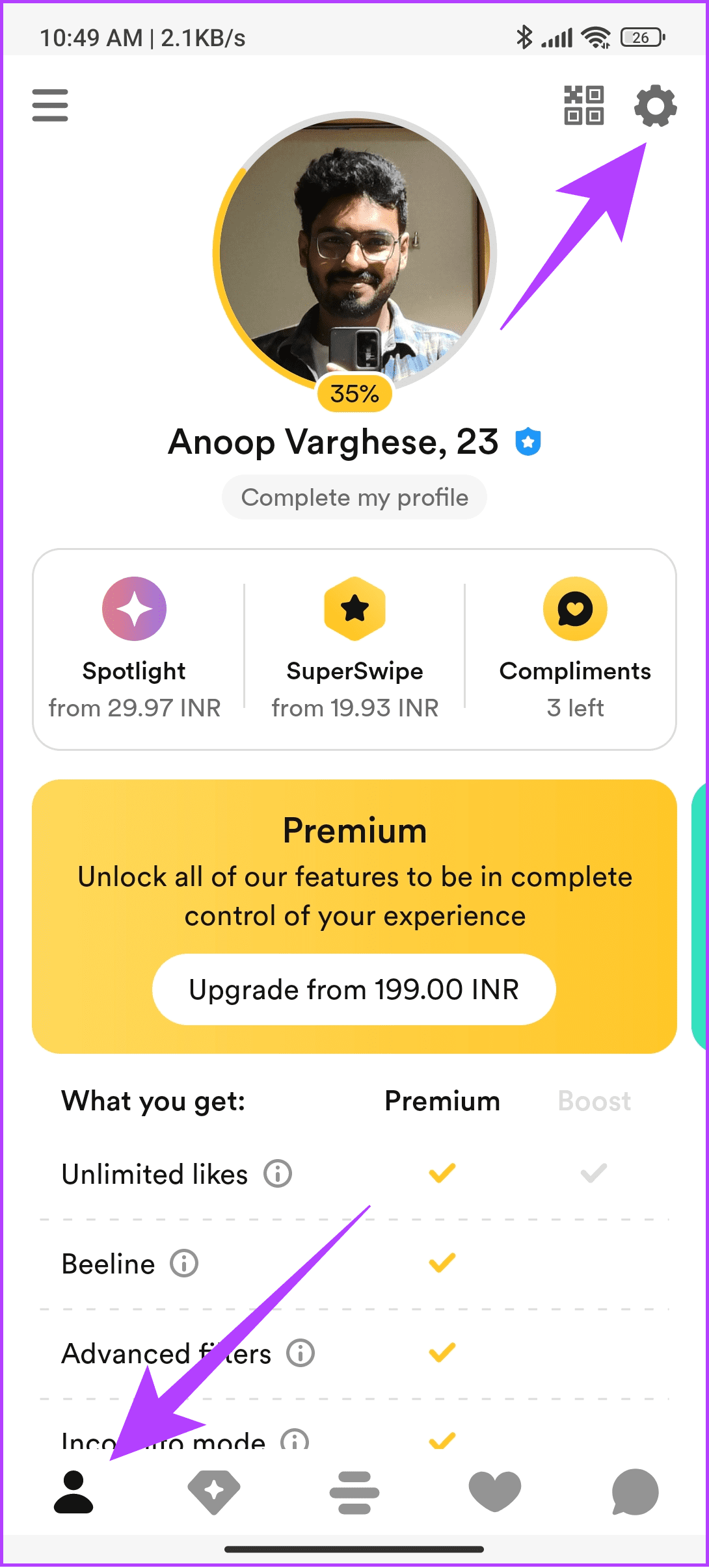

Step 3: Select the period you want to deactivate your account.
Step 4: Next, tap OK to confirm.
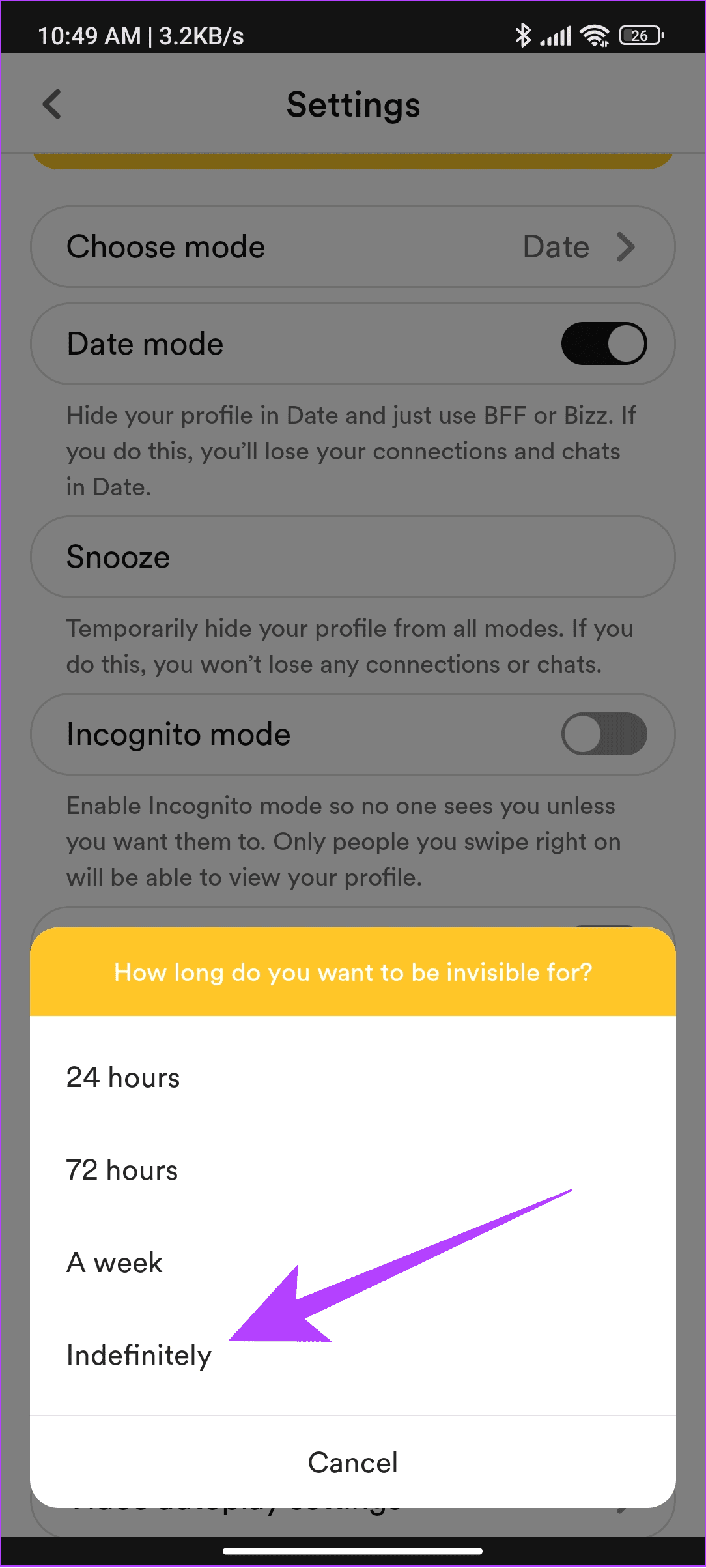
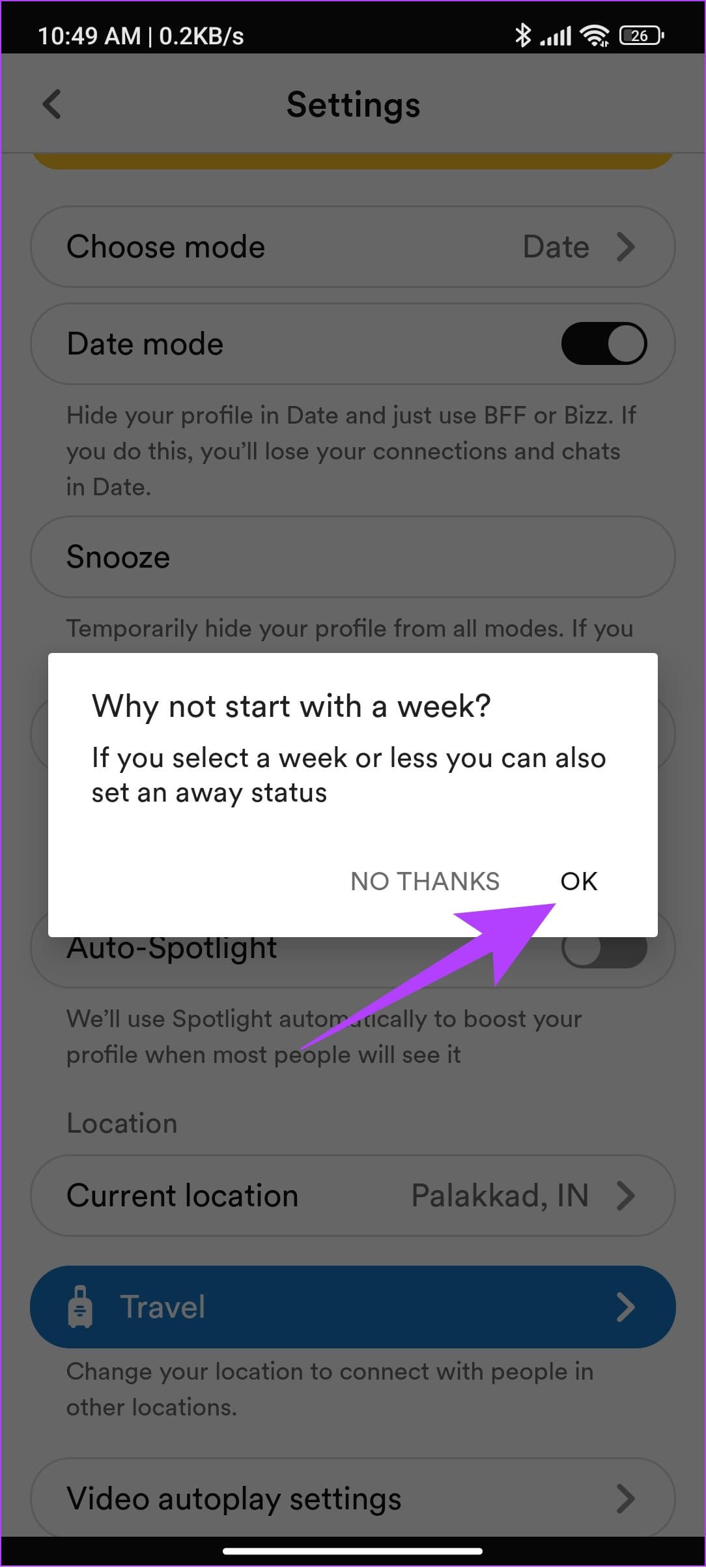
You might also be asked to select why you put your account in Snooze mode. Further, you can follow the same steps and tap ‘Deactivate Snooze mode’ if you want to stop Snooze mode.
Remember, for it’s full effect snooze Bumble for around or more than a week.
FAQs on Resetting Bumble Account
- Does Bumble repeat profiles?
While Bumble doesn’t usually repeat a profile if you’ve swiped left. However, if the user has deactivated and reactivated their profile, it may show up. - Does turning off the date mode reset Bumble?
No. When you switch between date modes, all the data related to the mode will be preserved. These data will be only deleted upon deleting your Bumble account. - Can you delete your Bumble account and start again?
Yes, however, Bumble stores your profile-related data for up to 28 days. So it is advised that you reactivate your account after a month.
Was this helpful?
Last updated on 23 August, 2024
Read Next
 How to Reset Tinder Account, Likes, Swipes, and Matches
There's no doubt that Tinder changed the modern dating scene.
How to Reset Tinder Account, Likes, Swipes, and Matches
There's no doubt that Tinder changed the modern dating scene.
 3 Best Ways to Fix TikTok Not Showing Likes or Views
Preliminary Fixes Close & Reopen: Sometimes, a simple app restart can refresh the data.
3 Best Ways to Fix TikTok Not Showing Likes or Views
Preliminary Fixes Close & Reopen: Sometimes, a simple app restart can refresh the data.
 4 Ways to Get Unbanned From Bumble
Why Did Bumble Ban You?
4 Ways to Get Unbanned From Bumble
Why Did Bumble Ban You?
 How to See Who Liked You on Bumble Without Paying
Method 1: See Your Matches If both of you have swiped for each other, it will become a match.
How to See Who Liked You on Bumble Without Paying
Method 1: See Your Matches If both of you have swiped for each other, it will become a match.
 Does Bumble Have Read Receipts and How to Tell if Someone Read Your Message
Does Bumble Show Read Receipts?
Does Bumble Have Read Receipts and How to Tell if Someone Read Your Message
Does Bumble Show Read Receipts?
 How to Get Bumble Premium for Free
Method 1: Get Bumble Premium Free Trial As of writing this guide, you can get the Premium free trial to use Bumble Premium without paying.
How to Get Bumble Premium for Free
Method 1: Get Bumble Premium Free Trial As of writing this guide, you can get the Premium free trial to use Bumble Premium without paying.
 How to Change Distance on Bumble
Method 1: Change Distance Manually Free and premium Bumble users can change and expand the search radius to 161 kilometers (100 miles).
How to Change Distance on Bumble
Method 1: Change Distance Manually Free and premium Bumble users can change and expand the search radius to 161 kilometers (100 miles).
 How to Reset iPhone and What Happens When You Reset iPhone
https://youtu.be/VPnZOK4EqVQ How to Reset iPhone to Factory Settings Before we move on to erasing data or settings on the iPhone, check out the section below to ensure your data or
How to Reset iPhone and What Happens When You Reset iPhone
https://youtu.be/VPnZOK4EqVQ How to Reset iPhone to Factory Settings Before we move on to erasing data or settings on the iPhone, check out the section below to ensure your data or
The article above may contain affiliate links which help support Guiding Tech. The content remains unbiased and authentic and will never affect our editorial integrity.