Discord provides the option to change the status of your Discord channel. You can either create a channel and then change the NSFW settings or change the status of an existing channel.
On PC
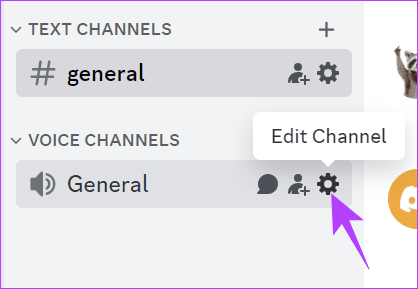
Step 1: Open the Discord app or web and open the channel you want to approve NSFW content.
Step 2: Click the Edit Channel gear next to the channel name.
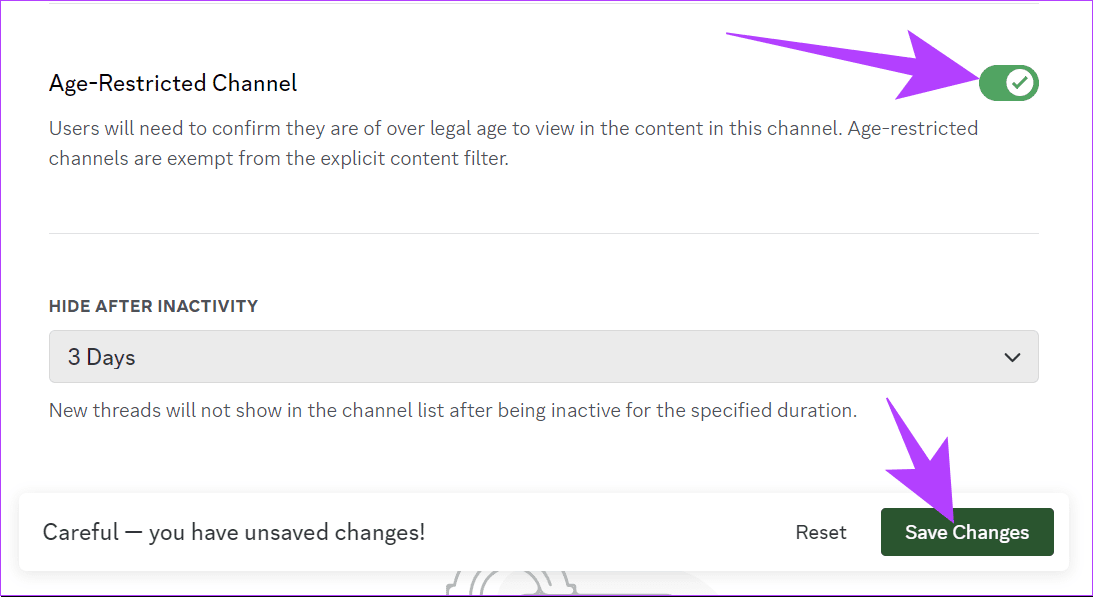
Step 3: Toggle on Age-Restricted Channel. Click Save Changes to confirm.
On Android and iOS
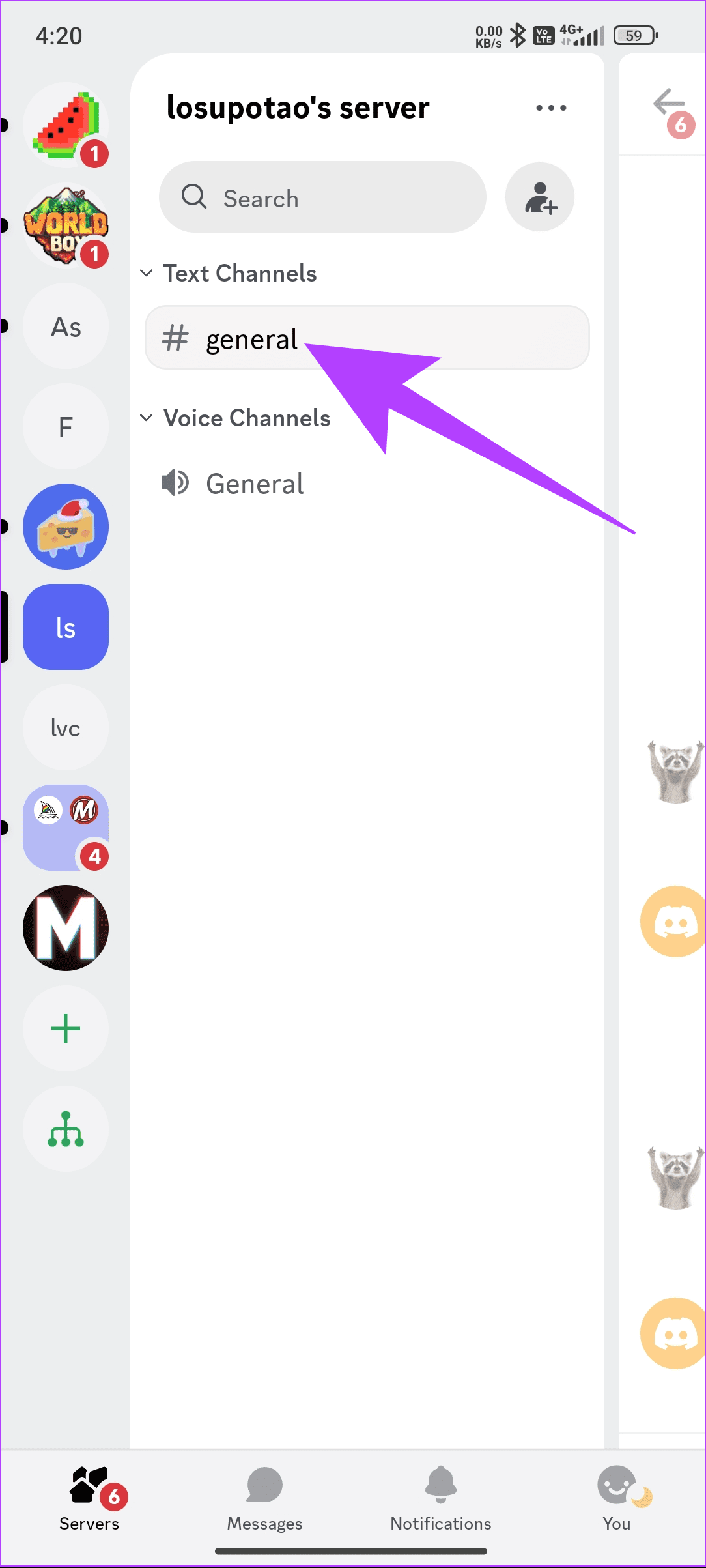
Step 1: Open the Discord app and the server you want to add to the NSFW channel.
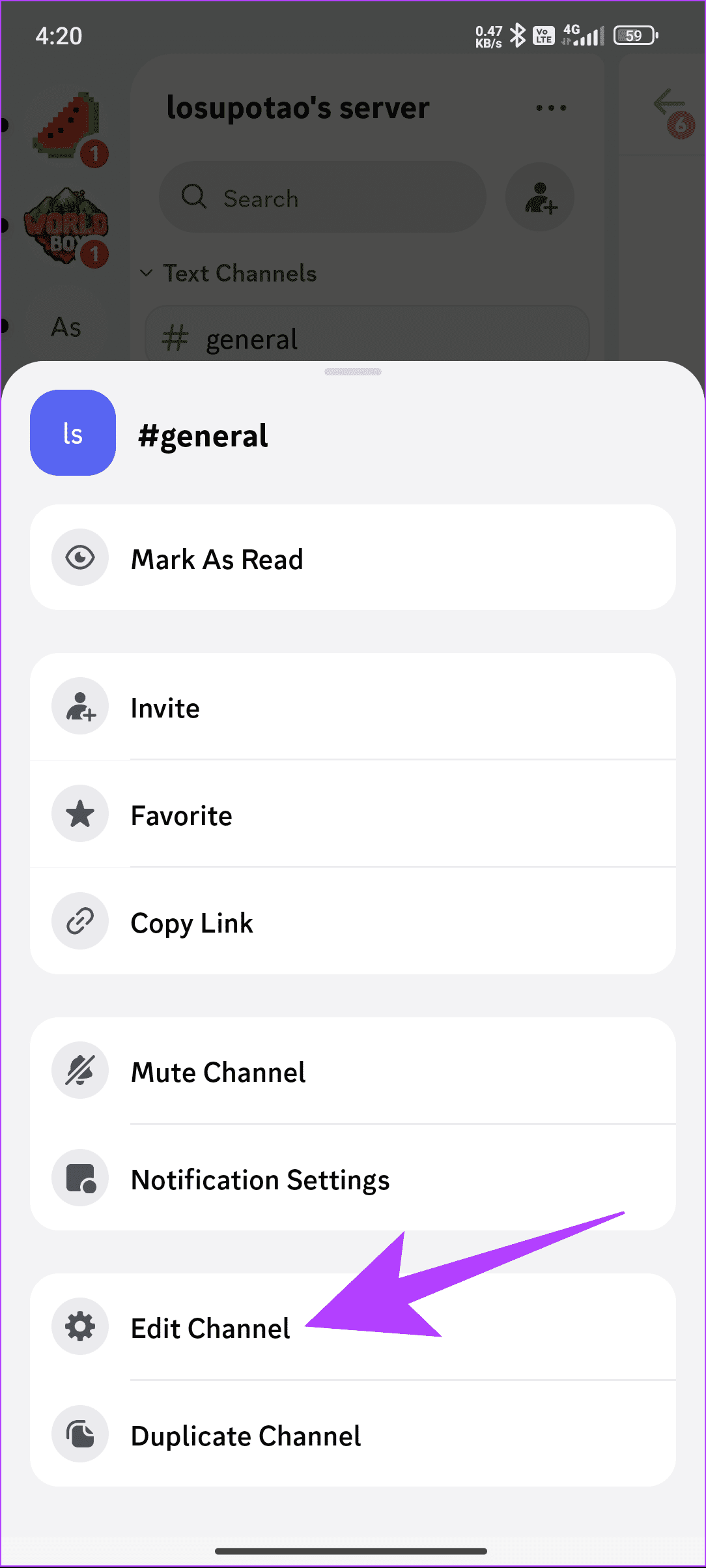
Step 2: Tap and hold the channel and then tap Edit Channel.
Step 3: Toggle on Age-Restricted Channel.
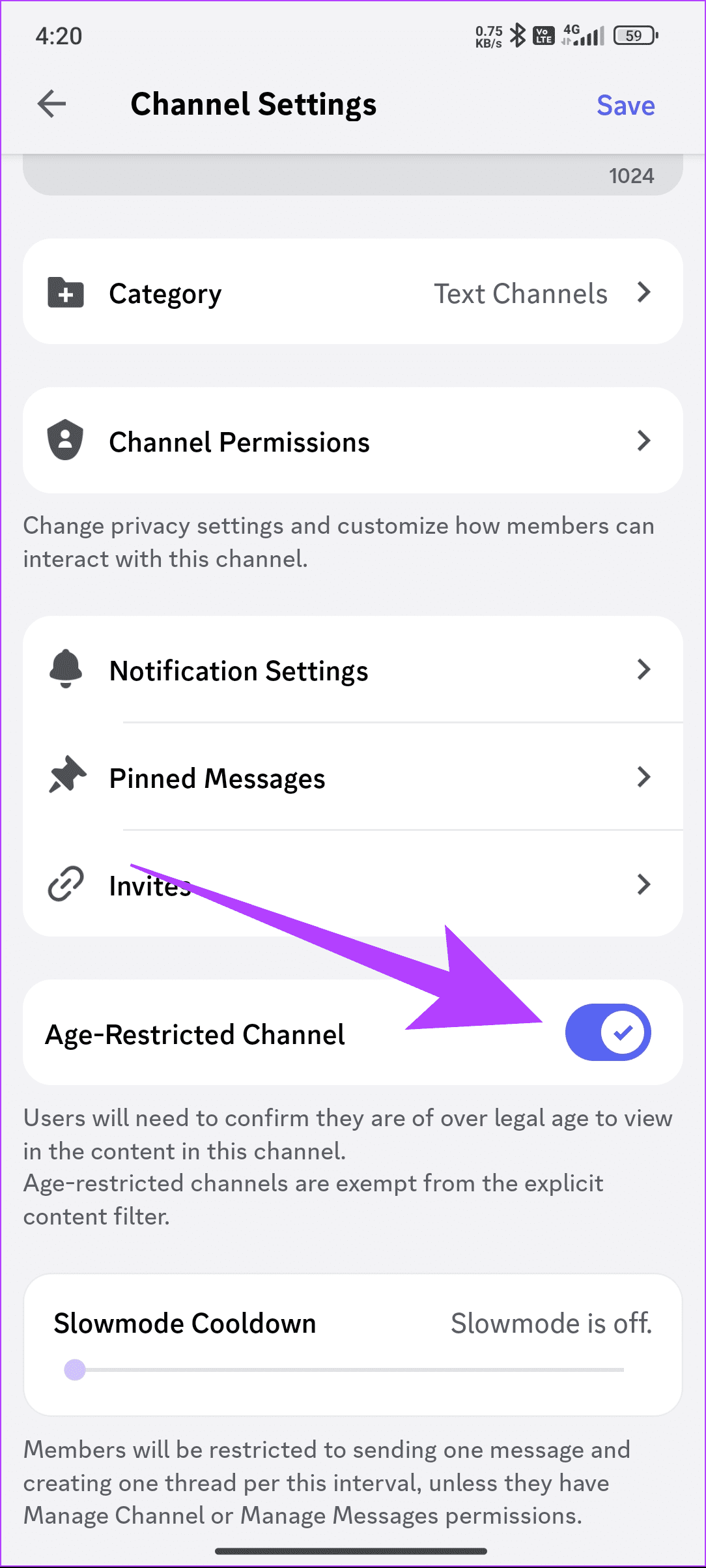
Step 3: Toggle on Age-Restricted Channel.
Simply turn off the toggle to disable NSFW channels again.
Access Age-Restricted Channels and Servers
Despite turning on the NSFW filter on Discord, you might be unable to join a Discord NSFW server. This could be because your account is not age-verified on Discord. Here’s how to fix it:
Toggle on Access to Age-Restricted Servers on Discord
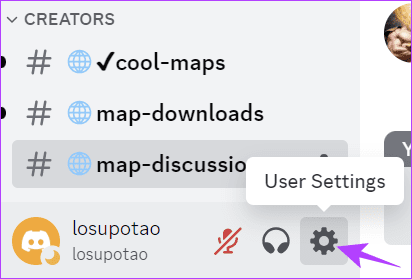
Step 1: Open the Discord app or website and click the User Settings icon next to the username.
Step 2: Choose Privacy & Safety from the sidebar and toggle on Allow access to age-restricted servers on Discord.

Update Age Information
It’s also possible to join age-restricted channels and servers in Discord once you update your age to 18 and above. You can follow these steps:
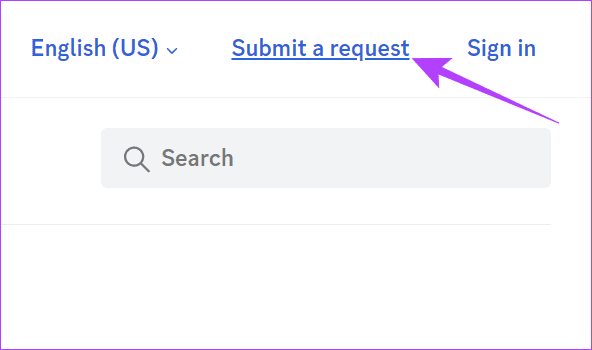
Step 1: Open the Discord server and choose Submit a request.
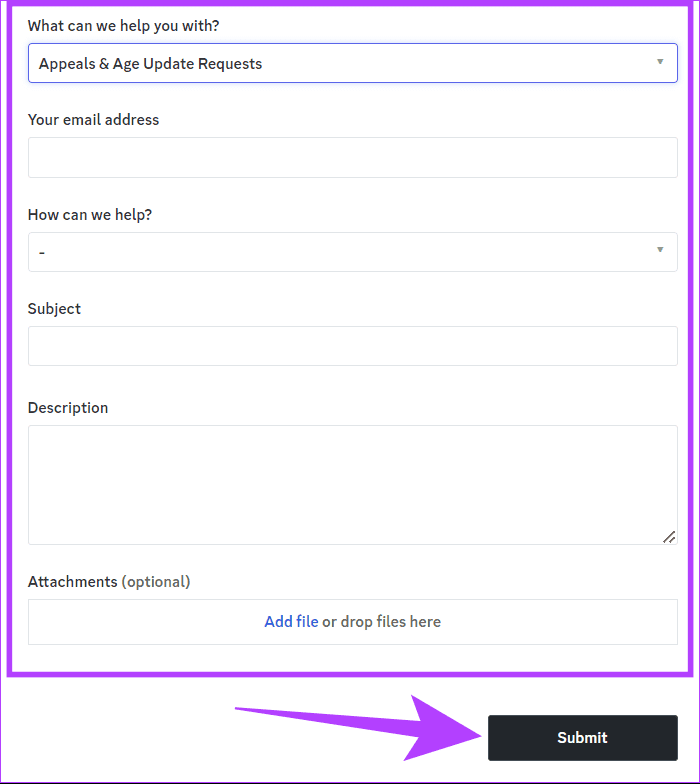
Step 2: Choose Appeals & Age Update Requests from the drop-down menu.
Step 3: Fill your email address.
Step 4: Choose Update my age information using the drop-down menu under How can we help.
Step 5: Next, add the Phone Number, DOB, and other information.
Step 6: Check Please confirm that you’ve read these instructions.
Step 7: Add the following files:
- An image of your ID that proves your date of birth.
- A piece of paper that shows your full Discord Username.
Step 8: Once you are sure about the information, click Submit.
Also Read: How to fix friend request not working in Discord
Things to Keep In Mind About Discord NSFW
- Discord has a strict policy against distributing or promoting pornography, sexual content involving minors, animal abuse, gore, or other illegal or harmful content, all of which can fall under NSFW.
- Users below 18 years of age won’t be allowed to join an NSFW server.
- NSFW is not endorsed or supported by Discord. Hence, users are responsible for their actions and interactions on Discord NSFW.
- Despite enabling NSFW content, the members can still report the content if it offends them in any manner. Discord can disable your channel or server if the report is valid.
- If you are enabling NSFW on Discord, it’s best to give a warning to any members of the servers where you are turning on the feature.
Was this helpful?
Last updated on 10 May, 2024
Read Next
 WhatsApp Channels vs Telegram Channels: Know the Differences
WhatsApp Channels vs Telegram Channels: Key Differences Feature WhatsApp Channels Telegram ChannelsEngagement and Interaction One-way broadcast One-way broadcastSix basic emojisOptional group linking for discussionsSubscribers vs.
WhatsApp Channels vs Telegram Channels: Know the Differences
WhatsApp Channels vs Telegram Channels: Key Differences Feature WhatsApp Channels Telegram ChannelsEngagement and Interaction One-way broadcast One-way broadcastSix basic emojisOptional group linking for discussionsSubscribers vs.
 How to Enable NSFW on Reddit on Android, iOS, and the Web
Note: The changes you make by following this article will be updated across all platforms you're logged in, including Android, iOS, and the Web.
How to Enable NSFW on Reddit on Android, iOS, and the Web
Note: The changes you make by following this article will be updated across all platforms you're logged in, including Android, iOS, and the Web.
 How to Enable and Disable Two-Factor Authentication (2FA) on Discord
Discord is a fantastic platform to hang out with friends and like-minded people.
How to Enable and Disable Two-Factor Authentication (2FA) on Discord
Discord is a fantastic platform to hang out with friends and like-minded people.
 How to Enable or Disable Slow Mode on Discord
What Is Slow Mode in Discord Discord’s slow mode feature helps limit the number of messages a user can send in a channel.
How to Enable or Disable Slow Mode on Discord
What Is Slow Mode in Discord Discord’s slow mode feature helps limit the number of messages a user can send in a channel.
 10 Best Live YouTube Channels From Around The World
YouTube is the biggest and the most widely-used global video platform on the Internet.
10 Best Live YouTube Channels From Around The World
YouTube is the biggest and the most widely-used global video platform on the Internet.
 Google Chrome Release Channels: Stable vs. Beta vs. Canary vs. Dev
What Is Chrome Canary?
Google Chrome Release Channels: Stable vs. Beta vs. Canary vs. Dev
What Is Chrome Canary?
 How to Search for Telegram Groups and Channels
How to Find and Join Public Telegram Groups and Channels Joining public groups or channels on Telegram is easy if you know the exact name or username.
How to Search for Telegram Groups and Channels
How to Find and Join Public Telegram Groups and Channels Joining public groups or channels on Telegram is easy if you know the exact name or username.
 What Are WhatsApp Channels and How to Access and Join Them
A lot of work goes into managing your followers across different social media platforms.
What Are WhatsApp Channels and How to Access and Join Them
A lot of work goes into managing your followers across different social media platforms.
The article above may contain affiliate links which help support Guiding Tech. The content remains unbiased and authentic and will never affect our editorial integrity.