How to Change Your Plan on Netflix
If you’ve made your decision and wish to change your Netflix plan, here’s how to do it. While you can only change your Netflix plan through your web browser, your mobile browser works too.
Note: You can change your plan only if your Netflix account is currently active. If your account is on hold, you will need to get the hold removed before making any plan-related changes.
Step 1: Open the Netflix Your Account page on any web browser.
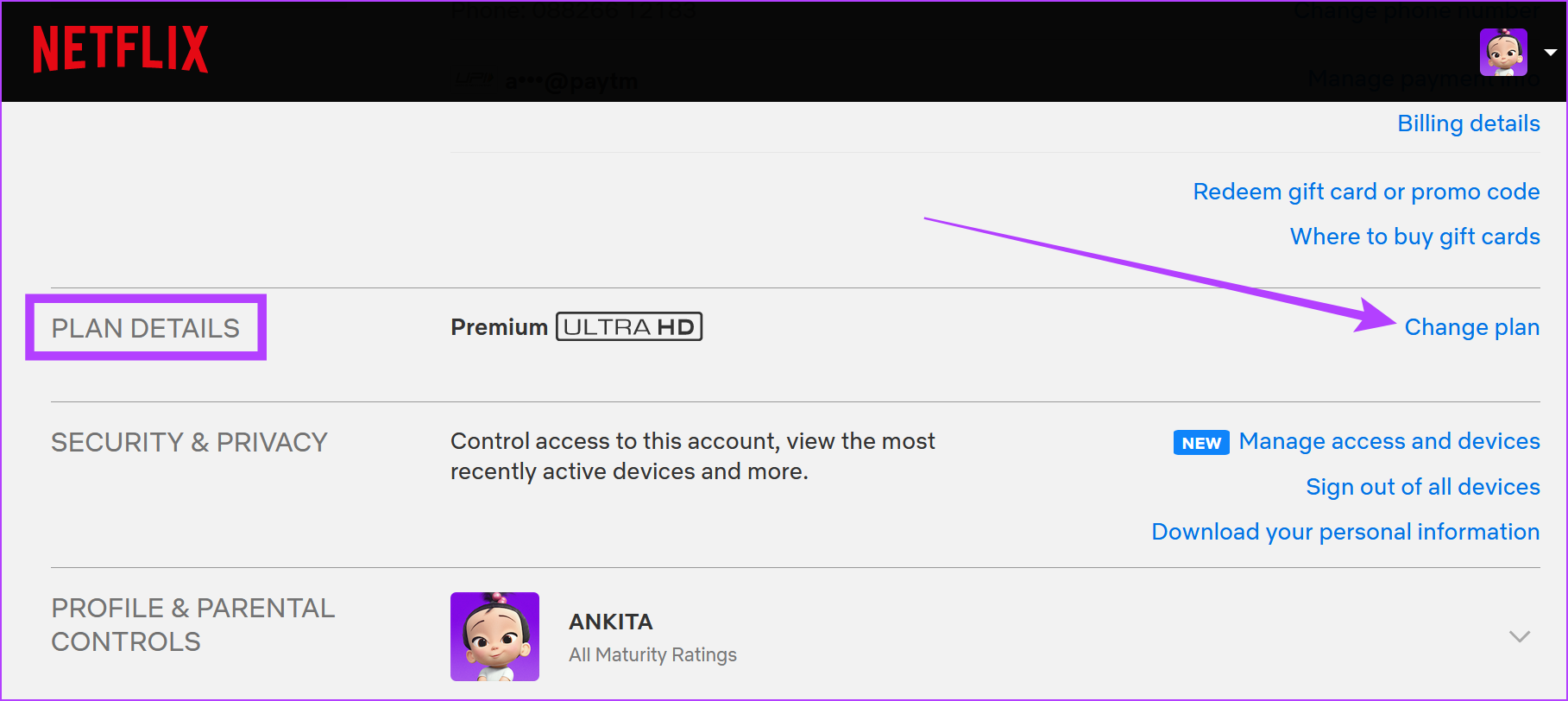
Step 2: Scroll down to Plan Details and click on Change plan.
Step 3: Select the plan you want and click on Continue.

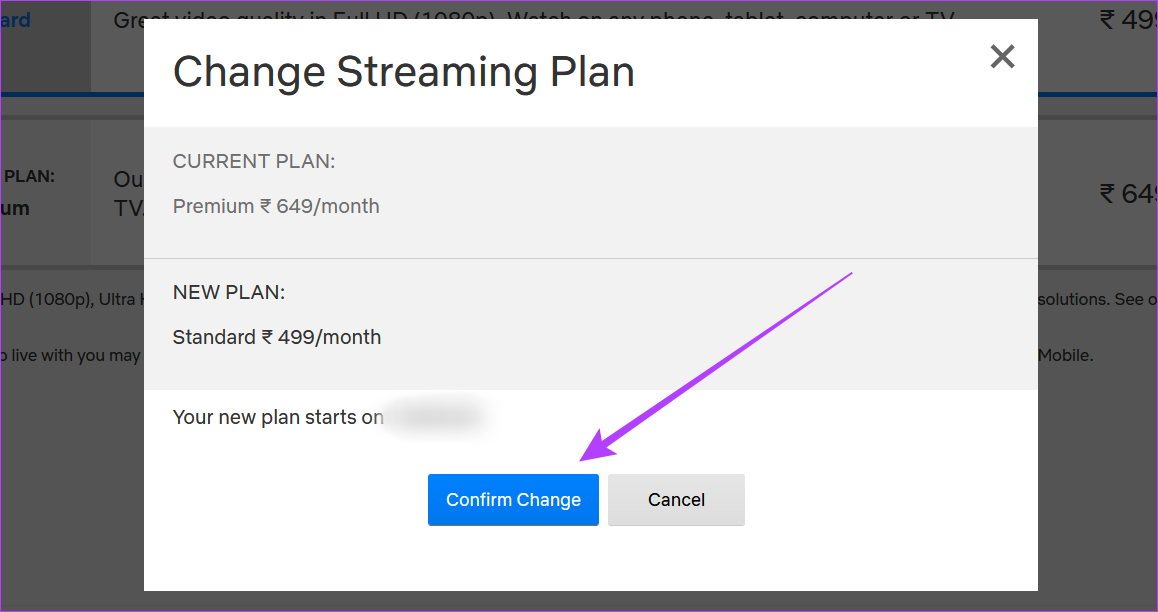
Step 4: Click on Confirm Change to confirm changes.
Tip: If you’re undecided, check out this detailed comparison of Netflix Standard vs. Premium plan to make an informed decision.
How to Cancel Your Netflix Subscription
If you’re looking to leave and want to know how you can go about canceling your Netflix subscription, we’ve got you covered. Let us look at 4 major ways you can cancel your Netflix subscription.
Method 1: Cancel Netflix Account Using the Web Browser
Step 1: Open the Cancel Plan page on any web browser. Click on Finish Cancellation.
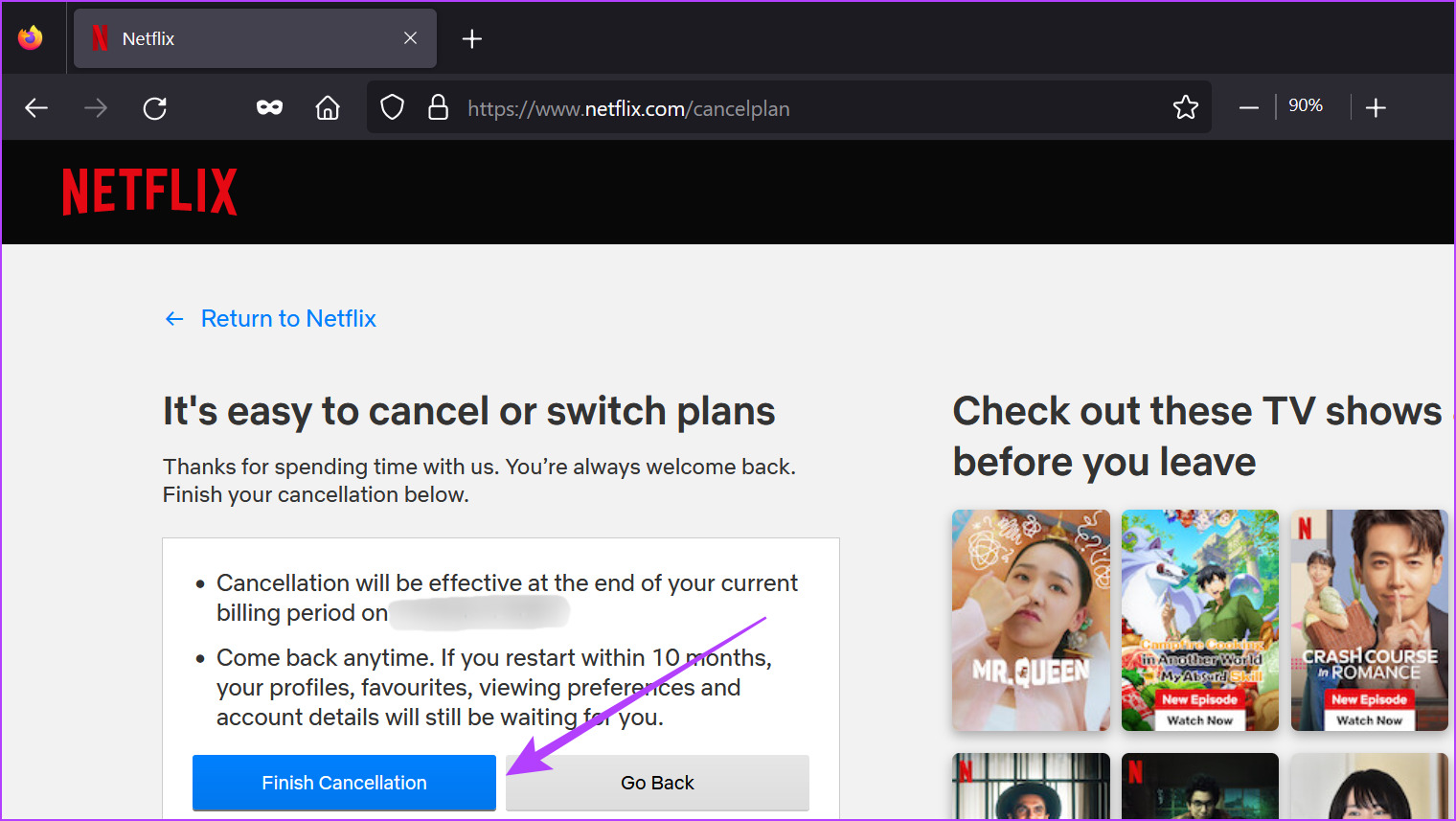
This will cancel your Netflix subscription. Your Netflix plan will stop working at the end date mentioned on the page.
Note: You can also cancel your Netflix DVD plan. Go to the Netflix DVD homepage, and from the account settings, cancel your plan.
Method 2: Using the Netflix Mobile App
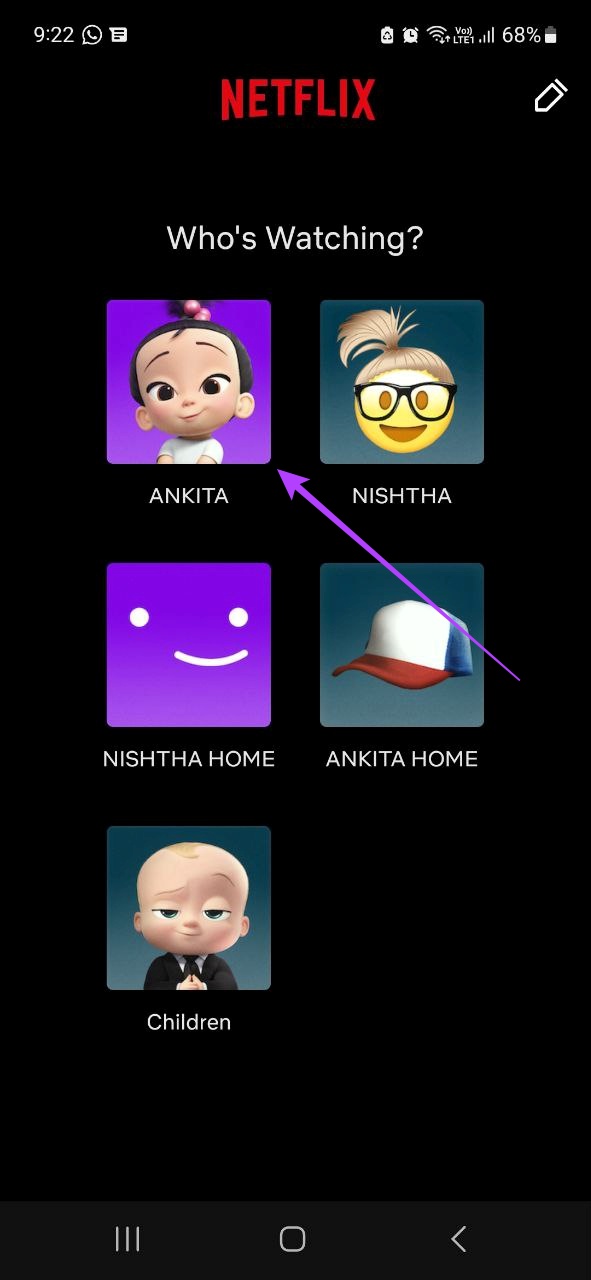
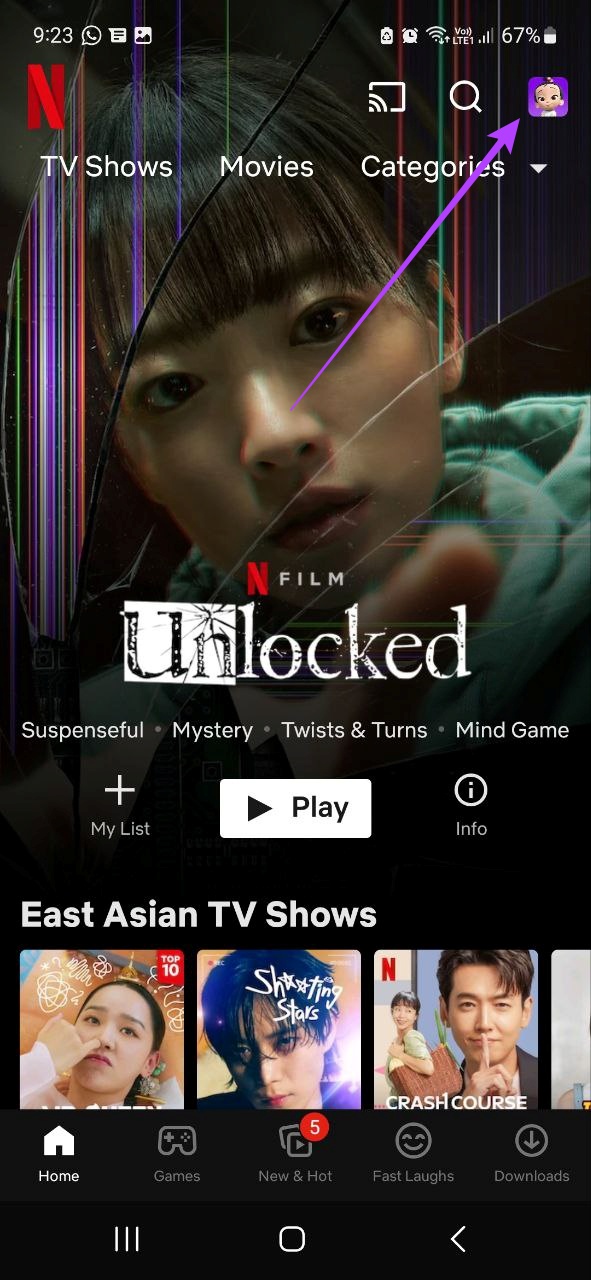
Step 1: Open the Netflix mobile app and tap on any profile → your profile icon.
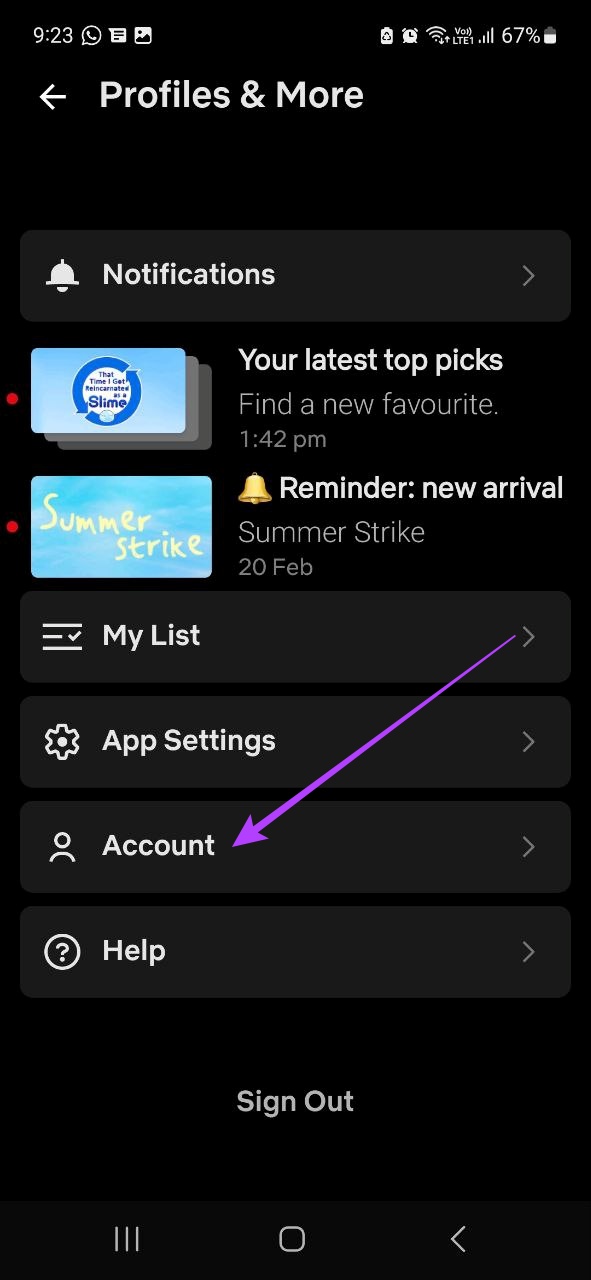
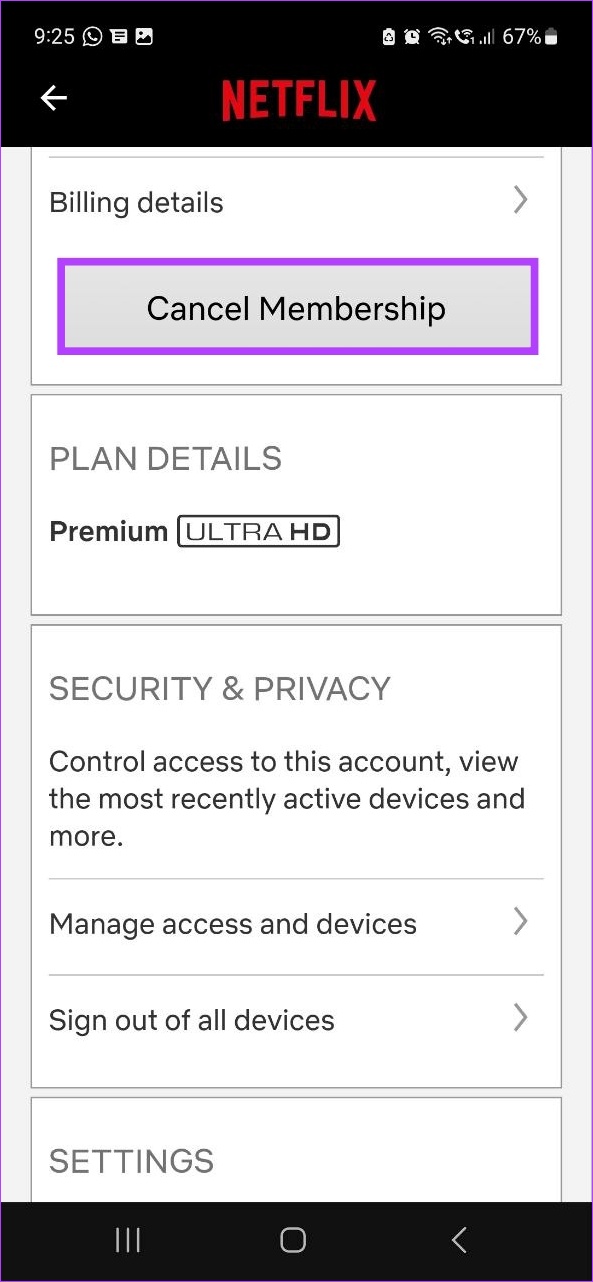
Step 2: Tap on Account → Cancel Membership. Confirm your selection to finish.
Method 3: Using Google Play Store (Android)
If you’ve created your Netflix account through the Android app, chances are your subscription is through the Google Play Store. In this case, you will need to go to the Google Play Store to cancel your Netflix plan. Here’s how to do it.
Note: Ensure you’re using the Google account linked with your Netflix account before proceeding.
Step 1: Open the Google Play Store app and tap on your profile icon.
Step 2: Tap on Payments and subscriptions. Then, tap on Subscriptions.
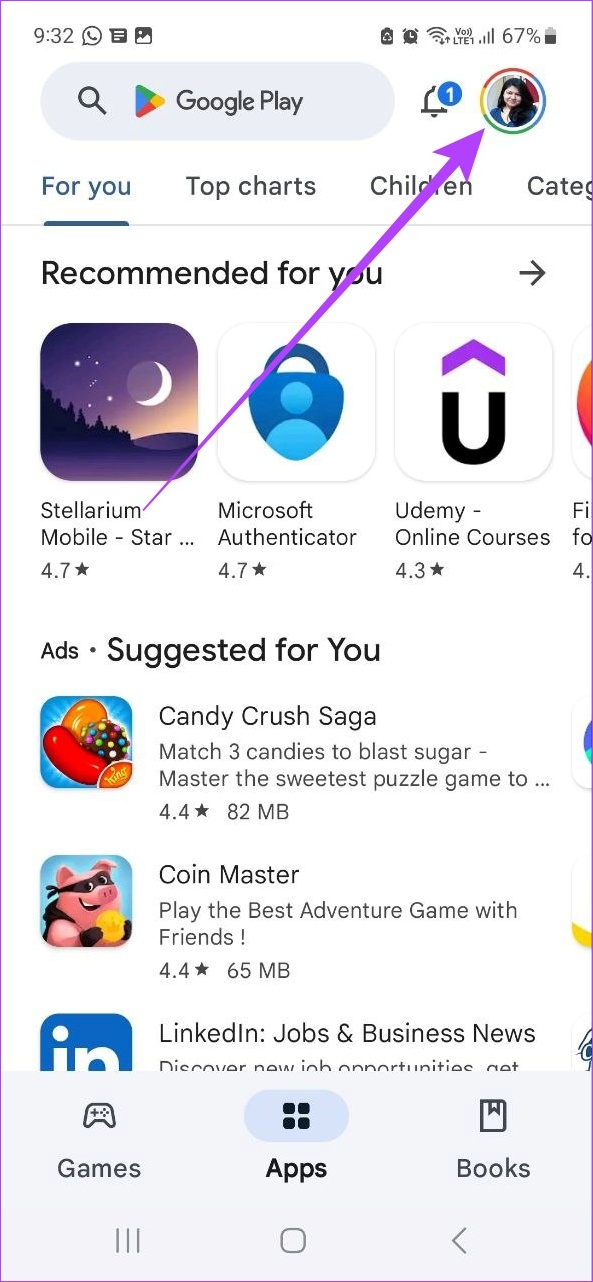
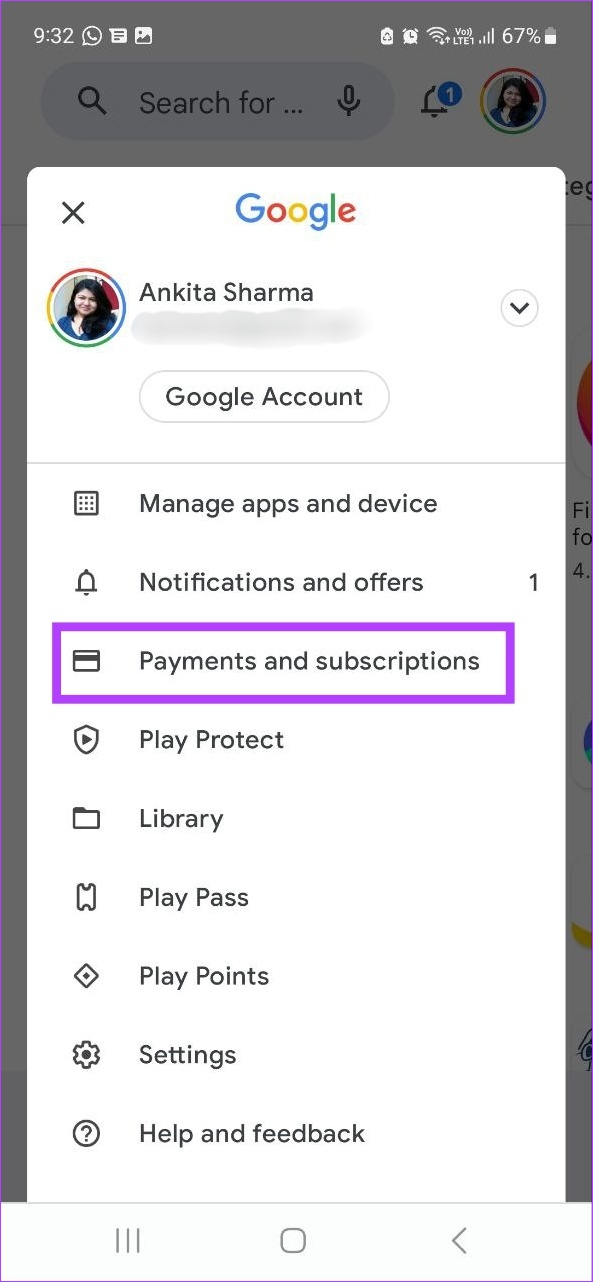

From the list of apps, tap on Netflix and follow the on-screen instructions to cancel your Netflix subscription.
Method 4: Cancel Netflix Plan Using iPad and iPhone Settings
If you’ve subscribed to Netflix using your Apple ID, you will need to cancel your Netflix plan through your iPad or iPhone’s settings menu. Ensure that you’re using the Apple ID linked to your Netflix account and follow the below steps.
Step 1: Open Settings and tap on your Apple ID. Tap on Subscriptions.
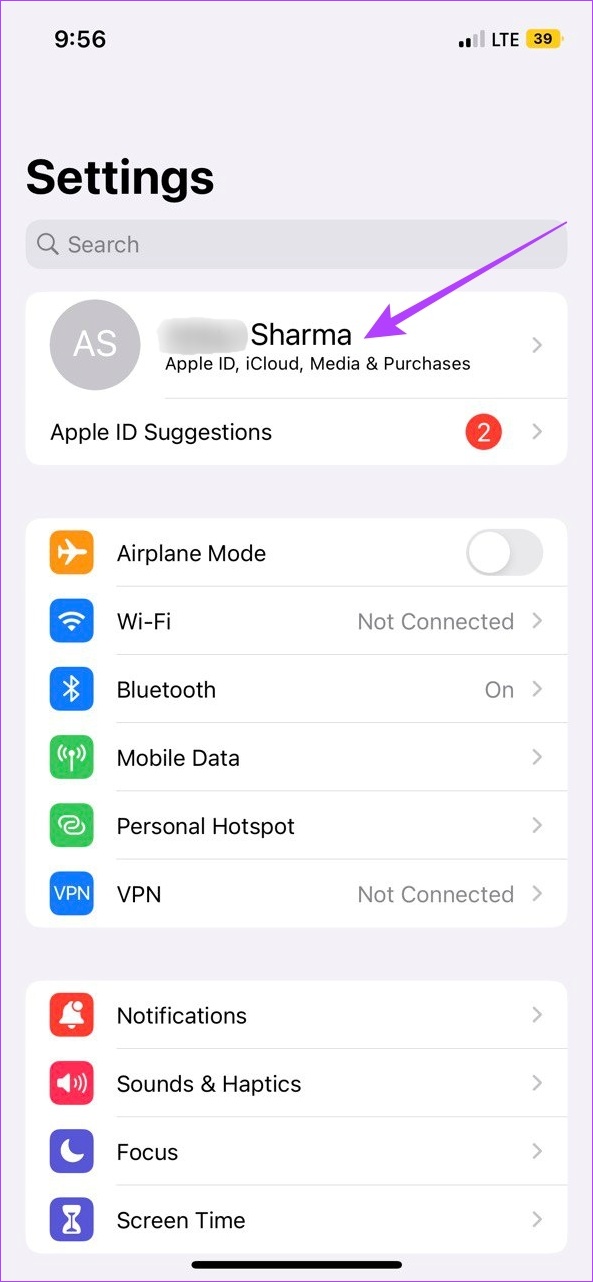

From the list, select Netflix and follow the instructions to cancel your Netflix membership.
Also Read: How to fix Netflix keeps freezing on your phone
FAQs
Yes, you can join Netflix again after canceling your subscription. Simply open Netflix → go to any profile (except Kids profile) → Restart Your Membership. If you restart your Netflix membership within 10 months of leaving, you can access and use your past Netflix viewing history.
No, your Netflix subscription will be canceled at the end of your current billing cycle. However, if you cancel an account that is currently on hold, it will immediately cancel your subscription. Also, if you have any additional gift card balance available on your account, your Netflix membership will only be canceled after that credit runs out.
Because Netflix works on a prepaid system, if you go for a plan lower than your current one, the plan changes will only come into effect once the next billing date starts. But, if you switch to a plan higher than your current one, your plan will change immediately. This might also change your billing date as Netflix will bill you once the previous plan’s credit expires.
Yes, you can change your Netflix plan whenever you want.
Was this helpful?
Last updated on 12 July, 2024
Read Next
 Netflix Standard vs. Premium: Which Netflix Plan Is Best for You
Netflix Subscription Plans At a Glance While Netflix provides three plans in total, the Standard and Premium plans take the cake.
Netflix Standard vs. Premium: Which Netflix Plan Is Best for You
Netflix Subscription Plans At a Glance While Netflix provides three plans in total, the Standard and Premium plans take the cake.
 How to Cancel Telegram Premium Subscription on Any Device
Let's look at how to cancel Telegram Premium subscription on Android, iPhone, Mac, and Windows. Method 1: Cancel Telegram Subscription On Android Step 1: Open the Google Play Store on your
How to Cancel Telegram Premium Subscription on Any Device
Let's look at how to cancel Telegram Premium subscription on Android, iPhone, Mac, and Windows. Method 1: Cancel Telegram Subscription On Android Step 1: Open the Google Play Store on your
 3 Ways to Change Power Plan in Windows 11
Method 1: Change the Power Plan Using the Settings App By default, your PC is set to Balanced power mode, but you can change it to "Best performance" or "Best
3 Ways to Change Power Plan in Windows 11
Method 1: Change the Power Plan Using the Settings App By default, your PC is set to Balanced power mode, but you can change it to "Best performance" or "Best
 5 Quick Ways to Fix Can’t Change Power Plan in Windows 11
Are you unable to change the power plan on your Windows PC?
5 Quick Ways to Fix Can’t Change Power Plan in Windows 11
Are you unable to change the power plan on your Windows PC?
 6 Best Free Websites for Floor Plan Design
It’s 2019, and today, the internet acts as the gateway to a myriad of different tools and websites.
6 Best Free Websites for Floor Plan Design
It’s 2019, and today, the internet acts as the gateway to a myriad of different tools and websites.
 How to Edit or Cancel a Scheduled Email in Gmail
How to Edit a Scheduled Email in Gmail During the time between scheduling and sending an email, you can edit or reschedule the content as needed.
How to Edit or Cancel a Scheduled Email in Gmail
How to Edit a Scheduled Email in Gmail During the time between scheduling and sending an email, you can edit or reschedule the content as needed.
 How to Manage Netflix Subtitle Settings on Any Device
Method 1: Change Netflix Subtitles Style and Size on iPhone and iPad While the Netflix iOS app does not have any native options to change the subtitle settings, you can
How to Manage Netflix Subtitle Settings on Any Device
Method 1: Change Netflix Subtitles Style and Size on iPhone and iPad While the Netflix iOS app does not have any native options to change the subtitle settings, you can
 How to Change Discord Profile Picture on Any Device
While other Discord users might not remember your username, there is a chance they might remember your profile picture.
How to Change Discord Profile Picture on Any Device
While other Discord users might not remember your username, there is a chance they might remember your profile picture.
The article above may contain affiliate links which help support Guiding Tech. The content remains unbiased and authentic and will never affect our editorial integrity.