Method 1: Get Bumble Premium Free Trial
As of writing this guide, you can get the Premium free trial to use Bumble Premium without paying.
Note: If you previously claimed the Bumble premium free trial, you won’t see the option even if you delete your account or restart Bumble.
On iPhone and Android Device
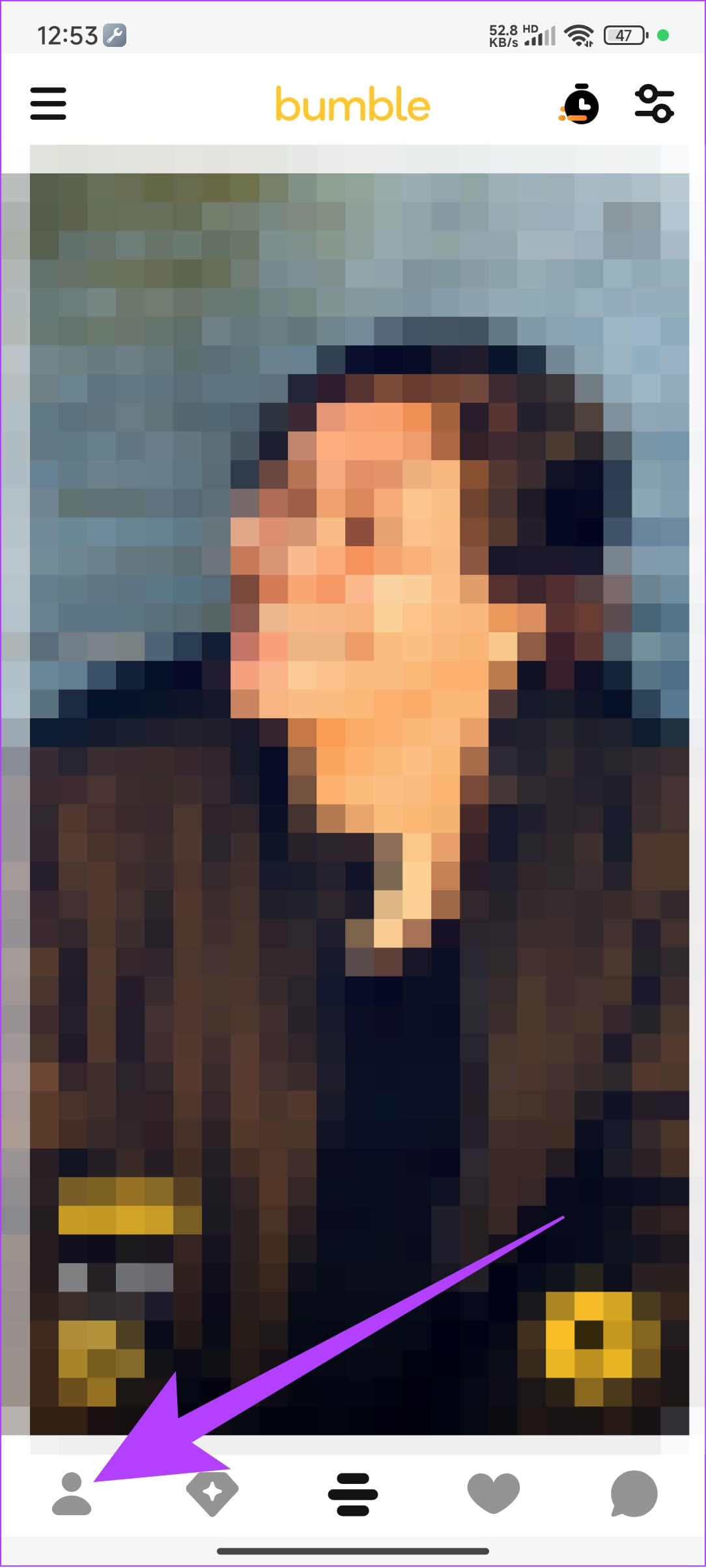
Step 1: Open the Bumble app and tap the profile button at the bottom left corner.
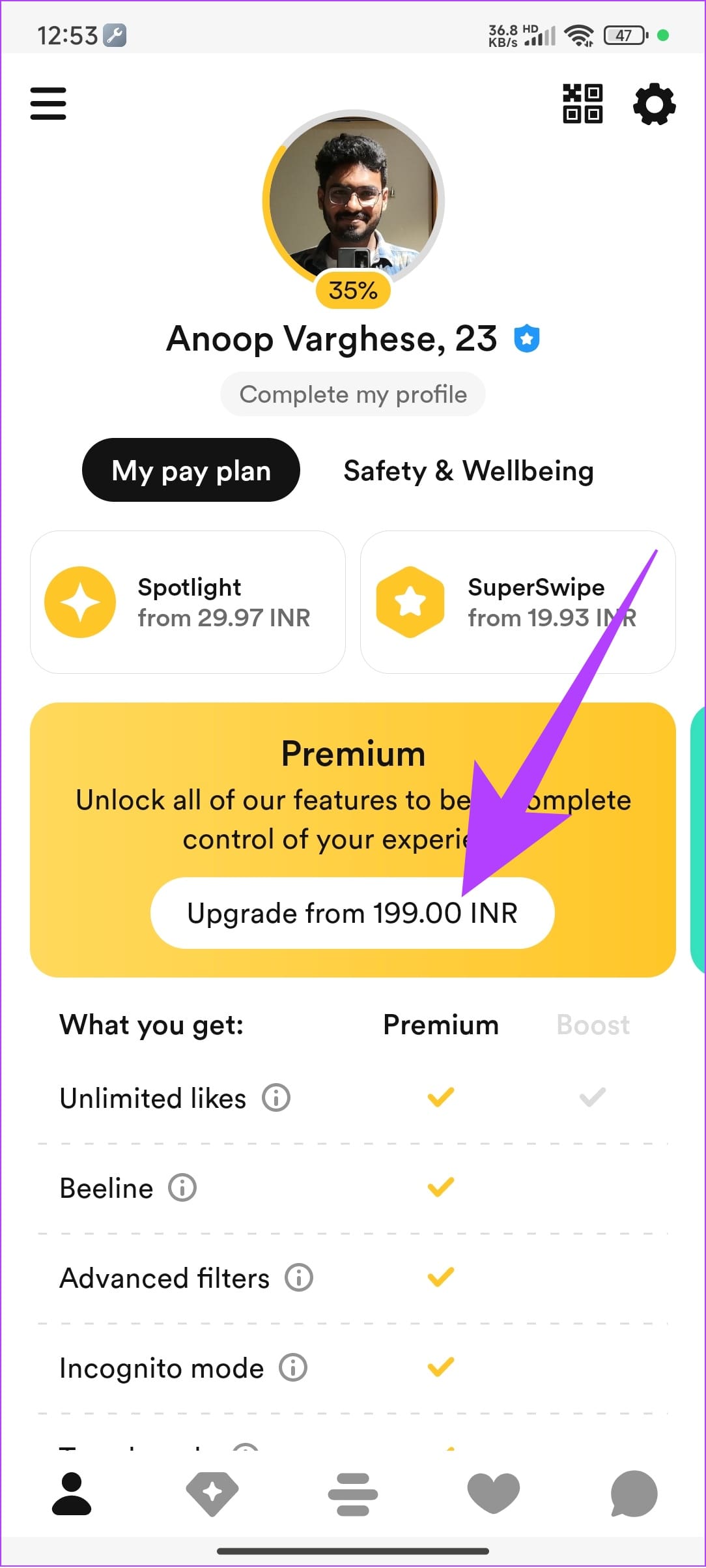
Step 2: From this page, tap the Upgrade from [cost] button under the Premium banner.
Step 3: Here, you will see different premium plans and their one-week free trial. Choose that and enter your payment credentials.
Don’t worry; you won’t be charged until the free trial expires. Bumble also notifies you before your free trial is about to expire.
On PC
Step 1: Open browser > navigate to Bumble and sign in to your account. Now, tap the profile picture at the top left corner.
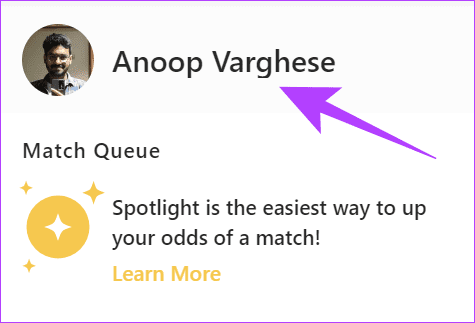
Step 2: Choose Upgrade to Bumble Premium.
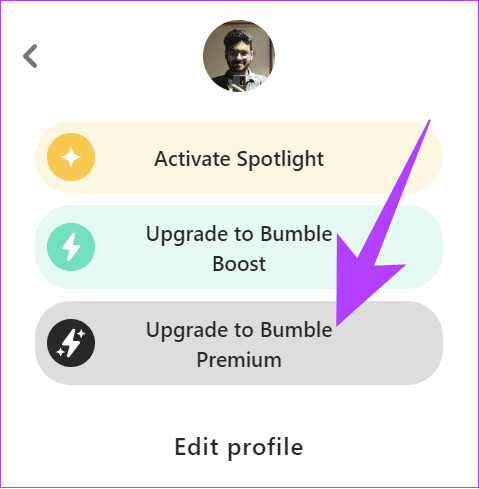
From here, choose the free trial and proceed forward by paying.
Can’t Find Bumble Premium Free Trial
If you cannot see the free trial offers on Bumble for some reason, here are some workarounds you can try:
- Login with a different email, number, and device: If you have used Bumble Premium before, you won’t get the free trial. This is applicable even if you haven’t used the free trial.
- Look for offers or collaboration: Bumble often works with influencers or releases campaigns where you will see special offers for Premium. You can use these special links to access these offers.
- Your account was banned from Bumble: If Bumble has banned you, you can’t get the premium subscription.
Method 2: Using Google Play Balance on Android
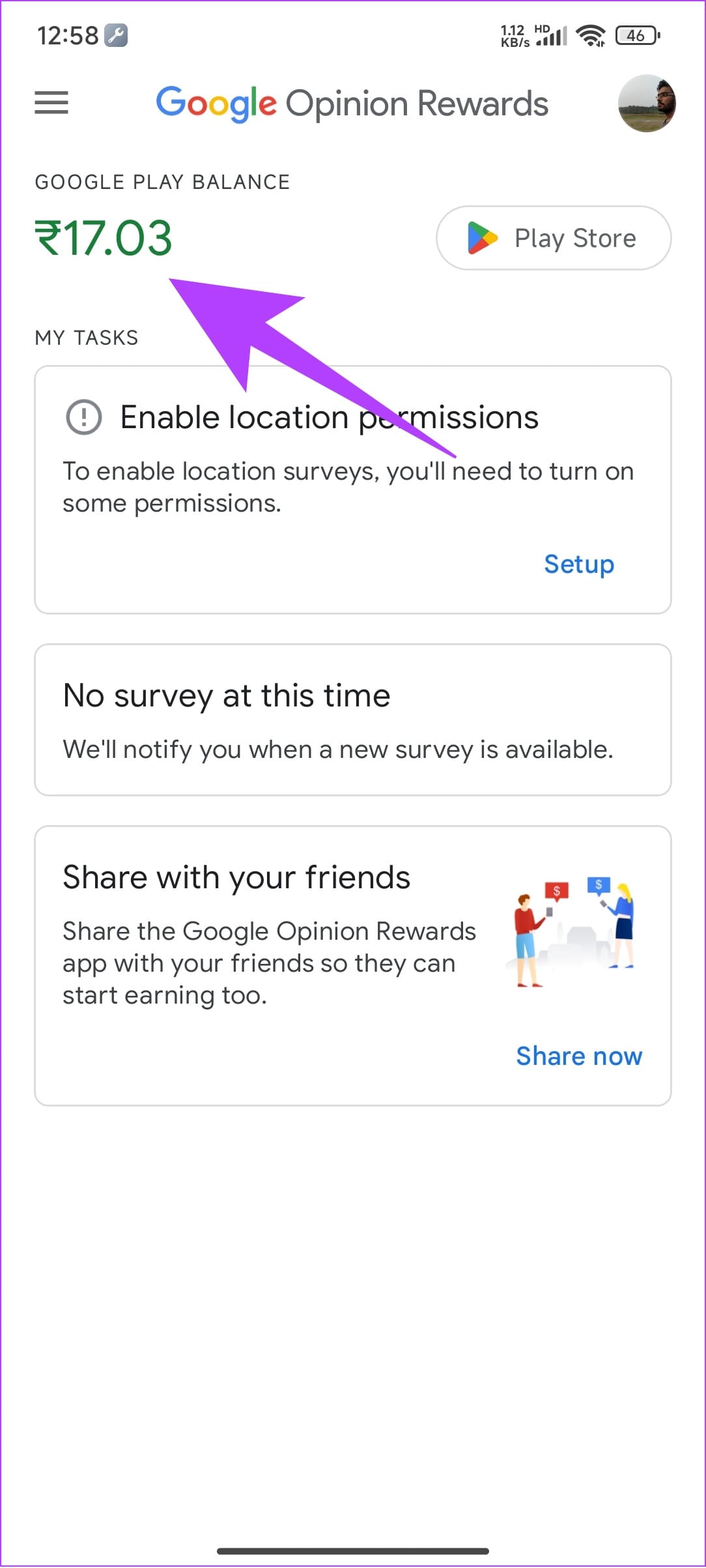
Android users have another way to get Bumble Premium for free. For this hack, you need to have Google Play Balance. You can get free Play Balance with Google Opinion Rewards. Here’s how to earn them:
Step 1: Install and open Google Opinion Rewards on Android or iOS.
Step 2: You’ll see surveys based on your activities. You must let Google collect your activity data to share surveys with you.
Step 3: Once you complete the survey, you will be rewarded with Google Play credits, which you can use to get Bumble Premium for free or at a discount.
Ensure to choose Google Play Wallet as the payment method while purchasing Bumble Premium.
Now that you know how to get Bumble Premium for free, we hope you can find someone special.
Was this helpful?
Last updated on 18 July, 2024
Read Next
 How to Subscribe to Telegram Premium (For a Discounted Price)
Telegram Free vs Premium Features FreePremiumFile Sharing Limit2GB4GBGroups and ChannelsUp to 500Up to 1000Pin Chats510Reserve Public Links1020 Subscribe to Telegram Premium for a Cheaper Price via Premium Bot At a
How to Subscribe to Telegram Premium (For a Discounted Price)
Telegram Free vs Premium Features FreePremiumFile Sharing Limit2GB4GBGroups and ChannelsUp to 500Up to 1000Pin Chats510Reserve Public Links1020 Subscribe to Telegram Premium for a Cheaper Price via Premium Bot At a
 How to Cancel Telegram Premium Subscription on Any Device
Let's look at how to cancel Telegram Premium subscription on Android, iPhone, Mac, and Windows. Method 1: Cancel Telegram Subscription On Android Step 1: Open the Google Play Store on your
How to Cancel Telegram Premium Subscription on Any Device
Let's look at how to cancel Telegram Premium subscription on Android, iPhone, Mac, and Windows. Method 1: Cancel Telegram Subscription On Android Step 1: Open the Google Play Store on your
 3 Fixes for YouTube Premium Not Downloading Videos Offline
Basic Fixes Check Internet Connectivity: Ensure your device is connected to a Wi-Fi network or cellular data with good signal strength and an active plan.
3 Fixes for YouTube Premium Not Downloading Videos Offline
Basic Fixes Check Internet Connectivity: Ensure your device is connected to a Wi-Fi network or cellular data with good signal strength and an active plan.
 Netflix Standard vs. Premium: Which Netflix Plan Is Best for You
Netflix Subscription Plans At a Glance While Netflix provides three plans in total, the Standard and Premium plans take the cake.
Netflix Standard vs. Premium: Which Netflix Plan Is Best for You
Netflix Subscription Plans At a Glance While Netflix provides three plans in total, the Standard and Premium plans take the cake.
 4 Fixes for Spotify Premium Not Working Offline on Smartphones
Basic Fixes: Check your subscription status: To listen offline on Spotify, you must be subscribed to any of their premium plans.
4 Fixes for Spotify Premium Not Working Offline on Smartphones
Basic Fixes: Check your subscription status: To listen offline on Spotify, you must be subscribed to any of their premium plans.
 How to Reset Bumble: Likes, Swipes, and Account
One way to reset your Bumble account is to delete the account and then wait for 28 days (Bumble keeps your data for that long).
How to Reset Bumble: Likes, Swipes, and Account
One way to reset your Bumble account is to delete the account and then wait for 28 days (Bumble keeps your data for that long).
 Does Bumble Have Read Receipts and How to Tell if Someone Read Your Message
Does Bumble Show Read Receipts?
Does Bumble Have Read Receipts and How to Tell if Someone Read Your Message
Does Bumble Show Read Receipts?
 How to Change Distance on Bumble
Method 1: Change Distance Manually Free and premium Bumble users can change and expand the search radius to 161 kilometers (100 miles).
How to Change Distance on Bumble
Method 1: Change Distance Manually Free and premium Bumble users can change and expand the search radius to 161 kilometers (100 miles).
The article above may contain affiliate links which help support Guiding Tech. The content remains unbiased and authentic and will never affect our editorial integrity.