
Microsoft Authenticator adds a layer of two-factor authentication (2FA) so that simply entering your password isn’t enough to gain access to your Microsoft account. Some users report excessive, constant Microsoft Authenticator requests, which are both annoying and alarming, as they appear to indicate that someone is trying to access their account.
Learn why this happens and what you can do to try to prevent this below.
What Is Microsoft Authenticator?
Many online accounts recommend using 2FA or MFA (multi-factor authentication) to protect your personal information. In addition to entering a password, you’re prompted to verify your identity using another device, app, or authentication method.
The Microsoft Authenticator app offers exactly that level of security for your Microsoft account and other supported accounts. Depending on how you’ve configured it, you may receive a notification on your smartphone asking you to approve or deny a sign-in attempt, or you may be asked to provide a verification code.
Why Am I Getting Constant Microsoft Authenticator Requests?
Malicious actors use bots to trawl lists of email addresses and send access requests via the Microsoft account login pages. In most cases, they won’t have access to your password, although changing your password is always a smart first step and part of good online security hygiene.
Their goal is that at least some of these requests will prompt someone to hit the “approve” button, allowing them access to the victim’s account to steal data and more.
Securing Your Account: Steps to Try
Step 1. Change your Microsoft account password. Regular password changes make your account more secure. Head to https://account.microsoft.com/account and click Sign in.

Sign in, then head to Account > Change password. Follow the on-screen prompts to complete this process.

Step 2. Sign out on every device. One of the reasons requests continue is if someone is partially signed in on a device, i.e., they obtained your password, but can’t get past the 2FA layer of security. Even after you change your password, they can keep requesting access. Start by heading to your Microsoft account again, and this time clicking on your own profile picture. Select the option for My Microsoft account.

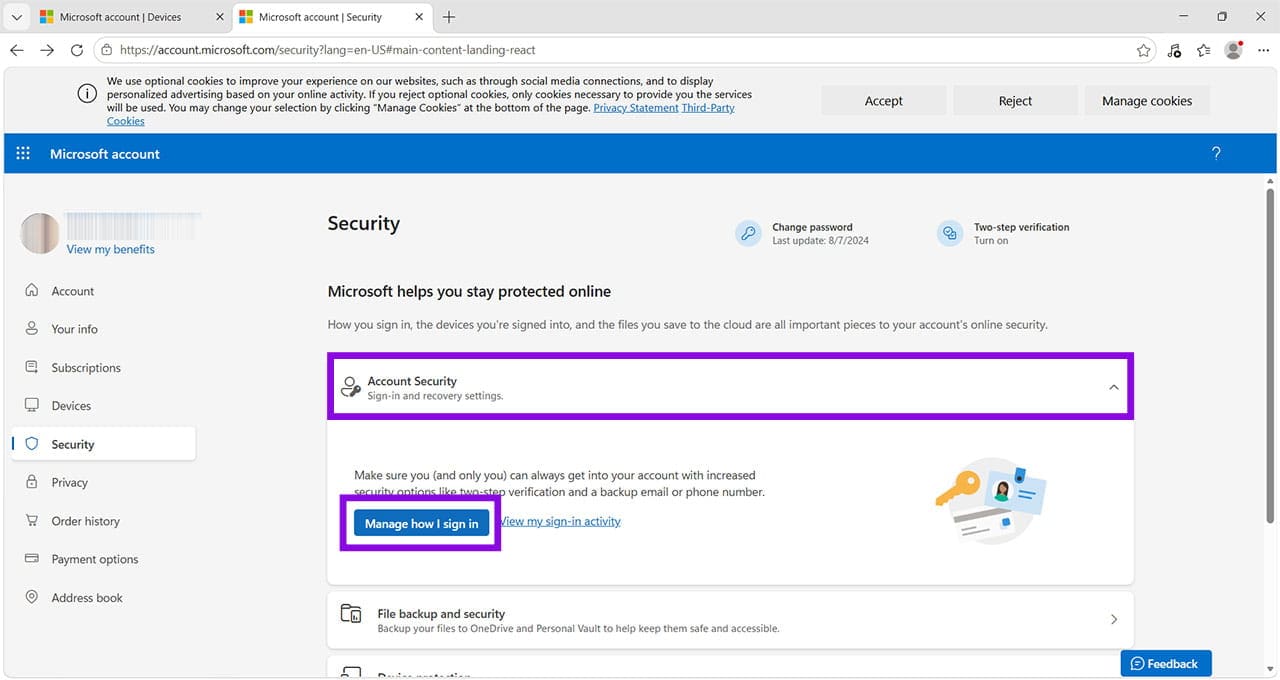
Click Security, then click Security dashboard.

You’ll be asked to sign in again.
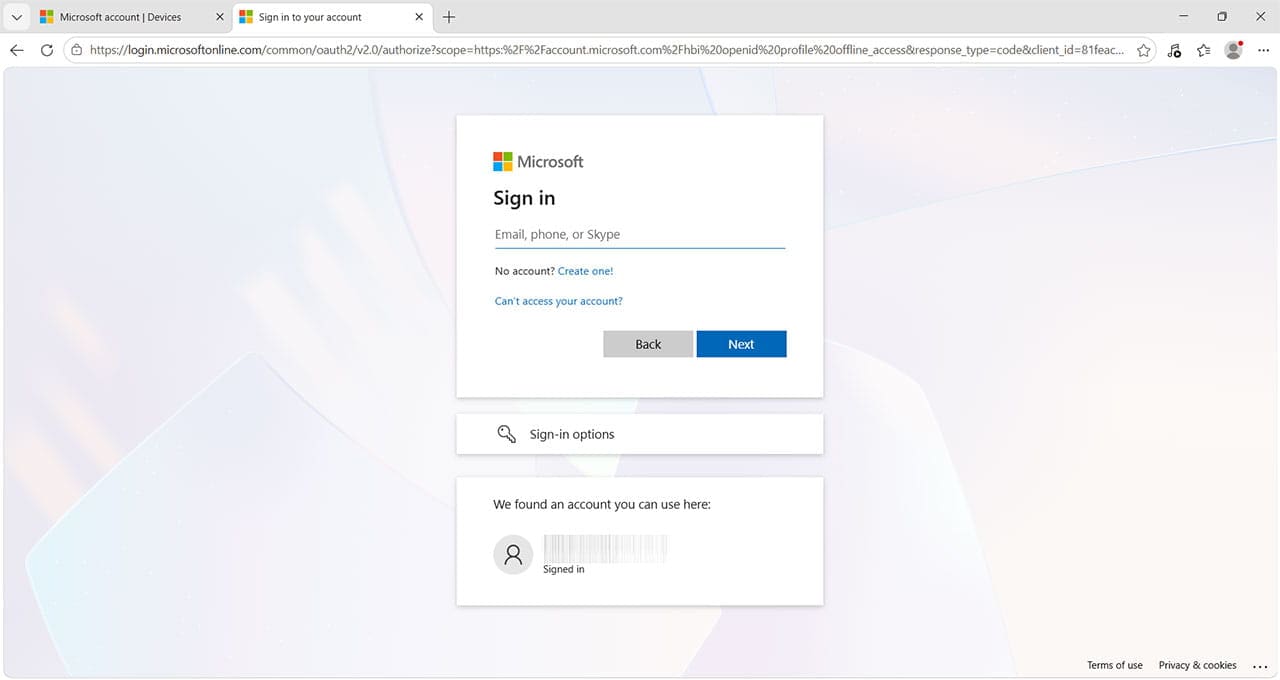
Under Account Security, click Manage how I sign in.
On the next page, scroll down until you see Sign out everywhere. Click the blue link to confirm you want to do this. It can take 24 hours to complete the sign-out process, and it won’t sign you out of any Xbox sessions.
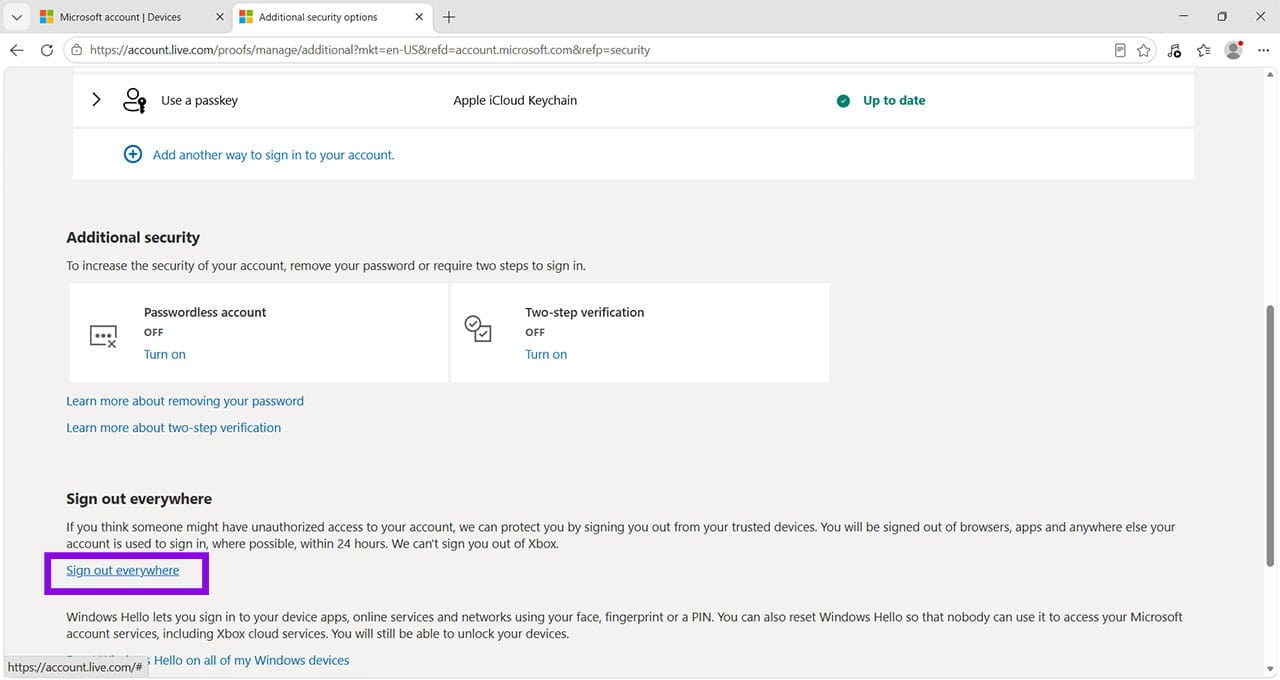
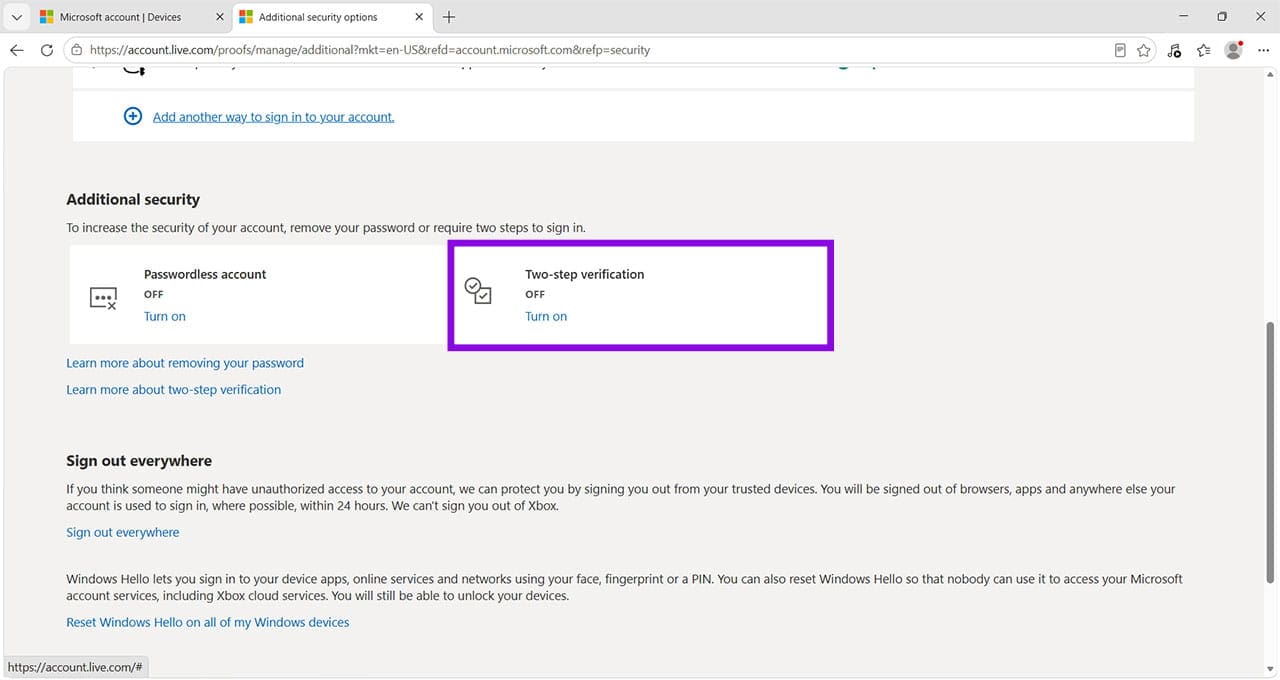
Step 3. If you continue to receive constant Microsoft Authenticator requests, you can try setting up a different type of 2FA security. On the same page you accessed via Step 2, you can choose to switch on two-step verification or add another way to sign into your account.
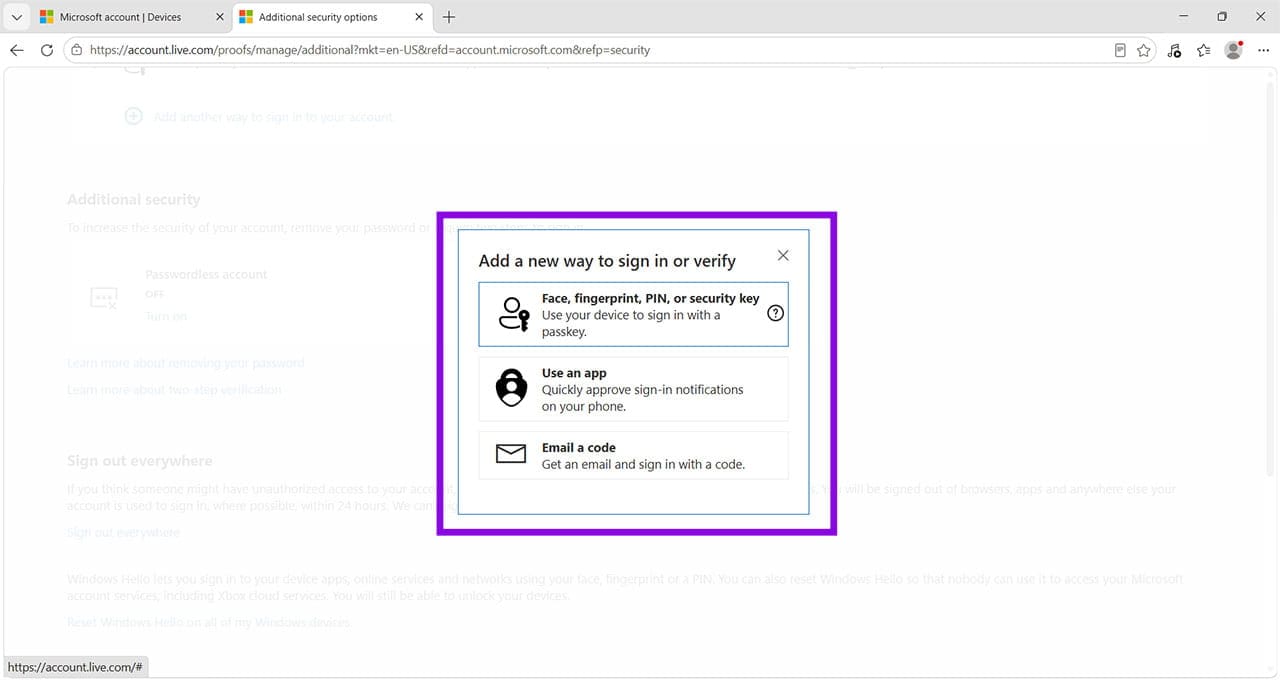
When you click Add another way, it brings up options to use a passkey, a third-party app, or to receive a code via email. Choose the method that suits you best, and delete the Microsoft Authenticator app.
Was this helpful?
Last updated on 12 November, 2026
Read Next
 How to Move Microsoft Authenticator to Your New Phone
How to Backup Microsoft Authenticator Data on Your Old Phone To move Microsoft Authenticator to a new phone, you first need to back up all your accounts on the old
 How to Fix Microsoft Authenticator Shows Wrong Location
The Microsoft Authenticator App is an invaluable tool for helping you keep your Microsoft accounts and login details secure and allowing you to access things seamlessly.
 Why Can’t I Send Friend Requests on Facebook And How to Fix It
Why Can't I Add Friends on Facebook?
 How to See Your Sent Friend Requests on Facebook and Instagram
How to Check and Cancel Your Sent Friend Requests on Facebook The Friend Requests tab on Facebook makes it simple to track all the friend requests you have sent and
 5 Ways to Fix Microsoft Authenticator Not Working on Android and iPhone
https://youtu.be/C7W_ykgaBOI Try Basic Fixes Update the app: The Microsoft Authenticator may not work properly if you are using an outdated version of the app.
 How to Fix Google Authenticator Not Working on iPhone
Basic Fixes Restart iPhone - It could eliminate some software- or settings-related glitches causing Google Authenticator to not work.
 How to Manage and Share Files and Folder Access on Microsoft OneDrive
Like iCloud and Google Drive, Microsoft's OneDrive is a great cloud storage platform to store your data.
 3 Fixes for Cast Media to Device Not Working in Microsoft Edge
Basic Fixes Check device support: The first thing you need to be sure of is that your smart TV or streaming device supports Miracast or is certified by the DLNA
The article above may contain affiliate links which help support Guiding Tech. The content remains unbiased and authentic and will never affect our editorial integrity.