1. Filmora
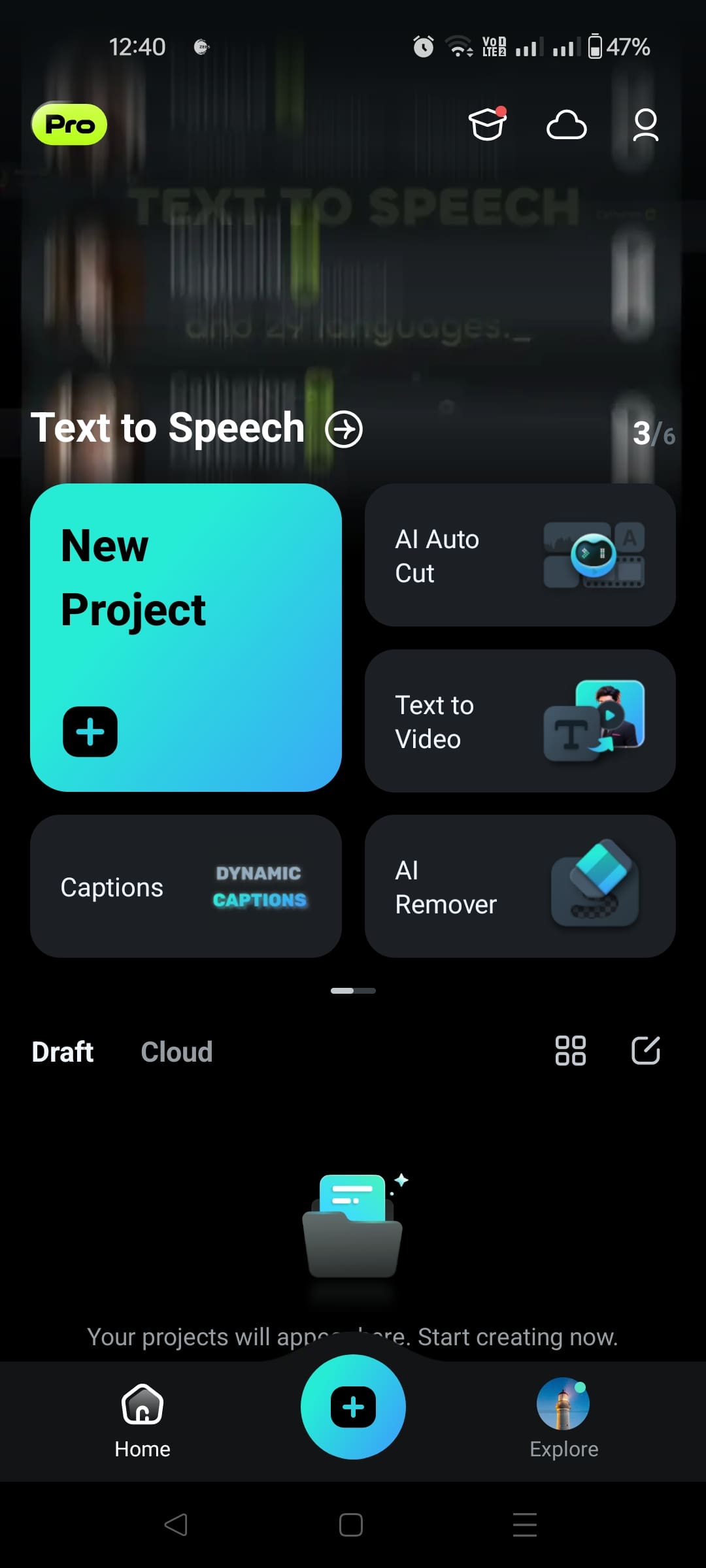
Filmora for Android is a user-friendly video editing app empowered to create creators’ valuable stories and increase engagement quickly. This integration is embedded with AI-driven auto-cut technology and dynamic captions, making editing faster.
Whether one is creating memes, music videos, or vlogs, the interface of Filmora and the rich built-in effects library will turn your vision into real life. It has valuable features like text-to-video for social media enthusiasts trying to jazz up their video footage for YouTube or Instagram.

Pros
- The rich library includes editing tools, transition effects, and music tracks, making video projects creative and professional-looking.
- It is a cross-platform application.
Cons
- It has a limited export resolution in the free version.
Pricing
- Quarterly Plan for $29.99/ quarter
- Annual Plan for $49.99/ Year
- Perpetual Plan – $79.99
2. PowerDirector
PowerDirector is a feature-rich Android video editing application with comprehensive professional tools. It allows you to edit and export videos with up to 4K resolution, apply effects, leverage AI for body effects, and create intelligent cutouts for high-quality, efficient, and creative videos.
It is an exceptional video editing app that perfectly balances usability and functionality. The app offers a range of features, including multi-track editing, motion tracking, and a robust Chroma Key tool for green screen effects.


Pros
- PowerDirector renders projects quickly.
- Easy, straightforward interface.
- Create slow-motion videos, slideshows, and video collages.
Cons
- Because of its advanced features, the program may not be ideal for novice users.
- Lack of user privacy.
Pricing
- The free version comes with an advertisement.
- Subscriptions cost around $19.99 monthly or $19.99 annually, and they can sometimes be discounted compared to the monthly payment.
3. KineMaster
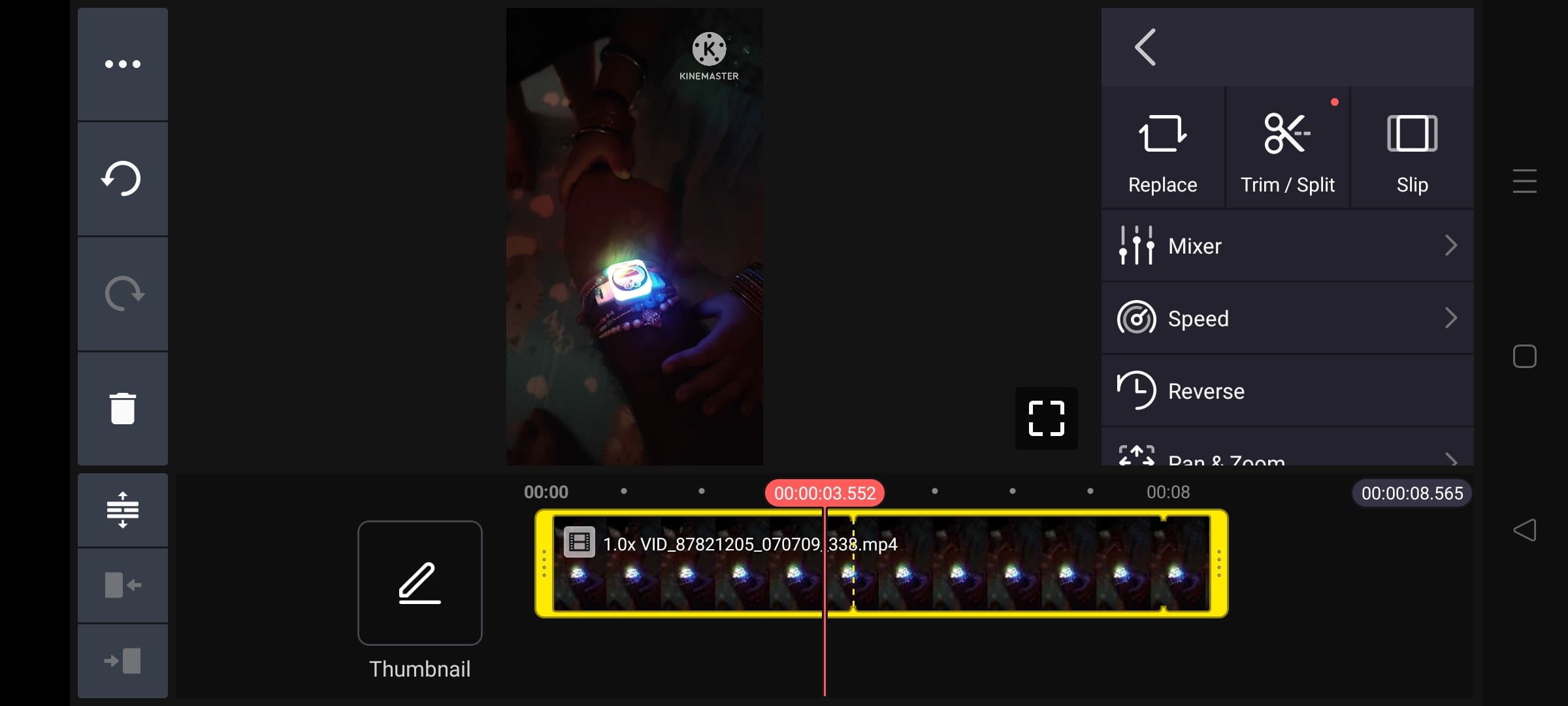
KineMaster takes the third position. It is another feature-rich video editor packed into an Android app with professional-grade features. The list of features includes multi-layer video, blending modes, voiceovers, and chroma key compositing.
The intuitive design interface will allow KineMaster users to create high-quality video presentations using an easy-to-use interface that exports up to 4K resolution.
Pros
- Support for multitrack video editing allows the overlay of clips, images, text, and sound in case of more complex creations.
- Real-time recording and instant previewing show the changes immediately to lighten the editing process.
Cons
- It is an expensive subscription model.
- The app can sometimes be a little fiddly to use when selecting or editing specific clips, so the performance may not be quite perfect in some cases.
Pricing
- The free version comes with an advertisement.
- Monthly plan-$9.99
- Annual plan-$49.99
4. Movavi
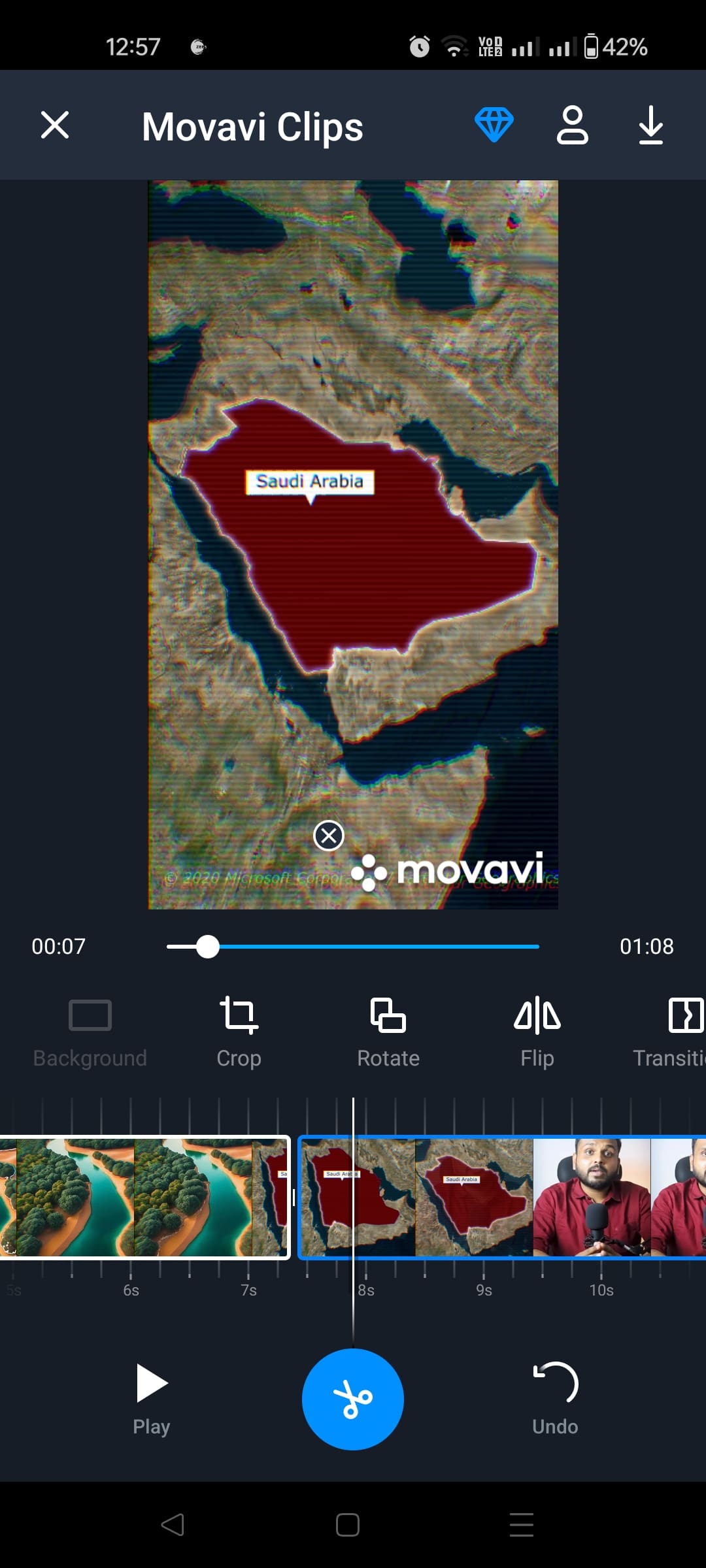
Fourth on the list is the Movavi Video Editor app. The app offers a simple solution. You can use timeline markers to pinpoint the start and end times of any clip that you want to erase. Movavi is a versatile multimedia software designed to simplify video editing, screen recording, and media conversion for users of all skill levels.
It is known for its easy-to-use interface and offers a wide range of tools for beginners and experienced editors. You can edit photos and videos and convert media files across various formats.

Pros
- Easy access to cropping and clip removal features.
- A wide variety of additional editing features
- Free to use filters and transitions
Cons
- Movavi Video Editor watermark on edits
- Insufficiently advanced editing functions.
Pricing
The Movavi Video Editor subscription is $19.95 for one month and includes free updates within the subscription period. There’s also a 7-day free trial, after which it auto-renews for $49.95 monthly. You can purchase a lifetime license to get the whole experience at a one-time cost of $79.95.
5. Splice
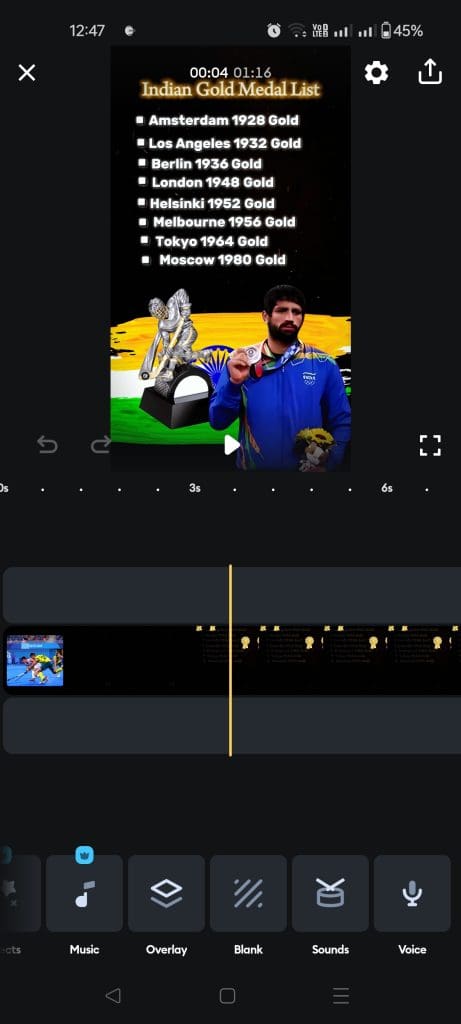
Splice is another versatile Android video editor that provides broad possibilities for creating professional-looking videos. Splice will enable users to easily trim, cut, or merge clips, add slow-motion effects, overlay, and select from an extensive music library. The intuitive design of the interface makes working with this application easier, even for those who have never dealt with video editing before. Whether for social media content, personal memories, or professional presentations,
Splice brings desktop editor functionality to the palm of your hand. Its free version offers a range of features, but users can access premium tools through in-app purchases. Splice lets users create amazing videos from their phones, making video editing on mobile unquestionably easier.

Pros
- Option to adjust speed for fast or slow motion.
- Splice provides over 400 songs in its library.
Cons
- The app has few transitions, effects, and other editing capabilities compared to desktop versions.
- Using it when editing long videos is not advisable since it will just crash or lag.
Pricing
The free version comes with an advertisement. You can unlock Splice features in a Lite subscription at $4.99 per week or $89.99 annually. Besides that, there is a Premium subscription that, without adding more features, includes all the tools provided in the Lite version. It should be noted that regardless of the chosen subscription, the subscriber will have access to all the features, and one can be flexible based on his or her budget and duration of use.
Was this helpful?
Last updated on 28 August, 2024
Read Next
 4 Ways to Free Up Space on Android Without Deleting Apps
Basic Fixes: Find and remove large files: You can use Google's Files app to auto-detect and remove large files from your phone.
4 Ways to Free Up Space on Android Without Deleting Apps
Basic Fixes: Find and remove large files: You can use Google's Files app to auto-detect and remove large files from your phone.
 7 Best Free Android Apps to Try in March 2024
We're back with another list of the best free Android apps you can try.
7 Best Free Android Apps to Try in March 2024
We're back with another list of the best free Android apps you can try.
 5 Best Free Reddit Apps For Android That Still Work in 2023
Reddit has increased its API fees significantly, making it impossible for third-party app developers to continue to operate.
5 Best Free Reddit Apps For Android That Still Work in 2023
Reddit has increased its API fees significantly, making it impossible for third-party app developers to continue to operate.
 5 Best Flight Tracking Apps for iPhone and Android (Free)
1.
5 Best Flight Tracking Apps for iPhone and Android (Free)
1.
 7 Best Free AI Apps for Android: AI Assistant, Photo Editor, and More
1.
7 Best Free AI Apps for Android: AI Assistant, Photo Editor, and More
1.
 13 Awesome (and Free) Tools to Rip Audio From Video
Has it ever happened that you come across a music video video on YouTube and just feel like downloading the audio track, not the entire video?
13 Awesome (and Free) Tools to Rip Audio From Video
Has it ever happened that you come across a music video video on YouTube and just feel like downloading the audio track, not the entire video?
 5 Best Android Apps to Extract Audio from Video
Don't you wish you could get the audio from the latest music videos?
5 Best Android Apps to Extract Audio from Video
Don't you wish you could get the audio from the latest music videos?
 9 Pet Care Apps in 2024 [Free and Paid]
1.
9 Pet Care Apps in 2024 [Free and Paid]
1.
The article above may contain affiliate links which help support Guiding Tech. The content remains unbiased and authentic and will never affect our editorial integrity.