

Fix 1: Enable Installing Apps From Third-Party Sources
An Android phone disables the permission to install third-party apps. This is to prevent unauthorized apps from installing and ensure that other apps on your phone don’t install malware without your notice. Here’s how to enable it.
Step 1: Open the Settings app on your Android phone > navigate to the Apps section > tap on the three-dot menu at the top-right.


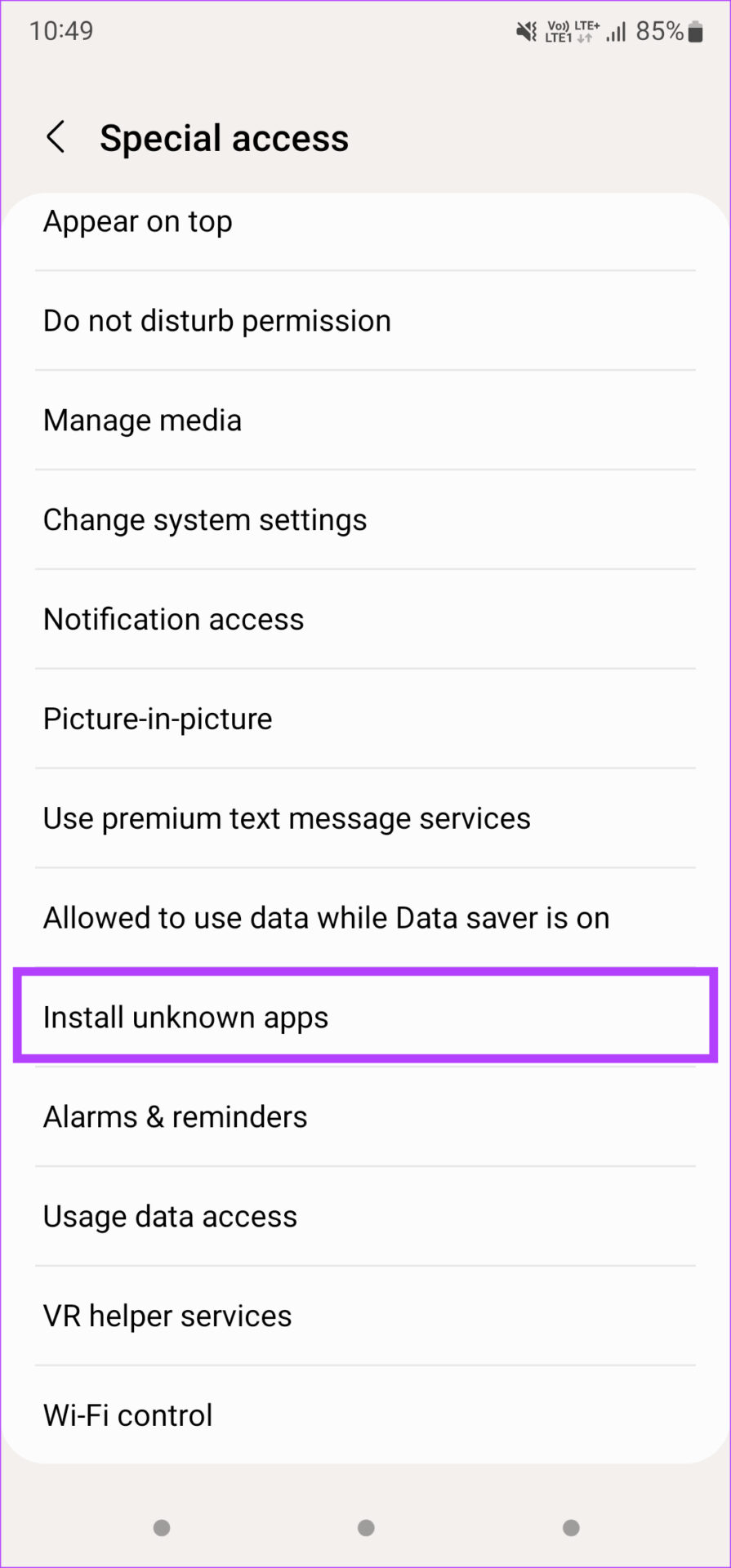
Step 2: Now, select Special access > scroll down and select Install unknown apps.
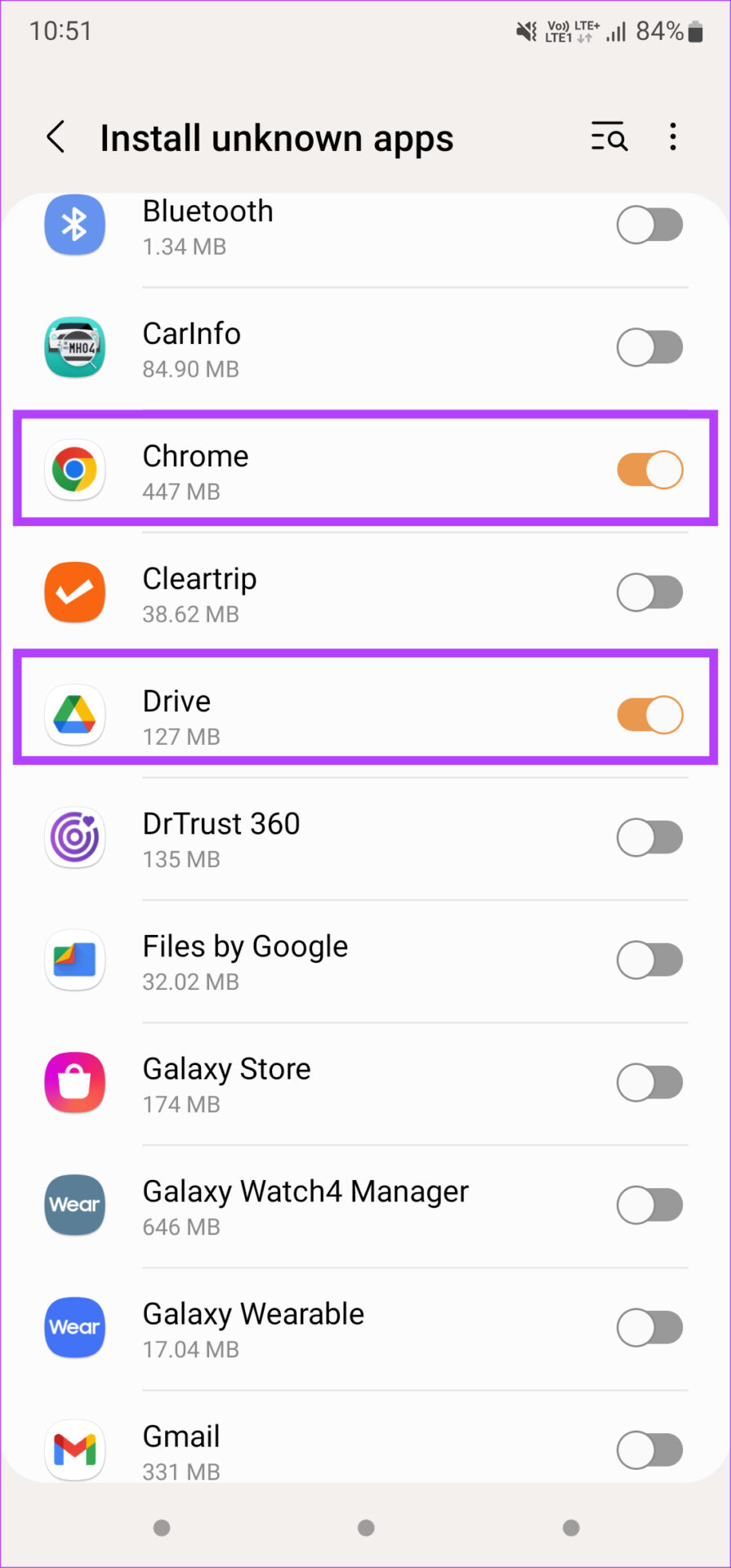
Step 3: Enable the toggle for the app you use to install the APK file. For example, select Chrome if you downloaded the APK using the browser.

Step 4: Install the APK file.
Tip: If you downloaded an XAPK file, here’s how to install XAPKs on your phone.
Fix 2: Download the APK From a Different Source
If you downloaded a natively corrupted APK file, your phone will throw a parsing error. This can happen if the source you’re downloading the APK file from is not reputed or an incomplete version of the APK has been uploaded. Try looking for the APK file from an alternate source and install that version.
APKMirror is a reliable source to download any APK of your choice.
Also Read: How to install APKs on Wear OS smartwatches
Fix 3: Find an Alternative to the App on Play Store
This solution might not make sense, but if none of the above solutions work, this might be a viable option. Similar apps from the Google Play Store are easier to install. If you face any issues while installing apps using this route, look at the best ways to fix apps not installing on Android.
Was this helpful?
Last updated on 22 July, 2024
2 Comments
Leave a Reply
Read Next
 4 Ways to Fix Windows Installer Package Error
Preliminary Fixes Run the file as an administrator: This is often crucial in resolving Windows Installer Package errors.
4 Ways to Fix Windows Installer Package Error
Preliminary Fixes Run the file as an administrator: This is often crucial in resolving Windows Installer Package errors.
 6 Best All-In-One Package Tracking Apps
Grounds for Considering These Apps As said, numerous universal parcel tracking apps on the App Store or Play Store help you with this.
6 Best All-In-One Package Tracking Apps
Grounds for Considering These Apps As said, numerous universal parcel tracking apps on the App Store or Play Store help you with this.
 5 Fixes for “Word Experienced an Error Trying to Open the File” Error in Windows
Fix 1: Unblock Your Word File Microsoft Word may fail to open a document if it has been altered by third-party software.
5 Fixes for “Word Experienced an Error Trying to Open the File” Error in Windows
Fix 1: Unblock Your Word File Microsoft Word may fail to open a document if it has been altered by third-party software.
 7 Fixes for Message Blocking is Active Error on Android and iPhone
Basic Fixes Remove and re-insert the SIM card: An improperly placed SIM card can cause errors while sending text messages.
7 Fixes for Message Blocking is Active Error on Android and iPhone
Basic Fixes Remove and re-insert the SIM card: An improperly placed SIM card can cause errors while sending text messages.
 6 Fixes for the “Connection Problem or Invalid MMI Code” Error on Android
https://youtu.be/BTOeKo08OPA Try Basic Fixes Toggle the airplane mode: Turning airplane mode on and off is an effective way to refresh your phone's network connections.
6 Fixes for the “Connection Problem or Invalid MMI Code” Error on Android
https://youtu.be/BTOeKo08OPA Try Basic Fixes Toggle the airplane mode: Turning airplane mode on and off is an effective way to refresh your phone's network connections.
 4 Fixes for ‘Google Assistant Is Not Available on This Device’ Error
Basic Fixes: Restart your phone: A simple reboot can help fix common issues you might encounter on your smartphone as it restarts all device services.
4 Fixes for ‘Google Assistant Is Not Available on This Device’ Error
Basic Fixes: Restart your phone: A simple reboot can help fix common issues you might encounter on your smartphone as it restarts all device services.
 4 Fixes for Google Photos Unable to Save Changes Error
Basic Fixes Clear cache for Google Photos: Open Google Photos app info > tap on Storage and cache > Clear cache.
4 Fixes for Google Photos Unable to Save Changes Error
Basic Fixes Clear cache for Google Photos: Open Google Photos app info > tap on Storage and cache > Clear cache.
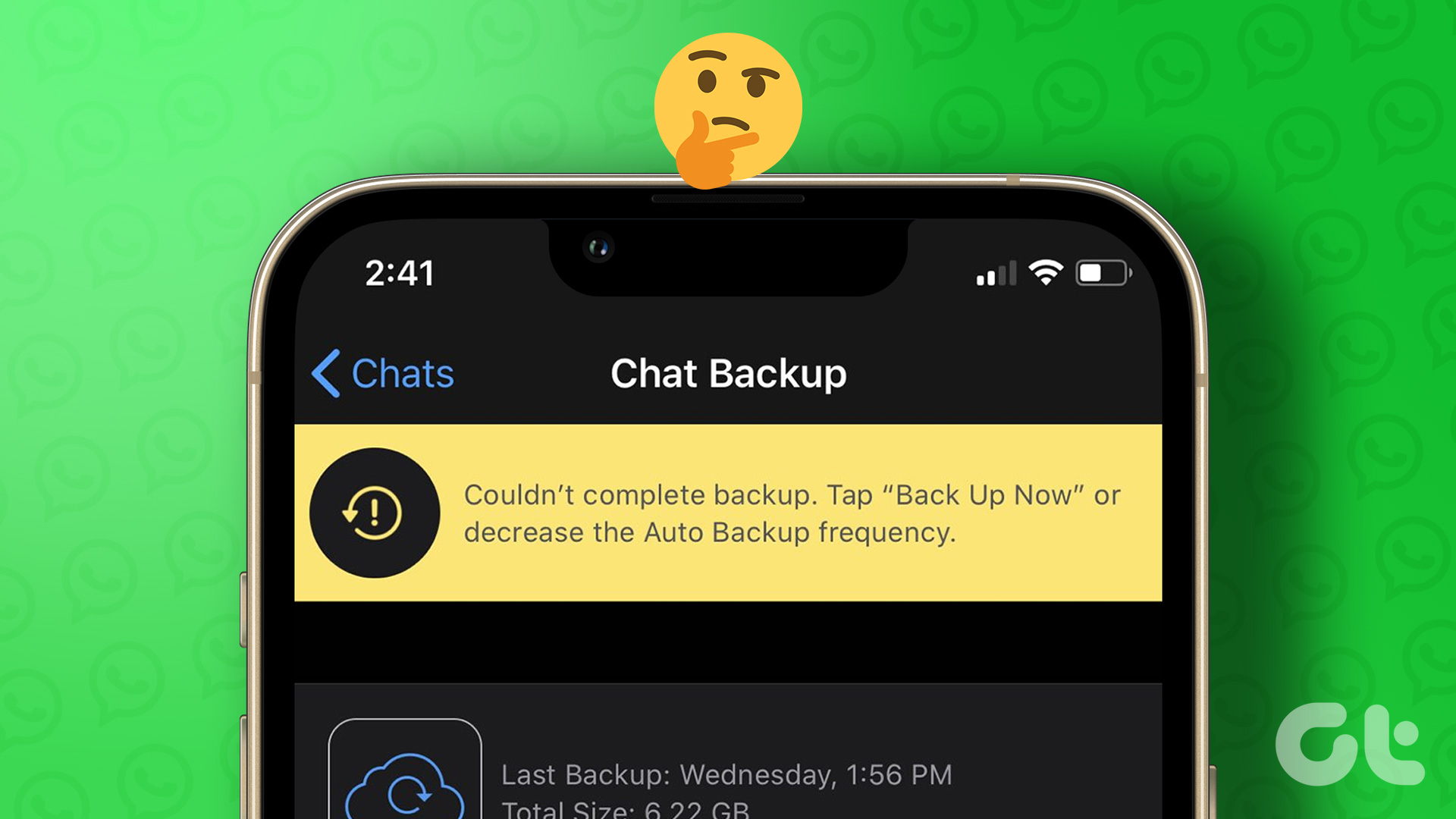 5 Fixes for ‘WhatsApp Couldn’t Complete Backup’ Error on Android and iPhone
Fix 1: Initiate Backup Manually At times, minor network or app-related issues can interrupt the WhatsApp backup process and throw the "Couldn't complete backup" error.
5 Fixes for ‘WhatsApp Couldn’t Complete Backup’ Error on Android and iPhone
Fix 1: Initiate Backup Manually At times, minor network or app-related issues can interrupt the WhatsApp backup process and throw the "Couldn't complete backup" error.
The article above may contain affiliate links which help support Guiding Tech. The content remains unbiased and authentic and will never affect our editorial integrity.

i have samsung a32 and i did updated software to latest version.
i have “app hider” app.
but now when i try to use or add app in it (import), i have this problem msg “occurred parse error ….. gaia.naked. ……. failed”
can you help me?
i try all of you methodes, but i have problem yet.
I can’t open the the play store