


Preliminary Fixes
- Check the Network Connection: A stable and reliable internet connection is crucial for loading all content on Facebook Marketplace.
- Reopen the Facebook App: Sometimes, simply closing and reopening the Facebook app can resolve temporary glitches.
- Follow Facebook Guidelines: Ensure that your actions and listings adhere to Facebook’s Marketplace policies and community standards, as violations can lead to restrictions.
- Disable VPN: VPNs can sometimes interfere with the loading of certain content, including Facebook Marketplace listings.
Fix 1: Login into the Facebook App Again
The Facebook app might fail to show Marketplace listings due to an account authentication error. You can sign out from your Facebook account and sign in with updated details.
Step 1: Launch the Facebook app on your phone.
Step 2: Tap the Menu icon at the bottom-right corner. Android users can access the same Menu icon from the top-right corner.
Step 3: Scroll and tap on the Log out button.

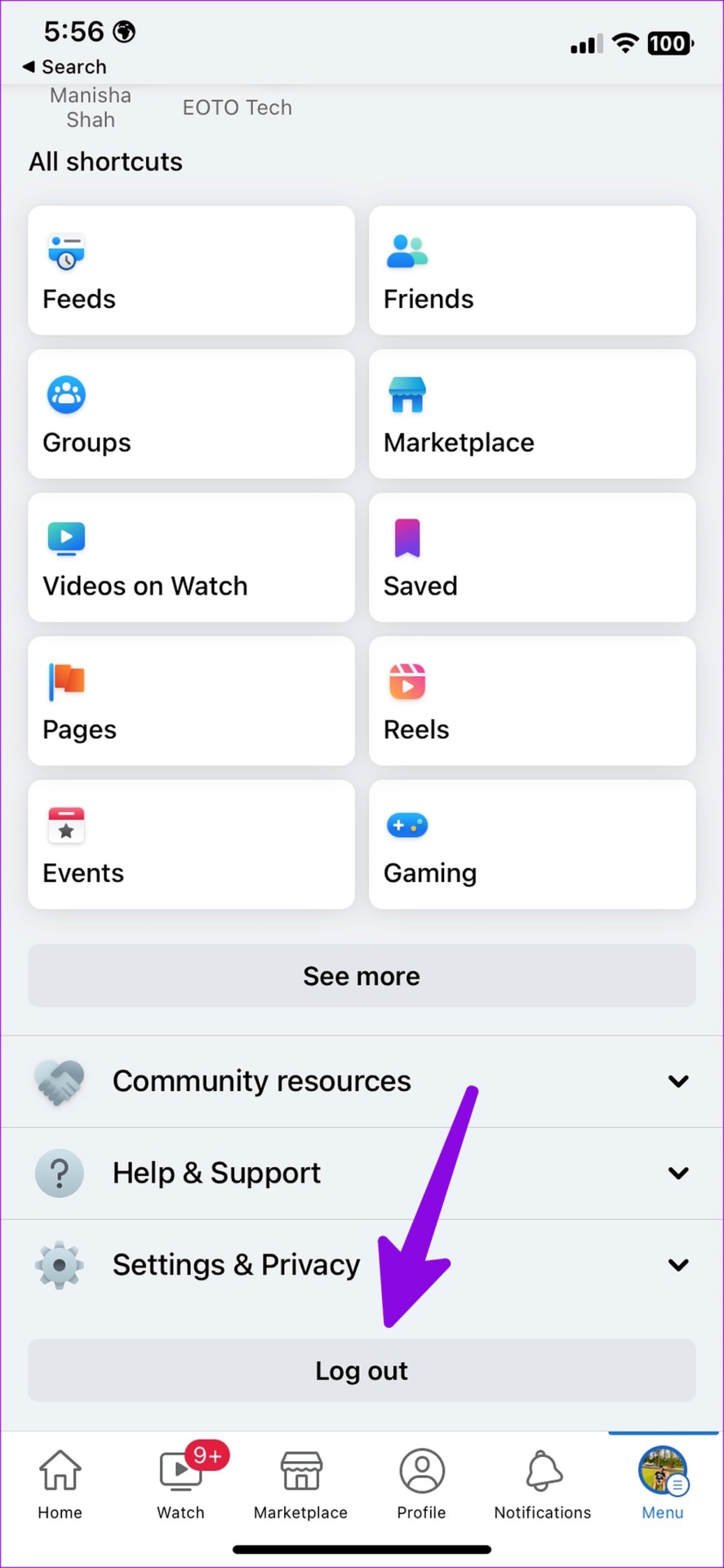
Step 4: Log in with Facebook account with new password details.
Fix 2: Disable Third-Party Extensions
Excessive use of third-party extensions on the web may interfere with Facebook Marketplace listings.
Note: We will take Google Chrome as an example here.
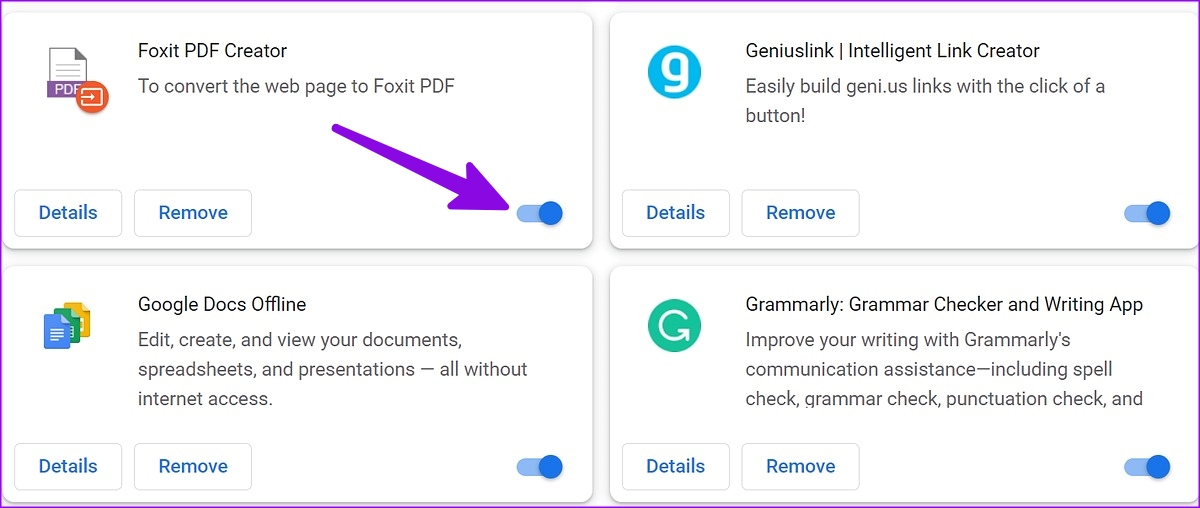
Step 1: Launch Google Chrome and select the kebab menu (three vertical dots) at the top-right corner.
Step 2: Select Extensions and choose Manage Extensions.
Step 3: Disable or remove irrelevant extensions from the following menu.
Fix 3: Change the Facebook Marketplace Region
Step 1: Launch the Facebook app on your phone.
Step 2: Tap on the Marketplace icon at the bottom.
Step 3: Check your location at the top.
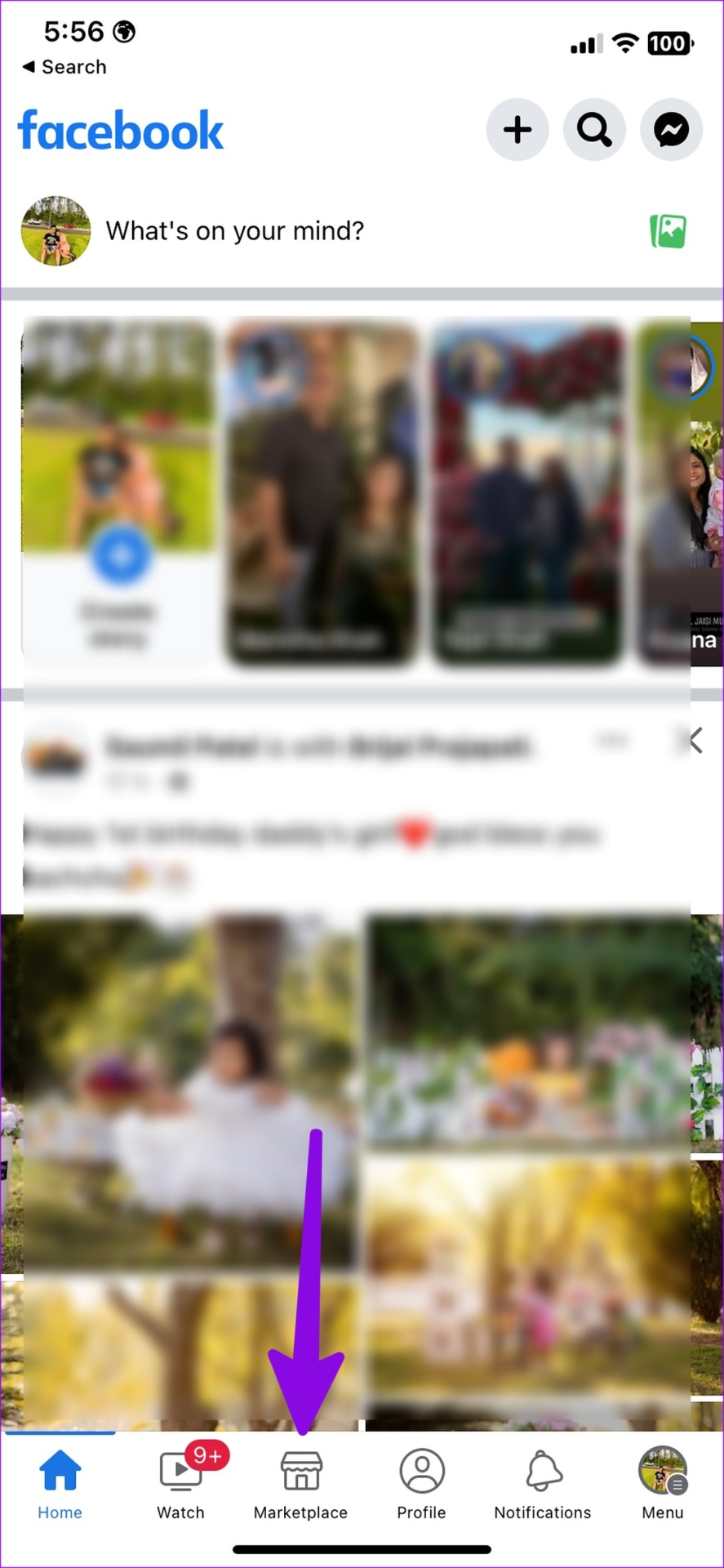

Step 4: Search for town/city, neighborhood, or postcode at the top.
Fix 4: Update Facebook App
Facebook regularly releases new updates to add features and fix bugs. An outdated Facebook app build can lead to issues like Marketplace not showing all listings on your Android or iPhone. You need to update Facebook to the latest version from the Google Play Store or Apple App Store and try again.
Was this helpful?
Last updated on 14 July, 2024
3 Comments
Leave a Reply
Read Next
 4 Ways to Fix Facebook Marketplace Messages Not Showing up in Messenger
Basic Fixes Check your network connection: Ensure your device has a good internet connection.
4 Ways to Fix Facebook Marketplace Messages Not Showing up in Messenger
Basic Fixes Check your network connection: Ensure your device has a good internet connection.
 5 Ways to Fix Facebook Marketplace Not Working
Why Facebook Marketplace May Not Be Available for You?
5 Ways to Fix Facebook Marketplace Not Working
Why Facebook Marketplace May Not Be Available for You?
 3 Ways to Fix Can’t Send Messages on Facebook Marketplace
Fix 1: Wait It Out Facebook Marketplace limits the number of messages one can send daily to reduce spam and unsolicited activities.
3 Ways to Fix Can’t Send Messages on Facebook Marketplace
Fix 1: Wait It Out Facebook Marketplace limits the number of messages one can send daily to reduce spam and unsolicited activities.
 How to Get Rid of Facebook Marketplace Limit Reached Problem
Why Is Facebook Limiting My Account on Marketplace Like most e-commerce platforms, Facebook Marketplace has strict guidelines and rules to follow.
How to Get Rid of Facebook Marketplace Limit Reached Problem
Why Is Facebook Limiting My Account on Marketplace Like most e-commerce platforms, Facebook Marketplace has strict guidelines and rules to follow.
 What Happens When You Accept An Offer on Facebook Marketplace
Facebook Marketplace is an excellent platform to find local items in your area.
What Happens When You Accept An Offer on Facebook Marketplace
Facebook Marketplace is an excellent platform to find local items in your area.
 How to Report and Avoid Scammers on Facebook Marketplace
Facebook Marketplace – the company’s e-commerce platform, has over one billion users.
How to Report and Avoid Scammers on Facebook Marketplace
Facebook Marketplace – the company’s e-commerce platform, has over one billion users.
 10 Common Facebook Marketplace Scams and How to Avoid Them
Besides being a popular social media platform, Facebook is also a great place to buy and sell things, thanks to Facebook Marketplace.
10 Common Facebook Marketplace Scams and How to Avoid Them
Besides being a popular social media platform, Facebook is also a great place to buy and sell things, thanks to Facebook Marketplace.
 Top 4 Ways to Fix Facebook Messenger Not Showing Active Status
https://youtu.be/BQ7VyEtSDlI Preliminary Fixes The Person Has Disabled Active Status: If the person whose active status you’re trying to see has disabled their active status, you won't be able to see
Top 4 Ways to Fix Facebook Messenger Not Showing Active Status
https://youtu.be/BQ7VyEtSDlI Preliminary Fixes The Person Has Disabled Active Status: If the person whose active status you’re trying to see has disabled their active status, you won't be able to see
The article above may contain affiliate links which help support Guiding Tech. The content remains unbiased and authentic and will never affect our editorial integrity.


Marketplace fixes prices and creates mini zones and market bubbles that have increased inflation on used vehicles. They don’t show every ad to every person no matter what you do. Price manipulation.
“If someone reports you for selling fake, damaged, or counterfeit items or for any other legitimate reason, Facebook may ban you from Marketplace.”
If Facebook bans you, does it tell you and why? If banned for illegitimate reason, is there recourse?
Useless article. Was this AI generated garbage?