

Method 1: Deregister Device Using Mobile
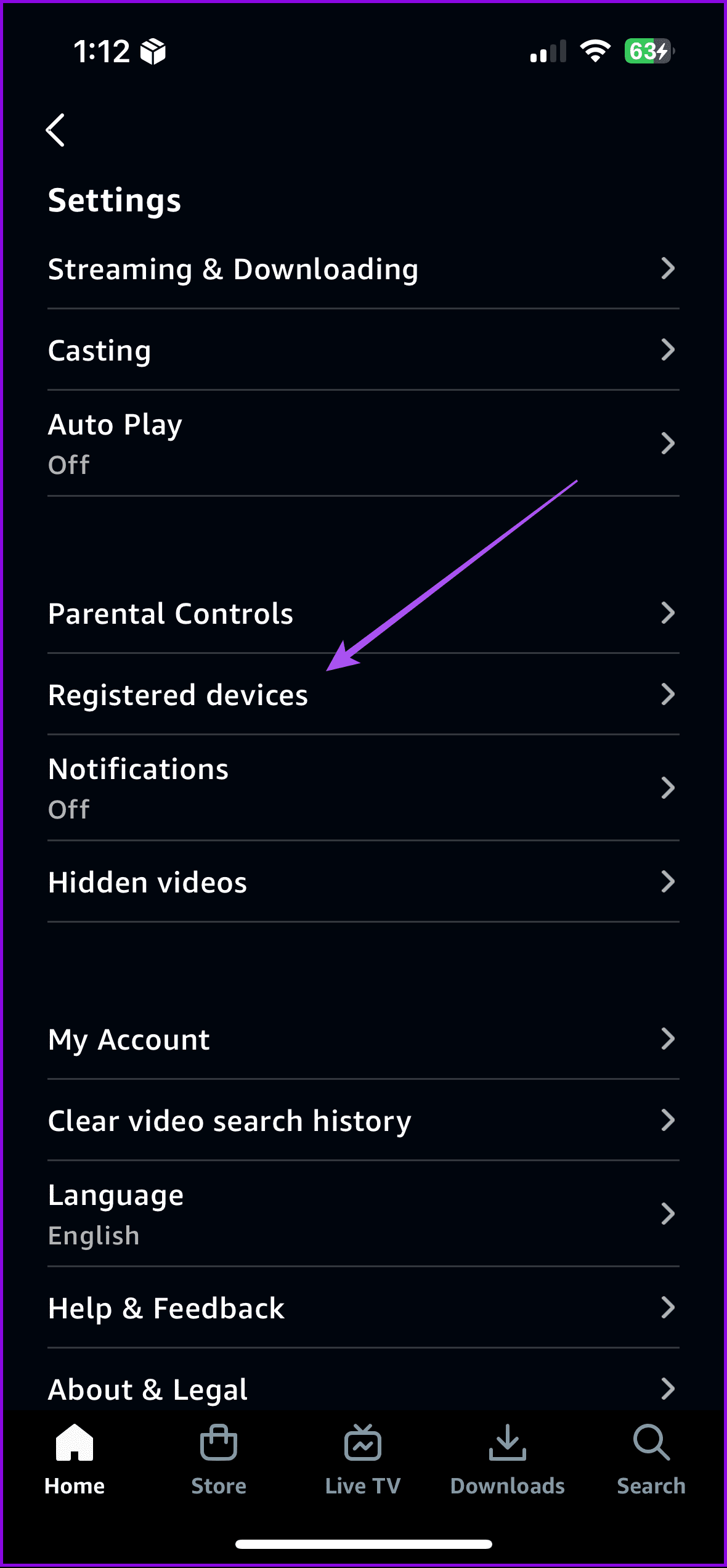
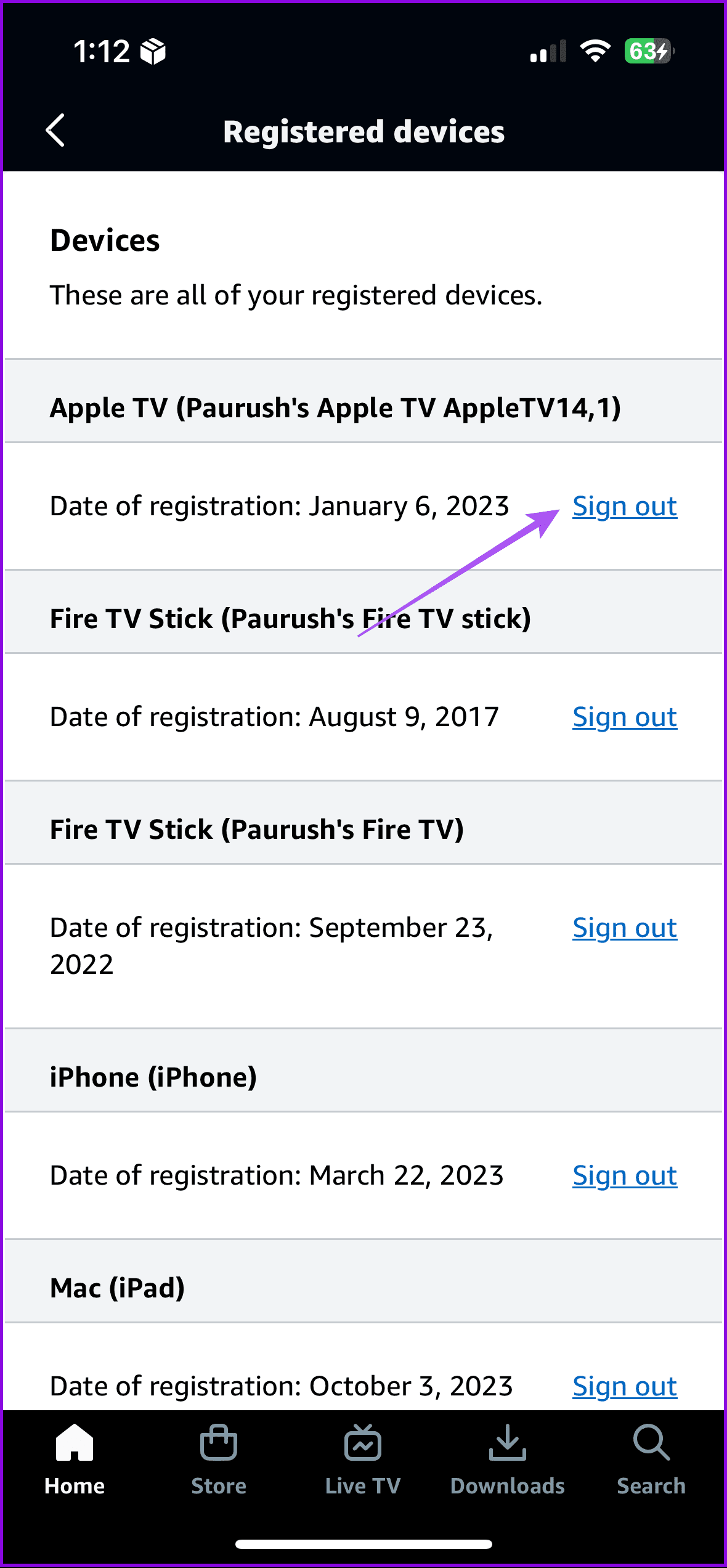
The Prime Video App on iPhone or Android will let you enjoy your favorite content on the move or from the porch. Here are some easy steps to deregister devices from your account using your iPhone or Android.
Open the Prime Video app > Profile icon > Settings > Registered devices > Deregister.
Method 2: Deregister Device on Desktop
On Desktop App
The Prime Video desktop app is available for Mac and Windows users as well.
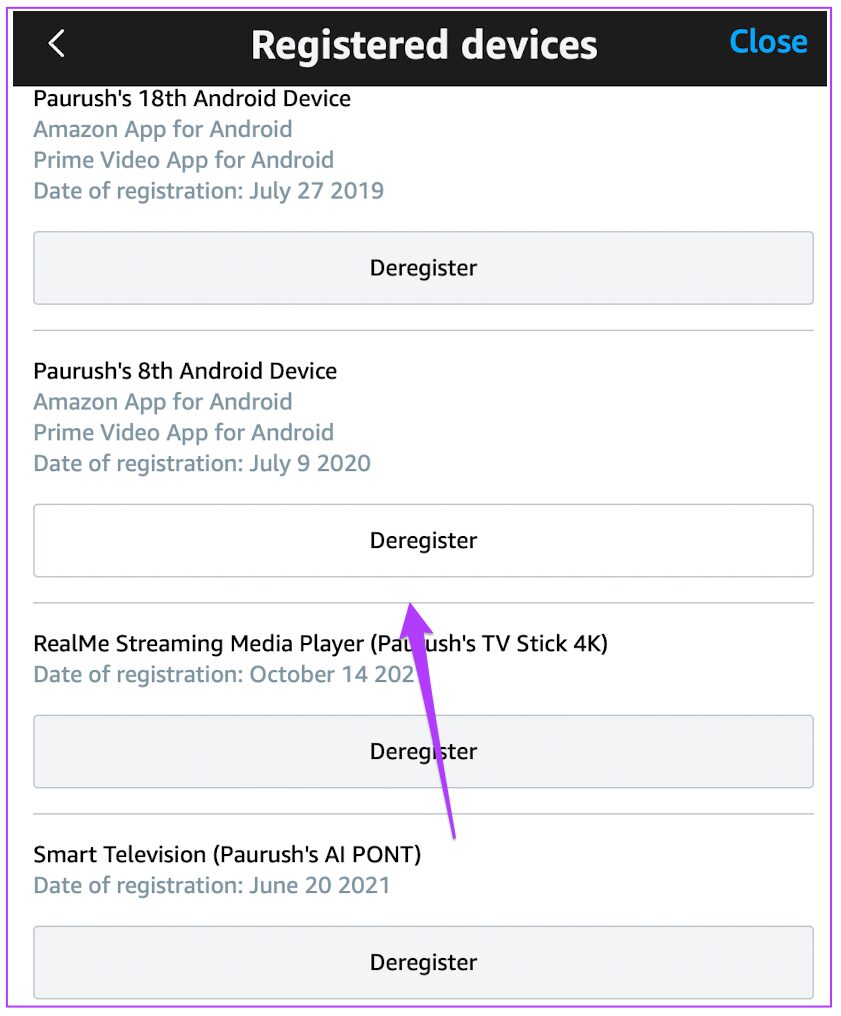
If you have already downloaded the app on your Mac, you can easily deregister device with these steps.
Open the PrimeVideo app > My Stuff > Settings > Registered devices > Deregister.
On Web Browser
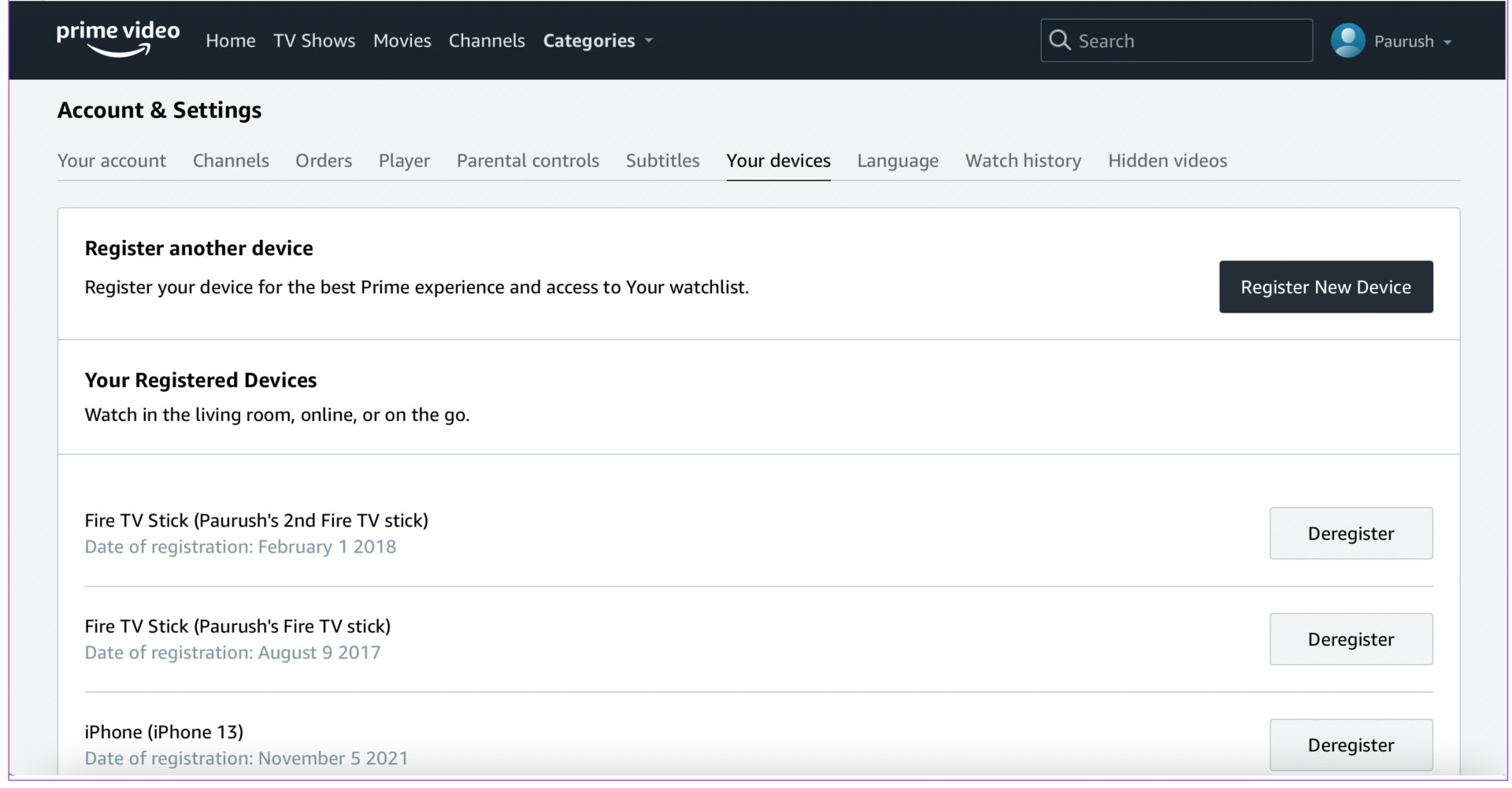
Open Prime Video on your browser > Sign in to your account > Profile icon > Accounts and Settings > Your devices > Click on Deregister.
Tip: Learn the best fixes for video not available error on Prime Video.
Was this helpful?
Last updated on 31 July, 2024
1 Comment
Leave a Reply
Read Next
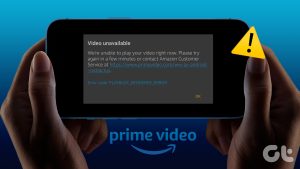 5 Ways to Fix Video Unavailable in Amazon Prime Video
Basic Fixes Check network connection: Playing Prime without any problems requires an optimum internet speed.
5 Ways to Fix Video Unavailable in Amazon Prime Video
Basic Fixes Check network connection: Playing Prime without any problems requires an optimum internet speed.
 What is the Download Limit For Amazon Prime Video
Amazon’s relatively successful venture into the video streaming business alongwith few Original releases from their own production has found an audience across the globe and thanks to its Download and
What is the Download Limit For Amazon Prime Video
Amazon’s relatively successful venture into the video streaming business alongwith few Original releases from their own production has found an audience across the globe and thanks to its Download and
 3 Ways to Fix Amazon Prime Video App Not Working on Mac
Basic Fixes Check internet connection: The speed of the internet connection should be optimal to watch content of the highest quality on Prime Video.
3 Ways to Fix Amazon Prime Video App Not Working on Mac
Basic Fixes Check internet connection: The speed of the internet connection should be optimal to watch content of the highest quality on Prime Video.
 How to Turn Off Auto Play on Amazon Prime Video
Method 1: How to Turn Off Auto Play on Prime Video on the Web Step 1: Open Prime Video in a browser on your computer and sign in with your Amazon
How to Turn Off Auto Play on Amazon Prime Video
Method 1: How to Turn Off Auto Play on Prime Video on the Web Step 1: Open Prime Video in a browser on your computer and sign in with your Amazon
 5 Ways to Fix Amazon Prime Video Doesn’t Play in HD on Browser
Basic Fixes Check network connection: Playing Prime Video in high definition or the best resolution requires an optimum internet speed.
5 Ways to Fix Amazon Prime Video Doesn’t Play in HD on Browser
Basic Fixes Check network connection: Playing Prime Video in high definition or the best resolution requires an optimum internet speed.
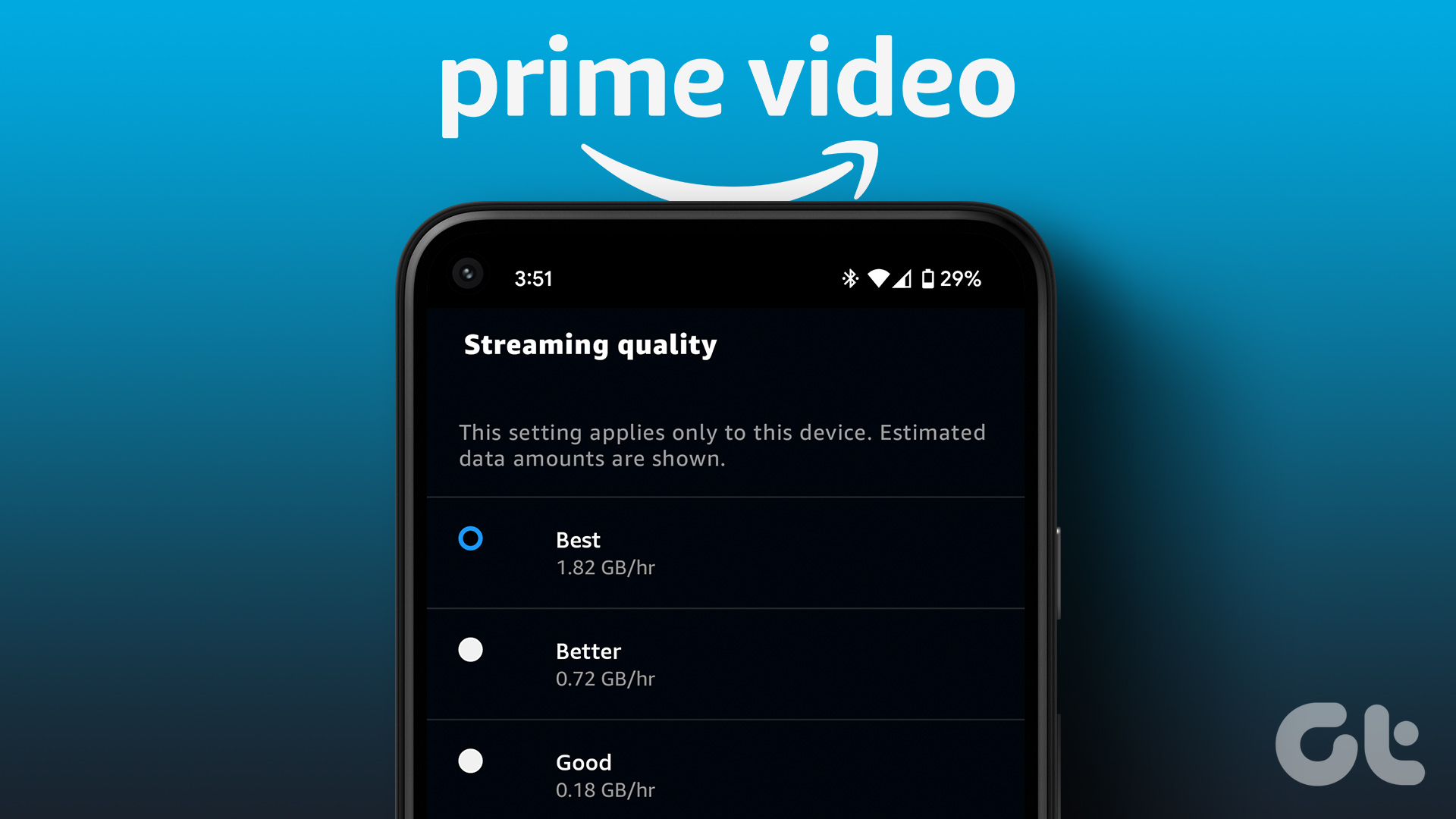 How to Change Amazon Prime Video Streaming Quality on Any Device
Most streaming services these days offer the best quality possible.
How to Change Amazon Prime Video Streaming Quality on Any Device
Most streaming services these days offer the best quality possible.
 Amazon Prime Video – How to Fix Error Code 5004 or 5005
What Does Amazon Prime Video Error 5004 or 5005 Mean?
Amazon Prime Video – How to Fix Error Code 5004 or 5005
What Does Amazon Prime Video Error 5004 or 5005 Mean?
 6 Fixes for “Class Not Registered” Error When Opening Photos on Windows 11
Fix 1: Restart Windows Explorer The error message can appear due to a temporary glitch within the system, so restart Windows Explorer.
6 Fixes for “Class Not Registered” Error When Opening Photos on Windows 11
Fix 1: Restart Windows Explorer The error message can appear due to a temporary glitch within the system, so restart Windows Explorer.
The article above may contain affiliate links which help support Guiding Tech. The content remains unbiased and authentic and will never affect our editorial integrity.
I had to deregister my android phone from PrimeVideo because you send me, unsolicited suggestions of what to watch. If you had a way to stop that, I would be able to keep the app on my phone. As it is now, not a snowball’s chance….