How to Play Games During Messenger Video Calls on Android or iPhone
All the games available in Messenger are free to play and do not require installation on your Android or iPhone. Before you start, make sure you have the most recent version of the Messenger app by heading over to the Play Store or App Store.
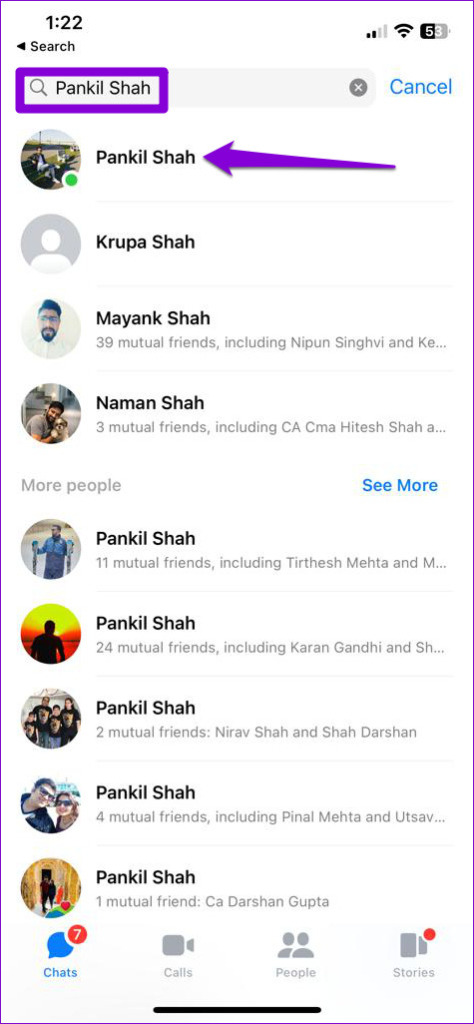
Step 1: Open the Messenger app on your phone. Use the search box to find the person or group you want to call and play games with. Then, tap on it.
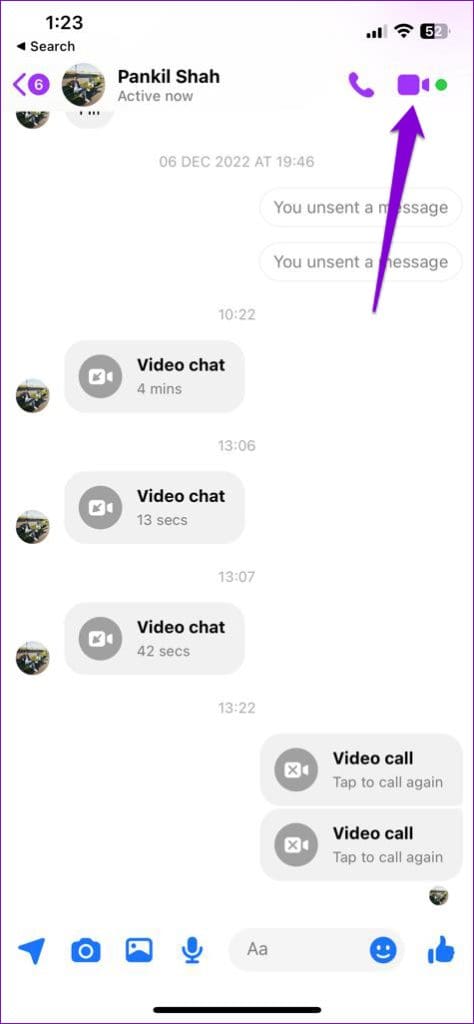
Step 2: Tap the video call icon in the top-right corner and wait for others to join the call.
Step 3: Tap the video/photo icon in the bottom of the screen.
Step 4: Tap the Play icon in the bottom-right corner. Scroll through the list to pick the game you want to play, and then tap Start.
Step 5: After you start the game, everyone on the call will receive an invitation to join. They can tap the Join button on their phone to accept the invitation.
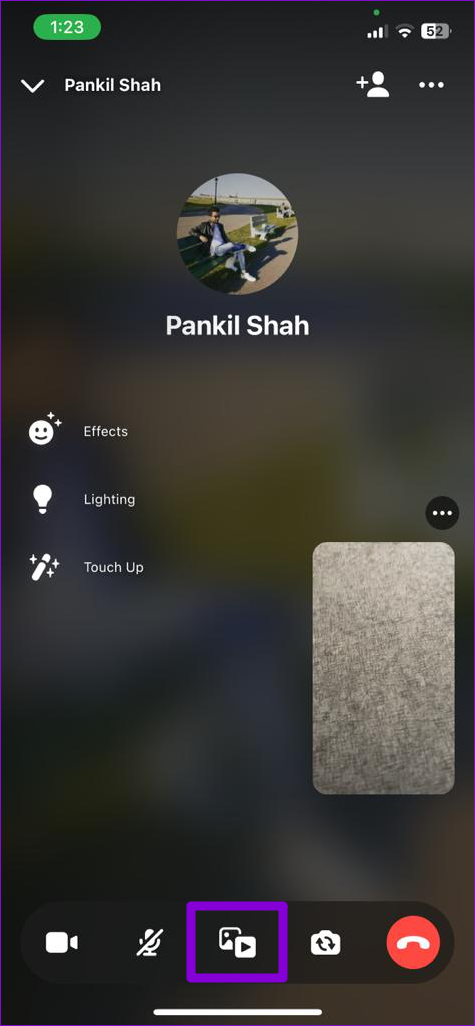

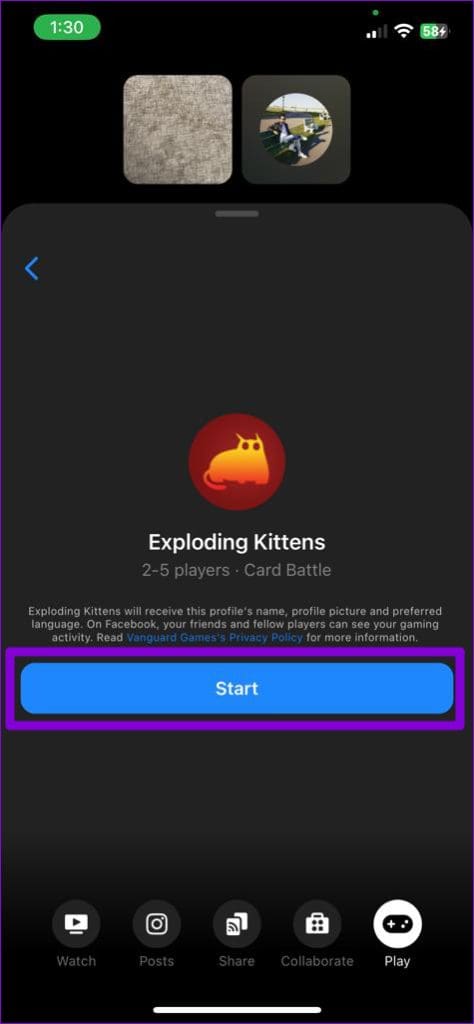
Your friends and you can start playing the game during a video call. If you want to exit the game at any time, tap the Leave Game button at the bottom and select Leave Game again from the menu that appears.
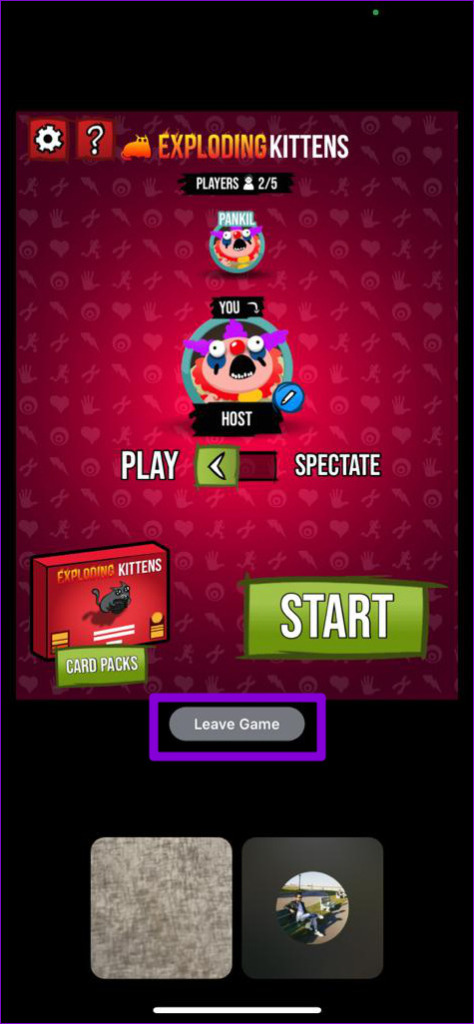
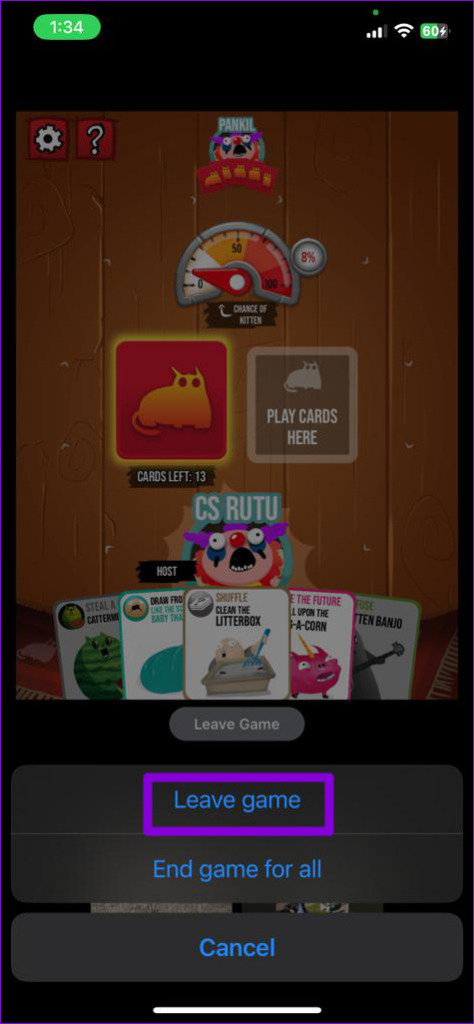
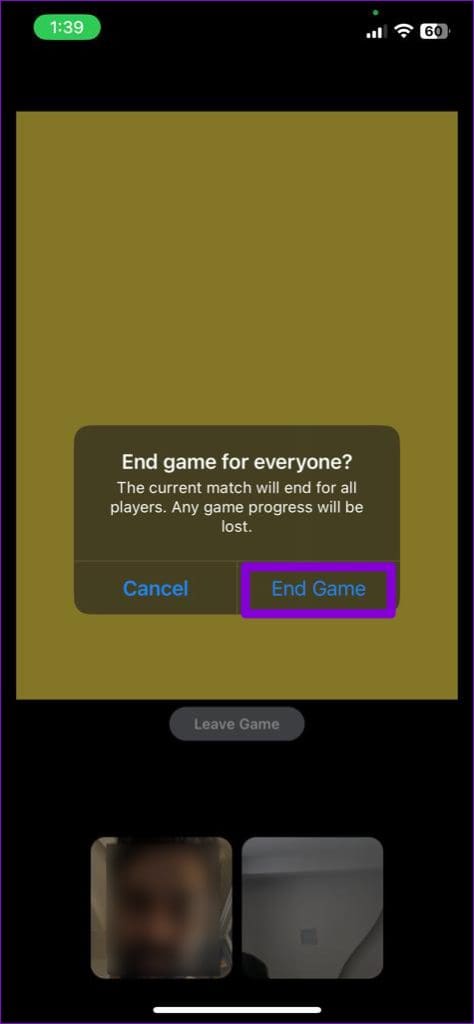
Alternatively, you also have the option to end the gaming session for everyone participating in the call. Select the End game for all option and then End Game to confirm. This will terminate the game for all participants and return everyone to the video call. Note that you’ll lose the game’s progress if you end the game.

How to Play Games During Messenger Video Calls on the Web
If you are using a computer, follow these steps to play games during Messenger video calls on the web.
Step 1: Open any web browser on your PC and navigate to Messenger for the web. Use the search box to locate the person or group you want to call and play games with.
Step 2: Tap the video call icon in the top-right corner.
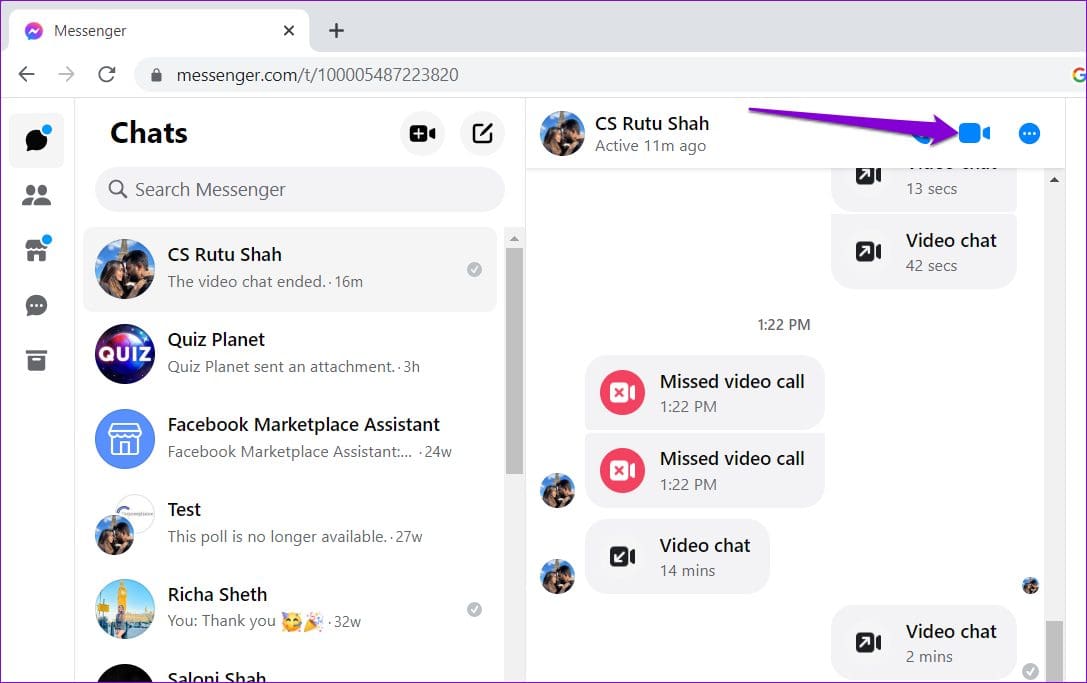
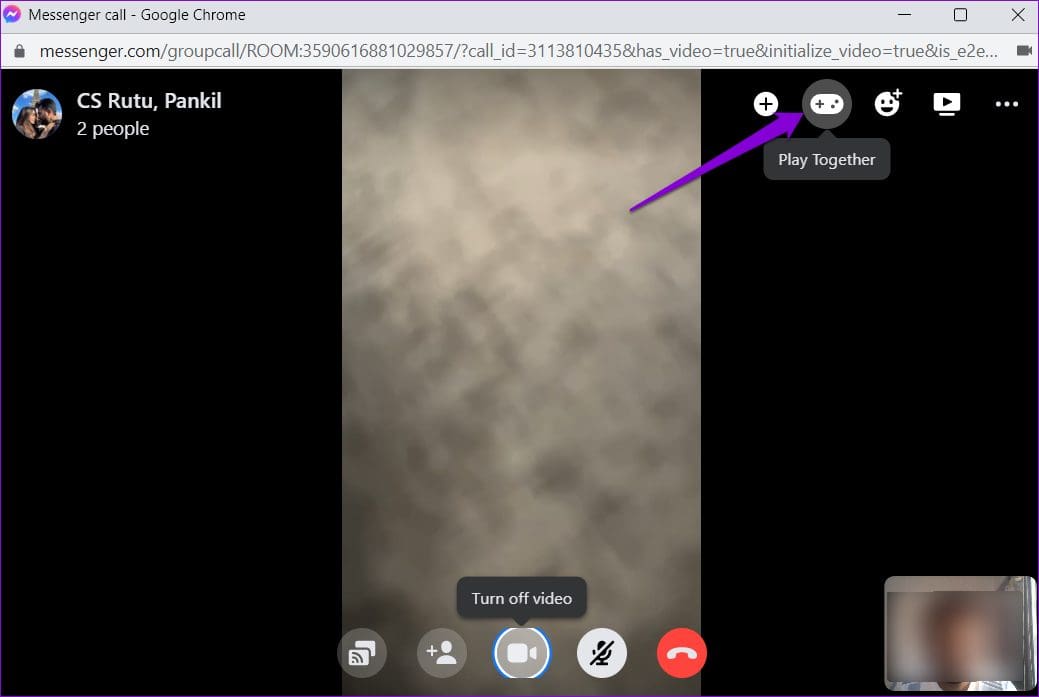
Step 3: After everyone joins the call, click the Play Together icon at the top.
Step 4: Select the game you want to play from the menu that appears on the right.
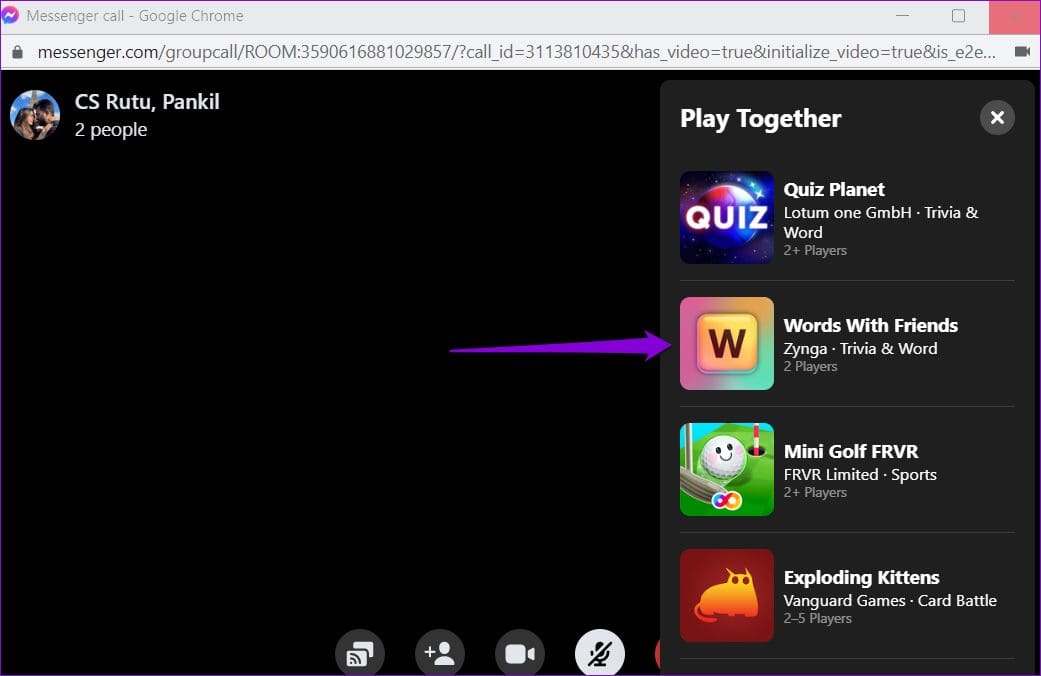
Step 5: Click the Start game button.
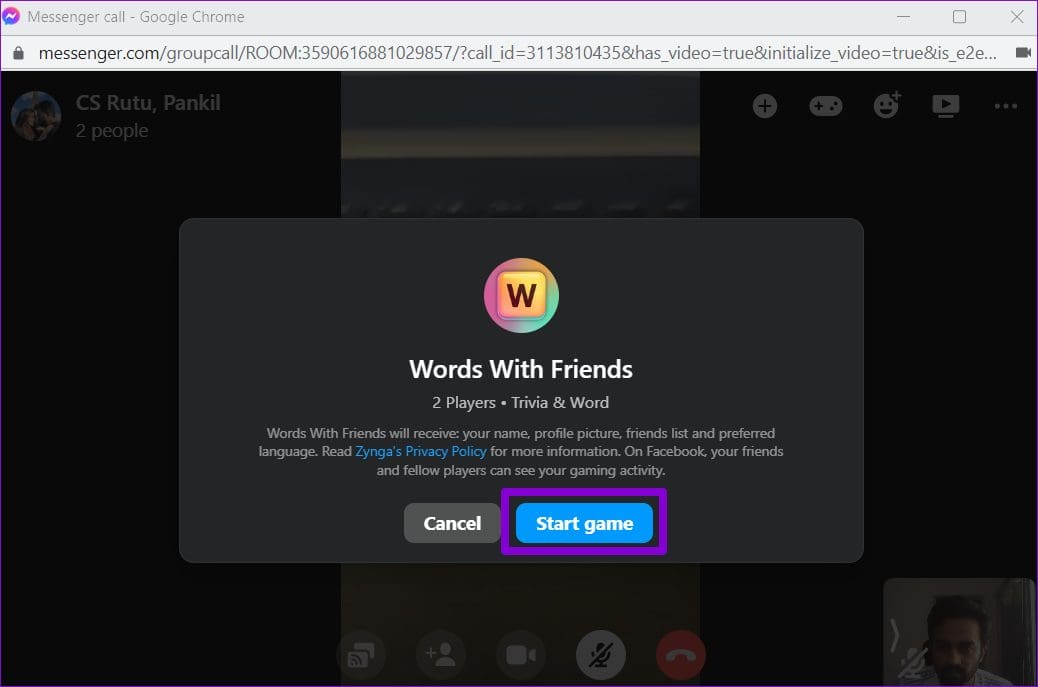
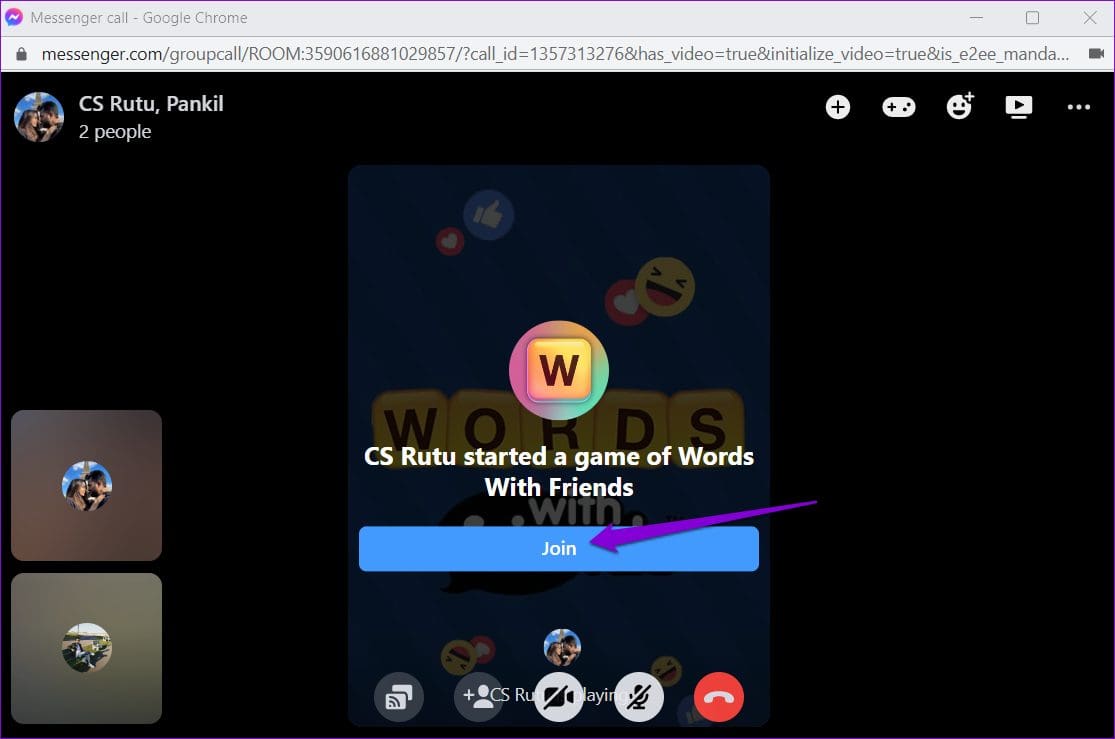
Step 6: After you start the game, other participants on the call will receive an invitation to join. They’ll need to click the Join button to accept the invitation.
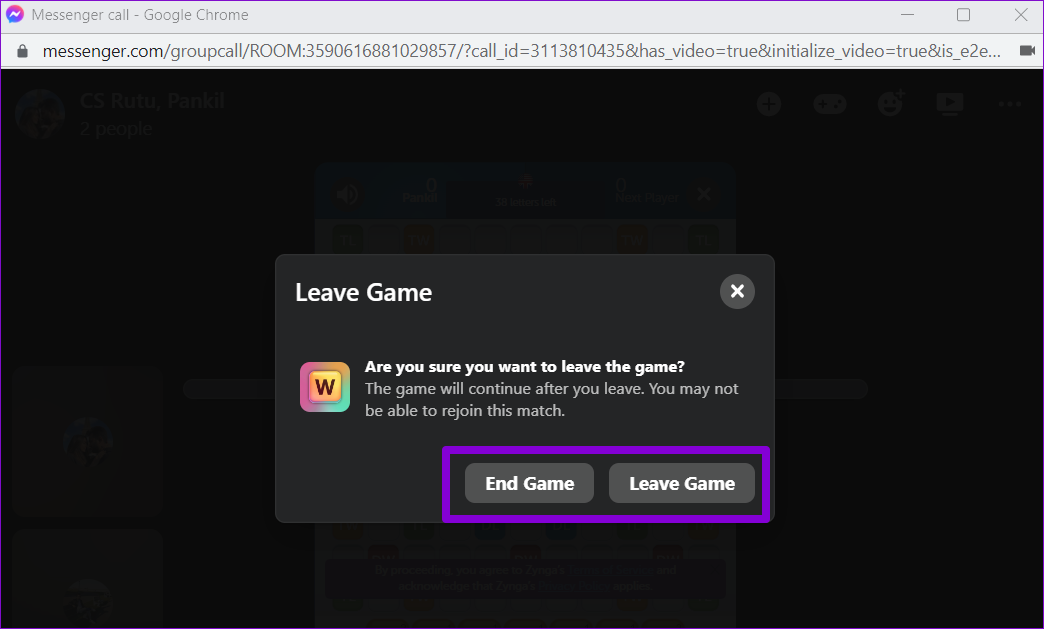
To close or end the game at any point, click on the X icon located in the top-right corner of the game screen.

After clicking on the X icon, you will have the option to either leave the game or end it for everyone.
Was this helpful?
Last updated on 27 July, 2024
Read Next
 How to Use Your Avatar During Video Calls on Instagram and Facebook Messenger
How to Create Your Avatar on Instagram To use your personalized avatar during video calls, you will first need to create your Instagram avatar.
How to Use Your Avatar During Video Calls on Instagram and Facebook Messenger
How to Create Your Avatar on Instagram To use your personalized avatar during video calls, you will first need to create your Instagram avatar.
 How to Fix Messenger Video Calls Not Working on Windows 11
Basic Fixes Login again to your Messenger account: The very first thing you should do is to log out and then back into your Messenger account.
How to Fix Messenger Video Calls Not Working on Windows 11
Basic Fixes Login again to your Messenger account: The very first thing you should do is to log out and then back into your Messenger account.
 3 Fixes for No Sound in Facebook Messenger Video Calls
Basic Fixes Check volume levels: Check whether you have optimum volume levels on your iPhone or Android phone.
3 Fixes for No Sound in Facebook Messenger Video Calls
Basic Fixes Check volume levels: Check whether you have optimum volume levels on your iPhone or Android phone.
 Top 8 Ways to Fix Proximity Sensor Not Working During Calls on Android
There are several components that contribute to the basic functioning of a smartphone.
Top 8 Ways to Fix Proximity Sensor Not Working During Calls on Android
There are several components that contribute to the basic functioning of a smartphone.
 3 Fixes for iPhone Speaker Not Working During Calls
https://youtu.be/dTAtDgY5NPc Basic Fixes Disable Bluetooth devices: Disconnect Bluetooth devices from your iPhone.
3 Fixes for iPhone Speaker Not Working During Calls
https://youtu.be/dTAtDgY5NPc Basic Fixes Disable Bluetooth devices: Disconnect Bluetooth devices from your iPhone.
 How to Fix Echo on iPhone During Voice Calls or FaceTime
We make or receive numerous calls daily.
How to Fix Echo on iPhone During Voice Calls or FaceTime
We make or receive numerous calls daily.
 4 Ways to Fix Android Phone Keeps Cutting Out During Calls
Basic Fixes Eject and re-insert SIM: Eject the SIM card from your phone, and insert it again.
4 Ways to Fix Android Phone Keeps Cutting Out During Calls
Basic Fixes Eject and re-insert SIM: Eject the SIM card from your phone, and insert it again.
 How to Fix Epic Games Library Not Showing Games
Basic Fixes: Refresh Epic Games launcher library: A quick refresh can help fix any glitches keeping you from accessing your Epic Games Library.
How to Fix Epic Games Library Not Showing Games
Basic Fixes: Refresh Epic Games launcher library: A quick refresh can help fix any glitches keeping you from accessing your Epic Games Library.
The article above may contain affiliate links which help support Guiding Tech. The content remains unbiased and authentic and will never affect our editorial integrity.