

Try Basic Fixes
- Turn Off VPN: At times, using a VPN connection may prevent Instagram links from opening since it routes your traffic through various servers. To avoid this, you can try disabling your VPN momentarily and see if it works.
- Update or reinstall the Instagram app: A buggy Instagram app could also give you such problems. You can check if a newer version of the Instagram app is available by heading over to the Play Store or App Store. If that does not help, uninstall the Instagram app from your phone and install it again.
Fix 1: Configure Instagram to Open Supported Links (Android)
Typically, when you tap a link to an Instagram profile, post, reel, or story, your Android opens it in the Instagram app instead of your web browser. However, that may not happen if you have previously restricted the Instagram app from opening supported links on your phone. Here’s how you can change that.
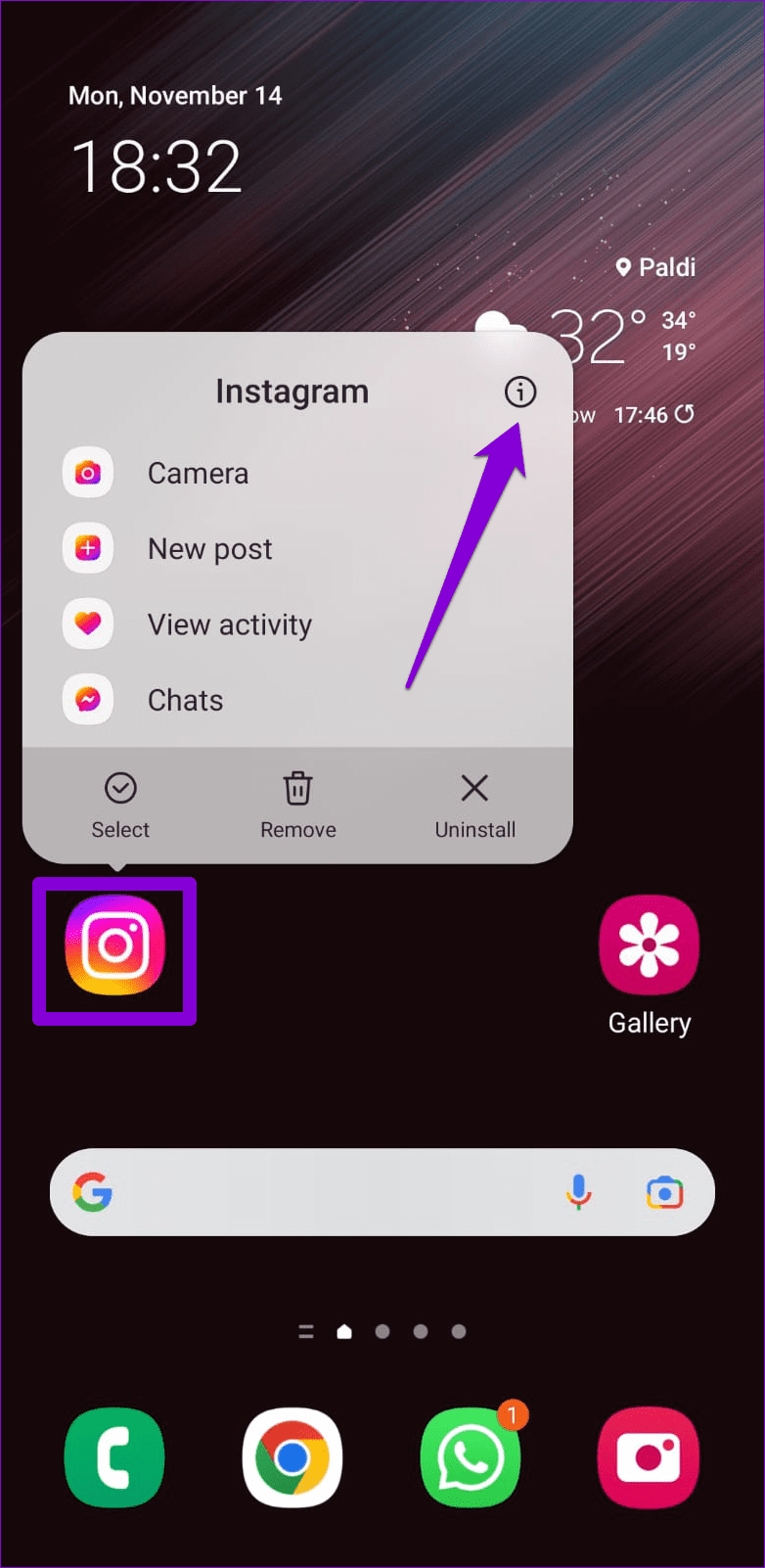
Step 1: Long-press on the Instagram app icon and tap the info icon from the menu that appears.
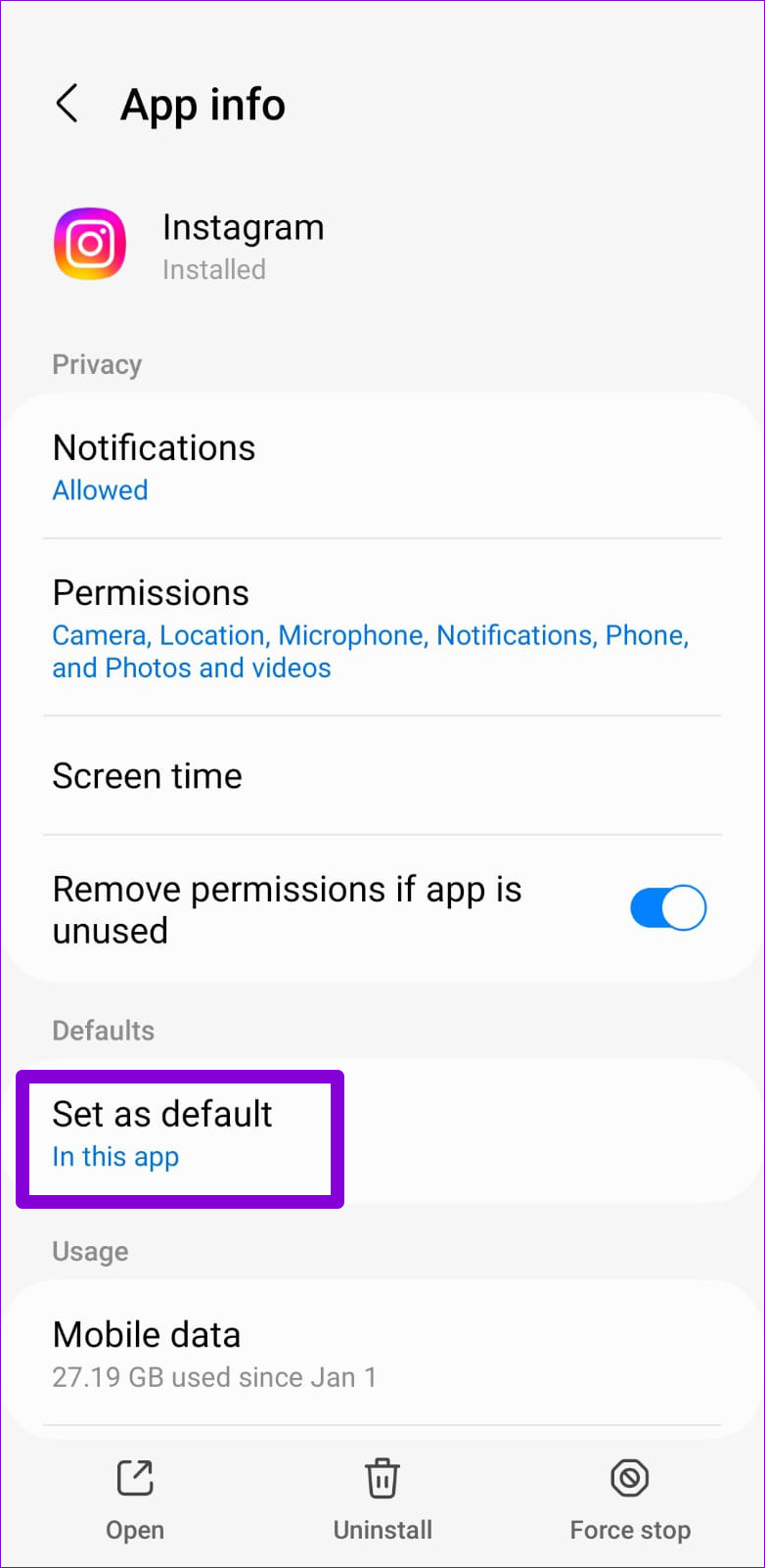
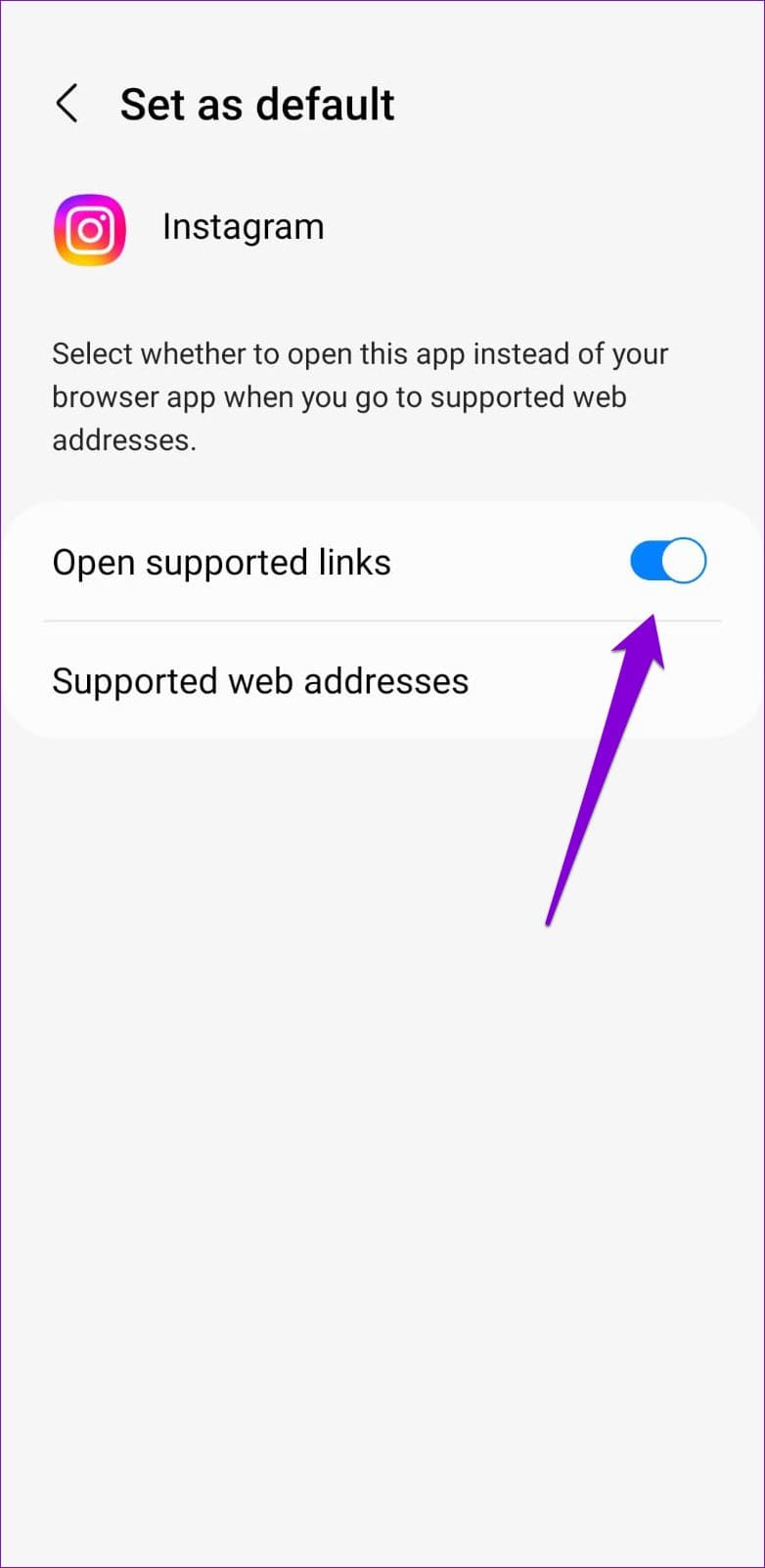
Step 2: Tap on Set as default and enable the toggle next to Open supported links.
Fix 2: Clear In-App Browser Data
Instagram’s in-app browser collects cache and cookies as you open links within the app. While this can help enhance your browsing experience, it can become outdated or corrupted over time and cause problems. You can try clearing Instagram’s in-app browser data to see if that fixes the issue.
Step 1: In the Instagram app, tap any link to access the in-app browser.
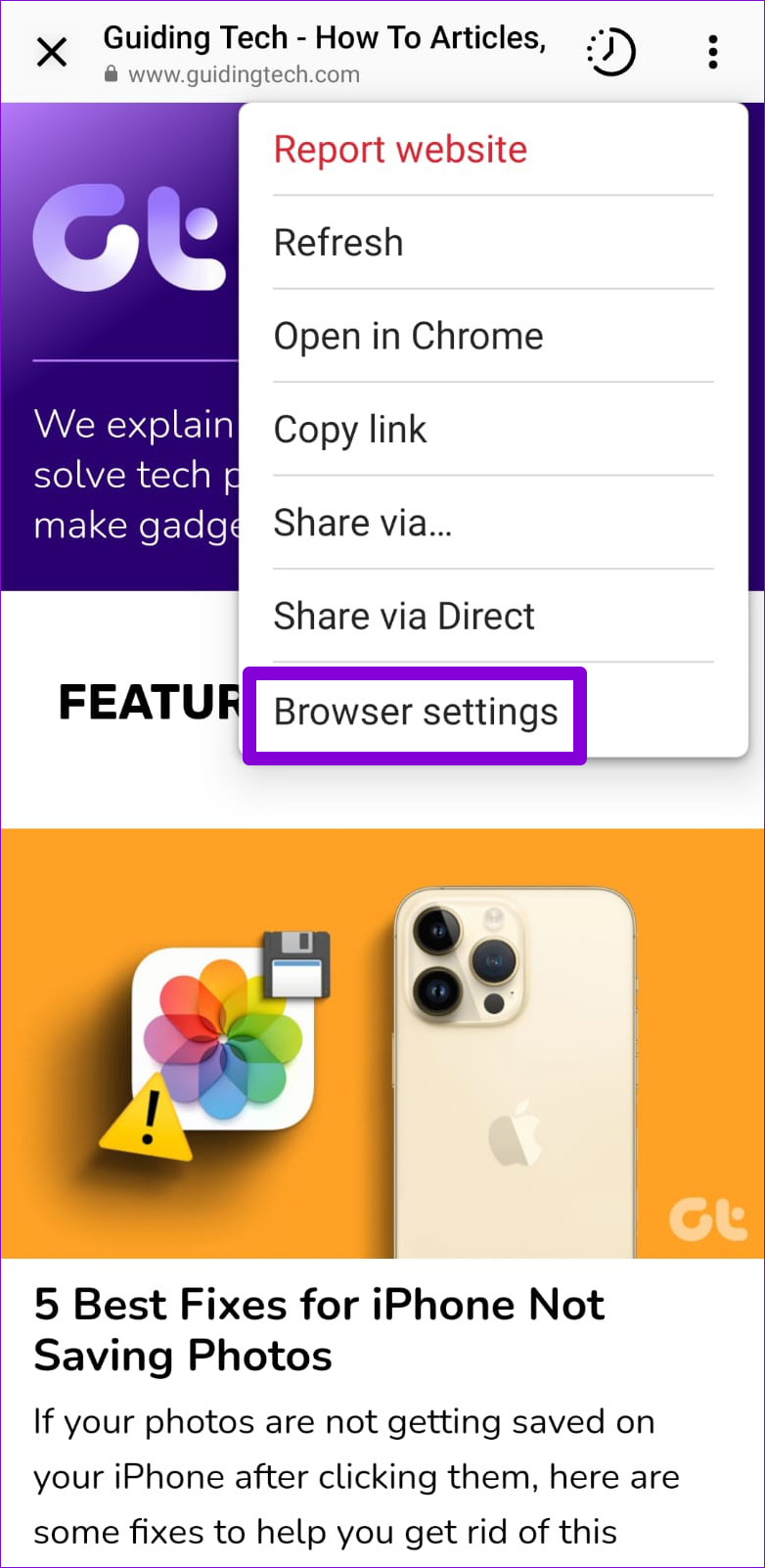
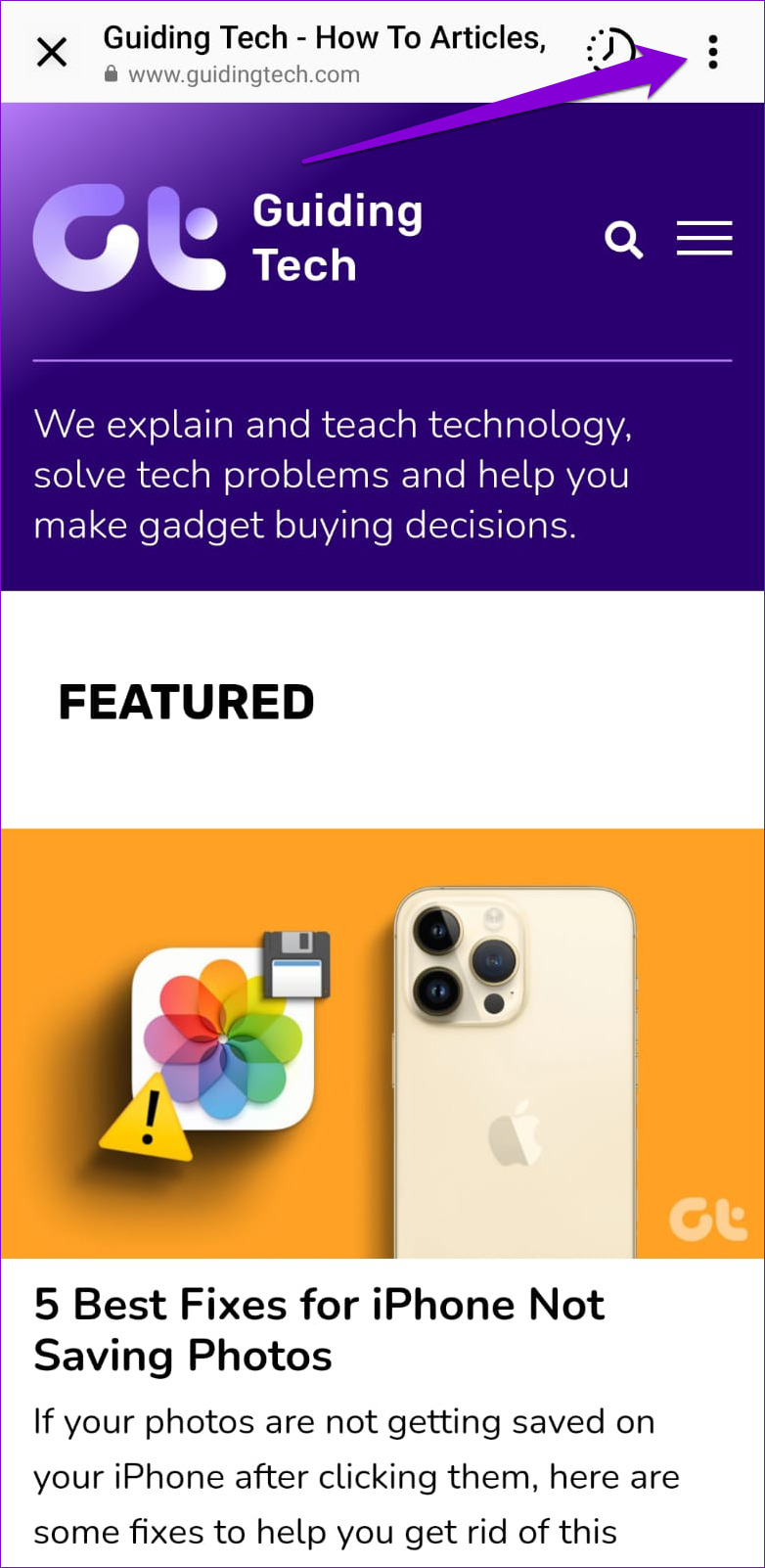
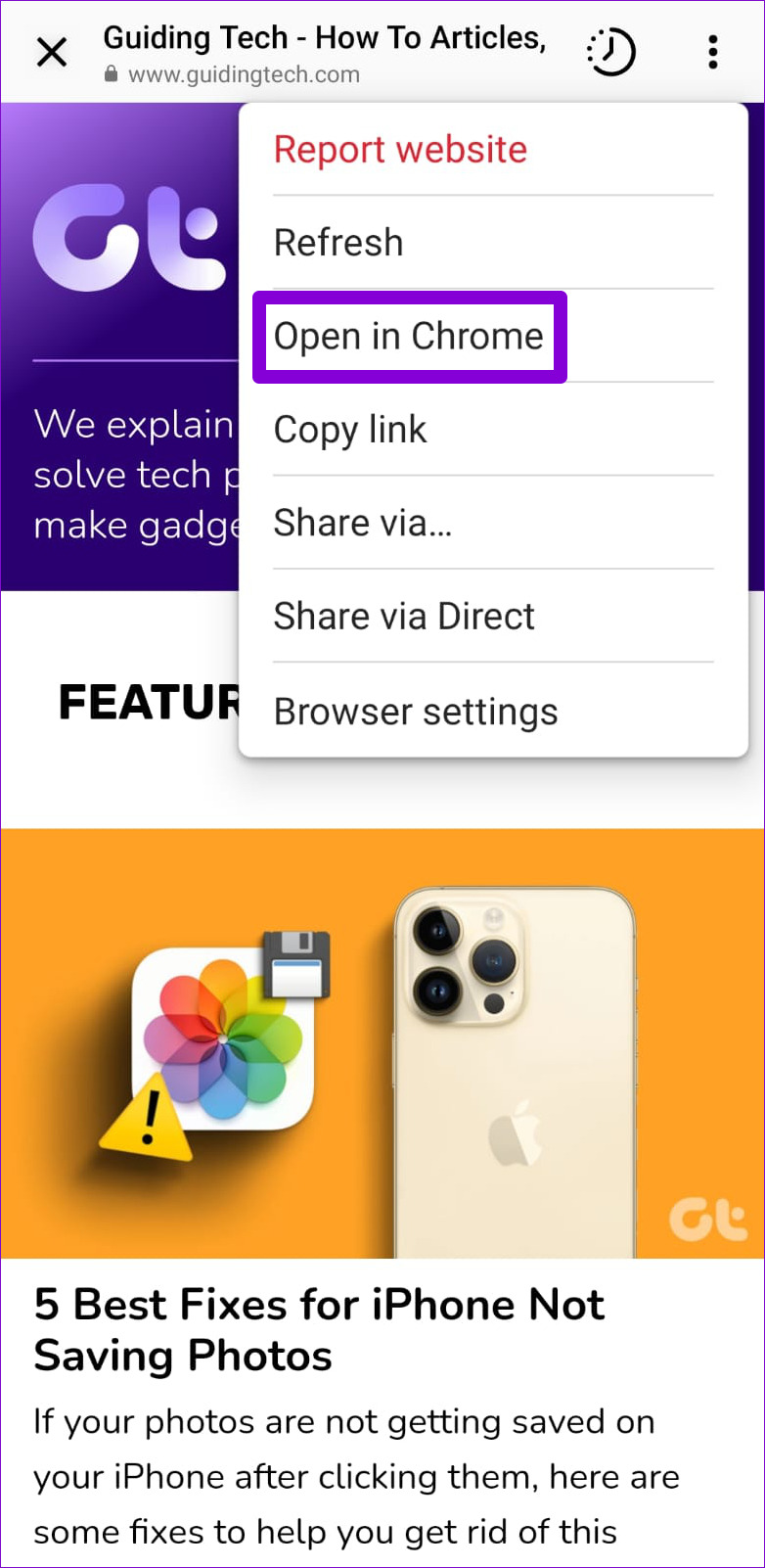
Step 2: Tap the three-dot menu icon at the top-right corner and select Browser settings.
Step 3: Tap the Clear button next to Browsing data. Then, select Clear Browsing Data to confirm.


Fix 3: Open Links in an External Browser
If Instagram links are not loading even after you clear the browsing data, you can try opening links in an external browser, such as Chrome or Safari. Tap on any Instagram link to access the in-app browser. Tap the three-dot menu icon in the top right corner and select Open in Chrome.
Fix 4: Sign Out and Sign Back In
At times, issues with your Instagram account can cause the app to malfunction and prevent links from opening in the app. You can try signing out of your account and signing back in to see if that helps.
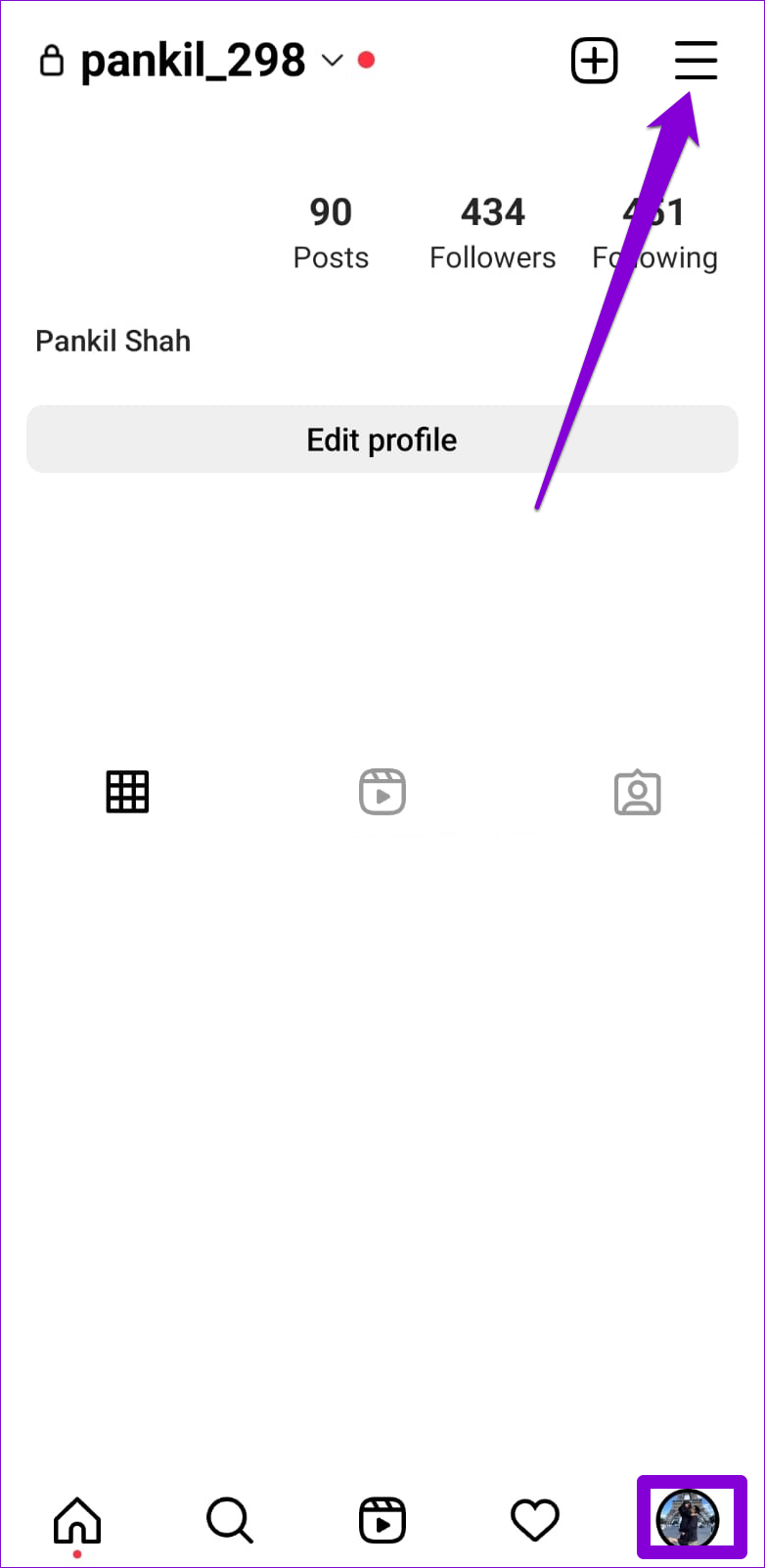
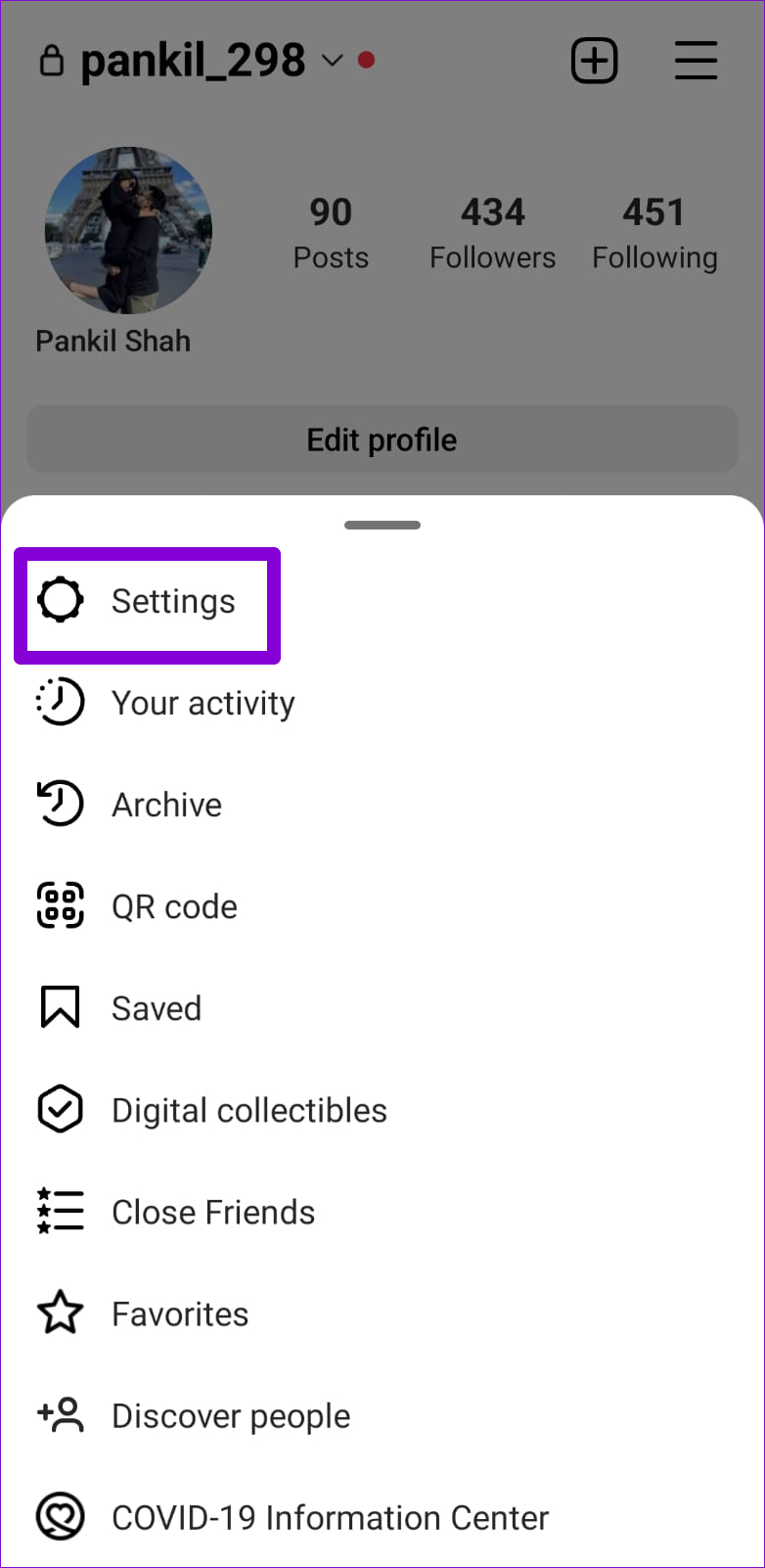
Step 1: Open the Instagram app and navigate to the profile tab. Tap the hamburger icon (three horizontal lines) in the top right corner and select Settings.
Step 2: Scroll down to tap on Log out.
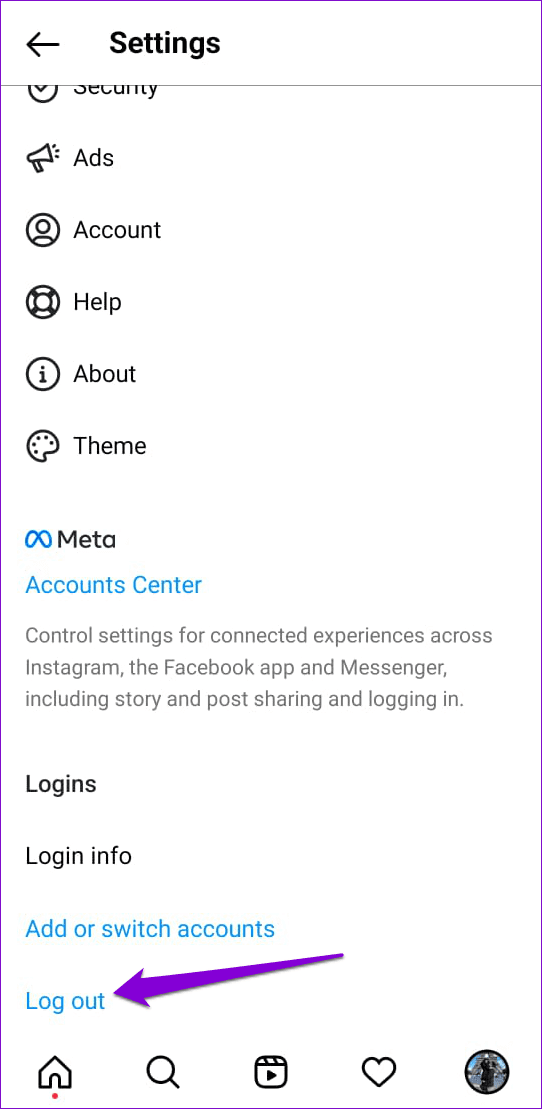
Restart the Instagram app and sign back into your account. Then, check if the issue is still there.
Fix 5: Clear Instagram App Cache (Android)
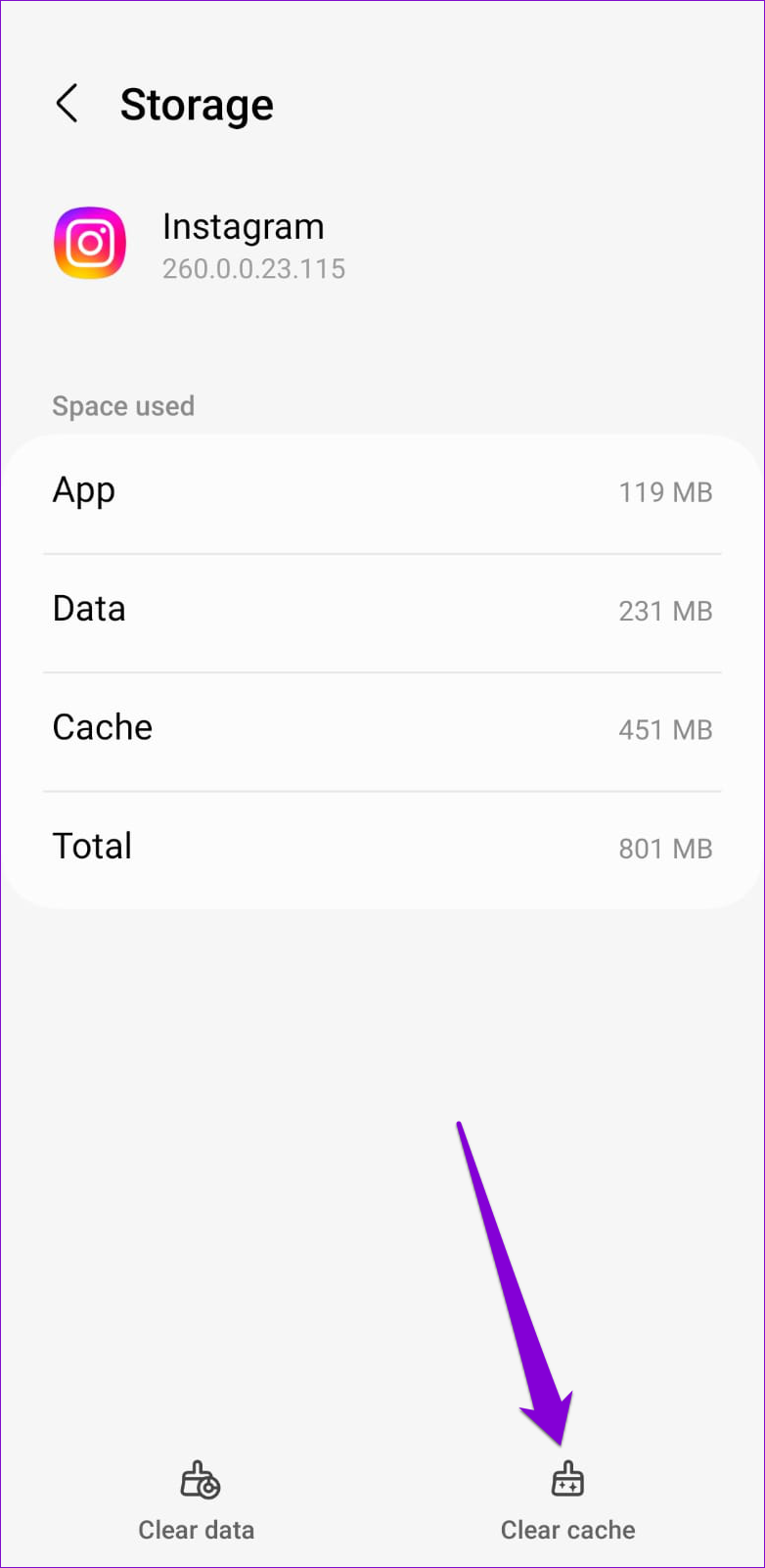
Like any other app, Instagram stores temporary files on Android to load content quickly and run smoothly. However, if there is an issue with this data, Instagram may fail to function properly. You can try clearing the Instagram app cache to see if that helps.
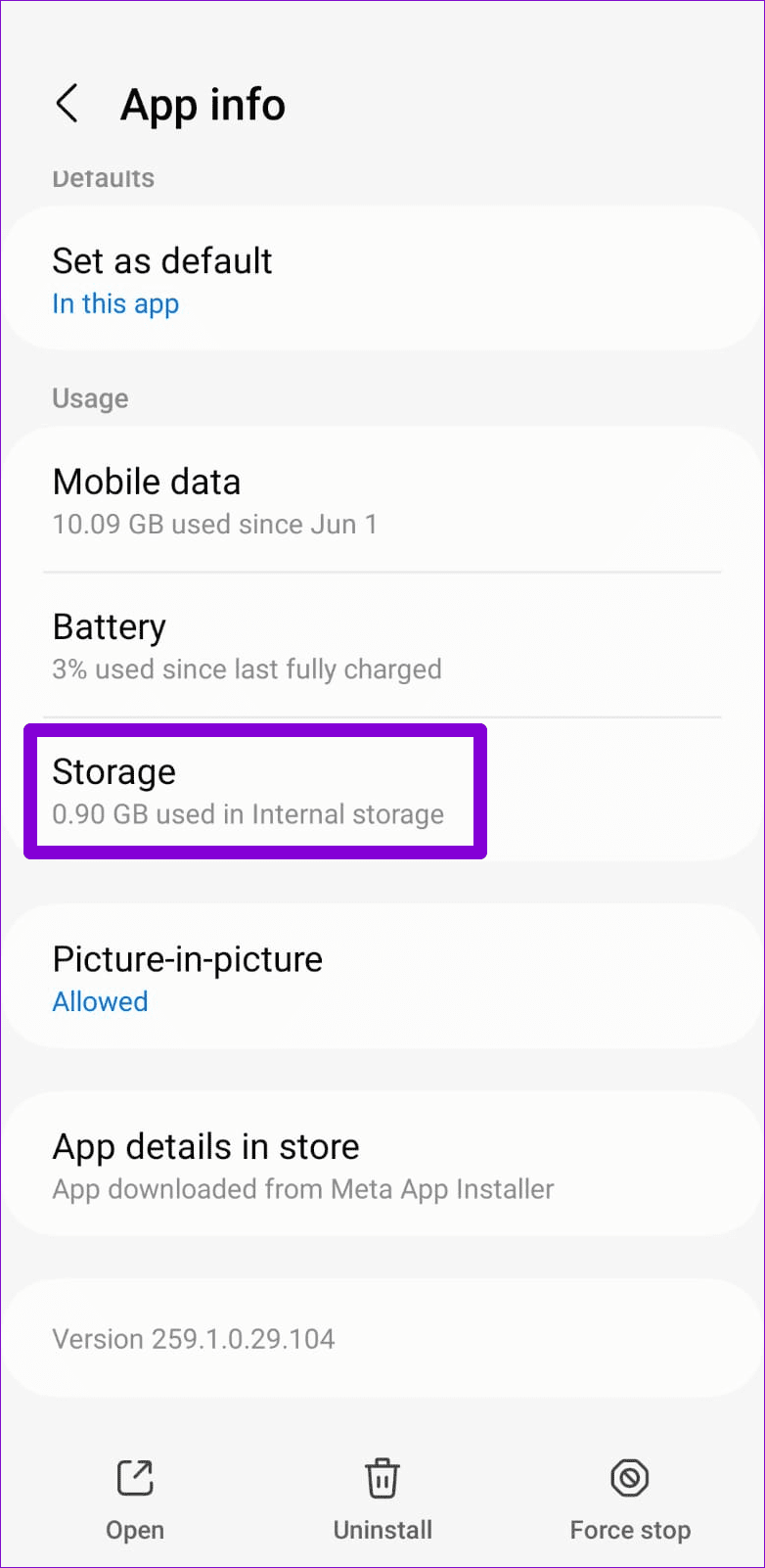
Step 1: Long-press on the Instagram app icon and tap the info icon from the menu that appears.
Step 2: Go to Storage and tap the Clear cache option.
Was this helpful?
Last updated on 15 July, 2024
1 Comment
Leave a Reply
Read Next
 4 Ways to Fix Links Not Opening in Telegram for Android and iPhone
Try Basic Fixes Check if Telegram is down: Telegram links may stop working if there’s an issue with its servers.
4 Ways to Fix Links Not Opening in Telegram for Android and iPhone
Try Basic Fixes Check if Telegram is down: Telegram links may stop working if there’s an issue with its servers.
 How to See Recently Opened Links on Instagram
Steps to View Recently Opened Links on Instagram Step 1: Launch the Instagram app.
How to See Recently Opened Links on Instagram
Steps to View Recently Opened Links on Instagram Step 1: Launch the Instagram app.
 How to Fix Links Not Opening or Working in X (Twitter) App
Basic Fixes: Restart your device: Restarting your smartphone helps close and restart the app process from scratch.
How to Fix Links Not Opening or Working in X (Twitter) App
Basic Fixes: Restart your device: Restarting your smartphone helps close and restart the app process from scratch.
 4 Fixes for Links Not Opening in WhatsApp on iPhone and Android
Basic Fixes Check if the link is working: If the links you shared with your contact are not working, you should check whether the link is correct.
4 Fixes for Links Not Opening in WhatsApp on iPhone and Android
Basic Fixes Check if the link is working: If the links you shared with your contact are not working, you should check whether the link is correct.
 5 Fixes for Links Not Opening in Facebook Messenger for Android and iPhone
Fix 1: Allow Messenger to Open Supported Links (Android) Messenger may fail to open links on your Android phone due to a lack of relevant permissions.
5 Fixes for Links Not Opening in Facebook Messenger for Android and iPhone
Fix 1: Allow Messenger to Open Supported Links (Android) Messenger may fail to open links on your Android phone due to a lack of relevant permissions.
 3 Ways to Fix Links Not Opening in Google Chrome
Fix 1: Disable Browser Extensions (for Desktop Only) Using third-party extensions in Chrome allows you to extend the browser's functionality.
3 Ways to Fix Links Not Opening in Google Chrome
Fix 1: Disable Browser Extensions (for Desktop Only) Using third-party extensions in Chrome allows you to extend the browser's functionality.
 4 Ways to Fix X (Twitter) Links Not Opening in Chrome and Safari
Basic Fixes: Open page in Incognito Mode: Incognito mode allows you to load your browser without any extensions, cookies, or cache data.
4 Ways to Fix X (Twitter) Links Not Opening in Chrome and Safari
Basic Fixes: Open page in Incognito Mode: Incognito mode allows you to load your browser without any extensions, cookies, or cache data.
 Top 4 Ways to Open All Links in New Tabs in Chrome
Method 1: Scroll Wheel/Middle Mouse Button If you do not like the idea of having a Chrome extension, you can trust the mouse to handle this job for you.
Top 4 Ways to Open All Links in New Tabs in Chrome
Method 1: Scroll Wheel/Middle Mouse Button If you do not like the idea of having a Chrome extension, you can trust the mouse to handle this job for you.
The article above may contain affiliate links which help support Guiding Tech. The content remains unbiased and authentic and will never affect our editorial integrity.

Hey!
Your article on on ways to help li KS not working in Instagram has been the best one I have found and yet I am still having an issue! One step you mention to go to browser settings and click clear. When I try to click clear nothing happens. I have Uninstalled and reinstalled Instagram and Amazon but still not resolving the issue! Any extra help would be lovely. Clearly Instagram is not gotetting back to me on this!
Thanks a lot for your posts!
Tori