


Basic Fixes:
- Force close and restart WhatsApp: Open background apps and force WhatsApp to close. Once you reopen the app, it will refresh its functions and display any newly added contacts.
- Save the number with country code: When saving international numbers, use the correct country code. Otherwise, the contact might not appear on your phone or WhatsApp.
- Check for app updates: WhatsApp failing to show fresh contacts on iPhone or Android might be due to a bug in the current app version. So, check and install the latest app updates.
- Ask the other user to message you: If you are still facing problems with newly added contacts not appearing in the WhatsApp contact list, ask the other person to send you the message first. Once you get the message, open the conversation and save that contact on your phone.
- Reinstall WhatsApp: Certain app permissions can still prevent contacts from appearing. So, uninstall WhatsApp on your phone. Then, reinstall a fresh copy of the app and check again.
Fix 1: Allow Contact Permission
WhatsApp needs relevant permissions to work properly. So, if you have previously been denied permission to access Contacts during setup, enable it from the Settings menu on your phone. Follow the below steps to do it.
On iPhone
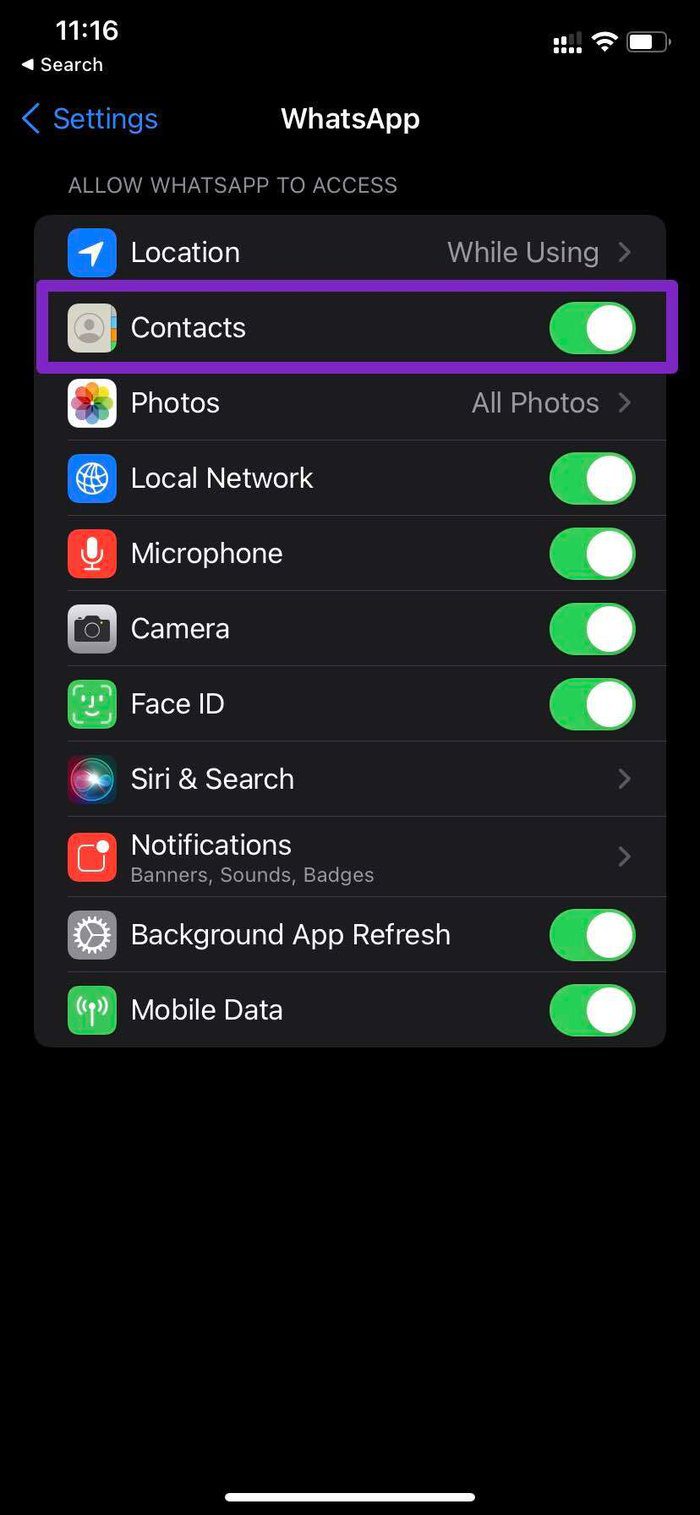
Step 1: Open the Settings app > tap on WhatsApp.
Step 2: Here, enable the toggle for Contacts. Additionally, enable other permissions for WhatsApp.

On Android
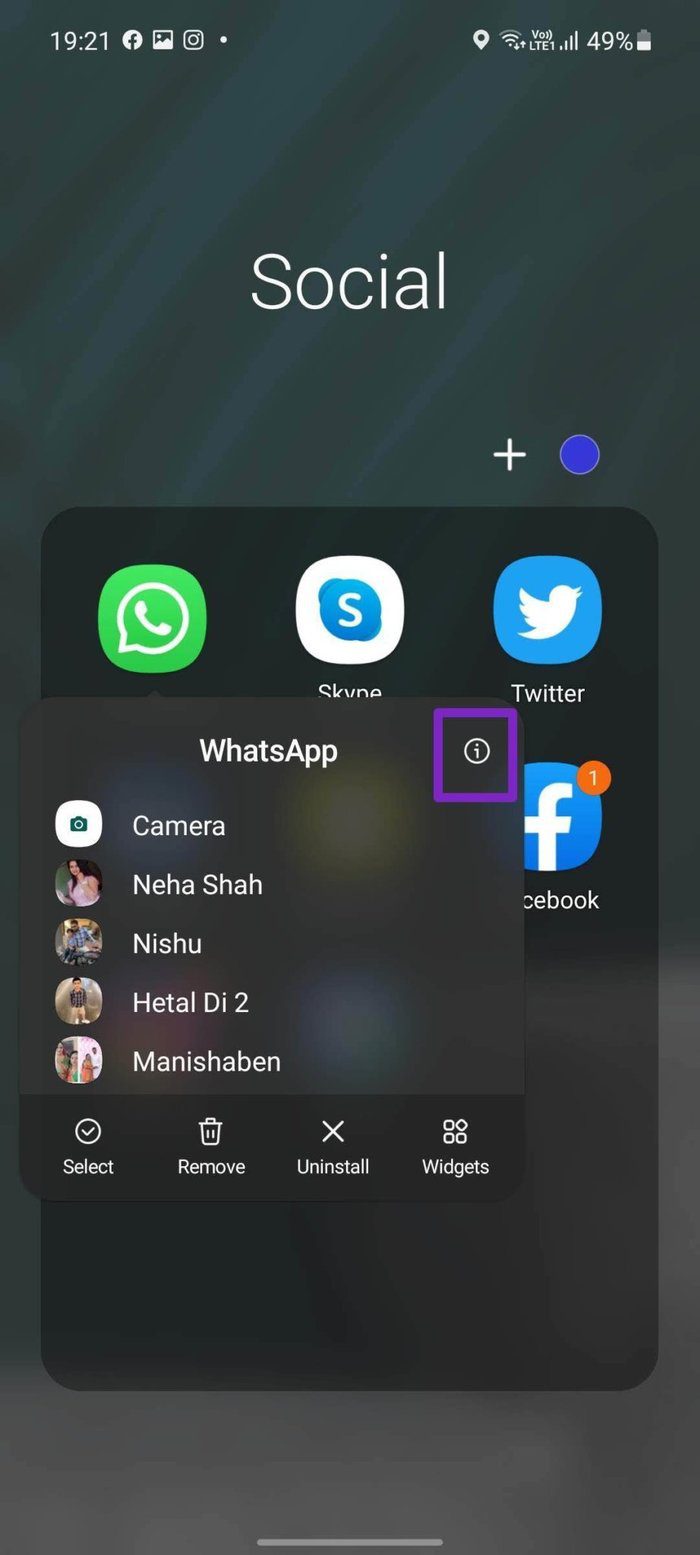
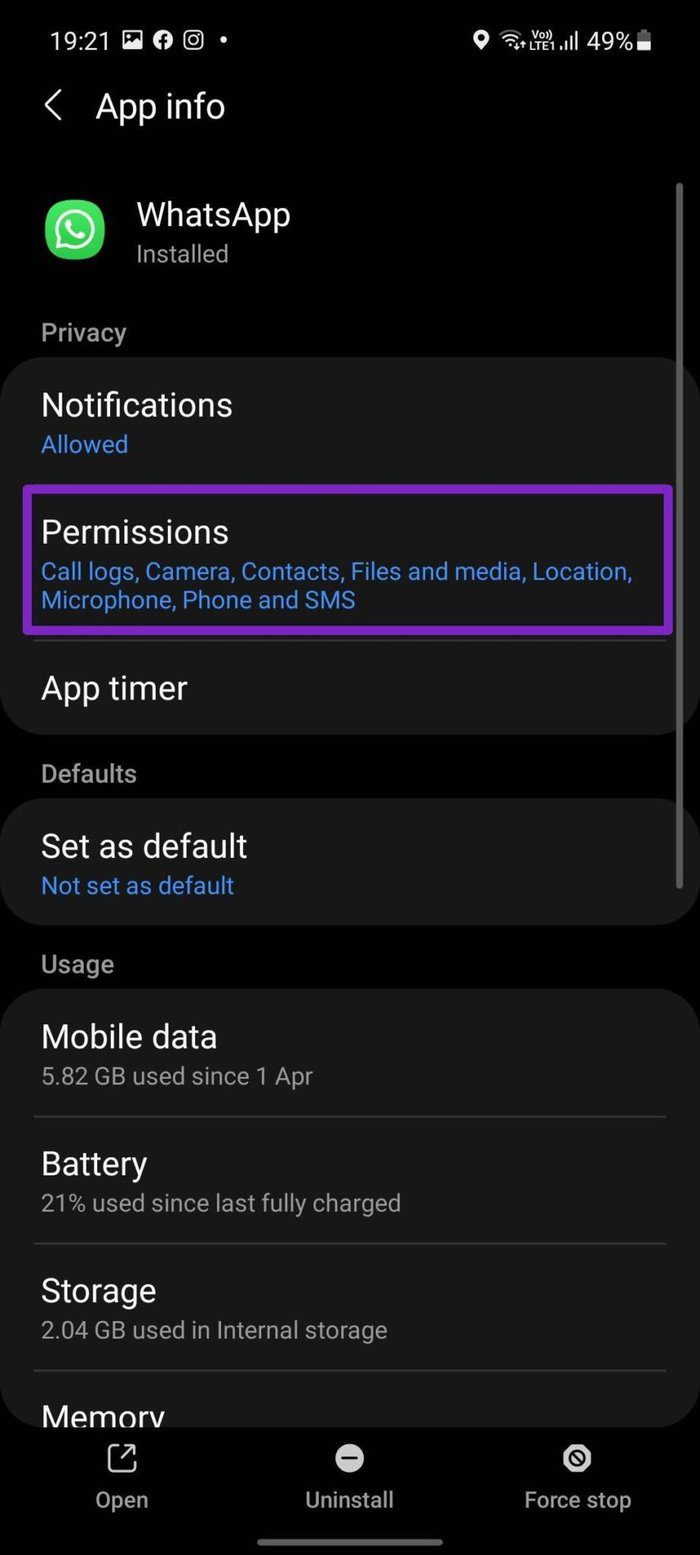
Step 1: Long-press on the WhatsApp app and tap on the info button at the top. Here, tap on Permissions.
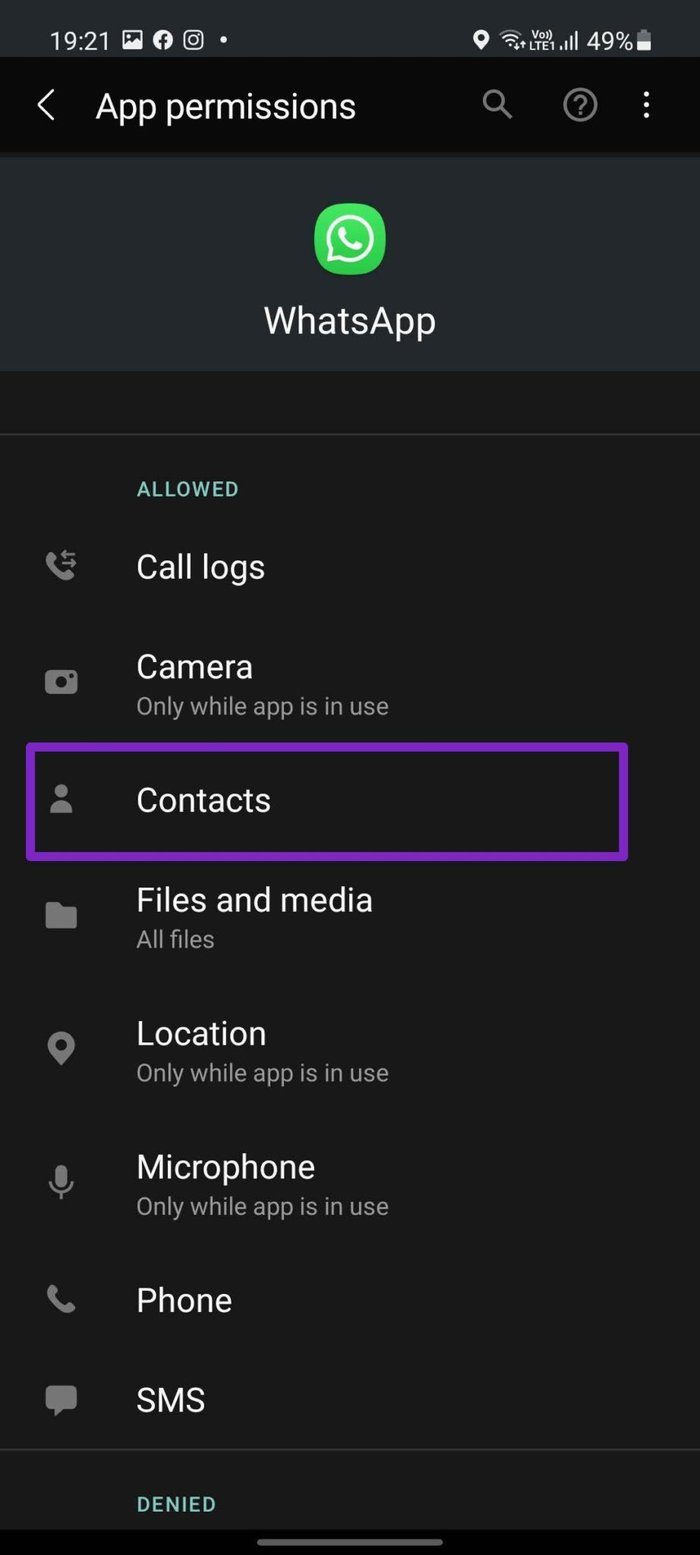
Step 2: Now, tap on Contact and allow WhatsApp to use contact permission on your phone.
Fix 2: Add Contact From WhatsApp
WhatsApp allows you to add new contacts via the app. This can be helpful if you have received messages from unsaved numbers or can’t see new contacts from your phone. Check our article to know more about adding contacts from WhatsApp on iPhone. Android users can follow these steps.
Step 1: Open WhatsApp on your phone and tap the message icon. Here, tap on New contact.

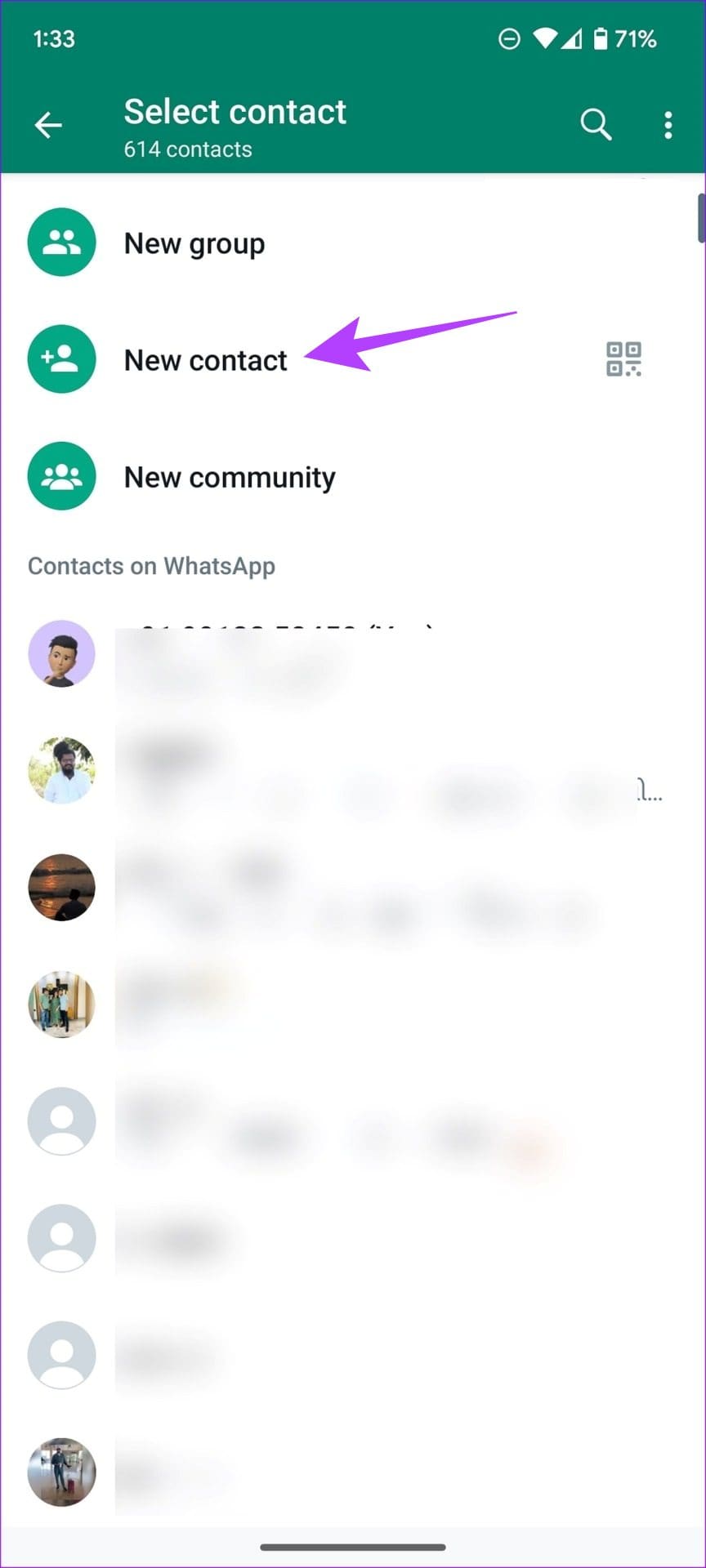
Now, add the contact name, number, email, etc., and save the contact information. Then, compose a new message and see if the contact is now visible on WhatsApp.
Fix 3: Manually Refresh the Contact List on Android
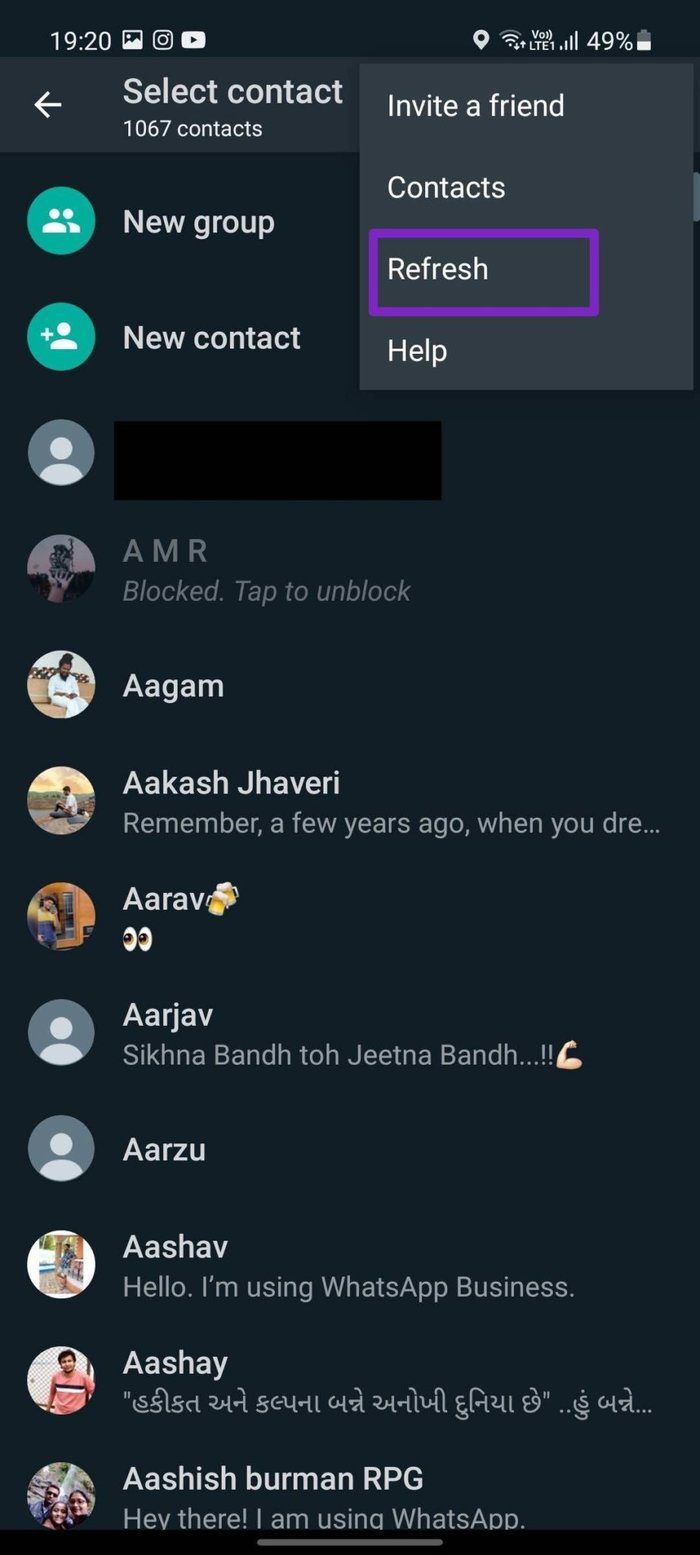
On Android, WhatsApp offers an option to refresh the contacts list manually in the app. If the freshly added contacts don’t show up, refresh the list manually and check again. Here’s how.
Step 1: Open WhatsApp and tap the message icon.
Step 2: Then, tap on the three-dot icon at the top-right corner. Tap on Refresh and wait before checking again.

Also Read: How to fix WhatsApp not updating contacts
Fix 4: Enable Background App Refresh on iPhone
You don’t have a similar Refresh option on iPhone. Instead, WhatsApp on iPhone offers a Background App Refresh toggle that automatically refreshes data in the background and keeps things in sync. If it’s turned off, here’s how to enable it on your iPhone.
Step 1: Open the Settings app on the iPhone and tap on WhatsApp.
Step 2: Here, turn on the toggle for Background App Refresh.
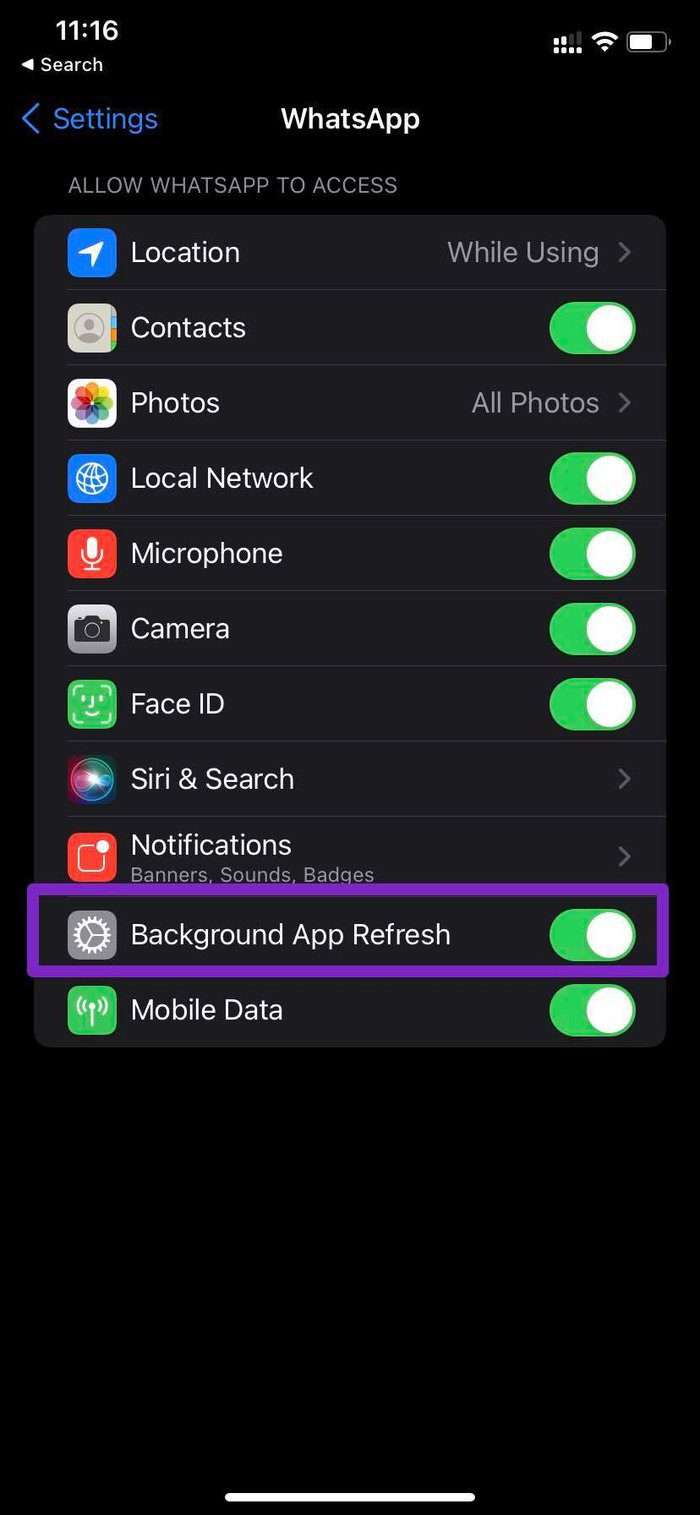
Wait a while as WhatsApp syncs the information in the background. Then, open the WhatsApp app and see if the issue has been fixed.
Was this helpful?
Last updated on 17 May, 2024
3 Comments
Leave a Reply
Read Next
 iCloud Contacts vs Google Contacts: Where Should You Save Contacts on Your iPhone
When you are using an Android phone, one prefers using Google Contacts to store and manage contacts.
iCloud Contacts vs Google Contacts: Where Should You Save Contacts on Your iPhone
When you are using an Android phone, one prefers using Google Contacts to store and manage contacts.
 Google Contacts vs Samsung Contacts: Which App Is Best for Saving and Managing Contacts
Apart from phones running Stock Android, all other Android phones have their own set of basic apps.
Google Contacts vs Samsung Contacts: Which App Is Best for Saving and Managing Contacts
Apart from phones running Stock Android, all other Android phones have their own set of basic apps.
 How to Add New Contacts via WhatsApp Web
Use InTouch App to Add New Contacts Using WhatsApp Web InTouchApp is a contacts manager app that lets you add contacts directly via WhatsApp Web.
How to Add New Contacts via WhatsApp Web
Use InTouch App to Add New Contacts Using WhatsApp Web InTouchApp is a contacts manager app that lets you add contacts directly via WhatsApp Web.
 3 Fixes for Telegram Not Syncing Contacts
Basic Fixes Switch to Wi-Fi: Contact syncing on Telegram requires faster internet speeds.
3 Fixes for Telegram Not Syncing Contacts
Basic Fixes Switch to Wi-Fi: Contact syncing on Telegram requires faster internet speeds.
 Top 4 Ways to Fix Google Duo Not Showing Contacts on Android and iPhone
Primarily, Google Duo lets you make video calls and send video messages to people on your contact list.
Top 4 Ways to Fix Google Duo Not Showing Contacts on Android and iPhone
Primarily, Google Duo lets you make video calls and send video messages to people on your contact list.
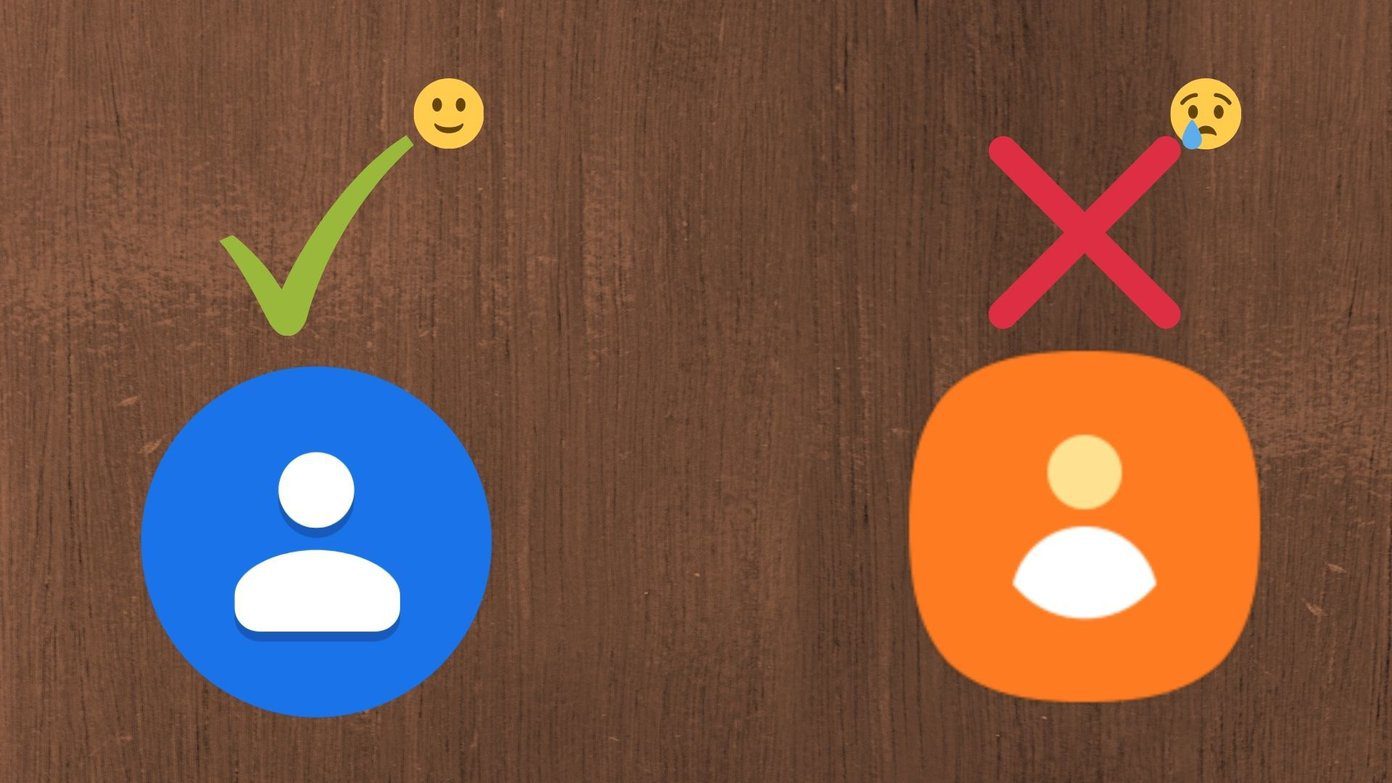 How to Use Google Contacts Instead of Samsung Contacts
Samsung Galaxy phones carry a lot of pre-loaded apps, and some of them you'll rarely use.
How to Use Google Contacts Instead of Samsung Contacts
Samsung Galaxy phones carry a lot of pre-loaded apps, and some of them you'll rarely use.
 3 Fixes for Outlook Contacts Not Syncing on iPhone and Mac
Basic Fixes Check internet speed: Check if you are getting good internet speeds on your mobile network or Wi-Fi.
3 Fixes for Outlook Contacts Not Syncing on iPhone and Mac
Basic Fixes Check internet speed: Check if you are getting good internet speeds on your mobile network or Wi-Fi.
 4 Fixes for Instagram Story Views Not Showing
Basic Fixes Use a public account: Go to your profile > Settings and activity > Account privacy > disable Private account.
4 Fixes for Instagram Story Views Not Showing
Basic Fixes Use a public account: Go to your profile > Settings and activity > Account privacy > disable Private account.
The article above may contain affiliate links which help support Guiding Tech. The content remains unbiased and authentic and will never affect our editorial integrity.


unfortunately none of these solved my issue ive been trying to add a us number for days and its just saying this user isnt on whatsapp and to invite them. but when i do that messege wont go through. they have tried adding me from their end and the same thing is happening
You can try signing out of WhatsApp, or uninstall the application from your phone. Once you reinstall it, you should be prompted to enter your username.
The issue should be resolved once you get to this stage, but there is a risk of losing your chat history unless it has been previously backed up.
I hope this helps you.
I am trying to add someone in another country and it keeps failing to send