

Before you begin, ensure that there isn’t any problem with your network connectivity and the Wi-Fi router.
Fix 1: Enable Auto Join
If you have accidentally disabled the toggle that lets your iPhone auto-connect to a Wi-Fi network, you need to enable it again.
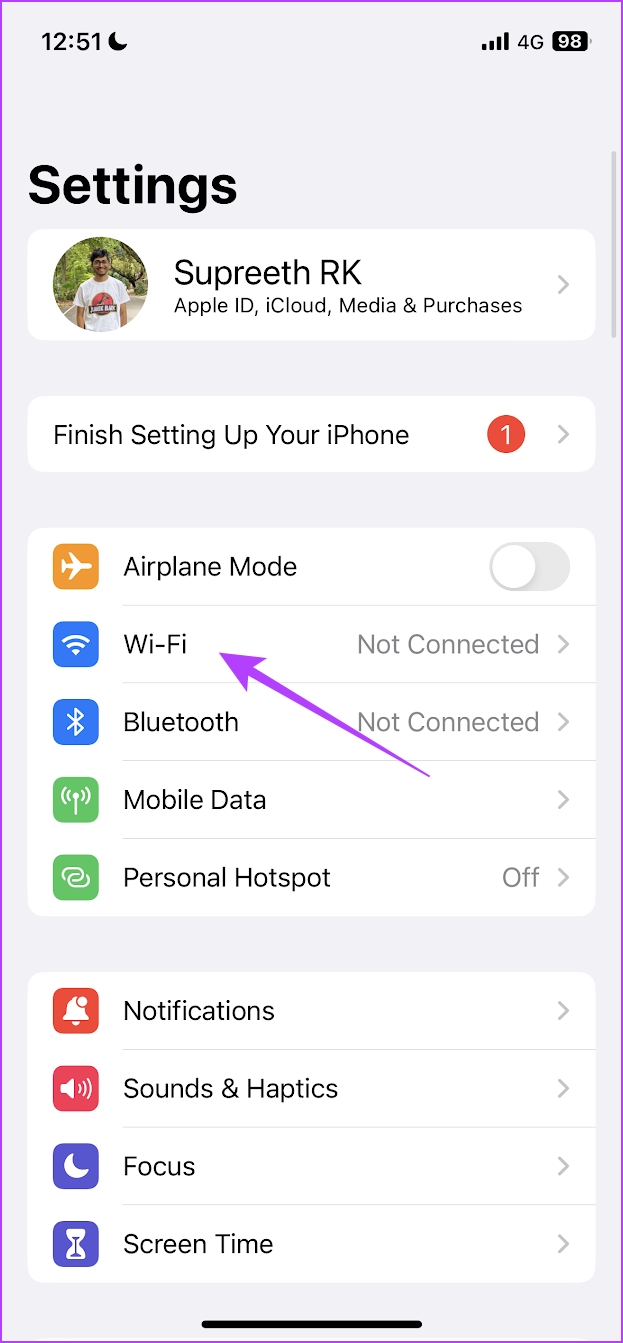
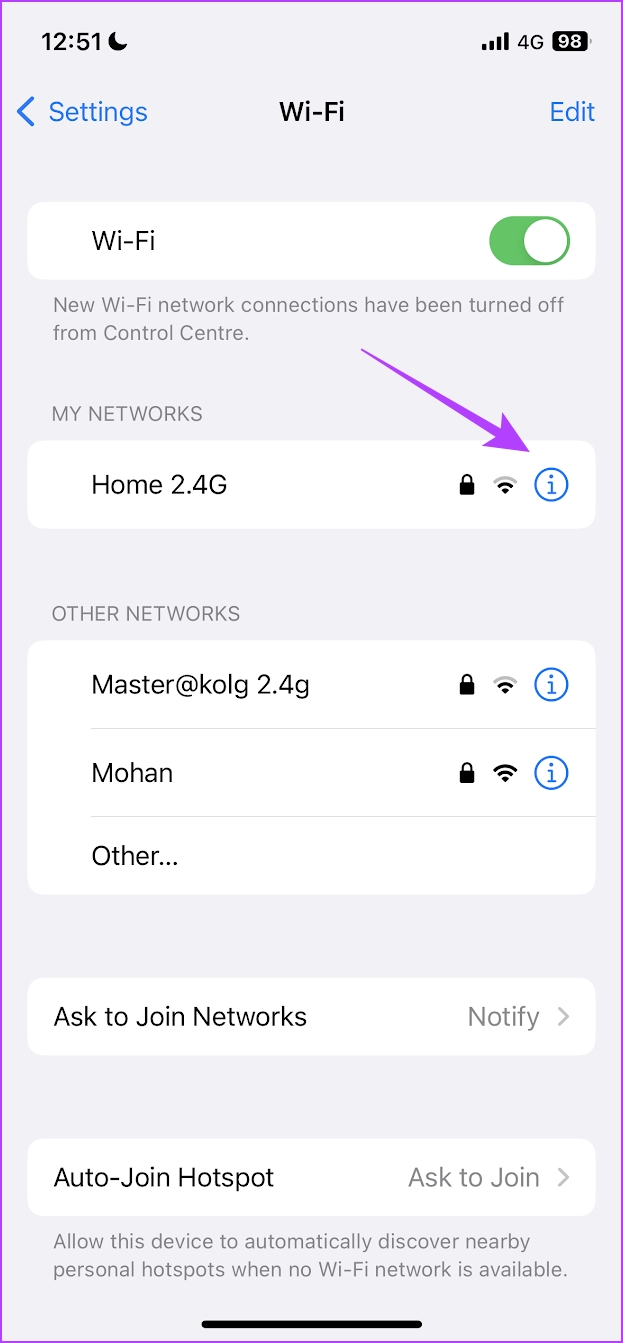
Step 1: Open the Settings app. Go to Wi-Fi, and tap on the info button next to the WiFi network that your iPhone isn’t automatically connecting to.
Step 4: Turn on the toggle for Auto-Join.

Also Read: How to check monthly or daily data usage on iPhone
Fix 2: Forget and Reconnect to the Wi-Fi Network
Forgetting and reconnecting to a known network essentially establishes a fresh connection on your iPhone. Doing this can help fix the issue of your iPhone not automatically connecting to Wi-Fi.
Step 1: Open the Settings app. Tap on Wi-Fi.
Step 2: Tap on the info button next to the network.
Step 3: Now, tap on Forget This Network and then reconnect to it.

Also Read: Fix Bluetooth device not connecting automatically on iPhone
Fix 3: Reset Network Settings
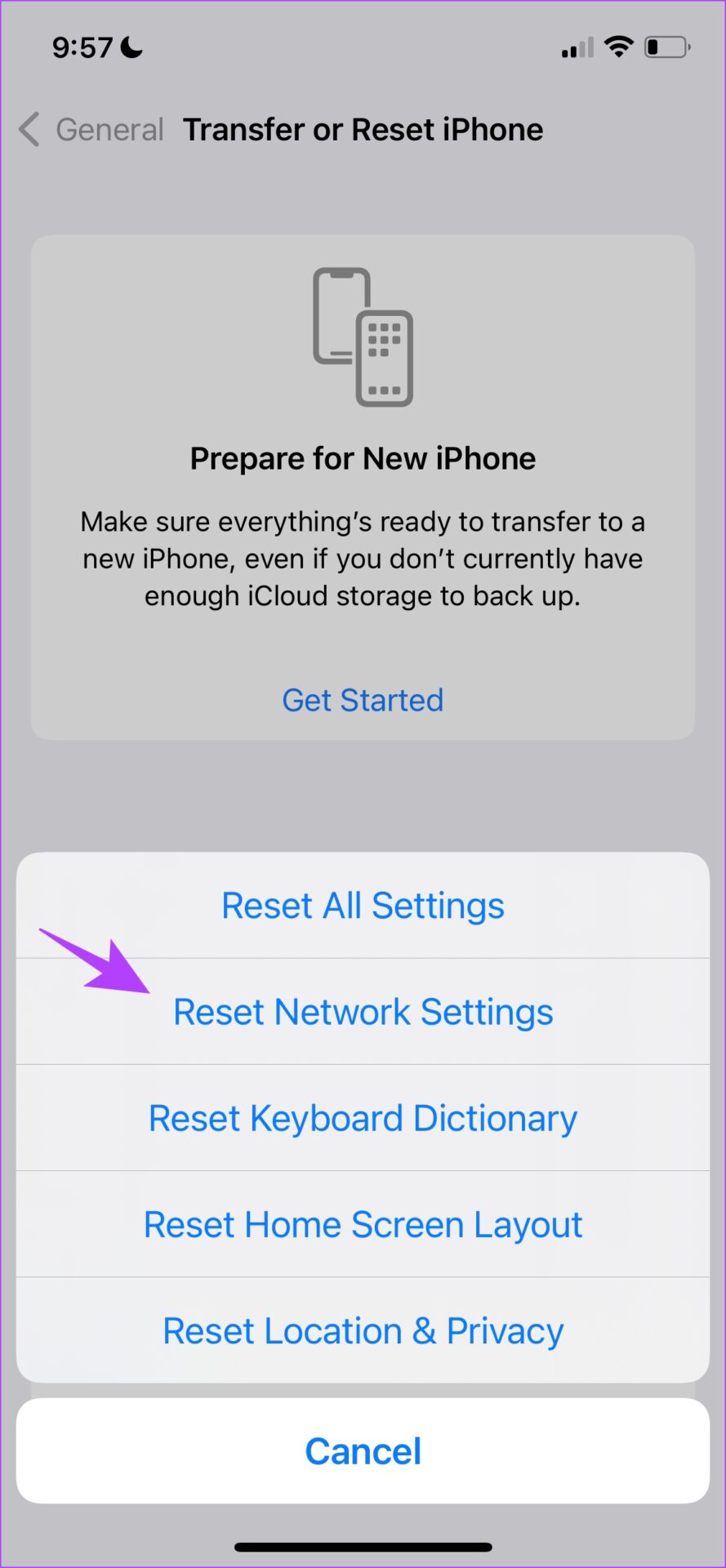
Apple provides an option to reset all your network settings if you are facing an issue related to your network connections. We’re quite hopeful that doing this would fix your iPhone not automatically connecting to Wi-Fi since it resets all network-related configurations to their default states.
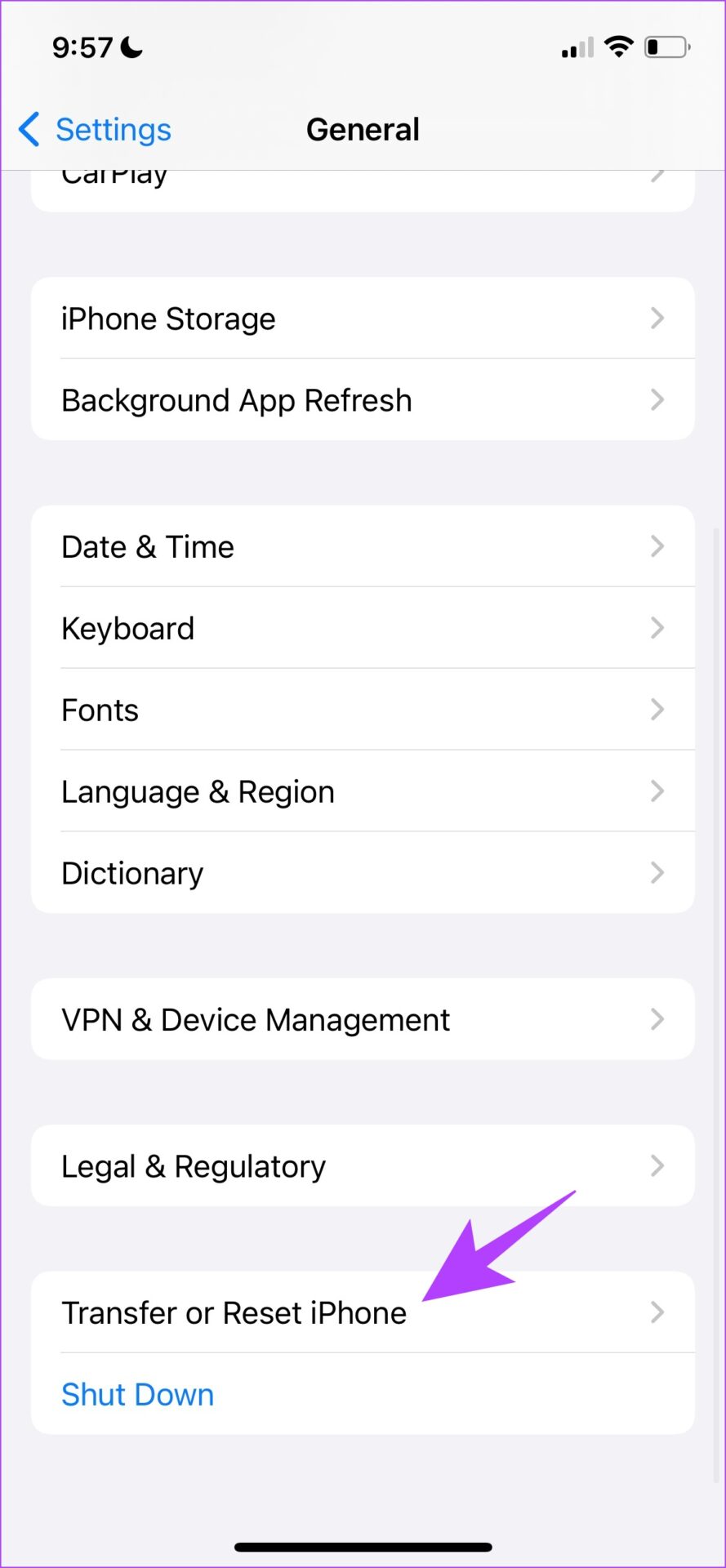
Step 1: Open the Settings app, and go to General.
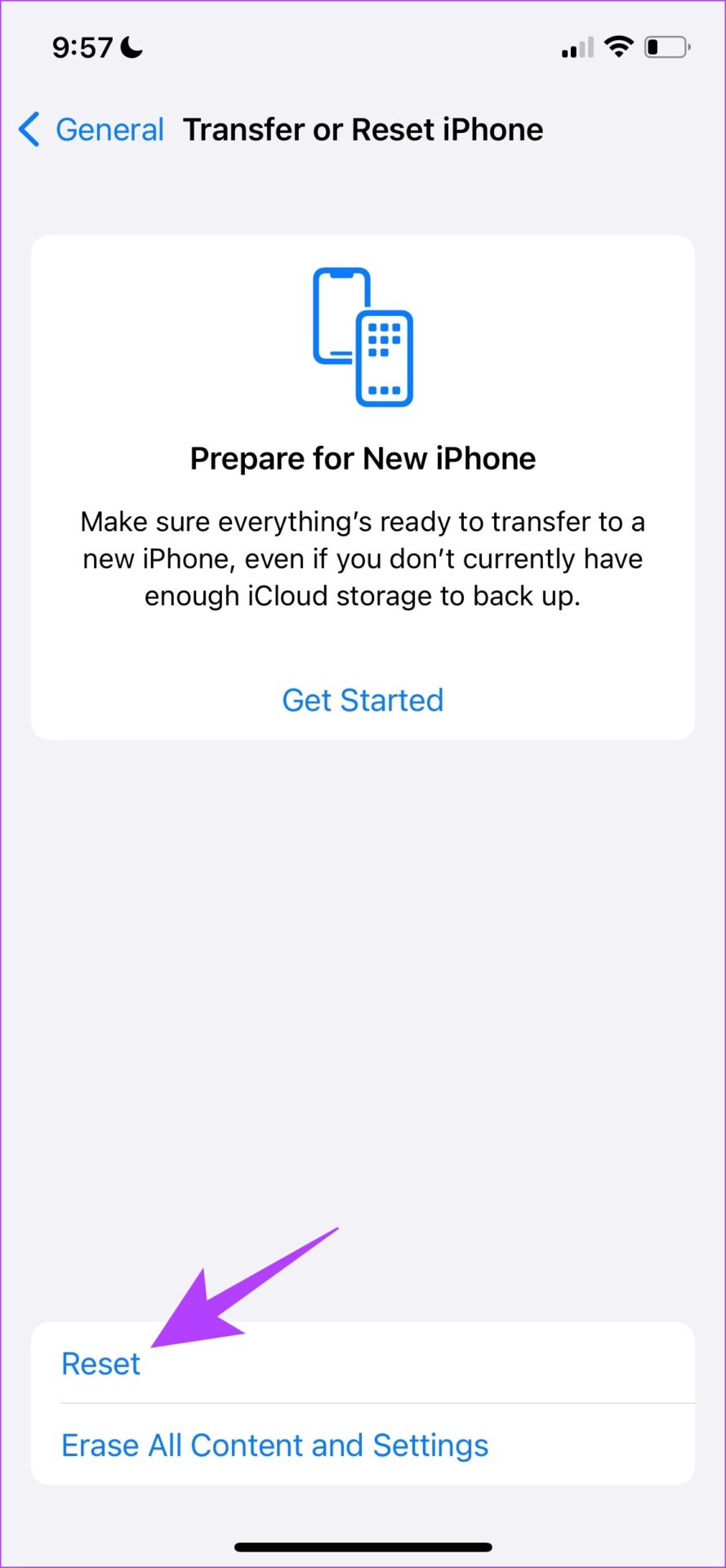
Step 3: Select Transfer or Reset iPhone and tap on Reset.
Step 4: Lastly, tap Reset Network Settings. This will ensure all your network settings are restored to their original states.
Was this helpful?
Last updated on 27 June, 2024
2 Comments
Leave a Reply
Read Next
 2 Fixes for Bluetooth Device Not Connecting Automatically on iPhone
Basic Fixes Reconnect device: Open the Settings app, go to Bluetooth, select your device, and tap on Forget.
2 Fixes for Bluetooth Device Not Connecting Automatically on iPhone
Basic Fixes Reconnect device: Open the Settings app, go to Bluetooth, select your device, and tap on Forget.
 7 Ways to Fix Windows 11 Not Connecting to Wi-Fi Automatically
Fix 1: Enable Connect to Wi-Fi Automatically Windows 11 may not connect to a known network automatically if you haven't configured it to do so.
7 Ways to Fix Windows 11 Not Connecting to Wi-Fi Automatically
Fix 1: Enable Connect to Wi-Fi Automatically Windows 11 may not connect to a known network automatically if you haven't configured it to do so.
 3 Ways to Fix Android Not Connecting to Wi-Fi Automatically
Try Basic Fixes Use the updated Wi-Fi password: If the password is incorrect, your Android may fail to connect to a Wi-Fi network automatically.
3 Ways to Fix Android Not Connecting to Wi-Fi Automatically
Try Basic Fixes Use the updated Wi-Fi password: If the password is incorrect, your Android may fail to connect to a Wi-Fi network automatically.
 5 Ways to Fix Wireless Android Auto Not Connecting Automatically
Fix 1: Disable Mobile Hotspot I have personally noticed that keeping the mobile hotspot enabled prevented my phone from connecting to Android Auto, or it keeps disconnecting when turned on.
5 Ways to Fix Wireless Android Auto Not Connecting Automatically
Fix 1: Disable Mobile Hotspot I have personally noticed that keeping the mobile hotspot enabled prevented my phone from connecting to Android Auto, or it keeps disconnecting when turned on.
 3 Ways to Fix PS4 Controller Not Connecting to iPhone Issues
Basic Fixes: Restart iPhone: Yes, this simple action sometimes does the magic.
3 Ways to Fix PS4 Controller Not Connecting to iPhone Issues
Basic Fixes: Restart iPhone: Yes, this simple action sometimes does the magic.
 3 Ways to Fix WhatsApp Not Connecting on iPhone
Basic Fixes: Enable and disable Airplane mode: If your iPhone is facing several network issues, enable Airplane mode on the iPhone.
3 Ways to Fix WhatsApp Not Connecting on iPhone
Basic Fixes: Enable and disable Airplane mode: If your iPhone is facing several network issues, enable Airplane mode on the iPhone.
 3 Ways to Fix Facebook Messenger Not Connecting to the Internet on iPhone
Try Basic Fixes Check if Messenger is down: Facebook Messenger servers can occasionally experience problems.
3 Ways to Fix Facebook Messenger Not Connecting to the Internet on iPhone
Try Basic Fixes Check if Messenger is down: Facebook Messenger servers can occasionally experience problems.
 3 Ways to Fix iPhone or iPad Not Connecting to Windows PC
Basic Fixes Check or switch your data cable: Closely inspect the data cable you use to connect the iPhone/iPad to your PC.
3 Ways to Fix iPhone or iPad Not Connecting to Windows PC
Basic Fixes Check or switch your data cable: Closely inspect the data cable you use to connect the iPhone/iPad to your PC.
The article above may contain affiliate links which help support Guiding Tech. The content remains unbiased and authentic and will never affect our editorial integrity.
Nicely detailed help page. I’ve done all the recommended measures dozens of times over several years to no avail. My iPhone 12Pro w iOS 16.2 auto joins my network when entering the house with Wifi already turned on, but NOT when Wifi is turned on AFTER coming into network range despite all troubleshooting and reset measures mentioned. This was the case with my previous iPhone 6S Pro as well. Other network devices, of which I have more than 50, all join reliably when turned on in network range so I would rule out the Asus AiMesh system as a blocker or unreliable. Any other ideas?
Wow! Thank you for your expertise!!! The “Forget Network” worked perfectly. Your Awesome!!