Basic Fixes
- Check internet connection: Ensure that you have a stable internet connection on your device.
- Force quit and relaunch Instagram: This will give the app a fresh start if it has been running for quite some time in the background.
- Update Instagram: Install the latest version of the app to get rid of bugs or glitches on Instagram.
Fix 1: Check if HDR Playback Is Enabled
Instagram has now provided a feature to disable HDR playback on your mobile device. You can use it if you dislike watching too many HDR videos. But you need to ensure this feature is not turned on if Instagram is not playing HDR videos. Do note that this feature is only available for iPhone users.
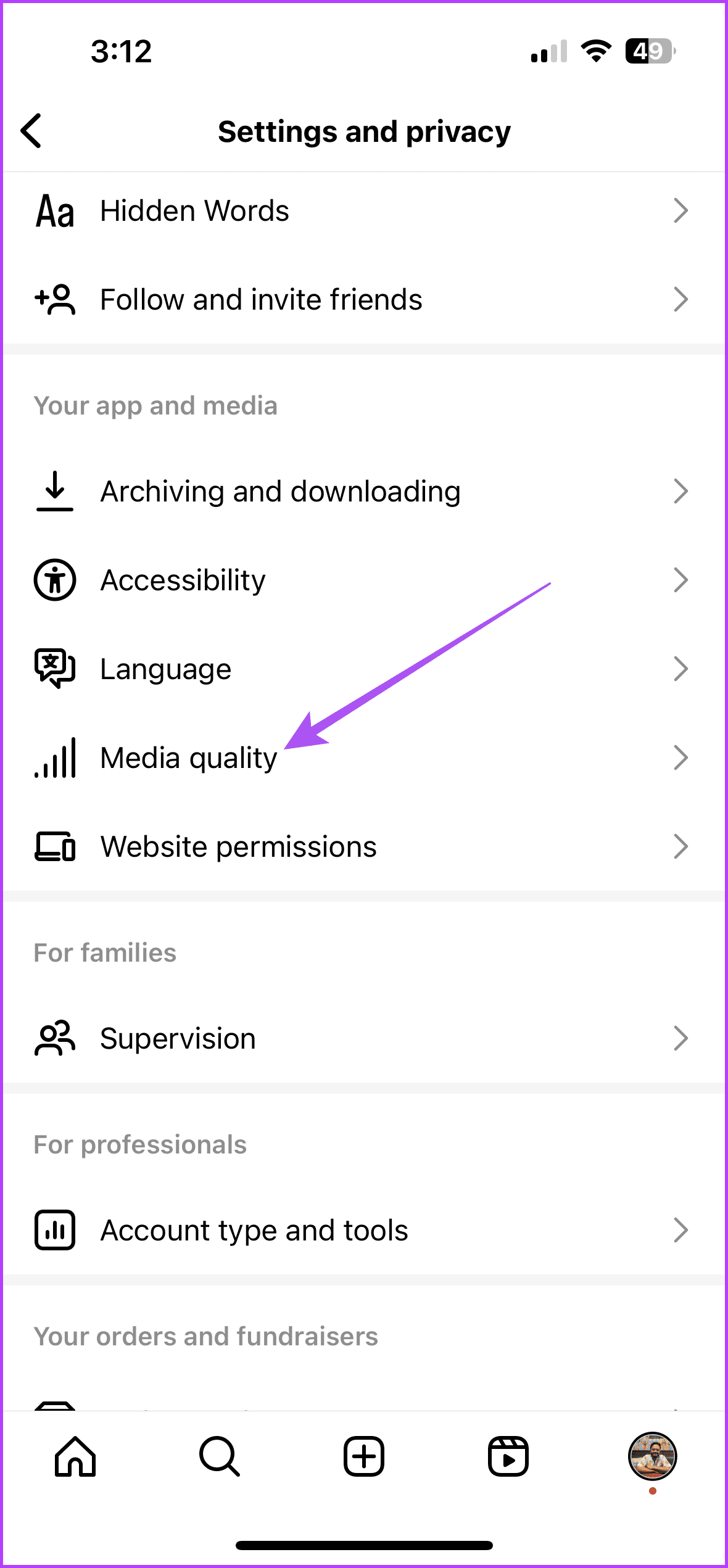
Open Instagram > Settings and privacy > Media quality > Ensure that HDR playback is enabled.

Fix 2: Disable Less Mobile Data Usage
Watching HDR videos will require more internet data on your mobile device. So, we suggest ensuring that mobile data usage has not been restricted for your profile. Here’s how.
Open Instagram > Settings and privacy > Media quality > Disable Use less mobile data.

Tip: You can also read our post if you face other issues with using Instagram on mobile data.
Fix 3: Disable Low Power Mode
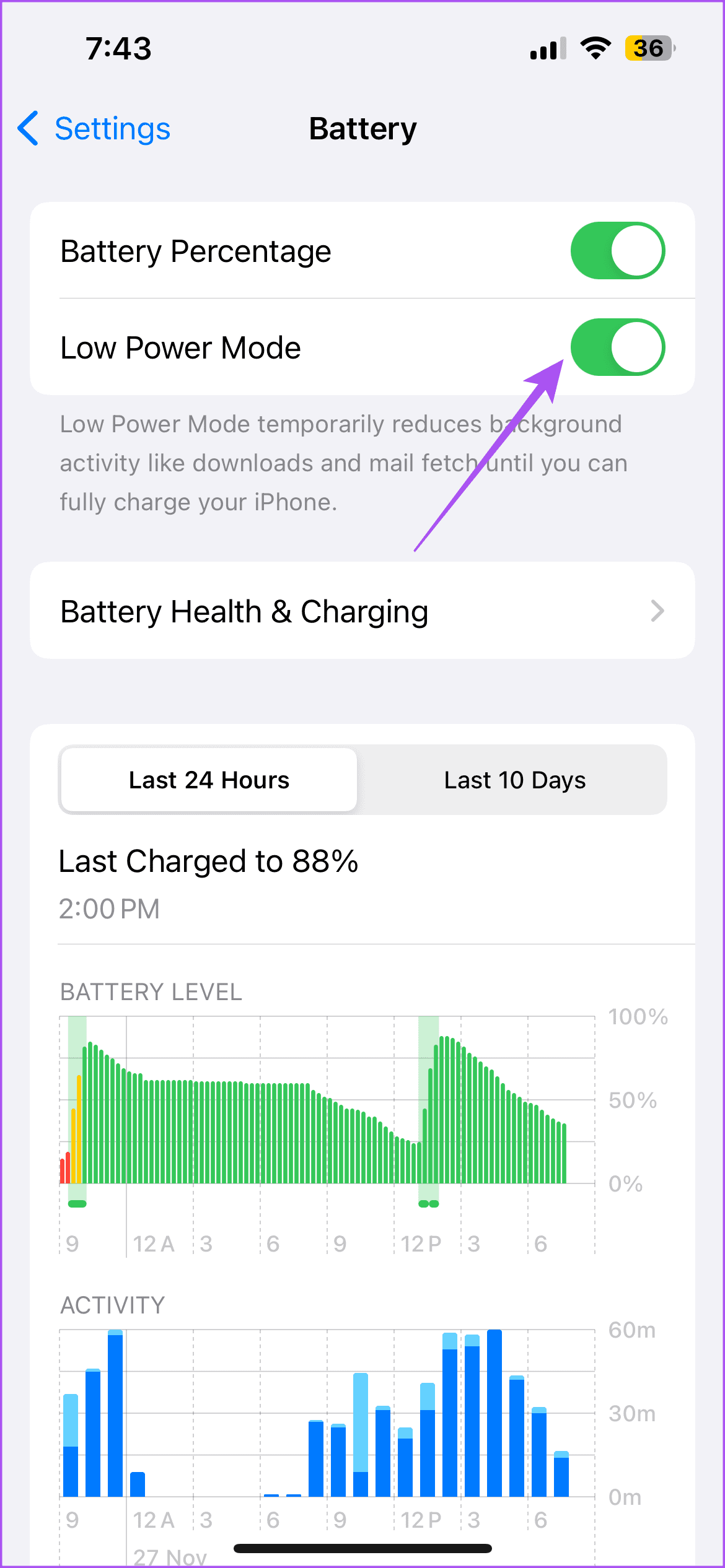
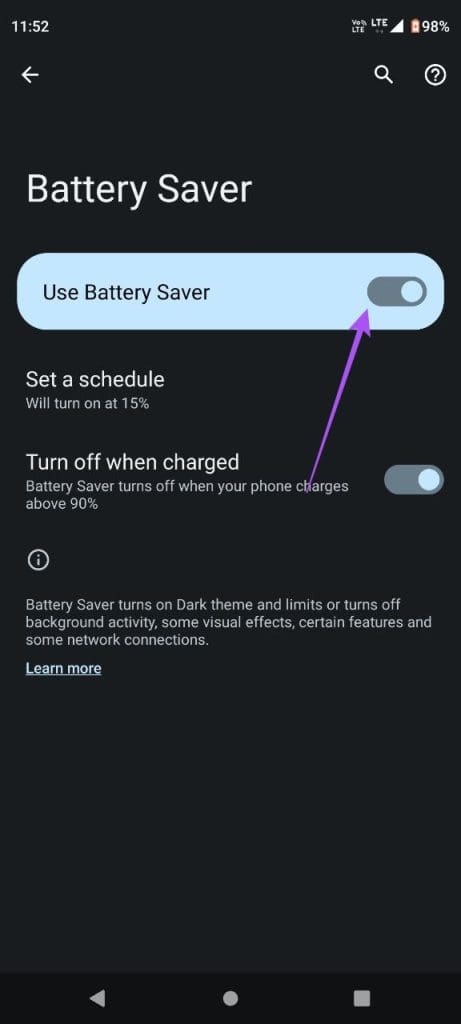
Low Power Mode or Battery Saver Mode can help in conserving battery life. But it can cause problems with HDR video playback on Instagram. So, we suggest disabling Low Power Mode on your iPhone or Android phone.
On iPhone
Open Settings > Battery > Disable Low Power Mode.

On Android
Open Settings > Battery > Battery Saver > Turn off Battery Saver.

Tip: These solutions will help when HDR videos are not playing on your Instagram feed. You can also choose to make a reel on Instagram using your photos.
Was this helpful?
Last updated on 08 August, 2024
Read Next
 3 Ways to Fix Videos Not Playing on Instagram
https://youtu.be/27MXAW2cROQ Try Basic Fixes Update the Instagram app: Running an older version of Instagram can lead to such problems.
3 Ways to Fix Videos Not Playing on Instagram
https://youtu.be/27MXAW2cROQ Try Basic Fixes Update the Instagram app: Running an older version of Instagram can lead to such problems.
 4 Fixes for Google Drive Videos Not Playing or Processing Error
Basic Fixes File size is too large: Google Drive supports up to 5TB file size.
4 Fixes for Google Drive Videos Not Playing or Processing Error
Basic Fixes File size is too large: Google Drive supports up to 5TB file size.
 5 Fixes When Videos Are Not Playing on Firefox
Basic Fixes: Try Incognito mode: Open the website you're trying to access in an incognito window.
5 Fixes When Videos Are Not Playing on Firefox
Basic Fixes: Try Incognito mode: Open the website you're trying to access in an incognito window.
 5 Fixes for X (Twitter) Videos Not Playing on iPhone and Android
Basic Fixes Check network connection: If there's a problem with your Wi-Fi or cellular connection, X may be unable to play the video.
5 Fixes for X (Twitter) Videos Not Playing on iPhone and Android
Basic Fixes Check network connection: If there's a problem with your Wi-Fi or cellular connection, X may be unable to play the video.
 4 Fixes When Videos in PowerPoint Are Not Playing
Basic Fixes: Confirm if the video plays outside PowerPoint: You want to ensure the video file isn't corrupt.
4 Fixes When Videos in PowerPoint Are Not Playing
Basic Fixes: Confirm if the video plays outside PowerPoint: You want to ensure the video file isn't corrupt.
 3 Fixes for YouTube Not Playing 4K Videos on Apple TV 4K
Basic Fixes Check your internet connection: YouTube lets you watch 4K content in Dolby Vision and HDR.
3 Fixes for YouTube Not Playing 4K Videos on Apple TV 4K
Basic Fixes Check your internet connection: YouTube lets you watch 4K content in Dolby Vision and HDR.
 3 Fixes for Google TV Not Playing 4K Videos
Basic Fixes Ensure your TV supports 4K resolution: This is the first and most obvious solution you must consider.
3 Fixes for Google TV Not Playing 4K Videos
Basic Fixes Ensure your TV supports 4K resolution: This is the first and most obvious solution you must consider.
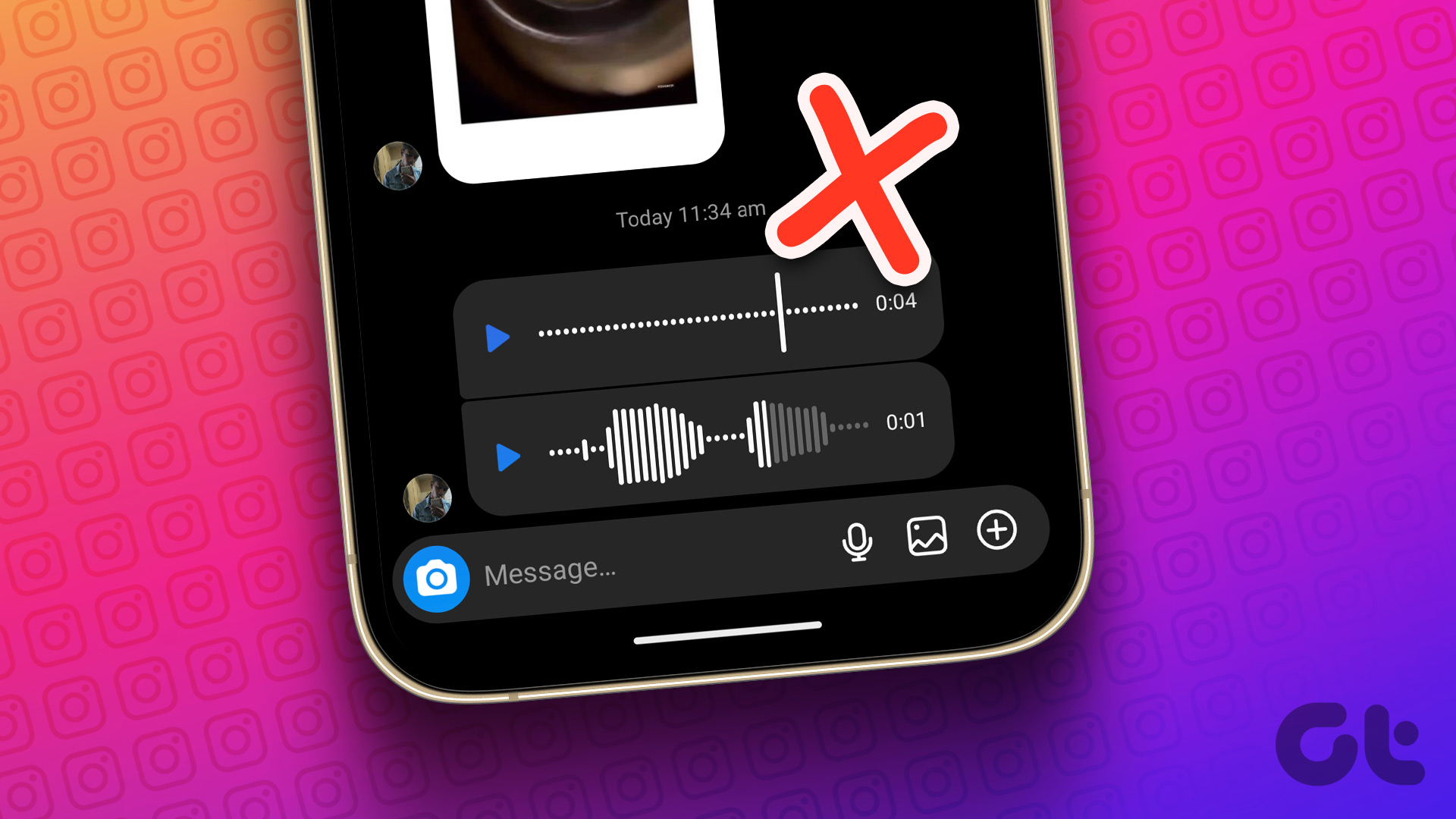 3 Fixes for Voice Messages Not Playing in Instagram on iPhone
Basic Fixes Switch to Wi-Fi: If you have access to a Wi-Fi, make the switch to get better internet speeds.
3 Fixes for Voice Messages Not Playing in Instagram on iPhone
Basic Fixes Switch to Wi-Fi: If you have access to a Wi-Fi, make the switch to get better internet speeds.
The article above may contain affiliate links which help support Guiding Tech. The content remains unbiased and authentic and will never affect our editorial integrity.