Fix 1: Remove AUX Cable
Is an aux cable connected to your Echo? Remove it. Then, try playing the audio on your laptop or mobile via Bluetooth. However, if the aux cable isn’t connected to your Echo, insert it into the socket once and remove it. Sometimes, the Echo device thinks it is still connected to the aux and, therefore, doesn’t produce any sound.
Fix 2: Pair Bluetooth Device Properly
If you are connecting your phone or laptop to the Echo for the first time, ensure you follow the right steps. Here’s how to go about it.
Step 1: Be in the range of your Echo device. Turn off Bluetooth on all the existing devices paired with Echo.
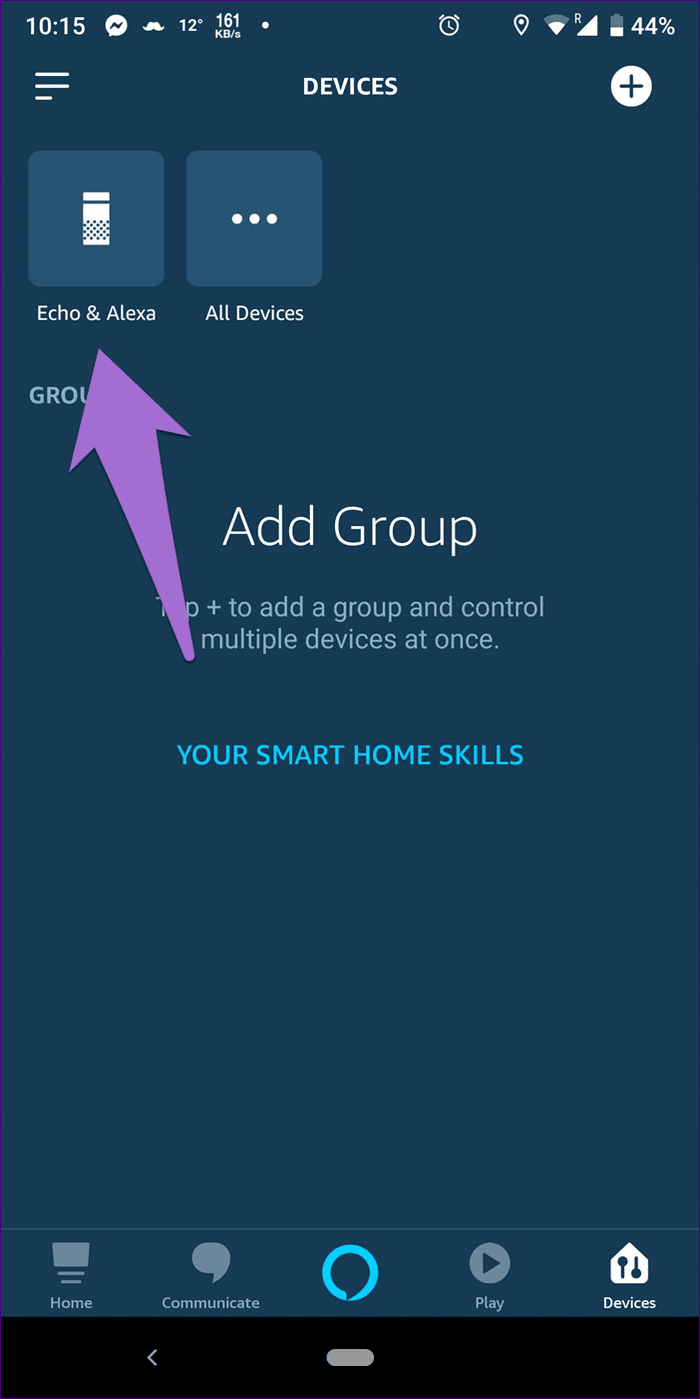
Step 2: Open the Alexa app and tap on Devices at the bottom. Select your Echo device from the list of available devices.
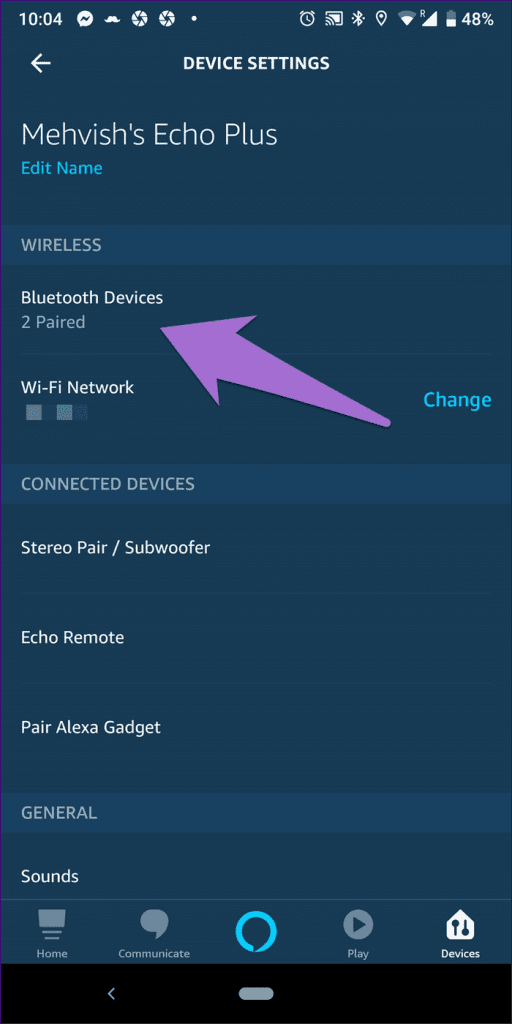
Step 3: Tap on Bluetooth Devices > Pair a new device.
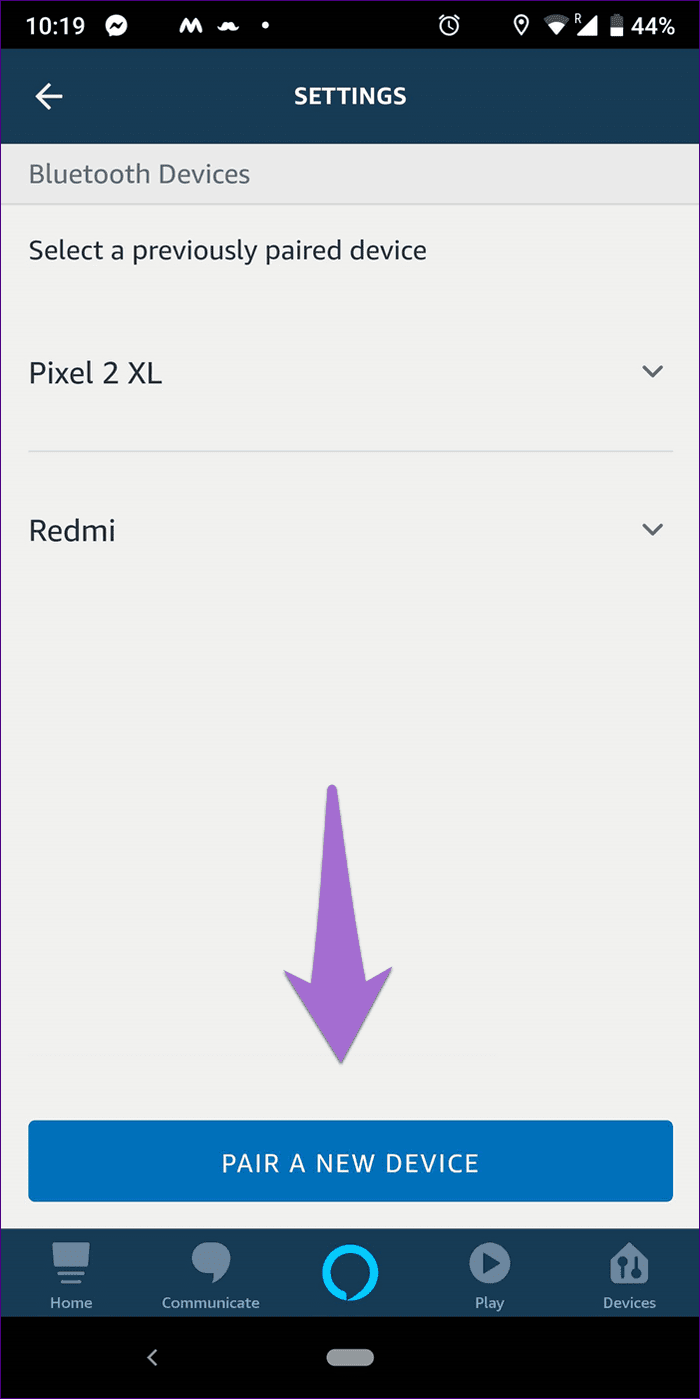
Step 4: Enable Bluetooth on your phone or laptop and pair it with your Echo device. Once the connection is successful, Alexa will announce the same.
If you have trouble connecting to the Echo speaker, check out our detailed guide to connect phones and laptops to Amazon Echo.
Fix 3: Connect to the Right Bluetooth Device
Even though Echo speakers can remember multiple Bluetooth devices, they can only connect to one device at a time. So, ensure the Echo speaker is connected to the correct device you’re presently using.
Tip: You can connect to a specific device by accessing the Bluetooth pairing mode using the steps in the above fix.
Fix 4: Unpair and Re-Pair Bluetooth Devices
Sometimes, unpairing and reconnecting a device via Bluetooth does the trick.
Step 1: Open the Alexa app and tap on Devices at the bottom. Go to your Echo device from Echo & Alexa > name of your Echo device.
Step 2: Select Bluetooth Devices. Tap on your device and hit Forget device.
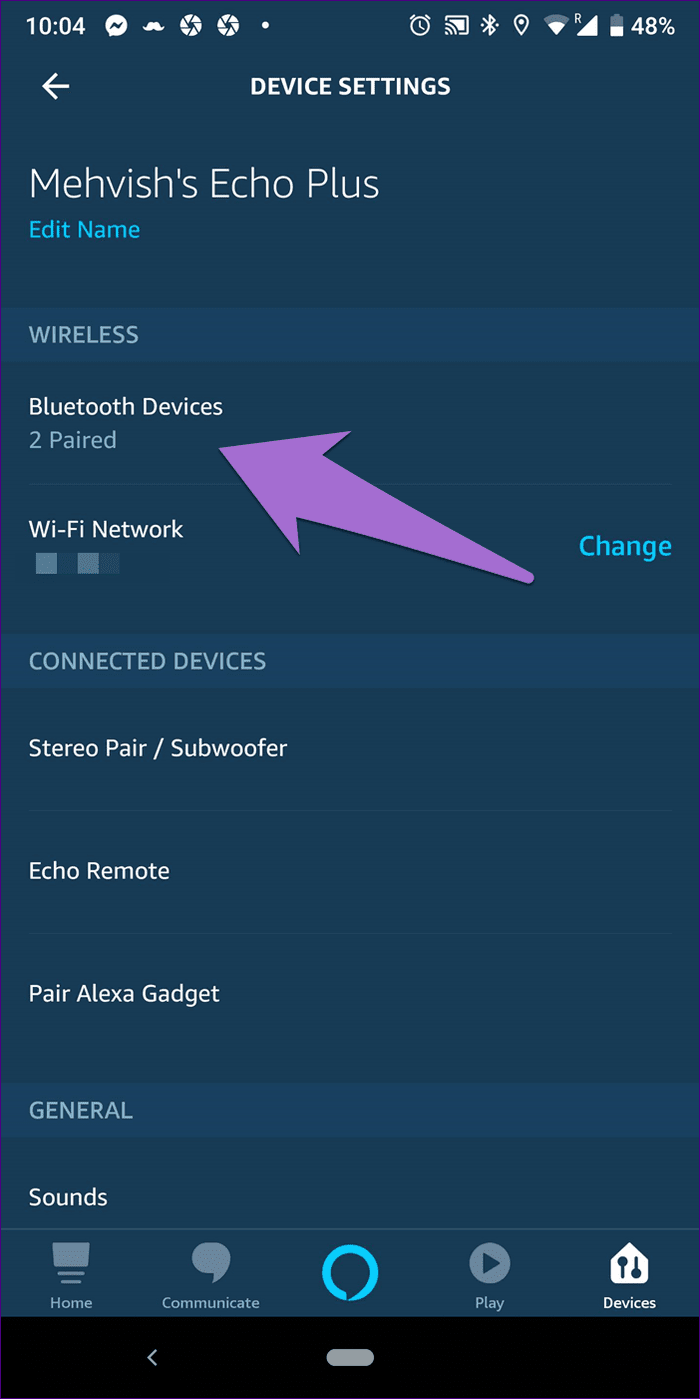
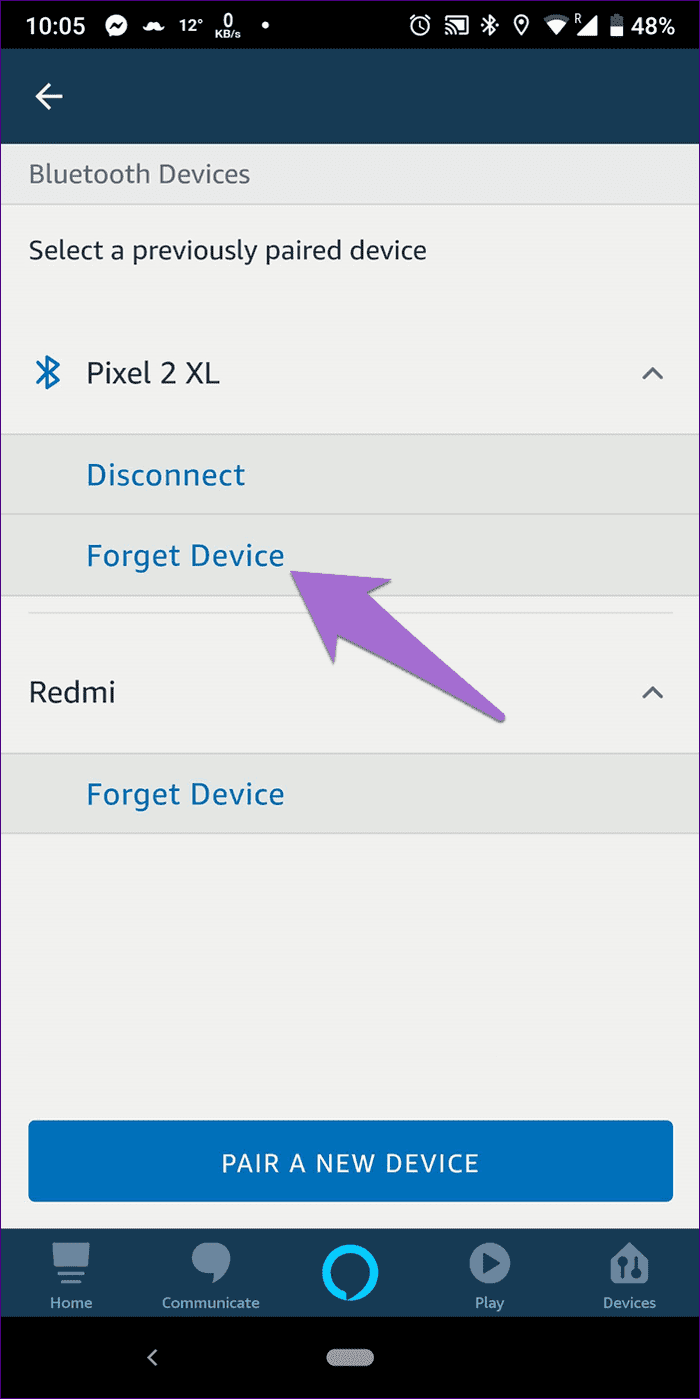
Then, pair it again with your Echo using the steps above.
Was this helpful?
Last updated on 02 May, 2024
Read Next
 Top 5 Ways to Fix Bluetooth Headphones Connected but No Sound on Windows 10
On a usual day, you'd hook your wireless Bluetooth headphones to your PC to listen to a song.
Top 5 Ways to Fix Bluetooth Headphones Connected but No Sound on Windows 10
On a usual day, you'd hook your wireless Bluetooth headphones to your PC to listen to a song.
 Top 7 Ways to Fix Amazon Echo Sound Keeps Cutting Out
Amazon Echo smart speakers come in several price offerings.
Top 7 Ways to Fix Amazon Echo Sound Keeps Cutting Out
Amazon Echo smart speakers come in several price offerings.
 4 Ways to Fix Bluetooth Device Is Paired but Not Connected on Windows 11
Try Basic Fixes Toggle the airplane mode: Enabling and disabling the airplane mode is a quick way to refresh all wireless radios on your computer and resolve minor Wi-Fi, Bluetooth,
4 Ways to Fix Bluetooth Device Is Paired but Not Connected on Windows 11
Try Basic Fixes Toggle the airplane mode: Enabling and disabling the airplane mode is a quick way to refresh all wireless radios on your computer and resolve minor Wi-Fi, Bluetooth,
 How to Fix AirPods Connected but No Sound on Mobile and PC
Note: The solutions in this guide apply to all generations or editions of the Apple AirPods — AirPods 1, AirPods 2, AirPods 3, AirPods Pro, and the AirPods Pro 2nd
How to Fix AirPods Connected but No Sound on Mobile and PC
Note: The solutions in this guide apply to all generations or editions of the Apple AirPods — AirPods 1, AirPods 2, AirPods 3, AirPods Pro, and the AirPods Pro 2nd
 5 Ways to Fix Amazon Echo Not Connecting to Wi-Fi Issue
Basic Fixes Check the Setup Process: Ensure you set up the Echo properly.
5 Ways to Fix Amazon Echo Not Connecting to Wi-Fi Issue
Basic Fixes Check the Setup Process: Ensure you set up the Echo properly.
 Top 6 Ways to Fix Amazon Echo Stuck on Blue Light
An Amazon Echo speaker or display can be of great help if you wish to add a touch of smartness to your home.
Top 6 Ways to Fix Amazon Echo Stuck on Blue Light
An Amazon Echo speaker or display can be of great help if you wish to add a touch of smartness to your home.
 How to Play YouTube Music on Amazon Echo
Step 1: Download the Alexa App on iPhone or Android First, download the Alexa app for iOS or Android.
How to Play YouTube Music on Amazon Echo
Step 1: Download the Alexa App on iPhone or Android First, download the Alexa app for iOS or Android.
 4 Ways to Fix Amazon Echo Not Playing Music
Basic Fixes Check your internet connection: Ensure your Amazon Echo device is connected to a robust Wi-Fi connection.
4 Ways to Fix Amazon Echo Not Playing Music
Basic Fixes Check your internet connection: Ensure your Amazon Echo device is connected to a robust Wi-Fi connection.
The article above may contain affiliate links which help support Guiding Tech. The content remains unbiased and authentic and will never affect our editorial integrity.