


Basic Fixes
- Replug your Fire TV Stick: Unplug it from the connected device and plug it in again to restart it. If your device has multiple HDMI ports (e.g., TV, monitor), try a different port to connect the Fire TV Stick.
- Remove and replace the remote batteries: They might be misaligned or worn off. Ensure inserting a new pair in the correct orientation as labeled.
- Clean the battery compartment: Over time, corrosion and dust accumulate over batteries, reducing or halting their power delivery. Remove the remote batteries, clean the two metal connectors, and re-insert them.
- Move the remote closer to the Fire TV device: The Fire TV Stick remote fails to respond from a large distance. Bring it within the connected device’s 10-foot (3m) range.
Fix 1: Use the Home Button to Pair Your Fire TV Stick Remote
Move closer to your TV. Now, press the Home button on your Fire TV Stick remote for 20-40 seconds or until you see the confirmation message for pairing. You’ll see a pairing confirmation at the bottom right corner of your TV screen.
If nothing happens, long-press the play/pause button or a combination of select (middle round button) and home button for 40-60 seconds to initiate remote pairing.

Fix 2: Disconnect Connected Bluetooth Devices and Pair Again
Theoretically, Bluetooth supports up to 7 connections at a time. If your TV has already exhausted all its Bluetooth connection slots, the Fire TV Stick remote might fail to pair.
Turn off Bluetooth on the paired device to manually disconnect it. Then, retry pairing the remote.
Fix 3: Reset the Fire TV Stick Remote
If disconnecting other paired Bluetooth devices didn’t work, use this nifty trick to reset the Fire TV Stick remote:
Step 1: Unplug your Fire TV Stick from the TV. Press the three-bar button, followed by the back and the left keys of the round navigation button for 10 seconds.

Step 2: Release the buttons, replug the Fire TV Stick, and turn it on.
Step 3: Long-press the Home button on the Fire TV Stick remote to initiate pairing.
Alternative: Use the Fire TV App as Your Remote
Lastly, you can use the Fire TV app on your smartphone to control your Fire TV Stick if its physical remote fails to pair.
Note: Before you begin, your Fire TV Stick and smartphone must be connected to the same Wi-Fi network and logged in with the same Amazon account.
Step 1: Install the Amazon Fire TV app on your phone and open it.
Step 2: Tap Set Up New Device and select Fire TV under Streaming Devices.
Step 3: Select Continue and provide the necessary location permissions when prompted.
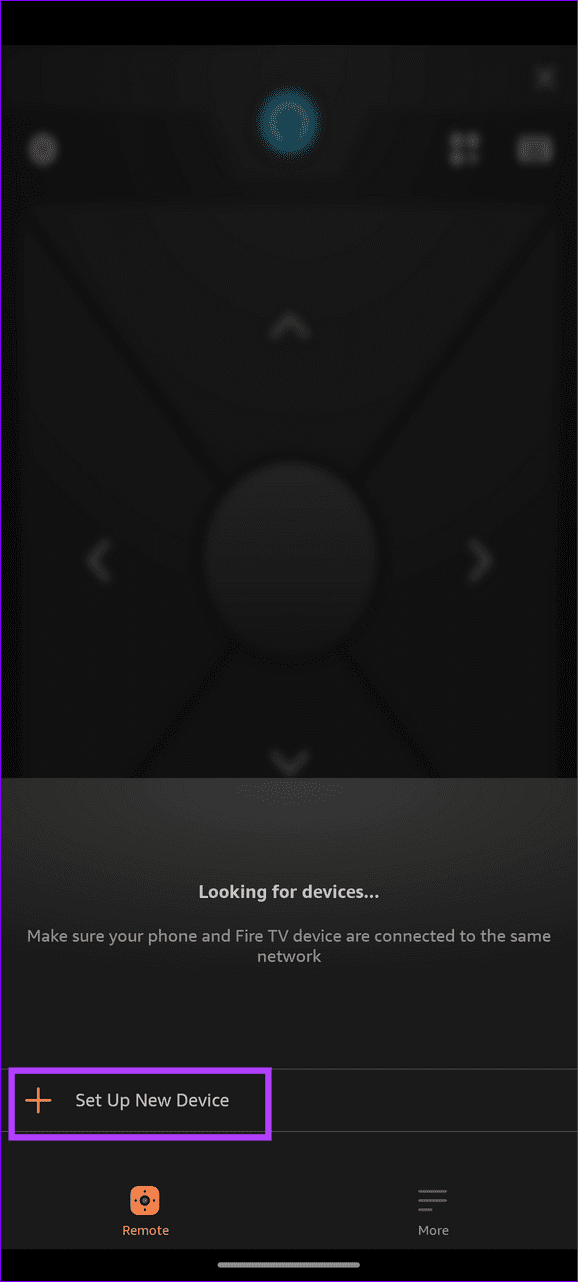


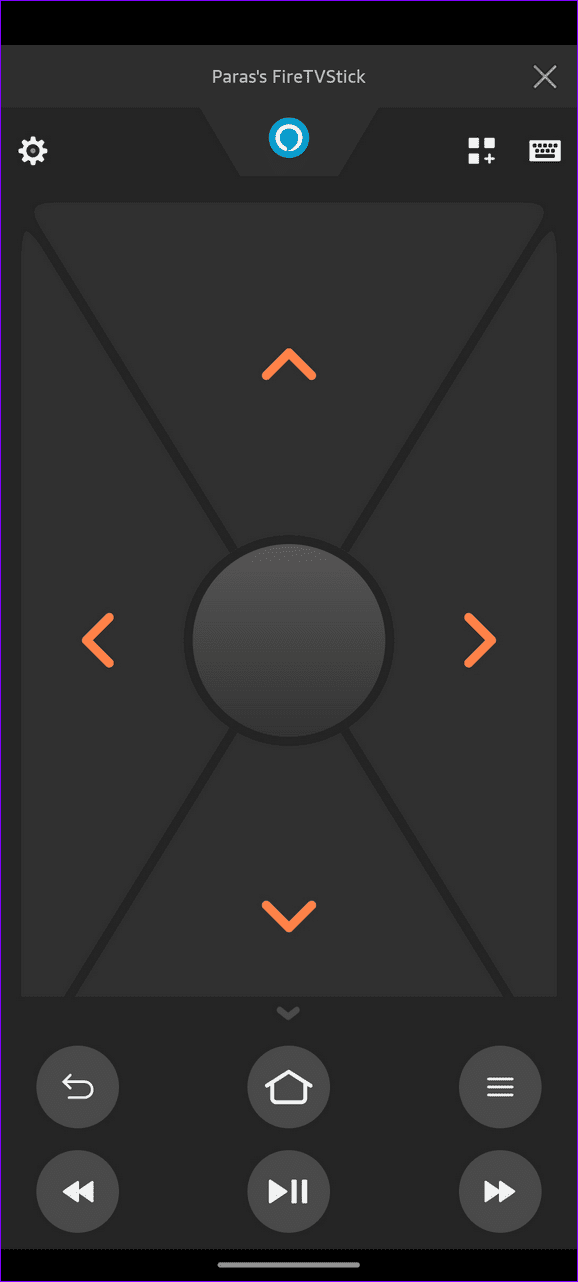
Step 4: Tap your Fire TV Stick under Connect To Remote and enter the PIN shown on your TV screen to authorize and use its remote interface.

Was this helpful?
Last updated on 22 May, 2024
Read Next
 5 Ways to Reset Amazon Fire TV Stick to Factory Settings
Method 1: Using Physical Remote For this method, the remote must be paired to your Fire TV Stick.
5 Ways to Reset Amazon Fire TV Stick to Factory Settings
Method 1: Using Physical Remote For this method, the remote must be paired to your Fire TV Stick.
 3 Ways to Fix Fire TV Stick Remote Volume Not Working
Basic Fixes: Check the remote batteries: Fire TV Stick relies on batteries to work properly.
3 Ways to Fix Fire TV Stick Remote Volume Not Working
Basic Fixes: Check the remote batteries: Fire TV Stick relies on batteries to work properly.
 5 Ways to Use Fire TV Stick if Your Remote Is Lost
Method 1: Control Fire TV Stick Using the Phone App The easiest way to control your Fire TV Stick without a remote is by pairing it with the Fire TV
5 Ways to Use Fire TV Stick if Your Remote Is Lost
Method 1: Control Fire TV Stick Using the Phone App The easiest way to control your Fire TV Stick without a remote is by pairing it with the Fire TV
 4 Ways to Fix Fire TV Stick Remote Not Working
Basic Fixes Ensure the remote is within range: The usual range of a Fire TV Stick's remote is around 10 feet.
4 Ways to Fix Fire TV Stick Remote Not Working
Basic Fixes Ensure the remote is within range: The usual range of a Fire TV Stick's remote is around 10 feet.
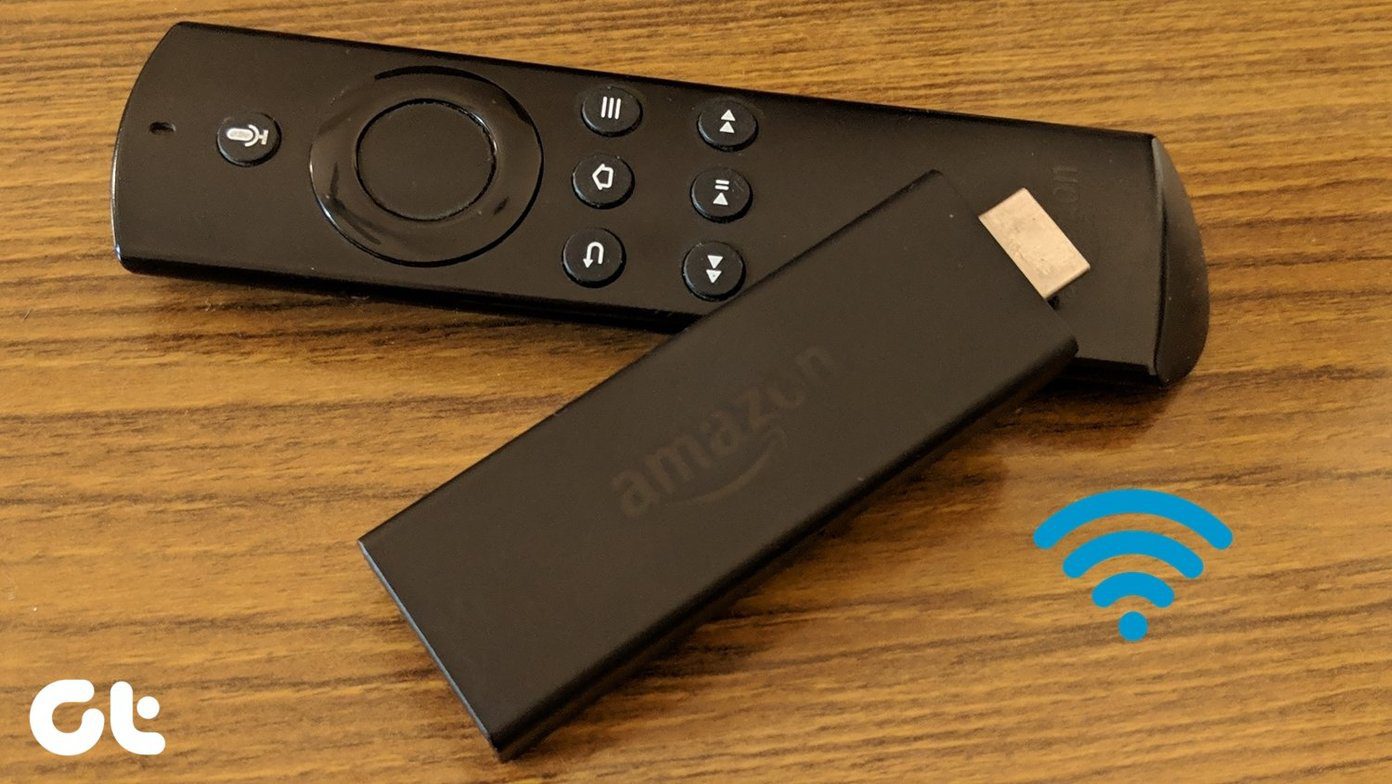 How to Change Wi-Fi on Fire TV Stick Without Remote
Method 1: Using the Fire TV Remote App If your remote isn’t handy or you have lost it, you can control your Fire TV with its Android and iOS apps.
How to Change Wi-Fi on Fire TV Stick Without Remote
Method 1: Using the Fire TV Remote App If your remote isn’t handy or you have lost it, you can control your Fire TV with its Android and iOS apps.
 How to Factory Reset a Steam Deck: A Complete Guide
Your Steam Deck is a powerful handheld gaming PC, but like any computer, it can accumulate glitches and performance issues over time.
How to Factory Reset a Steam Deck: A Complete Guide
Your Steam Deck is a powerful handheld gaming PC, but like any computer, it can accumulate glitches and performance issues over time.
 2 Ways to Put Alexa in Bluetooth Pairing Mode
Method 1: Using Voice Commands One of the easiest ways to put an Alexa-powered Echo device in Bluetooth pairing mode is by using Alexa voice commands.
2 Ways to Put Alexa in Bluetooth Pairing Mode
Method 1: Using Voice Commands One of the easiest ways to put an Alexa-powered Echo device in Bluetooth pairing mode is by using Alexa voice commands.
 5 Ways to Fix Amazon Silk Browser Not Working on Fire TV Stick
Basic Fixes Check your network connection: Open Fire OS settings via the Gear icon at the top right.
5 Ways to Fix Amazon Silk Browser Not Working on Fire TV Stick
Basic Fixes Check your network connection: Open Fire OS settings via the Gear icon at the top right.
The article above may contain affiliate links which help support Guiding Tech. The content remains unbiased and authentic and will never affect our editorial integrity.

