

Note: None of the methods affect your existing subscriptions or payment methods.
Method 1: Install Country-Restricted Apps From the Play Store Using a VPN
The best way to download Android apps is via the Play Store. If the app you’re looking for isn’t available in your country on the Play Store, don’t worry. There’s a workaround to downloading it right from the Play Store – through a VPN service. Here’s how to do it.
Step 1: Install a VPN from the Play Store. We suggest using Proton VPN since it is free and reliable. Open the app once installed.
Step 2: Tap on any country of your choice. If the app you want to download is available in the US, select the United States. Select the Connect button next to any free server.
Step 3: Tap on OK when prompted.


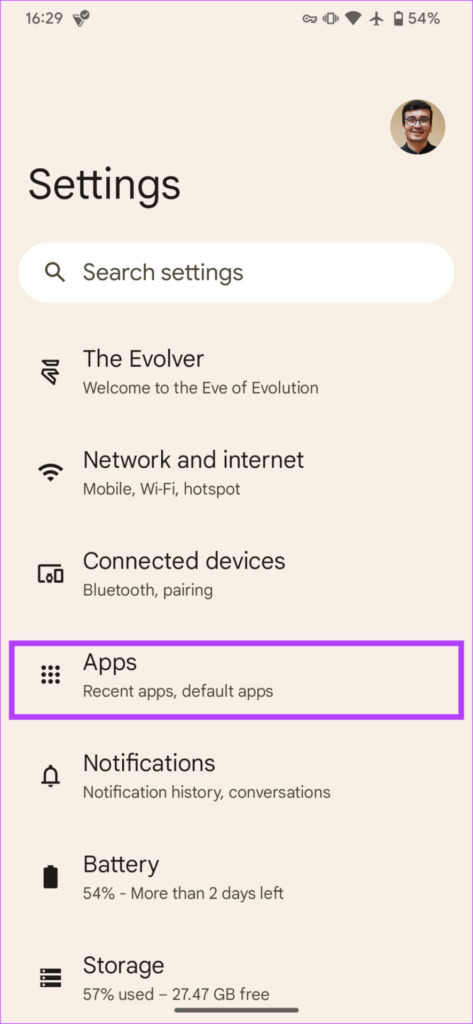
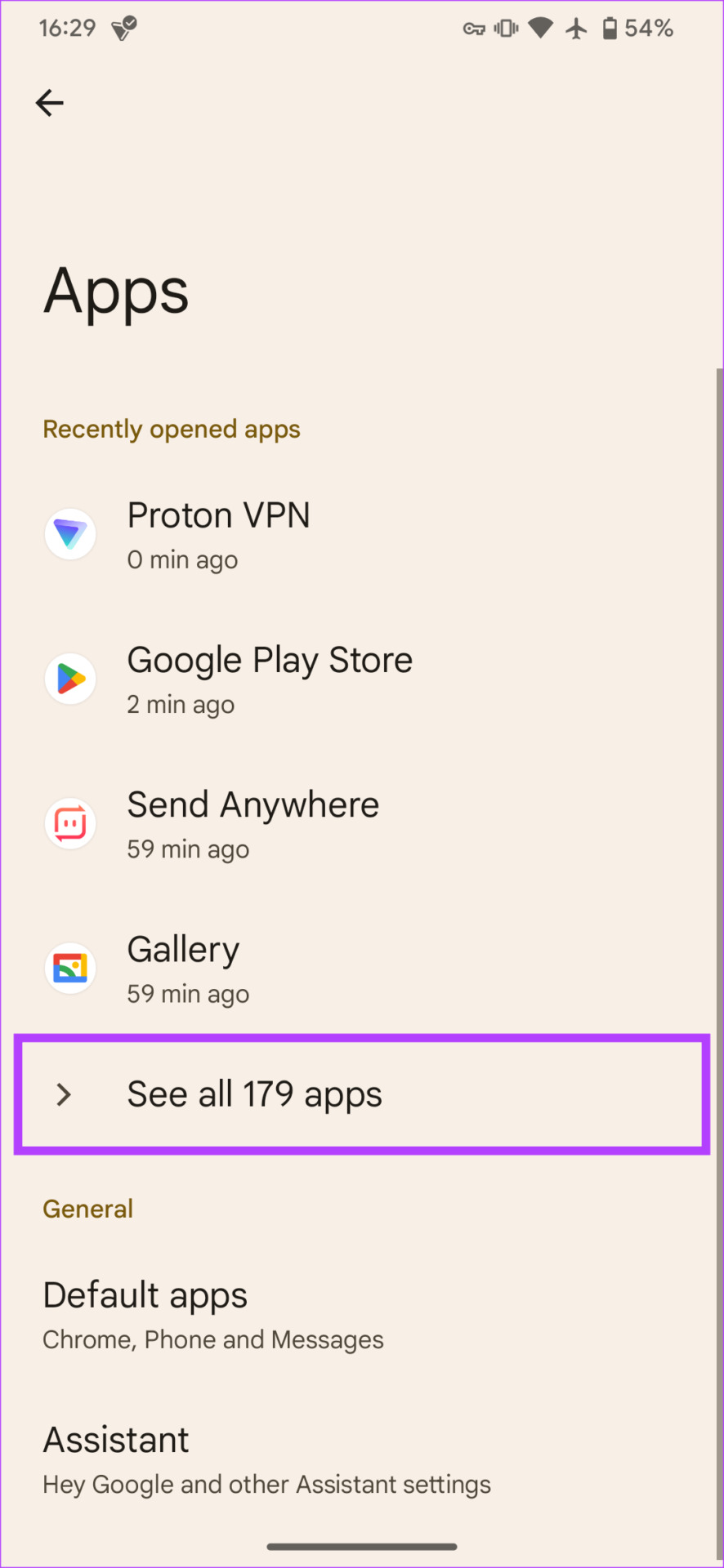
Step 4: Open the Settings app on your device and navigate to the Apps section. Tap on See all apps. Scroll down and select Google Play Store.

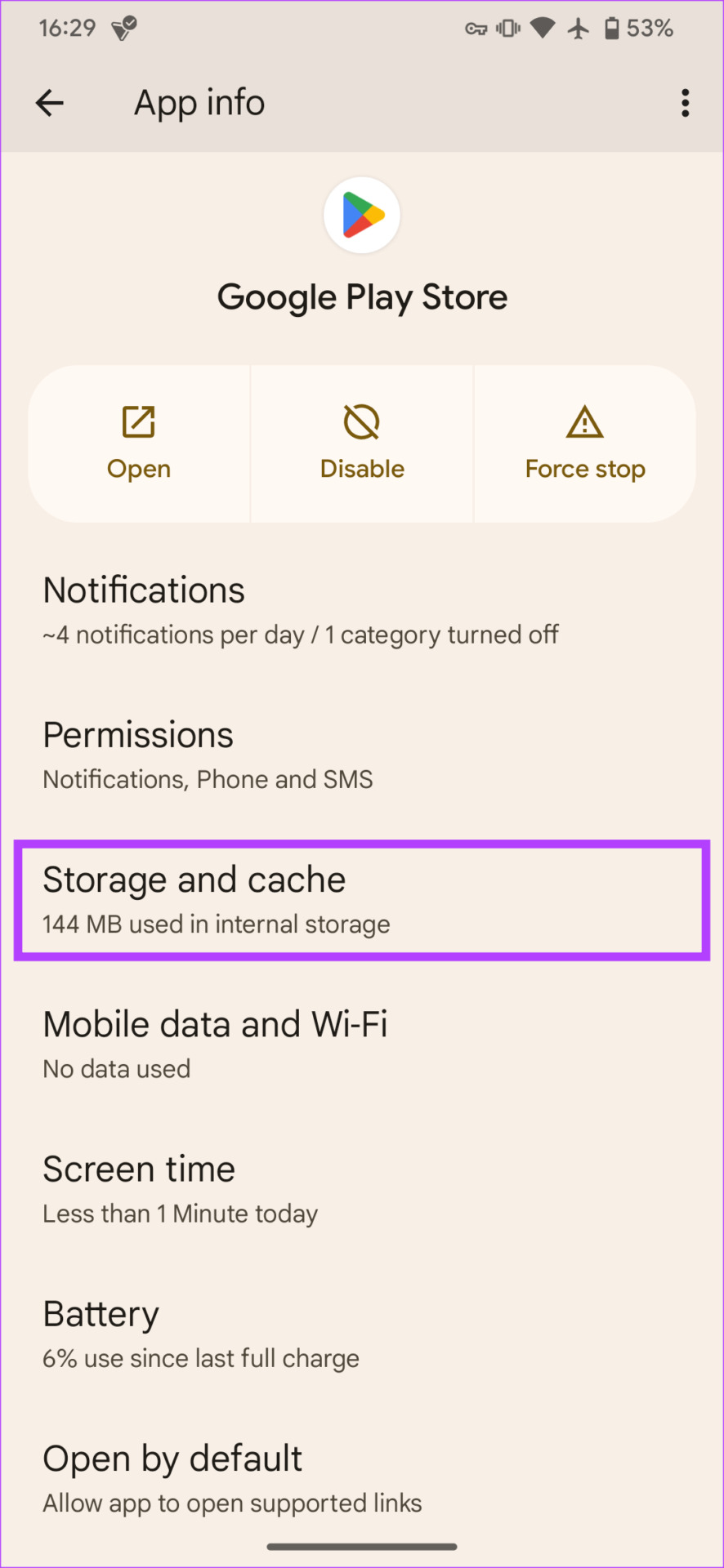
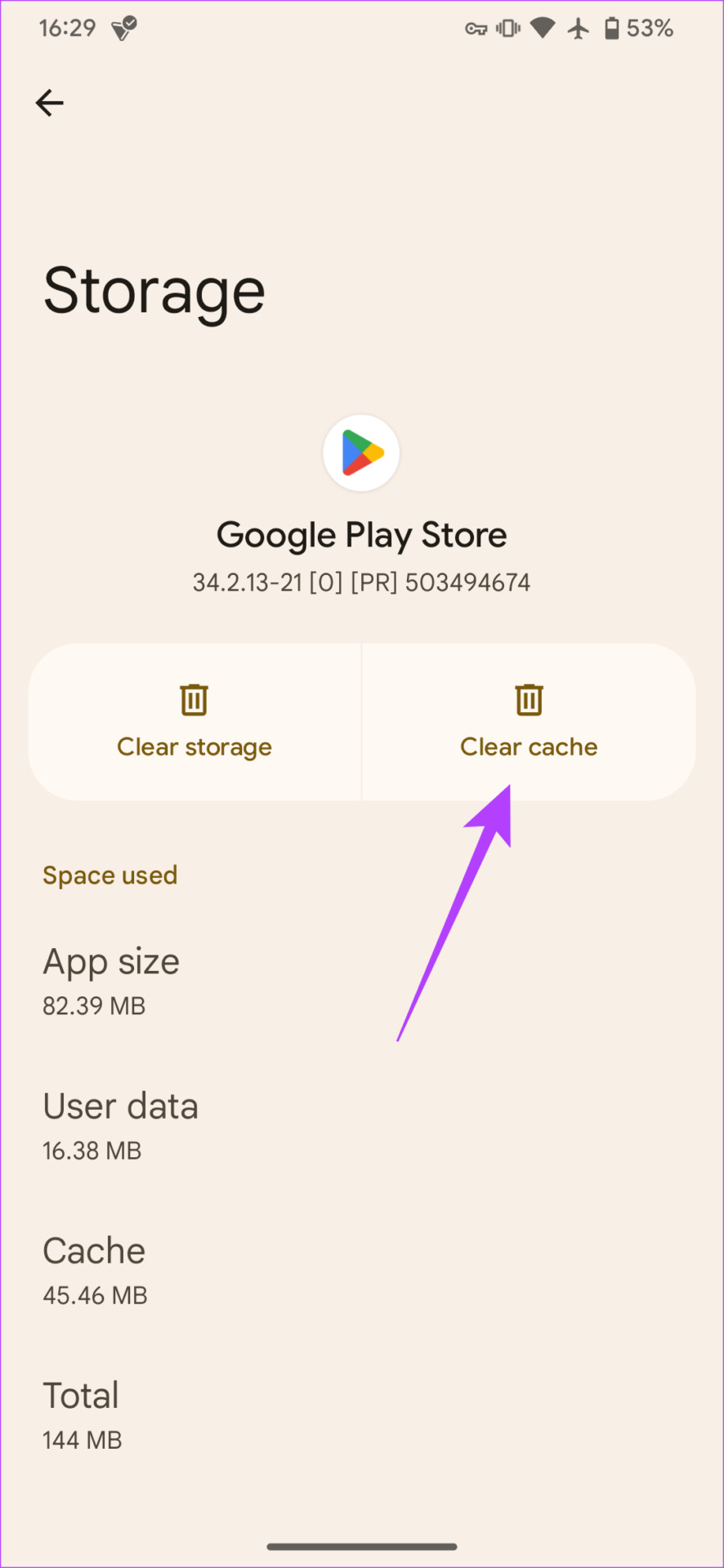
Step 5: Navigate to the Storage and cache tab. Select Clear cache. Note that you should NOT tap on Clear storage.
Step 6: Head back to the previous screen and select Force stop. Tap on OK when prompted.
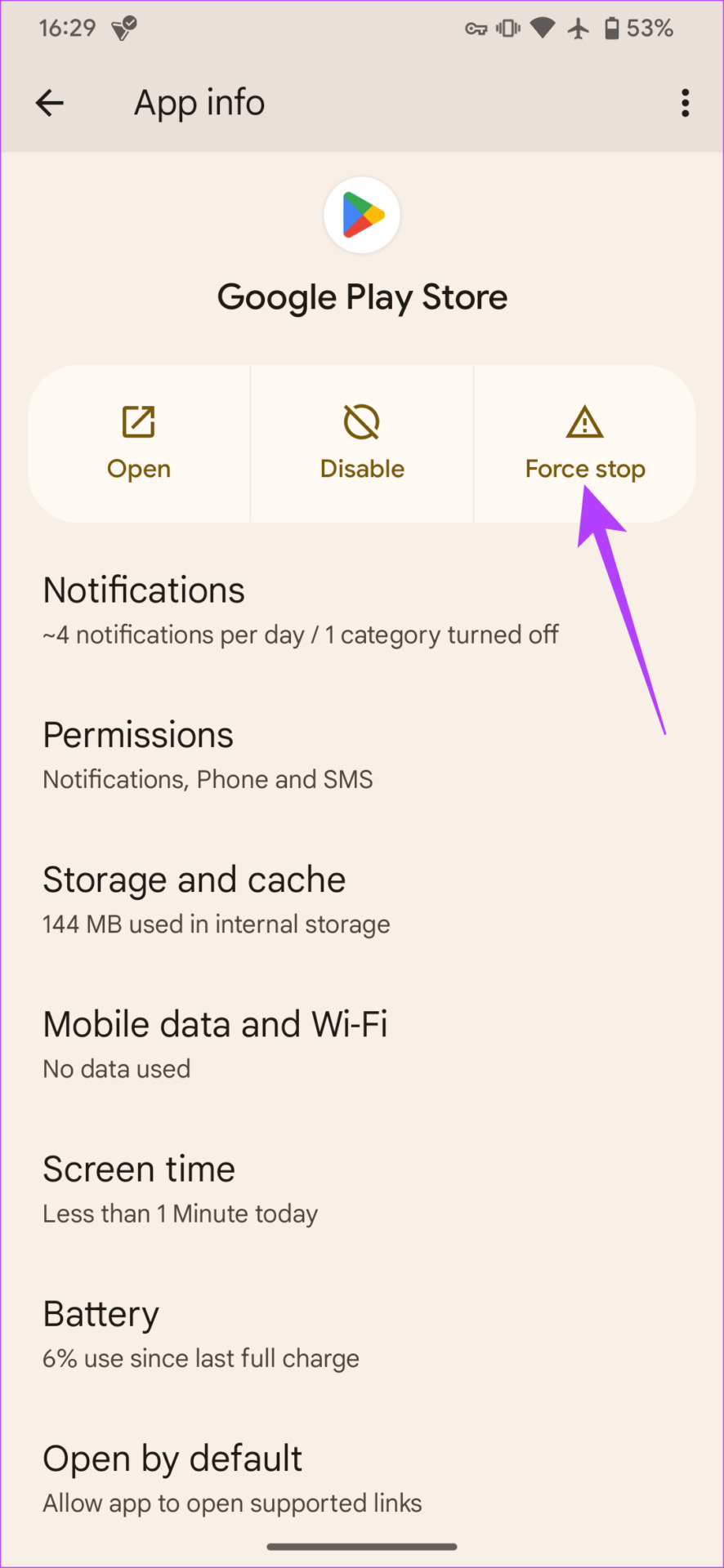

Open the Play Store and use the search bar to look for the app you want to download. Once you download the apps of your choice, you can turn off the VPN connection by going into the VPN app.
Method 2: Install Apps Unavailable in Your Country via APK Files
If you’re unable to download the apps of your choice via the Play Store, or if the app you’re trying to download isn’t present on the Play Store, you can download an APK file and install it manually. Here’s how it works.
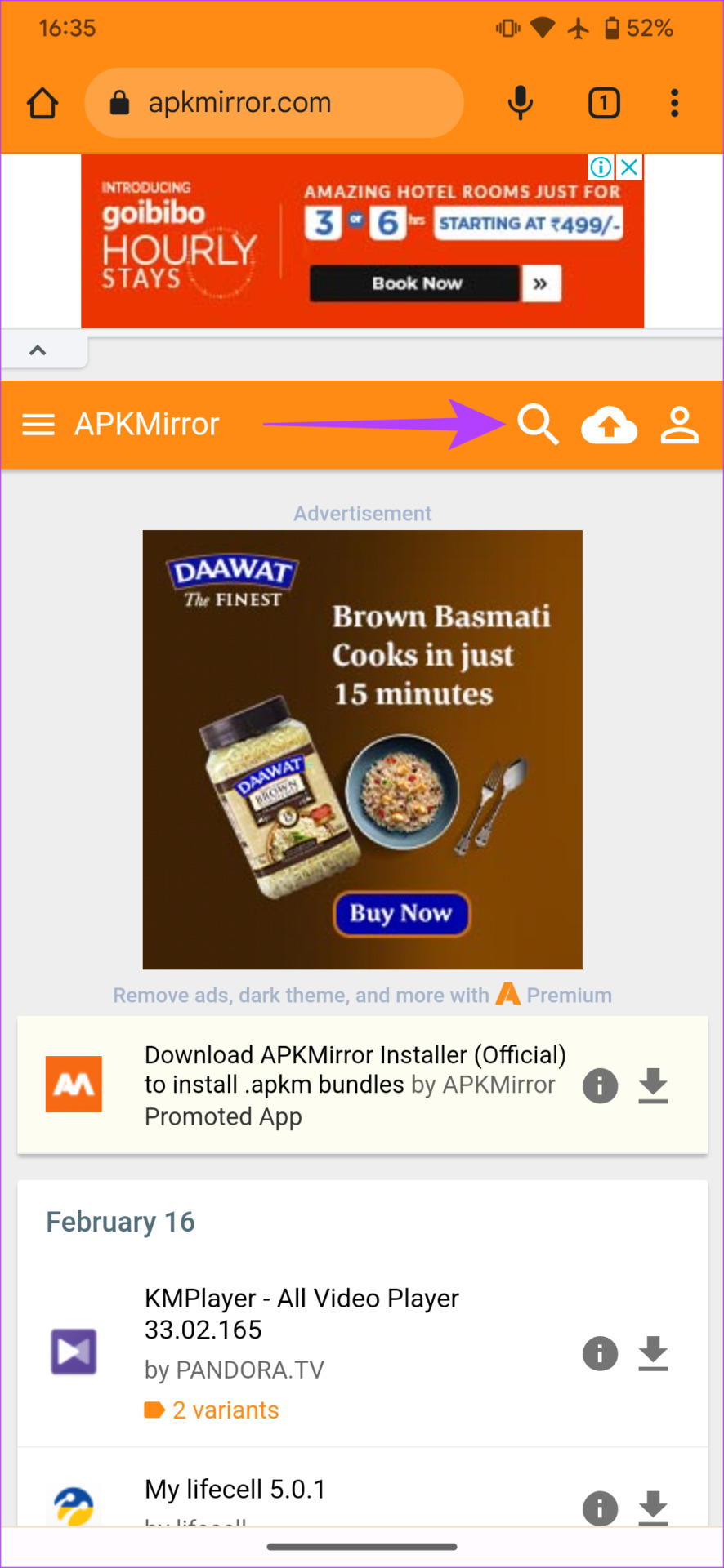
Step 1: Open the browser of your choice on your Android phone. Navigate to APKMirror.
Step 2: Use the search button to look for the app you wish to download. You will see a list of results for the search term. Tap on the relevant version of the app you wish to download.

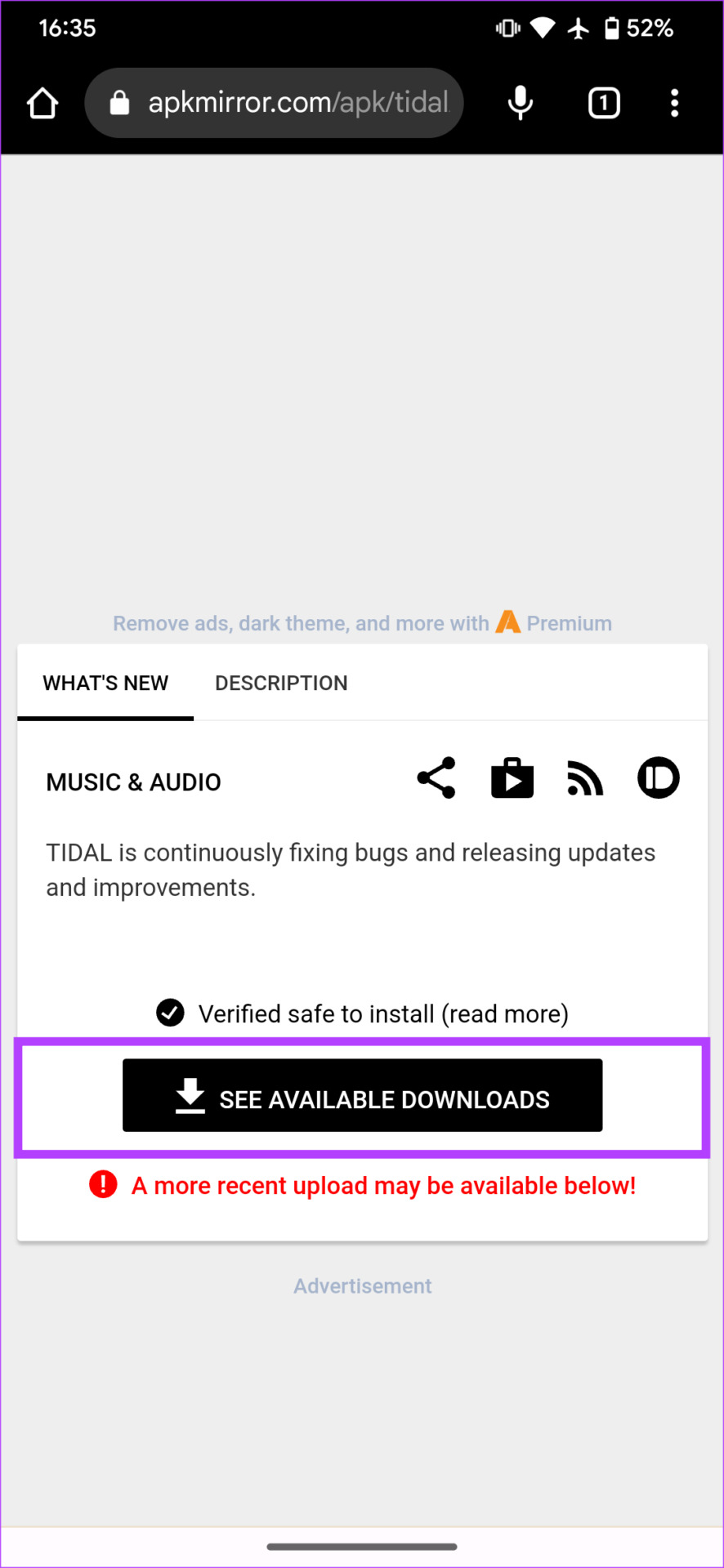
Step 3: Now, select See available downloads. Find the latest version of the app and tap on the download button.
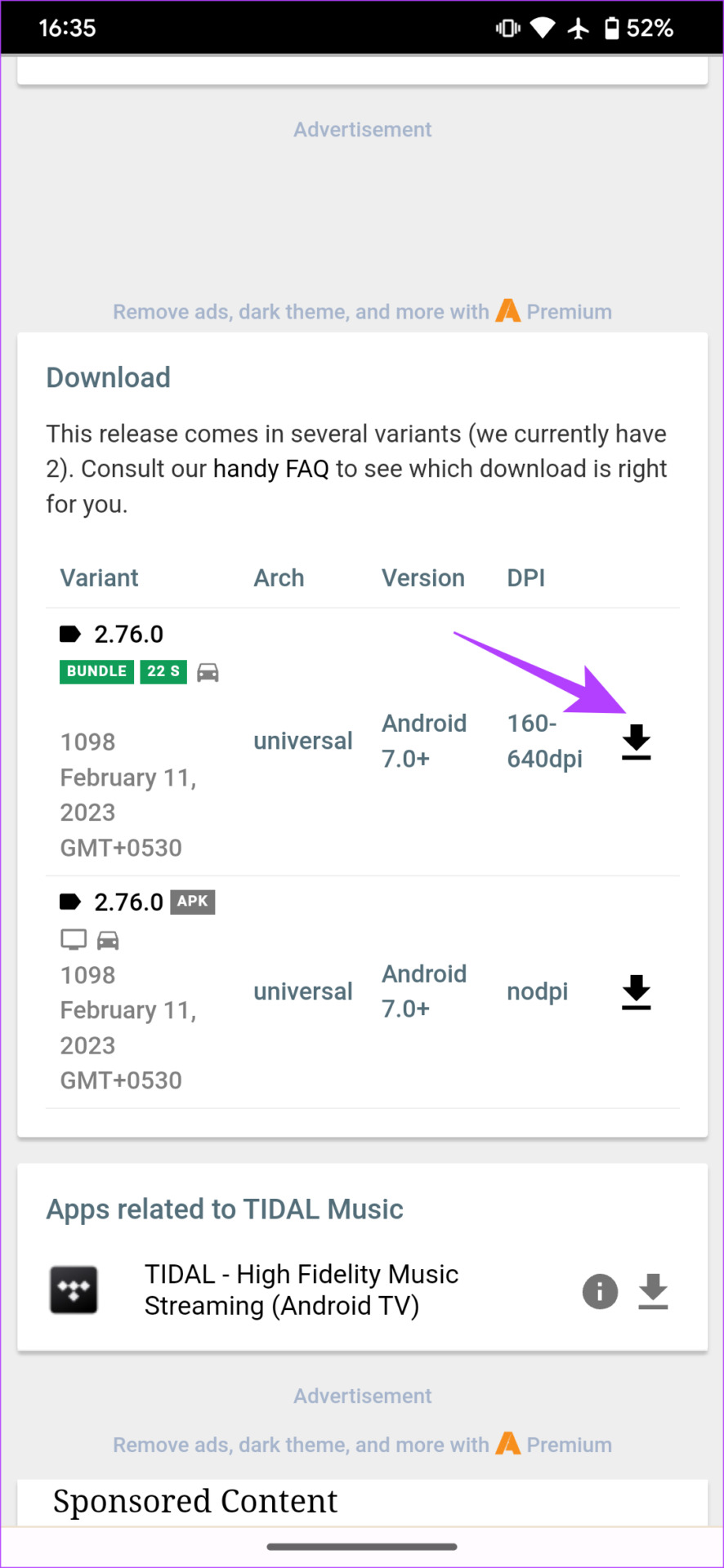
Once the APK gets downloaded, tap on it to install the app.
The country-restricted app will now be installed on your Android smartphone. You can also use this method to get games unavailable in your country.
Method 3: Get Location-Restricted Apps From a Third-Party App Store
While the Google Play Store is the default app store on Android, there are other third-party app stores you can use to install apps. These app stores come in handy to install apps unavailable in your country.
Step 1: Visit Aptoide on your Android phone’s browser. Download the APK on your phone. Install the APK file by tapping on it.
Step 2: Open Aptoide and look for the apps you want to install.
You should be able to see all the apps without any restrictions. Download and install any app of your choice from here.
FAQs for Installing Country-Specific Apps on Android
It’s always best to download and install apps from the Play Store. However, if you download an app from a trusted third-party source, there shouldn’t be any issues.
Yes, you can change your country on the Play Store to a different one. However, you won’t be able to change the country multiple times successively. So this is an easier way out.
Was this helpful?
Last updated on 28 August, 2024
1 Comment
Leave a Reply
Read Next
 How to Download Apps Not Available in Your Country on iPhone
Prerequisites to Change App Store Region Before delving into the process of downloading off-region applications, there are some requirements to be met.
How to Download Apps Not Available in Your Country on iPhone
Prerequisites to Change App Store Region Before delving into the process of downloading off-region applications, there are some requirements to be met.
 Five VPN Android Apps to Bypass Country Restrictions
While few VPNs offer free service, they are not safe, and it is best to use a service with free or completely paid plans.
Five VPN Android Apps to Bypass Country Restrictions
While few VPNs offer free service, they are not safe, and it is best to use a service with free or completely paid plans.
 Top 5 Fixes for Cannot Change Country in Google Play Store
Setting the right country in the Play Store is very important since it determines the content you see in the Store.
Top 5 Fixes for Cannot Change Country in Google Play Store
Setting the right country in the Play Store is very important since it determines the content you see in the Store.
 2 Ways to Watch YouTube Videos Not Available in Your Country
Basic Fixes: Clear YouTube Cache: You may not be able to watch a video on YouTube due to corrupt cache files.
2 Ways to Watch YouTube Videos Not Available in Your Country
Basic Fixes: Clear YouTube Cache: You may not be able to watch a video on YouTube due to corrupt cache files.
 2 Ways to Change Your Country in the Google Play Store
Things to Note Before Changing the Country in the Google Play Store An app you recently downloaded is may be unavailable in your country.
2 Ways to Change Your Country in the Google Play Store
Things to Note Before Changing the Country in the Google Play Store An app you recently downloaded is may be unavailable in your country.
 6 Fixes for Slow Upload and Download Speeds on Google Drive
Preliminary Fixes Check your internet speed: Since Google Drive relies on your internet connection, a change in your internet speed will directly impact the upload and download speeds.
6 Fixes for Slow Upload and Download Speeds on Google Drive
Preliminary Fixes Check your internet speed: Since Google Drive relies on your internet connection, a change in your internet speed will directly impact the upload and download speeds.
 How to Download Instagram Profile Pictures on PC and Android
Instagram does not allow users to download content (except the ones they share) from the platform, making sharing difficult.
How to Download Instagram Profile Pictures on PC and Android
Instagram does not allow users to download content (except the ones they share) from the platform, making sharing difficult.
 4 Download Managers for Android in 2024
1.
4 Download Managers for Android in 2024
1.
The article above may contain affiliate links which help support Guiding Tech. The content remains unbiased and authentic and will never affect our editorial integrity.

Thank You for your technical effort and information.