


1. Google Assistant – Most Popular AI App
If you’re using an Android device, chances are you’ve heard of Google Assistant, even more so now, with Gemini integration. One of the most popular AI apps, Google Assitant, lets you schedule events, start timers, look up information, and more with the help of simple voice or written commands.

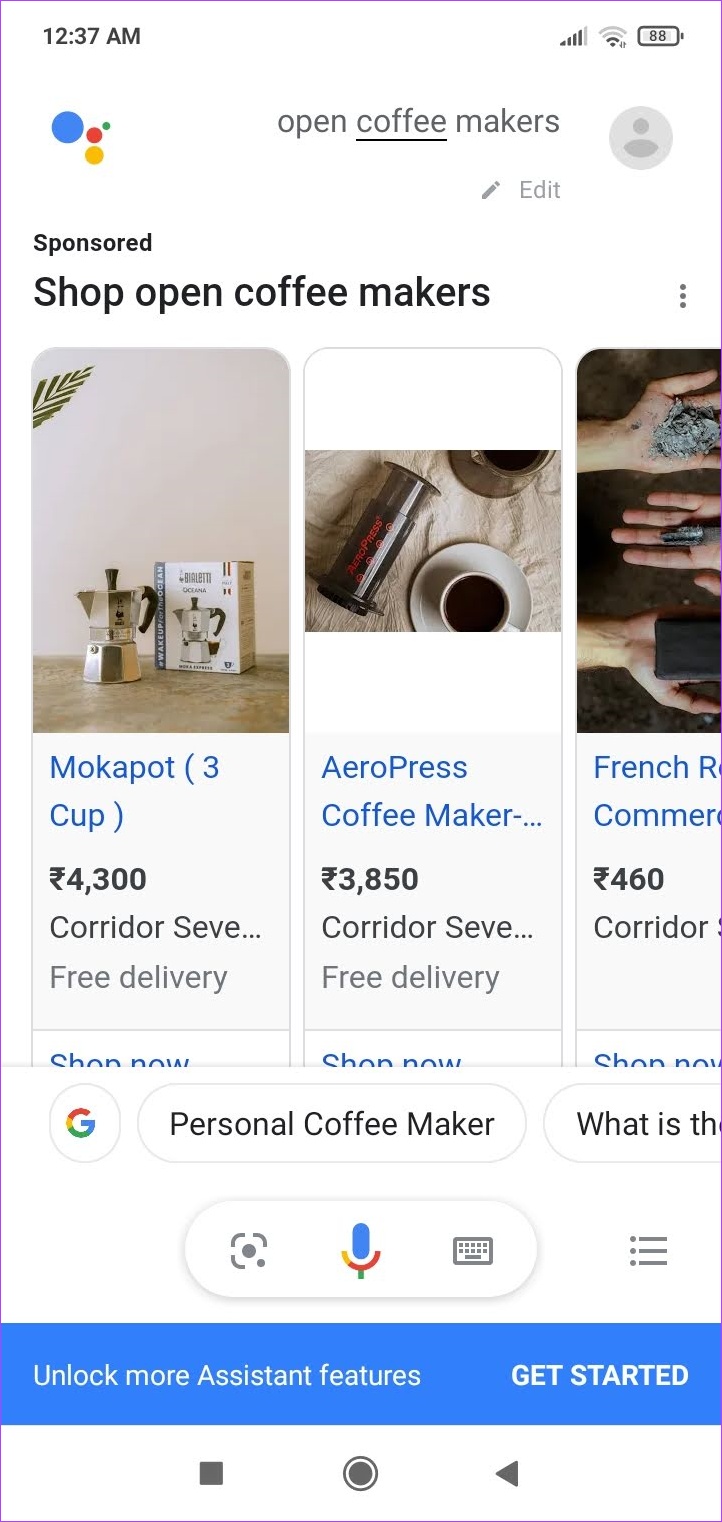
Using Google Assistant, you can set up custom routines that can help trigger tasks with your commands or use the already available modes, like driving mode, to get things done. When enabled, you can use the ‘OK Google’ command to wake up Google Assistant. You can also get buying recommendations when looking up products.
While Google Assitant is a great tool for increasing productivity, there have been times when the app suddenly started without the OK Google prompt. Additionally, there have been privacy concerns over Google’s not-so-transparent views regarding the collection of user data.
Pros
- Easy to use
- Integration with other Google apps
- Can set up custom task commands
- Pre-set routines and modes
Cons
- The app may collect data
- It may open unprompted
Price: Free
2. ChatGPT – Best AI Chatbot App for Android
There are thousands of AI chatbot apps available on the Play Store, but we’re sure you don’t need to look beyond the official ChatGPT app for Android. It puts in a brilliant mobile user interface for the powerful large language model, which we’re all aware of at this point.


The app has a simple user interface, and once you sign in, you can ask your queries. The latest version of the app also allows you to dictate your query into the chat window. You can also access your previous conversation threads in the history tab. Furthermore, you can add custom Instructions and provide additional data to the chatbot for more accurate and relevant responses.
The free version of ChatGPT provides answers using GPT 3.5, and a subscription to ChatGPT Plus can provide access to GPT 4 among all the other new multi-modal features. However, if you want to use GPT 4 for free, you can look at the next app on this list.
Pros
- The best large language model presently available
- Features a brilliant user interface
- Input queries with your voice
Cons
- Unlike Google Bard, ChatGPT does not feature the latest data
- At times, the app might take longer to respond, depending on the server loads
- Hallucinations in AI can be concerning if you are looking for accurate information
Price: Free; ChatGPT Plus: $20 per month
3. Bing – Best AI Search Engine App and Use GPT 4 on Android
Bing has been slowly becoming the go-to app for various reasons. Using the voice feature, you can look for things to purchase, dining recommendations, and even ask Bing to recite a poem. Once the command is given, Bing’s ChatGPT-powered AI engine combs through the search results to give the best and most accurate answers to your queries.


More importantly, Bing offers GPT 4 for free, which is otherwise exclusive to ChatGPT Plus only. You can choose what style of response you want from Bing. While the conversation style gives you detailed answers, it becomes a little too detailed when Bing starts reciting the lyrics to the song you searched for.
A precise style will get you more to-the-point answers with surprisingly good accuracy. You can also tap on the answer sources for more detailed information. However, you must be logged in to your Microsoft account to use Bing’s AI engine.
When using voice commands, we found that Bing wasn’t always accurate in picking up responses. Additionally, when using the conversation style, Bing sometimes kept speaking despite tapping the stop button. The app also had issues executing commands like ‘set up a timer’ even when all the permissions were enabled.
Pros
- Simple app interface
- Different response modes
- Answer sources
- Integration with other Microsoft services
Cons
- The app may share data with third-party services
- Not always accurate when using voice commands
- Some commands may be unavailable
Price: Free
Tip: Did you know you can also use Bing Image Creator to create amazing AI images.
4. ELSA Speak – Best AI App to Learn English
ELSA Speak is one of the best apps for learning and improving your English speaking skills. The app has comprehensive lesson plans to help you practice and prepare for different situations.
It uses AI to analyze your speech and pronunciation patterns to give you real-time results. Lessons use a conversational tone to help users get a more practical learning experience.


The ELSA Speak app also helps judge your overall progress with your current lesson plan. It uses learning graphs and gives you an overall score of 100% for every completed lesson.
While testing, we found the app pretty accurate in understanding speech feedback. Even with the free plan, you can access certain customized lesson plans. However, the free plan is more suited for the beginner level due to the limited number of courses and a cap on the number of lessons you can access daily.
Additionally, topics like real-life conversations and video lessons are only available to paid users. While you can use the app without creating an account, you will need one to save your progress.
Pros
- Easy-to-follow courses
- Practice courses for certification tests in the paid version
- Lessons on topics for different situations in the free version
- Comprehensive lesson plans
Cons
- Per day lesson limit for free account
- Limited course plans with the free plan
Price: Free plan; Subscription: $11.99/month onwards (7-day free trial)
5. FaceApp – Best AI Photo Editor App
FaceApp has become a viral sensation with its ability to alter photos using AI. It has different filters that can help you flip the gender, add age, and completely change the look of a picture, among other things. The results are hyper-realistic pictures that can sometimes pass off as originals.
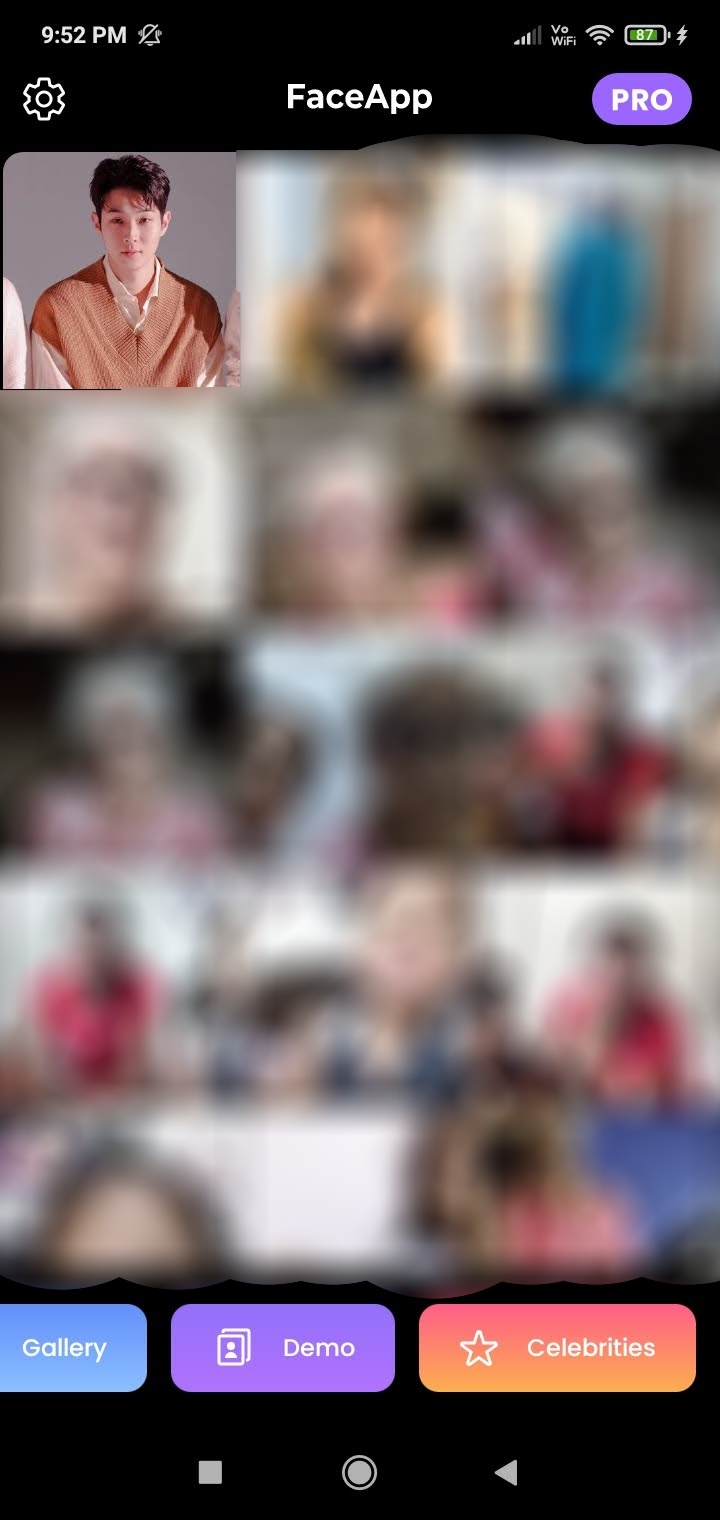
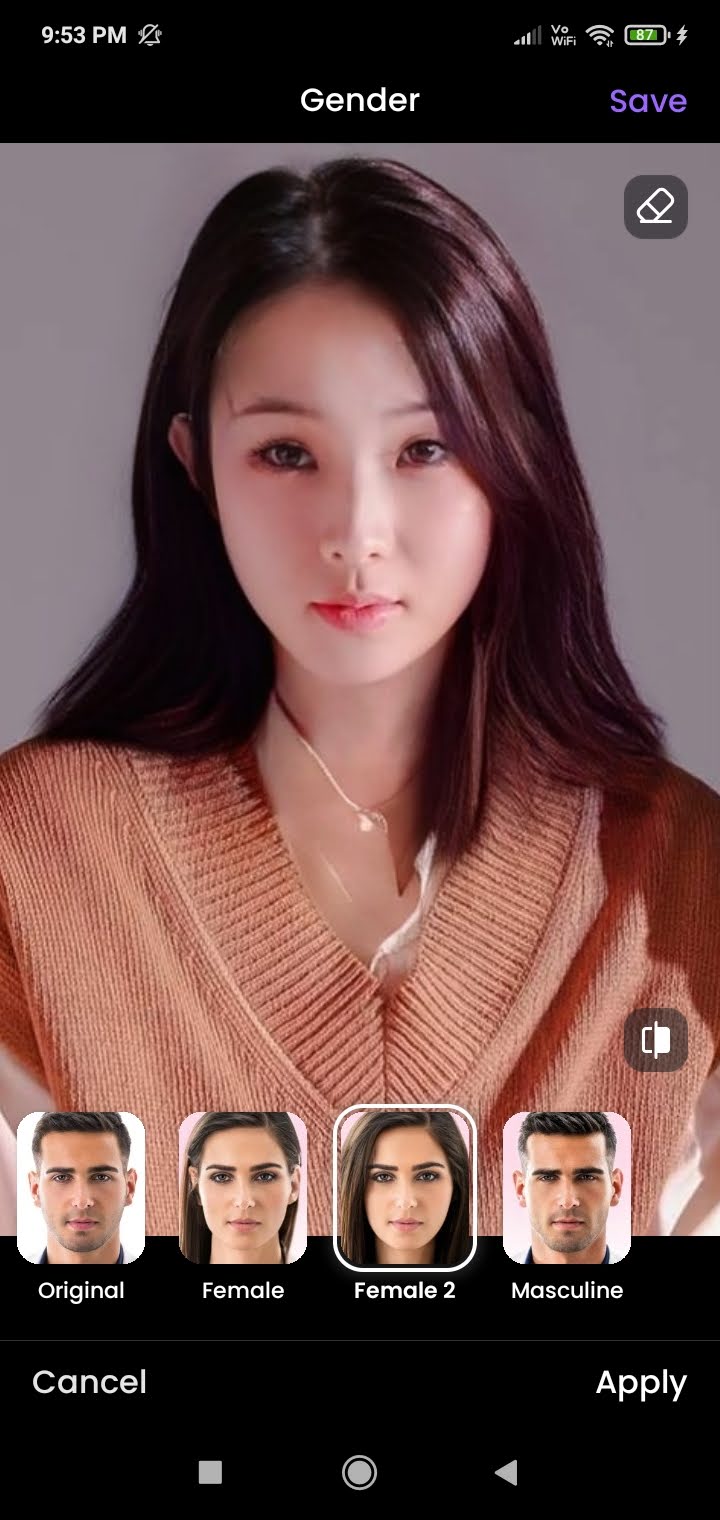
The app uses its AI-powered engine to study the uploaded picture. Then, once the filter is applied, it molds it according to the characteristics of the picture. This allows users to completely change hairstyles, add age, alter eye color, change skin texture, etc., by applying a filter.
While FaceApp is a brilliant editing tool, it has been constantly surrounded by data privacy concerns, mostly due to its complicated privacy policy. Additionally, you must go for the paid pro version to access its entire library of filters and get the option to remove watermarks from the image edited using the app.
Pros
- Filters for easy editing
- Realistic pictures
- Social media sharing options
- Clean and simple app interface
Cons
- User information shared with third-party services
- Limited filters for free users
- Watermarks added to images in the free version
Price: Free plan; Subscription: $7.49/month onwards
6. Youper – Best AI-Powered App for Therapy
Youper uses a combination of AI and Cognitive Behavioral Therapy (CBT) to gauge your mood patterns and suggest activities. Depending on your mood progression, you can check in to the app multiple times a day. Youper will then use this data to compile an insight report to get a closer look into your mood patterns over time.
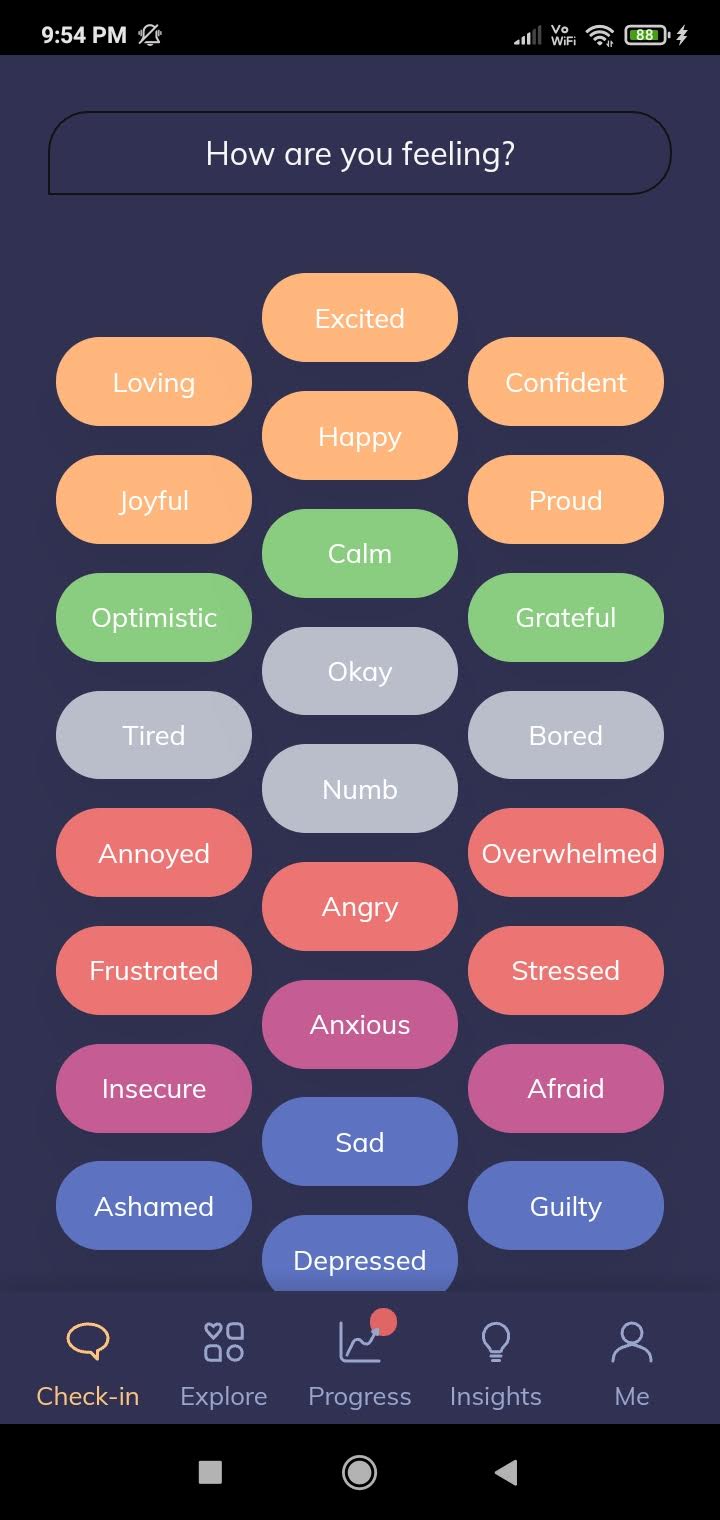

Once you click on a new activity, it will ask if you have any previous experience to better understand your needs. Additionally, if you try leaving any activity halfway through, it will suggest alternative options to elevate your mood. It is one of the best apps for mental health.
The app is also powered by an AI chatbot that provides accurate responses to your queries and input. The Youper interface, however, is not very user-friendly. It constantly redirects you to different pages within the app, even when you click on a menu option.
Further, progress reports and several therapy activities are only available to paid users. Additionally, once you’ve started a check-in task, you cannot go back or exit the window without completing it.
Pros
- Uses AI to analyze and track moods
- Comprehensive insight report for free users
- Uses Cognitive Behavioral Therapy (CBT) to recommend therapies
- Paid users can access full screening reports
Cons
- The app interface is not user-friendly
- Limited free features
Price: Free plan; Subscription: $69.99/year onwards (7-day free trial)
7. Otter AI – AI Audio Transcription App for Meetings
Otter is an AI-powered transcription and note-taking app that helps capture and organize your thoughts, conversations, and ideas. It can transcribe the audio in real-time, so you can focus on the discussion and take notes later. You can sync your calendars with Otter, and the tool will automatically join your meetings.


There’s a feature called Otter Chat, which lets you talk to a bot about everything happening in a conversation being recorded in a meeting.
Otter also supports importing audio files and automatically captures slides from presentations. Additionally, it can generate summaries of your recordings and identify key speakers. Otter AI can automatically identify different speakers in a conversation, making it easy to follow who is saying what. Otter also lets you generate content from your conversations – like follow-up emails, action item lists, and meeting summaries.
Otter’s free plan only lets you transcribe thirty minutes of transcription per audio. To transcribe more than that, you must upgrade to a paid plan. The paid plan also offers additional features like bulk conversation export, editing audio to skip silence, etc.
Pros
- Accurate transcription
- Real-time transcription
- The app generates summaries and key takeaways for audio
Cons
- Limited free plan
- The app could use a better user interface. The sheer number of options on a single screen makes for a cumbersome experience.
Price: Free; In-App Purchases: Starts at $12.99
Tip: Want more? Check out these free online AI tools to automate your personal and professional tasks.
FAQs
Yes, there are several other free Artificial Intelligence-based apps for Android. A few examples include Replika, Socratic, and the Data Bot app. You can use them for their unique approach to communication, education, and personalized support, respectively.
Certain apps, like Google Assistant and Bing, can be paired with other services, such as other Google and Microsoft apps.
Was this helpful?
Last updated on 23 July, 2024
3 Comments
Leave a Reply
Read Next
 How to Add Photo Cutout Sticker to Another Photo on iPhone
Method 1: Using Markup Editor In this method, first, you need to add the sticker to the sticker gallery.
How to Add Photo Cutout Sticker to Another Photo on iPhone
Method 1: Using Markup Editor In this method, first, you need to add the sticker to the sticker gallery.
 6 Best Free Photo Collage Software for Windows 10
We capture a lot of pictures these days, all thanks to smartphones.
6 Best Free Photo Collage Software for Windows 10
We capture a lot of pictures these days, all thanks to smartphones.
 How to Open Google Assistant on Samsung and Other Android Phones
Google Assistant is designed to make our lives easy.
How to Open Google Assistant on Samsung and Other Android Phones
Google Assistant is designed to make our lives easy.
 5 Free Video Cutter Apps for Android
1.
5 Free Video Cutter Apps for Android
1.
 4 Ways to Free Up Space on Android Without Deleting Apps
Basic Fixes: Find and remove large files: You can use Google's Files app to auto-detect and remove large files from your phone.
4 Ways to Free Up Space on Android Without Deleting Apps
Basic Fixes: Find and remove large files: You can use Google's Files app to auto-detect and remove large files from your phone.
 7 Best Free Android Apps to Try in March 2024
We're back with another list of the best free Android apps you can try.
7 Best Free Android Apps to Try in March 2024
We're back with another list of the best free Android apps you can try.
 5 Best Free Reddit Apps For Android That Still Work in 2023
Reddit has increased its API fees significantly, making it impossible for third-party app developers to continue to operate.
5 Best Free Reddit Apps For Android That Still Work in 2023
Reddit has increased its API fees significantly, making it impossible for third-party app developers to continue to operate.
 5 Best Flight Tracking Apps for iPhone and Android (Free)
1.
5 Best Flight Tracking Apps for iPhone and Android (Free)
1.
The article above may contain affiliate links which help support Guiding Tech. The content remains unbiased and authentic and will never affect our editorial integrity.

I cannot believe how the way AI App operates. Unless I get a chance to try it’s free.
I would love to know more about the app.
wow I love this app