While it seems that Microsoft is trying hard to earn back the goodwill of Windows users through initiatives like the Windows Improvement Program, Windows K2, it also seems to be aggravating them through other moves.
If you’re a Microsoft Teams user, you might have seen and been frustrated with the glaring “Unlock Premium” banner in the title bar. You’re not alone. In this article, we’ll be looking at the controversy surrounding the Microsoft Teams banner notification.
An Unwelcome Presence – The Microsoft Teams Banner Notification
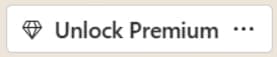
Let’s dissect this UI controversy. On signing into a Microsoft Teams account, your top menu will be graced with a button showing a diamond and the “Unlock Premium” banner. Where did this come from? Well, until recently, the option to purchase a Teams Premium subscription was tucked away in the hamburger menu (three dots) in the top-right of the app window.
Microsoft has decided instead to make this choice front and center, greeting all users until they sign up.
What’s So Bad About Premium?
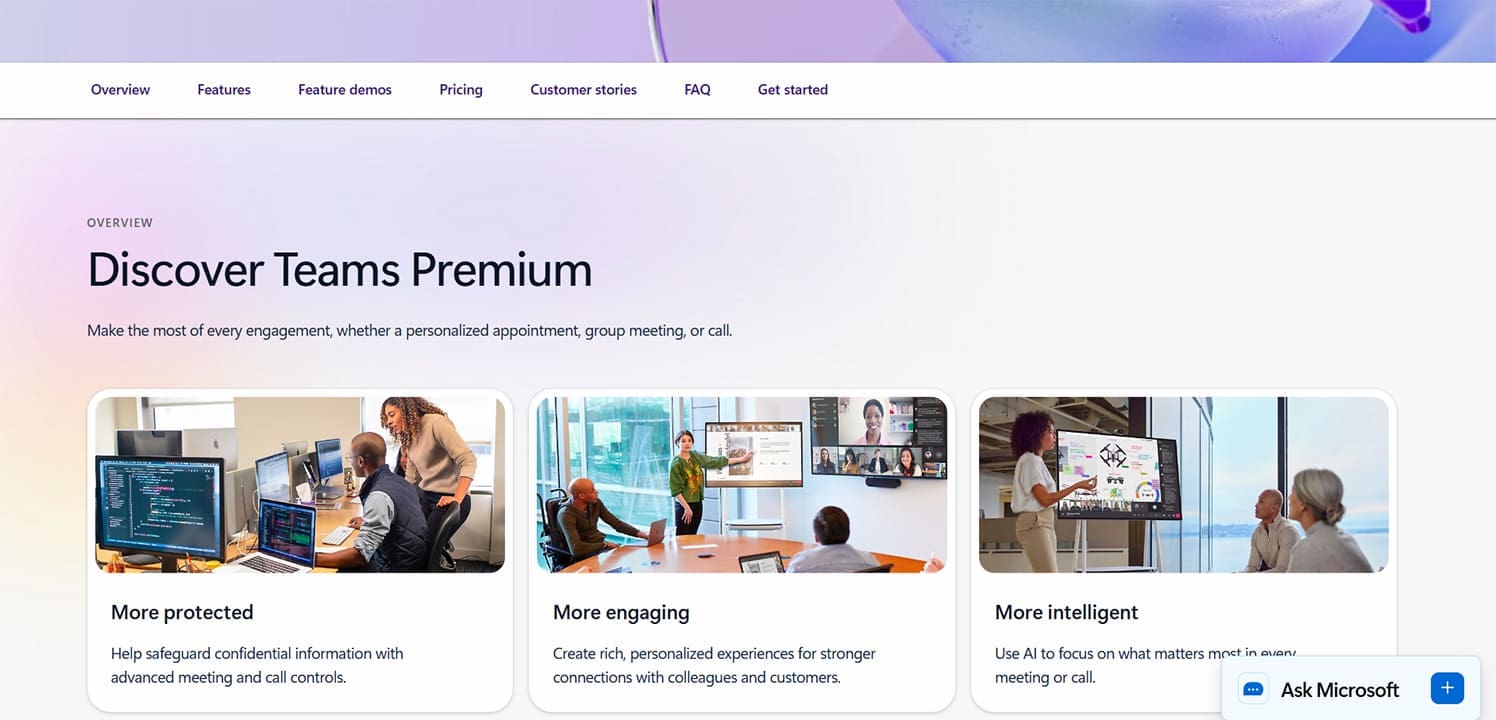
Is this a rebellion against the idea of a Teams Premium subscription? Well, those who sign up do get access to a range of robust and useful features, including:
- Advanced security, which includes improved encryption of meetings and watermarking of videos to prevent theft.
- AI enhancements to assist users, including meeting summaries, recaps, and the ability to have notes taken in real time during a session.
- Customization of the Teams experience through custom templates and opportunities for enterprise branding.
- More assistance with larger meetings like webinars, such as waiting list management, greenrooms, and advanced messaging ahead of the big meeting.
The features aren’t lacking here, but the issue seems rather to be with the way Microsoft has executed the rollout.
Where Does the Outrage Lie?
Like the diamond icon next to the text, the “Unlock Premium” banner has many facets that upset users. Let’s take a look:
- In Your Face – A previously hidden feature that is now staring users in the face every moment they use Microsoft Teams.
- Accidental Clicking – If you’re trying to reach the search bar or hamburger menu in the top bar, you might accidentally click the “Unlock Premium” banner instead.
- Enterprise Frustration – For team setups where not all users have admin rights, the inability to do anything about the banner can be maddening.
- Can’t remove – As of writing this article, there is still no official way to remove or hide the banner. Users have suggested adjusting the window size until it can’t fit or zooming in with (Ctrl + +), but this has the downside of impacting the user experience.
- The Underlying Philosophy – With a host of other apps by Microsoft constantly pestering users to sign up and subscribe (not to mention other third-party tools), this feels like an ongoing process of the tech giant trying to monetize as many aspects of their software as possible, and as aggressively as possible.
Will Microsoft finally add a way to remove this banner? Hopefully, but only time will tell.
Was this helpful?
Last updated on 09 June, 2026
Read Next
 Top 3 Ways to Fix Your Clock Is Ahead/Behind Error in Google Chrome
https://youtu.be/YigbNABjAaw Preliminary Fixes Restart Chrome: A simple restart can sometimes resolve the issue if it's related to temporary glitches.
Top 3 Ways to Fix Your Clock Is Ahead/Behind Error in Google Chrome
https://youtu.be/YigbNABjAaw Preliminary Fixes Restart Chrome: A simple restart can sometimes resolve the issue if it's related to temporary glitches.
 How to Hide Files and Folders Behind a Shortcut
In most cases, the best way to protect your files is to lock them behind a password.
How to Hide Files and Folders Behind a Shortcut
In most cases, the best way to protect your files is to lock them behind a password.
 Taskbar Hides Behind Maximized Programs – How to Fix
Has your Windows Taskbar suddenly become hard to find and is usually found lurking behind other open windows on your desktop?
Taskbar Hides Behind Maximized Programs – How to Fix
Has your Windows Taskbar suddenly become hard to find and is usually found lurking behind other open windows on your desktop?
 7 Best Ways to Fix Microsoft Teams Won’t Share Screen
Microsoft Teams has come a long way since its inception, and they keep adding new features to their product all the time.
7 Best Ways to Fix Microsoft Teams Won’t Share Screen
Microsoft Teams has come a long way since its inception, and they keep adding new features to their product all the time.
 How to Share Video With Sound on Zoom, Microsoft Teams, and Google Meet
How to Share Video With Audio in Microsoft Teams The feature to share your screen containing the video and its sound in Microsoft Teams is limited to the Windows app
How to Share Video With Sound on Zoom, Microsoft Teams, and Google Meet
How to Share Video With Audio in Microsoft Teams The feature to share your screen containing the video and its sound in Microsoft Teams is limited to the Windows app
 7 Things to Know About Screen Sharing in Microsoft Teams
1.
7 Things to Know About Screen Sharing in Microsoft Teams
1.
 5 Ways to Fix Microsoft Teams Delay When Typing
Fix 1: Close Background Apps Microsoft Teams may sometimes cause high CPU and memory usage, which could easily lead to lag problems.
5 Ways to Fix Microsoft Teams Delay When Typing
Fix 1: Close Background Apps Microsoft Teams may sometimes cause high CPU and memory usage, which could easily lead to lag problems.
 Can Microsoft Teams Be Used to Spy on You
Can Microsoft Teams Be Monitored The straight answer is yes.
Can Microsoft Teams Be Used to Spy on You
Can Microsoft Teams Be Monitored The straight answer is yes.
The article above may contain affiliate links which help support Guiding Tech. The content remains unbiased and authentic and will never affect our editorial integrity.