Stop Mi Browser From Opening When You Swipe up on Home Screen
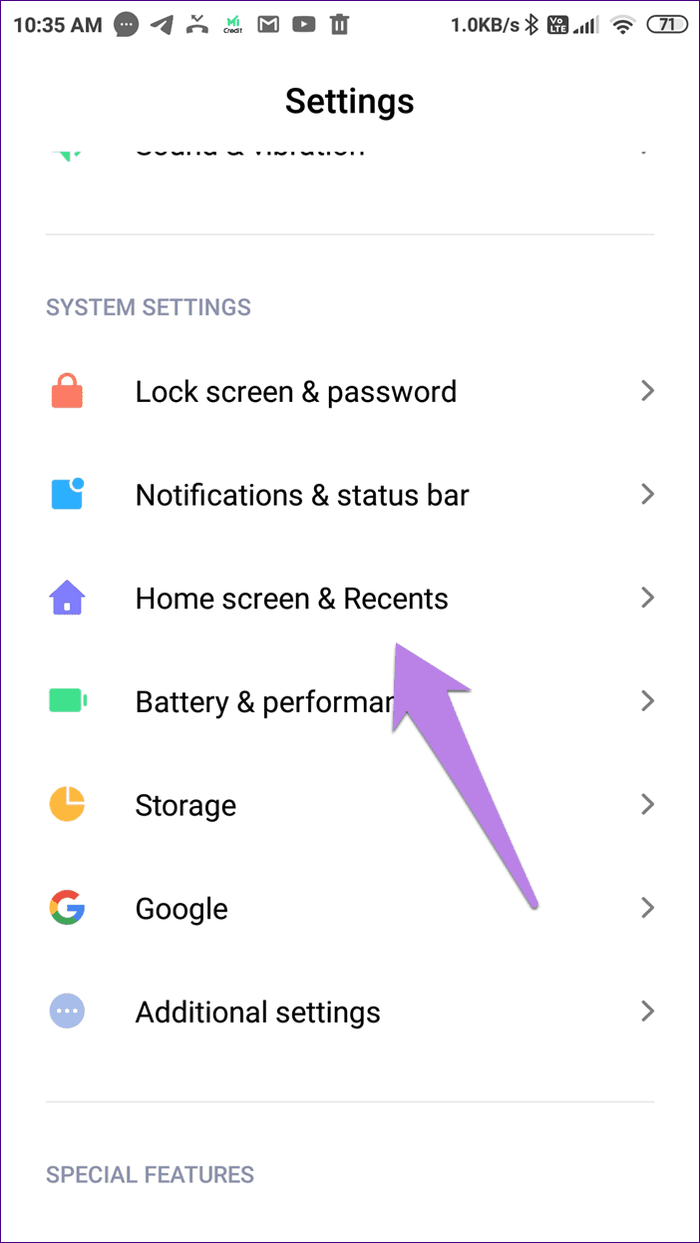
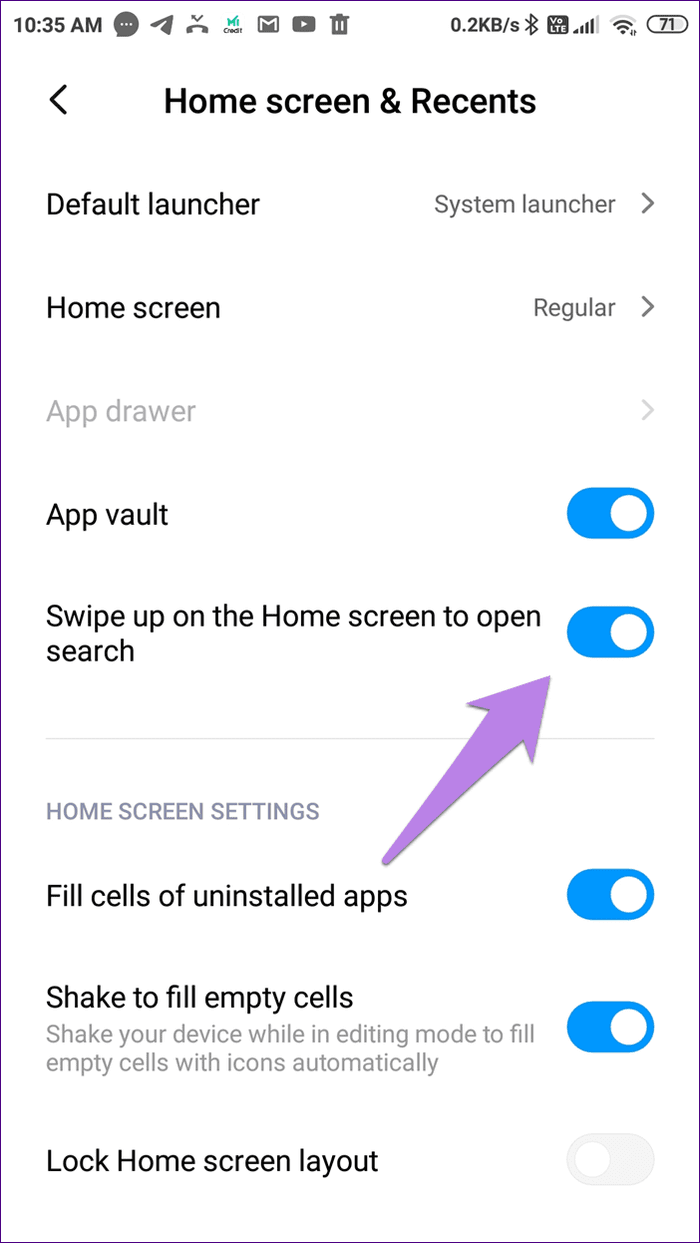
Step 1: Open the Settings app. Tap on Home Screen or Home Screen & Recents, depending on the option available on your phone.
Step 2: Turn off the toggle for Swipe up on the Home screen to open search.
How to Disable Mi Browser
While it isn’t possible to disable Mi Browser from your device, you can prevent it from annoying you by disabling the newsfeed and the notifications. You can then install another web browser and make it default. Here’s a three-step process for the same.
1. Stop Newsfeed in Mi Browser
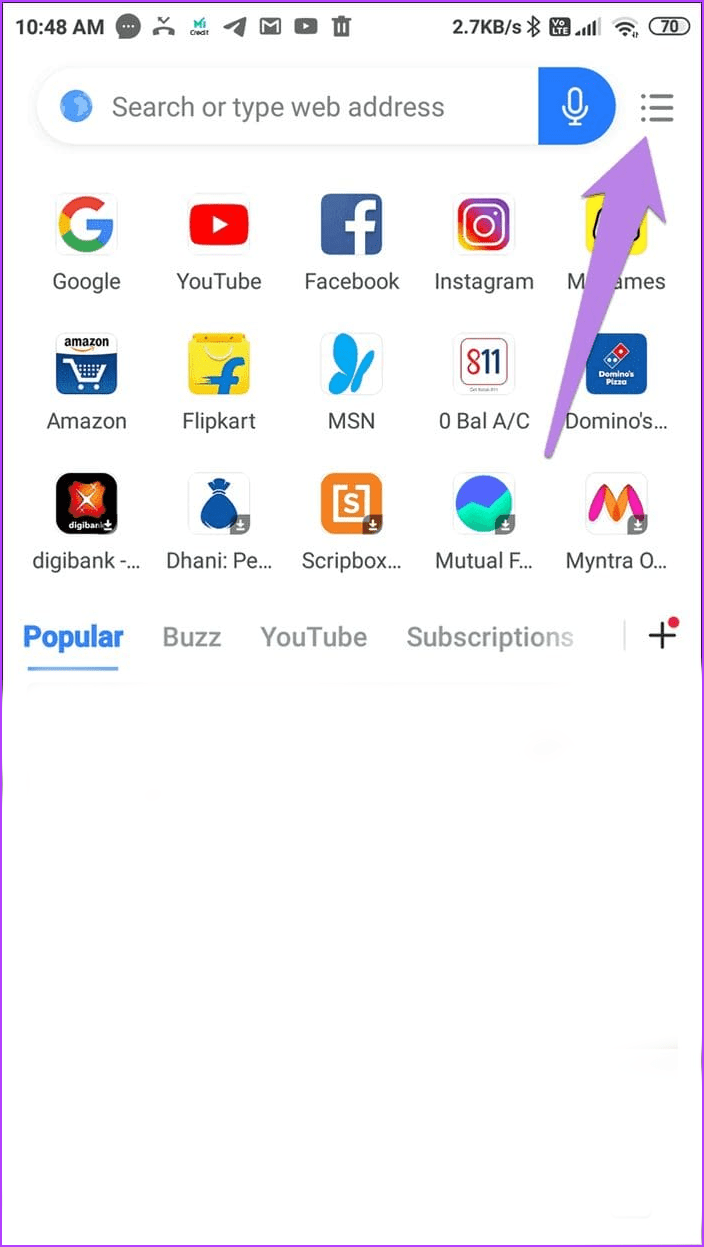
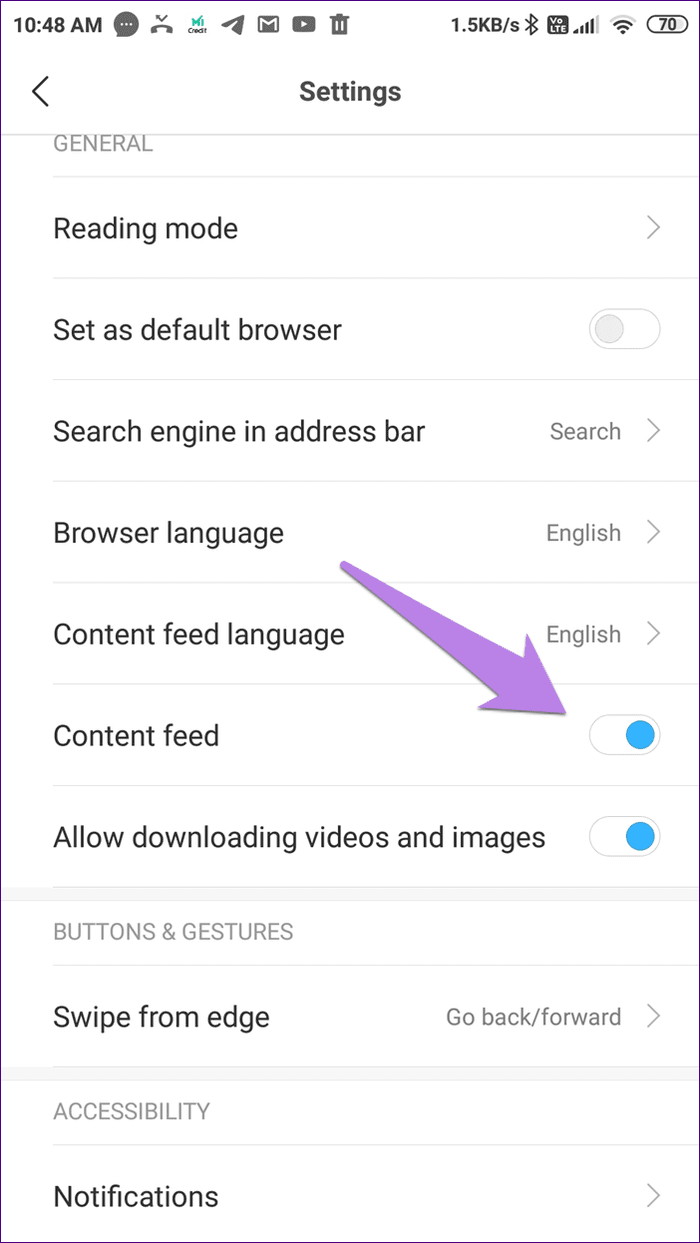
Step 1: Open Mi Browser > tap on the hamburger menu at the top > tap on the settings icon.
Step 2: Turn off the toggle for Content feed.
Tip: We have covered the removal of the newsfeed on Mi Browser in detail. Do check that.
2. Turn off Notifications on Mi Browser
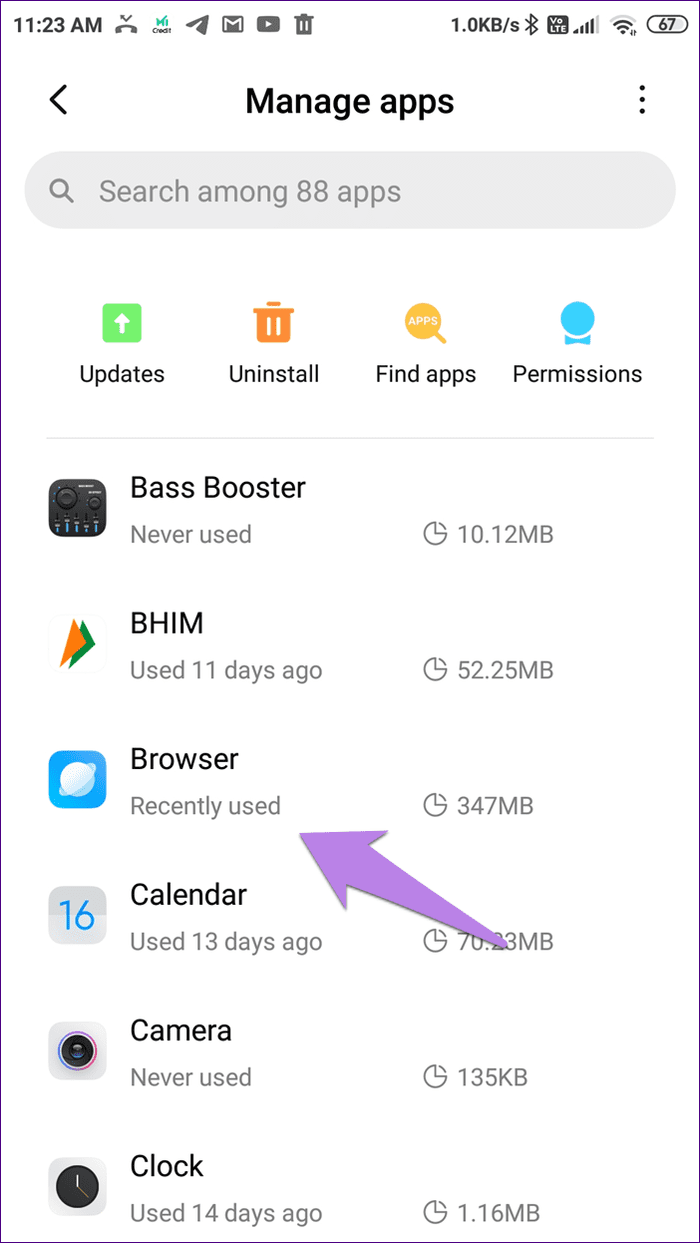
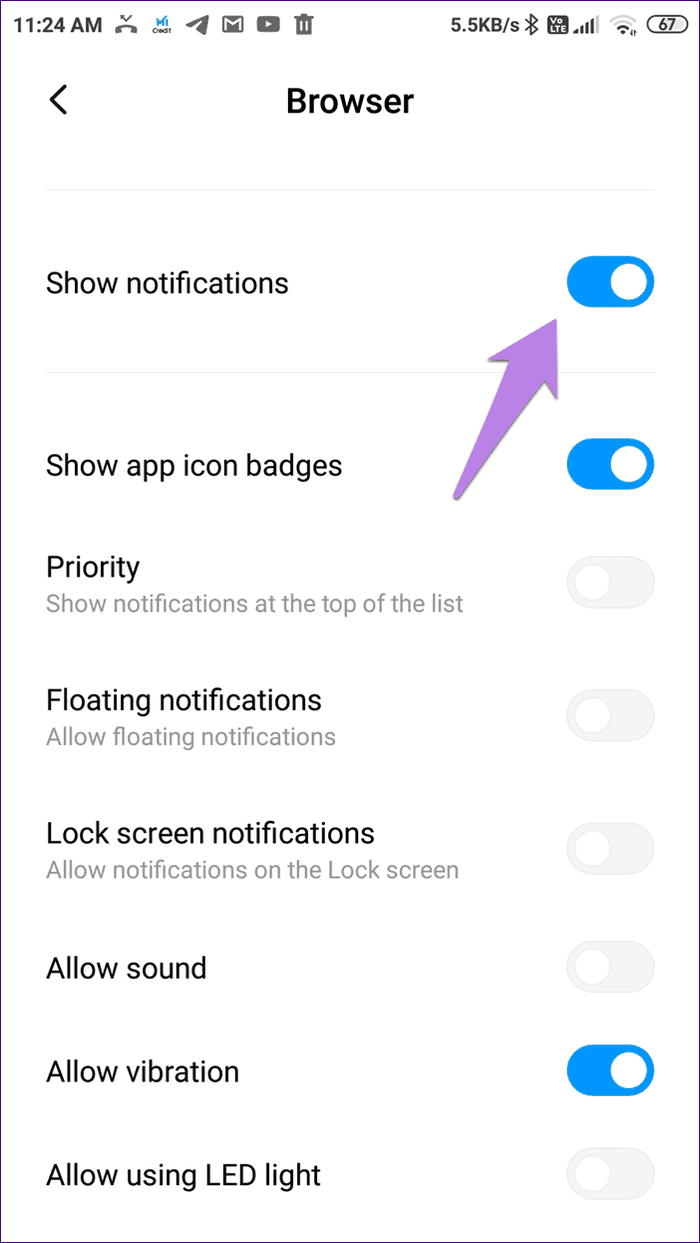
Step 1: Open the Settings app > go to Manage apps > tap on Browser > Notifications.
Step 2: Disable the toggle for Show notifications.
3. Change Default Browser
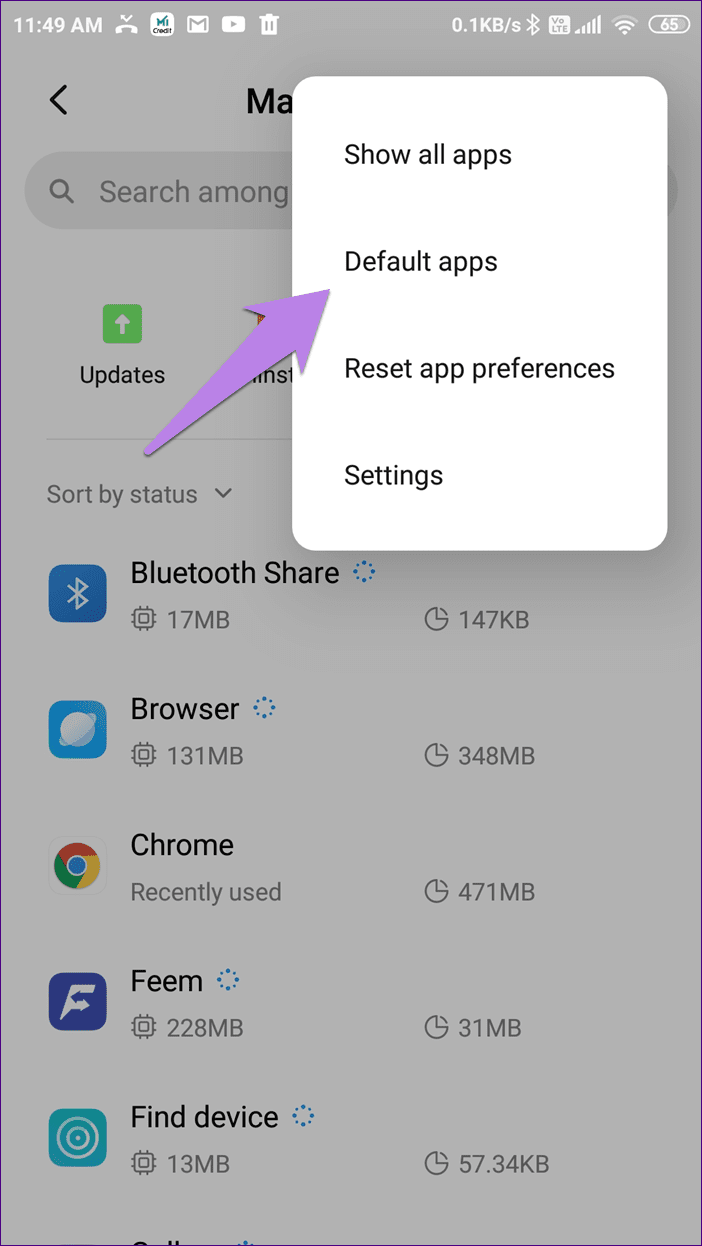
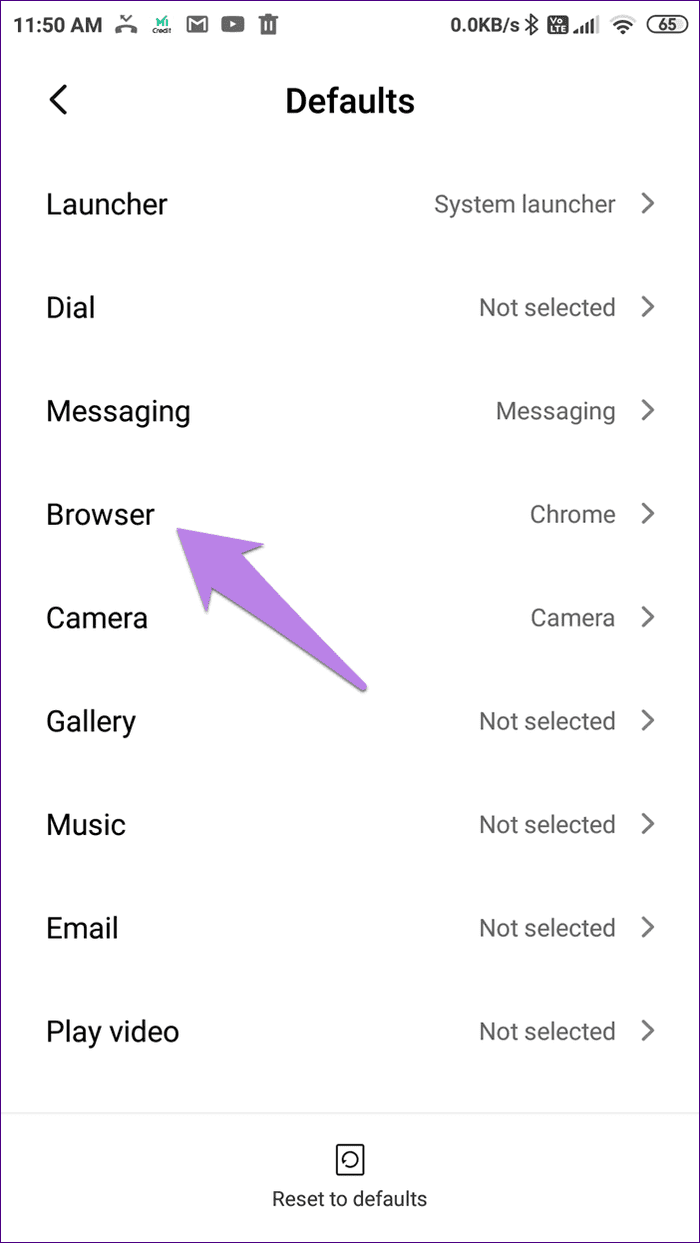
Step 1: Open the Settings app and tap on Manage apps. Tap on the three-dot icon at the top > choose Default apps.
Step 2: Tap on Browser > choose Chrome or any other browser.
Also Read: How to turn off Glance lock screen on MIUI
Was this helpful?
Last updated on 22 April, 2024
Read Next
 Kiwi Browser vs Google Chrome: Which Android Browser Should You Use
The Google Play store is chock-full of browser apps, all of which boast of a single stand out feature that differentiates them from the rest.
Kiwi Browser vs Google Chrome: Which Android Browser Should You Use
The Google Play store is chock-full of browser apps, all of which boast of a single stand out feature that differentiates them from the rest.
 2 Ways to Fix Apple Watch Swipe Up Not Working
Try Basic Fixes Force restart the Apple Watch: Press and hold the side button along with the Apple Watch digital crown simultaneously for 10 seconds.
2 Ways to Fix Apple Watch Swipe Up Not Working
Try Basic Fixes Force restart the Apple Watch: Press and hold the side button along with the Apple Watch digital crown simultaneously for 10 seconds.
 3 Fixes for Swipe Keyboard (Quickpath) Not Working on iPhone and iPad
Fix 1: Enable Slide to Type on iPhone You might have accidentally disabled the slide-to-type function on your iPhone.
3 Fixes for Swipe Keyboard (Quickpath) Not Working on iPhone and iPad
Fix 1: Enable Slide to Type on iPhone You might have accidentally disabled the slide-to-type function on your iPhone.
 4 Ways to Fix Swipe Up Not Working on iPhone
https://youtu.be/vornyo94MCA If You're Unable to Unlock iPhone Force restart iPhone: The first thing you must do if you can’t swipe up on your iPhone is restart it.
4 Ways to Fix Swipe Up Not Working on iPhone
https://youtu.be/vornyo94MCA If You're Unable to Unlock iPhone Force restart iPhone: The first thing you must do if you can’t swipe up on your iPhone is restart it.
 How to Remove Browser Hijacker From Google Chrome
What Does Browser Hijacker Do?
How to Remove Browser Hijacker From Google Chrome
What Does Browser Hijacker Do?
 How to Disable and Remove Truecaller Messaging Service (and Cool Tricks)
Step 1: Begin by going to Settings and searching for Default Apps.
How to Disable and Remove Truecaller Messaging Service (and Cool Tricks)
Step 1: Begin by going to Settings and searching for Default Apps.
 How to Disable Gaming Hub (Game Launcher) on Samsung Galaxy Phones
Note: Game Launcher is labeled as Gaming Hub on Samsung phones running One UI 6.0 or above.
How to Disable Gaming Hub (Game Launcher) on Samsung Galaxy Phones
Note: Game Launcher is labeled as Gaming Hub on Samsung phones running One UI 6.0 or above.
 How to Recall an Email in Gmail Using App or Web Browser
While proofreading an email is a must, there are always times when you end up missing things.
How to Recall an Email in Gmail Using App or Web Browser
While proofreading an email is a must, there are always times when you end up missing things.
The article above may contain affiliate links which help support Guiding Tech. The content remains unbiased and authentic and will never affect our editorial integrity.