Basic Fixes
- Check Netflix server status: You can visit DownDetector to see if the Netflix servers are working for your area.
- Reboot your Fire TV Stick: Sometimes, a simple restart is all it takes to fix such issues.
- Check your Netflix subscription status: If your subscription has ended or the payment did not go through, it can cause playback issues on your Fire TV Stick.
- Update the Netflix app or Fire OS: You can install the latest version of the app and update the version of Fire OS.
Fix 1: Disable HDR on Firestick
If your TV doesn’t support HDR playback, it’s better to disable the feature on your Firestick.
Step 1: Go to Settings on the home screen and select Display and Audio.
Step 2: Select Display > go to Dynamic Range Settings.
Step 3: Select Adaptive.

Fix 2: Clear Netflix App Cache
The app cache helps you log in quickly to your account by saving your preferences. However, the cache can become corrupted over time and cause issues. It’s good to clear the Netflix app cache on your Firestick.
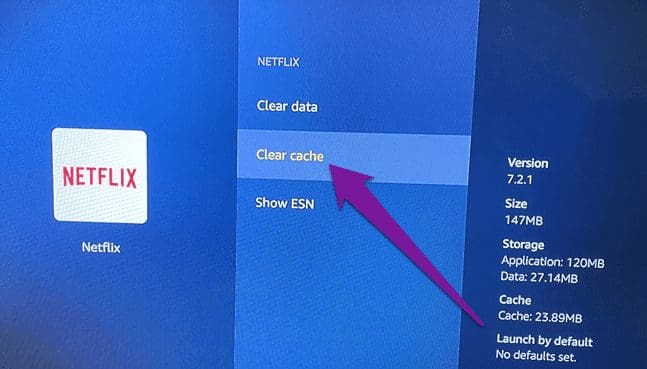
Go to Settings > Applications > Manage Installed Applications > Netflix > Clear cache.
Fix 3: Check the Number of Profiles on Your Netflix Account
Every Netflix account allows a specific number of profiles to be created under it. So, check whether you have exceeded the profile limit.
Step 1: Open the web browser on your computer and log in to your Netflix account.
Step 2: Click the profile icon at the top-right corner and select Account.

Step 3: Scroll down and select Manage Profiles. If necessary, you can check and remove profiles from your account.
Fix 4: Reset Fire TV Stick
This will remove all your downloaded apps and preferences from your Fire TV Stick. Consider this as a last resort.
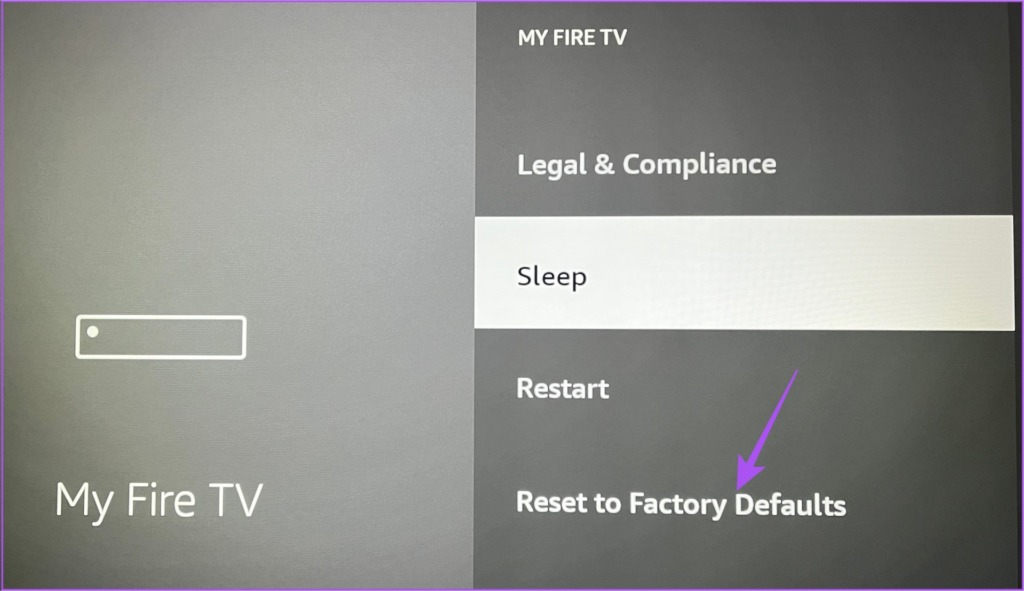
Step 1: Go to Settings on the home screen > select My Fire TV.

Step 2: Scroll down and choose Reset to Factory Defaults.
Step 3: Follow the on-screen instructions to complete the process.
Was this helpful?
Last updated on 21 May, 2024
Read Next
 3 Ways to Fix Apple TV App Not Working on Amazon Fire TV Stick
Basic Fixes Force quit and relaunch Apple TV app: This will give the app a fresh start on your Firestick.
3 Ways to Fix Apple TV App Not Working on Amazon Fire TV Stick
Basic Fixes Force quit and relaunch Apple TV app: This will give the app a fresh start on your Firestick.
 5 Ways to Fix Amazon Silk Browser Not Working on Fire TV Stick
Basic Fixes Check your network connection: Open Fire OS settings via the Gear icon at the top right.
5 Ways to Fix Amazon Silk Browser Not Working on Fire TV Stick
Basic Fixes Check your network connection: Open Fire OS settings via the Gear icon at the top right.
 3 Ways to Fix YouTube TV Not Working on Amazon Fire TV Stick
Basic Fixes Check the YouTube server status: Visit Downdetector to check an active YouTube TV server outage.
3 Ways to Fix YouTube TV Not Working on Amazon Fire TV Stick
Basic Fixes Check the YouTube server status: Visit Downdetector to check an active YouTube TV server outage.
 3 Fixes for Dolby Vision Not Working on Amazon Fire TV Stick 4K
Basic Fixes Use HDMI 2.1 cable: This cable supports higher frame rates, improved bandwidth, and eARC (Audio Return Channel).
3 Fixes for Dolby Vision Not Working on Amazon Fire TV Stick 4K
Basic Fixes Use HDMI 2.1 cable: This cable supports higher frame rates, improved bandwidth, and eARC (Audio Return Channel).
 3 Ways to Fix Amazon Fire TV Stick Keeps Restarting
Basic Fixes Use official accessories: If you aren't using the original accessories with your Firestick, you might use an incompatible USB cable or adapter.
3 Ways to Fix Amazon Fire TV Stick Keeps Restarting
Basic Fixes Use official accessories: If you aren't using the original accessories with your Firestick, you might use an incompatible USB cable or adapter.
 2 Ways to Fix Black Screen on Amazon Fire TV Stick
Basic Fixes Check Amazon server status: You can visit DownDetector to see if Amazon servers are working fine for your region.
2 Ways to Fix Black Screen on Amazon Fire TV Stick
Basic Fixes Check Amazon server status: You can visit DownDetector to see if Amazon servers are working fine for your region.
 3 Ways to Fix Fire TV Stick Stuck on Amazon Logo Screen
Basic Fixes Use the official accessories: Your Fire TV Stick comes with official accessories that help ensure your device gets sufficient power and can work properly.
3 Ways to Fix Fire TV Stick Stuck on Amazon Logo Screen
Basic Fixes Use the official accessories: Your Fire TV Stick comes with official accessories that help ensure your device gets sufficient power and can work properly.
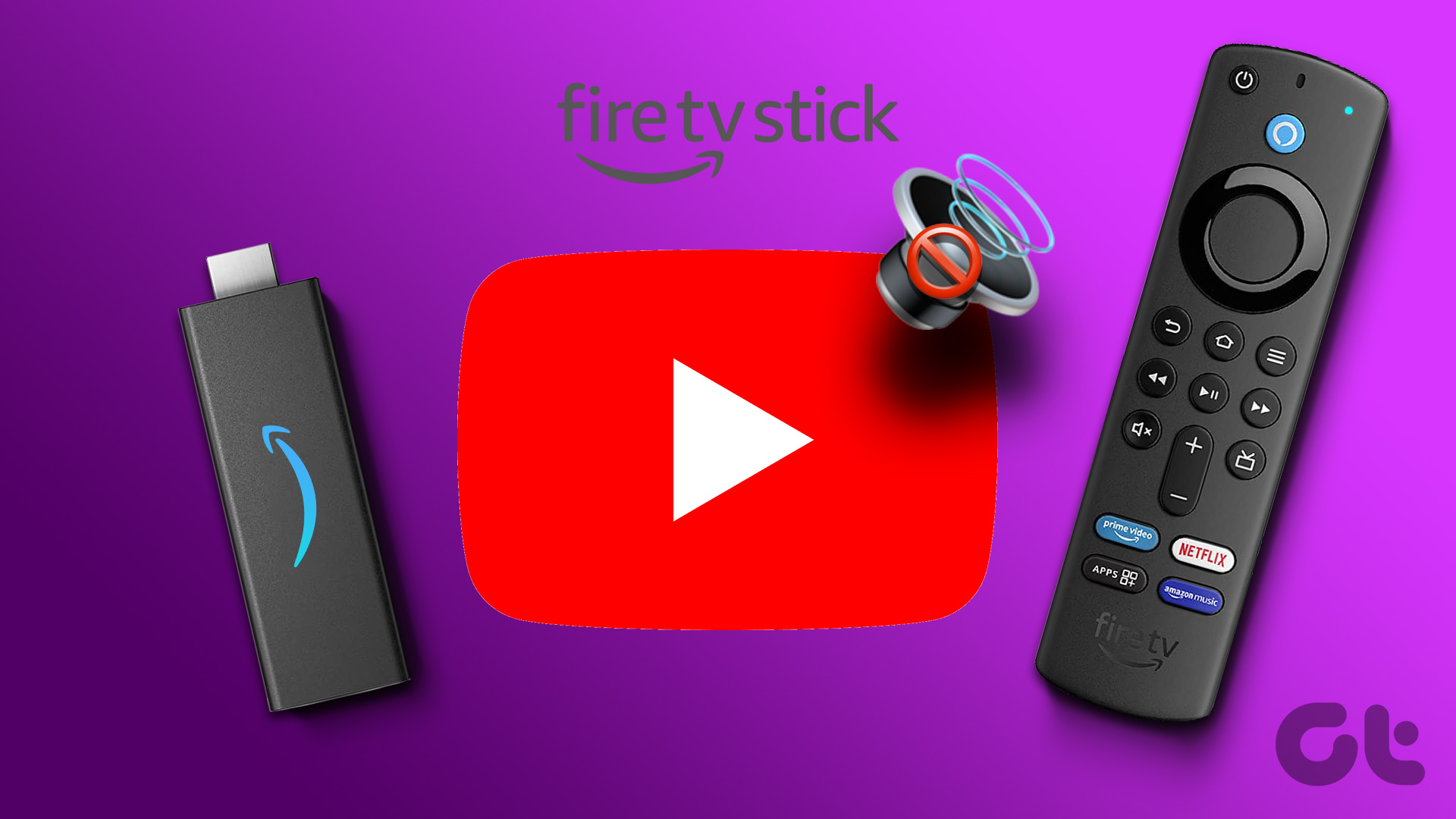 No Sound on Amazon Fire TV Stick YouTube App? Here’s the Fix
Basic Fixes Check if the audio is muted: The Fire TV 4K remote has a dedicated Mute button to disable audio.
No Sound on Amazon Fire TV Stick YouTube App? Here’s the Fix
Basic Fixes Check if the audio is muted: The Fire TV 4K remote has a dedicated Mute button to disable audio.
The article above may contain affiliate links which help support Guiding Tech. The content remains unbiased and authentic and will never affect our editorial integrity.