1. Donate Robux via Group
You can create Groups in Roblox, and with the help of that, you can send Robux to someone on Roblox. Here’s how to do it:
Step 1: Open Roblox > click the hamburger menu at the top right > choose Groups.

Step 2: Choose Create Group.
Step 3: Fill out the details, such as title, description, and others. Then, pay 100 Robux to create the group.
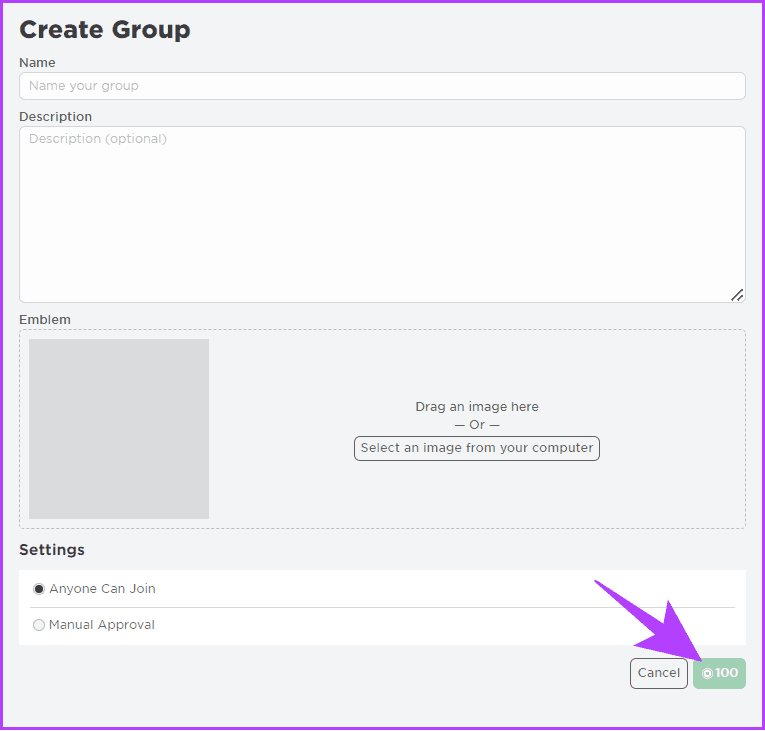
You can add the person to whom you want to send Robux. Then, follow the steps mentioned below.
Add Funds to a Robux Group
After you create a group, it’s time to add funds. To do that, you need to sell something. This can be any item. Here are the steps:
Step 1: Open Roblox > choose Create at the top.
Step 2: On the next page, switch to your group from the drop-down menu.

Step 3: Select Creations from the sidebar.
Step 4: Then, click Avatar Items > select T-shirts, Shirts, or Pants > choose Upload Asset.
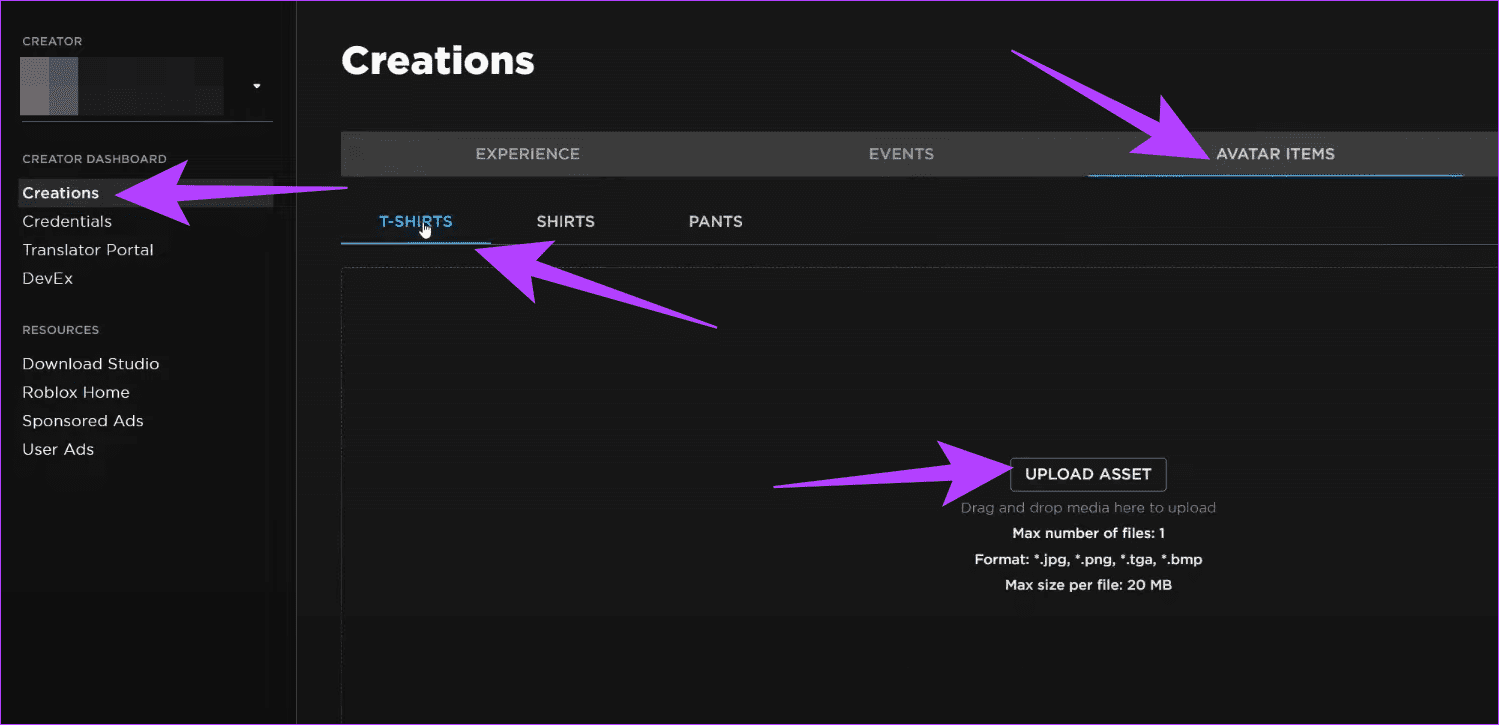
Step 5: Add images and other information > click Upload.

Step 6: After you create an item, open it.
Note: If you can’t find it, navigate to Create > select your group > click Creations.
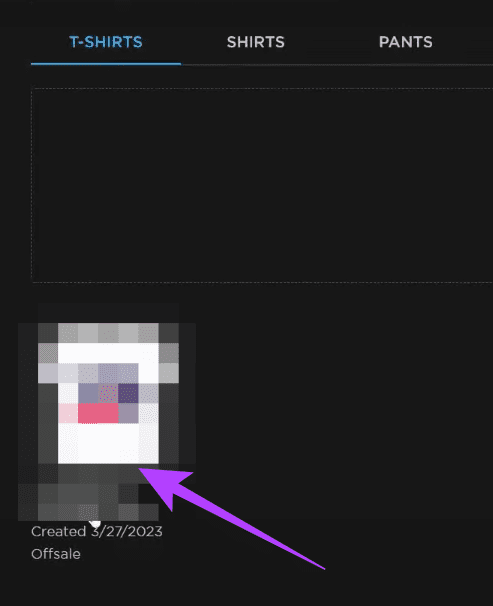
Step 7: Toggle on On Sale. Set the price > click Save Changes.

Step 8: Click Put On Sale to confirm.
Step 9: Navigate to the item > click Buy. To access the item fast, click Open in Marketplace.

Distribute Robux to Group Members
Step 1: Open your group > click the three dots at the top right.
Step 2: Choose Configure Group.
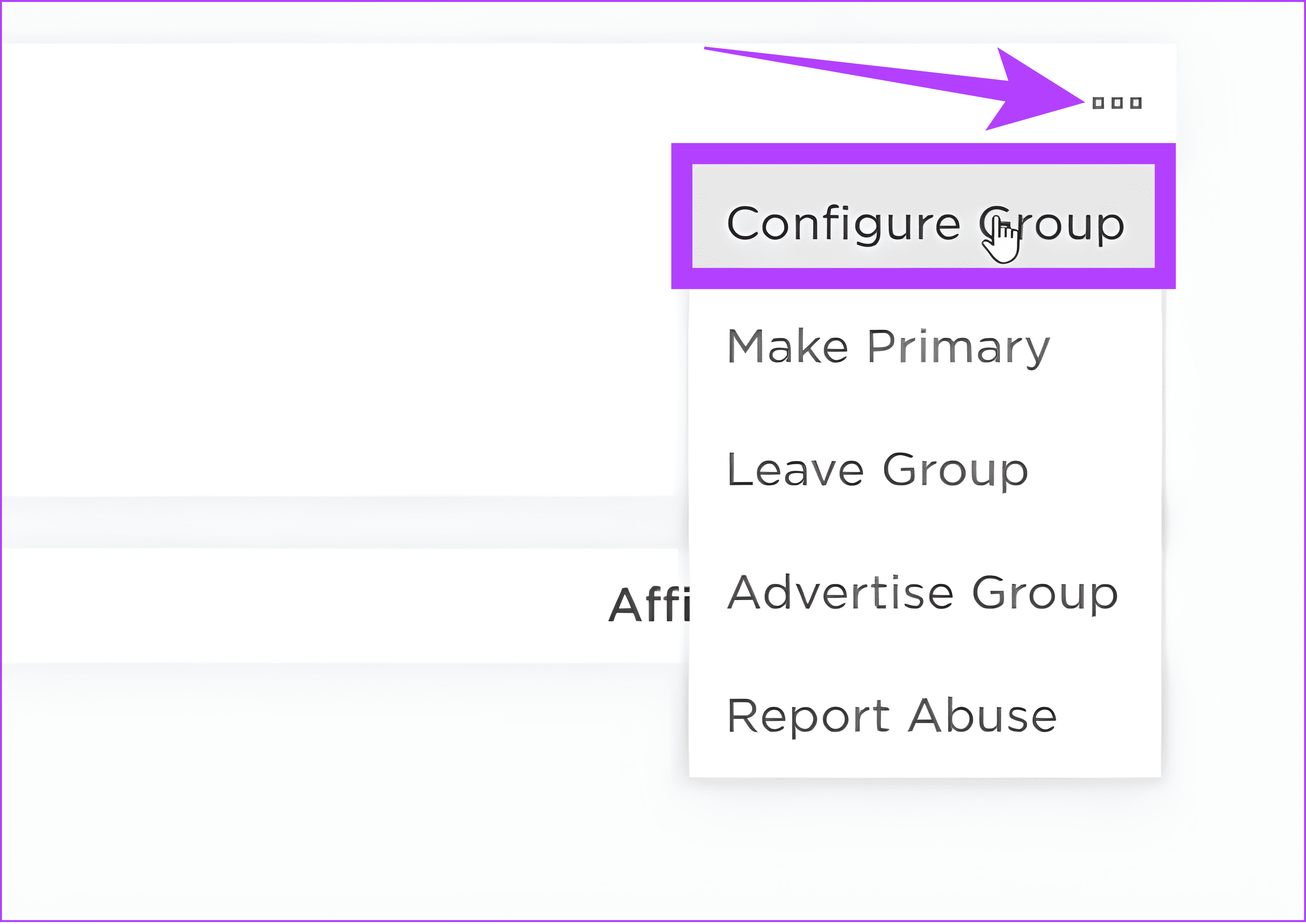
Step 3: Select Revenue > choose Payouts.

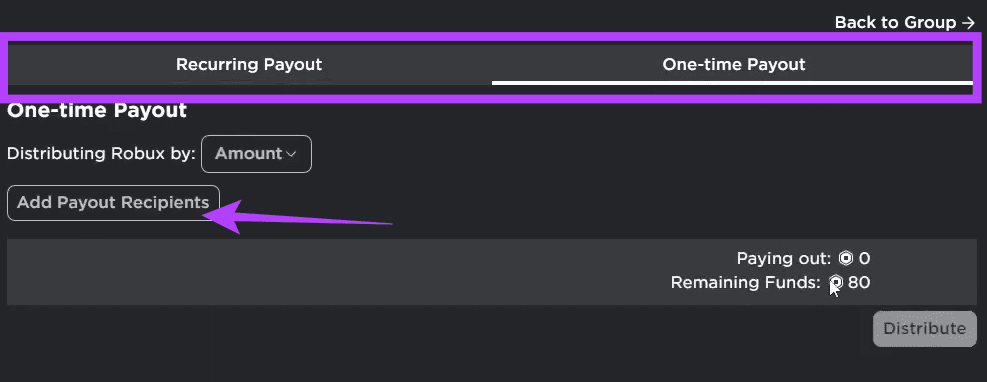
Step 4: Choose between a Recurring Payout and a One-time Payout. We chose a One-time Payout. Afterward, click Add Payout Recipients.
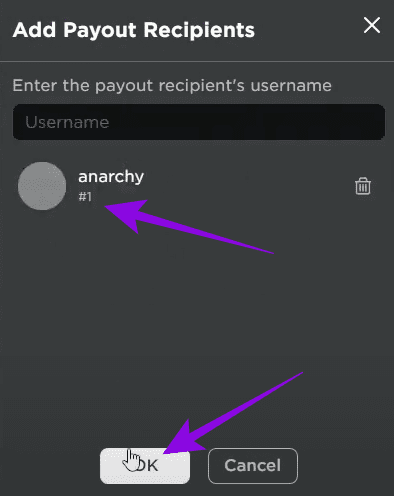
Step 5: Select whom you want to send Robux to > click OK.
Step 6: Enter the Robux amount and click Distribute.

2. Send Robux to a Friend for Free Using the Game Pass
You can also ask the person to create a Game Pass, which you can buy to send Robux to them. Here’s how.
Step 1: Open Roblox Creators Dashboard.
Step 2: Choose the experience you want to create the Game Pass.

Step 3: From the sidebar, choose Passess under Monetization > click Create a Pass.
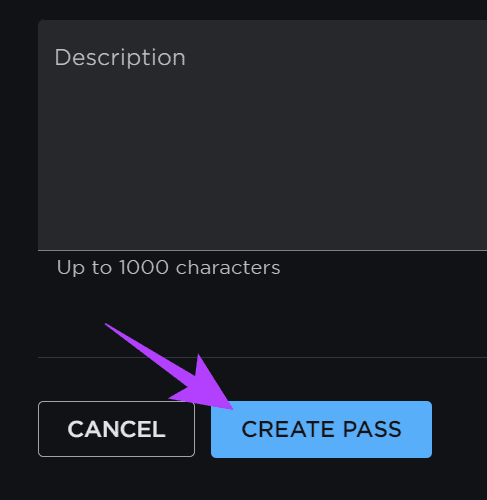
Step 4: Add image and other necessary information for the Game Pass. Afterwards, click Create Pass.
Step 5: After the pass is ready, navigate to Passes > open the Game Pass that was created.

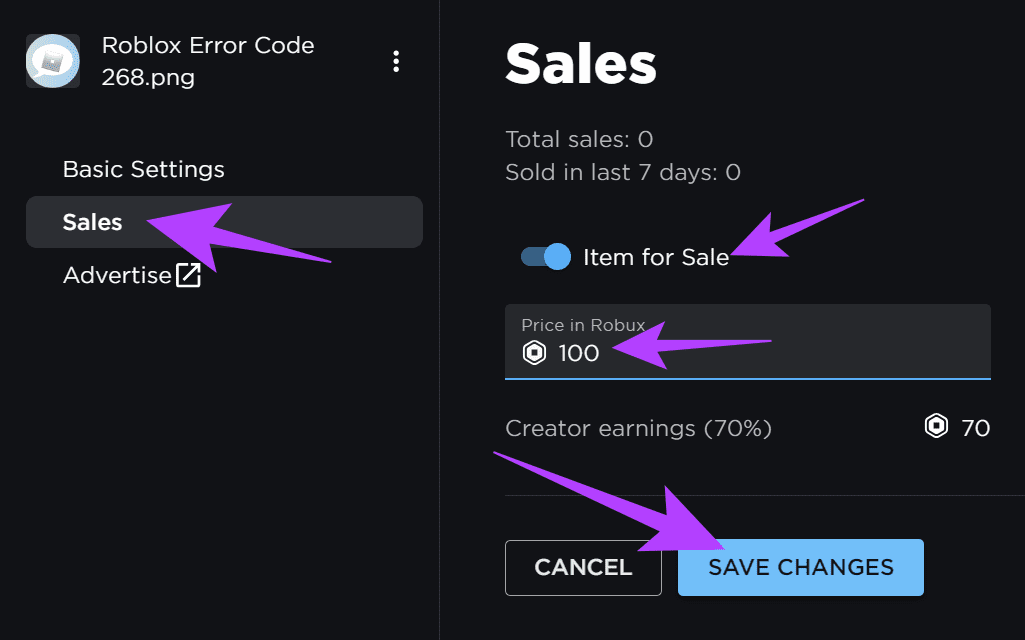
Step 6: After creating the pass, click Passes from the sidebar and select the Game pass you have created.
Step 7: After making changes, click Save Changes.
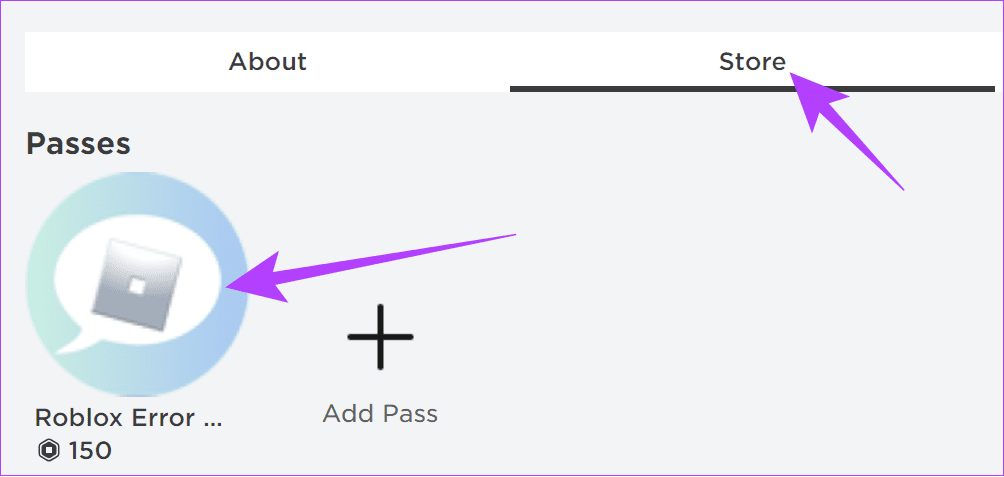
Step 8: Open the Experience > click Store.

Step 9: Purchase the game pass from the experience store. The Robux will be sent to the person who created the Experience.
3. Buy a Roblox Gift Card and Share From Amazon
You can also send Robux to someone on Roblox using Amazon. Here’s how.
Step 1: Choose the gift card > click Add to Cart > complete your purchase.

Step 2: After that, click Returns & Orders on the home page.
Step 3: Choose View order details next to the purchased Roblox gift card.
Step 4: Choose Go to Your Games Library.

Step 5: Copy the gift card and then the PIN code.
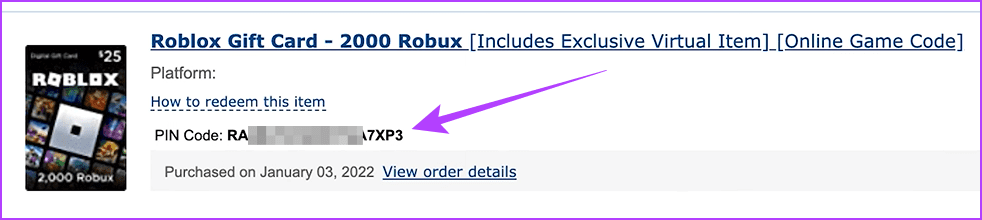
You can paste the code to your friend and, afterward, go to the Roblox Redeem page to paste and redeem the code.
4. Subscribe to Roblox Premium
You can also pay for Roblox Premium to send Robux to another account. With premium, users will get a monthly Robux allowance and an additional 10% Robux upon making a new purchase.
FAQs
Yes. There are multiple ways to earn Robux for free. You can request someone to donate Robux, create and sell items, create a game pass to sell, or join games that award free Robux.
This depends on what your needs are. Roblox makes it easy to buy and spend Robux in the game. However, it’s best to only spend on what you need (just like in real life). Robux is purchased using real-life money, and that’s not easy to earn.
Was this helpful?
Last updated on 13 August, 2024
Read Next
 How to Send High Quality Photos and Video on Telegram
Send High-Quality Photos and Videos on Telegram on Mobile Let us show you the steps to send photos and videos without losing quality on your iPhone and Android using Telegram.
How to Send High Quality Photos and Video on Telegram
Send High-Quality Photos and Videos on Telegram on Mobile Let us show you the steps to send photos and videos without losing quality on your iPhone and Android using Telegram.
 How to Change Default Google Account on Desktop and Mobile
Method 1: Change the Default Google Account on the Desktop Step 1: Open Google on your preferred browser.
How to Change Default Google Account on Desktop and Mobile
Method 1: Change the Default Google Account on the Desktop Step 1: Open Google on your preferred browser.
 How to Change Prime Video Account on Fire TV Stick, TV, and Mobile
https://youtu.be/bNKo63QN6gk Change Prime Video Account on Fire TV Stick Unfortunately, changing the Prime Video account on Firestick isn’t as easy as logging out from one account and signing in with
How to Change Prime Video Account on Fire TV Stick, TV, and Mobile
https://youtu.be/bNKo63QN6gk Change Prime Video Account on Fire TV Stick Unfortunately, changing the Prime Video account on Firestick isn’t as easy as logging out from one account and signing in with
 How to Delete Your Microsoft Account on Desktop and Mobile
A Microsoft account is a single sign-in service that allows you to access various Microsoft products and services, such as Windows, Office, Xbox, Skype, OneDrive, Outlook, and more.
How to Delete Your Microsoft Account on Desktop and Mobile
A Microsoft account is a single sign-in service that allows you to access various Microsoft products and services, such as Windows, Office, Xbox, Skype, OneDrive, Outlook, and more.
 6 Best Mobile Gaming Triggers for PUBG, COD Mobile, Free Fire, and More
Smartphone gaming has soared due to popular games like PUBG, Fortnite, and Call of Duty.
6 Best Mobile Gaming Triggers for PUBG, COD Mobile, Free Fire, and More
Smartphone gaming has soared due to popular games like PUBG, Fortnite, and Call of Duty.
 How to Send Disappearing Messages in Facebook Messenger
Send Disappearing Messages in Facebook Messenger Mobile App The process of sending disappearing messages on the mobile app is the same for Android and iOS devices.
How to Send Disappearing Messages in Facebook Messenger
Send Disappearing Messages in Facebook Messenger Mobile App The process of sending disappearing messages on the mobile app is the same for Android and iOS devices.
 3 Ways to Fix Can’t Send Messages on Facebook Marketplace
Fix 1: Wait It Out Facebook Marketplace limits the number of messages one can send daily to reduce spam and unsolicited activities.
3 Ways to Fix Can’t Send Messages on Facebook Marketplace
Fix 1: Wait It Out Facebook Marketplace limits the number of messages one can send daily to reduce spam and unsolicited activities.
 How to Send a Blank Message on WhatsApp
Sending long-winded messages has become a thing of the past.
How to Send a Blank Message on WhatsApp
Sending long-winded messages has become a thing of the past.
The article above may contain affiliate links which help support Guiding Tech. The content remains unbiased and authentic and will never affect our editorial integrity.