How to See Your Recent Followers on Instagram
The Instagram app makes it relatively simple to check your own latest followers, irrespective of whether you’re using it on your mobile or desktop. Here’s how you can go about it.
Mobile
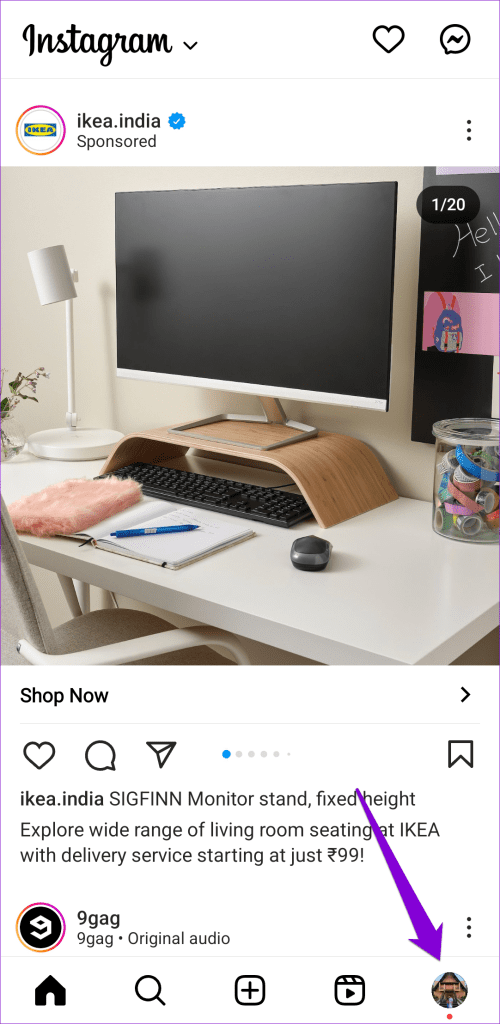
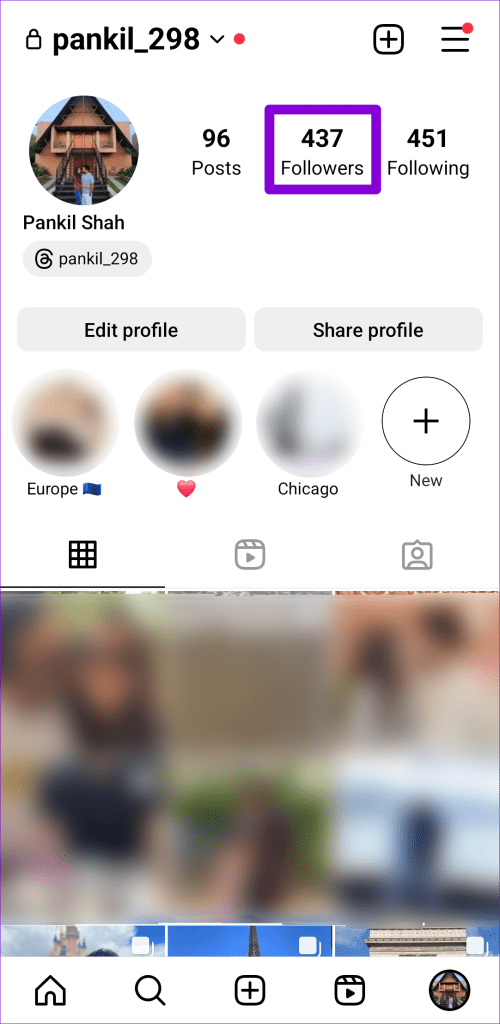
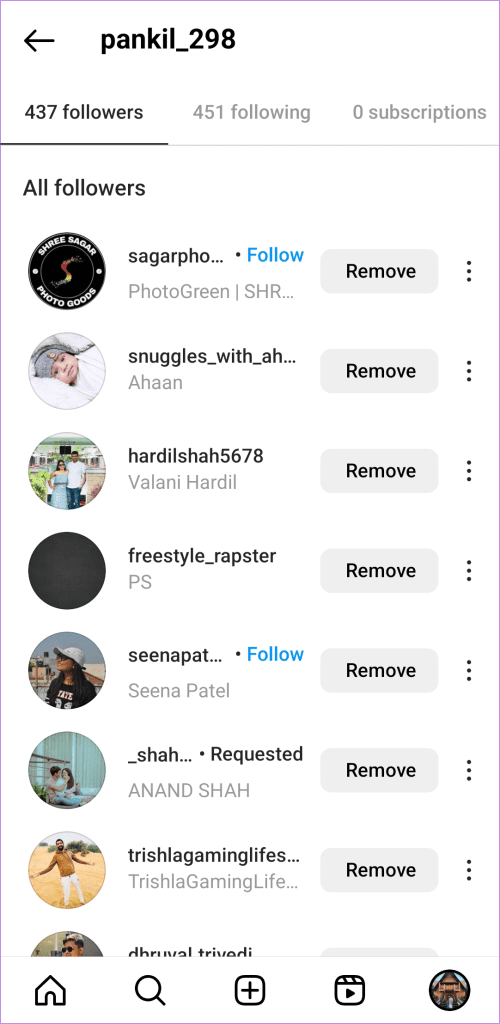
Step 1: Open the Instagram app, tap the profile icon in the bottom right corner, and then tap on Followers.
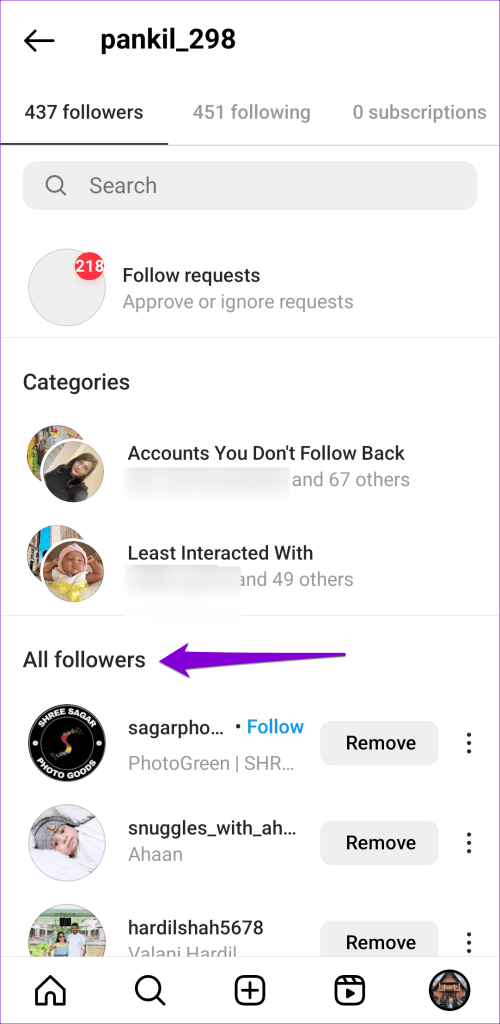
Step 2: Scroll through the list to see all your followers in chronological order.
Desktop
Step 1: Open up any web browser and head over to Instagram’s website. Sign in to your account if you haven’t already.
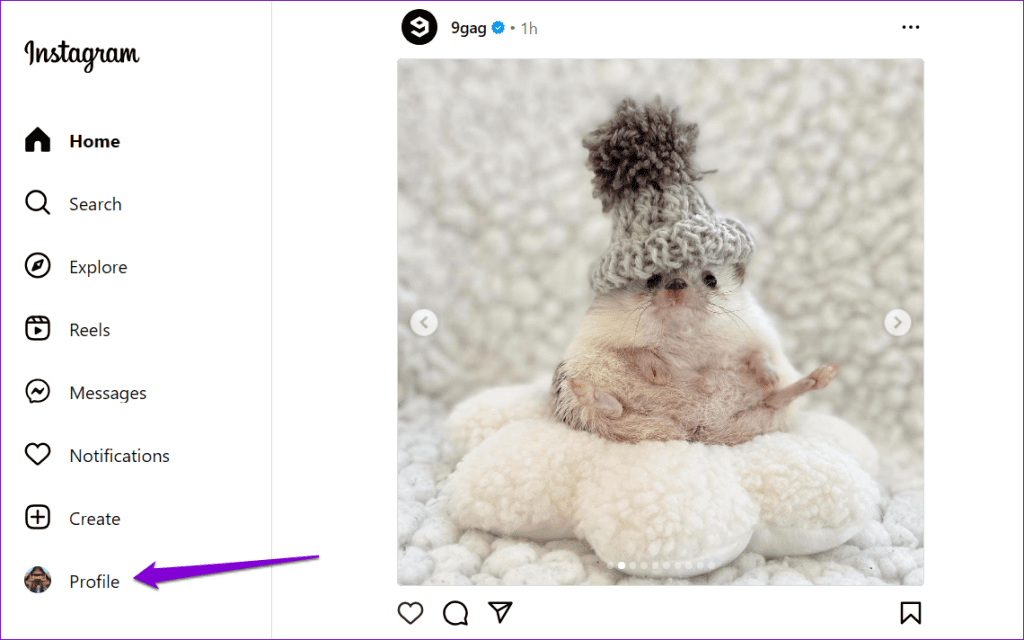
Step 2: Click the Profile tab on your left.
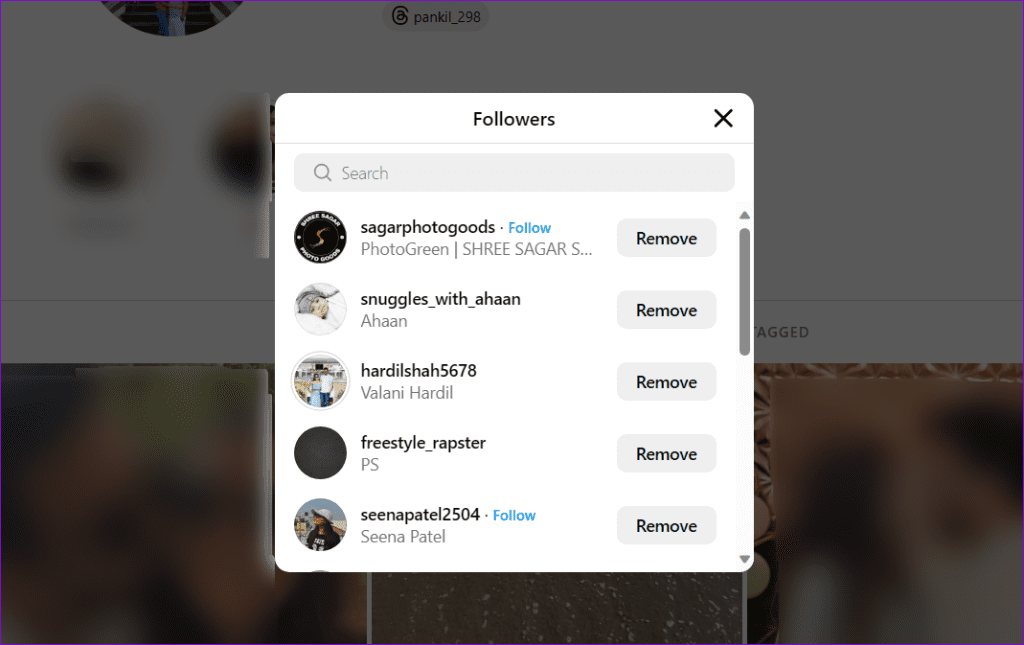
Step 3: Under your Instagram ID, click on Followers.

Step 4: In the pop-up window, you will see a list of your most recent followers.
Note: Unlike its Android or iOS app, Instagram does not show a complete list of recent followers on the web. Therefore, you will only see a handful of entries on this list.
How to See Someone Else’s Recent Followers on Instagram
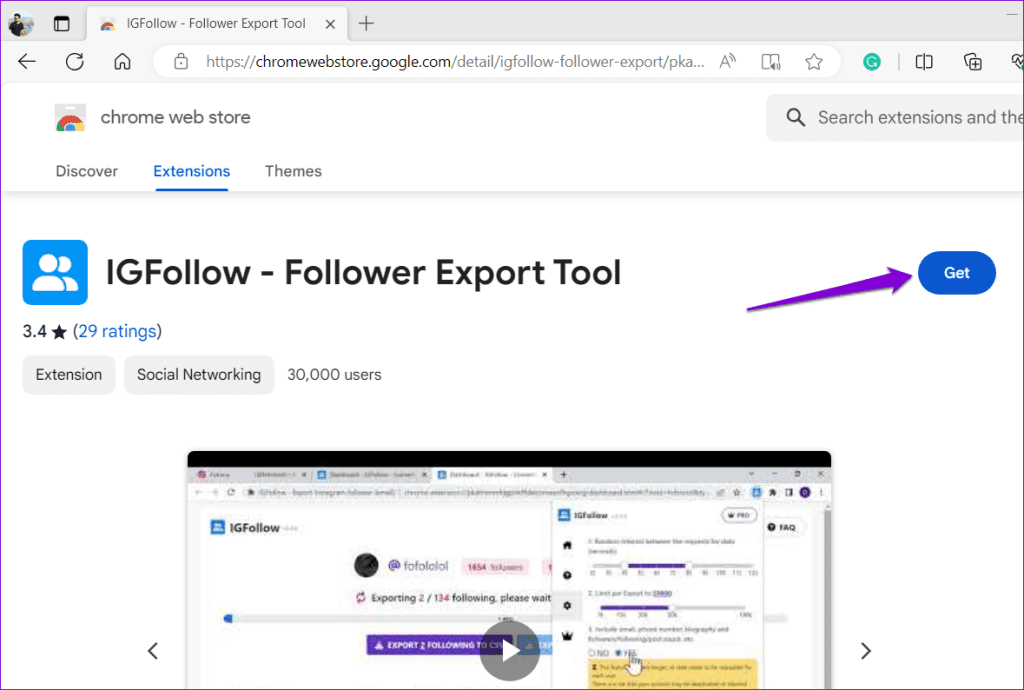
Instagram does not allow you to see someone else’s most recent followers. However, it’s possible to view them with the help of the IGFollow extension. Here’s how:
Step 1: Open any Chromium-based web browser and visit the following link to add the IGFollow extension.
Step 2: Open a new tab in your browser, navigate to Instagram’s website, and sign in to your account.
Step 3: Click the Search option in the left pane.
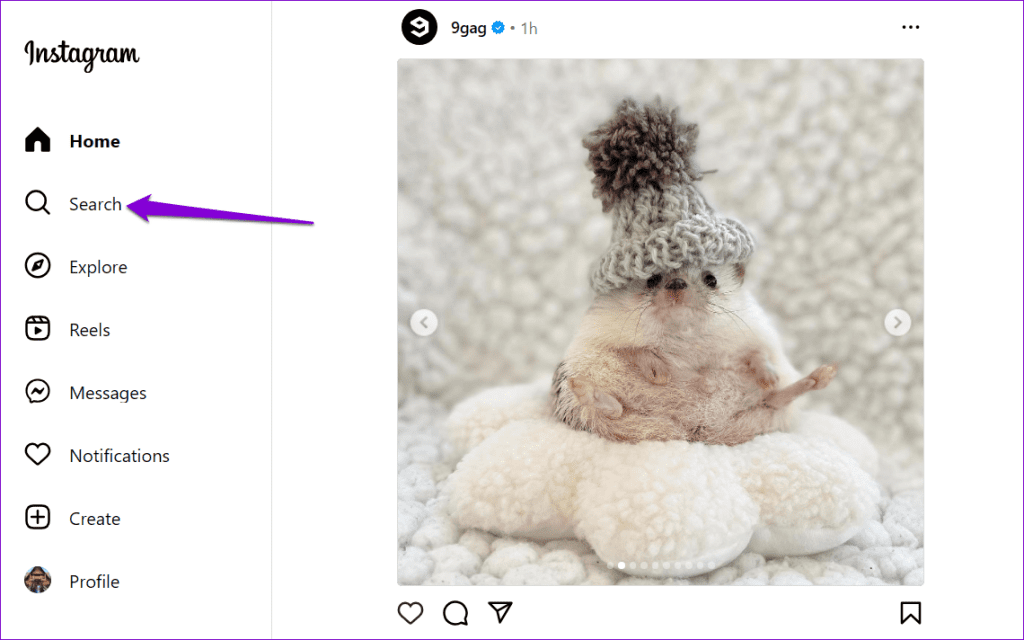
Step 4: Type in the name of the account whose recent followers you want to check and select the relevant profile from the results.

Step 5: Copy the username of the Instagram account.
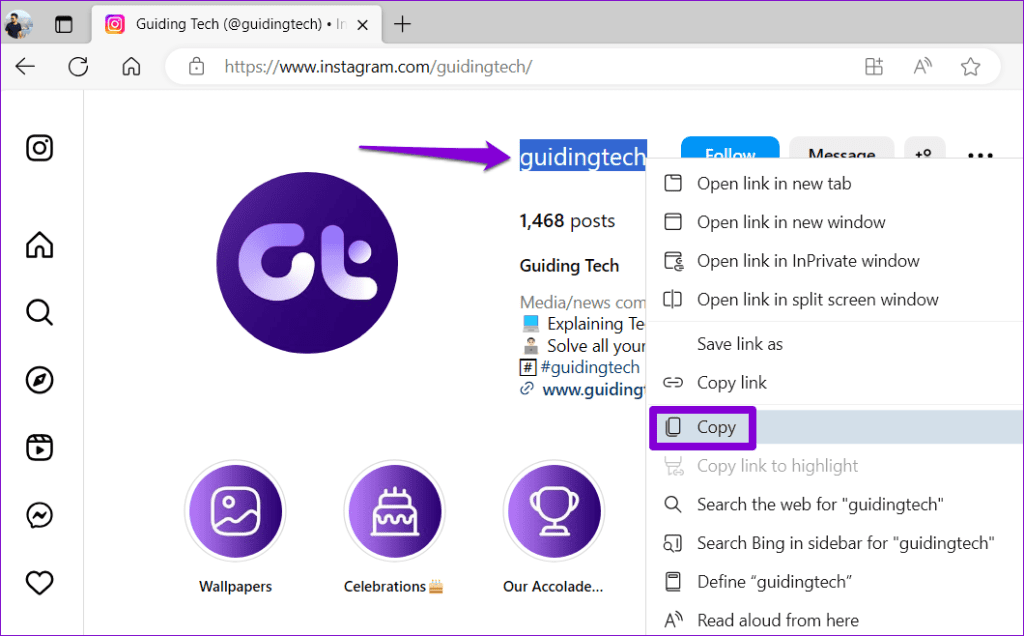
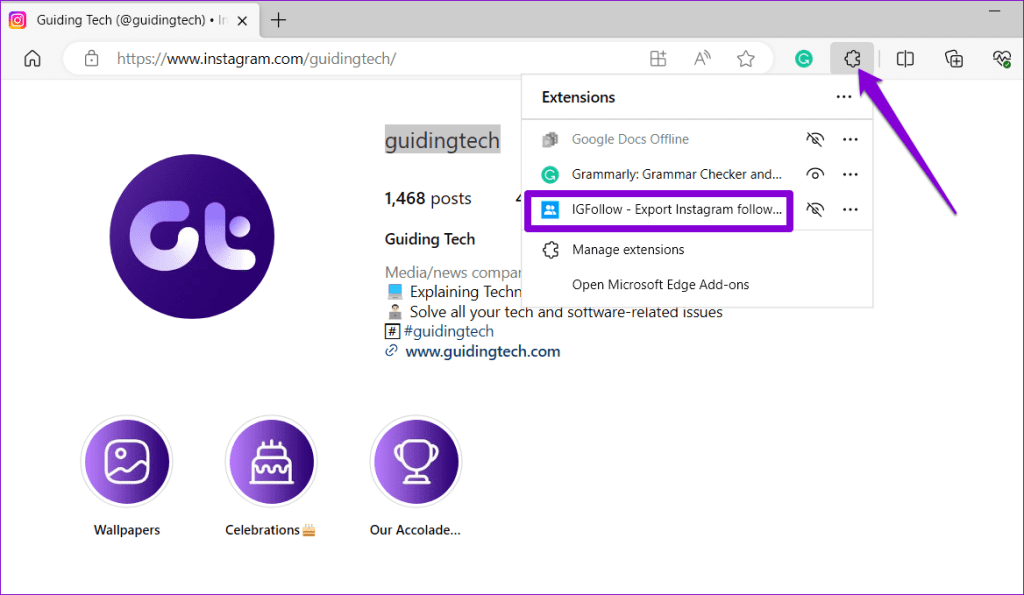
Step 6: Click the extensions icon on the toolbar and select IGFollow from the list.
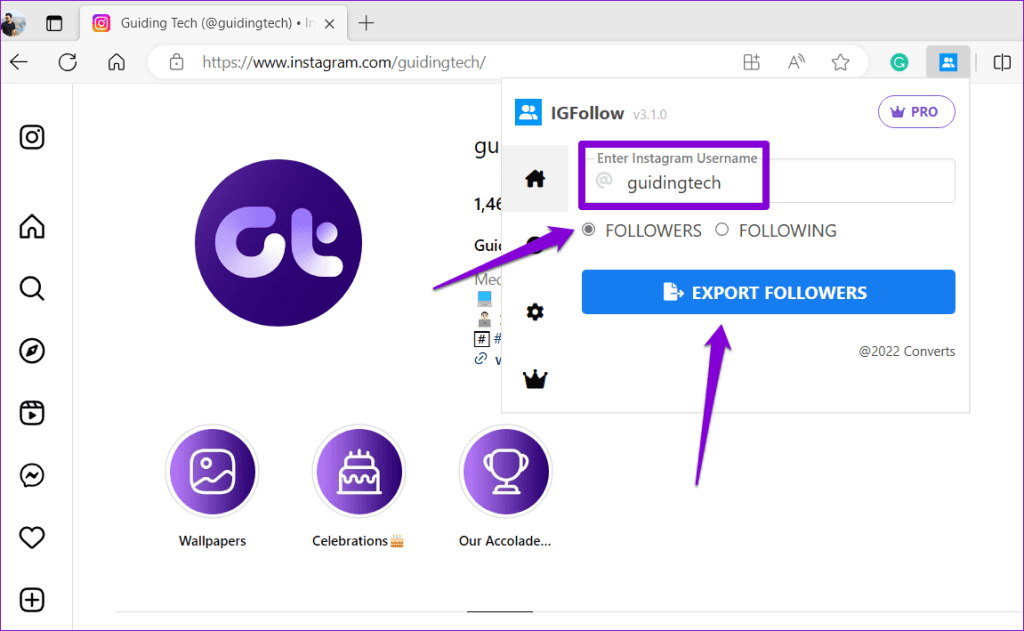
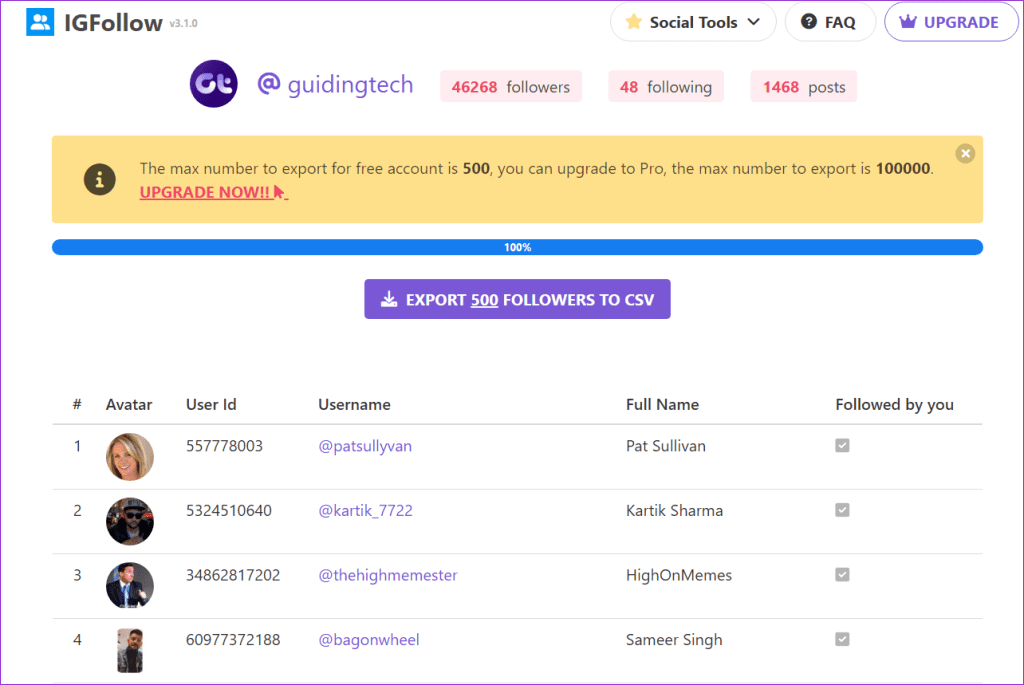
Step 7: Paste the username in the text box and select the Followers option. Then, click the Export Followers button.
Step 8: The IGFollow extension will open a new tab in your browser and display the 500 most recent followers in chronological order.
FAQs on Checking Recent Followers on Instagram
The order of someone else’s follower list on Instagram is determined by the platform’s algorithm. If you check someone else’s follower list multiple times, you may notice that the order of followers appears different each time.
No, it’s not possible to hide who you follow on Instagram from your followers. If you want to hide your following list from someone, you will need to either block them or remove them from your list of followers.
While several apps on the Play Store or App Store claim to help you track someone’s followers, there is no reliable app that actually works.
Was this helpful?
Last updated on 30 August, 2024
Read Next
 How to Disable or Remove Recent Files in Adobe Reader and Acrobat DC
Remove Recent Files in Adobe Reader Desktop Step 1: On the Recent list, hover over the shortcut you want to delete.
How to Disable or Remove Recent Files in Adobe Reader and Acrobat DC
Remove Recent Files in Adobe Reader Desktop Step 1: On the Recent list, hover over the shortcut you want to delete.
 How to Remove Recent Files From Quick Access in Windows 11
Remove Files and Folders From Quick Access in File Explorer If you want to remove only specific files or folders from Quick Access (or Home) in File Explorer, follow the
How to Remove Recent Files From Quick Access in Windows 11
Remove Files and Folders From Quick Access in File Explorer If you want to remove only specific files or folders from Quick Access (or Home) in File Explorer, follow the
 How to Add a Link to Instagram Story and Posts
Are you looking for ways to drive more traffic to your website or promote your brand on Instagram?
How to Add a Link to Instagram Story and Posts
Are you looking for ways to drive more traffic to your website or promote your brand on Instagram?
 How To Post Multiple Landscape and Portrait Photos on Instagram
Instagram Size Guide for Images Adhering to Instagram's recommended image sizes is paramount to ensure that your photos are displayed in the best possible quality.
How To Post Multiple Landscape and Portrait Photos on Instagram
Instagram Size Guide for Images Adhering to Instagram's recommended image sizes is paramount to ensure that your photos are displayed in the best possible quality.
 How to Fast Forward (and Rewind) Instagram Live Stories Video Replays
Fast-Forward an Instagram Live Story Video Replay Before we proceed, it is pertinent to state that you can only forward replays of live sessions/videos that users share on their stories.
How to Fast Forward (and Rewind) Instagram Live Stories Video Replays
Fast-Forward an Instagram Live Story Video Replay Before we proceed, it is pertinent to state that you can only forward replays of live sessions/videos that users share on their stories.
 How to Find Someone on Instagram Using Their Phone Number
Method 1: Find People Using Their Phone Number on Instagram You can use Instagram's native contact syncing option to find people by their phone number.
How to Find Someone on Instagram Using Their Phone Number
Method 1: Find People Using Their Phone Number on Instagram You can use Instagram's native contact syncing option to find people by their phone number.
 How to View Instagram Posts and Stories Without an Account
How to See Instagram Stories Without an Account Unlike posts on Instagram (mentioned below), users can see who opened/viewed their Instagram Stories.
How to View Instagram Posts and Stories Without an Account
How to See Instagram Stories Without an Account Unlike posts on Instagram (mentioned below), users can see who opened/viewed their Instagram Stories.
 How to See Your Sent Friend Requests on Facebook and Instagram
How to Check and Cancel Your Sent Friend Requests on Facebook The Friend Requests tab on Facebook makes it simple to track all the friend requests you have sent and
How to See Your Sent Friend Requests on Facebook and Instagram
How to Check and Cancel Your Sent Friend Requests on Facebook The Friend Requests tab on Facebook makes it simple to track all the friend requests you have sent and
The article above may contain affiliate links which help support Guiding Tech. The content remains unbiased and authentic and will never affect our editorial integrity.