


Method 1: Hide WhatsApp Chat of One Person
WhatsApp has a native feature known as Chat Lock that lets you hide individual chats by locking them using a fingerprint, Face ID, or phone passcode. When you lock a chat, it will be hidden from the main chat list on WhatsApp and taken to a separate folder known as the Locked folder, which must be unlocked to access the hidden chats.
Step 1: Launch WhatsApp on your phone and open the chat that you want to hide.
Step 2: Tap on the contact or the group name at the top.
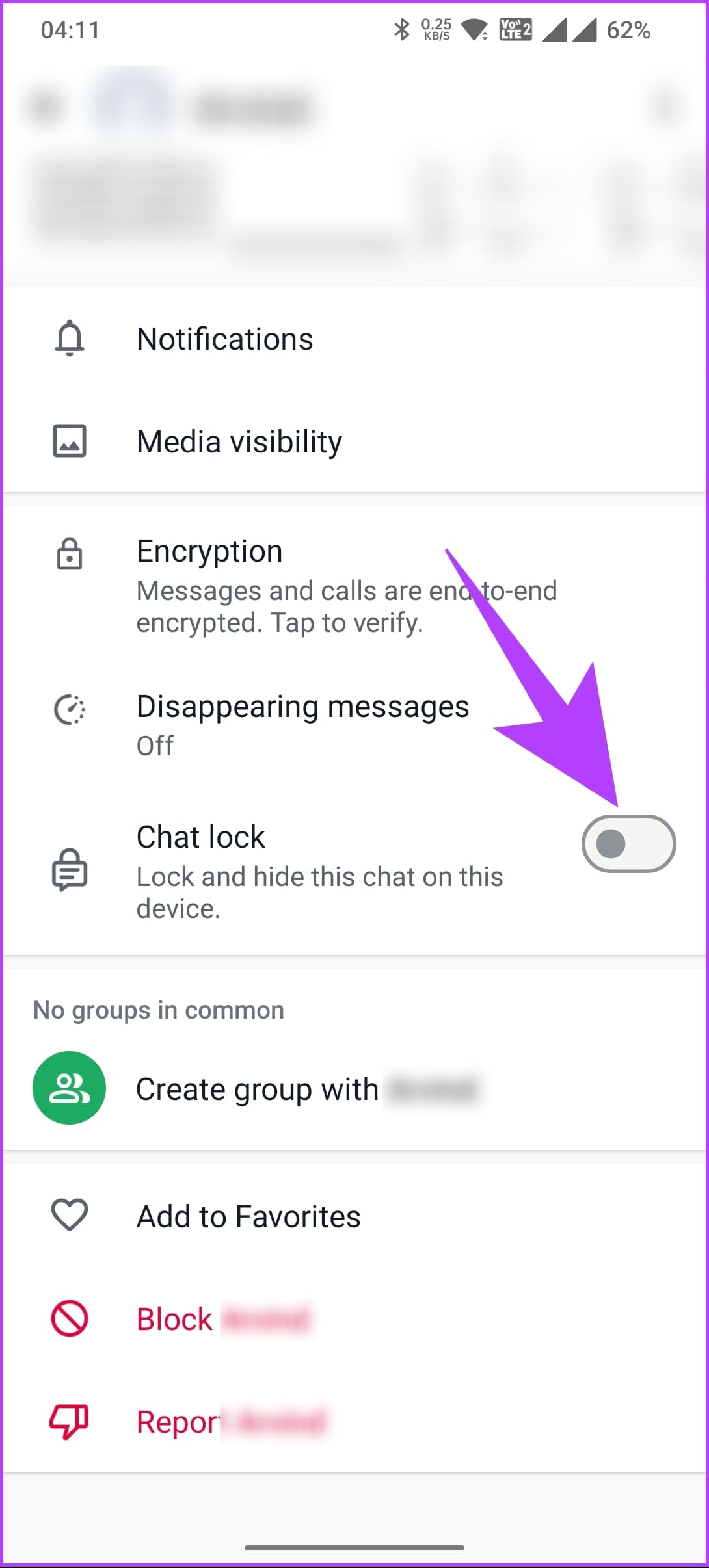
Step 3: Scroll down and toggle on the Chat lock.
Step 5: You will be asked to scan your fingerprint. Do so, and the chat will be locked and taken to the Locked chats.

To access Locked chats, go to the home screen of WhatsApp > swipe down from the top of the app > tap on Locked chats. Scan your fingerprint to view the locked chats.
Note: Locked chats will not be hidden on the linked devices.

Tip: Know how to edit a WhatsApp message.
Method 2: Hide WhatsApp Chat Temporarily by Archiving It
Another way to hide WhatsApp chats without deleting them is by simply archiving them. The archive feature removes chats from the main chat list and takes them to a separate folder known as the Archived folder. The chats will remain hidden in the Archived folder until you receive a new message.
Note: Unlike locked chats, archived chats can be easily accessed by someone by opening the Archived folder, as they aren’t secured by fingerprint or passcode.
On Android
Step 1: Open WhatsApp on your Android phone.
Step 2: Long-press on the chat that you want to archive. Tap on the Archive icon at the top.
Note: If you don’t see it, tap on the three-dot icon followed by Archive.

That’s it. The chat will be taken to the Archived folder present on the home screen of WhatsApp.
On iPhone
Step 1: Launch WhatsApp on your iPhone.
Step 2: Slightly swipe left on the chat you want to archive and tap on the Archive button.

To access the archived chats, tap on the Archive folder on the WhatsApp home screen.
Also Read: How to delete a WhatsApp message without opening it
Method 3: Hide Chat Permanently
Typically, an archived chat will become visible only if you receive a new message in it. If you want archived chats to remain hidden and archived, you will need to enable a setting. However, do note that this will apply to all archived chats. So, once enabled, all archived chats will continue to remain hidden even if you get a new message in them.
Step 1: Open WhatsApp on your Android or iPhone.
Step 2: Go to WhatsApp Settings.
Note: To open WhatsApp Settings, tap the three-dot icon followed by Settings on Android, and on iPhone, tap on the Settings tab at the bottom.
Step 3: Tap on Chats and enable the toggle next to Keep Chats Archived.

Step 4: Now, archive the chats, and they will stay hidden if you receive a new message.
Tip: Know what happens when you clear a WhatsApp chat.
Method 4: Hide WhatsApp Chat Without Archive
If you don’t want anyone to access your WhatsApp, WhatsApp offers a native feature to lock the app using fingerprint or Face ID. By doing so, all chats will be hidden automatically without archiving them. You must unlock the app first to see WhatsApp messages.
Step 1: Open WhatsApp on your phone and go to its Settings.
Step 2: Tap on Privacy.
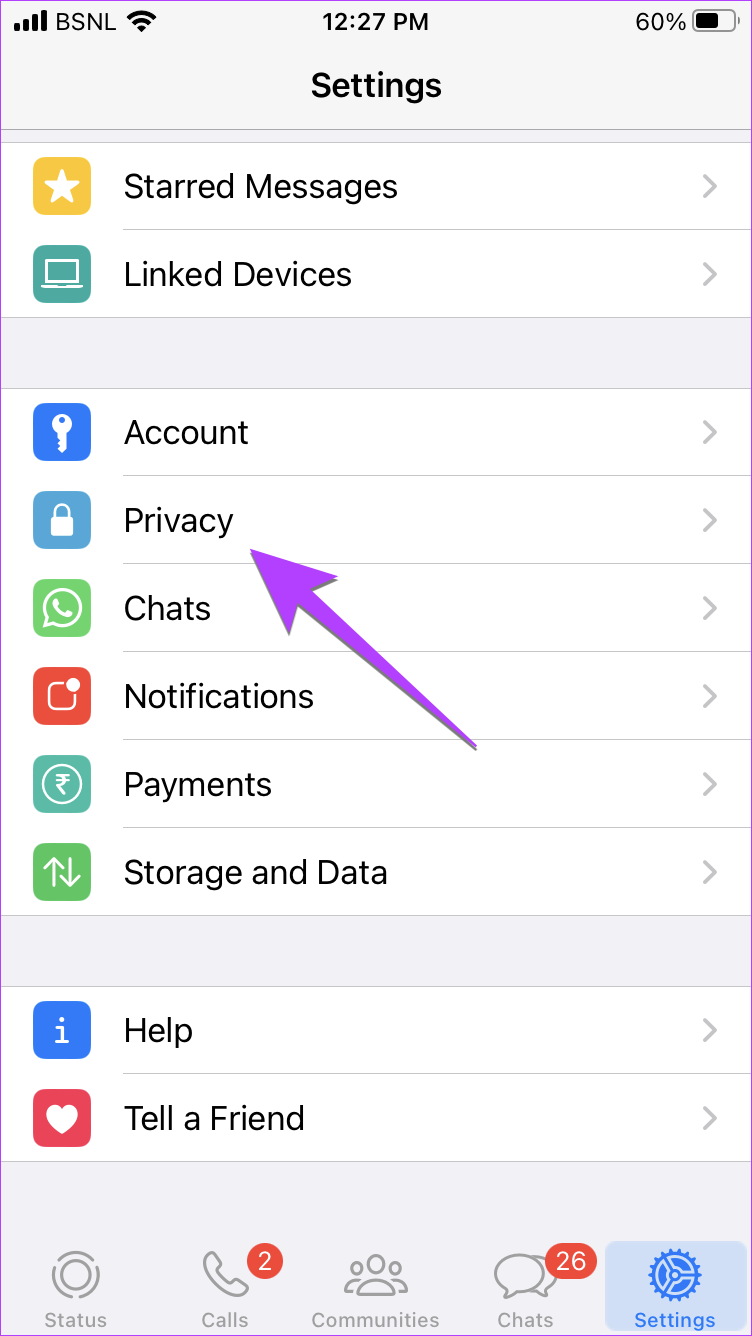
Step 3: Tap on the App lock (Android) or Screen Lock (iOS).
Step 4: Toggle on Require Touch ID or Require Face ID (depending on your iPhone model) or Unlock with biometric on Android.

Also Read: How to hide your profile picture
Method 5: Hide All WhatsApp Conversations
In case you want to hide all the chats from the main screen of WhatsApp without deleting or locking them, you can do it using the Archive all chats feature.
Step 1: Open WhatsApp and go to its Settings.
Step 2: On iOS, tap on Chats > Keep Chats Archived. On Android, you will need to tap on Chat History > Archive all chats.

FAQs on Hiding WhatsApp Chats
Yes, you can use the disappearing messages feature in WhatsApp to have a secret chat. Such messages will automatically disappear after the set time.
Yes, you will receive calls even if you lock or archive a WhatsApp chat. Basically, calls aren’t locked or archived.
Just like hiding WhatsApp chats, there are other ways to make your WhatsApp private. Learn how to hide last seen or online status in WhatsApp.
Was this helpful?
Last updated on 01 August, 2024
1 Comment
Leave a Reply
Read Next
 How to Hide and Unhide Viber Chats on Mobile
How to Hide Viber Chats You can hide individual chats or group conversations on Viber to protect your privacy.
How to Hide and Unhide Viber Chats on Mobile
How to Hide Viber Chats You can hide individual chats or group conversations on Viber to protect your privacy.
 How to Lock Individual and Group Chats in WhatsApp on iPhone
Things to Remember Before proceeding with the steps, we want to highlight some important aspects.
How to Lock Individual and Group Chats in WhatsApp on iPhone
Things to Remember Before proceeding with the steps, we want to highlight some important aspects.
 How to Delete Multiple or All Chats in WhatsApp
We have covered the following things here: How to delete multiple chats on WhatsApp.
How to Delete Multiple or All Chats in WhatsApp
We have covered the following things here: How to delete multiple chats on WhatsApp.
 How to Enable or Disable End-to-End Encryption for Instagram Chats
What Is End-to-End Encryption on Instagram With End-to-End encryption, Instagram will secure chats with under an extra layer of protection.
How to Enable or Disable End-to-End Encryption for Instagram Chats
What Is End-to-End Encryption on Instagram With End-to-End encryption, Instagram will secure chats with under an extra layer of protection.
 How to View Old Chats on ChatGPT Without Sharing Data
Accessing ChatGPT Chat History Wasn’t Available With Data Sharing Turned Off OpenAI used to provide the option to disable data sharing, which meant losing access to your chat history altogether.
How to View Old Chats on ChatGPT Without Sharing Data
Accessing ChatGPT Chat History Wasn’t Available With Data Sharing Turned Off OpenAI used to provide the option to disable data sharing, which meant losing access to your chat history altogether.
 6 Ways to Fix Twitch Chats Not Loading Issue
Basic Fixes Check your network connection: Ensure your device has good internet.
6 Ways to Fix Twitch Chats Not Loading Issue
Basic Fixes Check your network connection: Ensure your device has good internet.
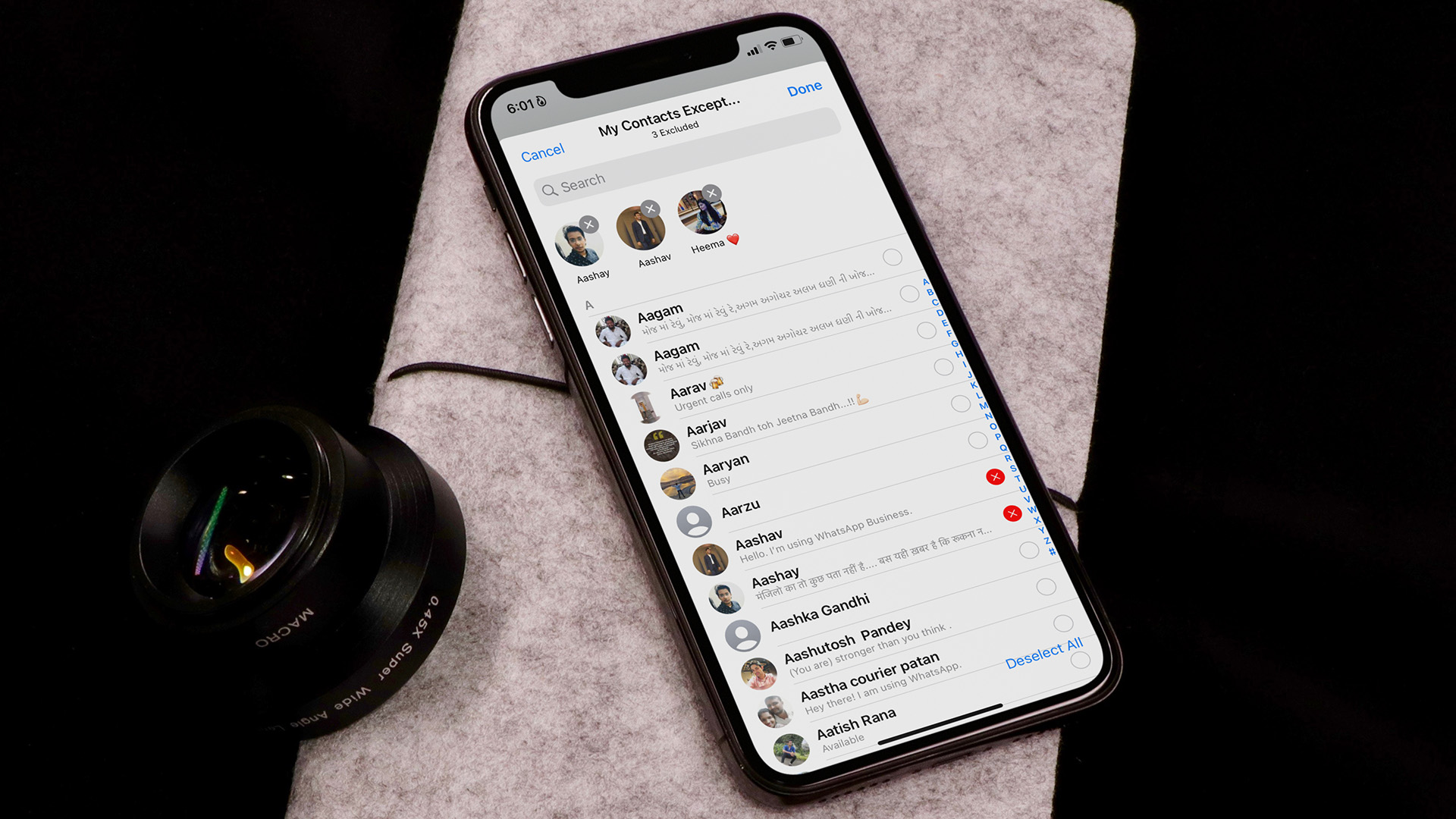 How to Hide Last Seen From Specific Contacts on WhatsApp
Thanks to WhatsApp’s new privacy tools, you no longer need to explain your latenight last seen to your friends or family members.
How to Hide Last Seen From Specific Contacts on WhatsApp
Thanks to WhatsApp’s new privacy tools, you no longer need to explain your latenight last seen to your friends or family members.
 How to Hide Last Seen and Online Status in WhatsApp
Hide Last Seen and Online Status For Everyone in WhatsApp Used by over two billion users worldwide, WhatsApp eventually added privacy features to hide your status, profile picture, and About
How to Hide Last Seen and Online Status in WhatsApp
Hide Last Seen and Online Status For Everyone in WhatsApp Used by over two billion users worldwide, WhatsApp eventually added privacy features to hide your status, profile picture, and About
The article above may contain affiliate links which help support Guiding Tech. The content remains unbiased and authentic and will never affect our editorial integrity.

How do I lock a chat on my Mac computer? When will this feature be available?