


Preliminary Fixes
- Check the Network Connection: Ensure your Samsung TV is connected to a stable Wi-Fi network. If necessary, restart your router.
- Restart TV: Restarting your Samsung TV can resolve many software-related issues, including problems downloading apps. The TV clears its cache and resets any temporary glitches.
- Unavailability of Apps: Some streaming apps are region-specific. You can’t access and download them from unsupported countries. For example, Sling TV, Hulu, Peacock, FuboTV, etc., are available only in the US and specific countries. You won’t find them in other regions.
Fix 1: Check Device Storage
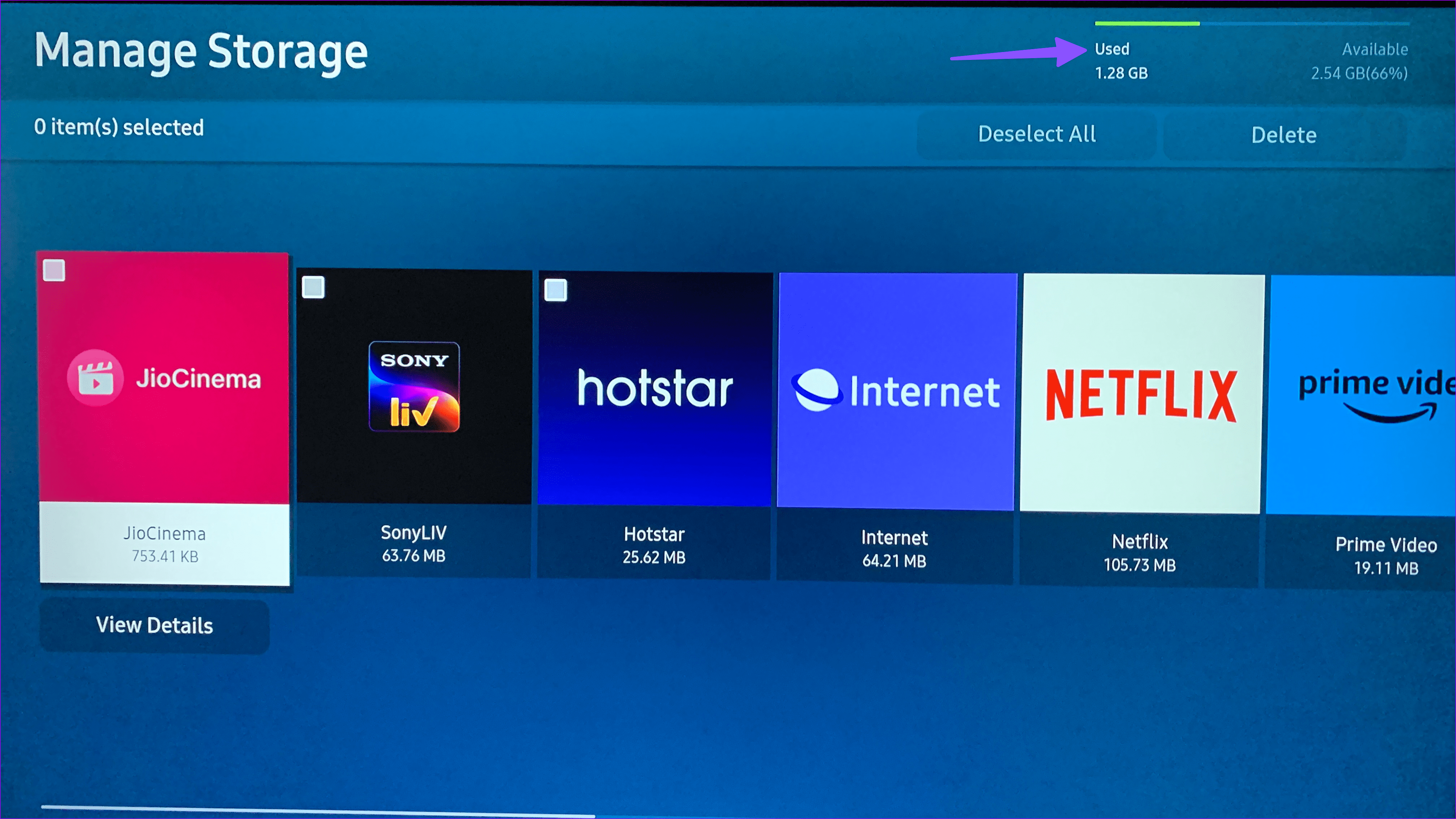
Most Samsung TVs come with 8GB of space by default, of which around 5.3GB is available. If your Samsung TV is running low on storage, it may face issues with downloading apps.
Step 1: Open Samsung TV Home and slide left to Settings.
Step 2: Select the Device Care.

Step 3: Open Manage Storage.
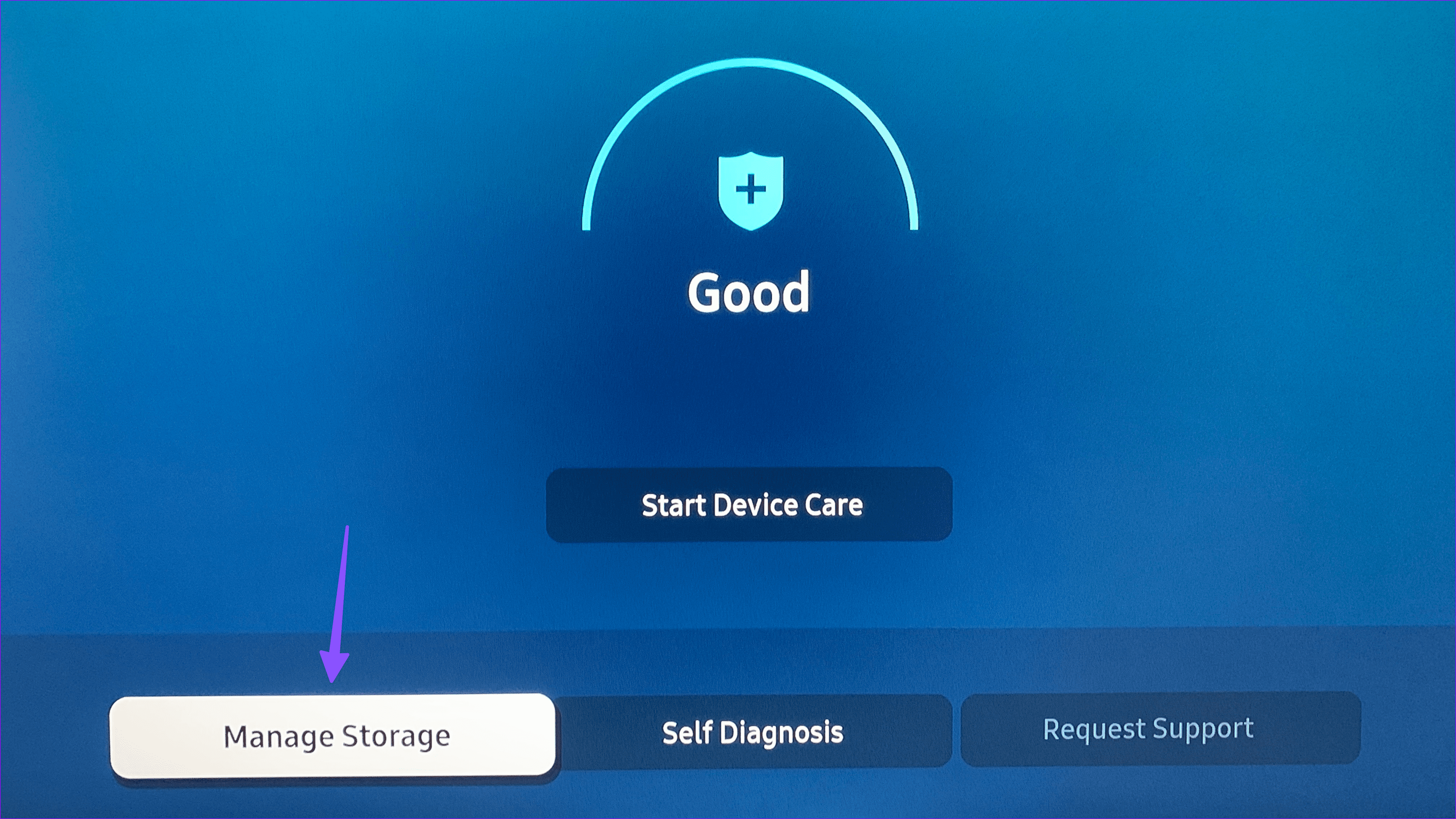
Step 4: Check the storage breakdown at the top. From the same menu, you can select and delete irrelevant apps.
Fix 2: Run Device Care
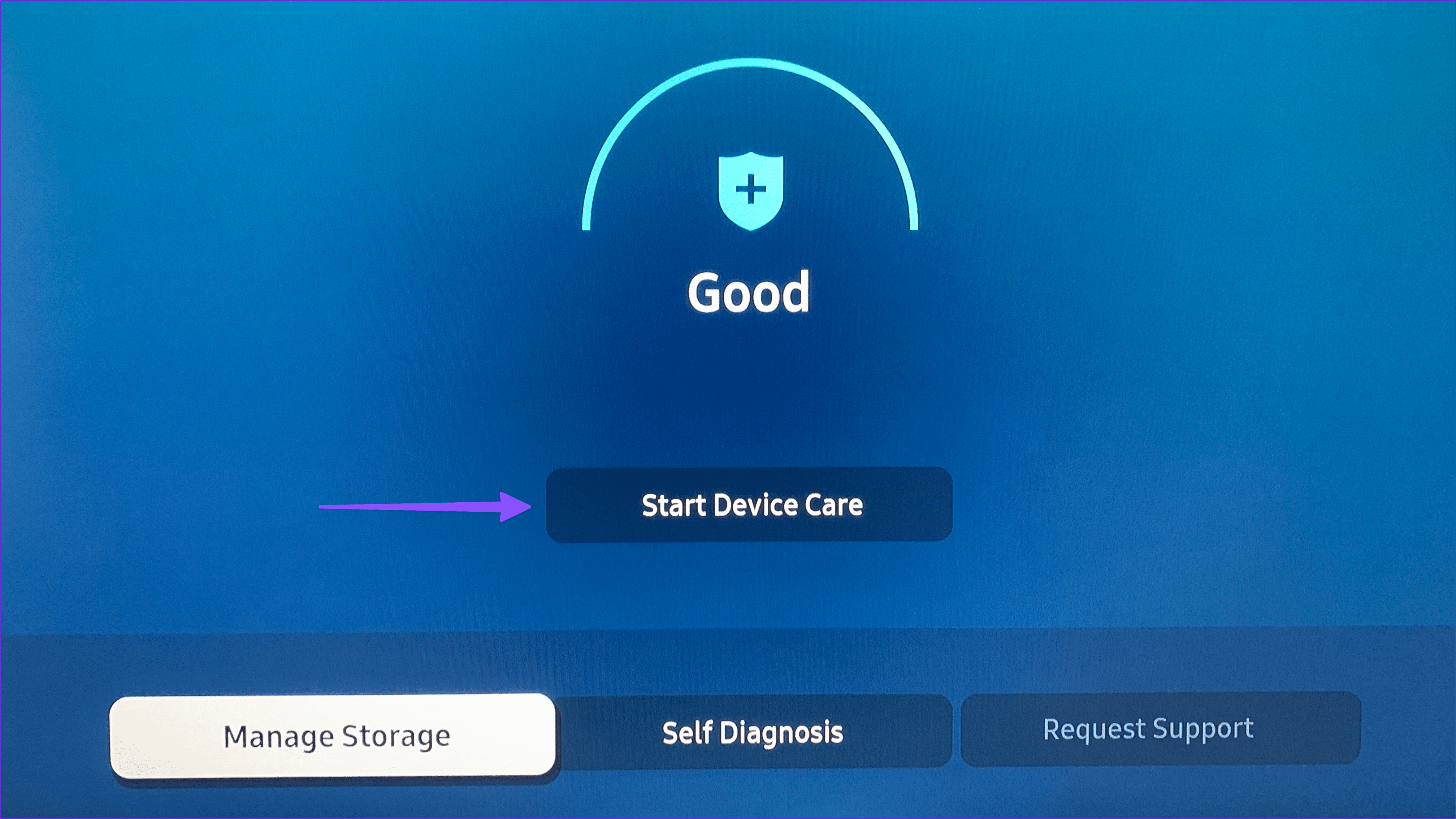
Step 1: Open the Device Care app on your Samsung TV (check the steps above).
Step 2: Select Start Device Care and let the system troubleshoot the problem.
Fix 3: Log Out and Login Again
Step 1: Open the Apps menu from your Samsung TV home.
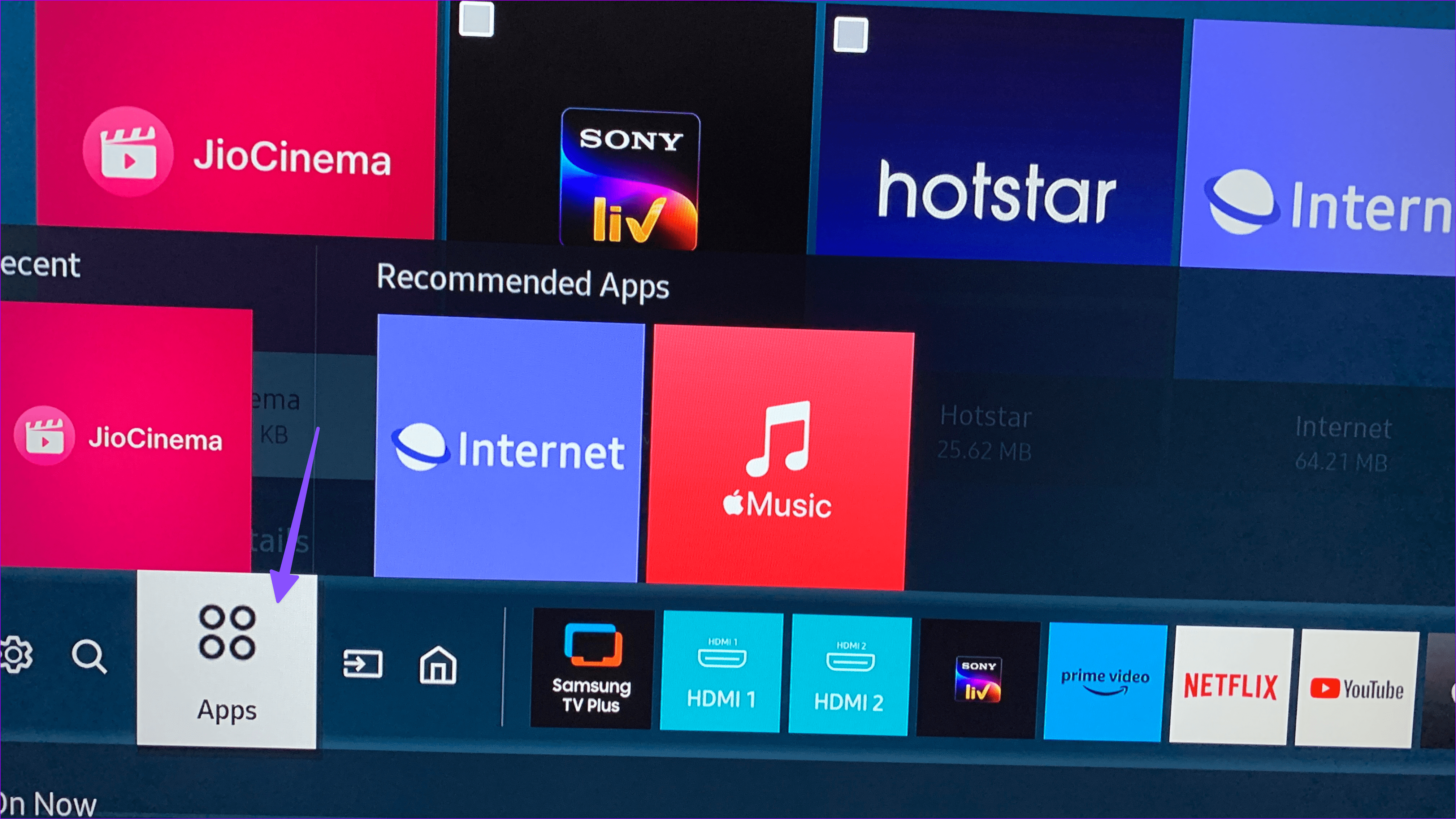
Step 2: Select your account at the top.
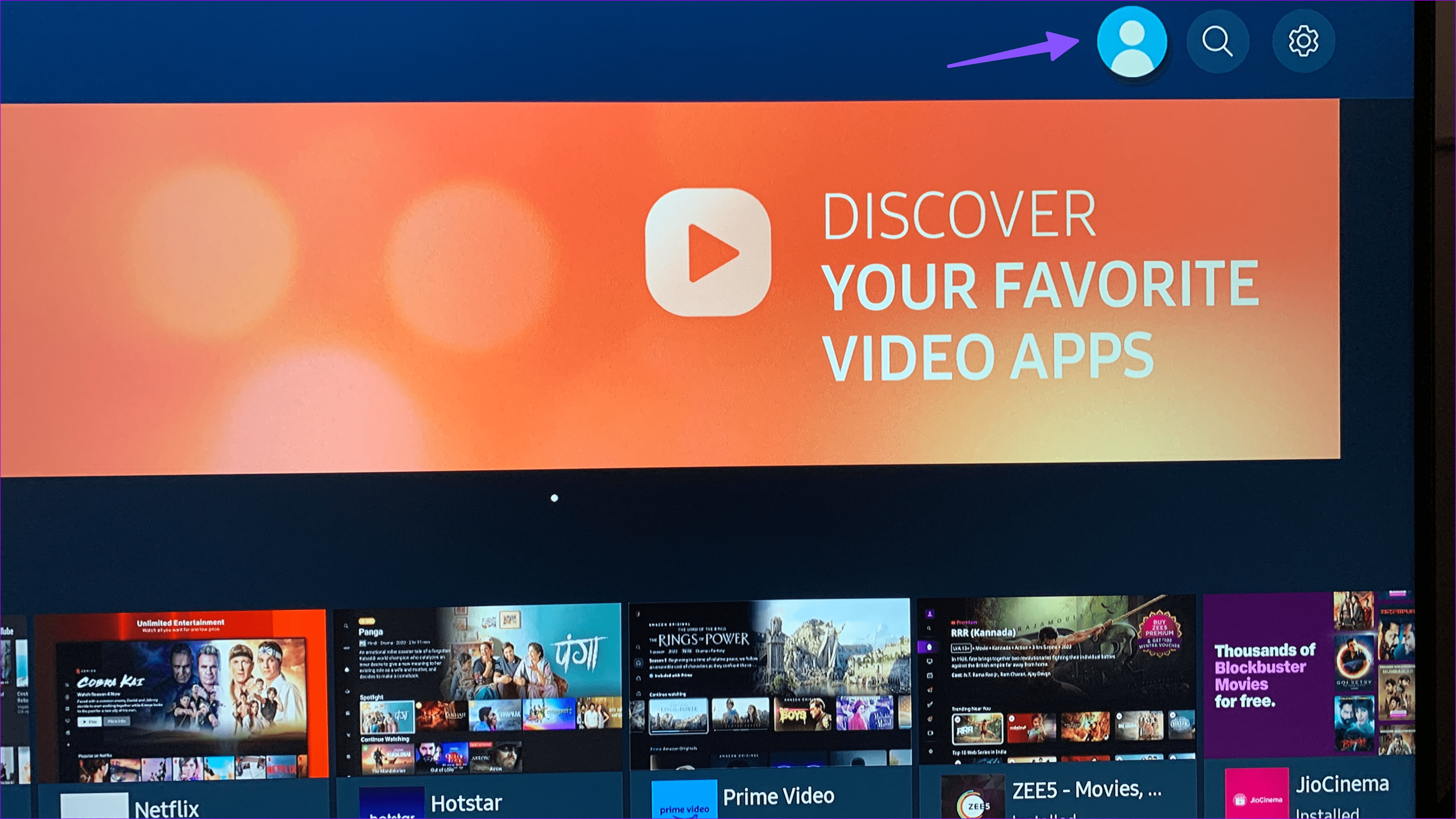
Step 3: Open your Samsung account and hit Sign Out.

Sign in using your Samsung account details and try downloading apps again.
Fix 4: Update Samsung TV
Samsung regularly releases updates to improve the stability of Tizen OS. Samsung TV may fail to download apps due to outdated system software.
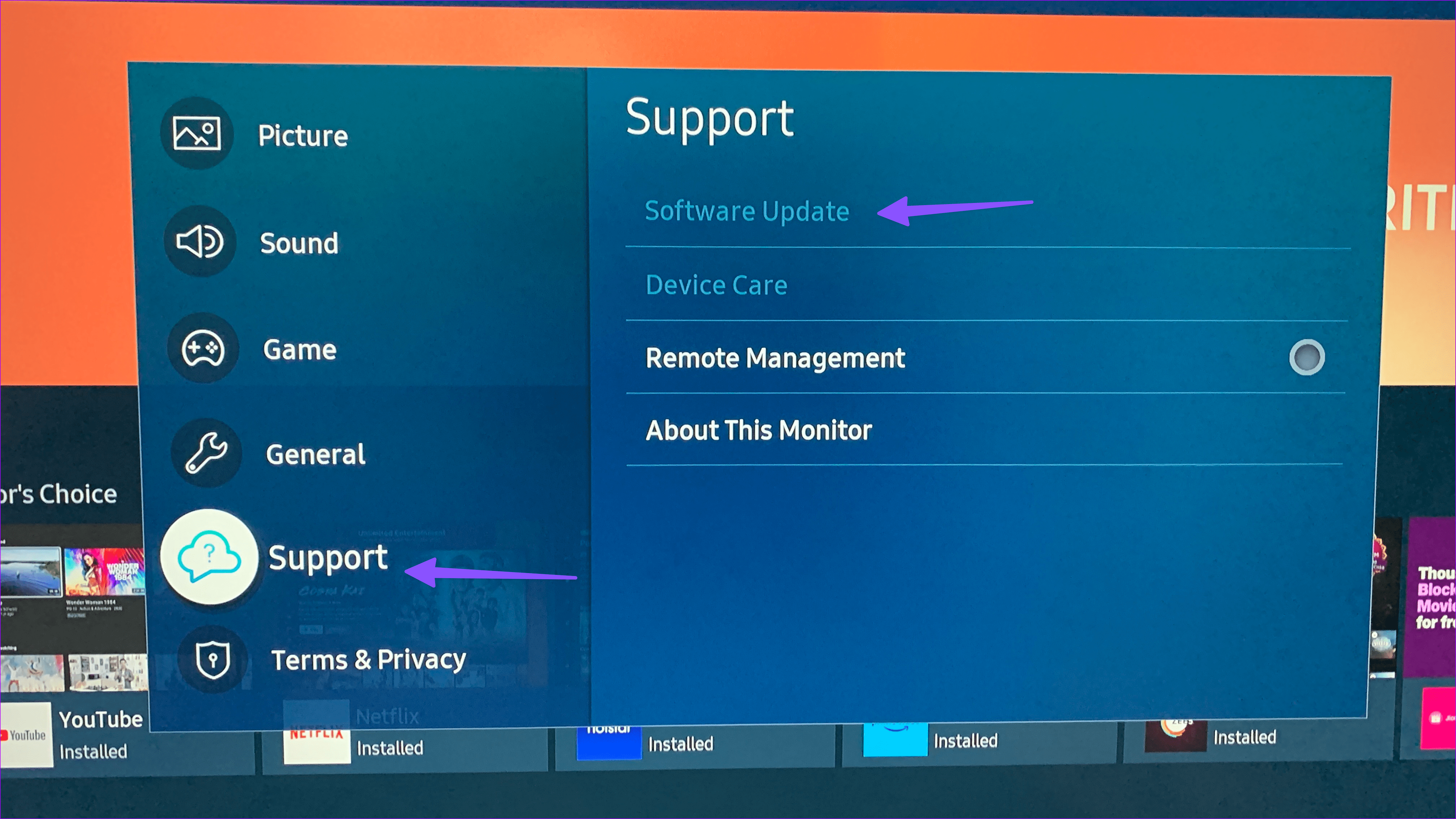
Step 1: Open Samsung TV Settings (check the steps above). Select All Settings.

Step 2: Select Support and hit Software Update to download and install the pending update.
Fix 5: Reset Samsung TV
Step 1: Head to Samsung TV Settings (check the steps above). Select General.
Step 2: Select Reset and enter a four-digit PIN (the default PIN is 0000).
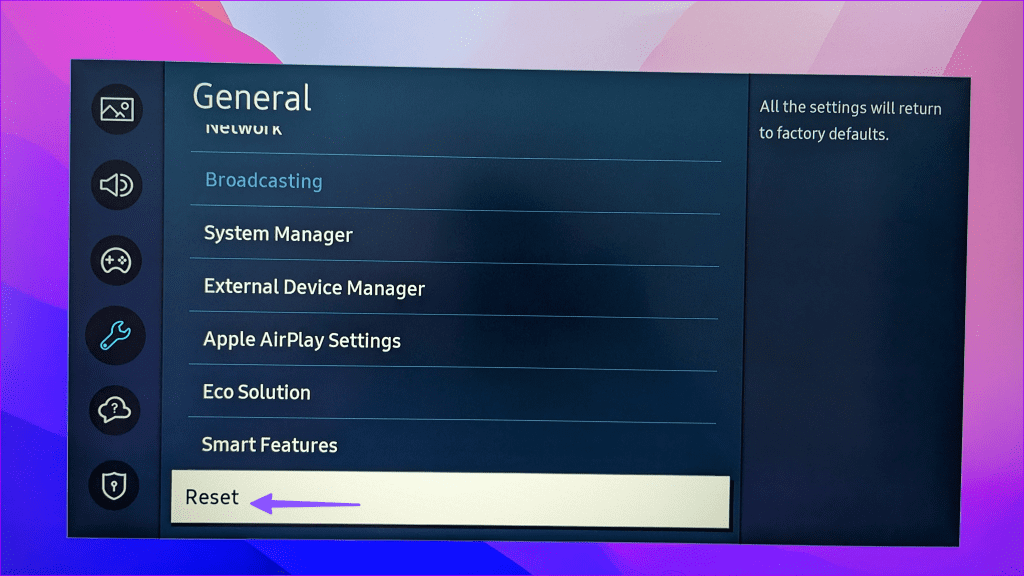
Follow the instructions and set up your Samsung TV.
Without access to streaming apps on your Samsung TV, your weekend plans will be ruined. Before you settle for a small iPad or laptop screen, go through the tricks above to fix the problem.
Was this helpful?
Last updated on 29 August, 2024
7 Comments
Leave a Reply
Read Next
 5 Ways to Fix Android TV Not Downloading Apps
Fix 1: Check the Storage on Your Android TV Most Android TVs come with 8GB of internal storage.
5 Ways to Fix Android TV Not Downloading Apps
Fix 1: Check the Storage on Your Android TV Most Android TVs come with 8GB of internal storage.
 4 Fixes for Samsung Galaxy Store Not Downloading Apps
https://youtu.be/fOETHrOCh5M Basic Fixes Switch to Wi-Fi: Starting with internet speeds, we suggest switching from mobile data to Wi-Fi.
4 Fixes for Samsung Galaxy Store Not Downloading Apps
https://youtu.be/fOETHrOCh5M Basic Fixes Switch to Wi-Fi: Starting with internet speeds, we suggest switching from mobile data to Wi-Fi.
 7 Ways to Fix Microsoft Store Not Downloading Apps or Games
Fix 1: Restart Microsoft Store Shutting down the app can kill any bugs, and it is unlikely to appear once you open the Microsoft Store again.
7 Ways to Fix Microsoft Store Not Downloading Apps or Games
Fix 1: Restart Microsoft Store Shutting down the app can kill any bugs, and it is unlikely to appear once you open the Microsoft Store again.
 4 Ways to Fix Apple TV Not Downloading Apps
Basic Fixes: Restart Apple TV: You can use the System menu on your Apple TV remote to restart your Apple TV device.
4 Ways to Fix Apple TV Not Downloading Apps
Basic Fixes: Restart Apple TV: You can use the System menu on your Apple TV remote to restart your Apple TV device.
 How to Stop iPhone From Automatically Downloading Apps
Why Is iPhone Downloading Apps Automatically?
How to Stop iPhone From Automatically Downloading Apps
Why Is iPhone Downloading Apps Automatically?
 4 Ways to Fix Apple Podcasts Not Downloading
Basic Fixes Check storage: Ensure your iPhone has enough storage space left to accommodate new downloads from the Podcasts app.
4 Ways to Fix Apple Podcasts Not Downloading
Basic Fixes Check storage: Ensure your iPhone has enough storage space left to accommodate new downloads from the Podcasts app.
 7 Ways to Fix Windows 11 Updates Not Downloading or Installing
Fix 1: Run the Windows Update Troubleshooter Windows 11 includes a dedicated troubleshooter that can automatically scan, detect, and fix any issues with Windows Updates.
7 Ways to Fix Windows 11 Updates Not Downloading or Installing
Fix 1: Run the Windows Update Troubleshooter Windows 11 includes a dedicated troubleshooter that can automatically scan, detect, and fix any issues with Windows Updates.
 3 Ways to Fix Google Drive Not Downloading Files on Android and iPhone
Try Basic Fixes Ask the file owner to enable download access: If you can't download a file shared with you, the file owner may have restricted your access with the
3 Ways to Fix Google Drive Not Downloading Files on Android and iPhone
Try Basic Fixes Ask the file owner to enable download access: If you can't download a file shared with you, the file owner may have restricted your access with the
The article above may contain affiliate links which help support Guiding Tech. The content remains unbiased and authentic and will never affect our editorial integrity.
Error 102035 on a new Samsung when trying to install any application
Same situation and none of these tips help
Same thing, what is this error? Was anyone able to solve it?
Same error 102035.
Only previously installed applications work; new ones cannot be installed.
In the network settings, change the DNS server to 77.88.8.8
Thank you kind person, only your advice helped!
And if you do a reset, all installed applications will be deleted and only YouTube and the Internet and Kion will remain working, well, you won’t install the gallery and new ones in any way – it will give an error. I did this out of stupidity because the smarthub stopped working, or rather, it opens, sees the applications but they It’s as if their icons are broken, but what’s interesting is that I can open any application to install and even find them by searching, and when I open it there will be a description and an install button, but during installation it gives an error. They wrote here that on YouTube in Russia there will be dances with a tambourine and the other day there was such that on YouTube, when viewing, it showed only a scroll bar and all the other settings appeared only when in the smart hub where the installed applications are located and in the item where you can delete or reinstall, then everything worked ok there. But I wanted to install a new application and I got what I wrote above. And I reset the hub first – all the installed applications disappeared and just installed what I described and no reinstallations or resets help. They said in technical support that everything is fine with the TV, it’s that they have such problems on the line and you’re waiting for all this it will get better. question for them when? they answered they don’t know and it was 08.20.2024