


Basic Fixes:
- Restart TV: A restart can often fix most temporary glitches with your TV’s operating system. Keep pressing the power button on your TV remote and select Restart when prompted. Once done, reconnect your Roku device and try using it again.
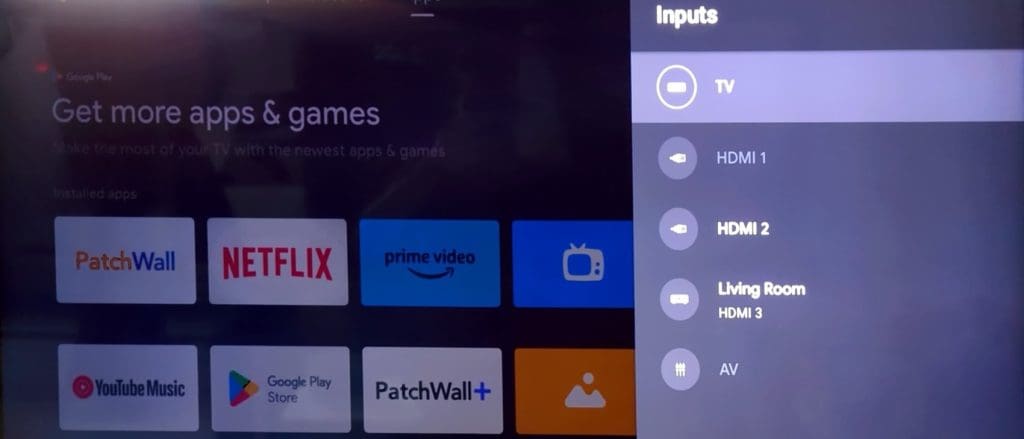
- Try another HDMI port on your TV: Most modern TVs have multiple HDMI ports. If your Roku device is not interfacing with a specific HDMI port, unplug it and try another port to establish a successful connection.
- Look for physical damage: As with most electronic devices, your Roku streaming box may not properly connect to a TV if it’s significantly damaged. Inspect the device for any physical damage and try again.
Fix 1: Use a Powerful Adapter
To connect your Roku to a TV, use a high-quality, powerful adapter. If you have the following Roku devices, connect your Roku cable directly to the TV’s USB port.
- Roku Express
- Roku Express 4K
- Roku Premiere (except for the 2016 model)
- Roku Streaming Stick+
- Roku Streaming Stick 4K
Please note that some TVs may not support charging over USB ports. If you have one such television at home, you must use the bundled power adapter.
Fix 2: Reboot Roku Using Remote
If your Roku streaming service is frozen or showing a black screen, reboot it using the supplied remote.
Step 1: Press the home button on your Roku remote five times.
Step 2: Press the up arrow key once.
Step 3: Press the rewind button twice. Then, press the fast-forward button twice.

Your Roku will reboot, although it may take a few seconds to appear on your TV.
Fix 3: Check Network Connection
Roku requires an active internet connection to work as expected. If you have a network connectivity issue at home or office, it may mess up your Roku setup. Ensure a fast Wi-Fi network, or invest in one of the ethernet adapters and try again.
Was this helpful?
Last updated on 26 July, 2024
1 Comment
Leave a Reply
Read Next
 Top 10 Ways to Fix Roku Not Connecting to Wi-Fi
Roku offers several streaming devices at different price points.
Top 10 Ways to Fix Roku Not Connecting to Wi-Fi
Roku offers several streaming devices at different price points.
 Top 10 Ways to Fix YouTube Not Working on Roku
One of the top reasons for YouTube’s striking popularity is cross-platform availability.
Top 10 Ways to Fix YouTube Not Working on Roku
One of the top reasons for YouTube’s striking popularity is cross-platform availability.
 Top 10 Ways to Fix AirPlay Not Working on Roku
Roku offers a wide range of streaming devices to movie buffs.
Top 10 Ways to Fix AirPlay Not Working on Roku
Roku offers a wide range of streaming devices to movie buffs.
 5 Ways to Fix Amazon Echo Not Connecting to Wi-Fi Issue
Basic Fixes Check the Setup Process: Ensure you set up the Echo properly.
5 Ways to Fix Amazon Echo Not Connecting to Wi-Fi Issue
Basic Fixes Check the Setup Process: Ensure you set up the Echo properly.
 2 Ways to Fix Google Nest Hub Not Connecting to Wi-Fi
Try Basic Fixes Avoid using public Wi-Fi networks: Connecting your Nest Hub to a public Wi-Fi network at an office, school, or shared apartment could result in errors.
2 Ways to Fix Google Nest Hub Not Connecting to Wi-Fi
Try Basic Fixes Avoid using public Wi-Fi networks: Connecting your Nest Hub to a public Wi-Fi network at an office, school, or shared apartment could result in errors.
 11 Ways to Fix Samsung TV Not Connecting to SmartThings
Have you been wondering why won’t SmartThings connect to my TV?
11 Ways to Fix Samsung TV Not Connecting to SmartThings
Have you been wondering why won’t SmartThings connect to my TV?
 Top 12 Ways to Fix Samsung TV Not Connecting to Wi-Fi
Samsung uses the Tizen operating system on its smart TV lineup.
Top 12 Ways to Fix Samsung TV Not Connecting to Wi-Fi
Samsung uses the Tizen operating system on its smart TV lineup.
 4 Ways to Fix iPad Not Connecting to the Internet
Basic Fixes: Restart your iPad: Restarting your iPad can help fix any temporary issues preventing it from connecting to the internet.
4 Ways to Fix iPad Not Connecting to the Internet
Basic Fixes: Restart your iPad: Restarting your iPad can help fix any temporary issues preventing it from connecting to the internet.
The article above may contain affiliate links which help support Guiding Tech. The content remains unbiased and authentic and will never affect our editorial integrity.

Tried to hook Roku up today to no avail.