

Basic Fixes
- Use a public account: Go to your profile > Settings and activity > Account privacy > disable Private account.
- Switch to Wi-Fi: Connect your iPhone or Android phone to a strong Wi-Fi network.
- Force quit and relaunch Instagram: This will give the app a fresh start if it has been running in the background for quite some time now.
- Update or reinstall Instagram: Install the latest version of the app to get rid of bugs or glitches.
- Check account status: Go to your profile > Settings and activity > Account status > check if you have been restricted by Instagram.
Why Can’t You See Who Viewed Your Instagram Story
- You might have hidden certain profiles from your Instagram Story.
- You might have restricted the account from your profile.
- The account might have blocked you.
- There’s some issue with your Instagram account.
Fix 1: Check Hidden Accounts
Instagram gives you the option to hide an account that bothers you on the platform. You can check your hidden account list and remove people.
Go to your profile > Settings and activity > Hide story and live > Hide story and live from > remove the accounts to unhide them.


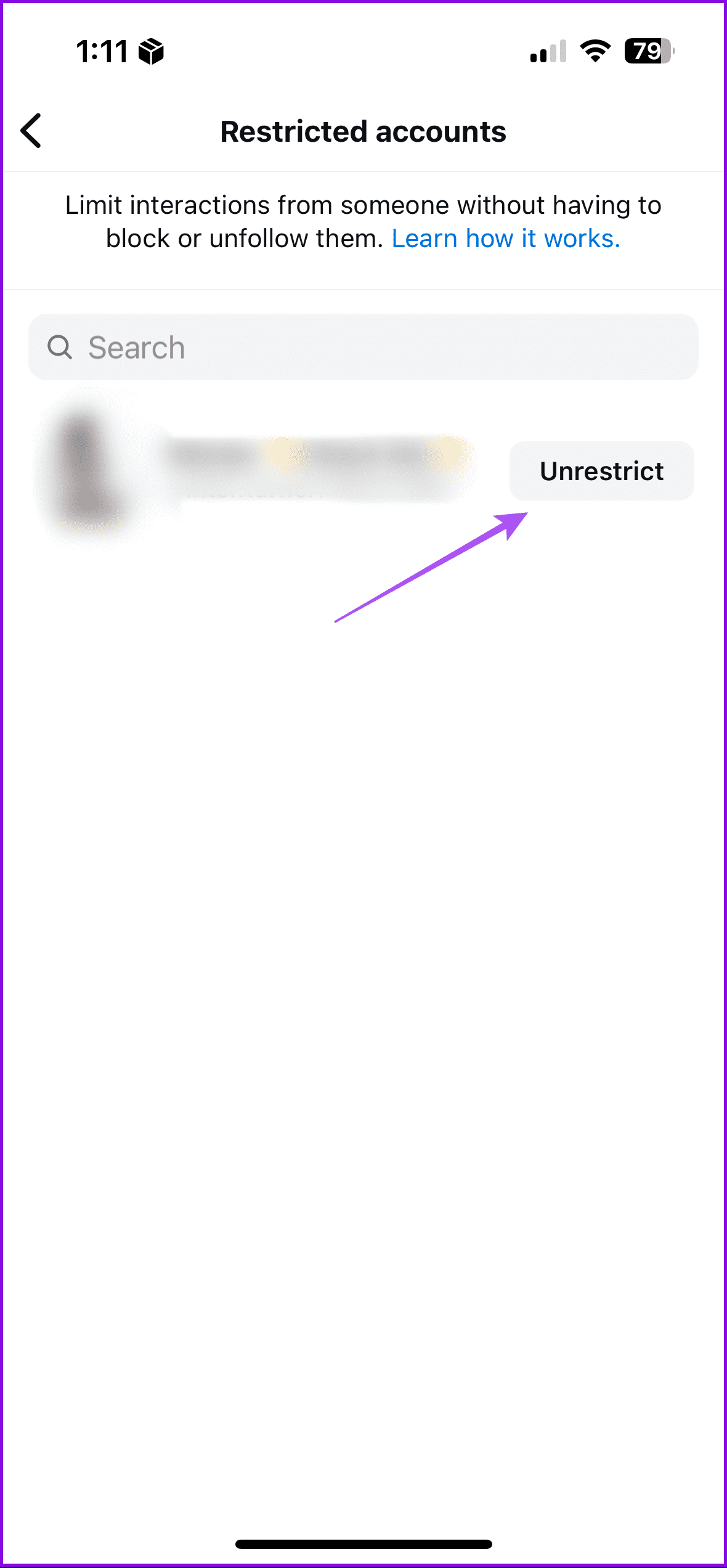
Fix 2: Check Restricted Accounts List
If you want more privacy, Instagram lets you restrict accounts from your profile. So we suggest checking the restricted accounts list too.
Go to your profile > Settings and activity > Restricted > Unrestrict the accounts.

Fix 3: Clear Instagram Cache
The Instagram app cache will store all your preferences and login info to improve your in-app experience. This can also be the search history on your Instagram account, thumbnails of your saved posts, and more. So you can clear the Instagram Cache if your Instagram Story is not showing views. Here’s how to do it on Android and iPhone.
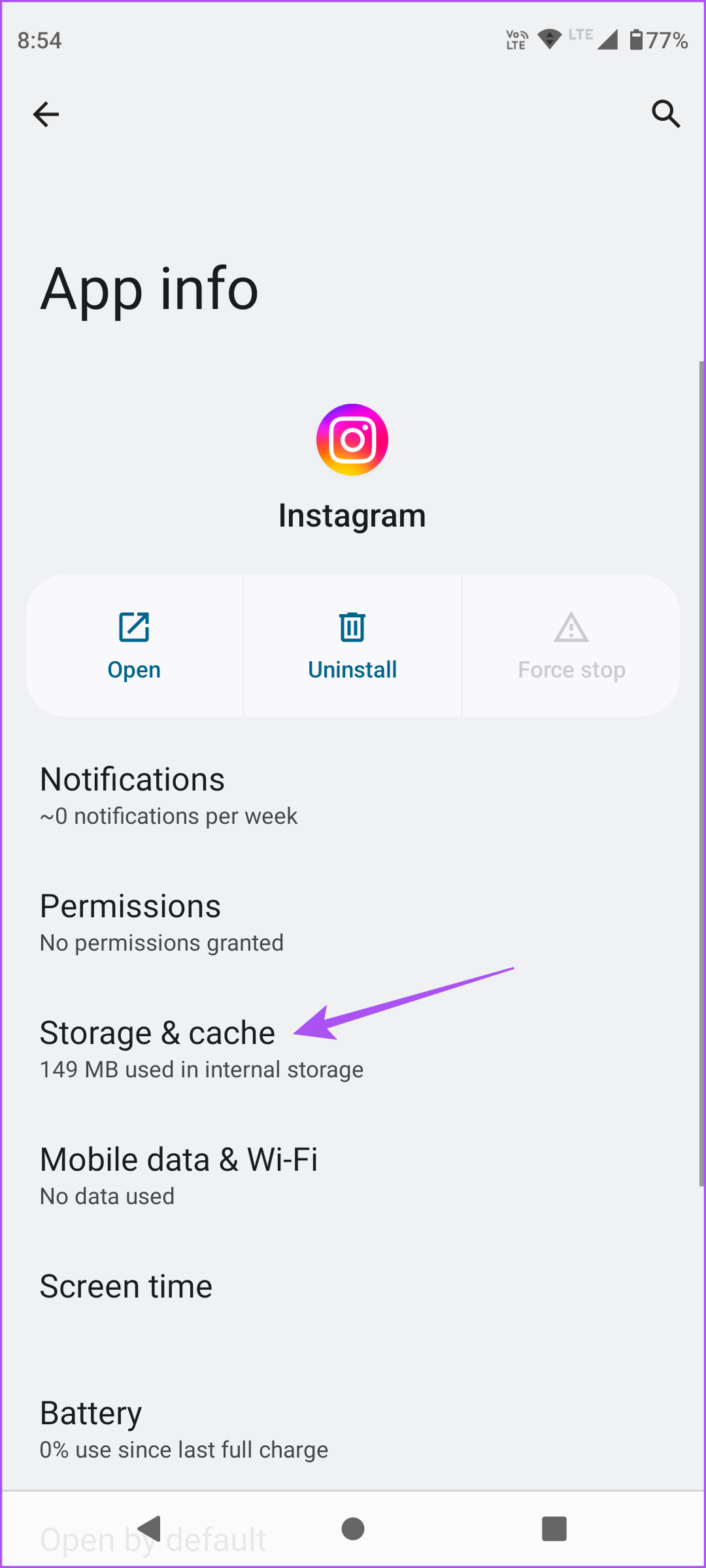
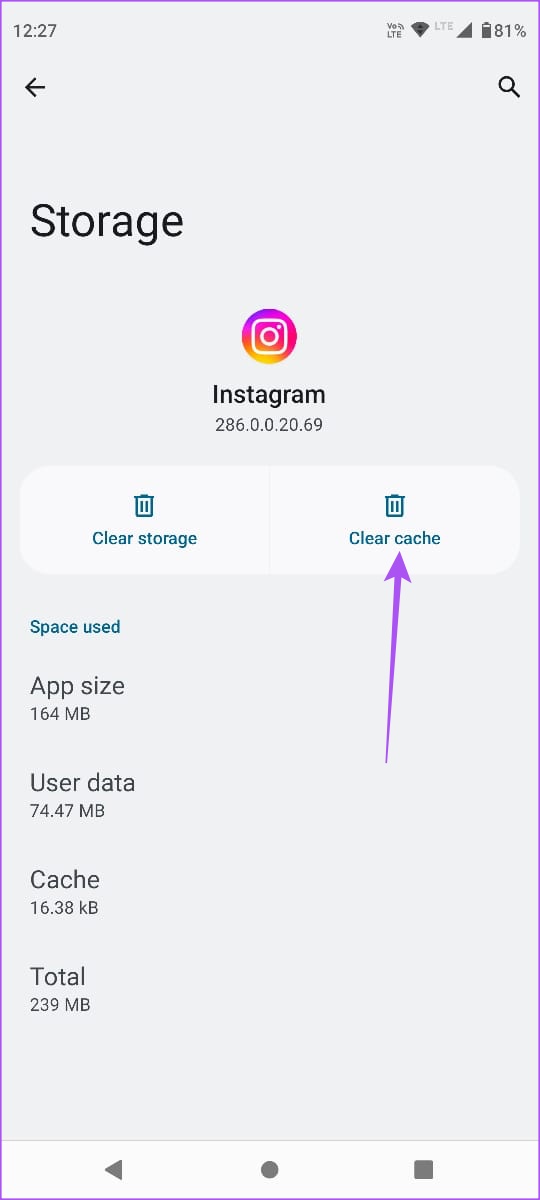
Clear Instagram Cache on Android
Open Instagram App info > Storage and cache > Clear cache.
Clear Instagram Cache on iPhone
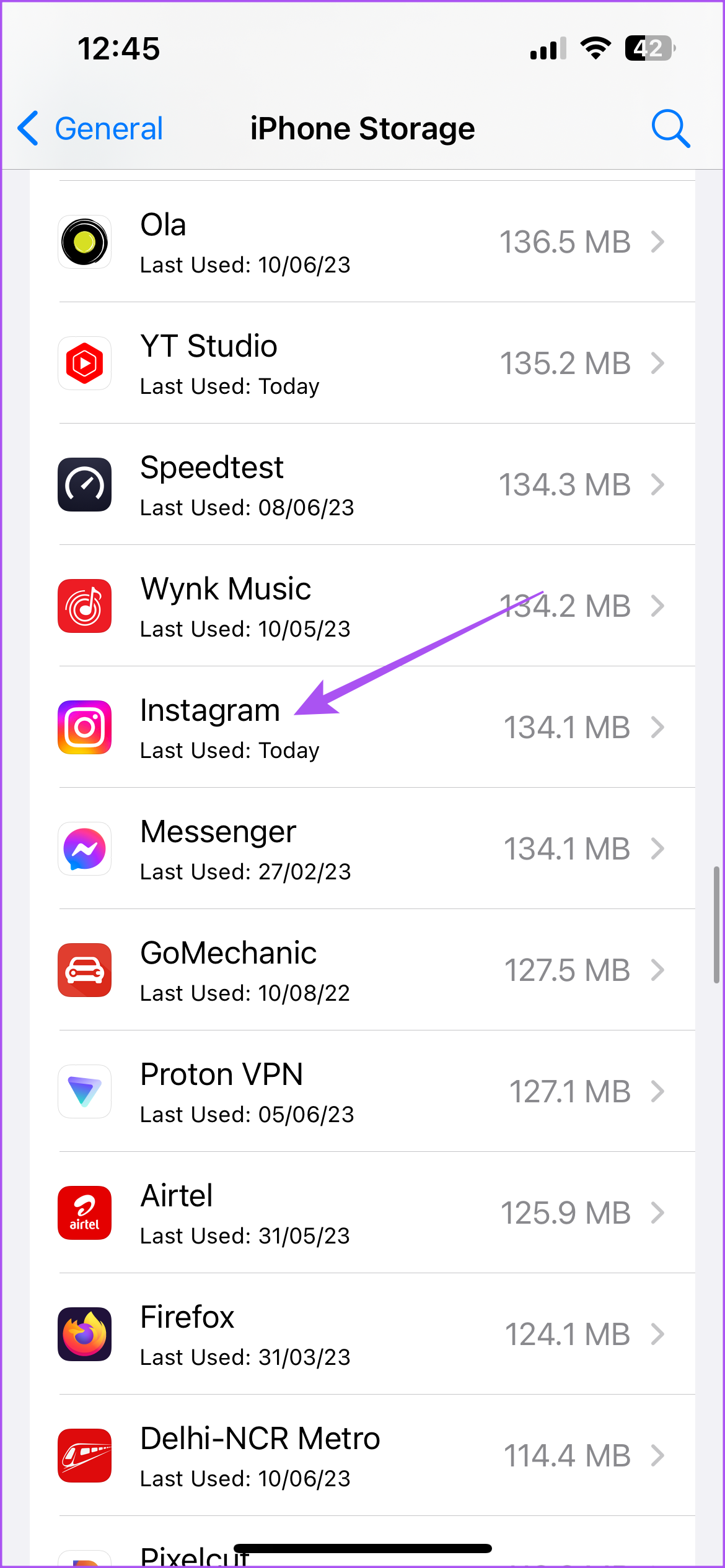
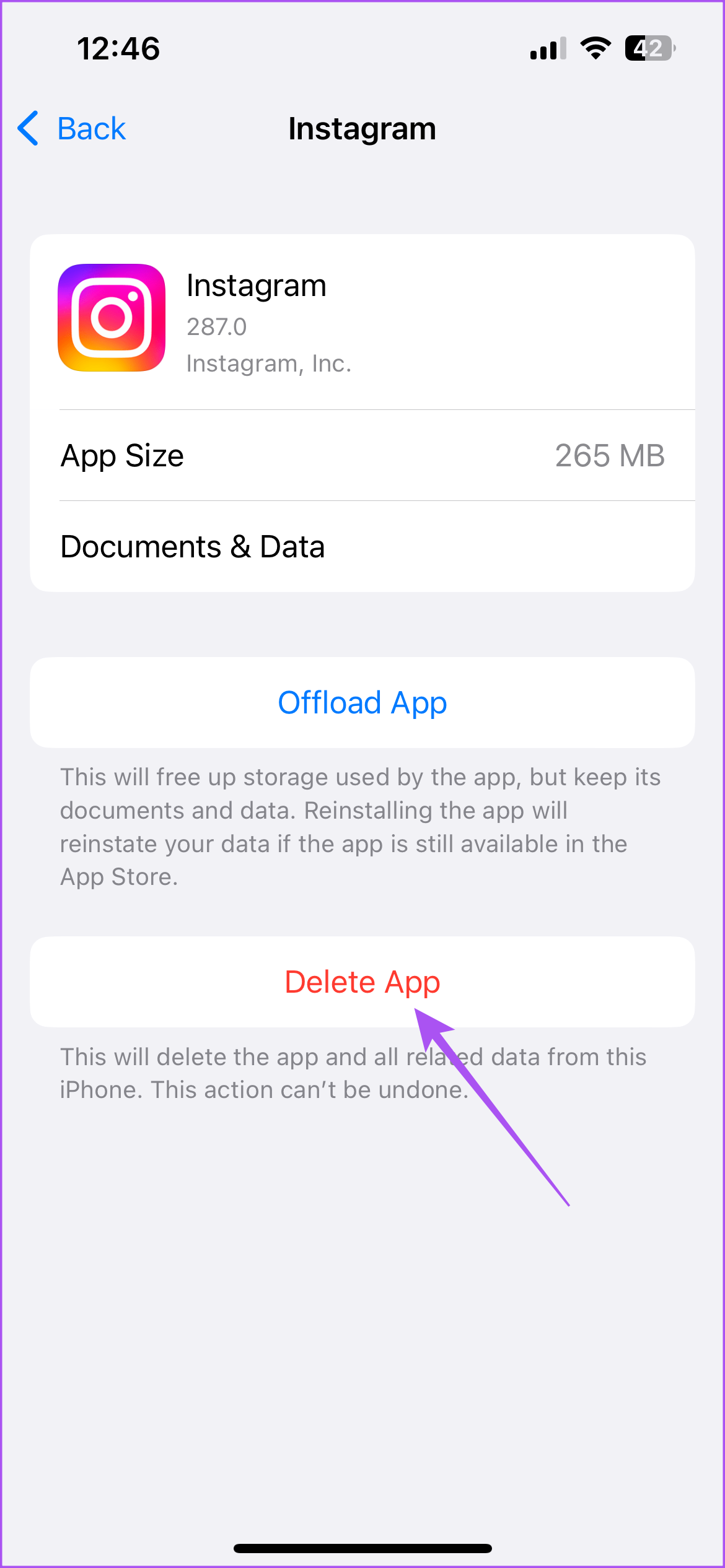
You can’t delete the app cache on your iPhone. But you have the option to delete Documents and Data for Instagram. Here’s how it goes.
Step 1: Open Settings > General > iPhone Storage > Instagram.
You will see two options – Offload App and Delete App. Refer to our guide on difference between Offload and Delete apps in iOS and iPadOS.
Delete App will remove all your app data from your iPhone. Offload App will free up the storage used by Instagram on your iPhone but your data will be secured. So you will have to reinstall Instagram from the App Store to reinstate your data.
Step 2: We suggest tapping on Delete App and then reinstall it from the App Store to check if that solves the problem.
Fix 4: Report to Instagram
Finally, we recommend that you report this issue to Instagram. It might be possible that there’s some issue specifically with your profile. Refer to our post to learn how to report to Instagram.
Was this helpful?
Last updated on 02 September, 2024
2 Comments
Leave a Reply
Read Next
 3 Best Ways to Fix TikTok Not Showing Likes or Views
Preliminary Fixes Close & Reopen: Sometimes, a simple app restart can refresh the data.
3 Best Ways to Fix TikTok Not Showing Likes or Views
Preliminary Fixes Close & Reopen: Sometimes, a simple app restart can refresh the data.
 Can You See Who Views Your Instagram Profile
Does Instagram Show Who Views Your Profile Unfortunately, no.
Can You See Who Views Your Instagram Profile
Does Instagram Show Who Views Your Profile Unfortunately, no.
 How to Turn on Profile Views on TikTok
How to Enable or Disable TikTok Profile Views History Step 1: Open TikTok on your Android or iOS device.
How to Turn on Profile Views on TikTok
How to Enable or Disable TikTok Profile Views History Step 1: Open TikTok on your Android or iOS device.
 How to Tag/Mention Someone on Instagram Story Without It Showing
Instagram's tagging system is great for public shoutouts, but what about when you want to send a secret message to your friend?
How to Tag/Mention Someone on Instagram Story Without It Showing
Instagram's tagging system is great for public shoutouts, but what about when you want to send a secret message to your friend?
 Facebook Story vs Messenger Story: Similarities and Differences
Key Differences and Similarities FeatureFacebook StoriesMessenger StoriesCross-PostingFacebook Stories are visible to Messenger contacts.Messenger Stories are visible to Facebook friends.AvailabilityAvailable on mobile apps and the Facebook website.Available only on the mobile
Facebook Story vs Messenger Story: Similarities and Differences
Key Differences and Similarities FeatureFacebook StoriesMessenger StoriesCross-PostingFacebook Stories are visible to Messenger contacts.Messenger Stories are visible to Facebook friends.AvailabilityAvailable on mobile apps and the Facebook website.Available only on the mobile
 How to Fix Facebook Messenger Story Not Showing on iPhone and Android
Why Can't I See Stories on Facebook Messenger Several factors can affect your story experience in Facebook Messenger.
How to Fix Facebook Messenger Story Not Showing on iPhone and Android
Why Can't I See Stories on Facebook Messenger Several factors can affect your story experience in Facebook Messenger.
 Why Can’t I Share Instagram Posts to My Story?
Why Can’t I Share Posts to Story on Instagram 1.
Why Can’t I Share Instagram Posts to My Story?
Why Can’t I Share Posts to Story on Instagram 1.
 How to Search for Filters on Instagram and Add to Your Story
Method 1: Search for Instagram Filters via the Browse Effects Option The simplest way to find a filter on IG is via the Effects Gallery.
How to Search for Filters on Instagram and Add to Your Story
Method 1: Search for Instagram Filters via the Browse Effects Option The simplest way to find a filter on IG is via the Effects Gallery.
The article above may contain affiliate links which help support Guiding Tech. The content remains unbiased and authentic and will never affect our editorial integrity.
Earlier my Instagram story was shows Facebook Viewers whenever I keep story but now Facebook Viewers is not showing in Instagram story. Kindly guide
None of this works, EVER!! 😂