Basic Fixes
- Reinstall Instagram: Reinstalling the app will clear out temporary issues, and when you log in, it will default to settings that are restricted to the app.
- Update the Instagram app: If you don’t want to reinstall, check for an update. Many times, updates fix bugs such as these.
- Restart your Android device in safe mode: Android offers Safe mode to check if the app works. If it does, the problem is due to something else. Press and hold the power button until power options appear, then tap and hold Power Off. Lastly, hold the power button until you see Reboot to safe mode and tap on the prompt.
Fix 1. Check Notification Settings
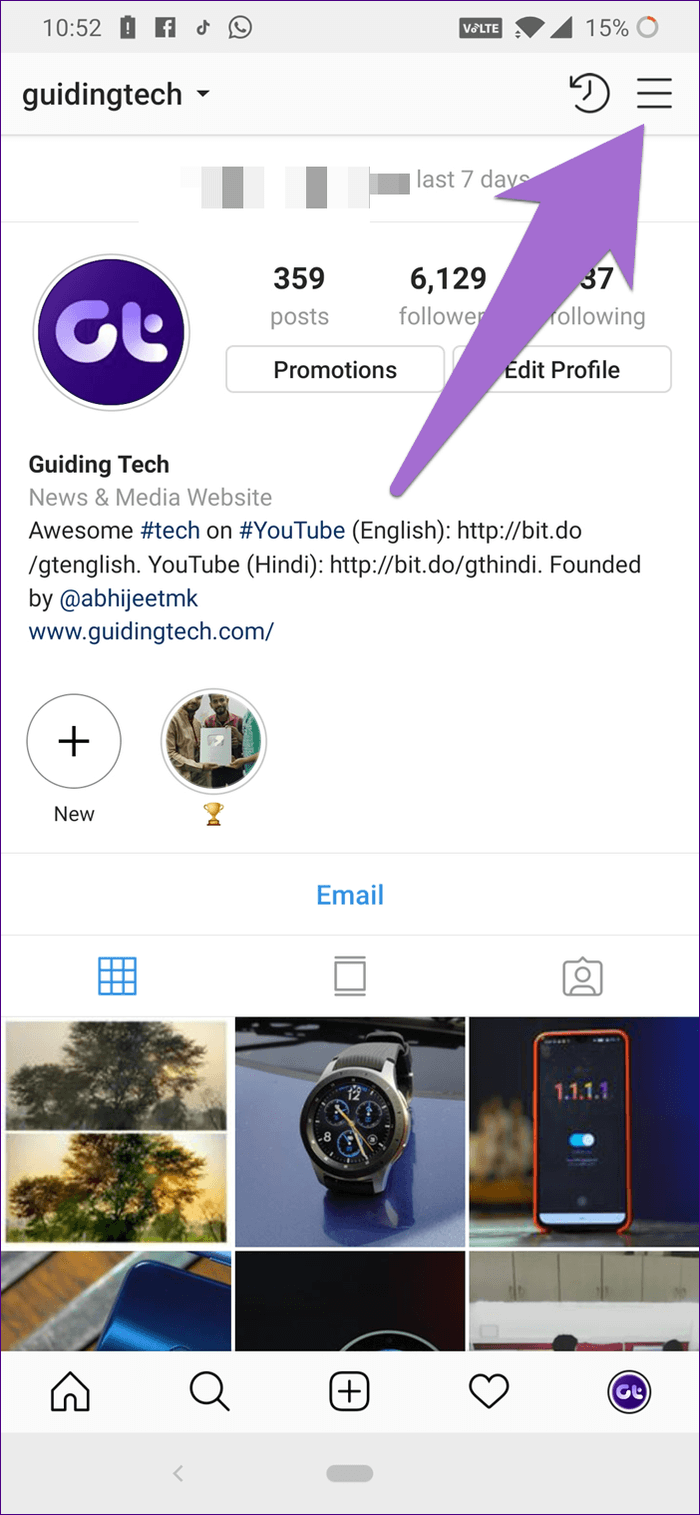
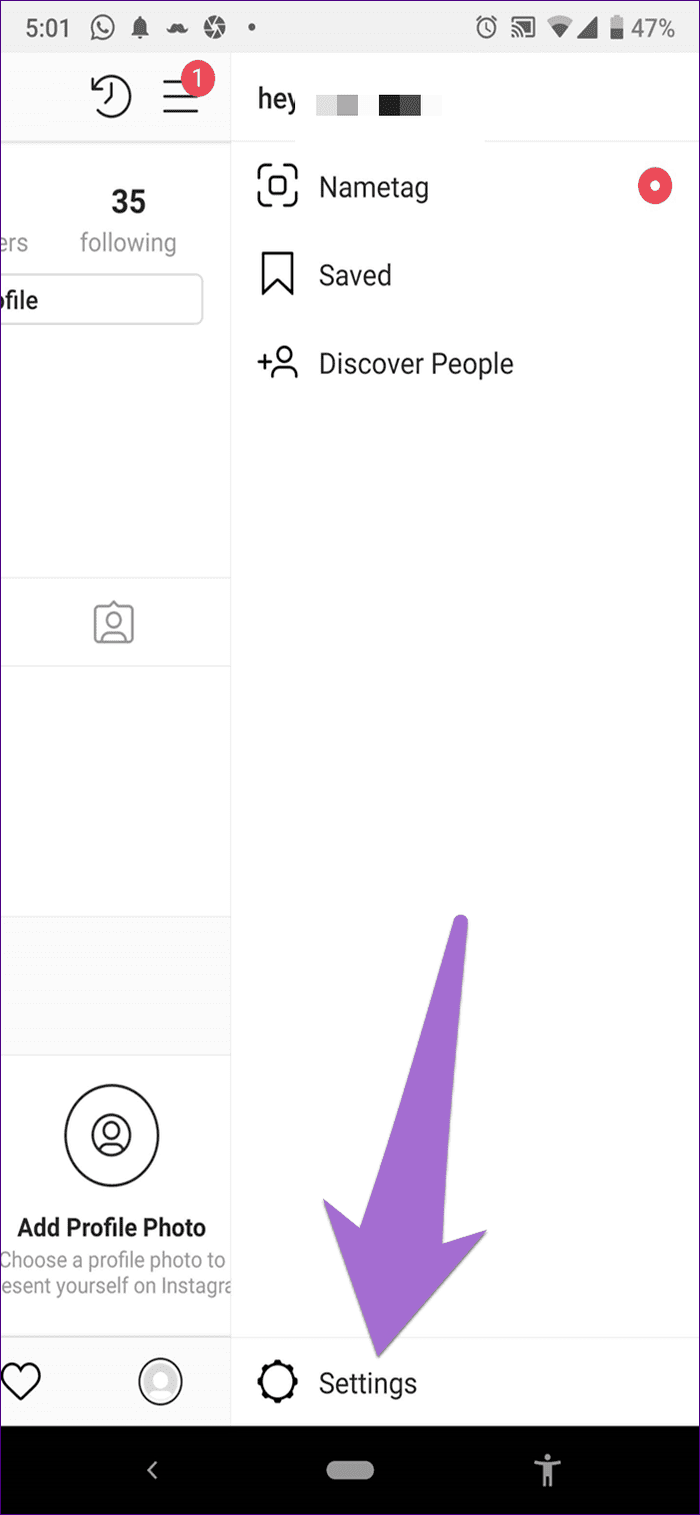
Step 1: Open the Instagram app and go to your profile. Here, tap on the three-bar icon at the top-right corner > select Settings.
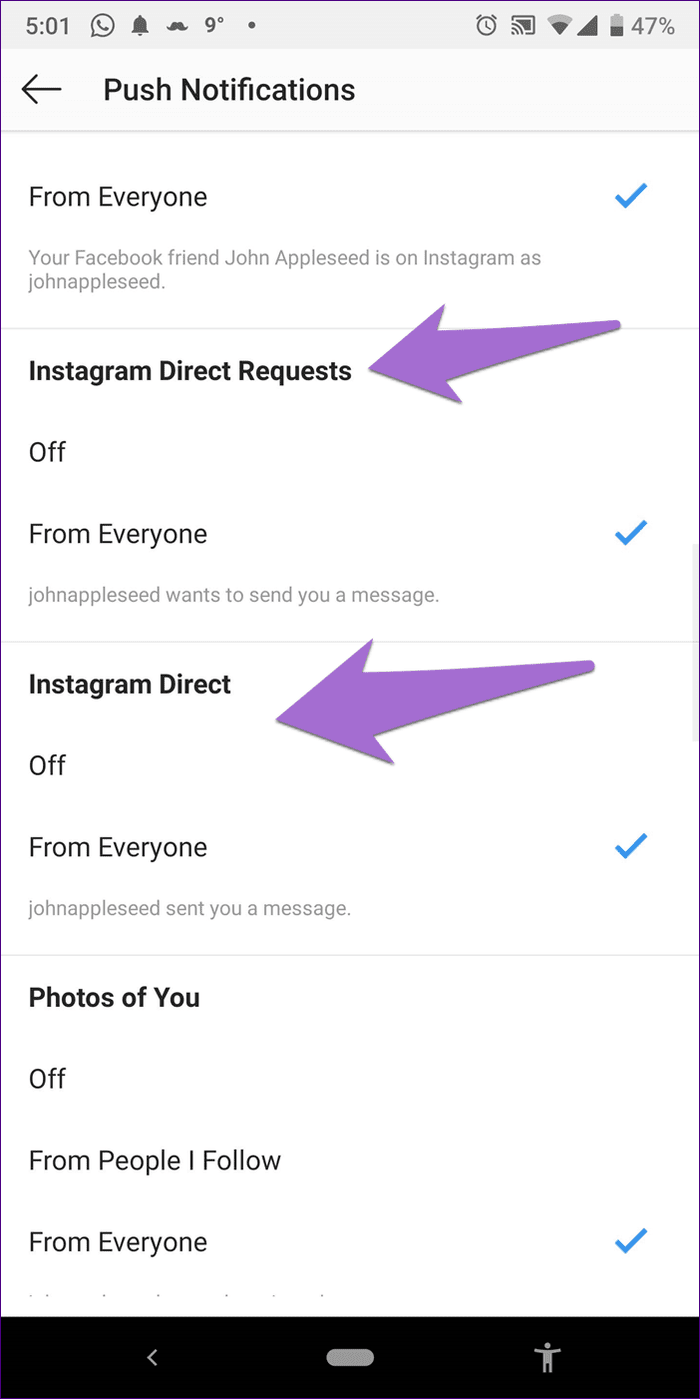
Step 2: Scroll down and tap on Push Notifications under Notifications. Look for Instagram Direct and Instagram Direct Requests. Ensure the check mark is next to From Everyone for Instagram Direct.
Note: If it is next to Off, tap on From Everyone to select it.

Step 4: Restart your device. You should receive message notifications now.
Fix 2. Check Muted Chat
Are you not receiving notifications from a particular message thread? If yes, check that the thread isn’t muted. You won’t get notifications from that chat when you mute a thread (even accidentally).
Step 1: Launch the Instagram app and tap the message icon at the top right.

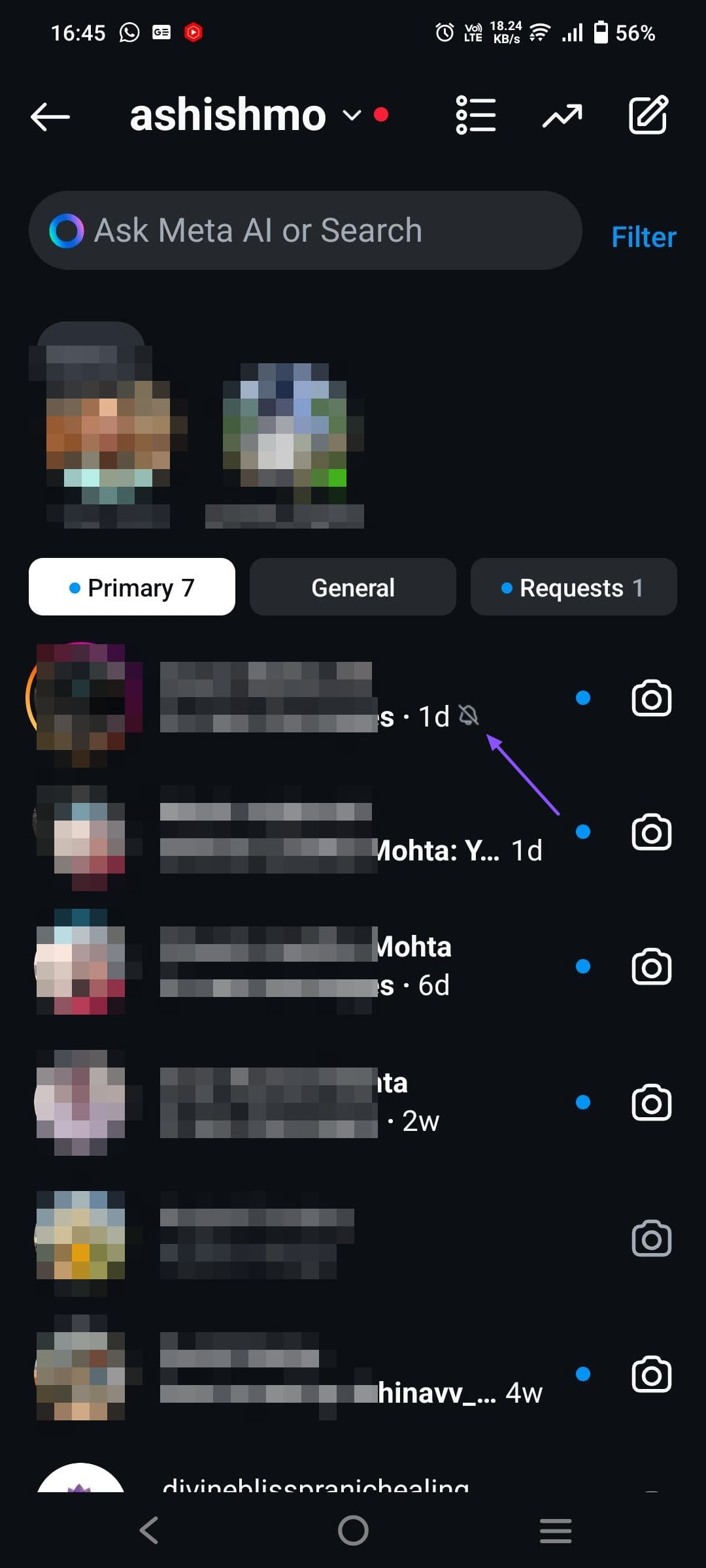
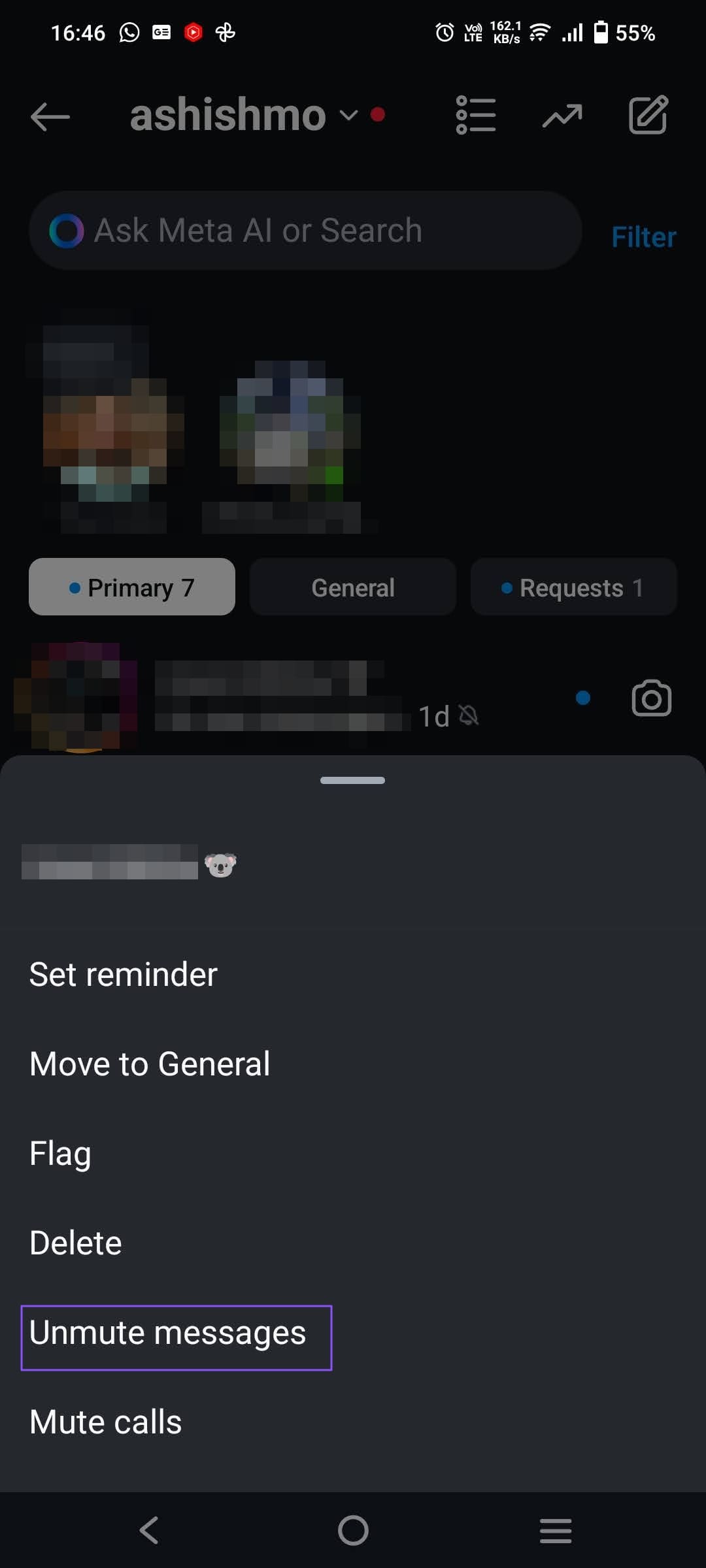
Step 2: Find the thread whose notifications you aren’t getting. Look for the mute icon. If you find it, it means the thread is muted.
Step 3: To unmute it, tap and hold the message thread. Then, select Unmute Messages from the menu.
Fix 3. Clear Instagram App Cache
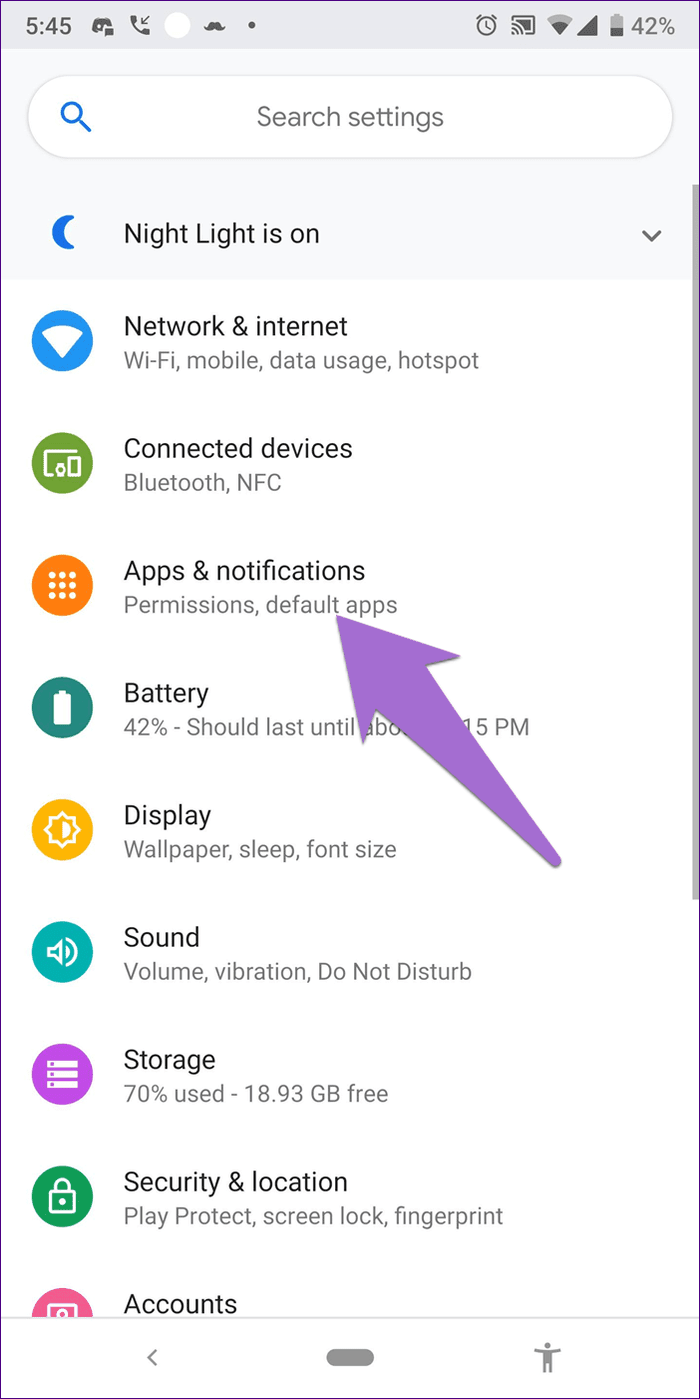
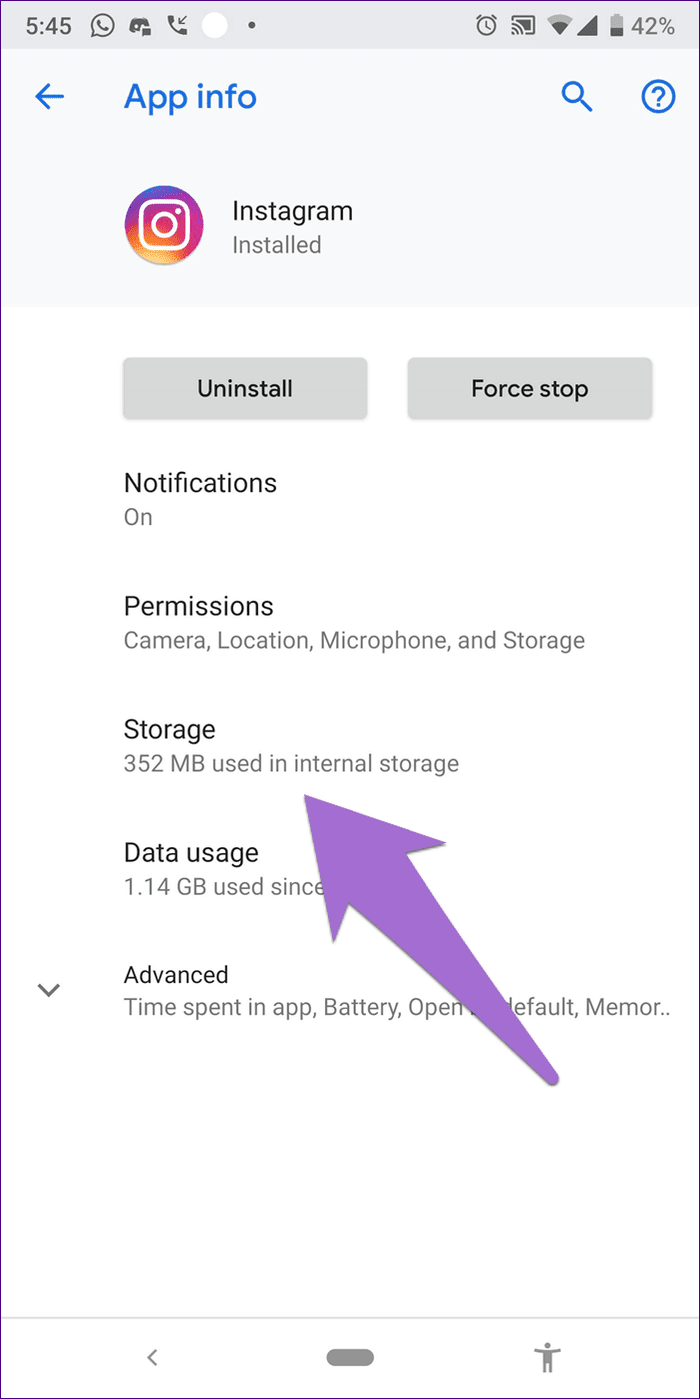
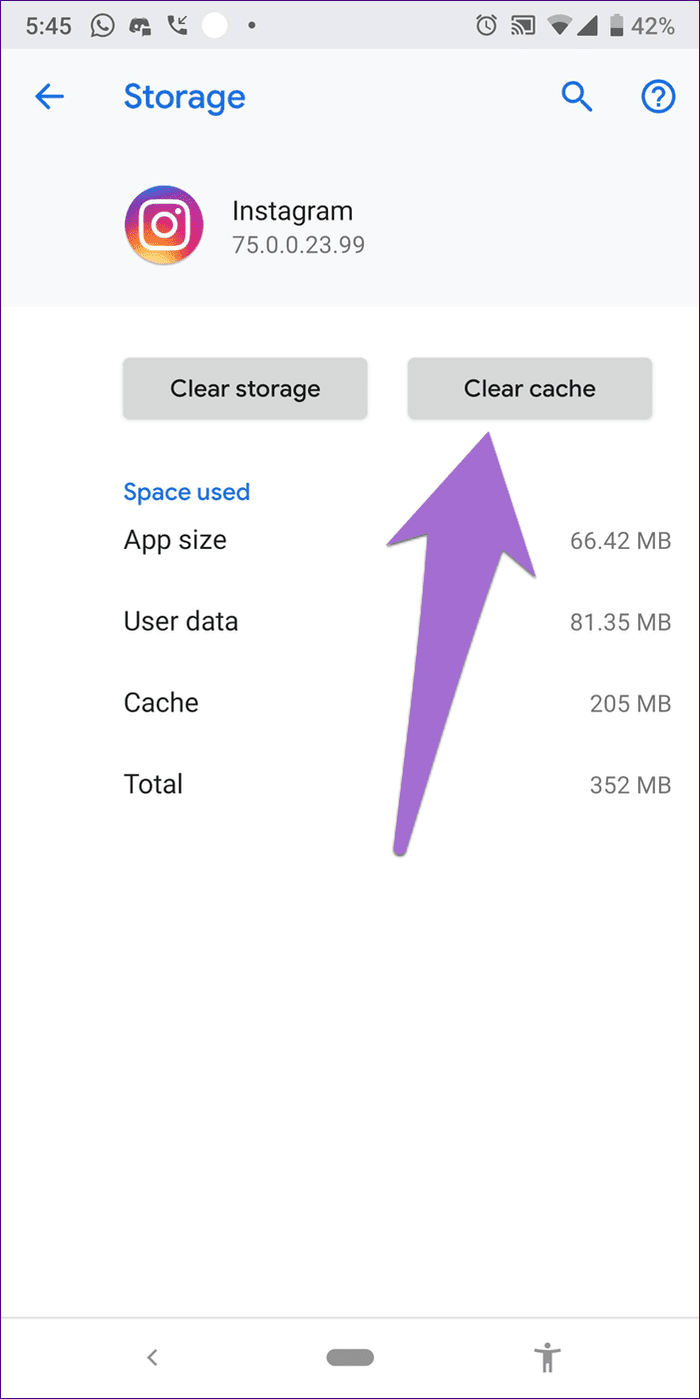
Step 1: Open device Settings > go to Apps/Apps & notifications/Application Manager, depending on your device.
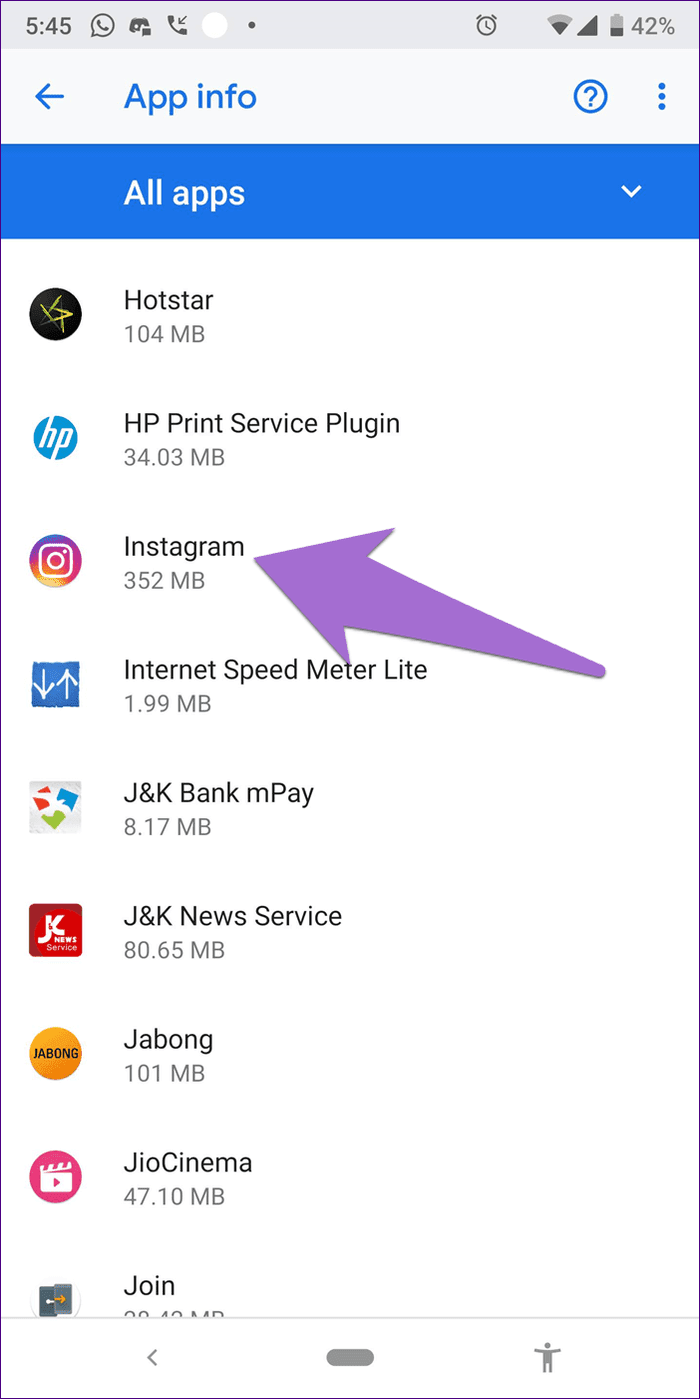
Step 2: Under All apps, tap on Instagram > Storage > press Clear cache.
Was this helpful?
Last updated on 26 August, 2024
Read Next
 7 Ways to Fix Reminders App Not Sending Notifications
Basic Fixes: Disable DND and Focus Mode: DND and Focus Mode can help block notifications to ensure you're not disturbed.
7 Ways to Fix Reminders App Not Sending Notifications
Basic Fixes: Disable DND and Focus Mode: DND and Focus Mode can help block notifications to ensure you're not disturbed.
 5 Ways to Fix Instagram Messages Not Sending
Basic Fixes Check if Instagram is down: Check if Instagram is facing downtime.
5 Ways to Fix Instagram Messages Not Sending
Basic Fixes Check if Instagram is down: Check if Instagram is facing downtime.
 Top 4 Ways to Fix Instagram Not Sending a Security Code
https://youtu.be/N1KvHzjClJA Preliminary Fixes Check the Network Connection: A weak or unstable internet connection can prevent Instagram from sending security codes.
Top 4 Ways to Fix Instagram Not Sending a Security Code
https://youtu.be/N1KvHzjClJA Preliminary Fixes Check the Network Connection: A weak or unstable internet connection can prevent Instagram from sending security codes.
 3 Ways to Fix Snapchat Not Sending Snaps
Try Basic Fixes Check if Snapchat is down: Snapchat may fail to send snaps if its servers are down.
3 Ways to Fix Snapchat Not Sending Snaps
Try Basic Fixes Check if Snapchat is down: Snapchat may fail to send snaps if its servers are down.
 3 Ways to Fix Facebook Not Sending Security Code
Basic Fixes: Wait for some time: Due to a large number of user requests, Facebook servers might get jammed and delay sending a verification code.
3 Ways to Fix Facebook Not Sending Security Code
Basic Fixes: Wait for some time: Due to a large number of user requests, Facebook servers might get jammed and delay sending a verification code.
 4 Ways to Fix Snapchat Not Sending a Security Code
Basic Fixes: Check Snapchat server status: If Snapchat's servers are not working properly, it can cause the security code not to come through.
4 Ways to Fix Snapchat Not Sending a Security Code
Basic Fixes: Check Snapchat server status: If Snapchat's servers are not working properly, it can cause the security code not to come through.
 2 Ways to Fix Epic Games Not Sending a Security Code
Basic Fixes: Check network connection: If your phone has a spotty network connection, you may not receive a security code from Epic Games via email or SMS.
2 Ways to Fix Epic Games Not Sending a Security Code
Basic Fixes: Check network connection: If your phone has a spotty network connection, you may not receive a security code from Epic Games via email or SMS.
 2 Ways to Fix Discord Not Sending a Security Code
Basic Troubleshooting Double-check the number and country code: A silly mistake could be causing the issue.
2 Ways to Fix Discord Not Sending a Security Code
Basic Troubleshooting Double-check the number and country code: A silly mistake could be causing the issue.
The article above may contain affiliate links which help support Guiding Tech. The content remains unbiased and authentic and will never affect our editorial integrity.