Before you begin, try to restart the Google Maps app and your smartphone. Further, update the app to the latest version from the Play Store or App Store.
Fix 1: Double Check Auto Rotate Option on your Smartphone
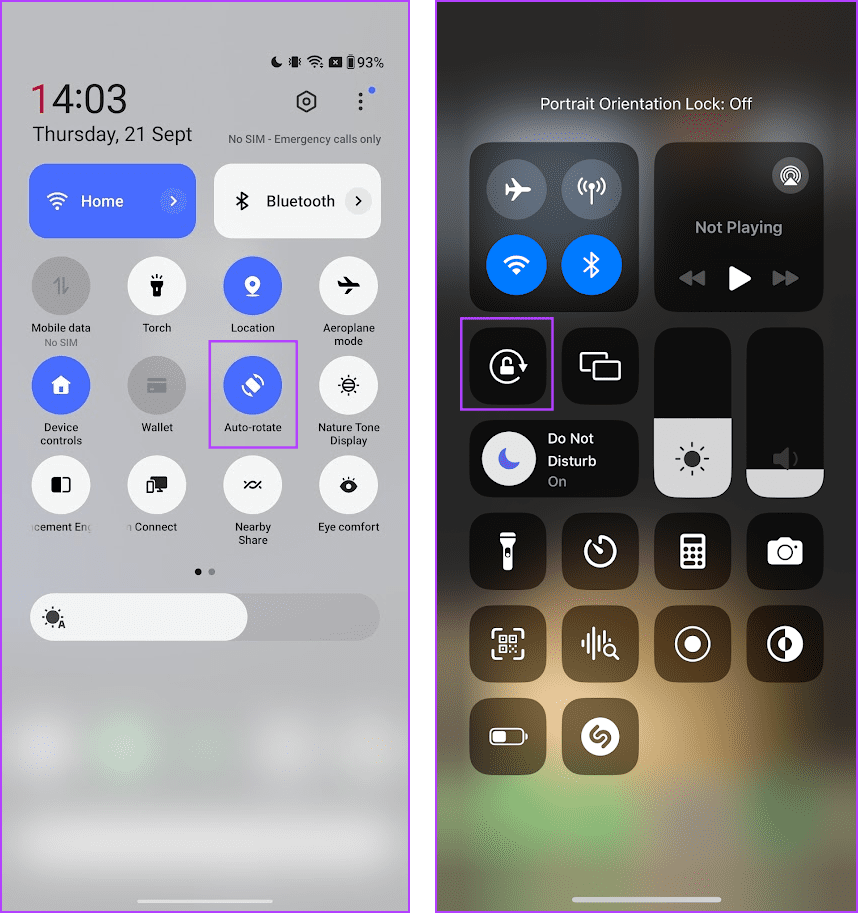
You may have accidentally disabled the auto-rotate toggle on your smartphone – therefore, ensure that it is enabled before you try to fix the orientation of Google Maps.
Open the control center on your device, and enable the toggle for Auto Rotate on Android. On iPhone, however, you need to disable the orientation lock to enable auto-rotate for apps.
If you are facing any problems doing so, you can read a guide that we published earlier :
Fix 2: Clear Cache
The cache is the temporary application data stored within the local storage of your device. This helps the app to load elements quickly.
However, when many cache files accumulate, a few files may get corrupted and execute some bugs. Therefore, Google Maps may be affected by the cache, and clearing it might help you use the app with auto-rotate without an issue.
On Android
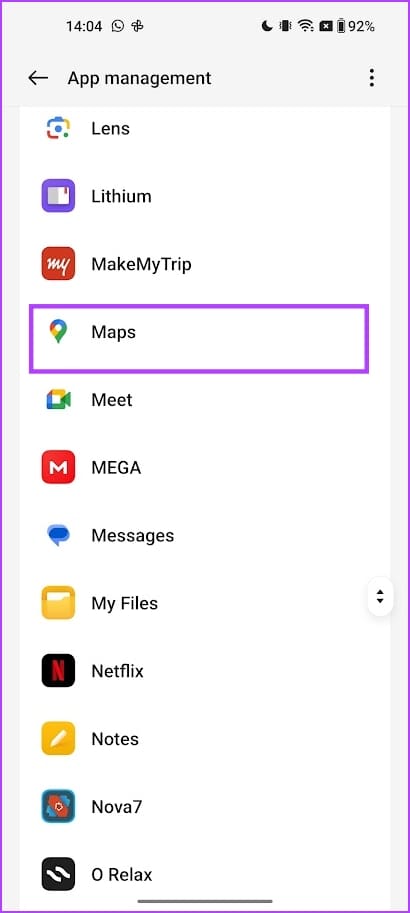
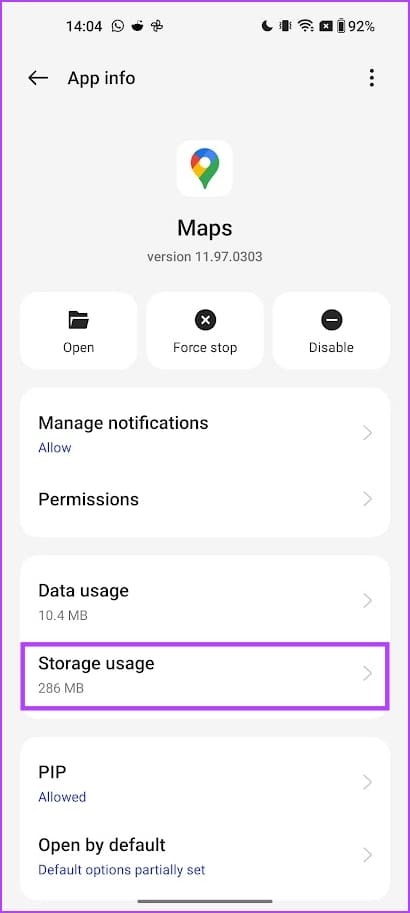
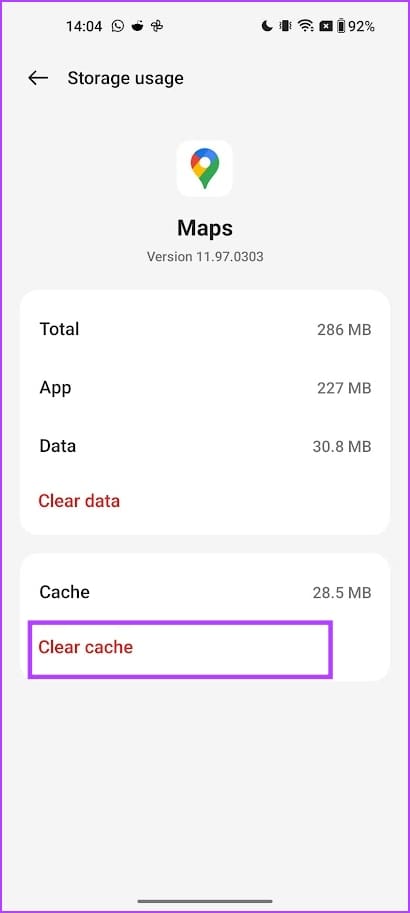
Open Settings > Apps > Maps > Storage Usage and tap Clear cache.
On iPhone
Offloading an app, and re-installing it clears the cache on iPhone.
Open Settings > General > Storage > Google Maps. Tap on Offload App, and then Re-install the app.


Fix 3: Reset Device
As a last resort, you can try resetting your smartphone. Once you do this, all the configurations will return to their default states.
On iPhone
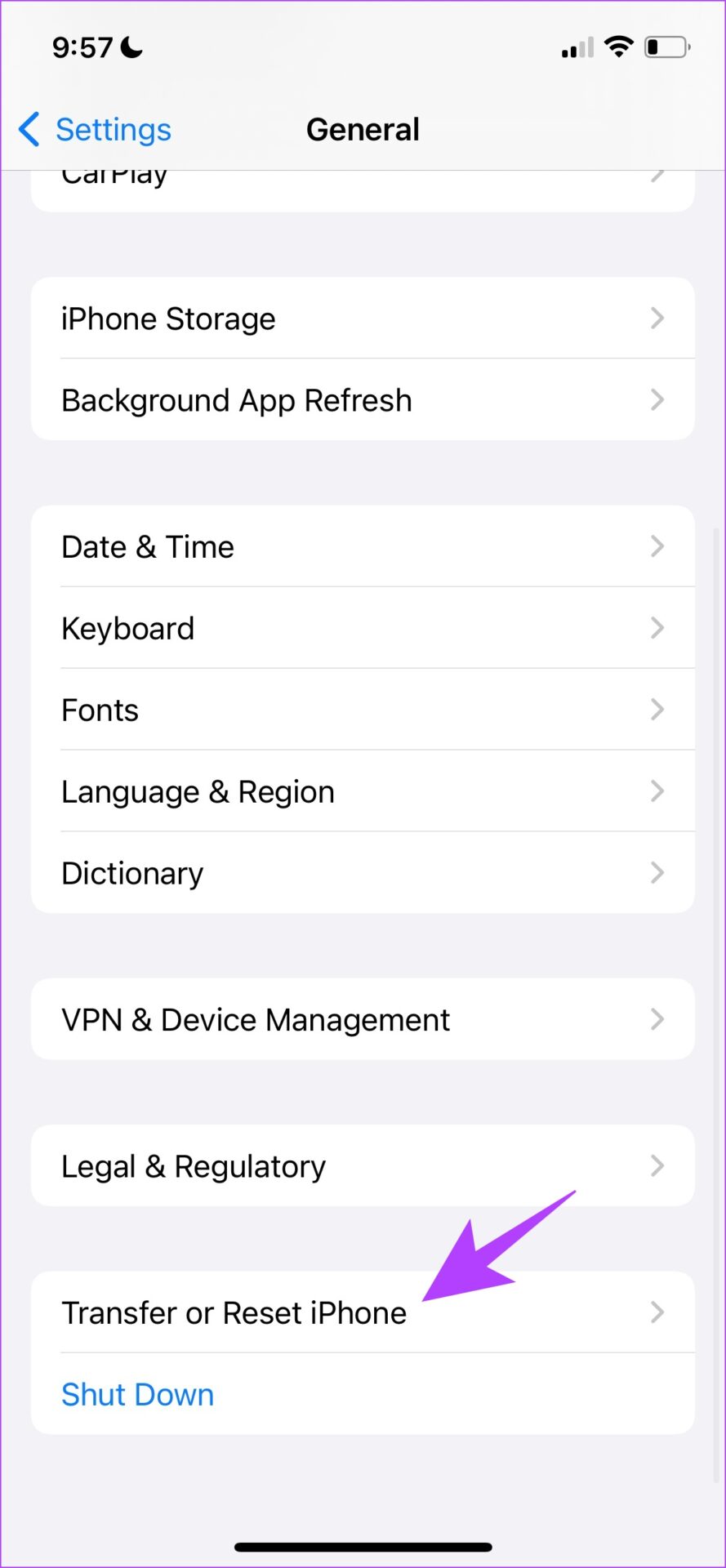
Step 1: Open Settings > General > Transfer or Reset iPhone.
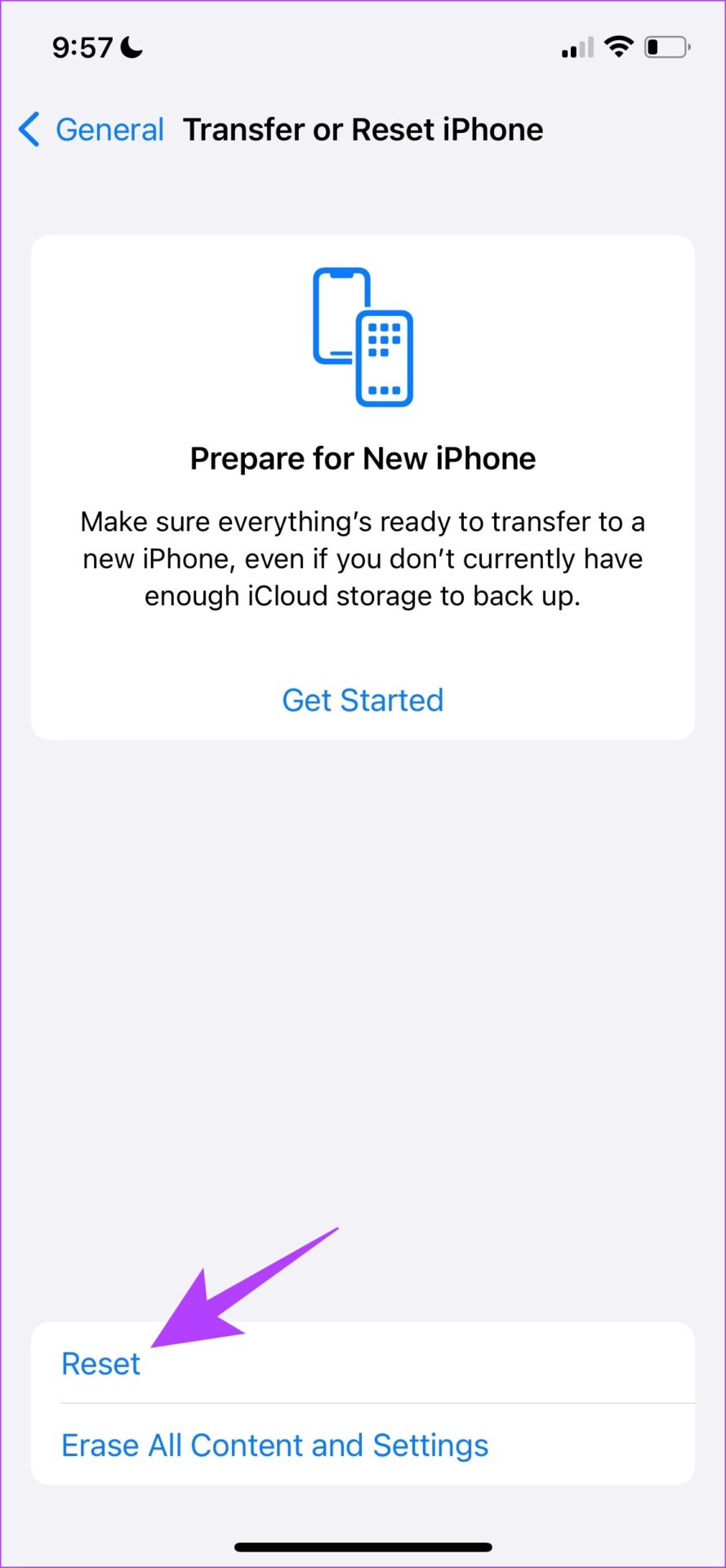
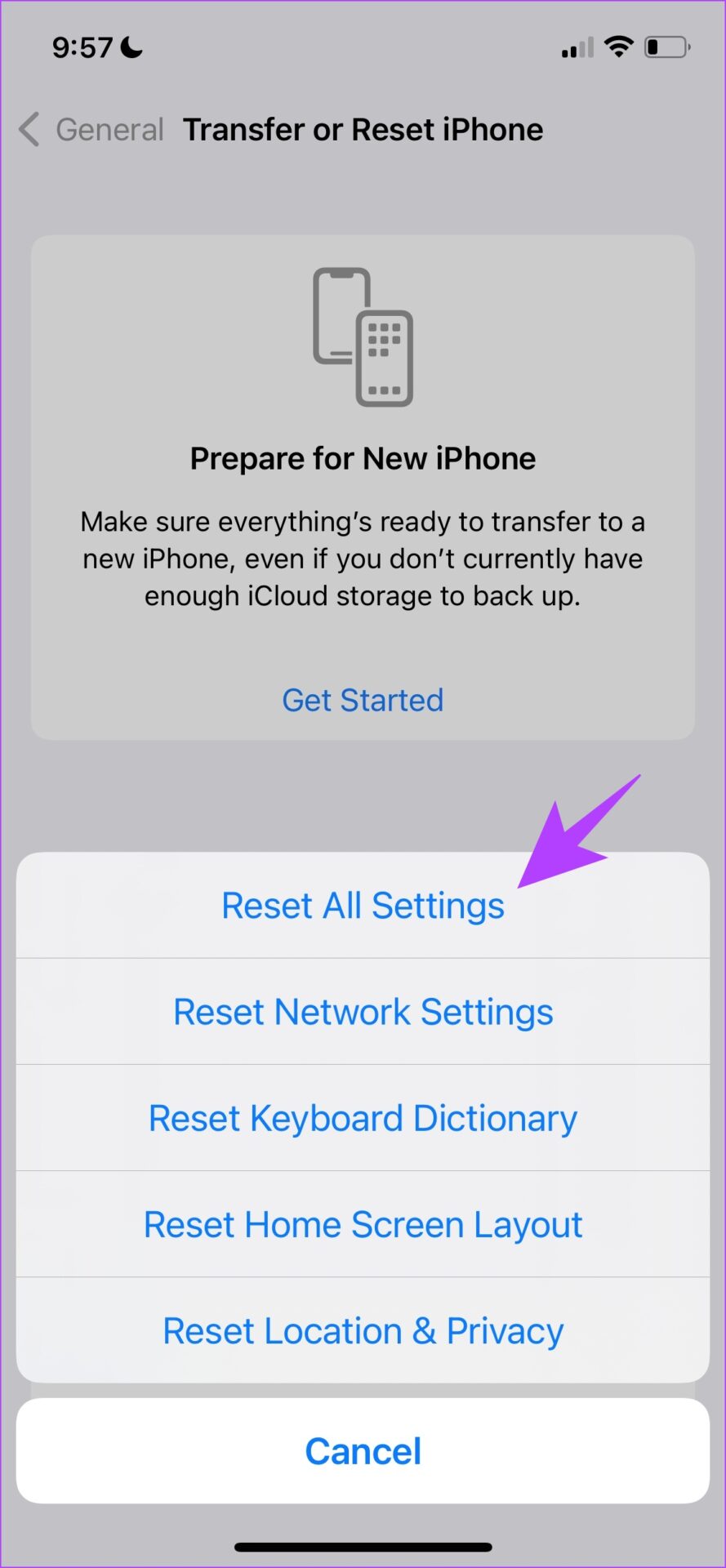
Step 2: Select Reset > Reset All Settings.
Also Read: How to reset your iPhone and what happens when you do it
On Android
Step 1: Open Settings > Back up and Reset > Reset Phone.
Step 2: Select Reset all settings.
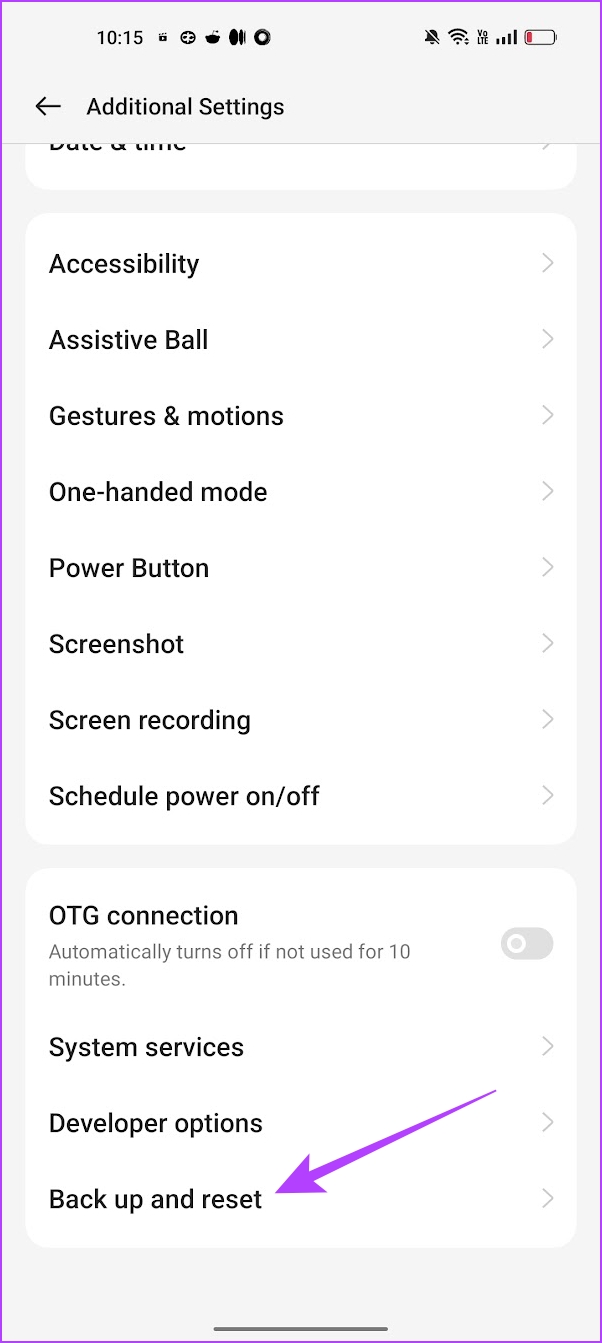


Note: When you reset all settings on your device, all preferences and configurations will be reset. You will need to enter the password and connect to your Wi-Fi network again.
Was this helpful?
Last updated on 26 August, 2024
Read Next
 How to Switch Between KM and Miles in Google Maps and Apple Maps
How to Change Kilometers to Miles in Apple Maps To change KM to Miles (or vice versa) on iPhone, iPad, and Mac, all you need to do is change your
How to Switch Between KM and Miles in Google Maps and Apple Maps
How to Change Kilometers to Miles in Apple Maps To change KM to Miles (or vice versa) on iPhone, iPad, and Mac, all you need to do is change your
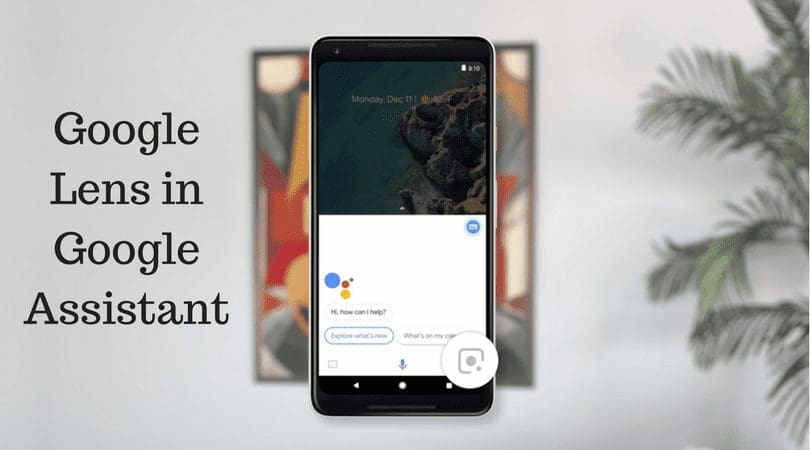 Google Maps vs Maps Go Comparison: Explaining the Difference
Last year, Google announced the optimized version of Android Oreo operating system, Android Go.
Google Maps vs Maps Go Comparison: Explaining the Difference
Last year, Google announced the optimized version of Android Oreo operating system, Android Go.
 3 Ways to Fix Google Maps Showing Wrong Location on Android and iPhone
Try Basic Fixes Turn off battery saver mode: When you enable battery-saving mode, your phone turns off power-hungry features such as GPS tracking and background app data to improve battery
3 Ways to Fix Google Maps Showing Wrong Location on Android and iPhone
Try Basic Fixes Turn off battery saver mode: When you enable battery-saving mode, your phone turns off power-hungry features such as GPS tracking and background app data to improve battery
 4 Ways to Fix Slow Google Maps on Android and iPhone
Basic Fixes Update Google Maps app: Keeping your apps updated helps them run smoothly and rules out incompatibility issues.
4 Ways to Fix Slow Google Maps on Android and iPhone
Basic Fixes Update Google Maps app: Keeping your apps updated helps them run smoothly and rules out incompatibility issues.
 4 Ways to Fix Google Maps Draining Battery on Android and iPhone
https://youtu.be/HEEhE2uFRfw Try Basic Fixes Remove the Google Maps widget from home screen: If you use Google Maps' live traffic widget to get traffic information on your home screen, the app’s
4 Ways to Fix Google Maps Draining Battery on Android and iPhone
https://youtu.be/HEEhE2uFRfw Try Basic Fixes Remove the Google Maps widget from home screen: If you use Google Maps' live traffic widget to get traffic information on your home screen, the app’s
 3 Fixes for Google Maps Voice Navigation Not Working on Android and iPhone
Basic Fixes Check volume: Check the volume level on your smartphone, and ensure it isn't low.
3 Fixes for Google Maps Voice Navigation Not Working on Android and iPhone
Basic Fixes Check volume: Check the volume level on your smartphone, and ensure it isn't low.
 How to Calibrate Google Maps on Android and iPhone
How to Calibrate Google Maps on iPhone Using the iOS Settings menu, you can ensure that your device's compass is calibrated.
How to Calibrate Google Maps on Android and iPhone
How to Calibrate Google Maps on iPhone Using the iOS Settings menu, you can ensure that your device's compass is calibrated.
 3 Ways to Fix Google Maps Not Loading or Working in Browser
Fix 1: Sign Out of Your Google Account and Sign Back In Authentication issues with your Google account can cause Google Maps to stop working in your browser.
3 Ways to Fix Google Maps Not Loading or Working in Browser
Fix 1: Sign Out of Your Google Account and Sign Back In Authentication issues with your Google account can cause Google Maps to stop working in your browser.
The article above may contain affiliate links which help support Guiding Tech. The content remains unbiased and authentic and will never affect our editorial integrity.