Basic Fixes
- Remove case: If the case you are using blocks the heart rate sensors on the bottom face of your Apple Watch, you may not see accurate heart rate measurements.
- Gently clean the sensor: While your Apple Watch is water- and dust-resistant, moisture and dust particles may affect its heart rate reading.
- Disable Low Power Mode: If your Apple Watch has low power mode enabled, it will not record background heart rate measurements to conserve battery.
- Restart Apple Watch: Restart your Apple Watch to fix temporary bugs and glitches.
Fix 1: Enable Heart Rate Measurement
You must ensure you have enabled the heart rate measurement feature on your Apple Watch. If not, here’s how to do it.
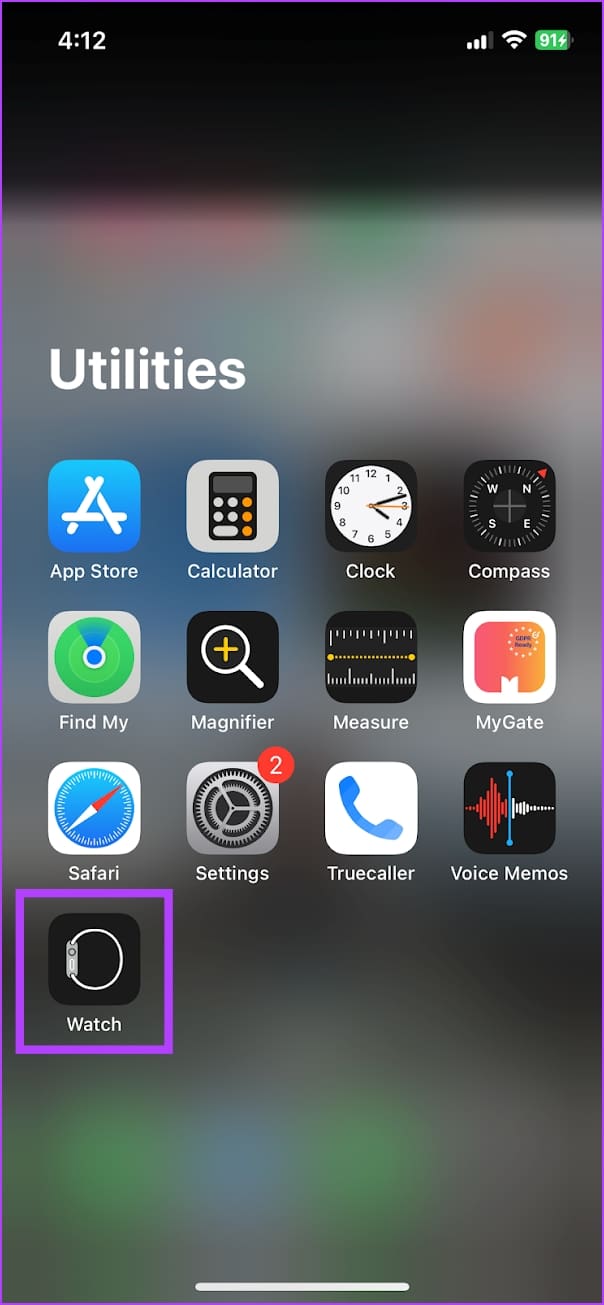
Step 1: Open the Watch app on your iPhone.
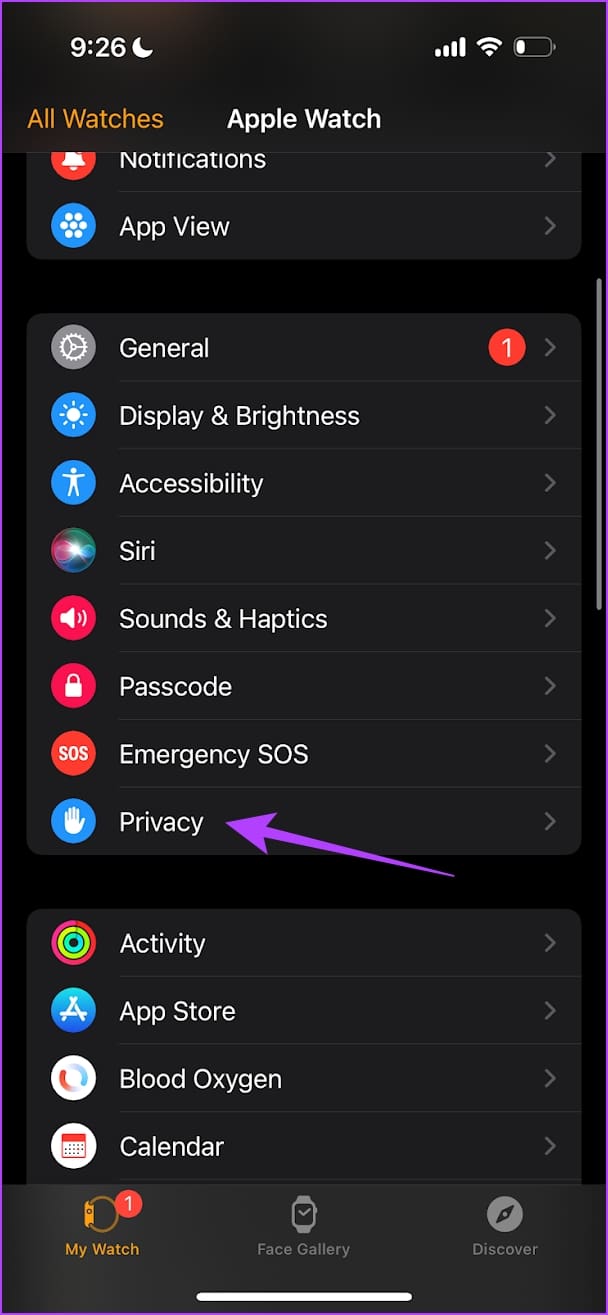
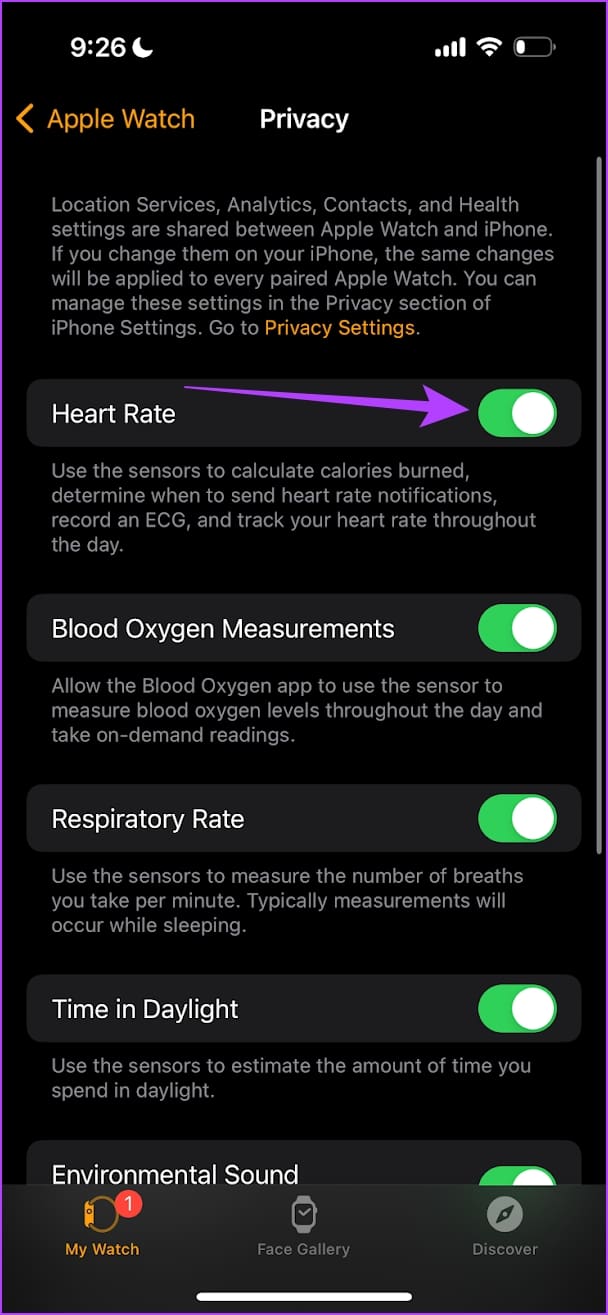
Step 2: Tap on Privacy > turn on the toggle for Heart Rate.
Also Read: How to track sleep with Apple Watch
Fix 2: Wear Your Apple Watch the Right Way
Wearing your Apple Watch correctly is important for an accurate heart rate measurement. Here are two key points to consider.
- Choose the best fit for your wrist, and ensure you haven’t strapped the watch on too tightly. You must provide some breathing space between your skin and your Apple Watch.
- Ensure your Apple Watch sits on top of your wrist and is in contact with your skin.
Fix 3: Enable Wrist Detection on Apple Watch
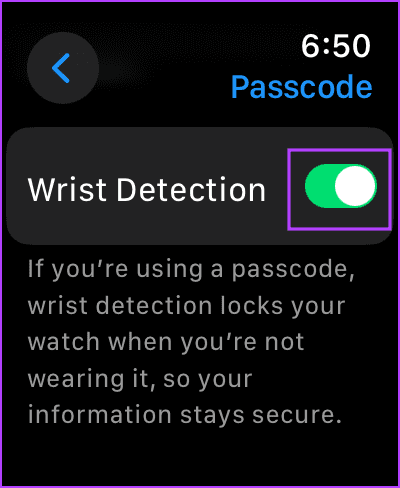
If you have Wrist Detection disabled on your Apple Watch, background heart readings will not be recorded.
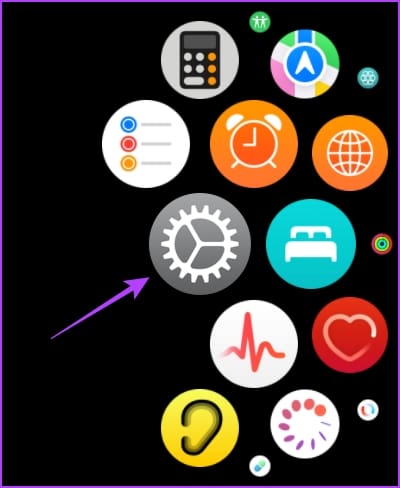
Step 1: Press the Digital Crown once and tap on the Settings app.
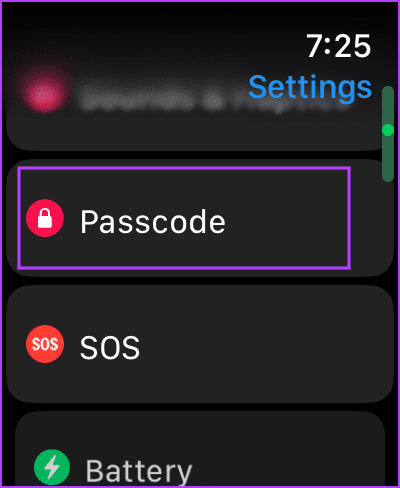
Step 2: Tap on Passcode. Scroll down and turn on the toggle for Wrist Detection.
Also Read: What is menstrual cycle tracking on Apple Watch and how to set it up
Fix 4: Other External Factors Affecting the Readings on Apple Watch
Here are some other factors to consider if you sense that your Apple Watch isn’t accurately recording your heart rate measurements.
- If you exercise in cold weather, the blood flow through your skin will be reduced, and this blood flow might not be enough to detect your heart rate. Therefore, if the heart rate measurement is important, move to an area with warmer temperatures.
- If you have any changes on your skin, like wounds, scars, and tattoos, they may block the light from the sensor to your skin, affecting your heart rate measurements.
- The accuracy of heart rate measurements also depends upon the type of workout. Workouts and activities involving rhythmic movements, like cycling or running, will provide more accurate measurements than workouts like boxing, badminton, or tennis.
That is everything you need to do if your Apple Watch is not reading heart rate as long as it’s a software-related issue. However, we recommend contacting Apple Support if it’s hardware damage.
Was this helpful?
Last updated on 02 August, 2024
Read Next
 Top 10 Ways to Fix Apple CarPlay Not Reading Text Messages
Apple CarPlay is one of the most valuable features when you're driving.
Top 10 Ways to Fix Apple CarPlay Not Reading Text Messages
Apple CarPlay is one of the most valuable features when you're driving.
 4 Ways to Fix “Rate Limit Exceeded” on X
What Does “Rate Limit Exceeded” Mean on X Recently, X/Twitter introduced usage limits to prevent data scraping on the platform.
4 Ways to Fix “Rate Limit Exceeded” on X
What Does “Rate Limit Exceeded” Mean on X Recently, X/Twitter introduced usage limits to prevent data scraping on the platform.
 How to Force High Refresh Rate on All Android Apps Without Root
https://youtu.be/_hFOHZxUNSE How to Enable a High Refresh Rate on Android Step 1: Open the Settings app.
How to Force High Refresh Rate on All Android Apps Without Root
https://youtu.be/_hFOHZxUNSE How to Enable a High Refresh Rate on Android Step 1: Open the Settings app.
 4 Fixes for Macbook Not Outputting in High Refresh Rate to External Monitor
Basic Fixes Restart your Mac: Restarting your Mac often fixes things by refreshing the configuration, solving software glitches, and reinitializing ports.
4 Fixes for Macbook Not Outputting in High Refresh Rate to External Monitor
Basic Fixes Restart your Mac: Restarting your Mac often fixes things by refreshing the configuration, solving software glitches, and reinitializing ports.
 How to Change Apple Watch Face from iPhone or Watch
Traditional watches had the problem that you couldn't change their clock face.
How to Change Apple Watch Face from iPhone or Watch
Traditional watches had the problem that you couldn't change their clock face.
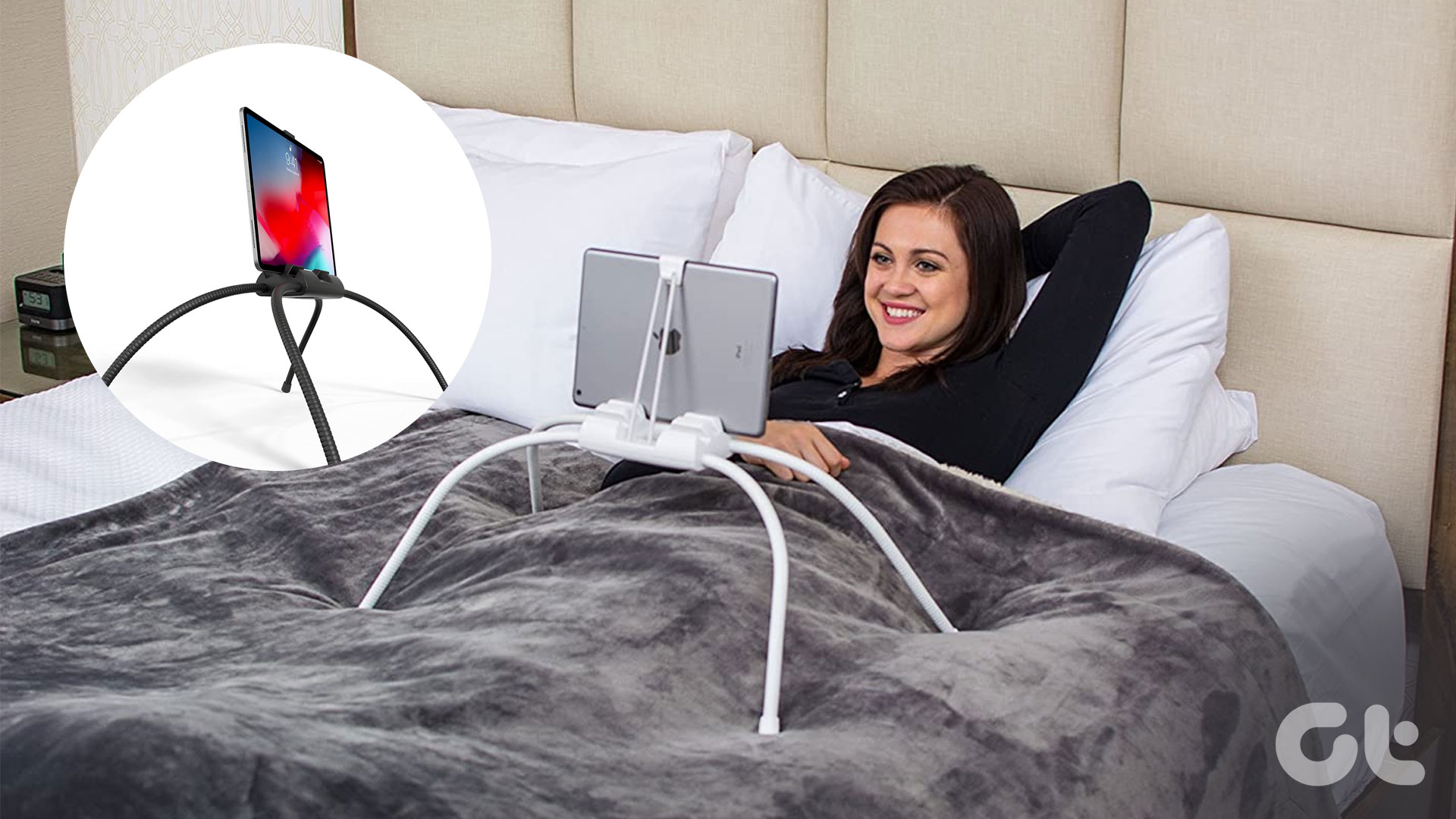 5 Best iPad Holders for Bed for Reading, Watching Movies, and More
Are you tired of holding your iPad awkwardly while trying to watch your favorite shows in bed?
5 Best iPad Holders for Bed for Reading, Watching Movies, and More
Are you tired of holding your iPad awkwardly while trying to watch your favorite shows in bed?
 5 Best Bionic Reading Apps, Converters, and Extensions
With the evolution of tech, there is no doubt that we have started to consume more visual content than text.
5 Best Bionic Reading Apps, Converters, and Extensions
With the evolution of tech, there is no doubt that we have started to consume more visual content than text.
 5 Ways to Fix Apple Watch Not Ringing for Incoming Calls
Basic Fixes Restart Apple Watch: Restarting your Apple Watch can get rid of any temporary bugs and glitches.
5 Ways to Fix Apple Watch Not Ringing for Incoming Calls
Basic Fixes Restart Apple Watch: Restarting your Apple Watch can get rid of any temporary bugs and glitches.
The article above may contain affiliate links which help support Guiding Tech. The content remains unbiased and authentic and will never affect our editorial integrity.