


Basic Fixes
- Check if Apple Music is down: Check the system status of Apple Music on this dashboard and check if you’re facing a problem with your Wi-Fi or cellular data.
- Restart Apple Music: Restarting the app can eliminate temporary bugs and glitches.
- Update iPhone: If a widespread bug is affecting Apple Music, issues will most likely be fixed in an iOS update.
Fix 1: Disable VPN
If you have changed the virtual network region using a VPN on your iPhone, there is a possibility that the song you are trying to play on Apple Music is not available in that region.
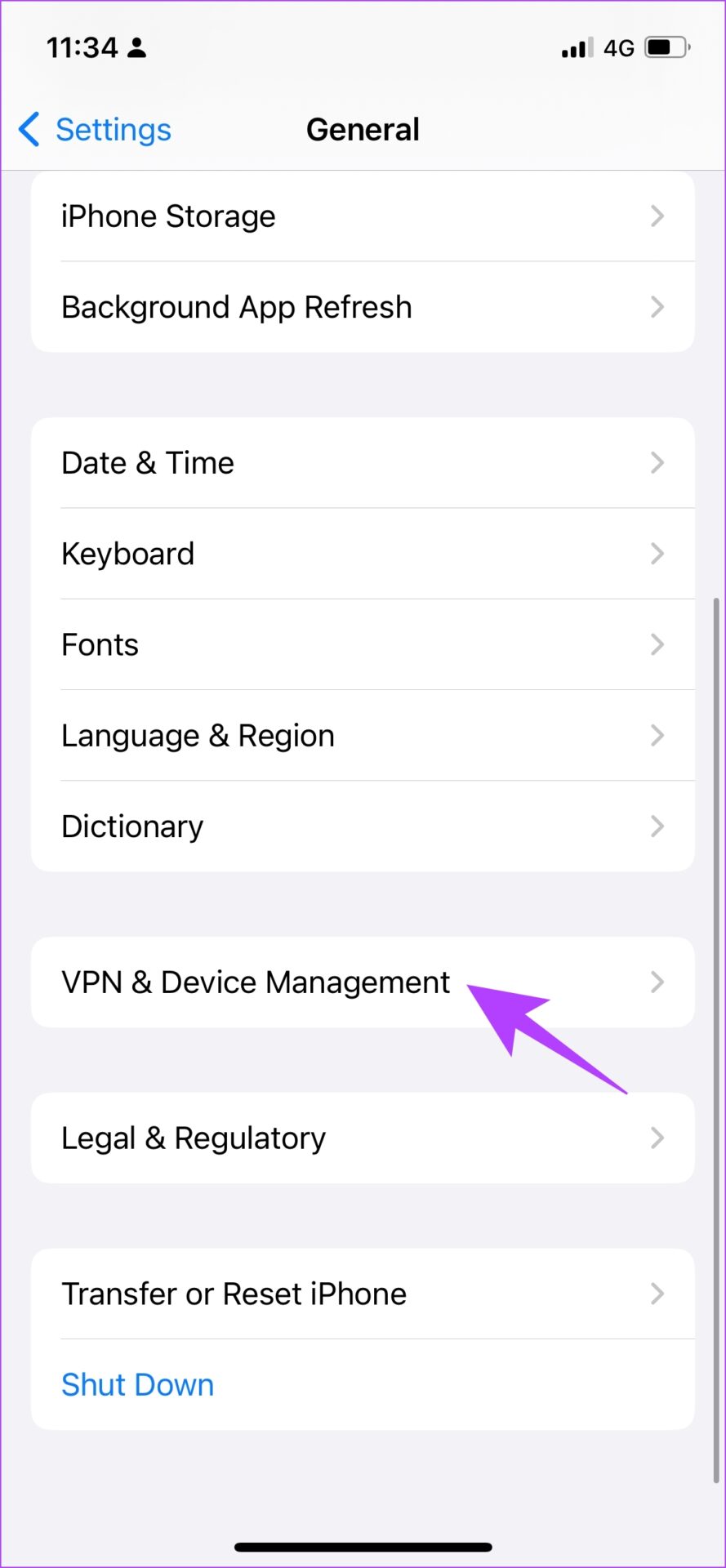
Step 1: Open the Settings app and select General.
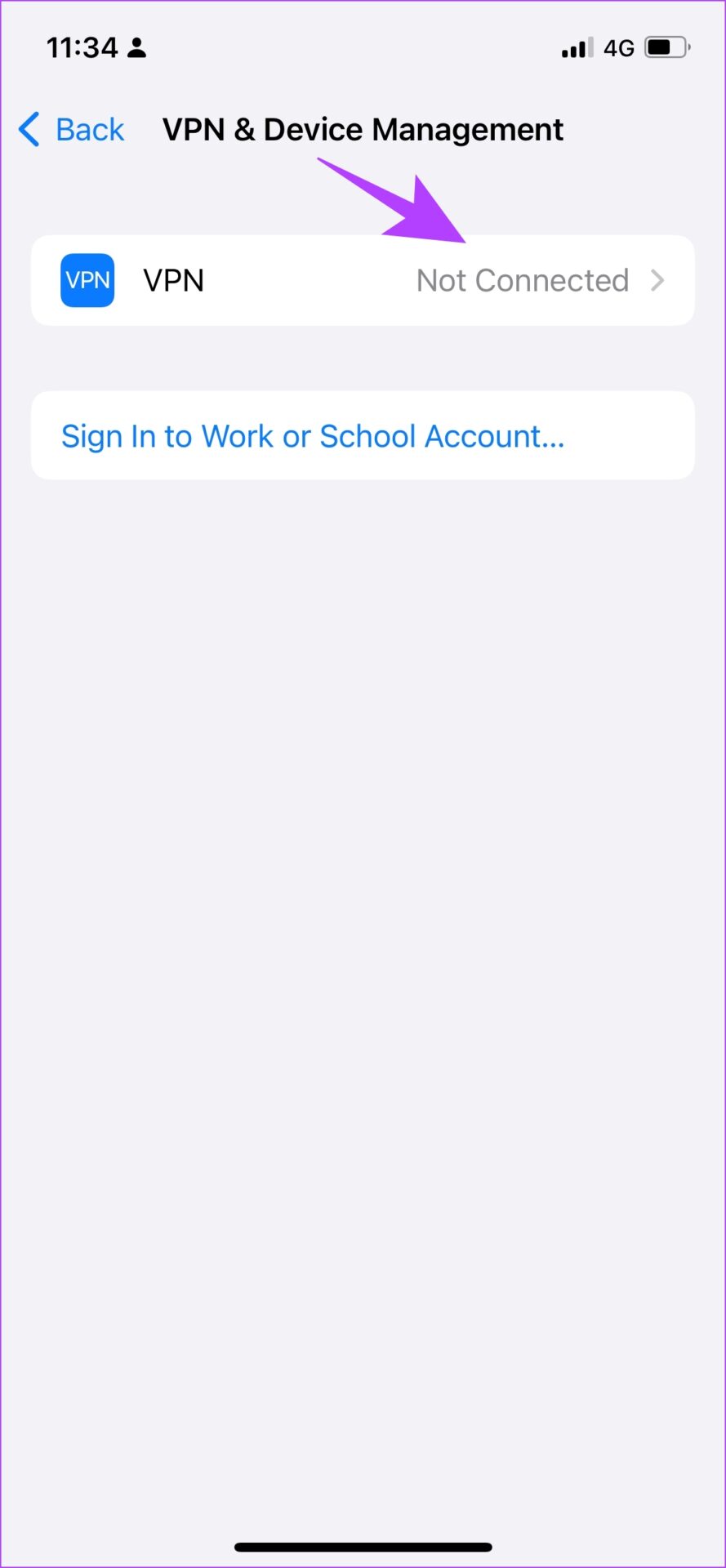
Step 2: Tap on VPN & Device Management.
Step 3: Ensure that the status says Not Connected meaning you are not connected to a VPN service.

Fix 2: Check Cellular Data Access for Apple Music
If you are facing the error ‘This song is not available in your region’ on Apple Music while using mobile data only, check if the app can access cellular data.
Step 1: Open the Settings app and go to Mobile Data.
Step 3: Scroll down to find Music and ensure to turn on the toggle for the same.


Also Read: Fix ‘Could Not Activate Cellular Data Network’ error on iPhone
Fix 3: Download the Song
The error might only affect online playback but probably won’t cause a problem when you download the song.
Step 1: Tap on the three-dot icon next to the song you want to download.
Step 2: Tap on Download.


Fix 4: Sync Music Library Again
We’ve used this method to resolve this Apple Music regional unavailability error, and it helps.
Note: Doing this removes all the songs in your Apple Music library, including the downloaded songs.
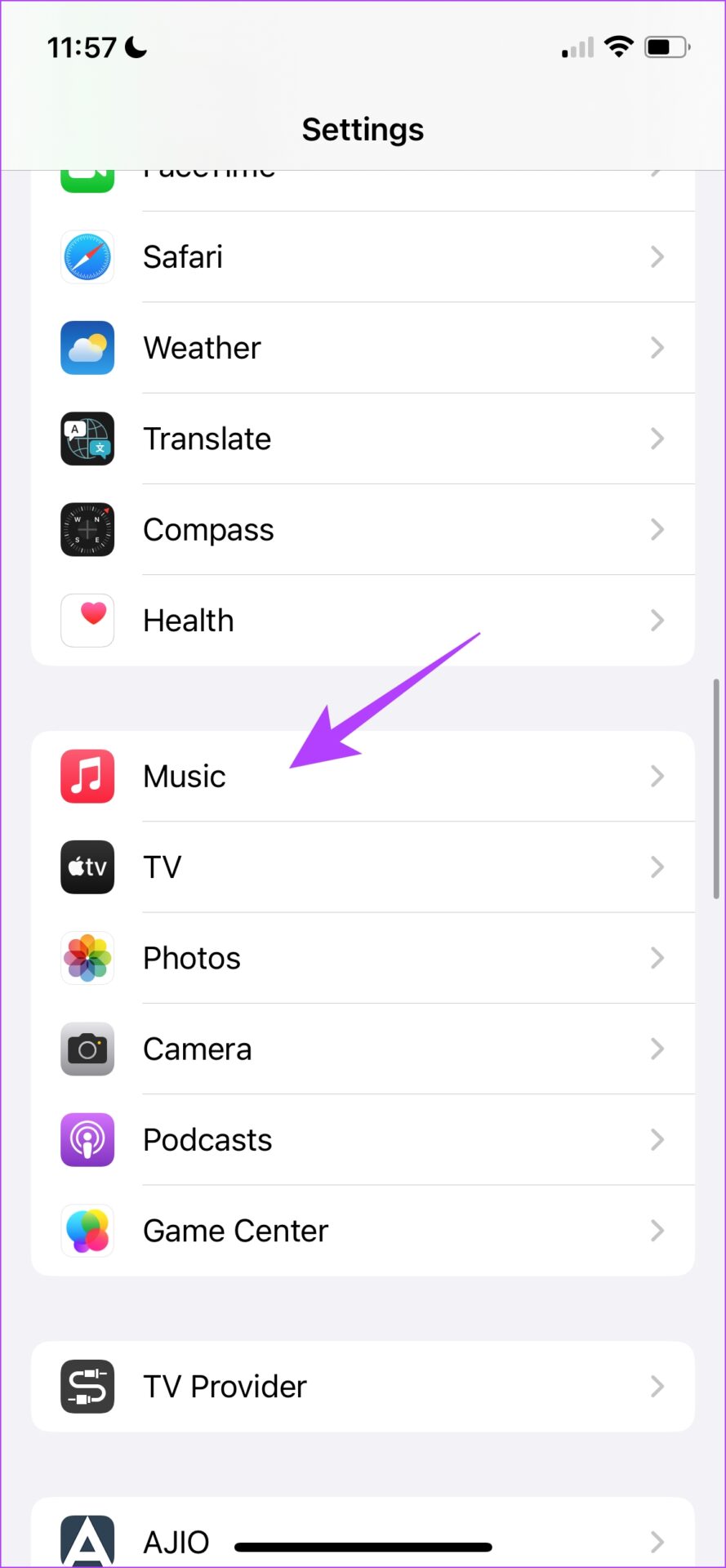
Step 1: Open the Settings app on your iPhone.
Step 2: Tap on Music. Turn off the toggle for Sync Library and turn it back again.

Also Read: Fix Apple Music starts playing by itself on iPhone
Was this helpful?
Last updated on 30 June, 2024
1 Comment
Leave a Reply
Read Next
 4 Ways to Fix “Song Is Unavailable” Error in YouTube Music App
Try Basic Fixes Try playing other songs or playlists: The availability of songs on YouTube Music can vary depending on your geographical location and YouTube's agreements with music copyright owners.
4 Ways to Fix “Song Is Unavailable” Error in YouTube Music App
Try Basic Fixes Try playing other songs or playlists: The availability of songs on YouTube Music can vary depending on your geographical location and YouTube's agreements with music copyright owners.
 How to Clear Song History on Amazon Prime Music
While Amazon Music allows you to remove music from recently played history, they are still considered from recommendations.
How to Clear Song History on Amazon Prime Music
While Amazon Music allows you to remove music from recently played history, they are still considered from recommendations.
 How to Enable Song Lyrics on YouTube Music
How to Find Lyrics on YouTube Music on Mobile Let us start by showing the steps to check real-time lyrics on the YouTube Music app on your iPhone or Android
How to Enable Song Lyrics on YouTube Music
How to Find Lyrics on YouTube Music on Mobile Let us start by showing the steps to check real-time lyrics on the YouTube Music app on your iPhone or Android
 Top 7 Ways to Fix Siri Not Playing Music from Apple Music
Siri not recognizing your voice and not playing music from Apple Music can lead to an undesirable experience.
Top 7 Ways to Fix Siri Not Playing Music from Apple Music
Siri not recognizing your voice and not playing music from Apple Music can lead to an undesirable experience.
 2 Ways to Change Your Country in the Google Play Store
Things to Note Before Changing the Country in the Google Play Store An app you recently downloaded is may be unavailable in your country.
2 Ways to Change Your Country in the Google Play Store
Things to Note Before Changing the Country in the Google Play Store An app you recently downloaded is may be unavailable in your country.
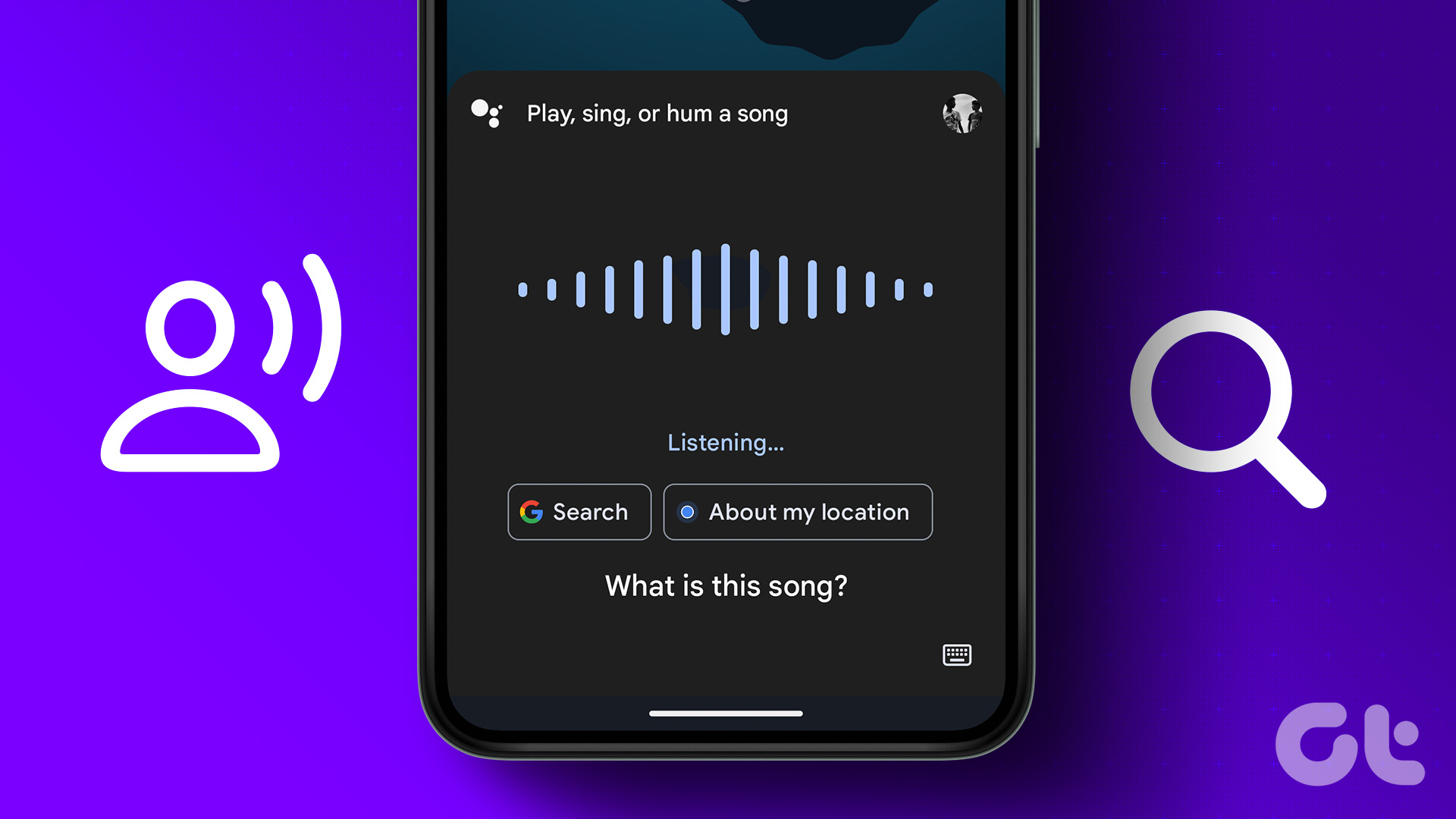 How to Find a Song by Humming the Tune on Mobile or Web
Although the market is brimming with music discovery software like Shazam, Beatfind, Musixmatch, etc.
How to Find a Song by Humming the Tune on Mobile or Web
Although the market is brimming with music discovery software like Shazam, Beatfind, Musixmatch, etc.
 How to Loop a Song on Spotify without Manual Intervention
How to Put a Song on Repeat in the Spotify App on a PC Quick Tip: You can use keyboard shortcuts to enable repeat on the desktop player: Ctrl +
How to Loop a Song on Spotify without Manual Intervention
How to Put a Song on Repeat in the Spotify App on a PC Quick Tip: You can use keyboard shortcuts to enable repeat on the desktop player: Ctrl +
 How to Add Downloaded Music to Apple Music Library
If you download songs on your iPhone and use the Files app to listen to them, you are doing it wrong.
How to Add Downloaded Music to Apple Music Library
If you download songs on your iPhone and use the Files app to listen to them, you are doing it wrong.
The article above may contain affiliate links which help support Guiding Tech. The content remains unbiased and authentic and will never affect our editorial integrity.
The songs that are grayed out were burned on to my Mac with an external CD burner. Then added to Music and then synced to iPhone. Music 1.3.6.14 Ventura 13.6.9 iOS 17.6.1 It happens randomly to different Playlists after syncing the iPhone to the Mac. I no longer use Sync Library / iCloud which was causing other sync issues.