


Basic Fixes
- Check network connection: Ensure there’s enough signal strength, or move to different surroundings.
- Check SIM Plan: Ensure you have an active cellular plan on your SIM.
- Eject and re-insert SIM: Eject the SIM card from your phone, and insert it again. This can help you refresh the network connection.
- Restart device: Restart your Android device to fix temporary bugs and glitches.
- Update device: Update your device to the latest available Android version for a bug-free experience.
Fix 1: Disable and Enable SIM
Re-activating SIM cards can establish a fresh connection, thereby removing any bugs.
Open Settings > Mobile network, select the SIM card, and turn it off and turn it on.


Fix 2: Enable Roaming
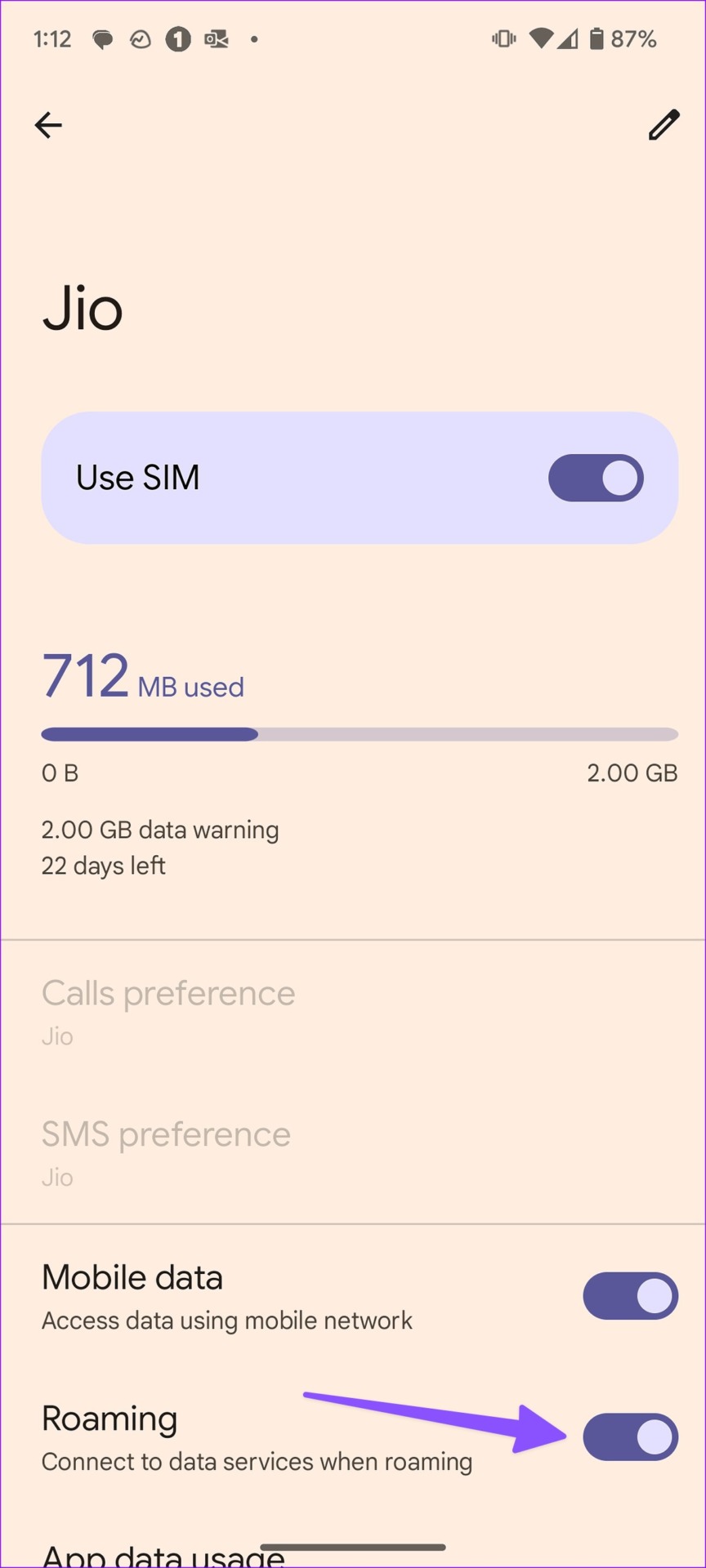
You’ll need to enable roaming on your Android phone; otherwise, data services may stop working outside your state.
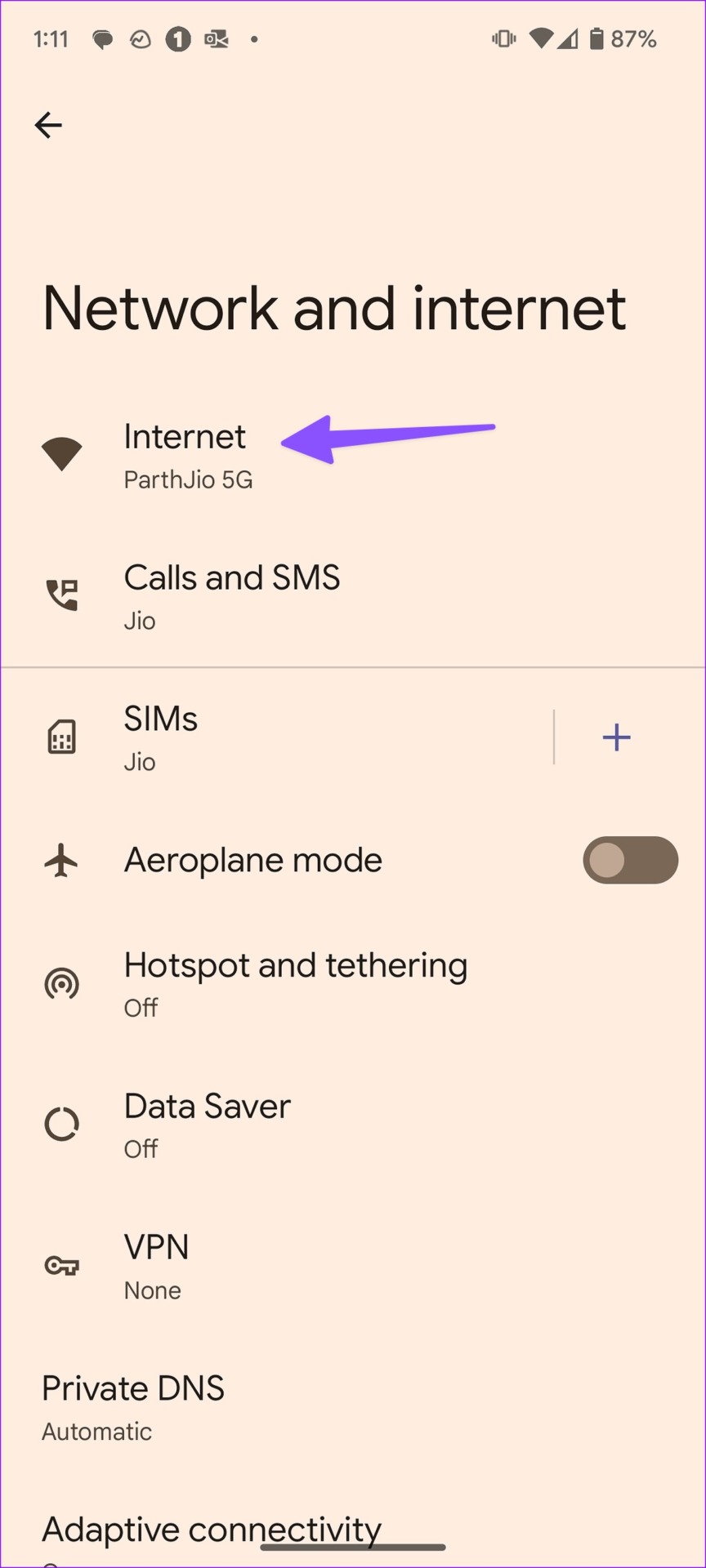
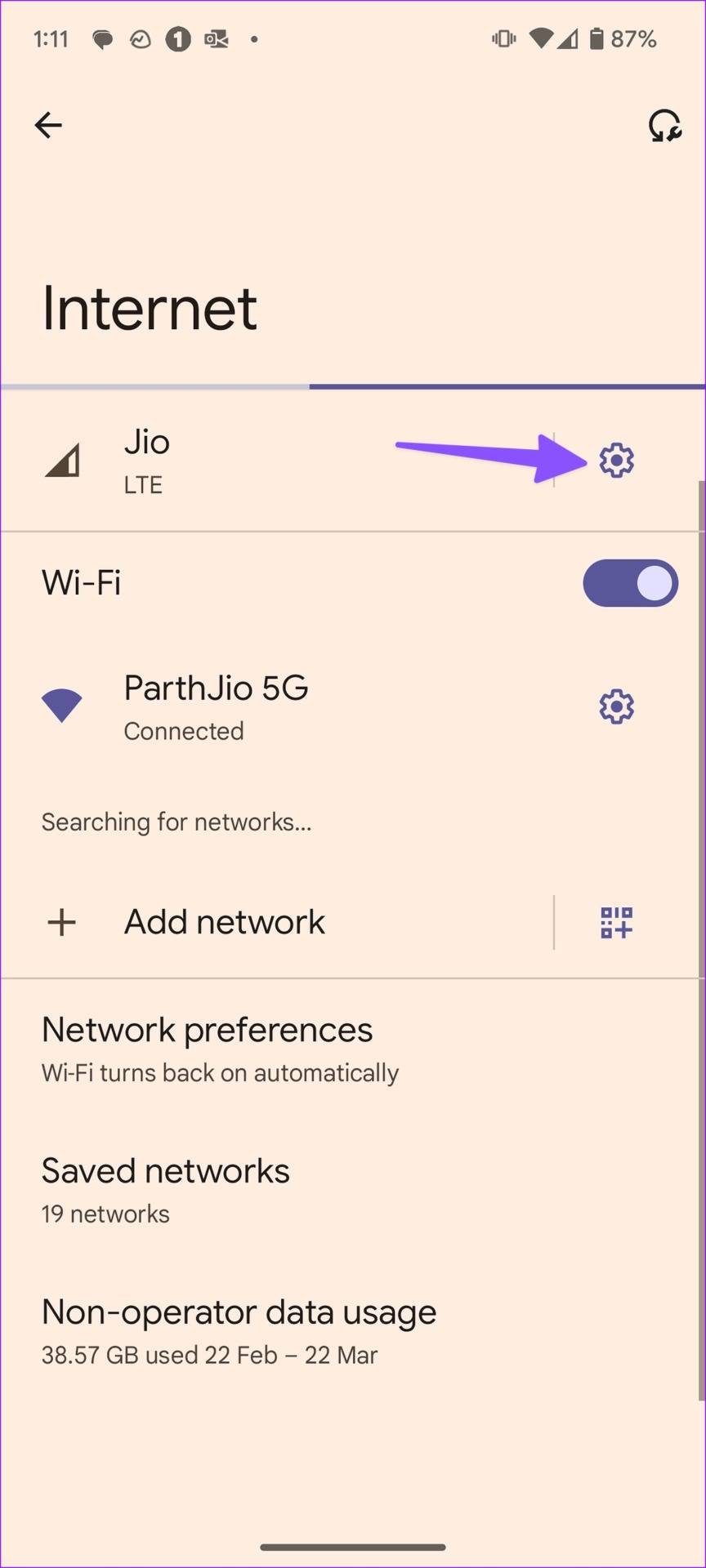
Open Settings > Network and Internet > Internet, tap on the gear (settings) icon, and enable Roaming.
Fix 3: Disable 5G
5G signals may not be strong in your region – try switching to LTE/4G.
Open Settings > Network and Internet > SIMs > Preferred network type and select LTE or 3G.


Fix 4: Reset Network Settings
If you are facing any problems with Bluetooth connections, Wi-Fi network, cellular and GPS connectivity on your Android device – your best bet is to reset network settings.
Open the Settings > Back up and Reset > Reset Phone and select Reset network settings.


If none of the above methods work, contact your network service provider. Your SIM card may be damaged, and you’ll have to get it replaced.
Was this helpful?
Last updated on 23 July, 2024
2 Comments
Leave a Reply
Read Next
 4 Ways to Fix iPhone Keeps Losing Network Connection
https://youtu.be/cl362Rq-6IU Basic Fixes: Ensure you have an active mobile plan: Did you forget to pay the postpaid bill?
4 Ways to Fix iPhone Keeps Losing Network Connection
https://youtu.be/cl362Rq-6IU Basic Fixes: Ensure you have an active mobile plan: Did you forget to pay the postpaid bill?
 How to Send Pictures From Android to iPhone (Without Losing Quality)
Method 1.
How to Send Pictures From Android to iPhone (Without Losing Quality)
Method 1.
 Top 8 Ways to Fix Windows 10 Network Connection Issues
The internet connection is crucial while working from home or enjoying web-based content.
Top 8 Ways to Fix Windows 10 Network Connection Issues
The internet connection is crucial while working from home or enjoying web-based content.
 Forgot iPhone Passcode: How to Reset iPhone Without Losing Data
Don't we all dread the sight of our phones not unlocking when we enter the password?
Forgot iPhone Passcode: How to Reset iPhone Without Losing Data
Don't we all dread the sight of our phones not unlocking when we enter the password?
 4 Ways to Fix Android Phone Not Showing a Wi-Fi Network Name
Basic Fixes Restart device: Restart your Android device to fix any temporary bugs and glitches.
4 Ways to Fix Android Phone Not Showing a Wi-Fi Network Name
Basic Fixes Restart device: Restart your Android device to fix any temporary bugs and glitches.
 2 Ways to Fix Android Phone Keeps Disconnecting From Wi-Fi
Try Basic Fixes Disable interfering apps: VPNs and Wi-Fi prioritizing apps can sometimes interfere with your phone's network.
2 Ways to Fix Android Phone Keeps Disconnecting From Wi-Fi
Try Basic Fixes Disable interfering apps: VPNs and Wi-Fi prioritizing apps can sometimes interfere with your phone's network.
 4 Ways to Fix Android Phone Keeps Cutting Out During Calls
Basic Fixes Eject and re-insert SIM: Eject the SIM card from your phone, and insert it again.
4 Ways to Fix Android Phone Keeps Cutting Out During Calls
Basic Fixes Eject and re-insert SIM: Eject the SIM card from your phone, and insert it again.
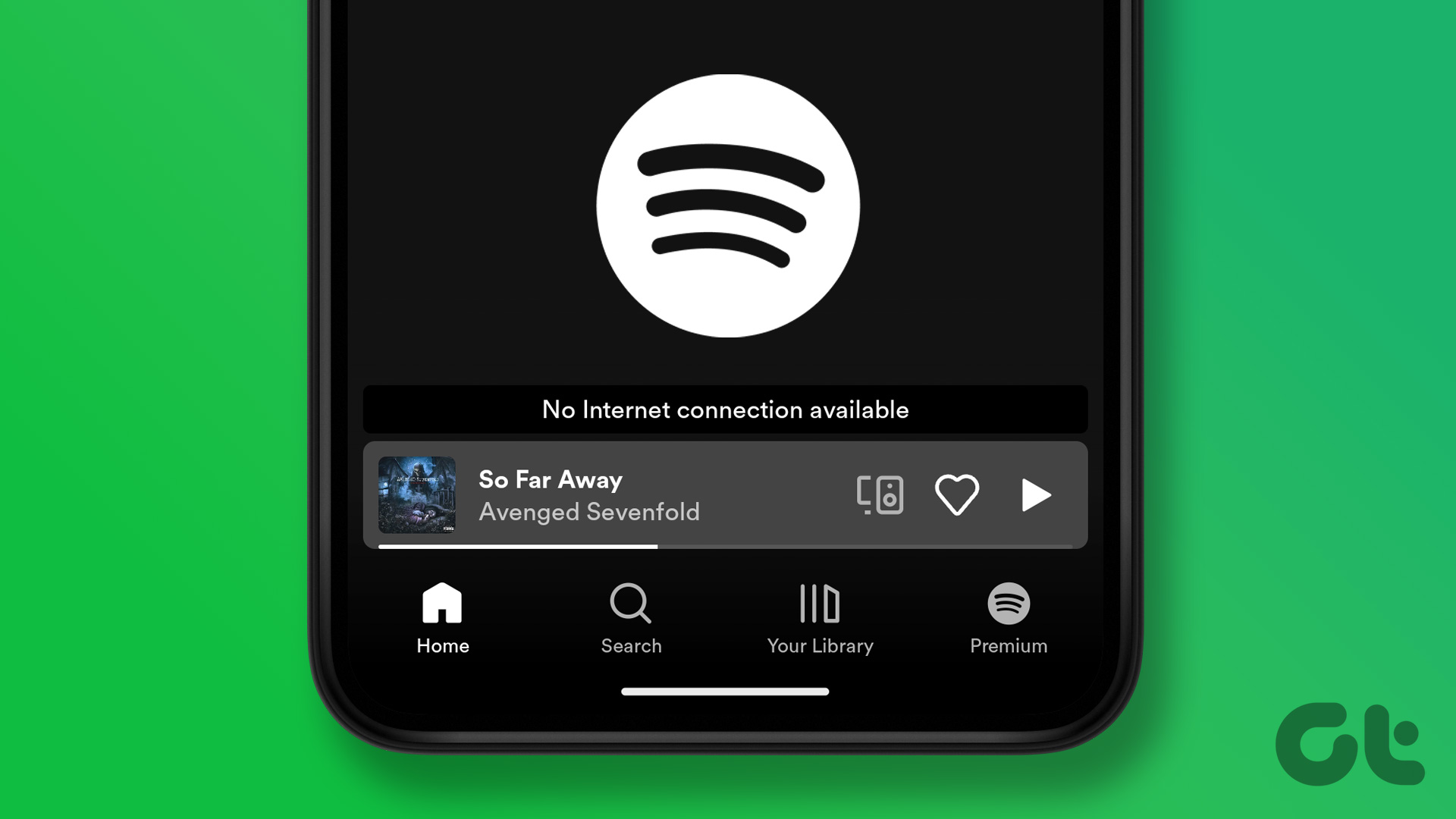 3 Ways to Fix Spotify No Internet Connection Available Error on Android
Try Basic Fixes Toggle offline mode in Spotify: Sometimes, when you disable the offline mode in Spotify, the app may show the "No internet connection available" error and become stuck.
3 Ways to Fix Spotify No Internet Connection Available Error on Android
Try Basic Fixes Toggle offline mode in Spotify: Sometimes, when you disable the offline mode in Spotify, the app may show the "No internet connection available" error and become stuck.
The article above may contain affiliate links which help support Guiding Tech. The content remains unbiased and authentic and will never affect our editorial integrity.
my software ANDROID appearance/display is nothing like the above examples. Things are in different locations, and/or have different names.
I look for the suggested functions, but often many are missing (and I look in other areas, to no avail).
Tinkoff mobile internet disappears