If you’re an enthusiastic systems developer, nostalgic game enthusiast, or just want an OS sandbox to play in that’s different from your own, a virtual machine can be a great thing. There is no shortages to choose from out there, and all are made to suit different purposes and price ranges. It can be hard to decide.
In this article, we’ll be looking at the best virtual machines for Windows 11 and why.
Our Rundown of the Best Virtual Machines
Let’s get straight into it. Below we have some good choices for virtual machines. Ultimately, the best free virtual machine is one that suits your purposes.
VMWare Workstation

Let’s start with one of the big names. VMware is perhaps the premium name in virtual machines, with a sizeable catalog to choose from. For a Type 2 hypervisor (one that runs on a host OS), Workstation Pro is a strong option. It is admittedly resource-intensive, as are many Type 2 hypervisors, but it can handle graphics technologies such as OpenGL and DirectX 11.
It supports a wide range of operating systems and provides the ability to run Kubernetes clusters. It’s great for building, testing, and running apps, and also for network topologies. Finally, it supports virtual networking and integration with VMware environments such as vSphere.
If you’re going to be using Workstation Pro in a personal capacity, the software is available for free.
Microsoft Hyper-V
You can’t mention the best virtual machines for Windows 11 without the one that comes built-in with it: Hyper-V. Yes, if you have Windows 11 Pro, Enterprise, or Education, you’ll be able to enable and use Hyper-V. The price is included with Windows itself.
This is a Type 1 hypervisor and installs an OS directly to a partition. It doesn’t run as an app, making it much faster and more agile. As it’s part of Windows, all the best features of the OS are yours to use. Things do get difficult when trying to use advanced networking, which you would need for USB connectivity.
Another great plus is the ability to share GPU resources between partitions, making graphics performance much better than Type 2 counterparts.
Oracle VirtualBox
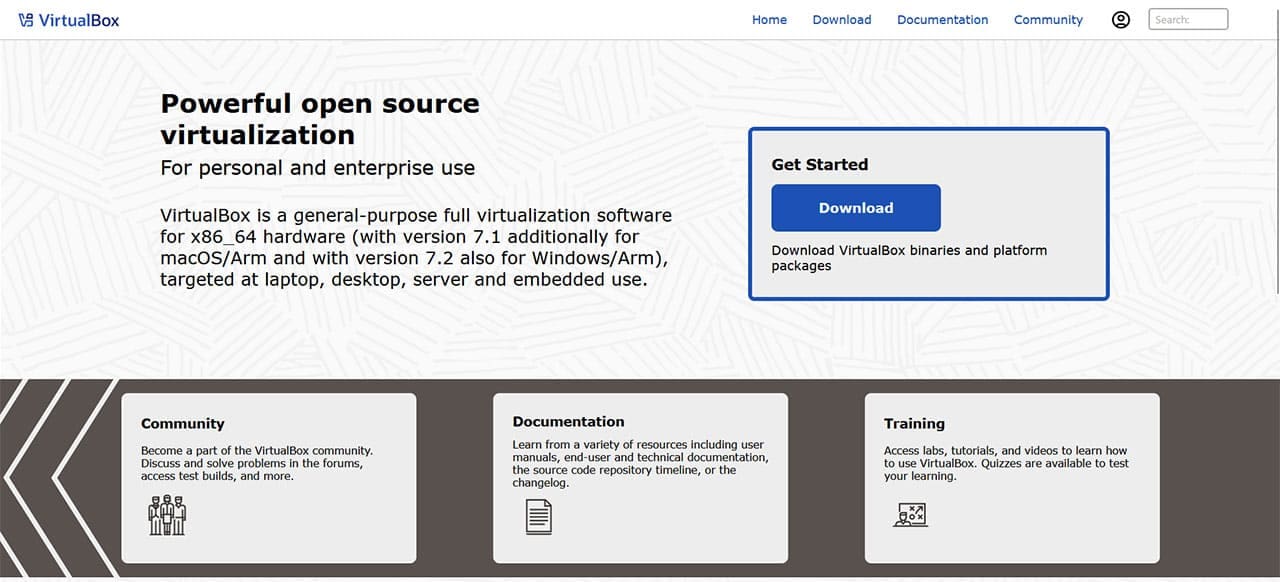
If your PC is perhaps not as powerful as it used to be, Oracle’s VirtualBox is a solid Type 2 virtualization platform that offers an open-source base package. It uses a simple, if dated interface and is a lot friendlier than other options. For developers, Oracle has pre-built VMs with additional plug-ins for the performance you need. VBoxManage also allows for command-line scripting and easy automation.
The performance does suffer due to the older nature and hypervisor type of the VM, but if you need something supported and loved by the development community, you can’t go wrong.
Was this helpful?
Last updated on 18 September, 2026
Read Next
 YouTube and Jasmine: iPhone YouTube Apps Compared
As you surely know, YouTube is by far the most popular video sharing website out there, with its popularity only increasing even more with the arrival of mobile devices like
YouTube and Jasmine: iPhone YouTube Apps Compared
As you surely know, YouTube is by far the most popular video sharing website out there, with its popularity only increasing even more with the arrival of mobile devices like
 iPhone 15 Pro Max vs Samsung Galaxy S23 Ultra: Cameras Compared
Despite being a year old, the Samsung Galaxy S23 Ultra is still a very good phone to buy.
iPhone 15 Pro Max vs Samsung Galaxy S23 Ultra: Cameras Compared
Despite being a year old, the Samsung Galaxy S23 Ultra is still a very good phone to buy.
 Best Proxy Providers to Buy From in 2026: Tested & Compared
Choosing a proxy provider used to be straightforward.
Best Proxy Providers to Buy From in 2026: Tested & Compared
Choosing a proxy provider used to be straightforward.
 5 Eco-Friendly Ways to Increase Performance of Your Aging PC
1.
5 Eco-Friendly Ways to Increase Performance of Your Aging PC
1.
 Which Services Can You Disable in Windows 11 to Boost Performance and Privacy
There’s a lot to love about Windows, and then there are all the extras that run behind the scenes and slow down your machine.
Which Services Can You Disable in Windows 11 to Boost Performance and Privacy
There’s a lot to love about Windows, and then there are all the extras that run behind the scenes and slow down your machine.
 How to Increase Virtual Memory on Windows 11
Steps to Increase Virtual Memory on Windows 11 Increasing virtual memory on Windows 11 isn't rocket science.
How to Increase Virtual Memory on Windows 11
Steps to Increase Virtual Memory on Windows 11 Increasing virtual memory on Windows 11 isn't rocket science.
 7 Ways to Fix Java Virtual Machine Launcher Error on Windows
Java Virtual Machine (JVM) is a program that ensures Java apps can run on any machine.
7 Ways to Fix Java Virtual Machine Launcher Error on Windows
Java Virtual Machine (JVM) is a program that ensures Java apps can run on any machine.
 How to Optimize Steam Deck’s Performance in Games
Valve's Steam Deck is easily one of the best handheld gaming consoles.
How to Optimize Steam Deck’s Performance in Games
Valve's Steam Deck is easily one of the best handheld gaming consoles.
The article above may contain affiliate links which help support Guiding Tech. The content remains unbiased and authentic and will never affect our editorial integrity.