If you have a full-fledged work desk at home with a couple of monitors, printers, and wired accessories, you must already know that too many wires and cables can lead to tangles and overheating. You can solve some of these issues with one of the best under-desk cable management solutions.
Monoprice Under Desk Cable Tray
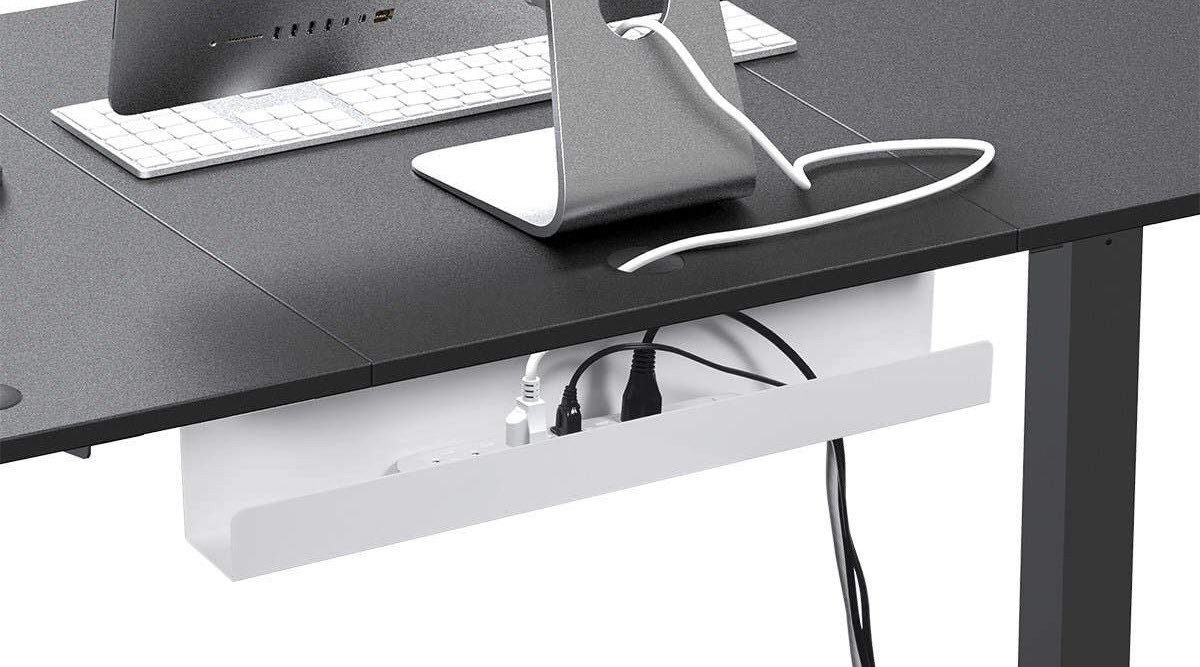
If you are looking for a minimalist cable organizer for standing desks, the one from Monoprice fits the bill. It’s a simple tray that attaches to the underside of your table. While sleek, it is big enough to hold cables, power strips, and surge protectors, among others.
It comes with the usual niceties, like a grommet hole at the bottom to route cables and cords. However, you may have to tie the cable with cable clips to achieve a clean look and prevent tangling, especially in the case of standing desks. The Monoprice under-desk cable tray is sturdy and plays well with slim power strips. Unlike mesh trays, you do not have to worry about cables and cords slipping out of the holes. However, the solid look means you will have to clean the tray often to prevent dust from settling on the power strips and cables.
What We Like
What We Don’t Like
Stageek Cable Raceway Kit
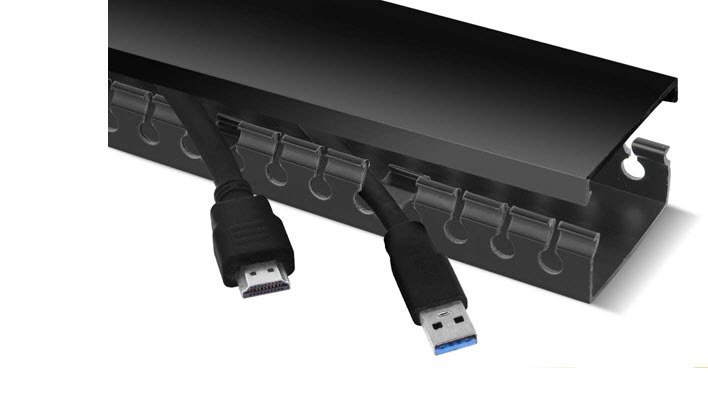
Another great cable management option for desks is the Stageek Cable Raceway Kit. It’s a server-rack-like flat tray that you can stick to the undersides of your table. With it, you needn’t buy adhesive tapes separately since the rack has pre-applied adhesives.
The installation process is straightforward. If you have slightly heavy cables and do not trust the adhesive strength, you can use drywall screws to drill them in place. The flat form factor doesn’t hide your power strip or your surge protector, only your cables. On the upside, the flat design ensures nothing looks out of place on your table.
What We Like
What We Don’t Like
IKEA Signum Cable Management Tray
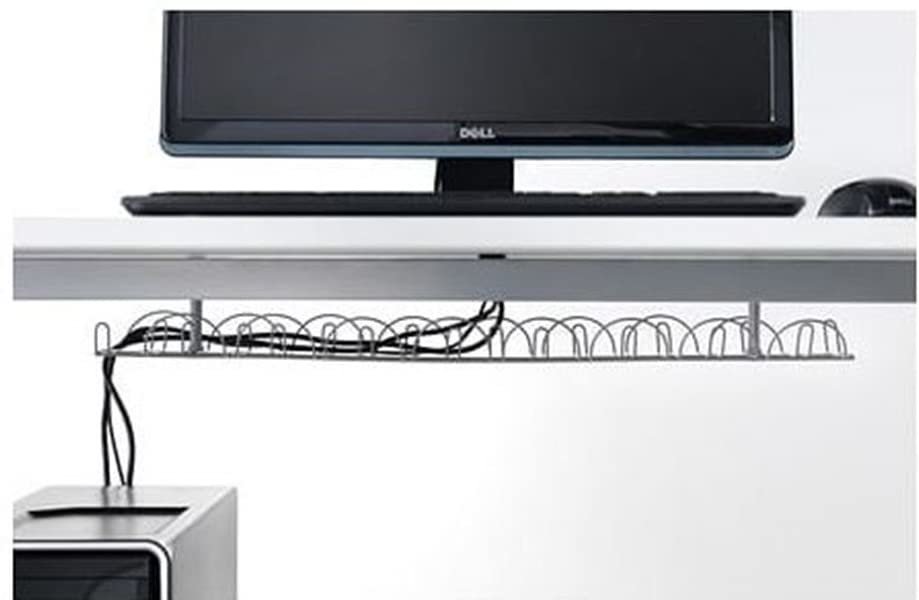
The IKEA Signum Cable Management Tray is designed to hold heavier cables and power adapters. If we talk numbers, this one can hold 22 pounds of weight. In terms of cables and wires, that’s quite a lot. It has an open design and attaches to the underside of your desk via screws, thus keeping the front of your desk free to be placed against the wall.
A single unit measures around 27.5 inches, and it may be enough if you have a small desk. The good thing is that you can always combine two or three, depending on the length of your desk, to route and thread the cables. Plus, the low-profile design makes it a great standing desk cable organizer. But at the end of the day, it has its share of limitations. The open design means dust accumulations. On the upside, it paves the way for easy heat dissipation.
What We Like
What We Don’t Like
Quszmd Under Desk Cord Organizer
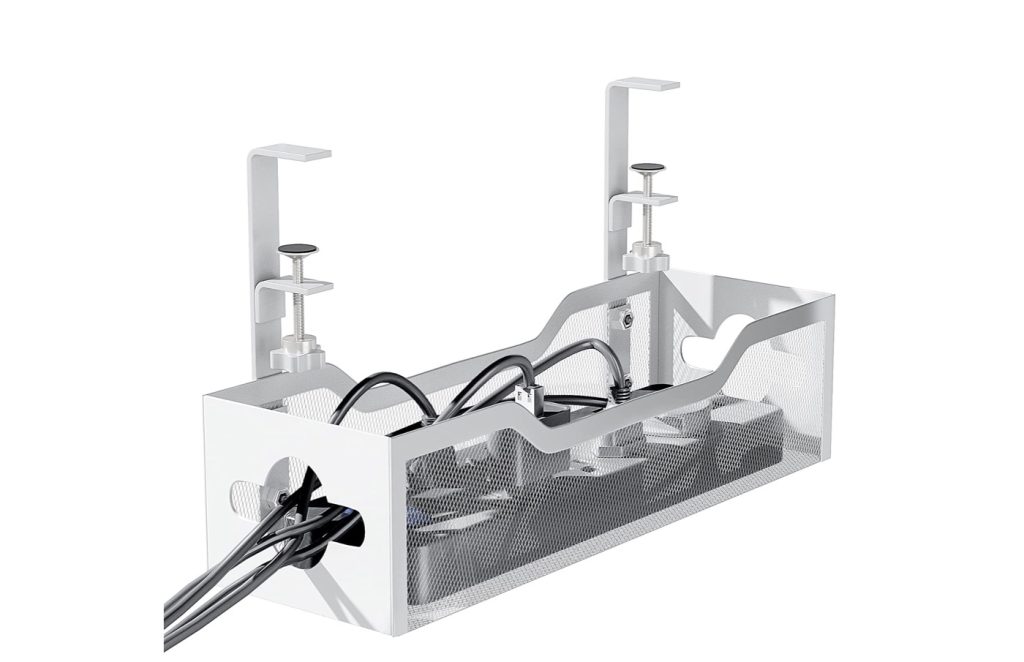
The highlight of the Quszmd Under Desk Cord Organizer is its no-drill feature. As such, you do not have to worry about damaging your work desk. It comes with two clip-on clips and an L-shaped anchor at the top. The latter ensures that the tray doesn’t fall off. The tray’s mesh exterior ensures that cords and power strips stay secure inside.
At 13.38 inches, the tray is wide and can hold most essentials. We’d recommend not to overburden the tray with several items. Here, the slit is at the sides of the tray, and you can route the cables through them to achieve a clean look. And the mesh exterior ensures that heat doesn’t stay trapped inside.
What We Like
What We Don’t Like
Baskiss Cable Management Tray
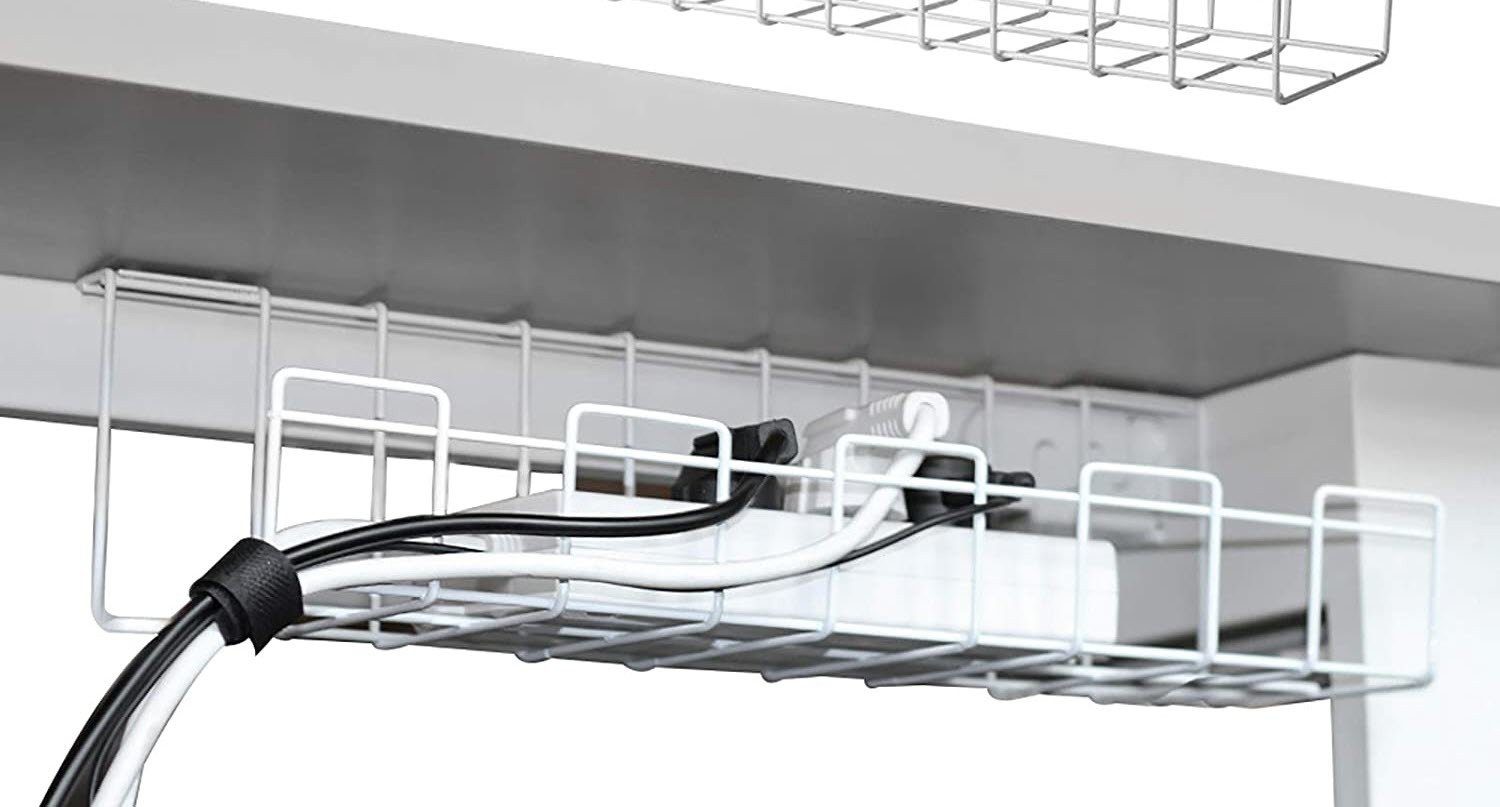
Another simple under-desk cable management solution is the Baskiss wire tray. Unlike the IKEA Signum trays, these aren’t meant for heavy usage. However, you can still use them to route the cables and wires from monitors, printers, or UPS.
The best part is that the company ships a total of two units, with each unit measuring around 16 inches. Like its counterpart above, you will need to drill the tray on the underside of your desk. Installation is a mix of easy and difficult since it’s a little difficult to fix it in an already assembled desk. It won’t take much time if you are good with your tools.
What We Like
What We Don’t Like
Tap-Up Cable Box
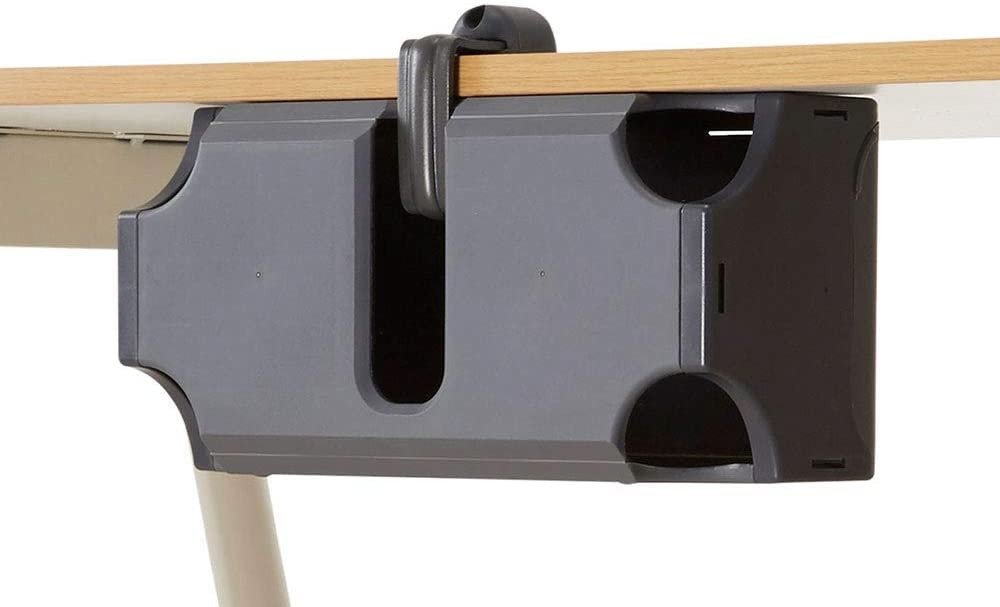
The Tap-Up Cable Box is an ideal and unique solution for a cable tray, especially if you have a small space underneath your desk. As suggestive of its name, you can tap this box on the underside of your table. It’s neither too big nor too small and is apt to store your monitor’s power adapter or a small and compact power strip. This box can hide that as well.
Unlike the ones above, no drilling is involved and you do not need to stick any adhesives. It uses a clamp, and if your tabletop is around 2 inches thick, you can clamp the tap-up box to it. And if that was not enough, this nifty box also comes with a silicone cord holder to help you route and thread your cables. It also has its share of flaws. For one, the small spaces limit your ability to fold or route heavy and thick cables. Plus, the material may feel a little sub-standard, considering the price.
What We Like
What We Don’t Like
Vari Cable Management Tray
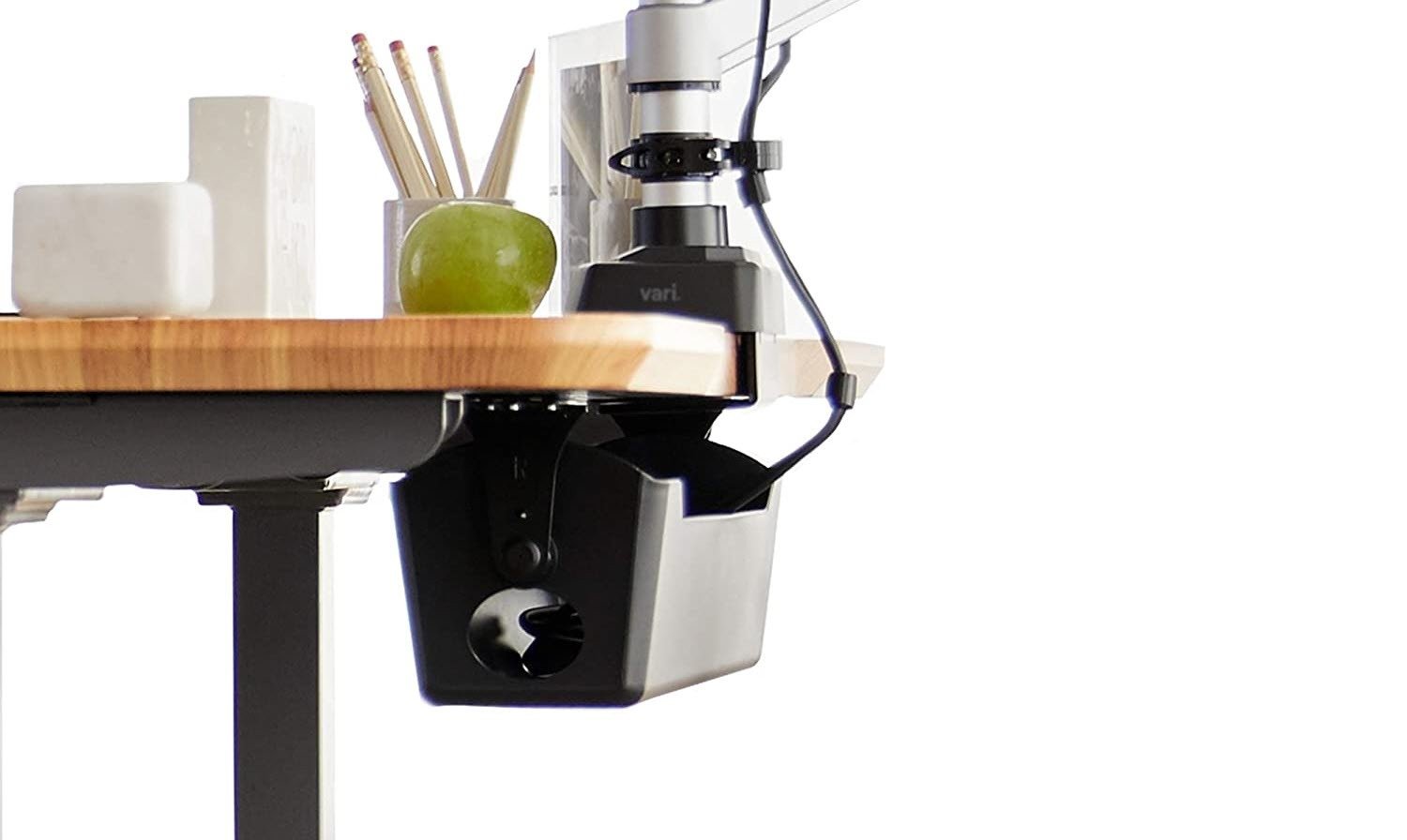
The Vari Cable Management Tray is an excellent choice for anyone with a standing desk. This one is shaped like a cable box with an open top. The highlight of this desk is its rotating handle, which makes way for easy access. Whenever you want to add and remove the cables or the power strip, pull it towards yourself and do the needful.
This one does away with the hassle of adhesive strips. Instead, you will need to fix it using screws. The latter makes it ideal for heavy items. Again, like many cable management solutions, this box holds the cables and other electronic adapters. However, if you want a completely clean wire-free look behind the desk, you will have to take care of the cables making their way out of the bin.
What We Like
What We Don’t Like
S Stand Up Under Desk Cable Management Tray
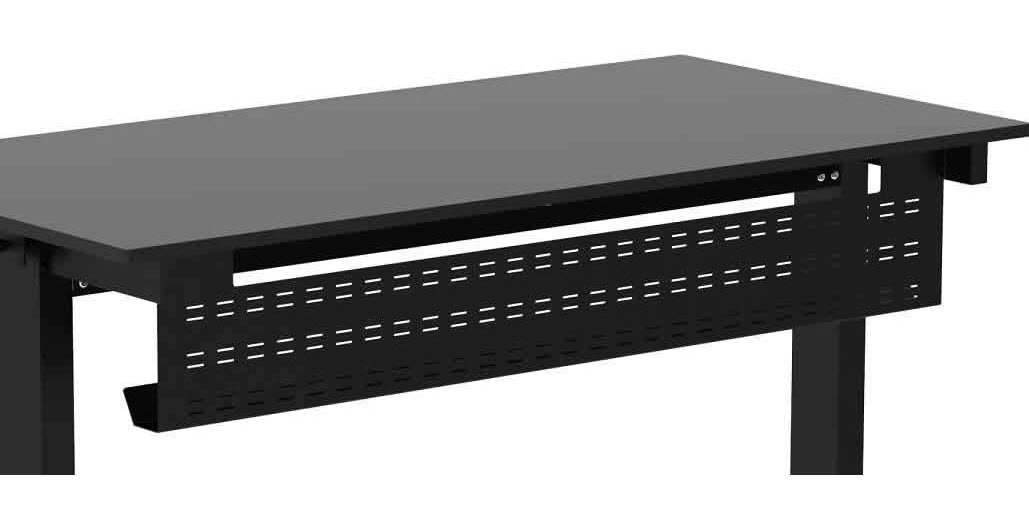
If you want more premium options, you can’t go wrong with the S Stand Up Under Desk Cable Management Tray. It’s a long 48-inch cable tray that will easily run the length of your desk. This metallic tray is sturdy and solid enough to easily take the weight of power adapters and power strips.
The best part is that the sleek and slim look makes it easy to blend with most tables, whether a standing desk or a conventional table. It is attached using 8 screws, which at the same time, adds to the weight factor. Since it requires four screws on either side, installing it can be difficult on pre-assembled desks. The ideal solution would be to flip the desk if possible.
What We Like
What We Don’t Like
Was this helpful?
Last updated on 09 August, 2024
Read Next
 11 Best Cable Management Solutions for a Clutter-Free Setup
If you work from home or have a home office with several peripherals, you must know that managing all the cables and wires is not a mean feat.
11 Best Cable Management Solutions for a Clutter-Free Setup
If you work from home or have a home office with several peripherals, you must know that managing all the cables and wires is not a mean feat.
 5 Best Desk Mounts for Ultrawide Monitors
A quality desk mount for ultrawide monitors adds a range of motions, and helps clear space on your desk.
5 Best Desk Mounts for Ultrawide Monitors
A quality desk mount for ultrawide monitors adds a range of motions, and helps clear space on your desk.
 6 Best Microsoft Excel Templates for Payroll Management
Microsoft Excel continues to excel when it comes to creating spreadsheets and crunching data.
6 Best Microsoft Excel Templates for Payroll Management
Microsoft Excel continues to excel when it comes to creating spreadsheets and crunching data.
 8 Tricks to Use OneNote for Project Management
1.
8 Tricks to Use OneNote for Project Management
1.
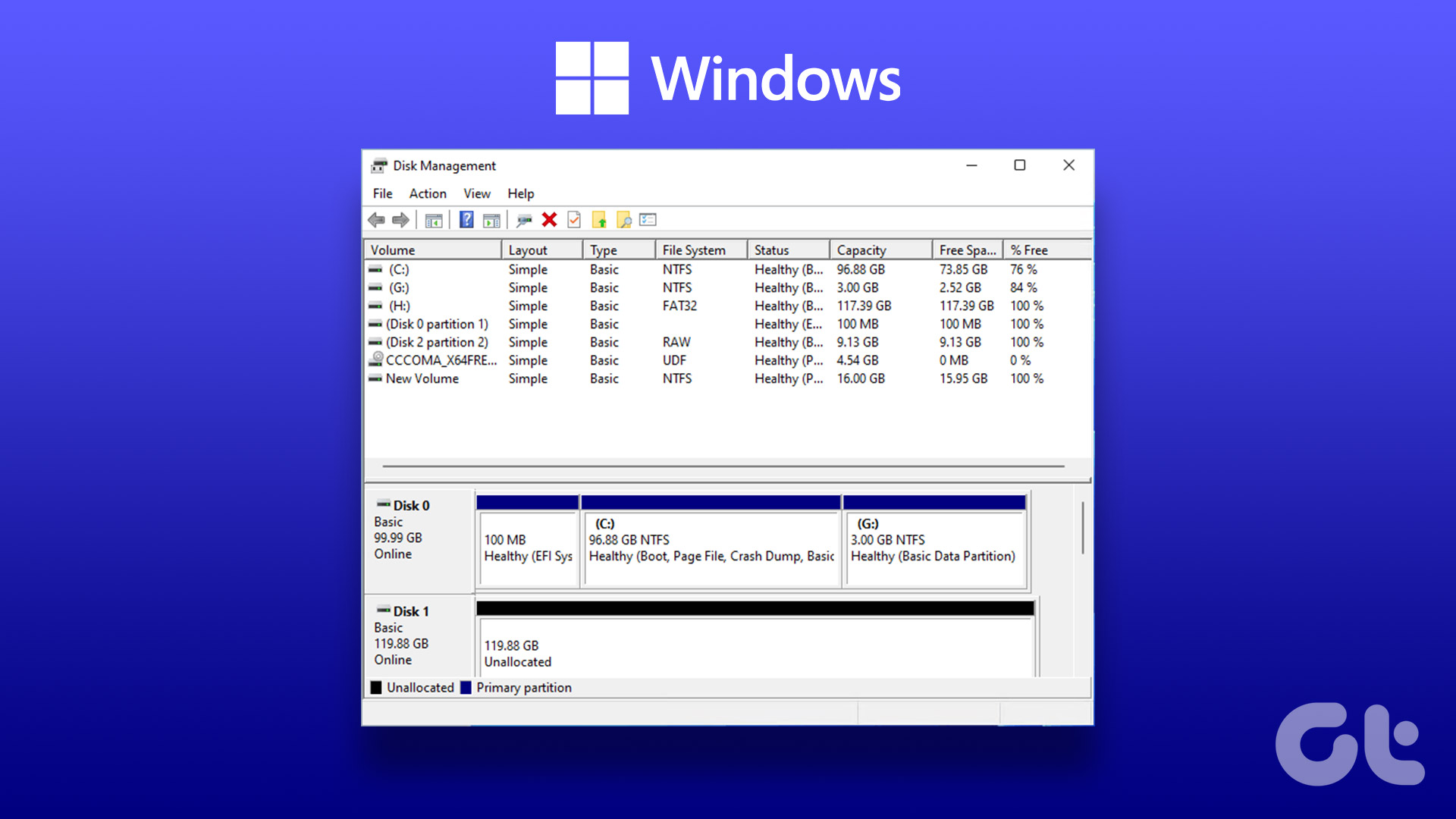 4 Ways to Open Disk Management on Windows 11
Method 1: Use the Run Dialog to Open Disk Management Disk Management comes in handy to perform advanced storage tasks like managing existing drives or initializing a new one.
4 Ways to Open Disk Management on Windows 11
Method 1: Use the Run Dialog to Open Disk Management Disk Management comes in handy to perform advanced storage tasks like managing existing drives or initializing a new one.
 2 Ways to Open Computer Management on Windows 11
Method 1: Open Computer Management From Control Panel You can easily access Computer Management through the Control Panel.
2 Ways to Open Computer Management on Windows 11
Method 1: Open Computer Management From Control Panel You can easily access Computer Management through the Control Panel.
 Top 8 Ways to Fix External Drive Not Showing Up in Disk Management on Windows
Disk Management is a built-in utility on Windows to manage your hard drivers, SSDs, and other external drives.
Top 8 Ways to Fix External Drive Not Showing Up in Disk Management on Windows
Disk Management is a built-in utility on Windows to manage your hard drivers, SSDs, and other external drives.
 4 Fixes for ‘Video Memory Management Internal’ Error on Windows
Basic Fixes Restart PC: Restart your PC to fix temporary bugs and glitches.
4 Fixes for ‘Video Memory Management Internal’ Error on Windows
Basic Fixes Restart PC: Restart your PC to fix temporary bugs and glitches.
The article above may contain affiliate links which help support Guiding Tech. The content remains unbiased and authentic and will never affect our editorial integrity.