Laptop docking stations with dual HDMI connectors let you extend your laptop’s screen by interfacing two more external displays. If you want to increase your productivity, here are some good dual HDMI docking stations that you can buy.
Wavlink USB 3.0 Universal Laptop Docking Station
- Ports: 6 x SuperSpeed USB 3.0, 2 x DisplayPort, 2 x HDMI, Ethernet, USB-C In, 3.5mm Audio
- Maximum supported resolution: Dual 4K @ 60Hz
- Thunderbolt: No
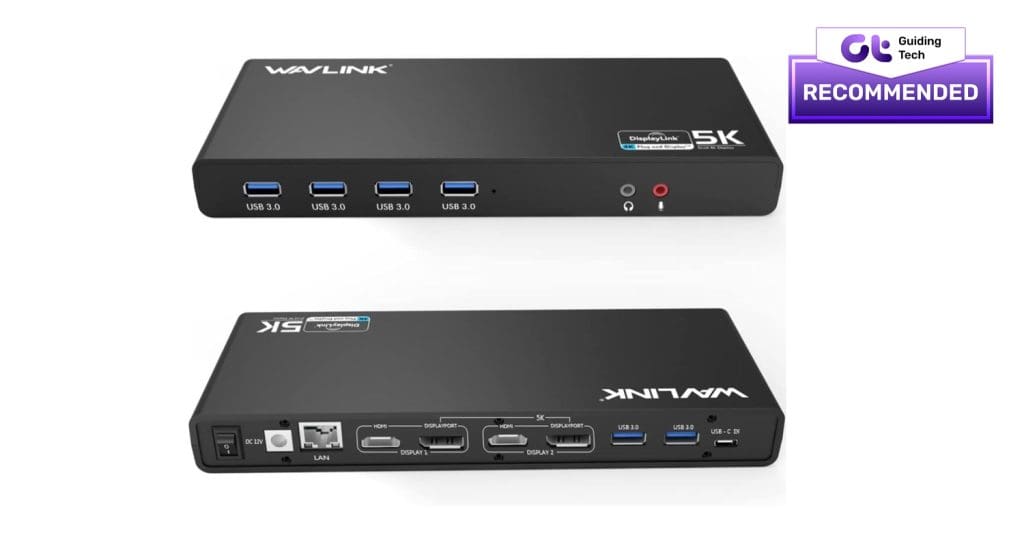
The Wavlink USB 3.0 is a connector-rich dock with six USB 3.0 ports and two pairs of HDMI and DisplayPort connections. The HDMI 2.0 ports allow you to hook up color-accurate 4K monitors. This comes in handy if you curate content for a living. Plus, it has an output of up to 5,120 x 2,880 @ 60Hz.
Though there are two DisplayPort connectors, there are some limitations. This dock doesn’t support MST or daisy-chaining multiple DisplayPort-compatible monitors. On the plus side, it’s easy to use, and the setup is as good as plug-and-play. While the dock doesn’t support USB-C Power Delivery due to the lack of USB-C out ports, it falls on the affordable side of things and can easily power dual displays.
What We Like
What We Don’t Like
Dell USB 3.0 Triple Display Docking Station
- Ports: 1 x DisplayPort, 2 x HDMI, 2 x USB 2.0, 3 x Superspeed USB 3.0 , 3.5 Audio, Ethernet port
- Maximum supported resolution: 1 x 4K display + 2 x Full HD displays.
- Thunderbolt: No
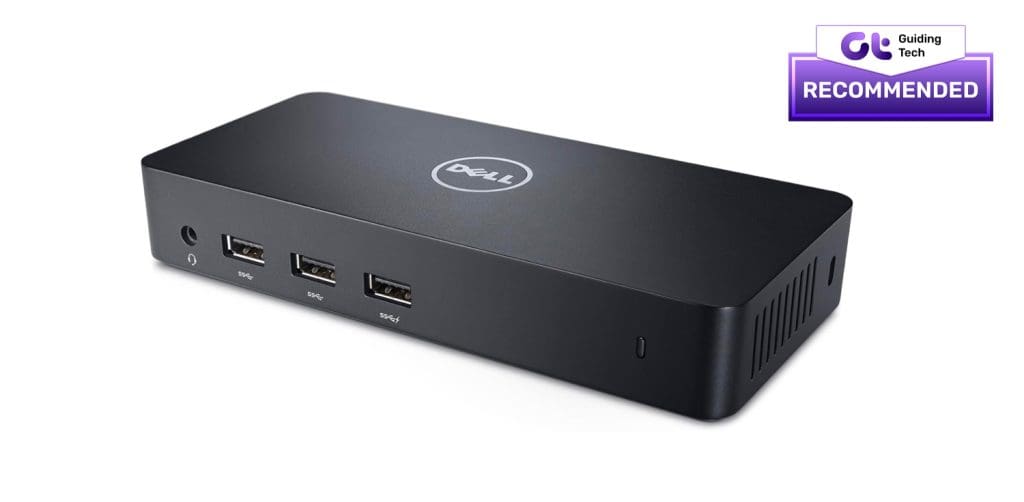
The Dell dock is another laptop docking station with two HDMI ports. The highlight of this device is the small and compact build. While it lets you hook three monitors to your laptop, only one can stream 4K content. The other two will be able to stream in Full HD.
The laptop connects via a short USB 3.0 cable. The clever design ensures that all the ports and connections are fitted well in a compact build. Interestingly, there is ample space between the ports to avoid overcrowding.
The Dell docking station is not universal and is not compatible with all laptops. It only supports some models from Acer, Lenovo, HP, and Dell. Thankfully, there’s an easy way to check the laptop’s compatibility beforehand. If you buy it from Amazon, all you need to do is enter the model name in the dropdown.
What We Like
What We Don’t Like
Plugable UD-6950H Horizontal Docking Station
- Ports: 2 x HDMI, 2 x DisplayPort, 6 x USB 3.0 ports, Ethernet, Audio in/out
- Maximum supported resolution: 5K@60Hz (single monitor), 4K@60Hz (dual monitor)
- Thunderbolt: No
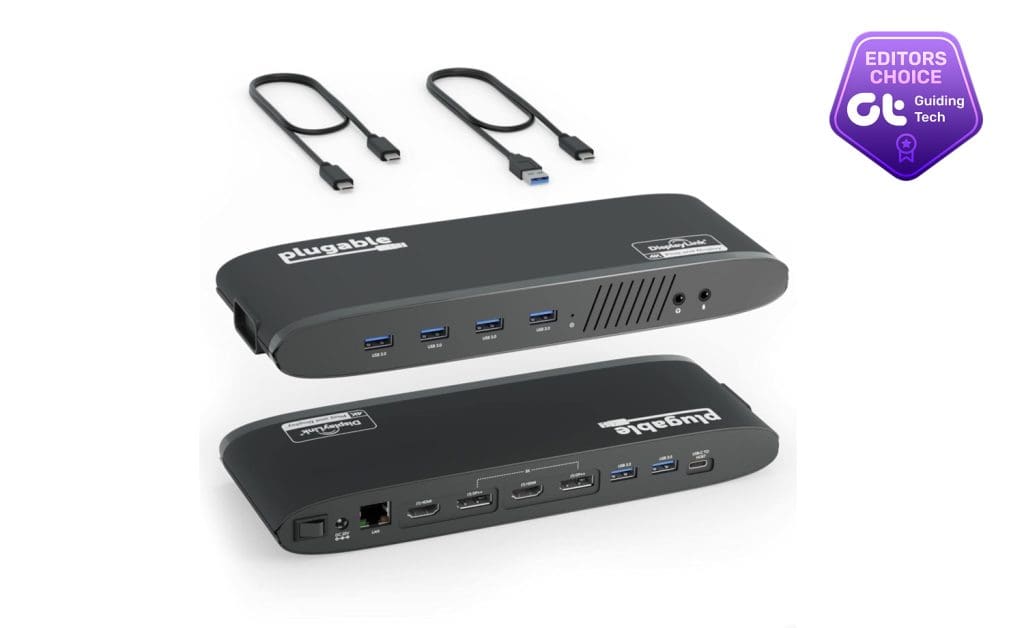
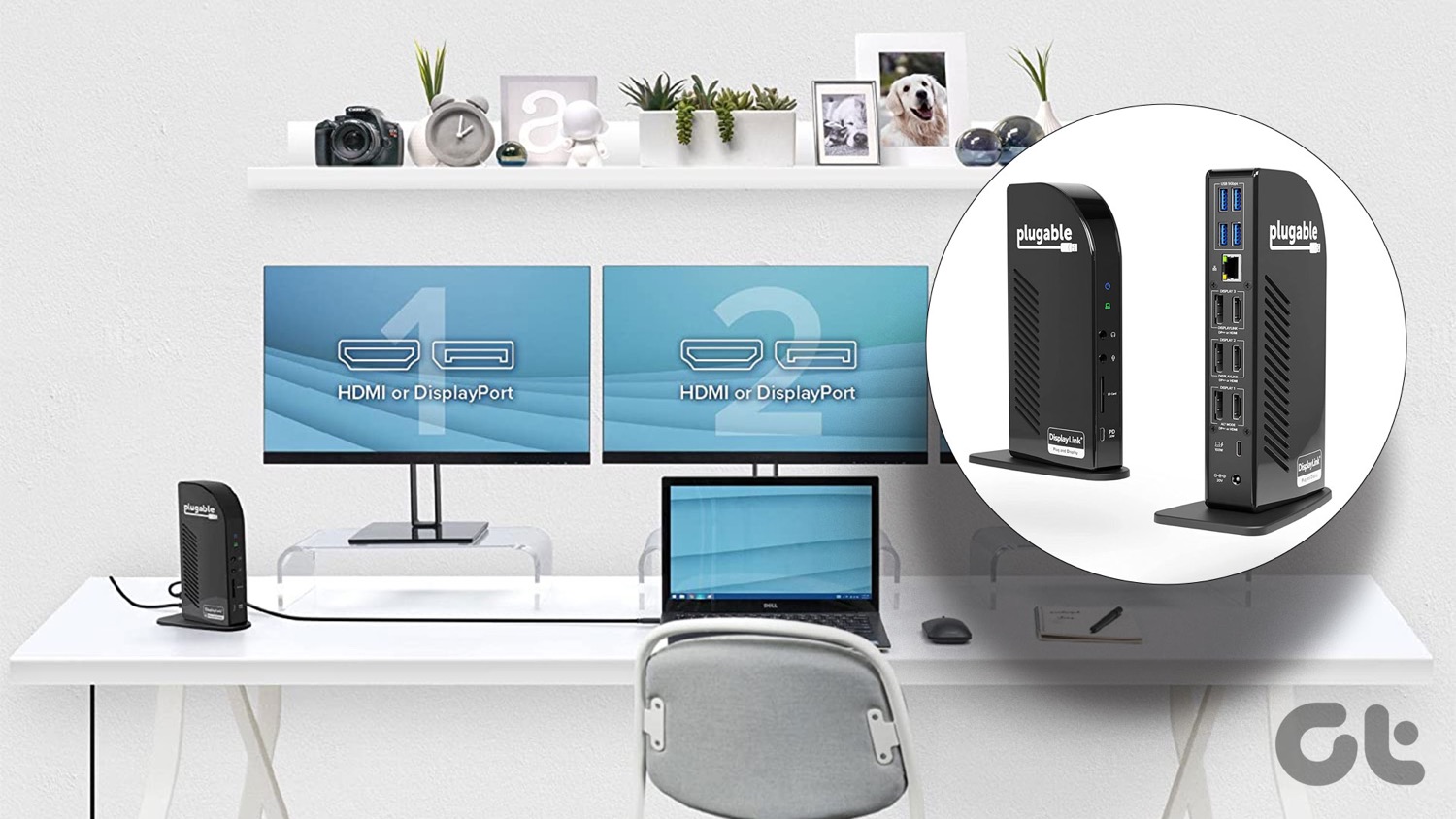
Another docking station that won’t break the bank is the one by Plugable. It sits horizontally on the table and has several connections, including six USB 3.0 ports. Besides supporting a single 5K monitor via DisplayPort, it can also support dual 4K displays @ 60Hz.
Though there are two DisplayPorts and two HDMI ports, these are mutually exclusive. So, you can use only one port from each set at a time. Furthermore, the DisplayPort connections do not support MST for multi-monitor rigs. You’ll have to stream all the outputs via the dock.
Despite carrying a host of ports and connectors, the Plugable UD-6950H doesn’t deliver power to your laptop, and that’s the price you have to pay for the slightly affordable price tag.
What We Like
What We Don’t Like
Alternatively, you can also check out the Plugable USB 3.0 and USB-C Universal Laptop Docking Station. It also has dual HDMI ports apart from the USB ports and Ethernet port.
StarTech.com USB-C Multiport Adapter
- Ports: 2 x HDMI 2.0, 2 x USB 3.2 Gen 2, 1 x USB-A + 7.5W BC 1.2 Fast Charge, 1 x USB-C Data, 1 x SD 4.0 card reader; 100W PD (82W laptop charging)
- Maximum supported resolution: 4K @ 60Hz
- Thunderbolt: No
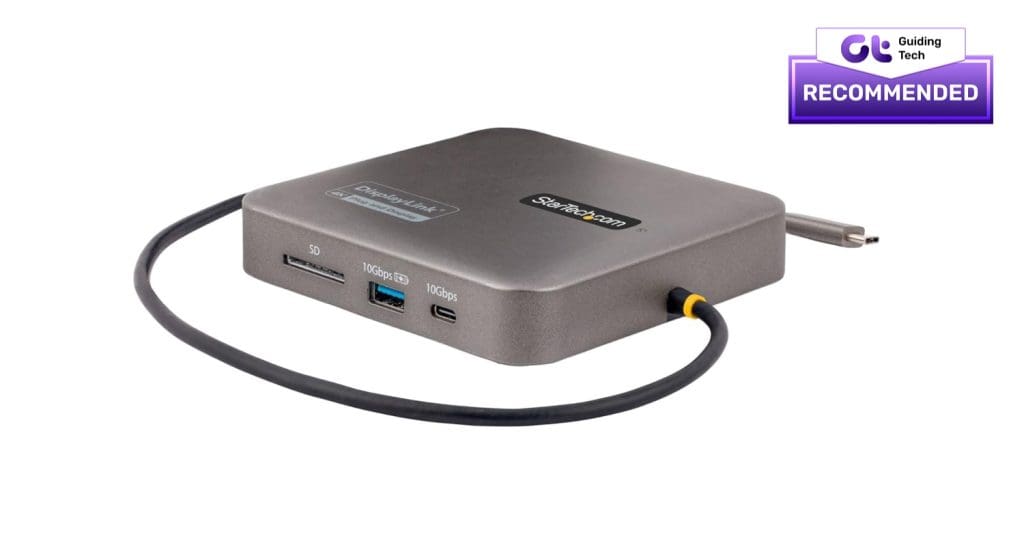
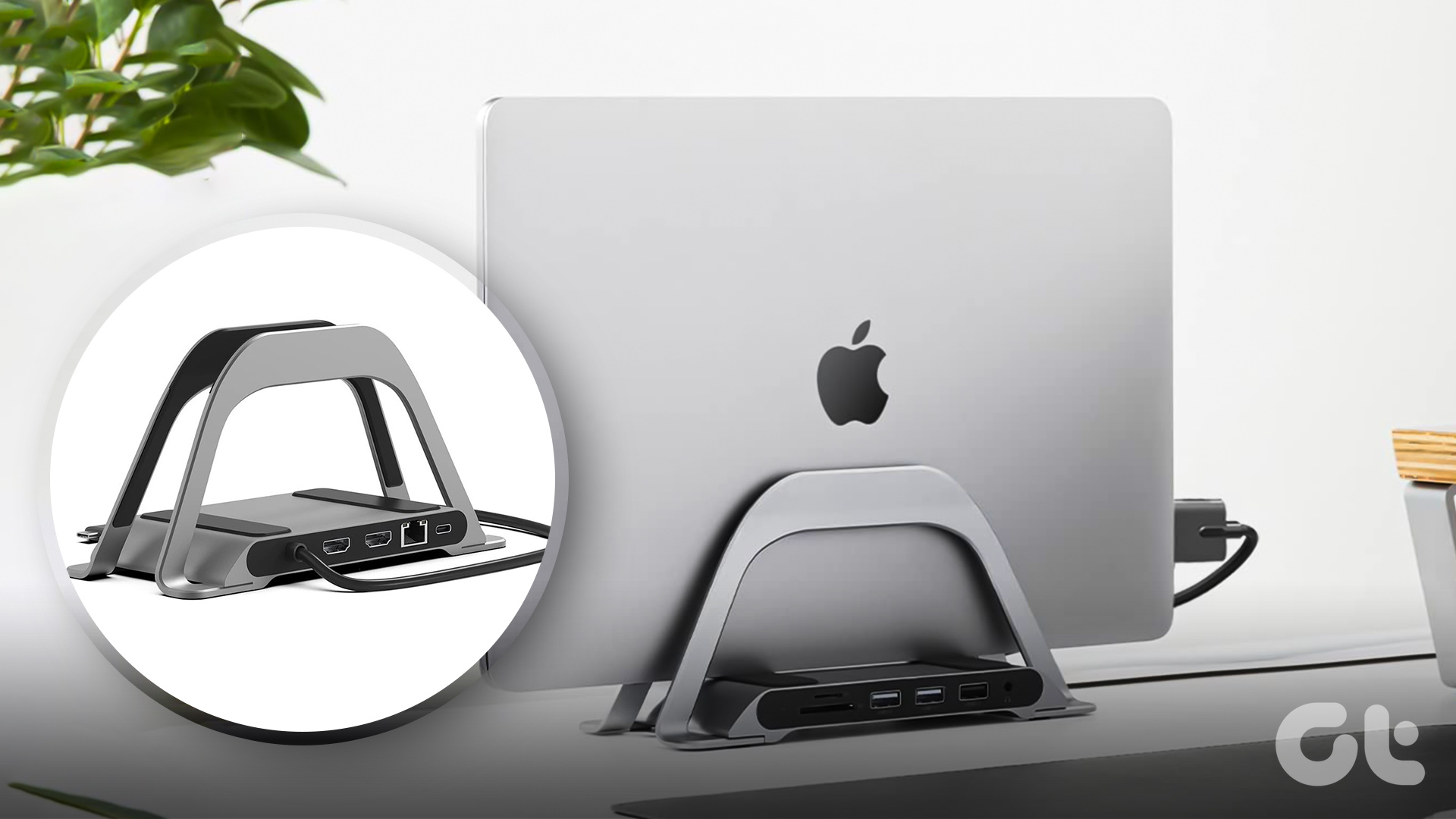
If you are an M1 MacBook user, you must know that it doesn’t natively support two external monitors. Worry not; the StarTech USB-C monitor adapter solves this issue. It bundles a bevy of ports, including USB-C, HDMI, and USB-A ports. And yes, it can also charge your laptop.
At the same time, the power cable is long, and you should have no issues connecting it to your laptop. The slew of ports enables dual displays on USB-C & Thunderbolt 3/4- 3/4-compatible laptops. It’s worth noting that this docking station has a USB 3.2 Gen 2 hardware interface. Staying true to most laptop docking stations, it also has 100W Power delivery and will charge compatible USB-C laptops seamlessly.
What We Like
What We Don’t Like
Was this helpful?
Last updated on 08 May, 2024
Read Next
 5 Best Docking Stations for Gaming Laptop
Gaming laptops offer superb performance in a portable package, but they often have limited ports and connectivity options.
5 Best Docking Stations for Gaming Laptop
Gaming laptops offer superb performance in a portable package, but they often have limited ports and connectivity options.
 4 Best USB-C Docking Stations With DisplayPort
Unlike a few years ago, monitors and laptops' display interface is not limited to HDMI connections.
4 Best USB-C Docking Stations With DisplayPort
Unlike a few years ago, monitors and laptops' display interface is not limited to HDMI connections.
 6 Best USB-C Docking Stations With Power Delivery
Modern-day laptop docks offer advanced features such as dual HDMI ports, Thunderbolt 3 high-speed connections, and power delivery.
6 Best USB-C Docking Stations With Power Delivery
Modern-day laptop docks offer advanced features such as dual HDMI ports, Thunderbolt 3 high-speed connections, and power delivery.
 7 Best Docking Stations for Dual (or Triple) Monitors in 2024
Docking stations are one of the best solutions to expand your laptop's screen and functionality without investing in a full-fledged desktop.
7 Best Docking Stations for Dual (or Triple) Monitors in 2024
Docking stations are one of the best solutions to expand your laptop's screen and functionality without investing in a full-fledged desktop.
 7 Best Docking Stations for Apple MacBook Air M2
Apple's MacBook Air M2 has a lot going for it -- powerful M2 chipset, an interesting design, and support for MagSafe charging.
7 Best Docking Stations for Apple MacBook Air M2
Apple's MacBook Air M2 has a lot going for it -- powerful M2 chipset, an interesting design, and support for MagSafe charging.
 6 Best Monitors with 2 HDMI Ports
The HDMI ports on your computer monitors are seldom enough.
6 Best Monitors with 2 HDMI Ports
The HDMI ports on your computer monitors are seldom enough.
 6 Best Mini HDMI to HDMI Cables That You Can Buy
Whether it's a DSLR, a Raspberry Pi, or your slim ultrabook laptop, Mini HDMI ports are still quite common these days.
6 Best Mini HDMI to HDMI Cables That You Can Buy
Whether it's a DSLR, a Raspberry Pi, or your slim ultrabook laptop, Mini HDMI ports are still quite common these days.
 4 Best USB-C Chargers With Multiple Ports That You Can Buy
If you have several USB-C accessories, such as laptops, smartphones, or wireless earphones, investing in a USB-C charger with multiple ports is ideal.
4 Best USB-C Chargers With Multiple Ports That You Can Buy
If you have several USB-C accessories, such as laptops, smartphones, or wireless earphones, investing in a USB-C charger with multiple ports is ideal.
The article above may contain affiliate links which help support Guiding Tech. The content remains unbiased and authentic and will never affect our editorial integrity.