The Hyperx Quadcast is one of the popular mics for gamers, streamers, and podcasters. It’s easy to set up and doesn’t need a pop filter. However, the company ships this podcasting mic with a basic stand. So, if you want a fully hands-free experience or height-adjustable features, you may want to check out one of the best HyperX QuadCast boom arms.
QuadCast Boom Arm Mic Stand
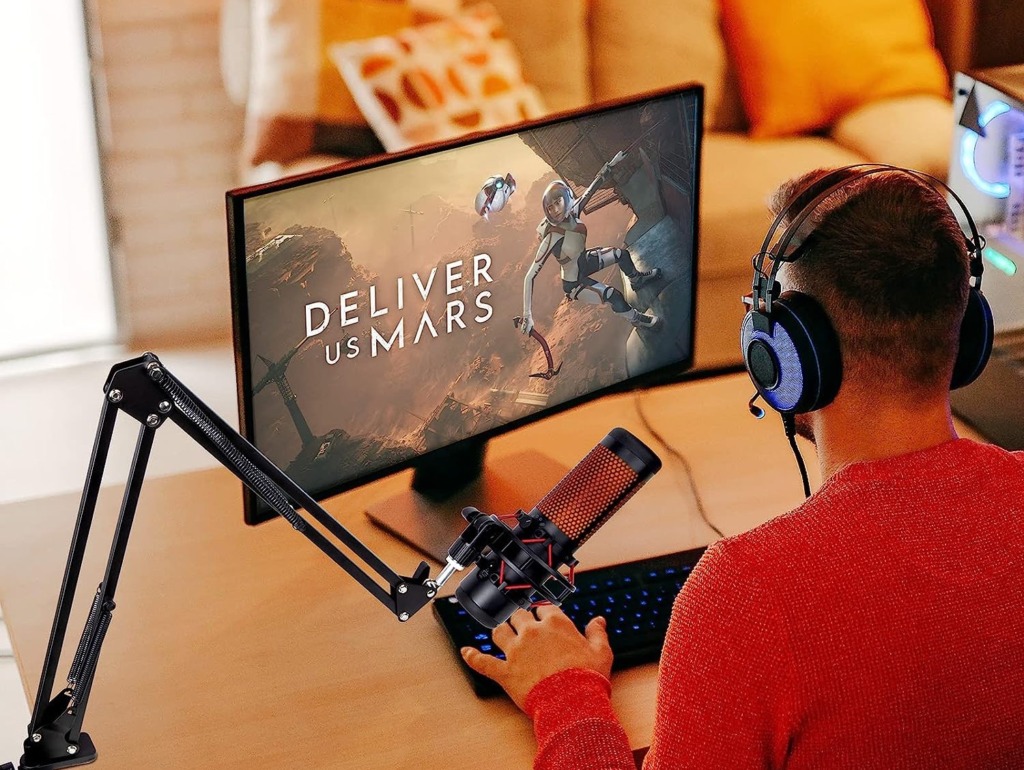
The QuadCast is affordable and flexible, which gives you ample wriggle room to move the mic around. The company ships an adapter with the arm to fit the HyperX QuadCast. As you may have guessed, it has a C-clamp and mounts on table edges. While you can move the arm up/down vertically smoothly, it is noisy and may add noise to your podcasts or game streams.
As noted above, the company ships a silver adapter to fit the QuadCast. While this boom arm does the duty of holding the mic without sagging, it’s not as durable as some of its counterparts on this list. Skip this one if you have a few extra bucks to spend.
What We Like
What We Don’t Like
Alternatively, you can check out the InnoGear Microphone Arm.
InnoGear Microphone Arm
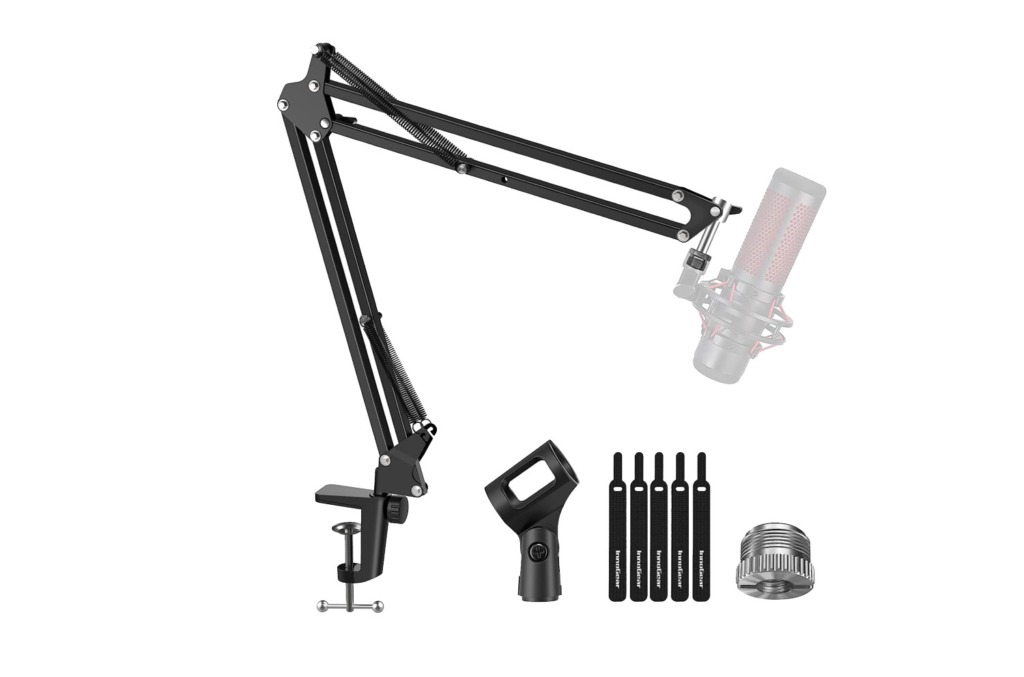
If you want a desktop mount for your Hyperx QuadCast, you can’t go wrong with the one by InnoGear. It comes with a heavy base, which makes it stable. At the same time, it doesn’t take up much space on tables and desktops. It comes with all the added frills like height adjustments and mic rotation. The mic holder can fit mics between 32mm and 58mm, and the 50mm Hyperx QuadCast will fit in just fine.
The InnoGear microphone arm is versatile and should fit other mics just as well. It’s easy to set up and has an excellent value-to-price proposition. More importantly, the weighted base beautifully balances the mic’s weight well. It also comes with a pop filter, though you may not need it for the HyperX QuadCast.
What We Like
What We Don’t Like
BILIONE Desktop Microphone Stand

Another desktop stand for the HyperX QuadCast is the one by BILIONE. Like its competitor, it comes with a weighted base, anti-skid pads, and a more extensive base. These ensure that the QuadCast doesn’t slip or tip over. It’s easy to install, and assembling it doesn’t take more than a few minutes. Plus, the 5/8-inch to 3/8-inch screw adapter makes it highly versatile, and you will be able to fit other mics easily.
The BILIONE Desktop Microphone Stand has a solid build, especially for the price. It’s made of quality material, and the product’s finish complements the mic. Naturally, the range of motions is slightly limited compared to conventional boom arms. While it lets you play with the height, the other options are limited. Plus, the shock mount tends to shift the center of gravity.
What We Like
What We Don’t Like
IXTECH Microphone Boom Arm
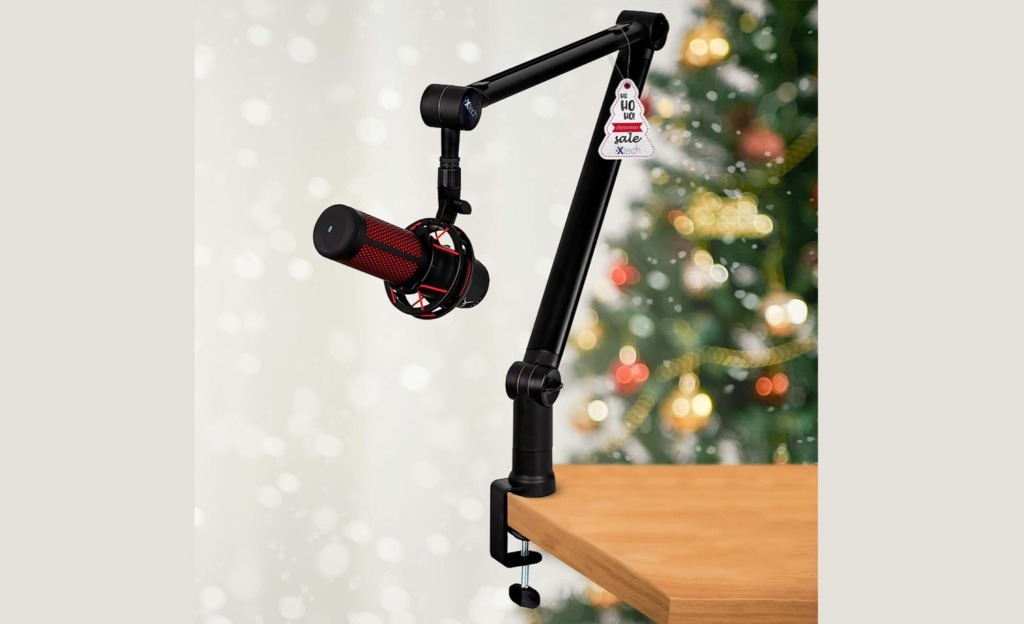
The IXTECH Microphone Boom Arm for the HyperX QuadCast looks elegant and brings a nifty share of features to the table. It’s also a C-clamp boom arm and mounts on table ends. That said, it has superb build quality. And compared to the ones above, it’s durable and will last you a long time. More importantly, you get a good range of motions.
Thanks to its 360-degree arm, you can position the mic as per your preference. Further, the knobs are adjustable, and you will be able to adjust the tension as per the need of the hour. If we talk numbers, this mic arm for HyperX QuadCast can extend to 34.25 inches when fully extended. Plus, it can support up to 1kg of mic weight. The 1/4, 3/8, and 5/8-screws ensure you can use other mics like the Blue Yeti. More notably, the built-in cable management ensures your table stays clutter-free.
What We Like
What We Don’t Like
YouShares Mic Boom Arm with RGB Light

Last but not least, we have the mic boom arm by YOUSHARES. This is the one for you if you want the mic to sit well with your gaming setup. Surely enough, the RGB lights set it apart from the rest mic arms on this list. At the same time, it ups the aesthetic appeal of your overall setup. That said, it’s beautifully made with hidden channels for wires and a sleek build.
Like its competitor on this list, it has a C-clamp and mounts on the edges of tables and desks. The makers ship a 5/8-inch adapter with the mic arm. It supports a range of motions and lets you raise the height or move the arm vertically. However, note that the swiveling action is restrictive. Plus, you won’t be able to sync the light with the other RGB lights in your room. That said, you can cycle through the color of your choice and switch between dynamic and static colors.
What We Like
What We Don’t Like
Was this helpful?
Last updated on 12 June, 2024
Read Next
 5 Best Desk Mounts for Ultrawide Monitors
A quality desk mount for ultrawide monitors adds a range of motions, and helps clear space on your desk.
5 Best Desk Mounts for Ultrawide Monitors
A quality desk mount for ultrawide monitors adds a range of motions, and helps clear space on your desk.
 6 Best Xbox Controller Phone Mounts
The Xbox Controller is the go-to choice for folks looking to connect a controller to their phone.
6 Best Xbox Controller Phone Mounts
The Xbox Controller is the go-to choice for folks looking to connect a controller to their phone.
 6 Best Tablet Car Mounts and Holders
If you're looking to use your tablet while driving, it's important to ensure that you do so safely and hands-free.
6 Best Tablet Car Mounts and Holders
If you're looking to use your tablet while driving, it's important to ensure that you do so safely and hands-free.
 How to Add Photos and Pictures to Amazon Echo Spot
The Amazon Echo Spot beautifully balances both looks and performance.
How to Add Photos and Pictures to Amazon Echo Spot
The Amazon Echo Spot beautifully balances both looks and performance.
 4 Best Digital Photo Frames With Google Photos Support
Google Photos is one of the most convenient and easy-to-use photo services. If you are planning to buy a digital photo frame, it makes sense to buy one that works with Google Photos. With
4 Best Digital Photo Frames With Google Photos Support
Google Photos is one of the most convenient and easy-to-use photo services. If you are planning to buy a digital photo frame, it makes sense to buy one that works with Google Photos. With
 5 Best Gaming Monitors for Counter-Strike 2
Counter-Strike 2 is not a demanding game, and most gaming PCs will be able to offer well over 100 FPS when running the title.
5 Best Gaming Monitors for Counter-Strike 2
Counter-Strike 2 is not a demanding game, and most gaming PCs will be able to offer well over 100 FPS when running the title.
 6 Best Mice for Photo and Video Editing
When it comes to photo and video editing, having the right tools can make all the difference.
6 Best Mice for Photo and Video Editing
When it comes to photo and video editing, having the right tools can make all the difference.
 Sony WF-1000XM5 Review: Good Made Better
Sony has, time and again, captivated the market with its flagship TWS offerings.
Sony WF-1000XM5 Review: Good Made Better
Sony has, time and again, captivated the market with its flagship TWS offerings.
The article above may contain affiliate links which help support Guiding Tech. The content remains unbiased and authentic and will never affect our editorial integrity.