The Xbox Controller is the go-to choice for folks looking to connect a controller to their phone. To make the experience even better, you can get Xbox controller phone mounts to clip your smartphone to the Xbox controller for a more immersive gaming experience. We’ve listed the best Xbox controller phone mounts below, so let’s take a look.
JOVITEC Phone Clip One
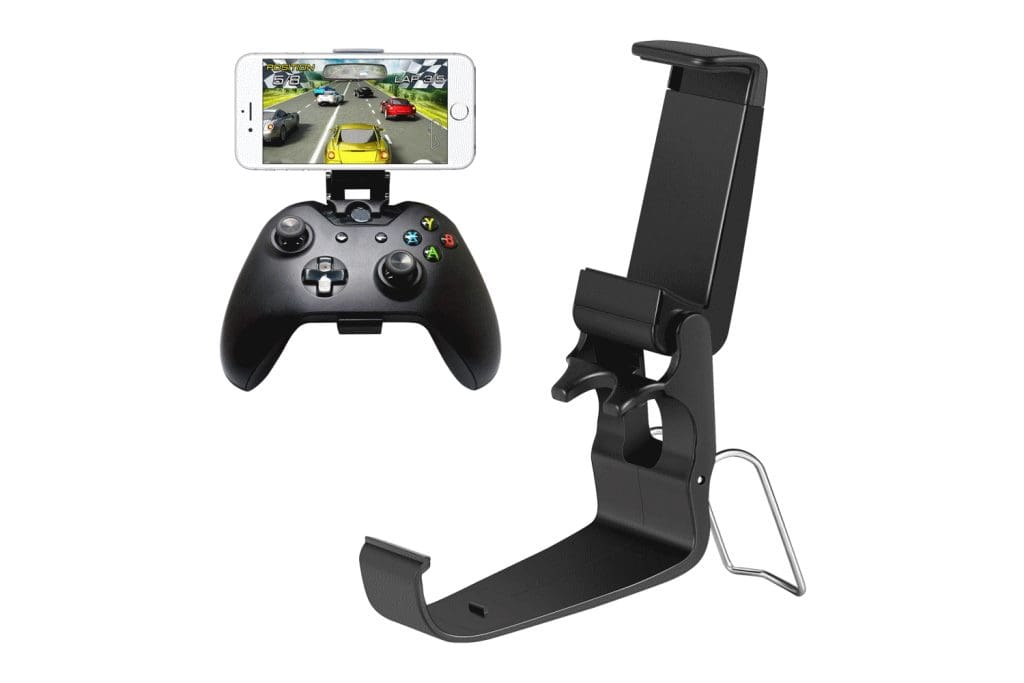
The JOVITEC Phone Clip One comes in a pack of two clips that latch onto your Xbox controller conveniently. The mount can be articulated by up to 135 degrees and can also be used as a normal phone stand to watch videos.
The mount also features rubber gaskets that protect your phone while keeping the contraption steady. Regarding compatibility, the mount offers an adjustable grip that can be tweaked from 51mm to 90mm. Consequently, the mount should be wide enough for most modern phones.
What We Like
What We Don’t Like
Insignia Phone Mount

Insignia has a penchant for high-quality gaming accessories. Interestingly enough, they do offer a phone mount for the Xbox One and Xbox Series X/S Controllers.
At only 0.08 lbs, the product may seem flimsy, but its mount is sturdy and stable enough to handle larger smartphones. The Insignia Phone Mount is usually priced steeply, but you can routinely find it on sale at Best Buy.
What We Like
What We Don’t Like
PowerA MOGA Mobile Clip
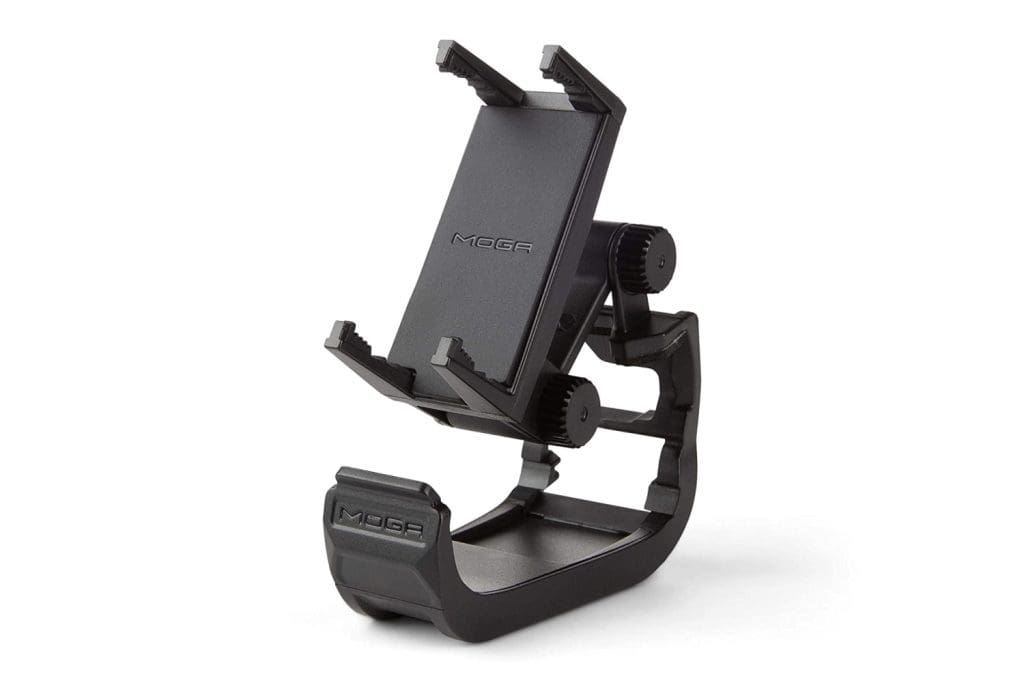
PowerA has its own Xbox-styled controllers with a phone holder. However, the company also offers the PowerA MOGA Mobile Clip to seamlessly connect your phone to an official Xbox controller.
The controller mount comes with dual-locking articulation points, too. In other words, the hinge comes with two dials, each of which can be rotated by up to 220 degrees. Additionally, the mount has a maximum width of 79mm and is made out of high-quality plastic. It also comes with special rubberized grips and padding to protect your phone.
What We Like
What We Don’t Like
OtterBox Mobile Gaming Clip
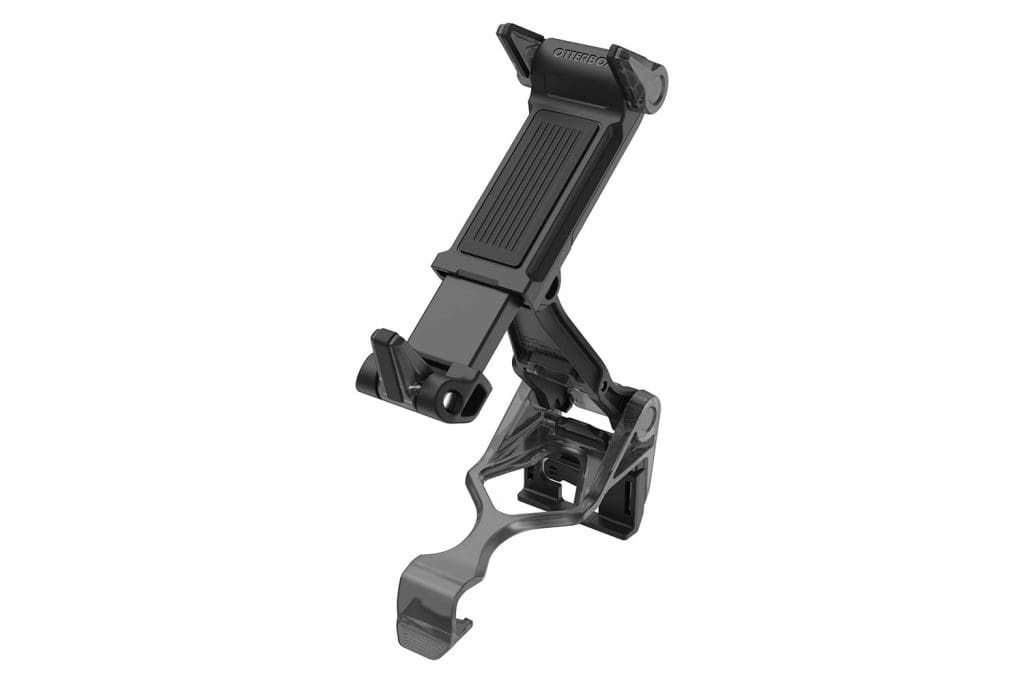
OtterBox, best known for its rugged cases, has designed a Gaming Clip that is compatible with Xbox controllers. One of its standout features is that it seamlessly attaches to your controller, even if it has a grip on it. You can even fold the mount when you’re on the go, making it a travel-friendly accessory.
The OtterBox Mobile Gaming Clip has a wide clip that easily fits all Xbox controllers. As for the phone mount, the OtterBox Mobile Gaming Clip comes with an extendable arm to hold your phone securely. What’s more, this arm can easily be adjusted using just one hand. You can even detach the clip from the controller to use it as a standalone phone holder.
What We Like
What We Don’t Like
dainslef Xbox Controller Phone Mount
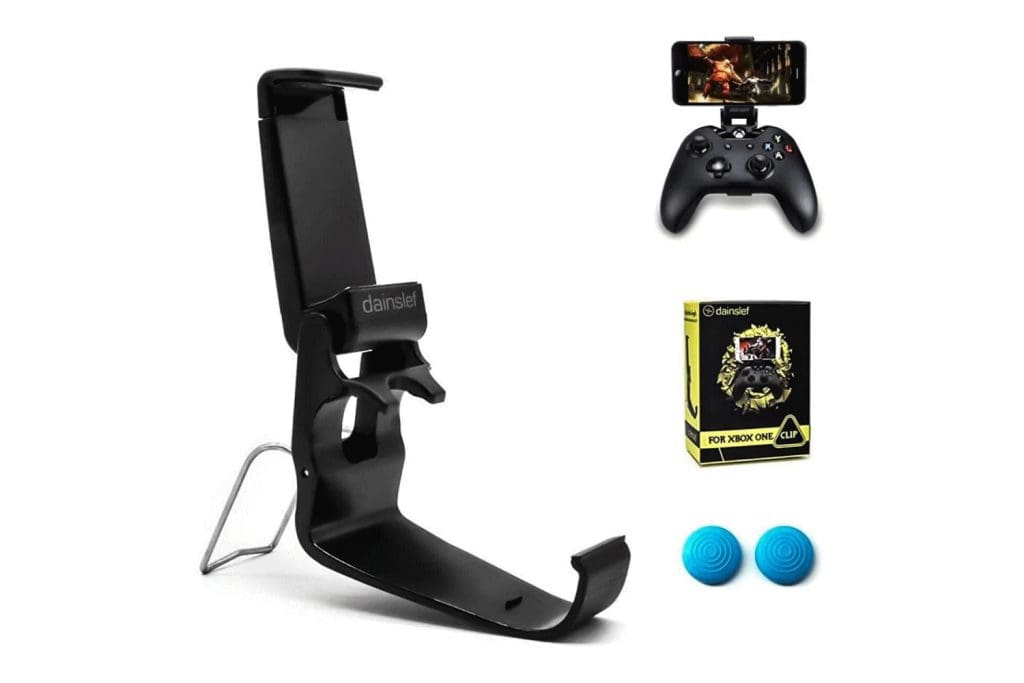
The dainslef Xbox Controller Phone Mount comes with a host of goodies, including a bunch of thumb grips. In addition, the mount boasts a maximum width of 90mm. As such, it can accommodate pretty much any smartphone on the market.
It also has a fold-out metal stand on the back. You can open this to convert the clip into a stand to watch videos on your phone. Just be careful while snapping it on and off because the plastic here can break off. The phone mount is also compliant with both the Microsoft Xbox controller and the SteelSeries Stratus Duo and Nimbus controllers.
What We Like
What We Don’t Like
8Bitdo Mobile Gaming Clip
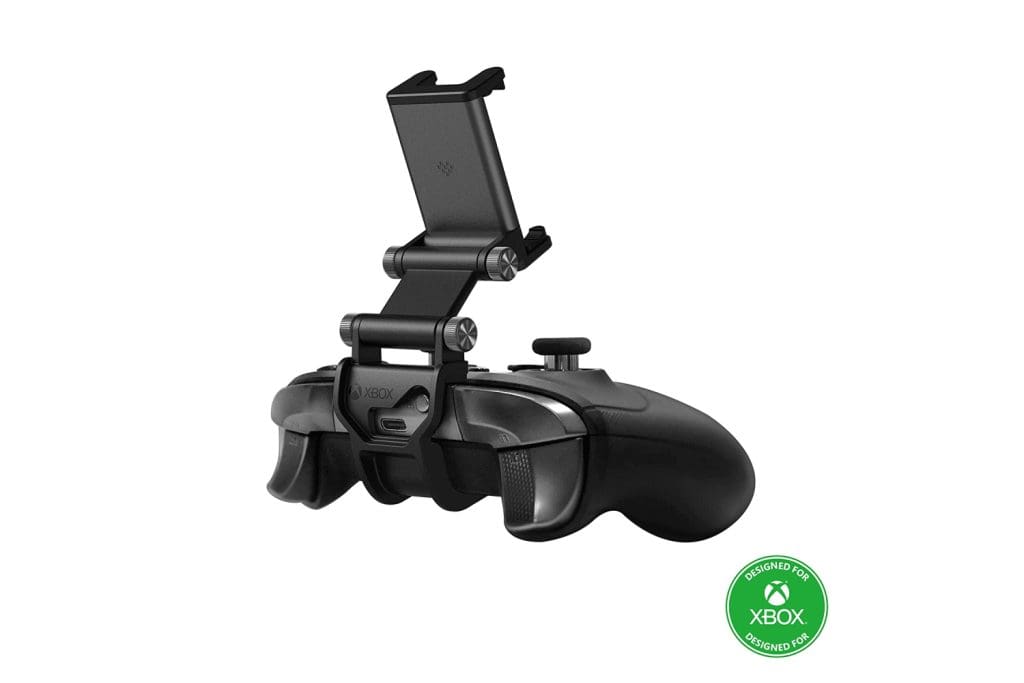
If you are willing to pay a premium, the 8Bitdo Mobile Gaming Clip is easily one of the top picks for Xbox controller phone mounts. The same can be attributed to the fact that it is an officially licensed phone mount for the Xbox Controller.
That’s not all; the company bundles two different clips in the package, ensuring the mount is compatible with all Xbox controllers. The unit is made up of high-quality plastic, and the joints are quite firm too. In fact, you can even mount heavy phones like the Samsung Galaxy S23 Ultra on it.
What We Like
What We Don’t Like
FAQs
Not all Xbox controllers support Bluetooth. Only the newer Xbox One controllers, including the Xbox One S controller and the Xbox One Elite Series 2 controller, support Bluetooth connectivity. The Xbox Series X/S controllers, released in 2020, also support Bluetooth connectivity. Older controllers, such as the original Xbox One controller, require a separate wireless adapter to connect to a PC or other devices wirelessly.
Yes. If you have a Bluetooth-enabled Xbox controller, you can pair it with your Apple iPhone or Android smartphone. Hold the controller’s Connect button for a few seconds to put it into pairing mode. Once done, find the controller in your phone’s Bluetooth settings to complete the pairing process.
The Xbox controller’s ergonomic design and responsive buttons and triggers make it a great choice for playing a wide variety of games on Android, including action, sports, and racing games. While there are other cheaper alternatives, the official Xbox controller is a reliable controller for Androids and iPhones.
Was this helpful?
Last updated on 10 May, 2024
Read Next
 5 Best Desk Mounts for Ultrawide Monitors
A quality desk mount for ultrawide monitors adds a range of motions, and helps clear space on your desk.
5 Best Desk Mounts for Ultrawide Monitors
A quality desk mount for ultrawide monitors adds a range of motions, and helps clear space on your desk.
 5 Best Boom Arms and Mounts for Hyperx QuadCast
The Hyperx Quadcast is one of the popular mics for gamers, streamers, and podcasters.
5 Best Boom Arms and Mounts for Hyperx QuadCast
The Hyperx Quadcast is one of the popular mics for gamers, streamers, and podcasters.
 6 Best Tablet Car Mounts and Holders
If you're looking to use your tablet while driving, it's important to ensure that you do so safely and hands-free.
6 Best Tablet Car Mounts and Holders
If you're looking to use your tablet while driving, it's important to ensure that you do so safely and hands-free.
 5 Best Charging Cables for PS5 DualSense Controller That You Can Buy
Unlike the Xbox controllers, the Sony PlayStation 5 DualSense controllers come with a rechargeable battery.
5 Best Charging Cables for PS5 DualSense Controller That You Can Buy
Unlike the Xbox controllers, the Sony PlayStation 5 DualSense controllers come with a rechargeable battery.
 How to Check DualSense Controller Battery on PS5 or PC
How to Check the DualSense Controller Battery on PS5 Checking the battery level of your DualSense controller on a PS5 is fairly straightforward, as you'd expect.
How to Check DualSense Controller Battery on PS5 or PC
How to Check the DualSense Controller Battery on PS5 Checking the battery level of your DualSense controller on a PS5 is fairly straightforward, as you'd expect.
 Top 4 Ways to Fix Windows 10 Not Detecting PS4 Controller
While Xbox reigns to work as a controller with Windows, there are plenty of PS4 owners who struggle to use their Dual Shock controller with Windows.
Top 4 Ways to Fix Windows 10 Not Detecting PS4 Controller
While Xbox reigns to work as a controller with Windows, there are plenty of PS4 owners who struggle to use their Dual Shock controller with Windows.
 Top 7 Ways to Fix Steam Not Recognizing Controller on Windows 11
Select games on your PC are more fun with a controller rather than the keyboard and mouse combo.
Top 7 Ways to Fix Steam Not Recognizing Controller on Windows 11
Select games on your PC are more fun with a controller rather than the keyboard and mouse combo.
 How to Change Domain Controller on Windows
Things to Know Before Switch Domain Controller on Windows Back up your Active Directory to ensure you can recover if something goes wrong during the migration process.
How to Change Domain Controller on Windows
Things to Know Before Switch Domain Controller on Windows Back up your Active Directory to ensure you can recover if something goes wrong during the migration process.
The article above may contain affiliate links which help support Guiding Tech. The content remains unbiased and authentic and will never affect our editorial integrity.