


1. Kiwi Browser – One of the Best Chromium Engines
When it comes to Android browsers with extension support, the Kiwi browser is a popular recommendation across the internet. The browser is based on the Chromium project, so Chrome users will find a similar user experience and have no problem switching from their favorite browser.
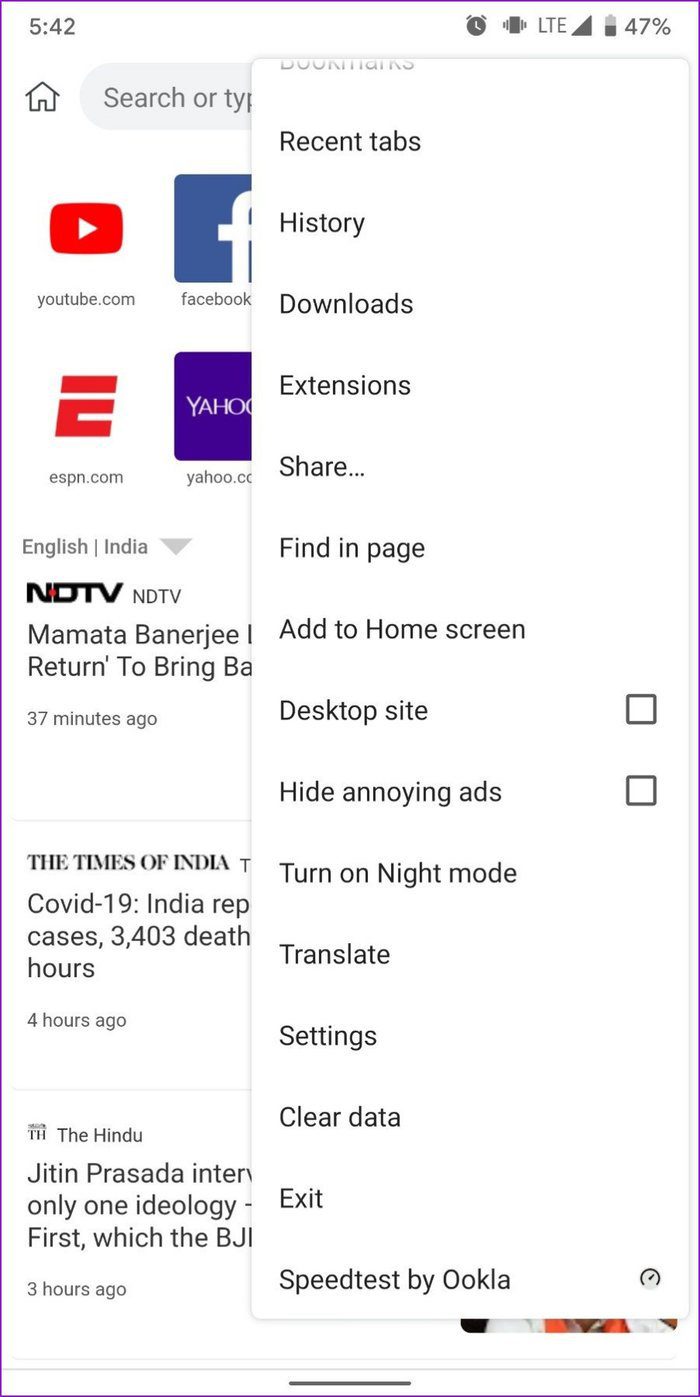
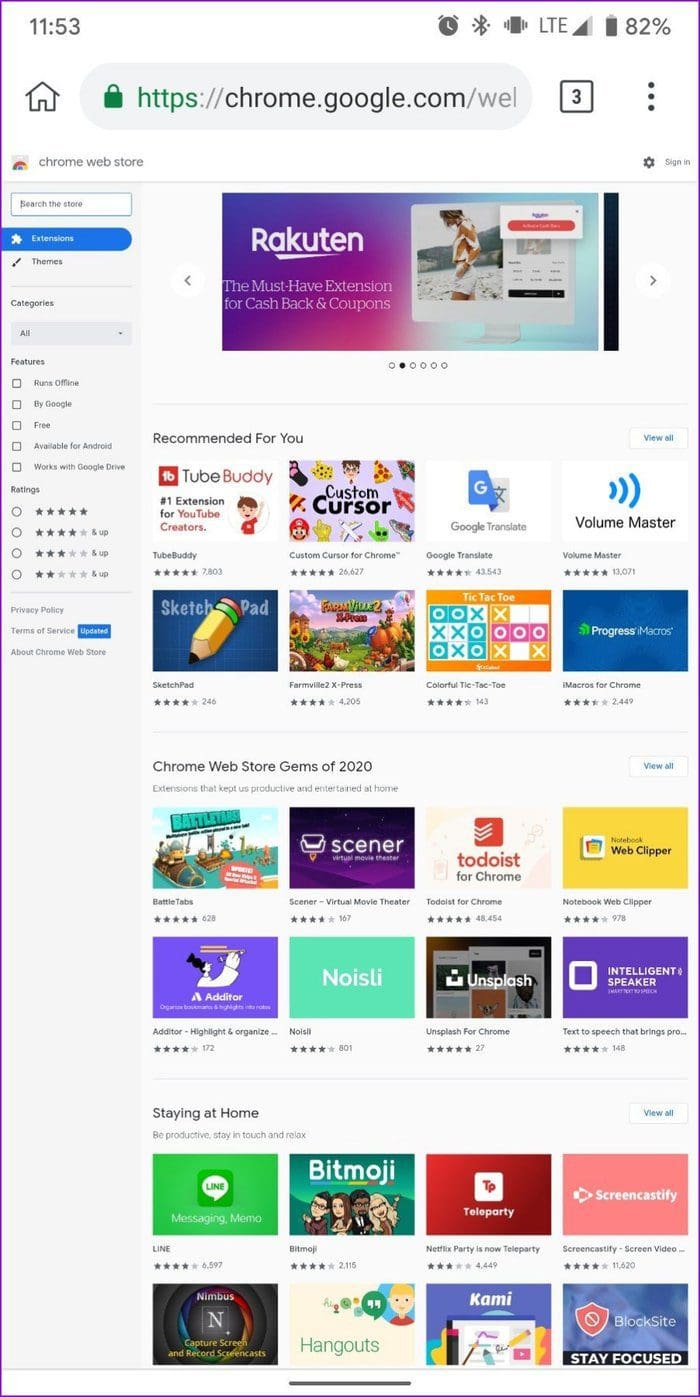
Adding Chrome extensions in the Kiwi Browser is also a PC-like experience. You can either go to chrome://extensions or use the three-dot menu.
Since the browser is built on Chromium Canary, you get the latest features for the stable Google Chrome browser before they’re released. The only downside of the Kiwi Browser is that it is exclusive to Android users. So, you can’t sync your data across platforms.
Pro
- Chromium Engine.
- Supports download from Chrome Extension store.
- Supports Developer mode.
Cons
- No option to sync across devices.
- Performance is not at par with other mobile browsers.
Price: Free
2. Yandex Browser – Fluid Browsing Experience
Whether ad-blocking, privacy, voice search, or customization, Yandex has everything you’d expect from a browser. On top of a fluid browsing experience, it promises to protect you from threats like untrusted certificates, malicious pages, paid subscriptions, and more.

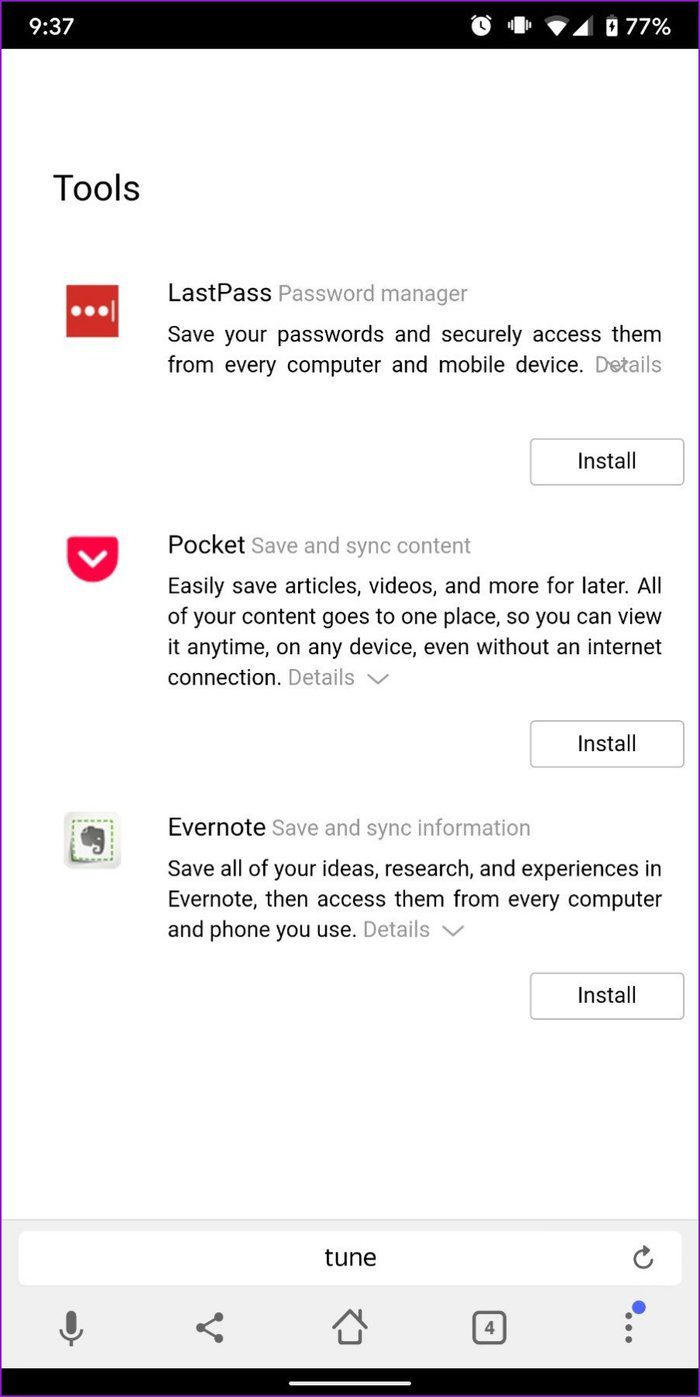
You can download Extensions on Yandex directly from the Chrome store. Again, not all of those extensions will work. To compensate for that, Yandex has a catalog with a handful of extensions, including famous names such as LastPass, Pocket, and Evernote.
Pro
- Supports download from Chrome Extension store.
- Yandex has a built-in store for Chrome extensions.
Cons
- Not all extensions are supported.
- Excellent on security.
Price: Free
3. Firefox Browser – Great Alternative to Chromium Browsers
Firefox has long been Chrome’s most significant competitor and is one of the few browsers on Android that is not based on Chromium. However, when it comes to extensions, not being a Chromium-based browser works against Firefox, as you only get a limited number of add-ons to use. That said, those handfuls of add-ons are guaranteed to work flawlessly.

Pro
- Supports Extension with built-in store.
- Most of the popular extensions, such as Ublock, are supported.
Cons
- A limited number of Add-ons
- No support for Chrome extensions.
Price: Free
4. Samsung Internet Browser – Quality Extensions
It’s rare for an OEM browser on this list, but the Samsung Internet Browser certainly deserves it. Like its counterpart above, Samsung Internet has a few add-ons to offer. And yes, they’re not limited to Samsung devices.

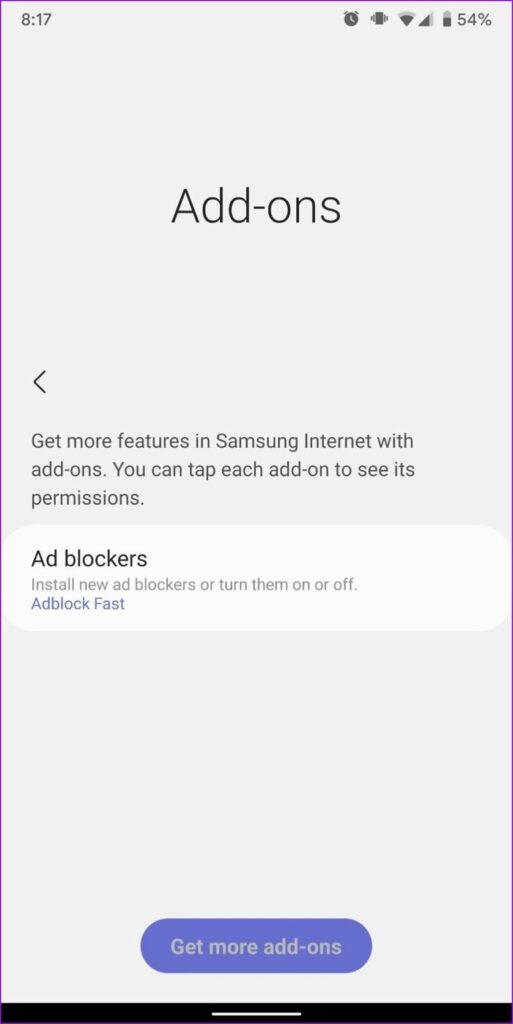
Instead of offering the entire Chrome store, Samsung handpicks and develops add-ons for mobile use. So, you might be a little short on quantity but never quality. Plus, you’ll get all the popular ones, including ad blockers, shopping assistants, translators, security, and more.
Pro
- All popular extensions are supported.
- Works on non-Samsung devices as well.
Cons
- Limited number of extensions.
Price: Free
Was this helpful?
Last updated on 11 July, 2024
1 Comment
Leave a Reply
Read Next
 6 Best Browsers With Built-in VPN for Android
Why Should You Need a Browser With VPN VPN (Virtual Private Network) serves multiple purposes apart from the fact that it unlocks content locked away in your geolocation.
6 Best Browsers With Built-in VPN for Android
Why Should You Need a Browser With VPN VPN (Virtual Private Network) serves multiple purposes apart from the fact that it unlocks content locked away in your geolocation.
 UC Browser vs UC Mini: How Different Are These Browsers
Quite a few popular browser apps accompany a mini version for a good reason.
UC Browser vs UC Mini: How Different Are These Browsers
Quite a few popular browser apps accompany a mini version for a good reason.
 5 Best Browsers for Google TV
Smart TVs are all the rage these days, found in almost every household for consuming all online videos, movies, and TV shows.
5 Best Browsers for Google TV
Smart TVs are all the rage these days, found in almost every household for consuming all online videos, movies, and TV shows.
 5 Browsers to Always Open Desktop Sites on Android and iOS
1.
5 Browsers to Always Open Desktop Sites on Android and iOS
1.
 5 Offline Android Music Player App With Lyrics Support
1.
5 Offline Android Music Player App With Lyrics Support
1.
 How to Dial an Extension on iPhone and Android
How to Call With an Extension on iPhone Directly If you have an iPhone, here's how to call with an extension before you dial a number.
How to Dial an Extension on iPhone and Android
How to Call With an Extension on iPhone Directly If you have an iPhone, here's how to call with an extension before you dial a number.
 5 iPhone Browsers With Adblock to Enable Ad-Free Browsing
1.
5 iPhone Browsers With Adblock to Enable Ad-Free Browsing
1.
 6 Fastest Browsers for Windows 11 You Should Try
How Did We Test Each Browser on Windows 11 To find the best and fastest browsers for Windows 11, we installed multiple browsers and tested each on popular benchmarking tools.
6 Fastest Browsers for Windows 11 You Should Try
How Did We Test Each Browser on Windows 11 To find the best and fastest browsers for Windows 11, we installed multiple browsers and tested each on popular benchmarking tools.
The article above may contain affiliate links which help support Guiding Tech. The content remains unbiased and authentic and will never affect our editorial integrity.
Better update your post: none of the four browsers you talk about support Chrome extensions using manifest version 3, which as of January 1st wilĺ be required of all extensions.