Converting a Video to Audio
Whether you already have a video downloaded on your smartphone or want to use a YouTube video, the first step would be to convert it into an audio file. You can then set the converted audio as the phone’s ringtone.
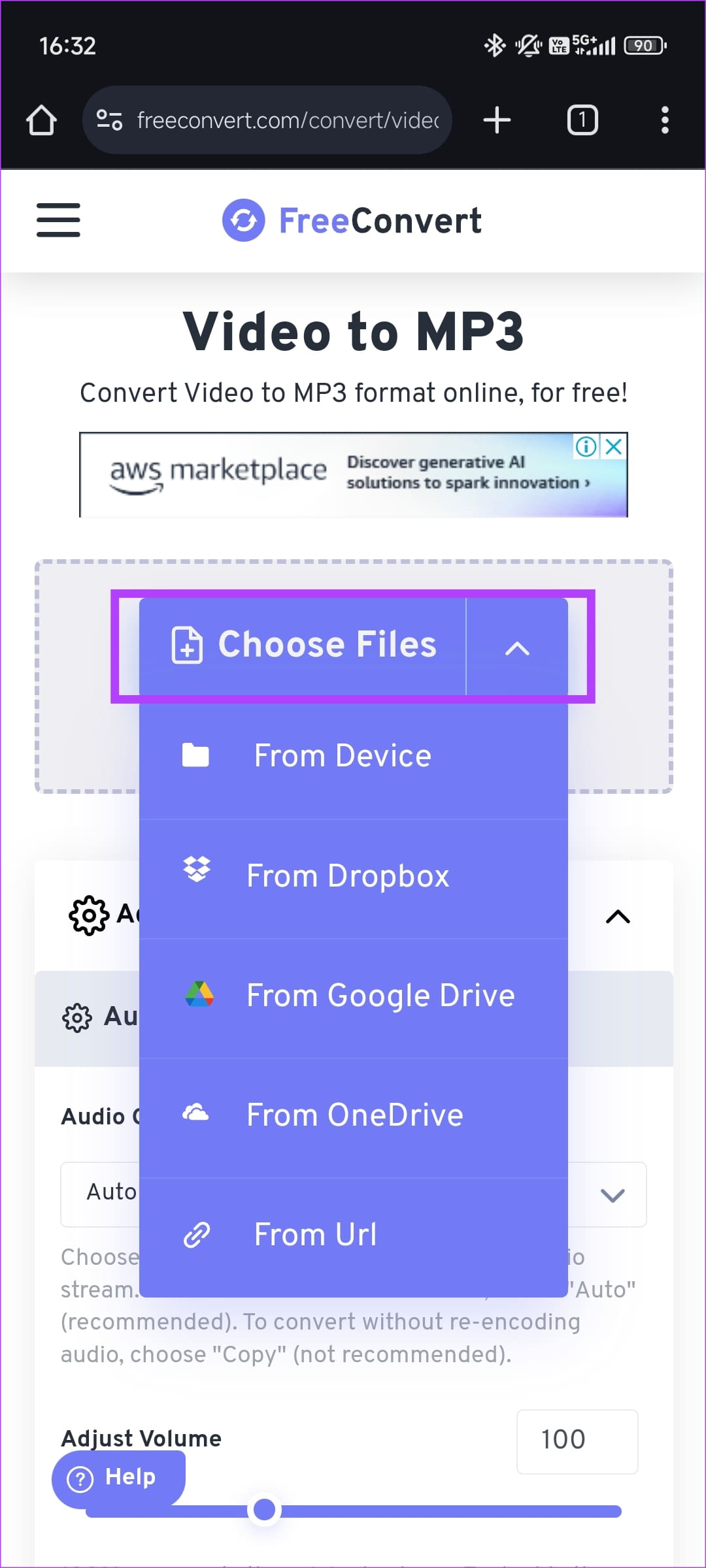
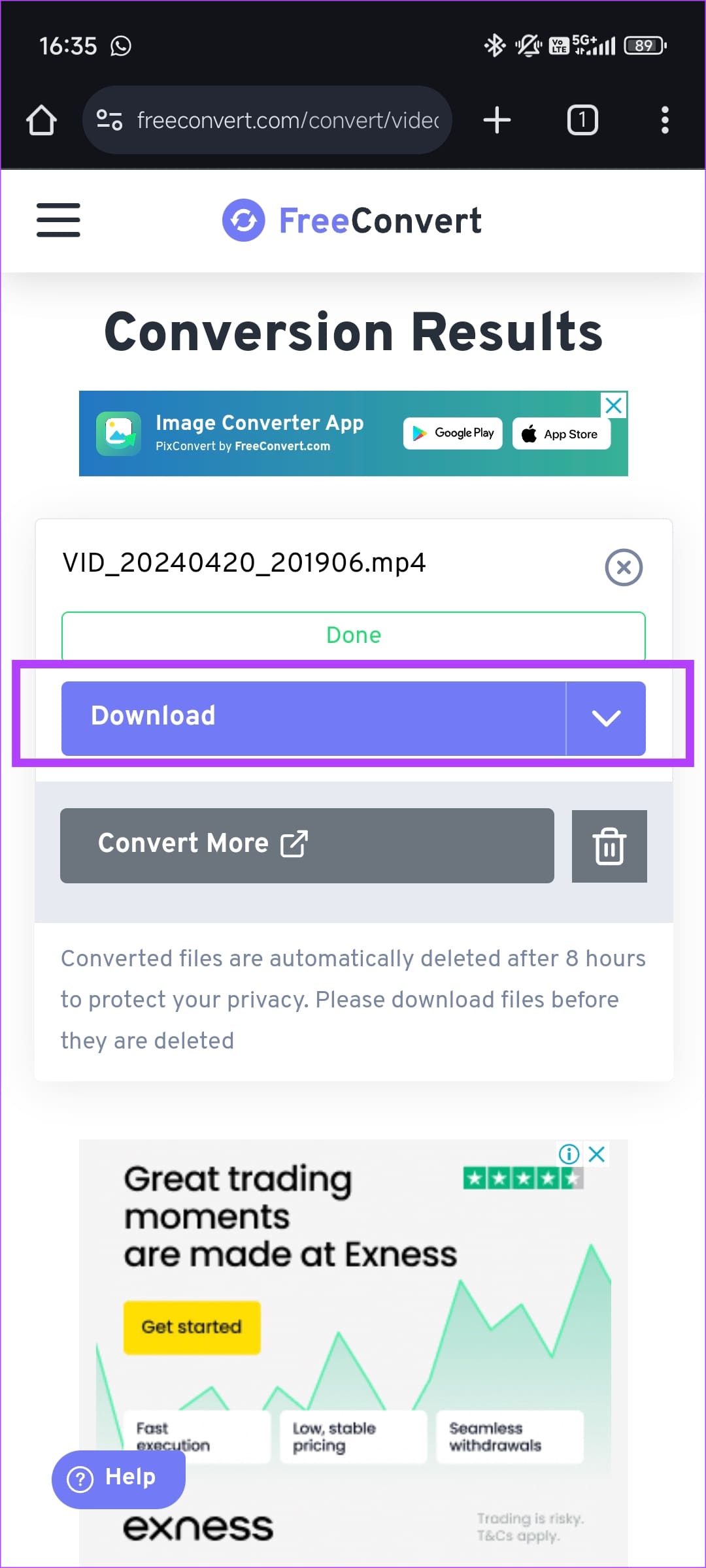
Step 1: Head to the Freeconvert website and click on Choose Files. You can select a video from your phone’s storage or use a cloud service.
Tip: If you wish to use a YouTube video, select the From URL option and paste the YouTube video’s link.
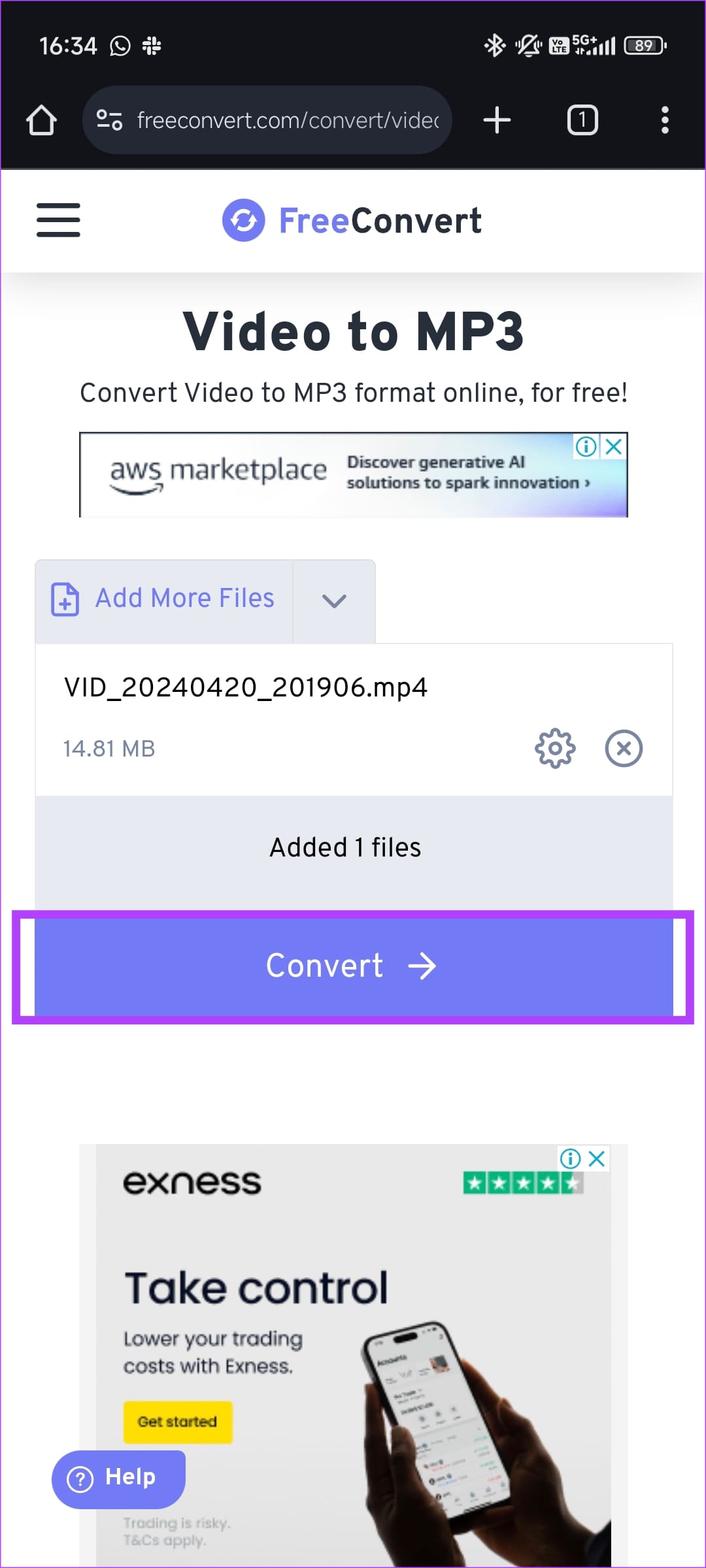
Step 2: Tap on Convert. Once done, hit the Download button to get the MP3 file.
Setting the Downloaded Audio as a Ringtone
Now that you have the MP3 file, here’s how to set it as the preferred ringtone.
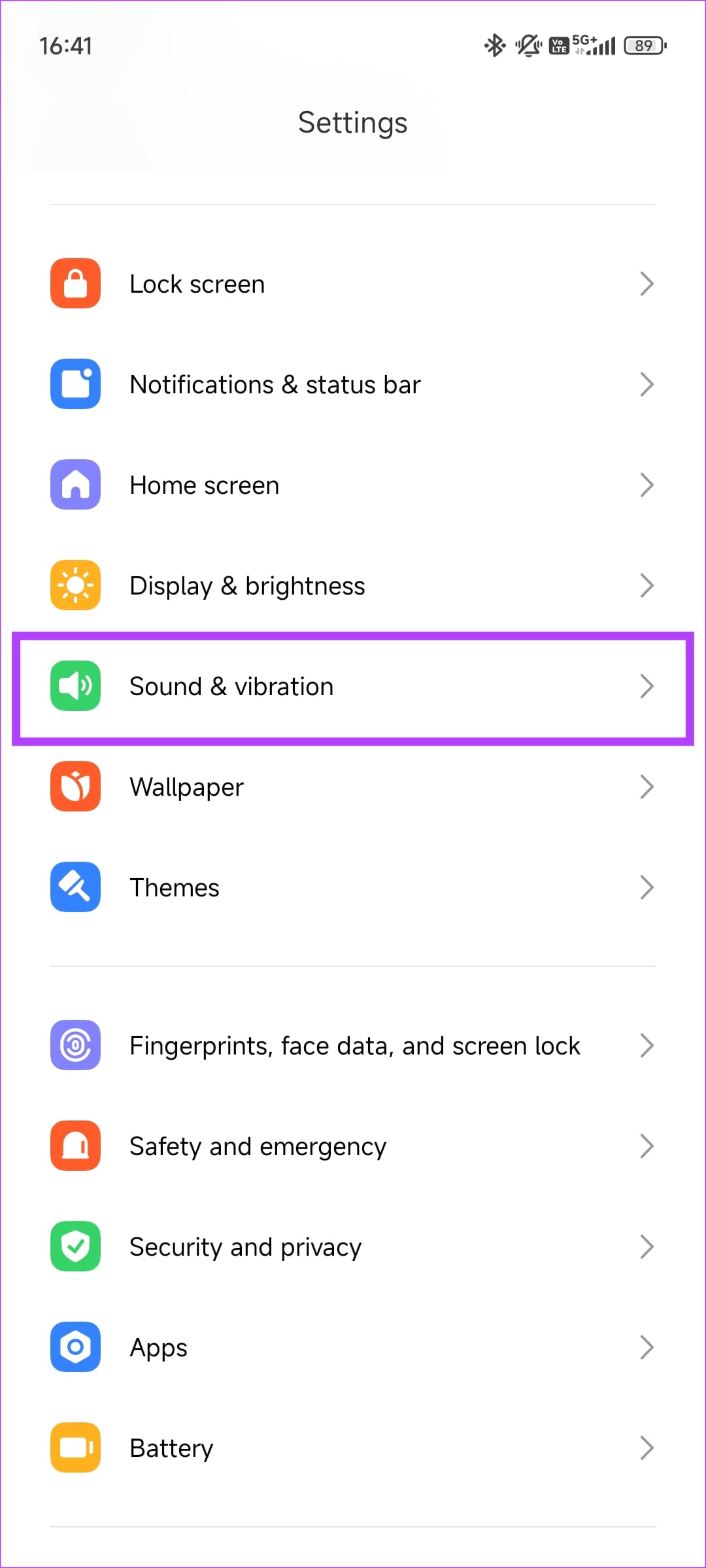
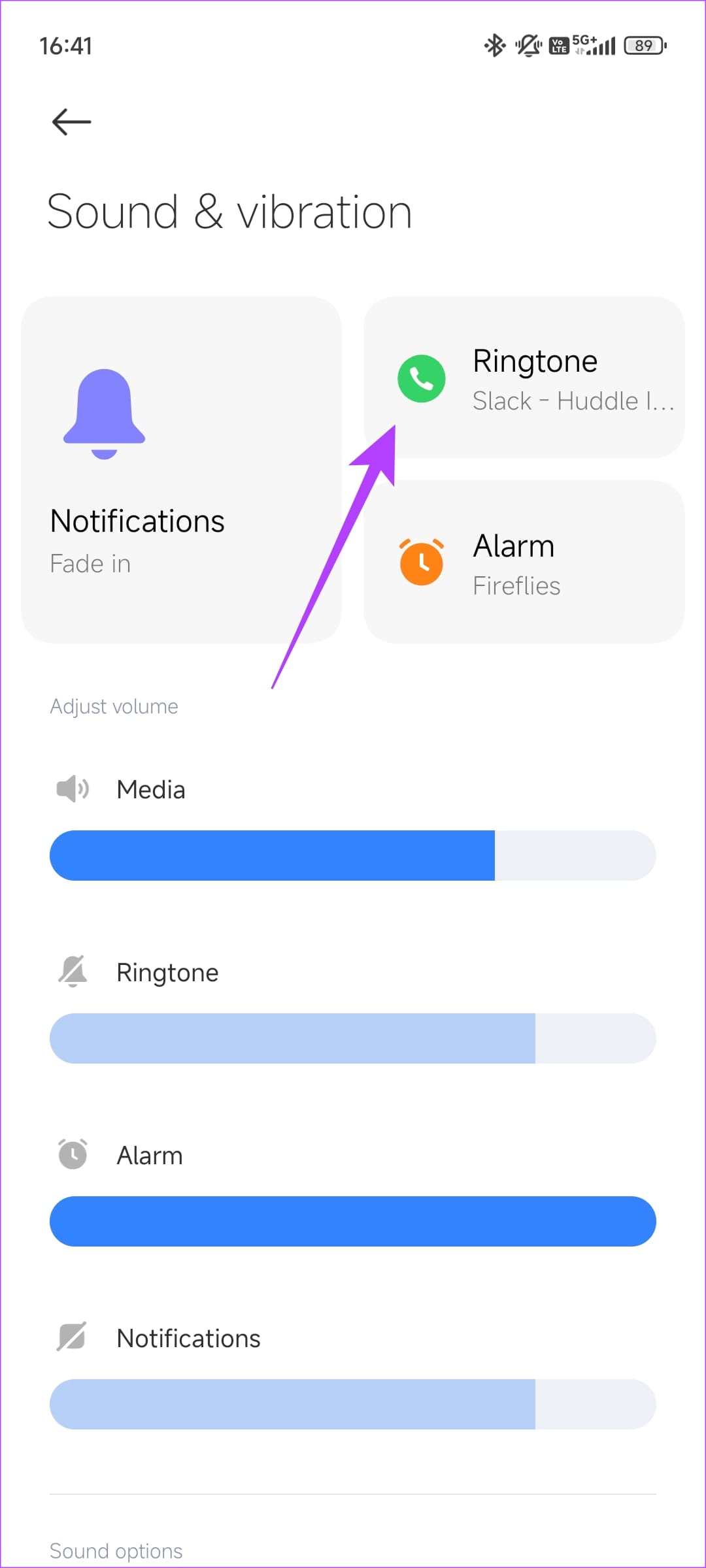
Step 1: Open the Settings app on your phone and navigate to Sound & vibration. Then, go to Ringtone.
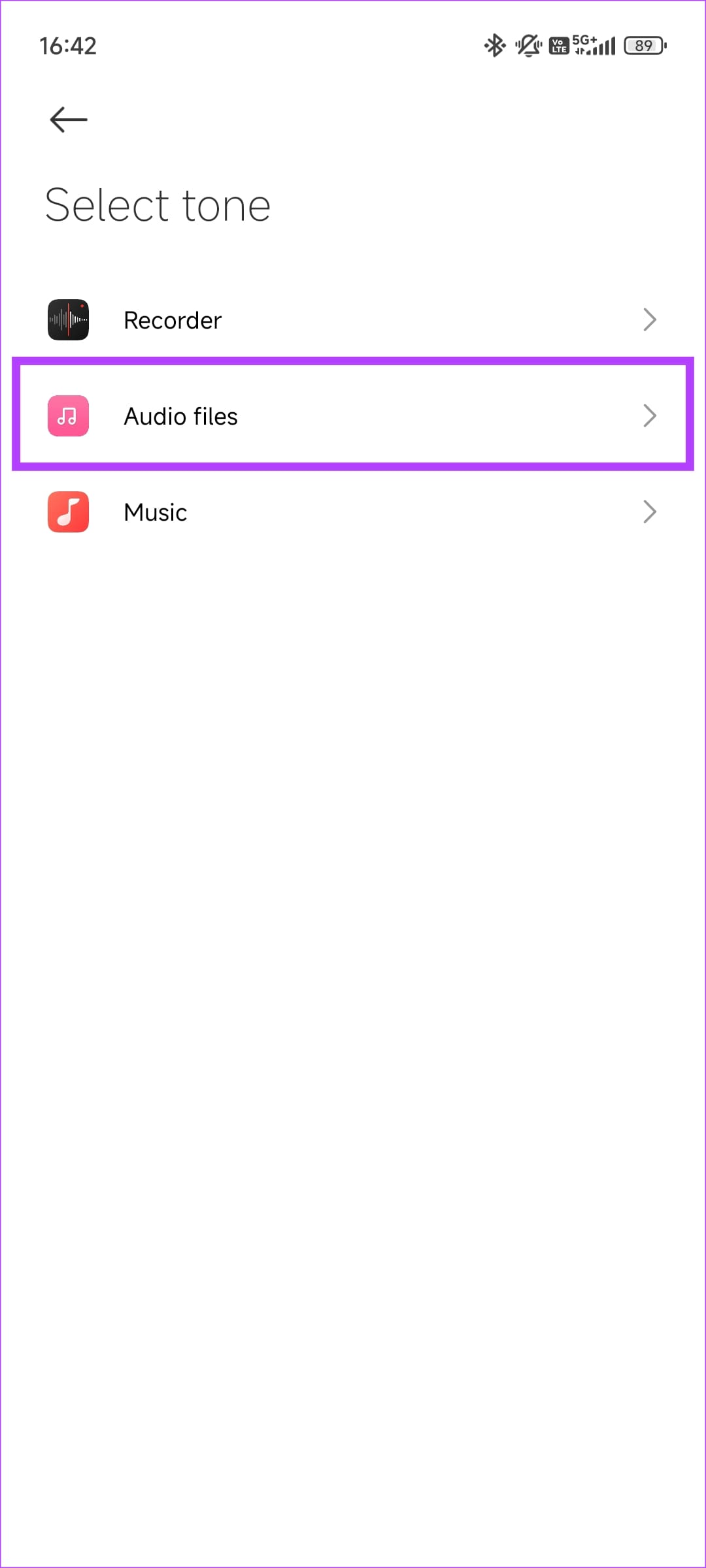
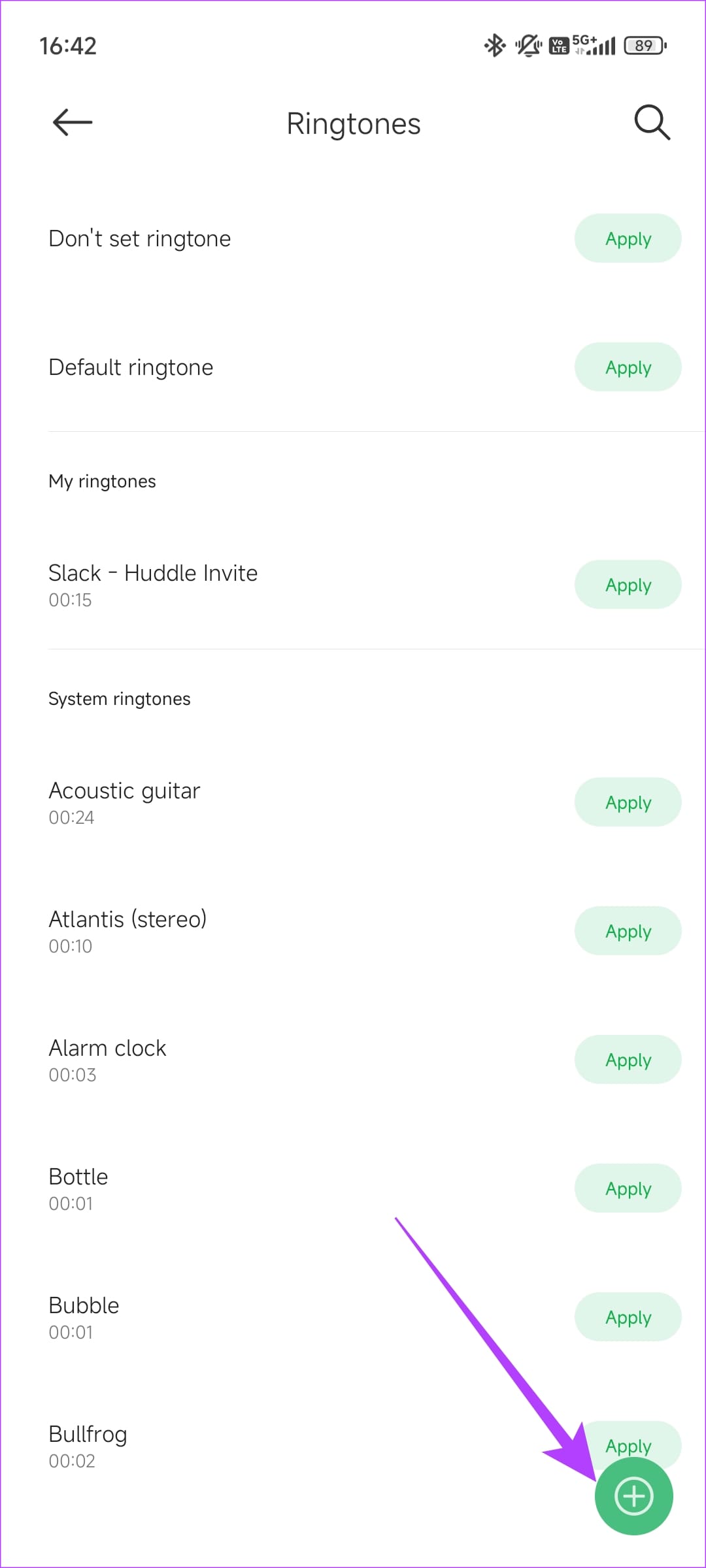
Step 2: Select the Add button and choose the app you wish to use to pick the audio. Usually, it’s Audio Files or Music.
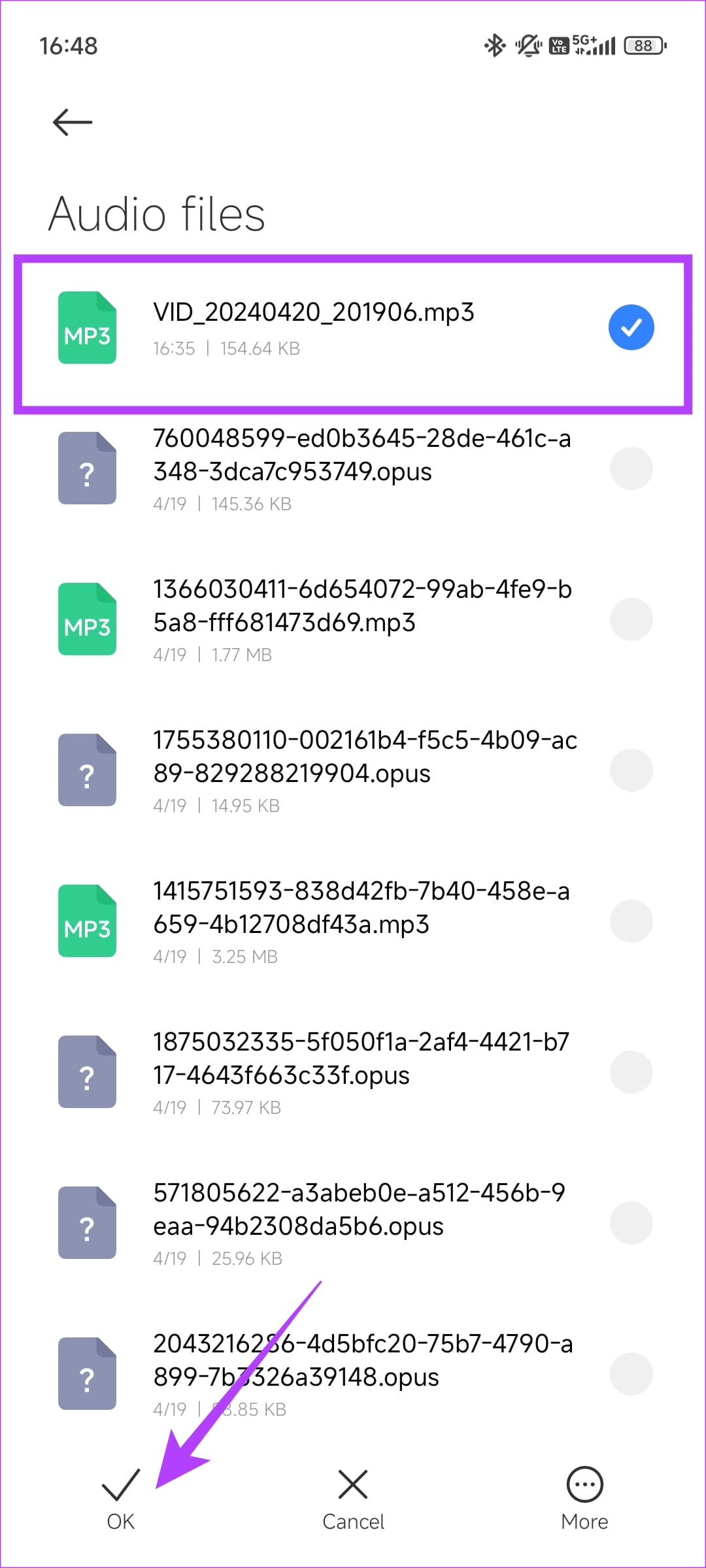
Step 3: Pick the audio you downloaded and hit OK.
You can use the same technique to set a custom notification tone or alarm sound.
Was this helpful?
Last updated on 06 May, 2024
Read Next
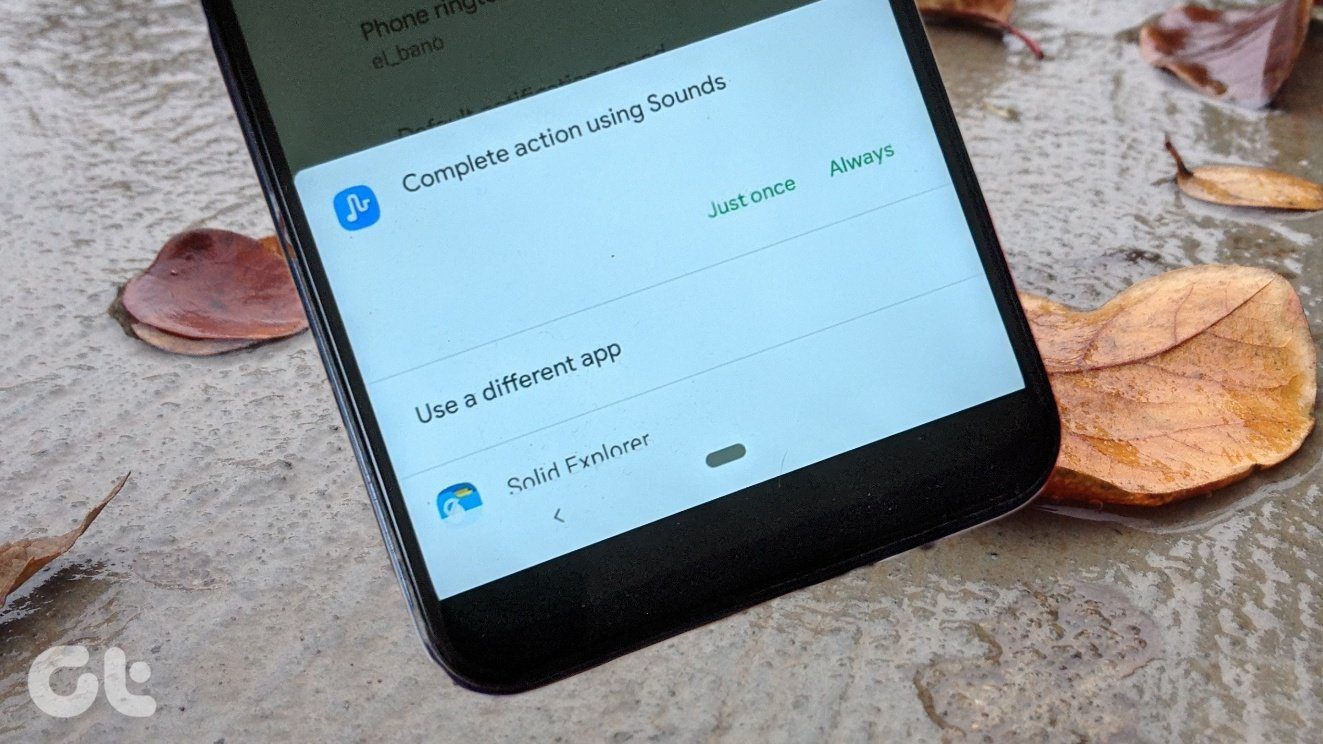 How to Reset the Default Ringtone App on Android
Method 1: Clear Defaults for the Ringtone App If you've accidentally set a third-party ringtone app (e.g.
How to Reset the Default Ringtone App on Android
Method 1: Clear Defaults for the Ringtone App If you've accidentally set a third-party ringtone app (e.g.
 How to Fix Android Phone’s Ringtone Not Working Issue
Basic Fixes: Restart phone: Simple tricks are often the most useful.
How to Fix Android Phone’s Ringtone Not Working Issue
Basic Fixes: Restart phone: Simple tricks are often the most useful.
 How to Change Zoom App Ringtone and Notification Sound
How to Change Zoom Incoming Call Ringtone on Android, iPhone, and iPad If you use Zoom daily, you might be bored of its same ringtone or notification sound.
How to Change Zoom App Ringtone and Notification Sound
How to Change Zoom Incoming Call Ringtone on Android, iPhone, and iPad If you use Zoom daily, you might be bored of its same ringtone or notification sound.
 How to Set WhatsApp Audio as Ringtone on iPhone
How to Set an Audio File From WhatsApp as a Ringtone on Your iPhone Before setting a WhatsApp audio file as a ringtone, you will first have to save it
How to Set WhatsApp Audio as Ringtone on iPhone
How to Set an Audio File From WhatsApp as a Ringtone on Your iPhone Before setting a WhatsApp audio file as a ringtone, you will first have to save it
 How to Convert Slow Motion Video to Normal Video on iPhone
Recording a video in slow motion can add an artistic flair to your content and make it visually appealing.
How to Convert Slow Motion Video to Normal Video on iPhone
Recording a video in slow motion can add an artistic flair to your content and make it visually appealing.
 5 Ways to Fix Video Unavailable in Amazon Prime Video
Basic Fixes Check network connection: Playing Prime without any problems requires an optimum internet speed.
5 Ways to Fix Video Unavailable in Amazon Prime Video
Basic Fixes Check network connection: Playing Prime without any problems requires an optimum internet speed.
 5 Best Android Apps to Extract Audio from Video
Don't you wish you could get the audio from the latest music videos?
5 Best Android Apps to Extract Audio from Video
Don't you wish you could get the audio from the latest music videos?
 3 Ways to Reduce Video Size on Android
Method 1: Use Google Photos to Compress Video Size When you select Storage Saver or Express, Google Photos compresses your videos to high- or standard-definition resolution.
3 Ways to Reduce Video Size on Android
Method 1: Use Google Photos to Compress Video Size When you select Storage Saver or Express, Google Photos compresses your videos to high- or standard-definition resolution.
The article above may contain affiliate links which help support Guiding Tech. The content remains unbiased and authentic and will never affect our editorial integrity.