If you’ve suddenly found a strange folder in Windows Explorer labelled Secure Boot, you’re no doubt wondering where it came from and if it’s legit. We understand the caution. PCs are always at risk of viruses or malware. But in fact, the Secure Boot folder is very far from malware and very useful. That said, there’s also a very good reason it’s hidden and why you should never delete it.
What Is Secure Boot?
Let’s start with the actual nature of the folder. The Secure Boot function isn’t a program, but rather a security standard that provides a reliable way to ensure a device boots only with software trusted by the Original Equipment Manufacturer or OEM.
These are digital signatures, built into the BIOS or UEFI of your motherboard, and ensure that no malware hijacks your PC before it starts up. Signatures are compared against keys (or databases) stored in non-volatile memory to ensure they can be trusted before things go ahead. If not, Secure Boot will block it.
What’s With the Secure Boot Folder?
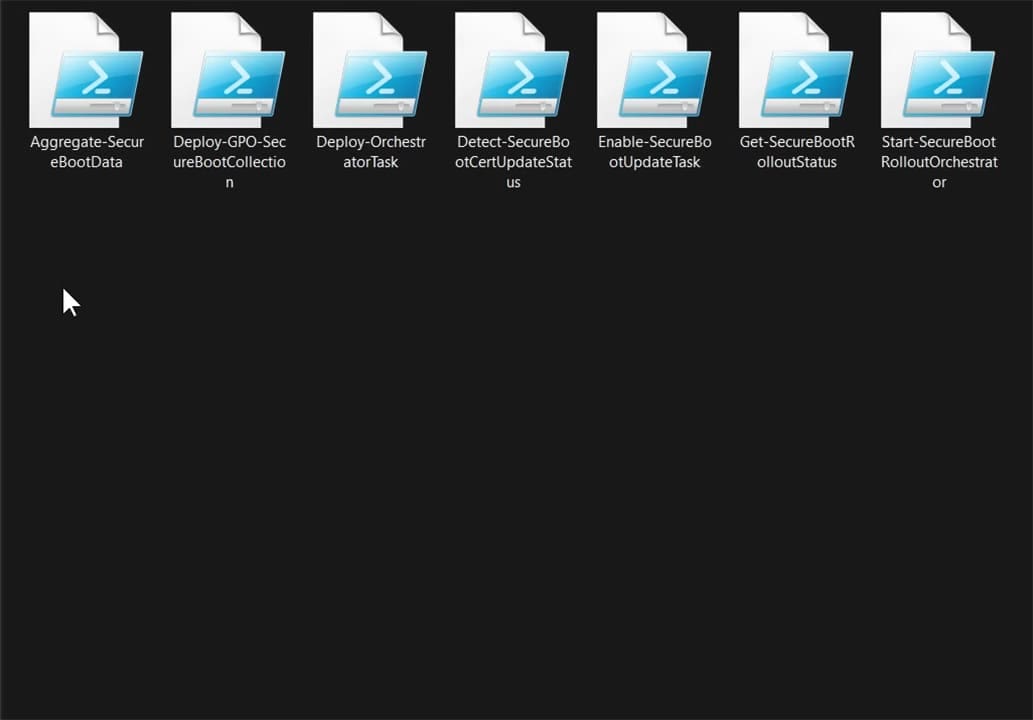
So, you might be wondering, if Secure Boot and its certificates are usually in the BIOS or UEFI, why is there a “SecureBoot” folder in Explorer? Well, this folder has been added to Windows 11 as of update KB5089549, being found in “C:\Windows\SecureBoot” in Explorer.
Secure Boot relies on regular updates of its certificates to keep users safe from malware and hacking attempts. So, with some updates, these certificates will be changed. Starting June 24, 2026, and continuing through October 2026, new security certificates have been installed in place of the old.
But what’s with the folder itself? According to Microsoft, the “SecureBoot” folder and the seven scripts found inside it are there for IT professionals who manage the updates for their organization or entire network. A lapse in Secure Boot security can be detrimental to large organizations, so these scripts allow users to detect Secure Boot update status and automate deployment via a rollout mechanism in an Active Directory Environment.
So, rather than for personal users, this folder is there for the experts who need to update an entire network and need the tools to get it done. There are no security certificates in the folder, only scripts to help check and automate the update process.
Why Is It Hidden?
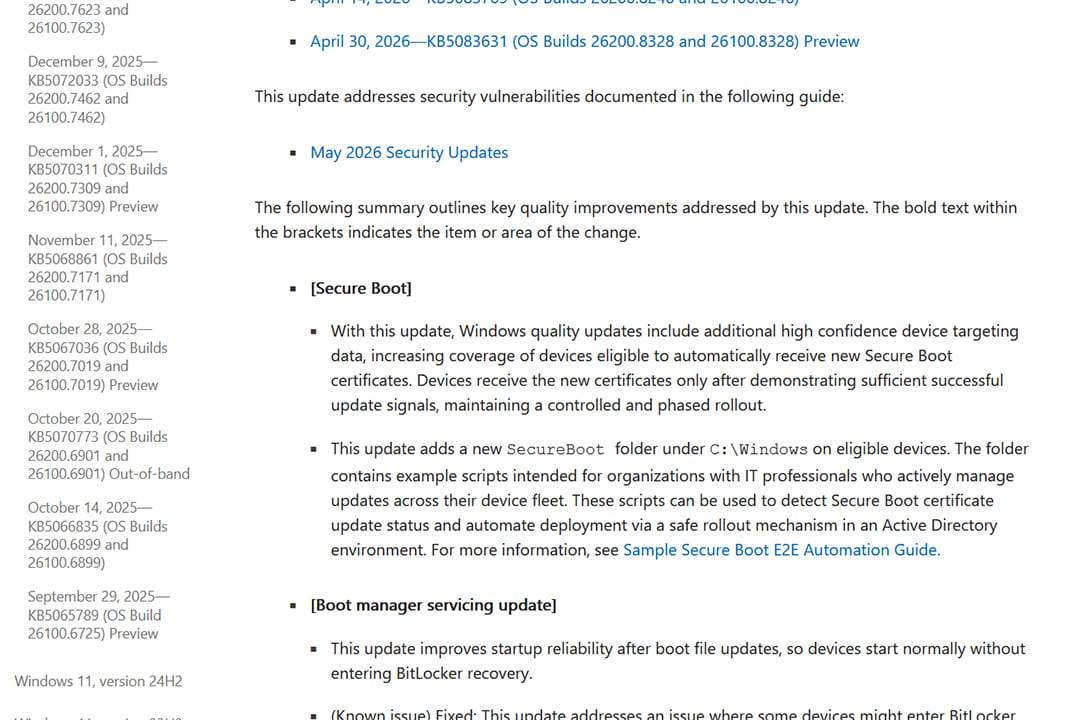
If you’re running a home PC and have found this folder, by now you’re probably wondering what the point is behind hiding it and keeping it. While it’s true that the “SecureBoot” folder has nothing to do with normal Windows 11 users and contains no certificates or valuable system files, it’s advised that you don’t delete it all the same.
The scripts don’t take up much space, aren’t malware, and deleting them may cause update trouble if the folder cannot be found by processes. What’s more, the folder will be removed by June’s cumulative update, so it’ll be gone soon anyway.
Was this helpful?
Last updated on 26 June, 2026
Read Next
 How to Perform a Clean Boot in Windows and Why It Matters
What Is Clean Boot on a Windows PC A clean boot in Windows is a troubleshooting technique that helps you identify software conflicts causing issues with your computer.
How to Perform a Clean Boot in Windows and Why It Matters
What Is Clean Boot on a Windows PC A clean boot in Windows is a troubleshooting technique that helps you identify software conflicts causing issues with your computer.
 How to Clean the Hidden Windows Installer Folder
If you ever wondered where you might find a lot of taken-up space on your hard disk, the answer is: old patches.
How to Clean the Hidden Windows Installer Folder
If you ever wondered where you might find a lot of taken-up space on your hard disk, the answer is: old patches.
 How to Transfer the Samsung Secure Folder to a New Phone
If you have a Samsung smartphone and want to keep your photos and files private, then the Secure Folder is perhaps one of the easiest ways to hide them.
How to Transfer the Samsung Secure Folder to a New Phone
If you have a Samsung smartphone and want to keep your photos and files private, then the Secure Folder is perhaps one of the easiest ways to hide them.
 4 Ways to Access Secure Folder on Samsung Galaxy Phones
Method 1: From the App Drawer or Home Screen Once you create the Secure Folder the first time, you can access it easily from your phone’s App drawer or home
4 Ways to Access Secure Folder on Samsung Galaxy Phones
Method 1: From the App Drawer or Home Screen Once you create the Secure Folder the first time, you can access it easily from your phone’s App drawer or home
 How to Add or Remove Apps From Secure Folder on Samsung Phones
https://youtu.be/OSxj0tYGEqE How to Add Apps to Secure Folder Step 1: Open Secure Folder on your phone.
How to Add or Remove Apps From Secure Folder on Samsung Phones
https://youtu.be/OSxj0tYGEqE How to Add Apps to Secure Folder Step 1: Open Secure Folder on your phone.
 5 Ways to Unlock Secure Folder in Samsung Without Password
Did you forget your Secure Folder password and are unable to use it?
5 Ways to Unlock Secure Folder in Samsung Without Password
Did you forget your Secure Folder password and are unable to use it?
 How to Delete Secure Folder on Samsung Phone and What Will Happen
Secure Folder on Samsung Galaxy phones is a nice place to hide your secret data like apps, photos, videos, etc.
How to Delete Secure Folder on Samsung Phone and What Will Happen
Secure Folder on Samsung Galaxy phones is a nice place to hide your secret data like apps, photos, videos, etc.
 Why Does My PC Beep When I Turn It On
You might hear beeping when turning on your PC.
Why Does My PC Beep When I Turn It On
You might hear beeping when turning on your PC.
The article above may contain affiliate links which help support Guiding Tech. The content remains unbiased and authentic and will never affect our editorial integrity.