What Happens When You Remove Phone Number From Instagram
Here’s what happens when you remove your phone number from Instagram:
- Your Instagram account will no longer be tied to your phone number. This means people cannot find your account on Instagram using your phone number.
- You can no longer recover your Instagram account using your phone number.
- You can no longer use two-factor authentication for your Instagram account.
- Instagram can’t communicate with you on your phone number.
Before Removing Phone Number From Instagram: Remove 2FA
Once you remove your phone number from Instagram, you can’t use your phone number for any purpose on the platform. Therefore, remove the two-factor authentication on Instagram before proceeding.
Further, Instagram needs a way to communicate with you, and if you are considering removing your phone number, you must have at least one email address linked to your Instagram account.
Remove Two Factor Authentication From Instagram
On Instagram App for iPhone and Android
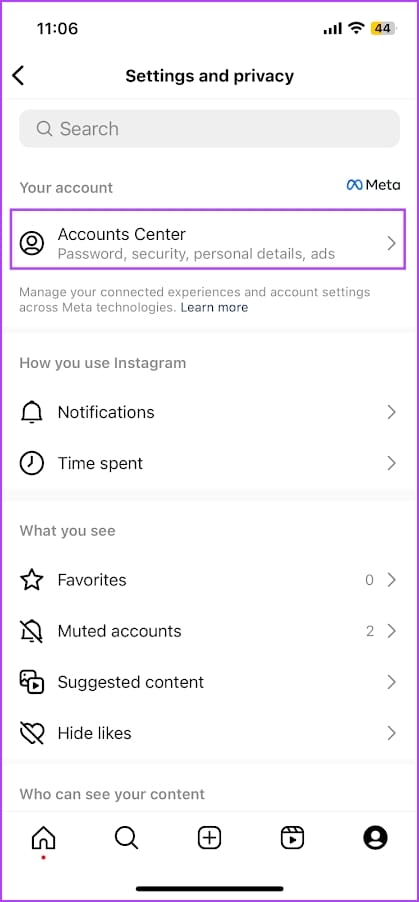
Step 1: Open the Instagram app and go to your profile section. Tap the hamburger menu icon and select Settings & Privacy.
Step 2: Tap on Accounts Center > Passwords and security.

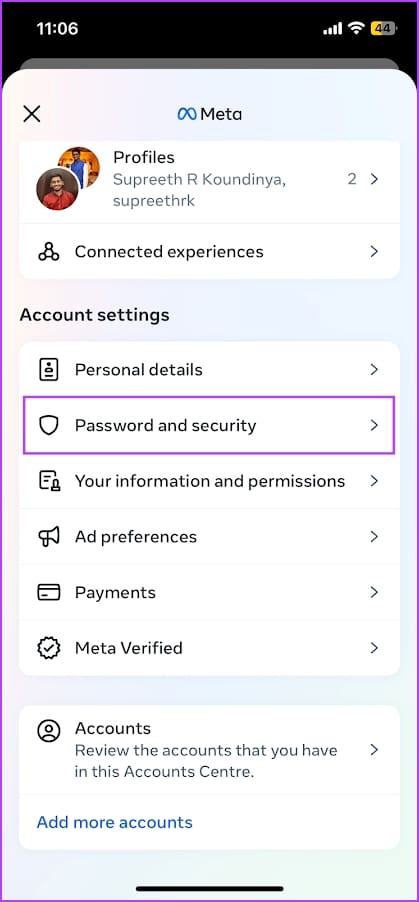
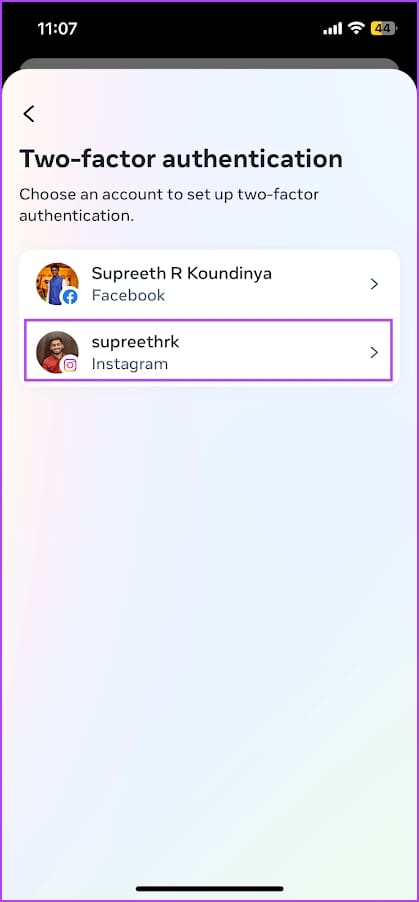
Step 3: Tap on Two Factor Authentication. Select your Instagram account.

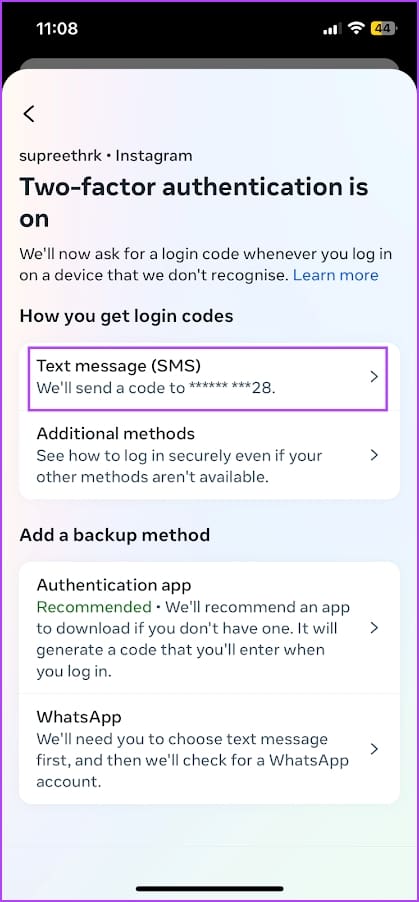
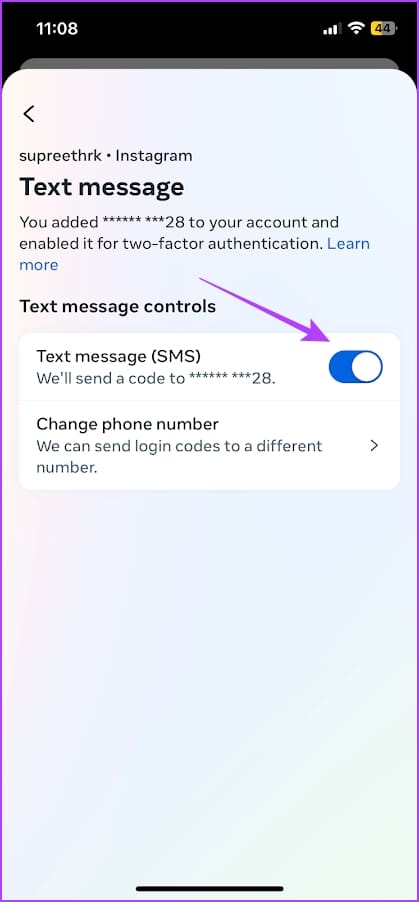
Step 4: Tap on Text message.
Step 5: To disable two-factor authentication via SMS, turn off the Text Message SMS toggle. Tap on Turn Off to confirm.

On Instagram Web
Step 1: Open and log in to your Instagram account on a web browser. Click on the hamburger icon at the bottom right corner and click on Settings.
Step 2: Click on See more in Accounts Center.


Step 3: Click on Password and security > Two-factor authentication.

Step 4: Select your Instagram account > Text Message.
Step 5: Turn off the toggle for Text message. This disables the two-factor authentication for your Instagram account. Click on Turn Off to confirm.


Add an Email Address on Instagram
Here’s how to add an email address to your Instagram account.
On Instagram App for iPhone and Android
Step 1: Open the Instagram app and open your profile section. Tap on the hamburger menu icon > Settings and privacy.

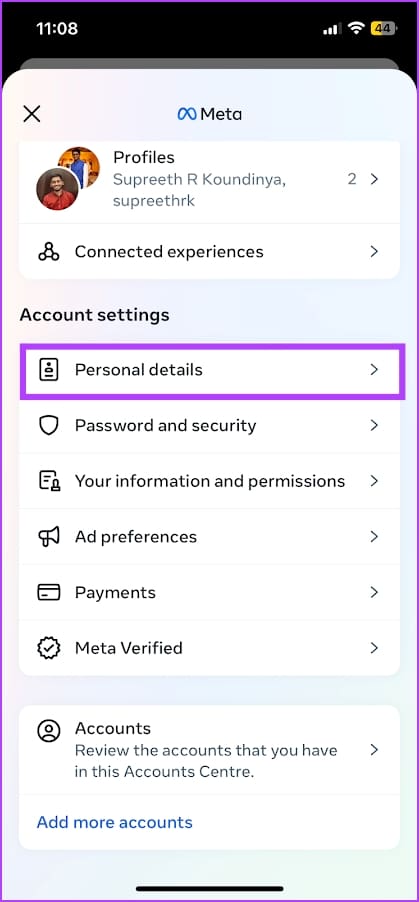
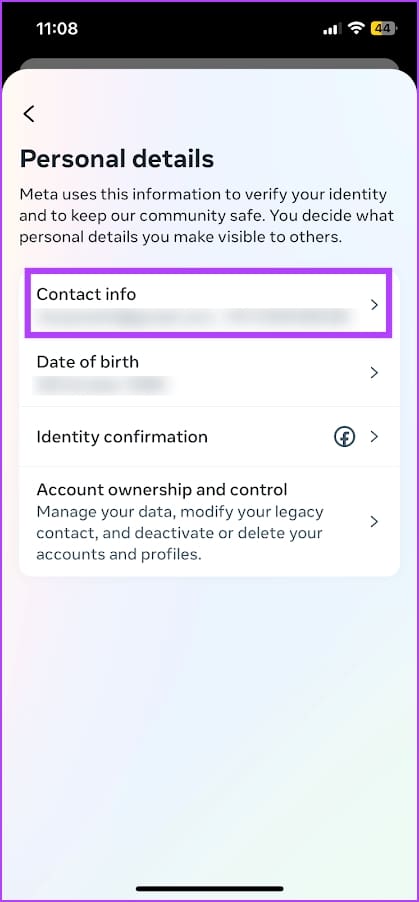
Step 2: Tap on Personal details > Contact info.
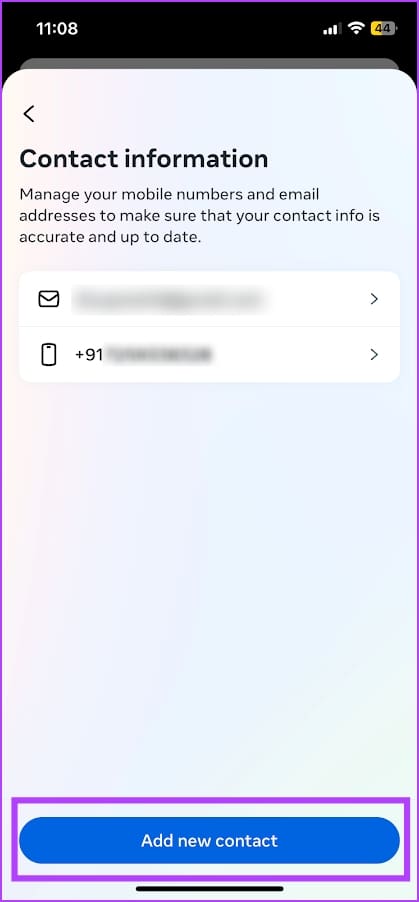
Step 3: Tap on Add new contact and enter your email address.
On Instagram Web
Step 1: Open and log in to your Instagram account on a web browser. Click on the hamburger icon at the bottom right corner and click on Settings.
Step 2: Click on See more in Accounts Center.
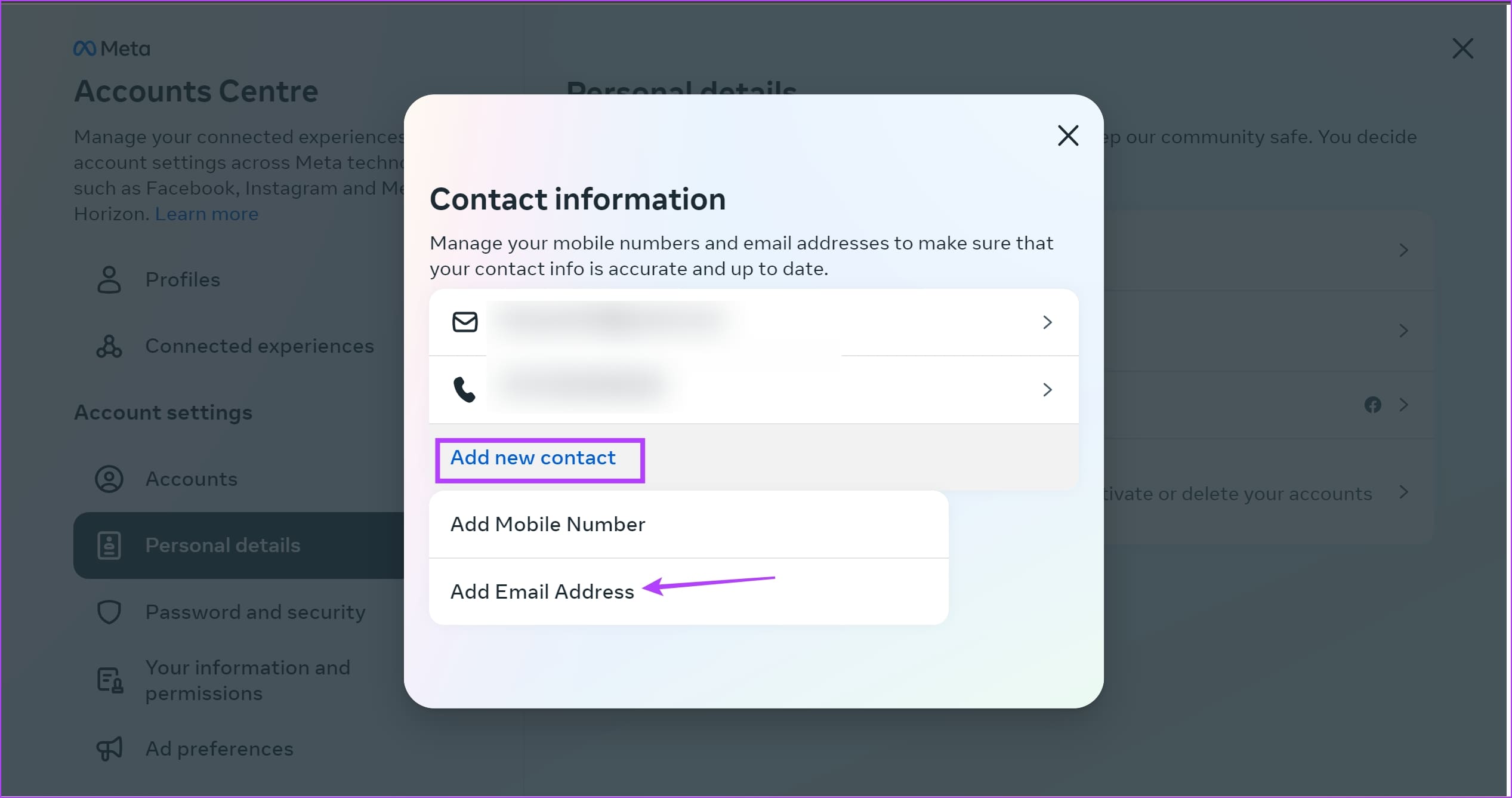
Step 3: Click on Personal Details > Contact info.
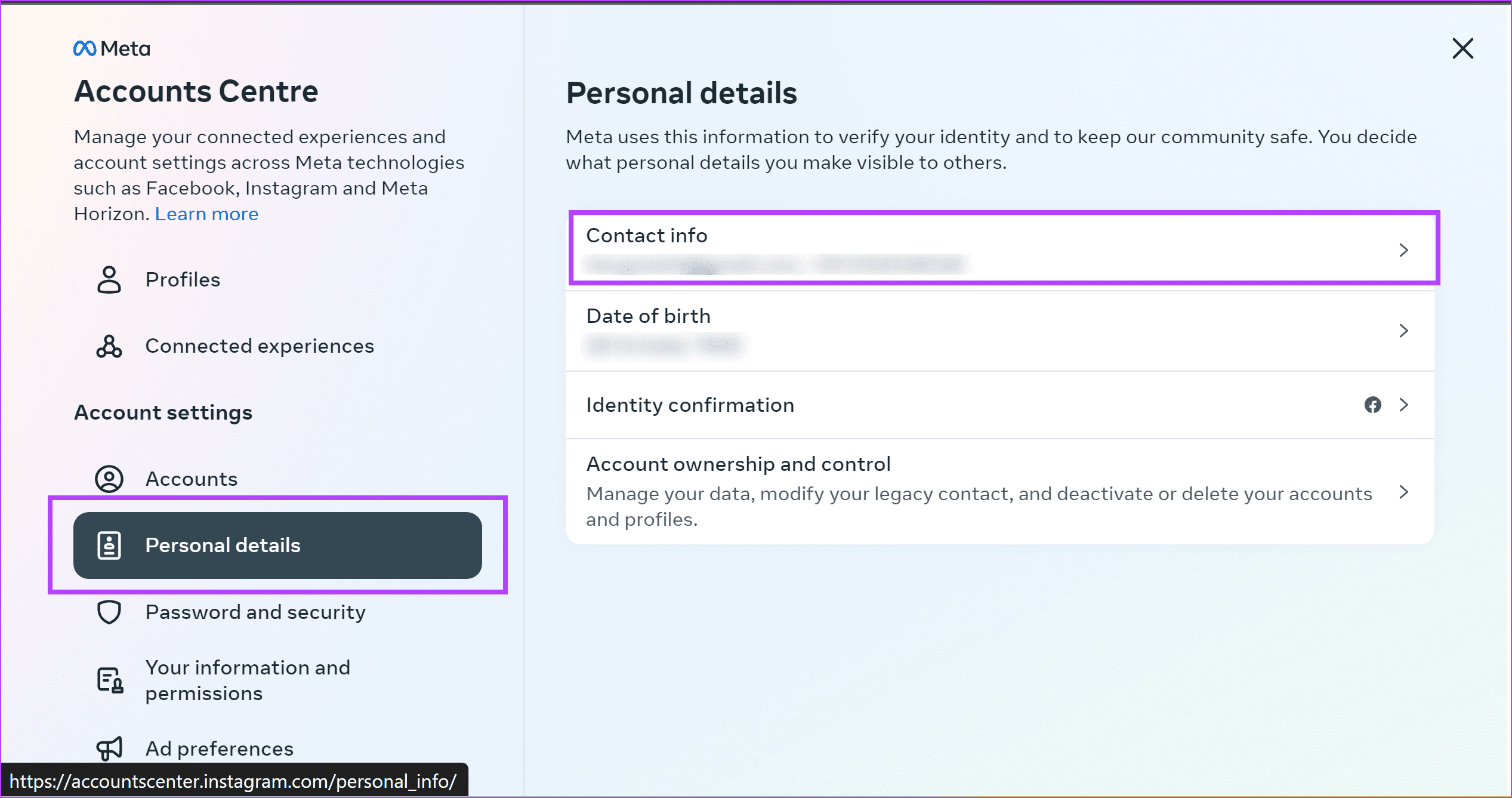
Step 4: Click on Add new contact > select Add Email Address. You can enter your email address.
How to Remove Phone Number From Instagram
Here’s how to remove your phone number from Instagram.
On Instagram Mobile App
Step 1: Open the Instagram app and open your profile section.
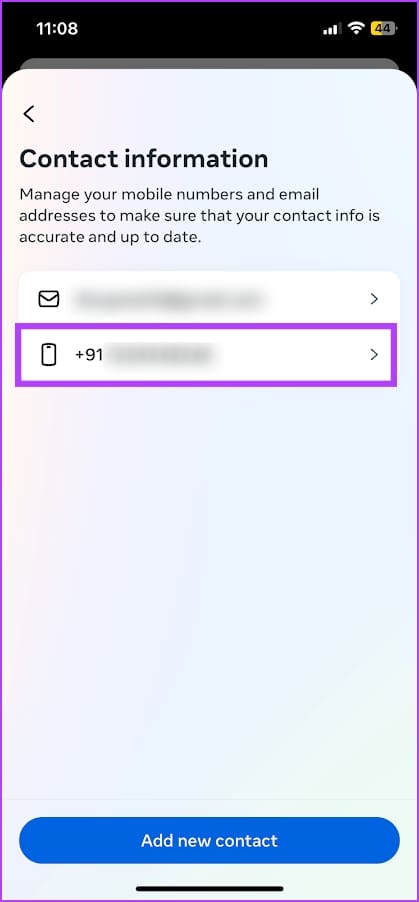
Step 2: Tap on the hamburger menu icon > Settings and privacy > Personal details.
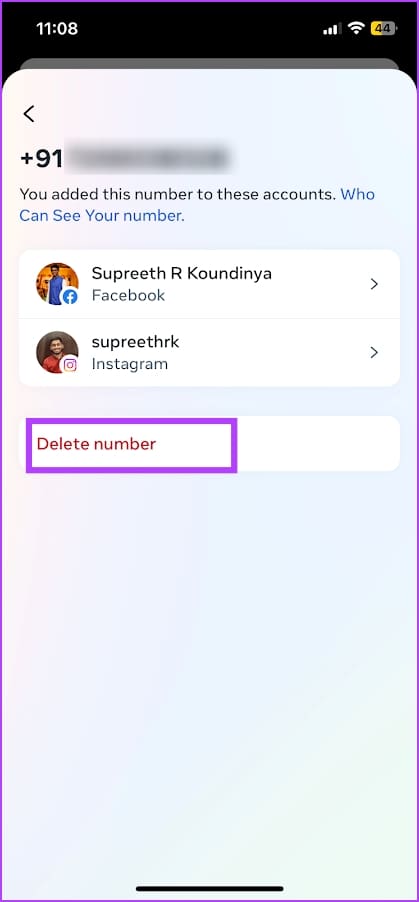
Step 3: Tap on Contact info. Select your phone number under contact information.
Step 4: Tap on Delete number.
Also Read: How to fix Instagram not showing phone contacts
Delete Phone Number From Instagram on the Web
Step 1: Open and log in to your Instagram account on a web browser. Click on the hamburger icon at the bottom right corner and click on Settings.
Step 2: Click on See more in Accounts Center.
Step 3: Click on Personal Details > Contact info.
Step 4: Select the phone number.
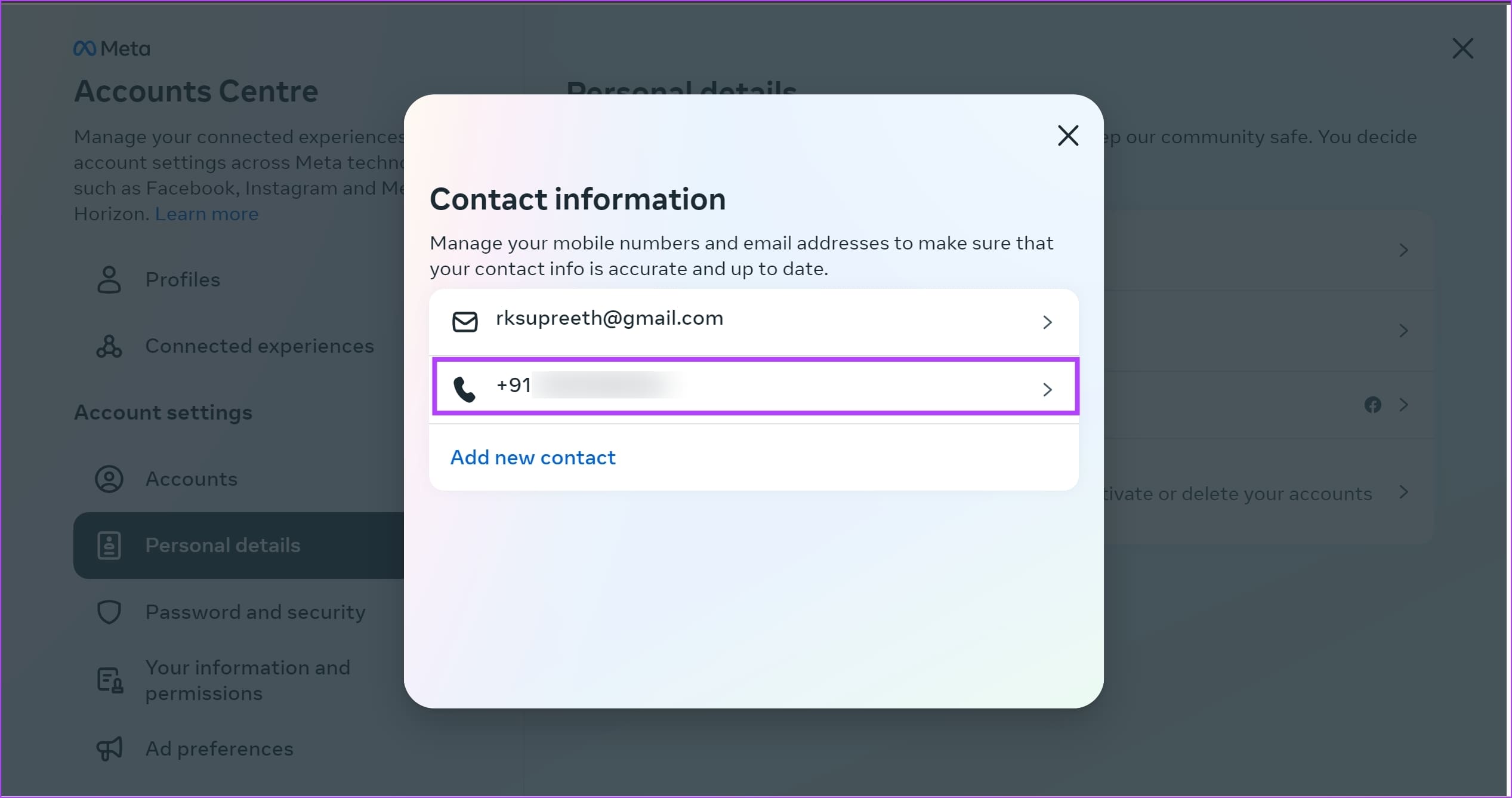
Step 5: Click on Delete number.

Step 6: Click on Delete to confirm. This should delete your phone number on Instagram.

Also Read: How to login into Facebook with Instagram
Was this helpful?
Last updated on 15 May, 2024
Read Next
 2 Best Ways to Remove Old Phone From Google Account
How to Remove Old Phone From Google Account on Mobile Step 1: Launch the Phone Settings menu.
2 Best Ways to Remove Old Phone From Google Account
How to Remove Old Phone From Google Account on Mobile Step 1: Launch the Phone Settings menu.
 What Happens When You Remove a Google Account from Your Phone
1.
What Happens When You Remove a Google Account from Your Phone
1.
 How to Remove or Change Phone Number on Discord Account
Remove or Change the Phone Number in Your Discord Account If you no longer have access to the phone number used while setting up your Discord account, removing or changing
How to Remove or Change Phone Number on Discord Account
Remove or Change the Phone Number in Your Discord Account If you no longer have access to the phone number used while setting up your Discord account, removing or changing
 How to Remove Your Instagram Account From Other Devices
d to your Instagram account and remotely log out of Instagram on all devices.
How to Remove Remembered Instagram Accounts
How to Remove a Remembered Instagram Account on Mobile Once you log out of the app, Instagram saves your accounts and remembers them for easy login.
How to Remove Your Instagram Account From Other Devices
d to your Instagram account and remotely log out of Instagram on all devices.
How to Remove Remembered Instagram Accounts
How to Remove a Remembered Instagram Account on Mobile Once you log out of the app, Instagram saves your accounts and remembers them for easy login.
 What Happens When You Remove a Follower on Instagram
 They will no longer see your posts in their feed or access your profile (depending on your privacy settings) and its
What Happens When You Remove a Follower on Instagram
What Happens When You Remove a Follower on Instagram They will no longer see your posts in their feed or access your profile (depending on your privacy settings) and its
 How to Download Instagram Highlights on Your Phone or PC
Download Your Instagram Story Highlights from Instagram App Earlier you could download Instagram Highlights directly from the Highlight’s insight section.
How to Download Instagram Highlights on Your Phone or PC
Download Your Instagram Story Highlights from Instagram App Earlier you could download Instagram Highlights directly from the Highlight’s insight section.
 What Happens When You Uninstall Instagram From Your Phone
Your posts, stories, highlights, and reels will not be deleted from your account.
What Happens When You Uninstall Instagram From Your Phone
Your posts, stories, highlights, and reels will not be deleted from your account.
The article above may contain affiliate links which help support Guiding Tech. The content remains unbiased and authentic and will never affect our editorial integrity.