

What Is Quick Share on Samsung Galaxy Phones
Quick Share is a file-sharing feature on Samsung Galaxy phones, similar to Apple’s AirDrop. It allows you to share photos, videos, links, or any other file type with nearby Samsung phones using Wi-Fi and Bluetooth. The best part is that you can share files with up to five different Samsung phones simultaneously.
How to Use Quick Share to Send or Receive Files
Let’s see how you can use Quick Share on your phone to exchange photos, videos, links, and files with other Samsung phones.
Receiving Files with Quick Share
Receiving files with Quick Share is fairly simple. All you need to do is enable the Quick Share feature and allow nearby phones to connect with you. To enable Quick Share via the Quick Settings panel, swipe down from the top of the screen twice. Tap the Quick Share button and select Contacts only or Anyone nearby from the menu that pops up.
When someone sends you an image, video, file, or link via Quick Share, a pop-up will appear. You can choose to Accept or Decline the file from the pop-up. You’ll need to keep your phone unlocked to receive the files.

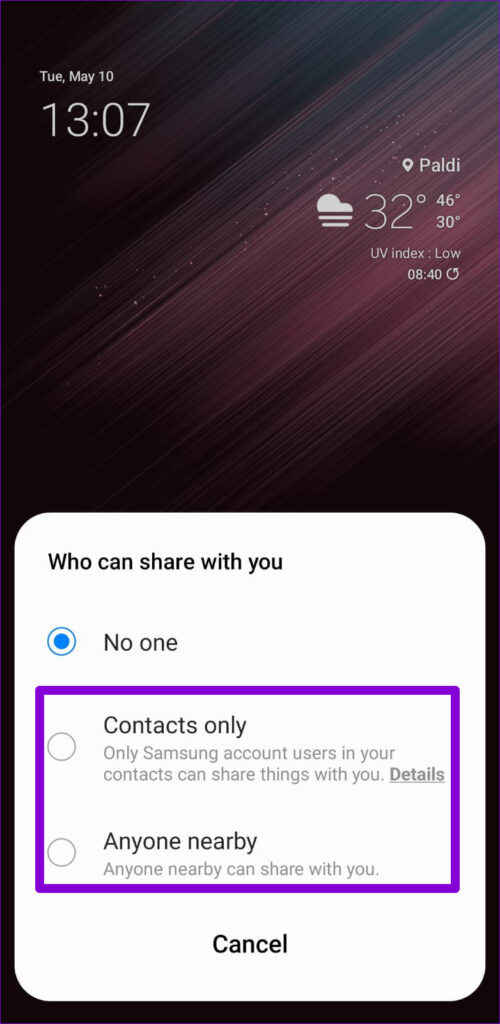

Tip: You can also go to Settings > Connected devices > Quick Share to modify your file sharing preferences.
Sending Files With Quick Share
Quick Share allows you to share things from almost anywhere. So, you can share files or links from the Gallery, file manager, browser, and more.
If you’re looking to share something using Quick Share, here’s what you need to do.
Step 1: Open up any image, video, or document that you wish to share. Tap the share option at the bottom and choose Quick Share.
Step 2: Your phone will start looking for any nearby Galaxy devices. Select the one with which you’d like to share the file. Note that the receiver needs to enable Quick Share on their phone and keep the phone unlocked to appear as an available device.
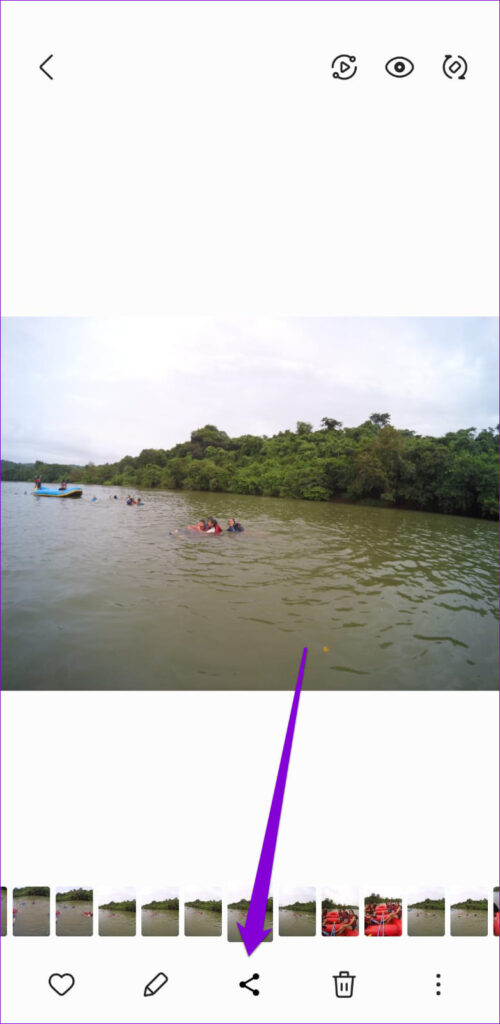

The recipient’s phone will receive a request. Once it is accepted, your phone will share the file instantly.
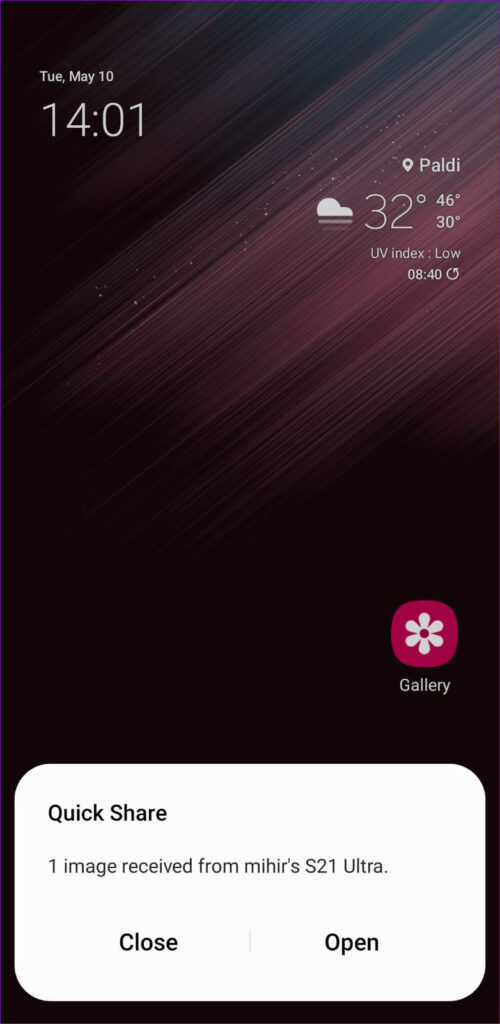
Similarly, you can also select and share multiple files at once using the Quick Share feature.
Was this helpful?
Last updated on 25 July, 2024
1 Comment
Leave a Reply
Read Next
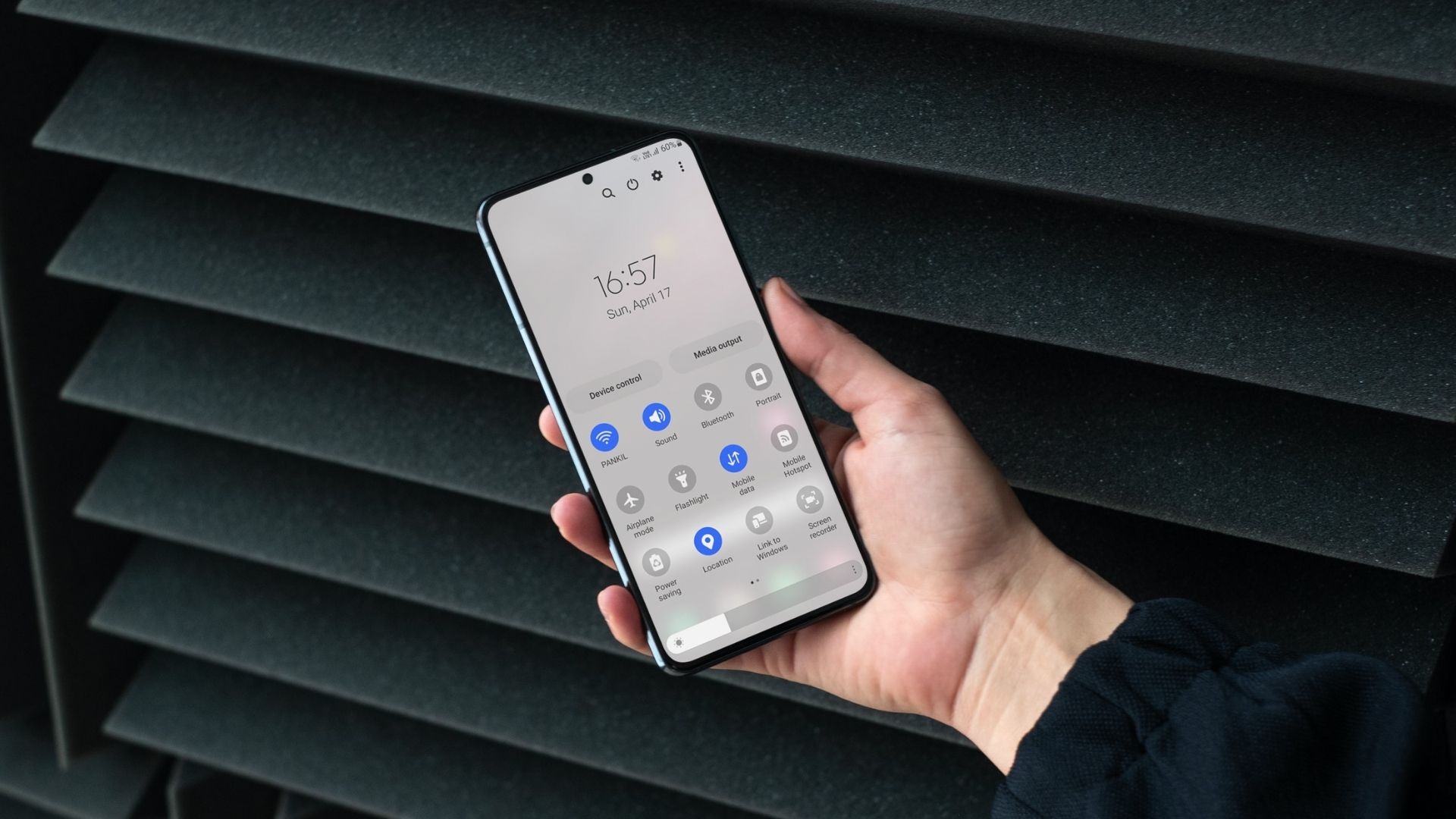 How to Use Quick Settings Panel on Samsung Galaxy Phones
How to Access the Quick Settings Panel You can access the Quick Settings panel by swiping down from the top of the screen.
How to Use Quick Settings Panel on Samsung Galaxy Phones
How to Access the Quick Settings Panel You can access the Quick Settings panel by swiping down from the top of the screen.
 How to Customize Share Menu on Samsung Galaxy Phones
There are multiple different ways to share files from your Android phone.
How to Customize Share Menu on Samsung Galaxy Phones
There are multiple different ways to share files from your Android phone.
 5 Fixes for Samsung Health App Not Tracking Steps
Basic Fixes Ensure that step counter is enabled: Open the Health app > Tap on Steps > Three dots in the top-right corner > Check and ensure that the step
5 Fixes for Samsung Health App Not Tracking Steps
Basic Fixes Ensure that step counter is enabled: Open the Health app > Tap on Steps > Three dots in the top-right corner > Check and ensure that the step
 Samsung My Files vs Google Files: Which File Manager Is Better on Galaxy Phones
Samsung apps are bundled to replace the official Google Apps in the One UI.
Samsung My Files vs Google Files: Which File Manager Is Better on Galaxy Phones
Samsung apps are bundled to replace the official Google Apps in the One UI.
 Top 5 Ways to Get Rid of Notifications on Samsung Galaxy Phones
Some Android apps display notifications that continue to stay at top for hours as banner with the app name in the notification center.
Top 5 Ways to Get Rid of Notifications on Samsung Galaxy Phones
Some Android apps display notifications that continue to stay at top for hours as banner with the app name in the notification center.
 How to Change Lock Screen Shortcuts on Samsung Galaxy Phones
https://youtu.be/UAEMzgi_Ju0 How to Change Lock Screen Shortcuts in One UI The new One UI offers a few native settings to modify the lock screen shortcuts.
How to Change Lock Screen Shortcuts on Samsung Galaxy Phones
https://youtu.be/UAEMzgi_Ju0 How to Change Lock Screen Shortcuts in One UI The new One UI offers a few native settings to modify the lock screen shortcuts.
 How to Set Custom Notification Sounds for Different Apps on Samsung Galaxy Phones
How to Set Different Notification Sounds for Different Apps You can change app sounds through the phone's Settings app.
How to Set Custom Notification Sounds for Different Apps on Samsung Galaxy Phones
How to Set Different Notification Sounds for Different Apps You can change app sounds through the phone's Settings app.
 Where to Find Downloads on Samsung Galaxy Phones
Where to Find Downloaded Files on Samsung Galaxy Phone If you're new to Samsung Galaxy phones, you may wonder where your downloaded files are.
Where to Find Downloads on Samsung Galaxy Phones
Where to Find Downloaded Files on Samsung Galaxy Phone If you're new to Samsung Galaxy phones, you may wonder where your downloaded files are.
The article above may contain affiliate links which help support Guiding Tech. The content remains unbiased and authentic and will never affect our editorial integrity.

Is the Quick Share only for use with other Samsungs? Can I use it with my Mac Air tablet? If not, what’s the best way to get my phone photos to that tablet?
Thanks