Method 1: Forward a Message on WhatsApp
Step 1: Open a conversation on WhatsApp. Long-press a message and tap on the Forward icon.
Step 2: Select the contacts or groups you want to send the message to > click on the arrow button to send your WhatsApp message to up to five contacts.

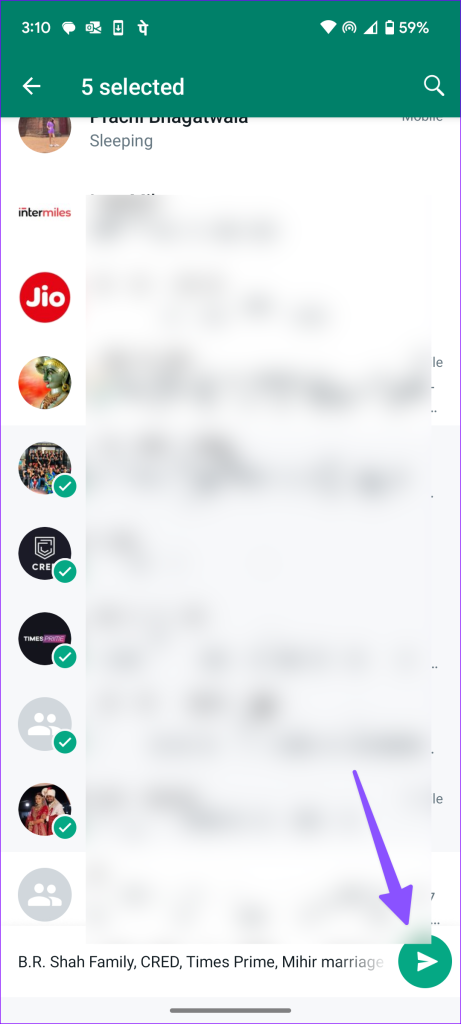
You can’t forward a message to more than five contacts to prevent FUD (Fear, Uncertainty, and Doubt) on the platform. You must forward the same again. After you forward the same message multiple times, WhatsApp labels it as ‘Forwarded many times’ above it.
Method 2: Create a Community on WhatsApp
Step 1: Open WhatsApp on your phone. Move to the Communities tab. On Android, you can find it at the top left corner, and iPhone users can access it at the bottom.


Step 2: Select an announcement channel and send a message.
Method 3: Create a Broadcast List on WhatsApp
Some people find WhatsApp communities confusing. Besides, you need admin rights to add groups to them. If you want to share WhatsApp messages with multiple contacts, create a broadcast list.
Note: You can add up to 256 contacts to a WhatsApp broadcast list.
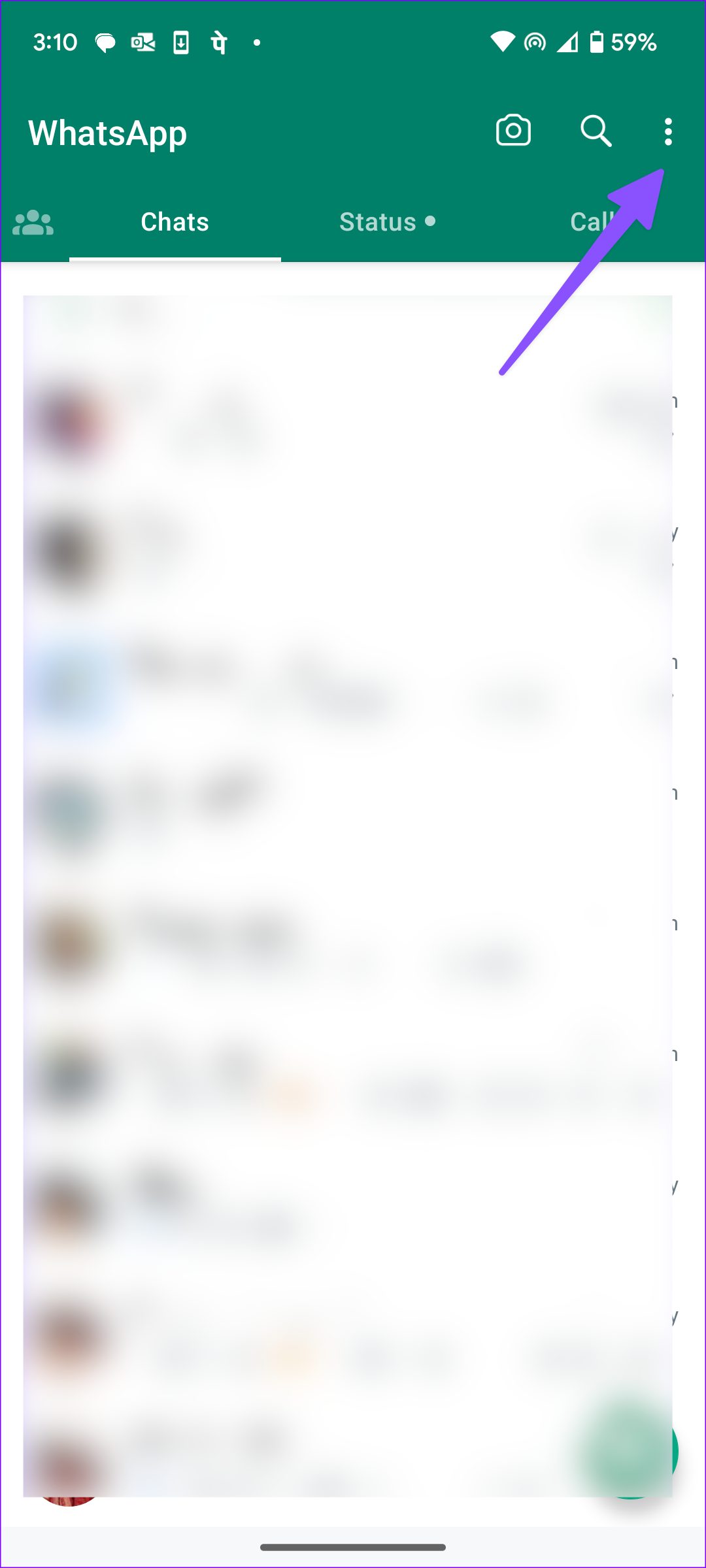
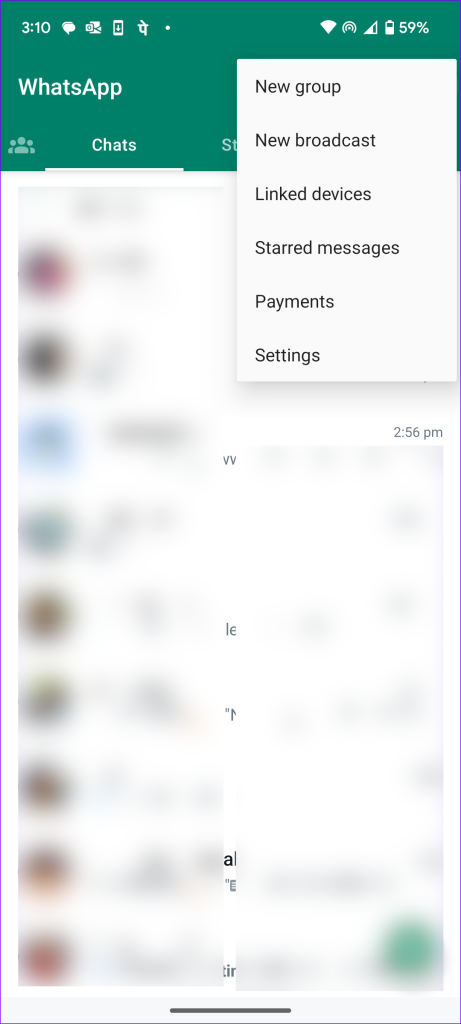
Step 1: Open WhatsApp on your phone. Tap the three vertical dots menu at the top-right corner and select New broadcast.

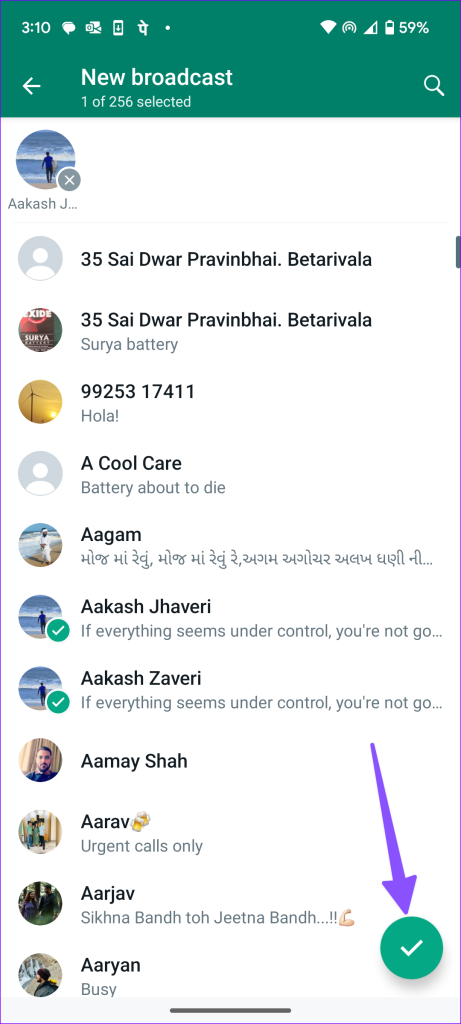
Step 2: Select up to 256 contacts and press the checkmark at the bottom. WhatsApp will create a broadcast list to send messages.

Refer to our post to learn more about WhatsApp broadcast lists. You can send messages in these lists just like you would in any group.
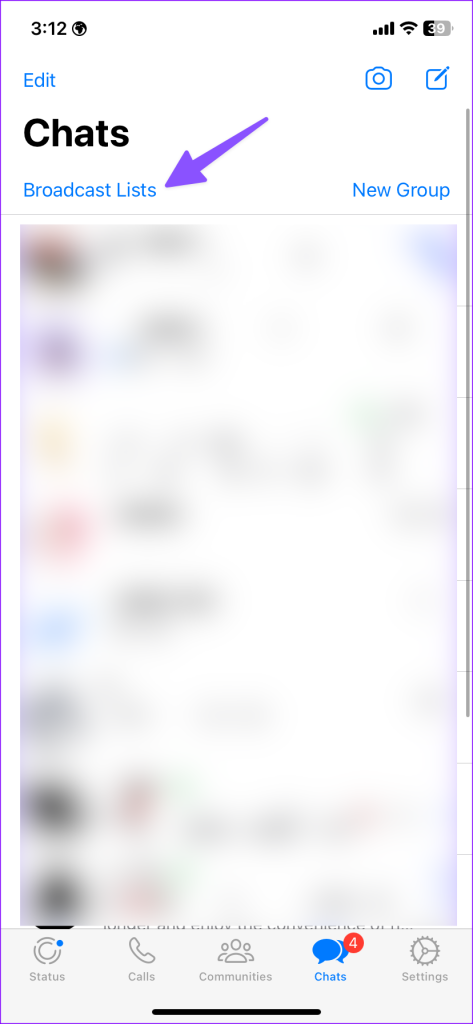
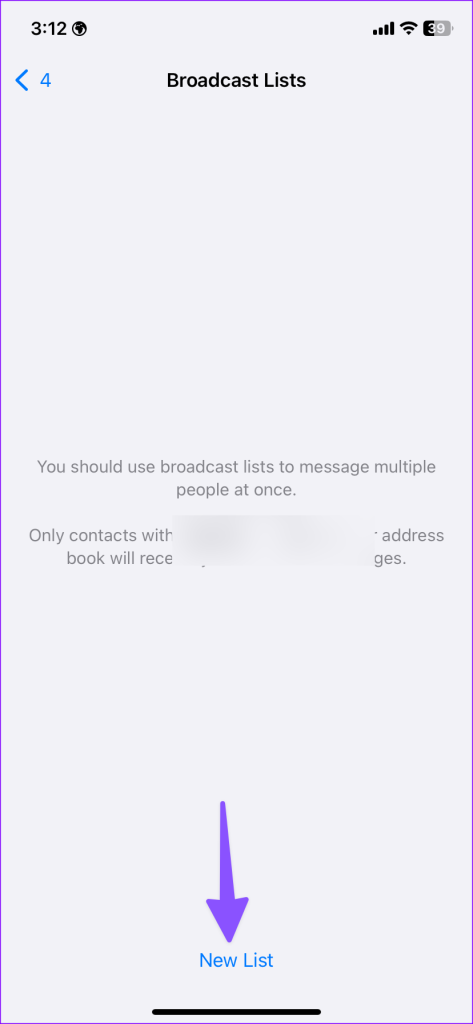
iPhone users can tap Broadcast Lists at the top and select New List to create such lists.
Method 4: Make a Group on WhatsApp
WhatsApp groups are a known method for sending messages to multiple contacts. You can create a group with up to 2048 participants on WhatsApp.
Step 1: Launch WhatsApp and tap the three-dot menu at the top-right corner. Select New group.

Step 2: Select participants and continue. Then, enter the group name, check participants, and press the checkmark.


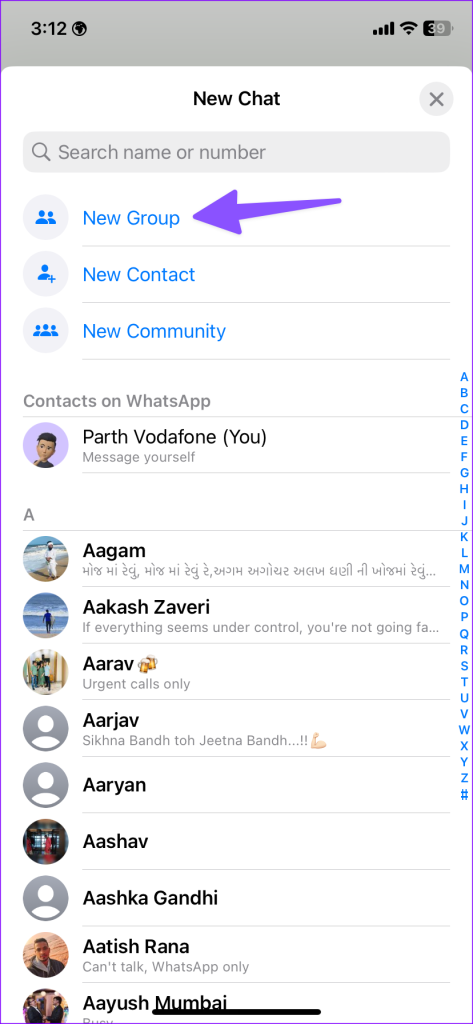
iPhone users can create a new WhatsApp group from the compose menu at the top. Then, you and the approved admins can send messages to the group.

Step 3: Lastly, open the group, tap on the text box, and type. Once ready, send the message. It will ensure everyone can access the message.
Was this helpful?
Last updated on 08 July, 2024
Read Next
 Google Contacts vs Samsung Contacts: Which App Is Best for Saving and Managing Contacts
Apart from phones running Stock Android, all other Android phones have their own set of basic apps.
Google Contacts vs Samsung Contacts: Which App Is Best for Saving and Managing Contacts
Apart from phones running Stock Android, all other Android phones have their own set of basic apps.
 iCloud Contacts vs Google Contacts: Where Should You Save Contacts on Your iPhone
When you are using an Android phone, one prefers using Google Contacts to store and manage contacts.
iCloud Contacts vs Google Contacts: Where Should You Save Contacts on Your iPhone
When you are using an Android phone, one prefers using Google Contacts to store and manage contacts.
 How to Send Multiple Photos on WhatsApp for iPhone and Android
It’s sufficient to say that IM (instant messaging) platforms like WhatsApp and Messenger have become the preferred way to send or receive media files.
How to Send Multiple Photos on WhatsApp for iPhone and Android
It’s sufficient to say that IM (instant messaging) platforms like WhatsApp and Messenger have become the preferred way to send or receive media files.
 3 Ways to Fix Unable to Send Multiple Documents on WhatsApp on Android
Basic Fixes: Check document size: WhatsApp allows you to send documents only up to 2GB.
3 Ways to Fix Unable to Send Multiple Documents on WhatsApp on Android
Basic Fixes: Check document size: WhatsApp allows you to send documents only up to 2GB.
 How to Delete Multiple or All Chats in WhatsApp
We have covered the following things here: How to delete multiple chats on WhatsApp.
How to Delete Multiple or All Chats in WhatsApp
We have covered the following things here: How to delete multiple chats on WhatsApp.
 How to Send Instant Video Messages on WhatsApp on iPhone and Android
Send WhatsApp Instant Video Message Just so you know, this feature is unavailable for desktop users.
How to Send Instant Video Messages on WhatsApp on iPhone and Android
Send WhatsApp Instant Video Message Just so you know, this feature is unavailable for desktop users.
 5 Ways to Send Multiple Photos From iPhone
1.
5 Ways to Send Multiple Photos From iPhone
1.
 3 Ways to Send Multiple Photos From Samsung Galaxy Phones
Method 1: Use Quick Share Samsung’s Quick Share, inspired by AirDrop on Apple devices, provides a fast way to share media files between nearby Android and Windows devices.
3 Ways to Send Multiple Photos From Samsung Galaxy Phones
Method 1: Use Quick Share Samsung’s Quick Share, inspired by AirDrop on Apple devices, provides a fast way to share media files between nearby Android and Windows devices.
The article above may contain affiliate links which help support Guiding Tech. The content remains unbiased and authentic and will never affect our editorial integrity.