


Make a Group Video Calls on Telegram on Android & iOS
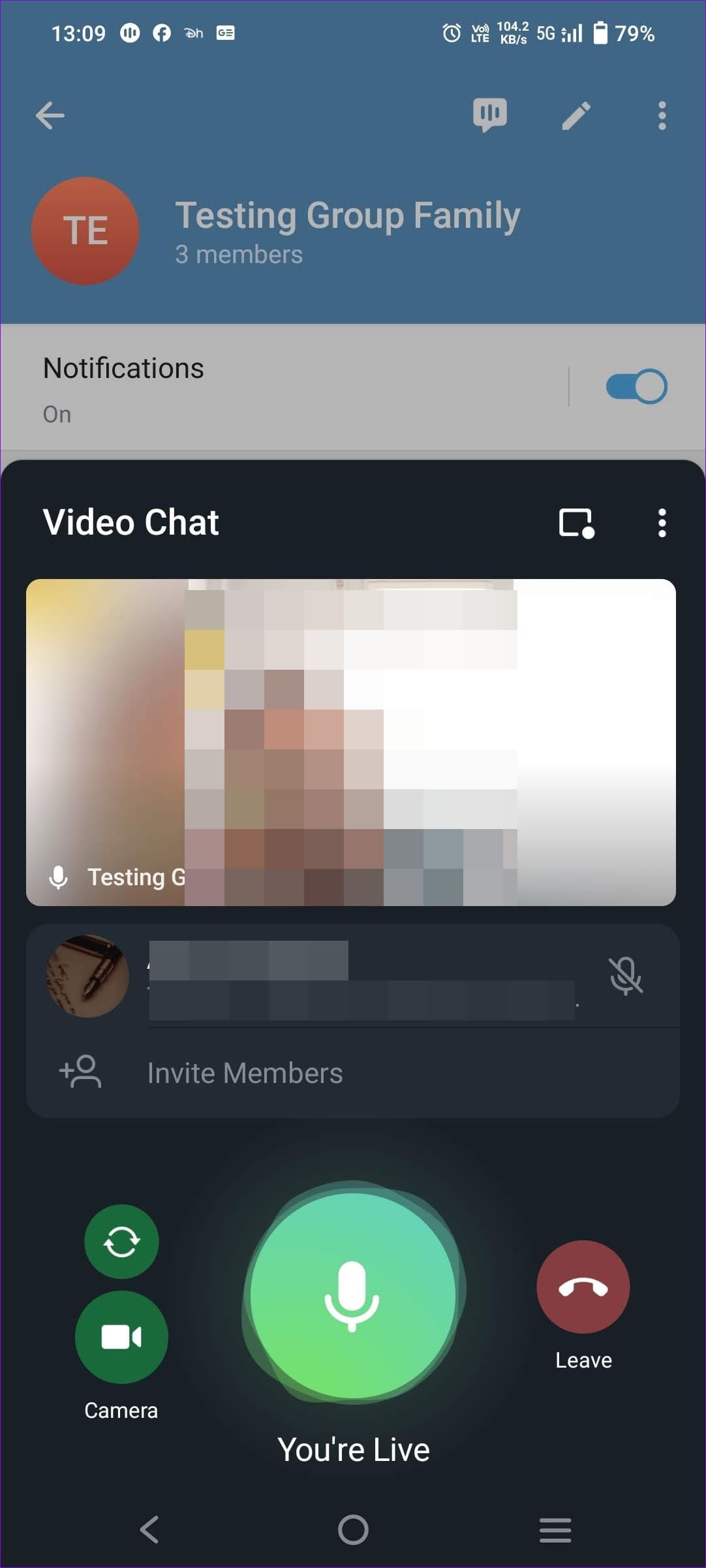
Step 1: Open your Telegram Android app’s existing group. Tap the group name to open the Group Info page. It will show you options, including starting Voice Chat.
Step 2: Tap the conversation-looking icon to start the audio call instantly. Once everyone joins, tap on the video call icon to get started.
Step 3: Before you join the call, the pop-up window will ask you to tap on the Share Video button and then choose the camera (front or rear) to join the video call.


Make Group Video Calls on Telegram on the Desktop
Step 1: Open the Telegram app and switch to the group. Then, click on the conversation or chat-looking icon at the top right of the group name and next to the search icon.
Step 2: It will open a fly-out menu. Click on Start video chat to instantly start the group video call. You can also use the Schedule video chat to do it later.

Step 3: When you click Start video chat, you can choose whether you want the video call displayed as the Channel, group, or your account.

Step 4: You will then receive a pop-up window in which you can control the mic and leave and turn on the video camera. Once everyone joins, you can click on the video icon, which will be converted into a video call.

Was this helpful?
Last updated on 27 August, 2024
1 Comment
Leave a Reply
Read Next
 5 Ways to Fix Telegram Desktop Video Calls Not Working
Basic Fixes Switch to 5GHz Wi-Fi: If you have a dual-band router, try switching to a 5GHz frequency band to get faster internet speeds.
5 Ways to Fix Telegram Desktop Video Calls Not Working
Basic Fixes Switch to 5GHz Wi-Fi: If you have a dual-band router, try switching to a 5GHz frequency band to get faster internet speeds.
 Telegram Channel vs Group: Which One Should You Use
Telegram is a highly-lauded alternative to WhatsApp.
Telegram Channel vs Group: Which One Should You Use
Telegram is a highly-lauded alternative to WhatsApp.
 How to Add Someone to Telegram Group on Android, iOS, or PC
How to Add Someone to an Existing Telegram Group On Android Step 1: Open the Telegram app on your Android device.
How to Add Someone to Telegram Group on Android, iOS, or PC
How to Add Someone to an Existing Telegram Group On Android Step 1: Open the Telegram app on your Android device.
 4 Fixes for Telegram Calls Not Connecting on Android and iPhone
Basic Fixes Blocked by recipient: You might have been blocked by the contact on Telegram.
4 Fixes for Telegram Calls Not Connecting on Android and iPhone
Basic Fixes Blocked by recipient: You might have been blocked by the contact on Telegram.
 How to Fix Messenger Video Calls Not Working on Windows 11
Basic Fixes Login again to your Messenger account: The very first thing you should do is to log out and then back into your Messenger account.
How to Fix Messenger Video Calls Not Working on Windows 11
Basic Fixes Login again to your Messenger account: The very first thing you should do is to log out and then back into your Messenger account.
 3 Fixes for No Sound in Facebook Messenger Video Calls
Basic Fixes Check volume levels: Check whether you have optimum volume levels on your iPhone or Android phone.
3 Fixes for No Sound in Facebook Messenger Video Calls
Basic Fixes Check volume levels: Check whether you have optimum volume levels on your iPhone or Android phone.
 How to Use Your Avatar During Video Calls on Instagram and Facebook Messenger
How to Create Your Avatar on Instagram To use your personalized avatar during video calls, you will first need to create your Instagram avatar.
How to Use Your Avatar During Video Calls on Instagram and Facebook Messenger
How to Create Your Avatar on Instagram To use your personalized avatar during video calls, you will first need to create your Instagram avatar.
 5 Fixes for No Sound in WhatsApp Video Calls on iPhone and Android
Basic Fixes Force quit and relaunch WhatsApp: This will reload the app and give it a fresh start on your iPhone or Android phone.
5 Fixes for No Sound in WhatsApp Video Calls on iPhone and Android
Basic Fixes Force quit and relaunch WhatsApp: This will reload the app and give it a fresh start on your iPhone or Android phone.
The article above may contain affiliate links which help support Guiding Tech. The content remains unbiased and authentic and will never affect our editorial integrity.
Hello
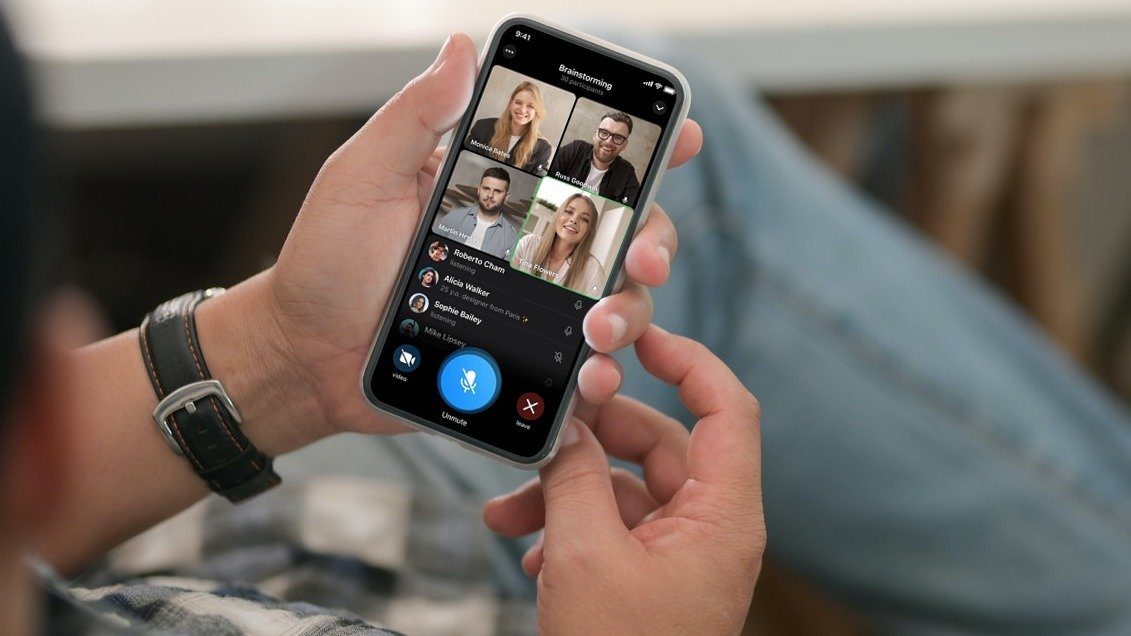
I can make a group video call on telegram but my group members’ phone don’t hear the ring sound. They will not know that I am calling if they don’t open their telegram app.
How to have a ring sound while I make a group video call.