

How to Change Amazon’s Language on Web Browser
Note: Amazon’s URL dynamically adjusts depending on the region you’re accessing it from. So, if you encounter a prompt asking to change the country after launching Amazon on your web browser, go ahead and give it a try.
On a Desktop or Website
Step 1: Open any web browser and navigate to Amazon’s website.
Step 2: Move the cursor over the flag icon (next to Account & Lists) and select your preferred language from the drop-down menu.

If you want to change your region, click on country/region. The supported languages will change accordingly, as they are specific to regions. Like on the US website, you can only choose English or Spanish.
On Mobile Website
Step 1: Open Amazon’s website on your preferred browser on your mobile, scroll to the bottom to find and tap on the globe icon.
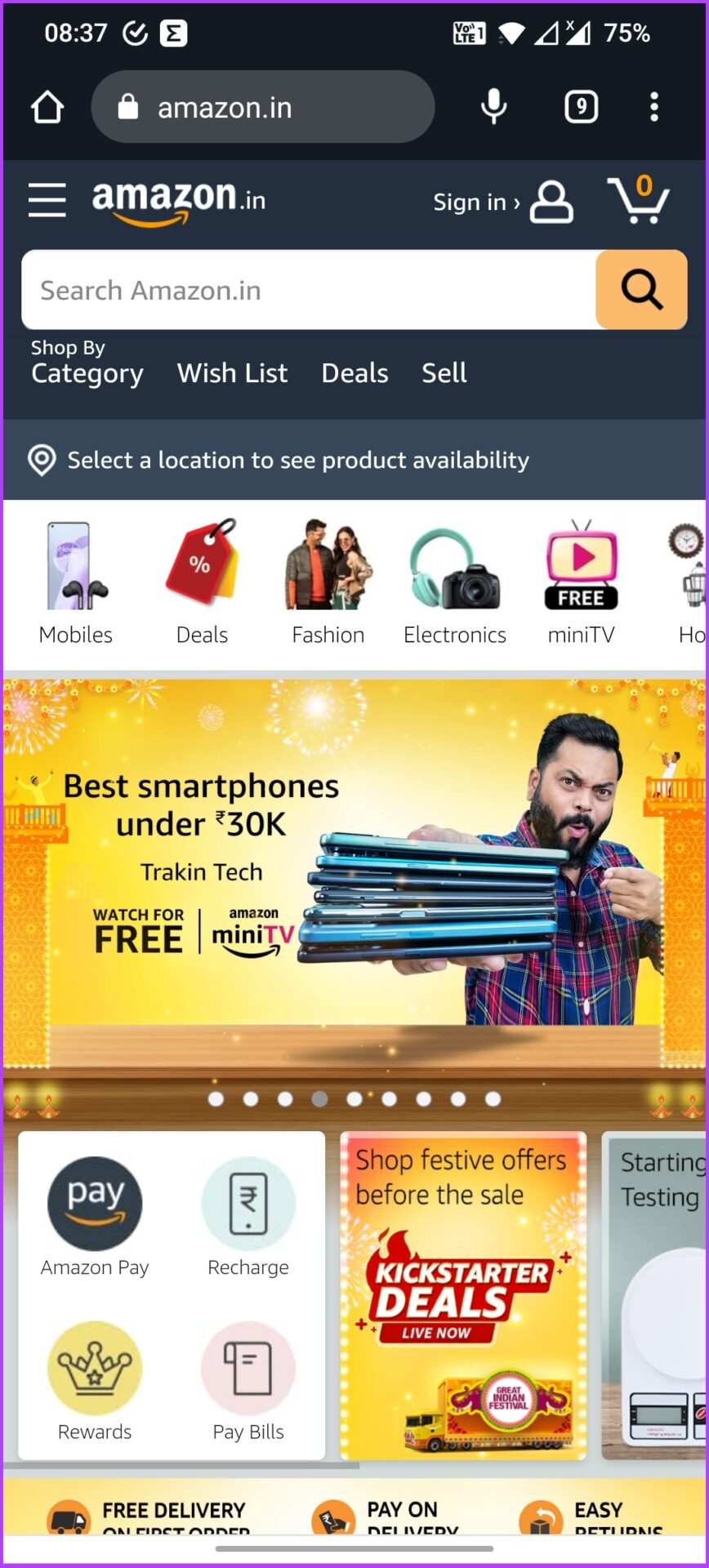

Step 2: Select the preferred language > tap on Save changes.
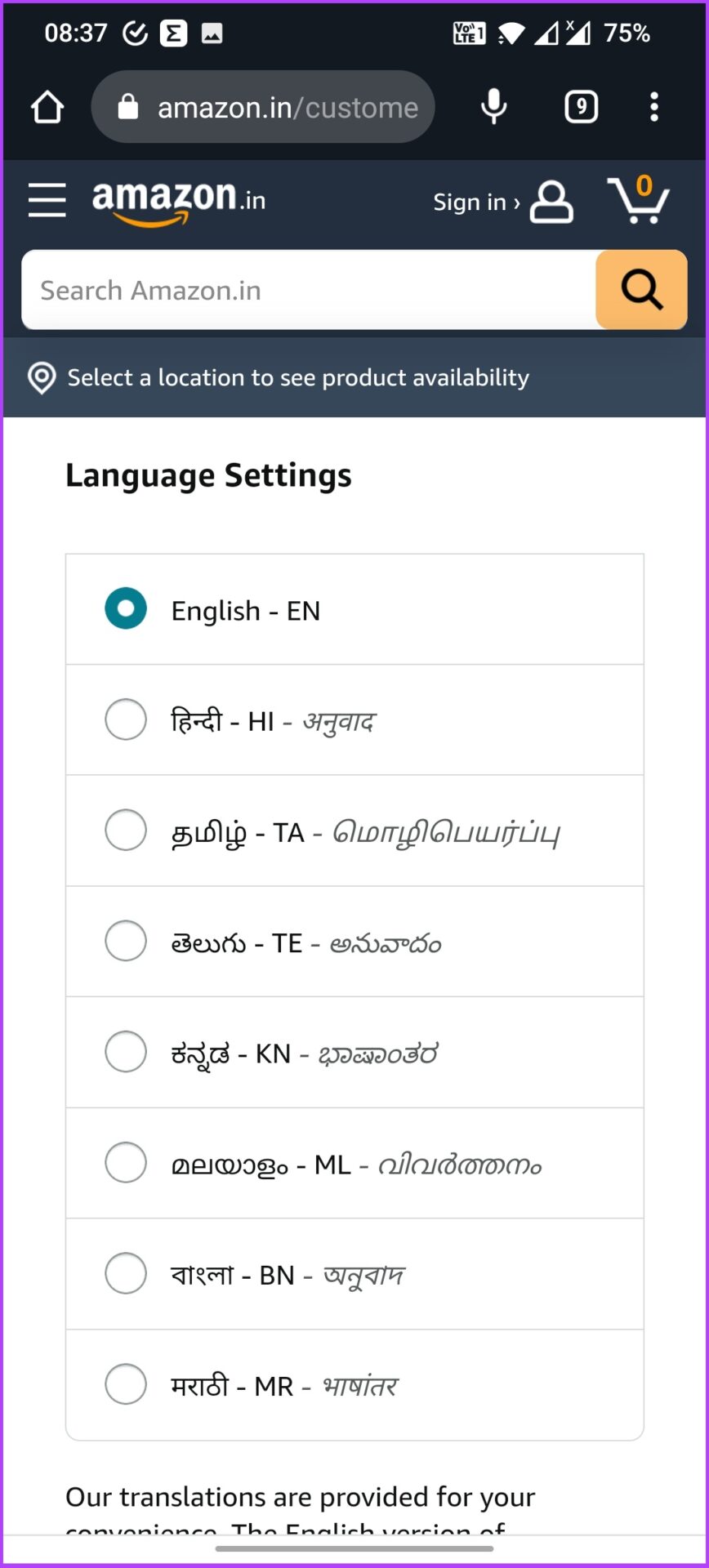
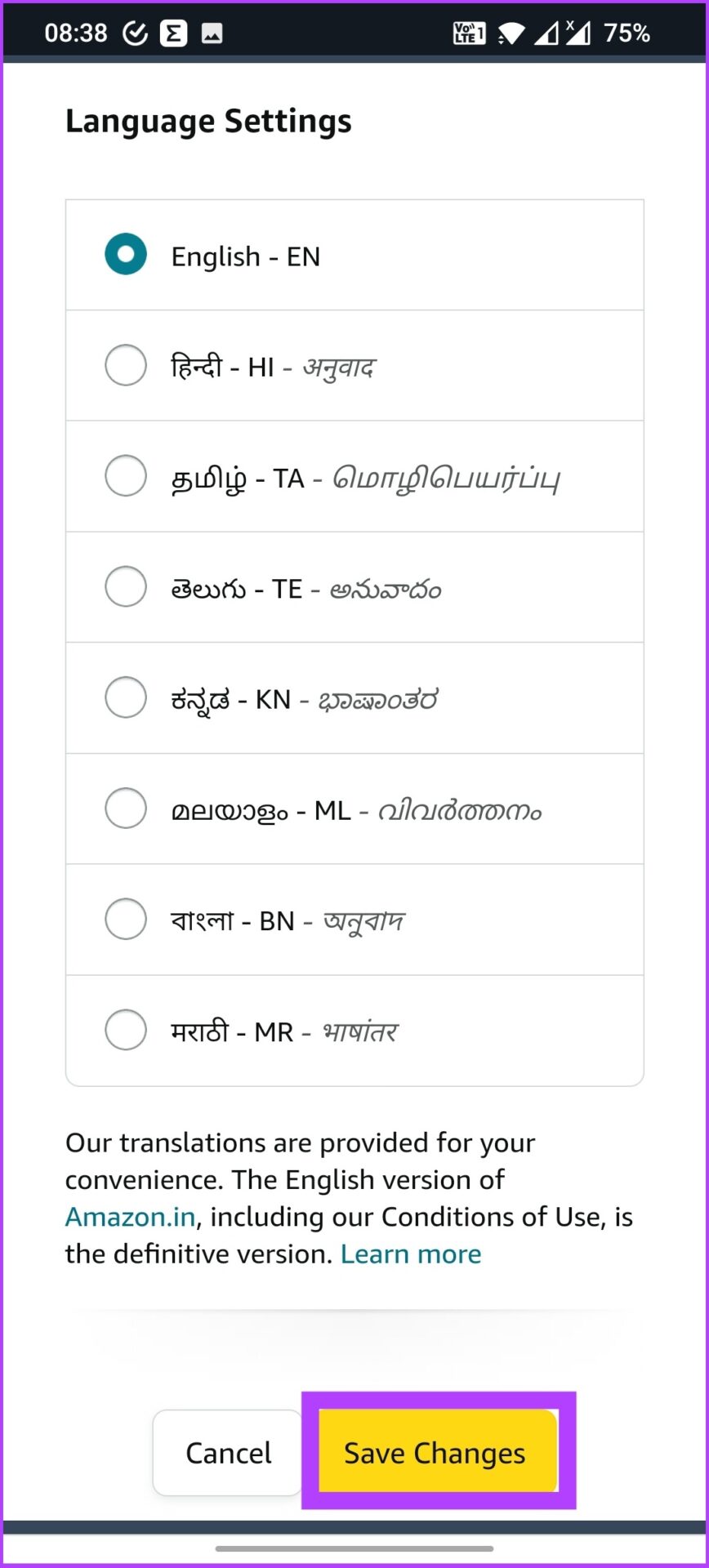
Amazon will send you an email to confirm the updated language preference, and that’s it.
Change the Language on the Amazon App (Android and iPhone)
Step 1: Open the Amazon mobile app and tap on the three horizontal lines icon at the bottom right.
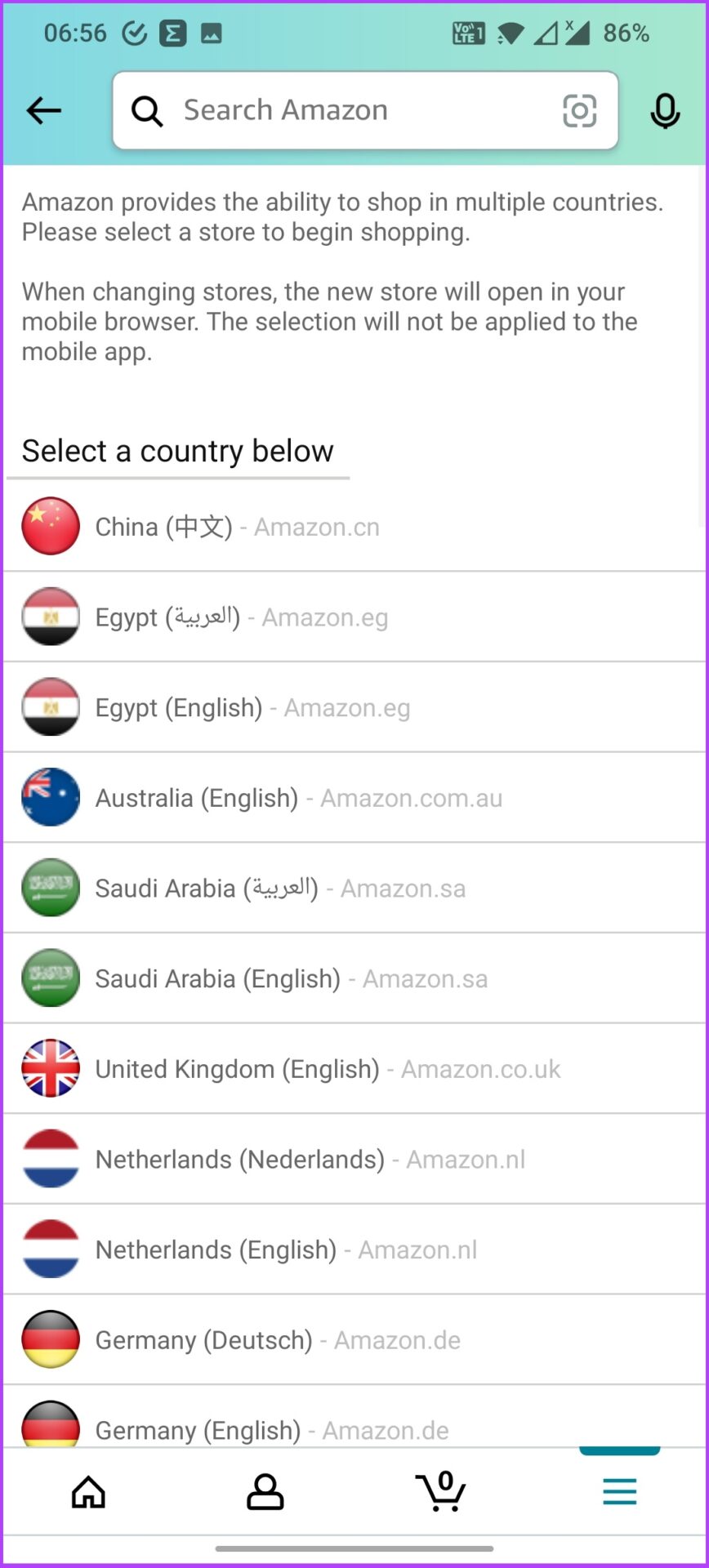
Step 2: Tap on Settings and select Country & Languages.
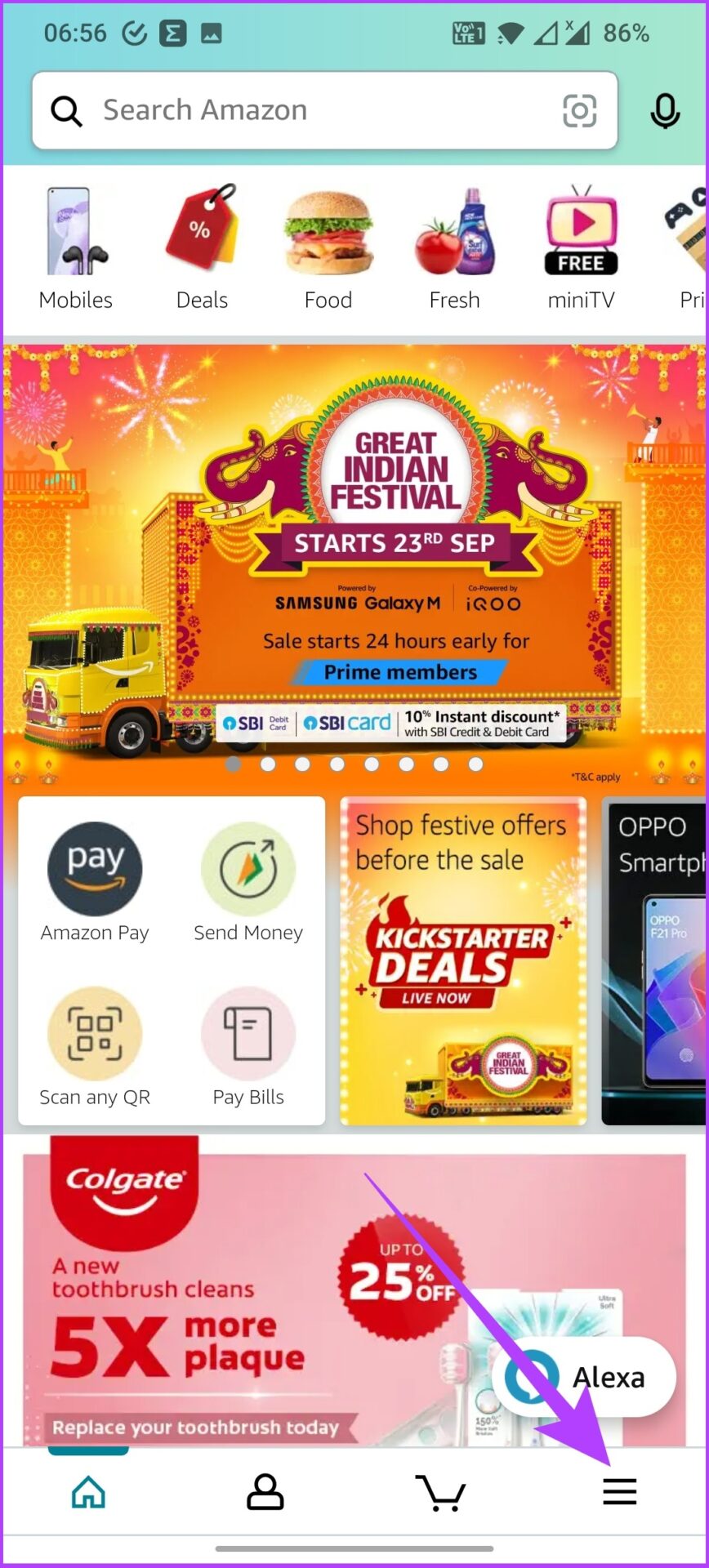
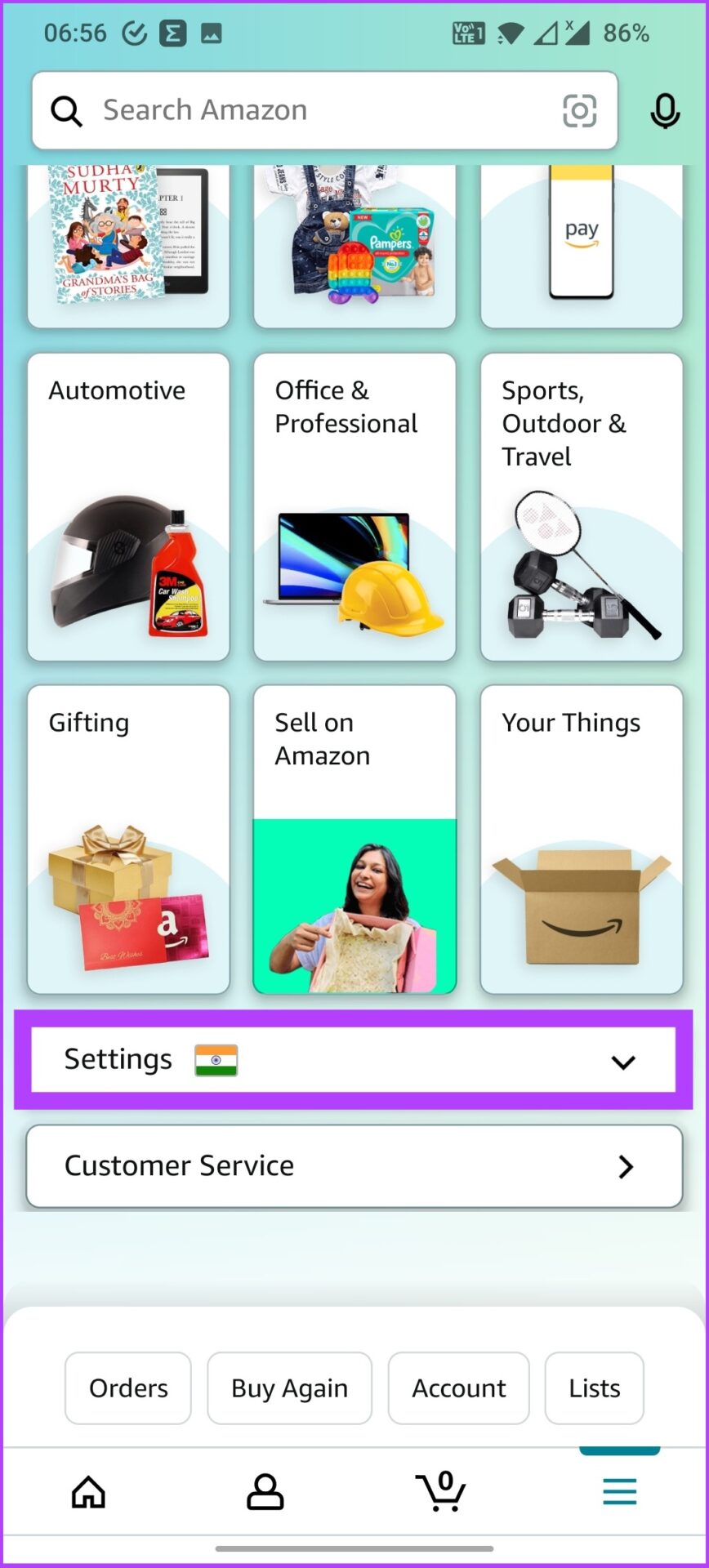
This selection will display a list of region-specific language options too.
Step 3: Now, choose the language you prefer from the list.
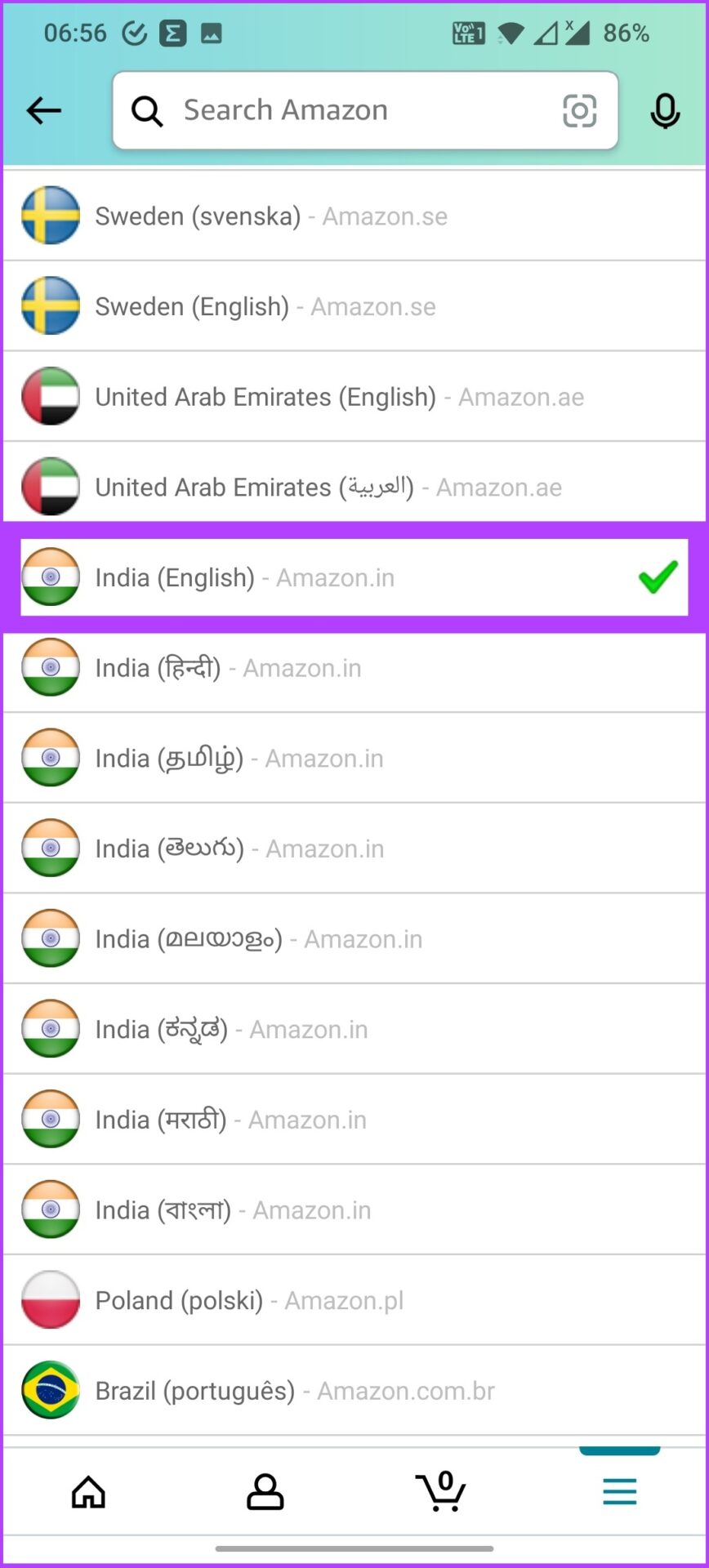
That’s it! You will now see Amazon in your preferred language. Additionally, Amazon will also notify you about the language update confirmation on your registered email.
FAQs
It depends on your device. If you have the Amazon app, tap on the three horizontal lines icon > select Settings > tap on Country & Languages > select the language you want.
Amazon may display pages in Spanish if your browser has multi-language support and settings that allow it. This problem could also arise if you change the language settings or click on some foreign link.
Was this helpful?
Last updated on 23 August, 2024
4 Comments
Leave a Reply
Read Next
 The Complete Guide to Facebook Group Admin Roles and Responsibilities
Any group without a leader can quickly spiral to chaos.
The Complete Guide to Facebook Group Admin Roles and Responsibilities
Any group without a leader can quickly spiral to chaos.
 A Complete Guide to Creating and Using Facebook Avatar
The times are changing.
A Complete Guide to Creating and Using Facebook Avatar
The times are changing.
 A Complete Guide to Using Sections in Google Forms
If you work a lot with Google Forms, you probably have to create, edit, move, or perform other manipulations on form sections.
A Complete Guide to Using Sections in Google Forms
If you work a lot with Google Forms, you probably have to create, edit, move, or perform other manipulations on form sections.
 What Is Instagram Countdown Sticker: A Complete Guide
What Is a Countdown Sticker Let’s say there is a party at your home/school/college, and you go to Instagram to announce it.
What Is Instagram Countdown Sticker: A Complete Guide
What Is a Countdown Sticker Let’s say there is a party at your home/school/college, and you go to Instagram to announce it.
 What Happens When You Send a Google Drive Link: A Complete Guide
Understanding Google Drive File Sharing Settings Sharing a Google Drive link allows users to access the file or a folder.
What Happens When You Send a Google Drive Link: A Complete Guide
Understanding Google Drive File Sharing Settings Sharing a Google Drive link allows users to access the file or a folder.
 A Complete Guide to Using and Managing Tags in Microsoft OneNote
OneNote offers many ways to organize your notes.
A Complete Guide to Using and Managing Tags in Microsoft OneNote
OneNote offers many ways to organize your notes.
 A Complete Guide to Using Split Screen in Windows 10
Windows makes multitasking feel like a cakewalk.
A Complete Guide to Using Split Screen in Windows 10
Windows makes multitasking feel like a cakewalk.
 How to Factory Reset a Steam Deck: A Complete Guide
Your Steam Deck is a powerful handheld gaming PC, but like any computer, it can accumulate glitches and performance issues over time.
How to Factory Reset a Steam Deck: A Complete Guide
Your Steam Deck is a powerful handheld gaming PC, but like any computer, it can accumulate glitches and performance issues over time.
The article above may contain affiliate links which help support Guiding Tech. The content remains unbiased and authentic and will never affect our editorial integrity.

Please help me change from Spanish to English on my Amazon app. It changed by itself.
Please change the language back to Engish please, So I can finish my order, please
Hello. I am a Canadian in Mexico and have changed my Amazon app to Mexico so that I can shop here. But I need to be able to read in English. Can you tell me how to do this. I would appreciate any help you can provide.
If you open in chrome it automatically translates